Contact.s Back Up

Contact.s Back Up

ダウンロード: App Store
Spark by MWM logo
ロゴ: Contact.s Back Up

Contact.s Back Up:プロフェッショナルネットワークをワンタップで保護

顧客やリードを二度と失うことはありません。忙しいプロフェッショナルが、安心感を持って連絡先をバックアップ、同期、スプレッドシートにエクスポートするための究極のツールです。

ダウンロード: App Store

開発元

Symon Johnson

カテゴリ

Productivity

ダウンロード

881K+

ユーザー評価

4.5/5

評価数

7K+

対応言語

7

一目でわかる効率性

このインターフェースを利用する 881K+ 人のユーザー.

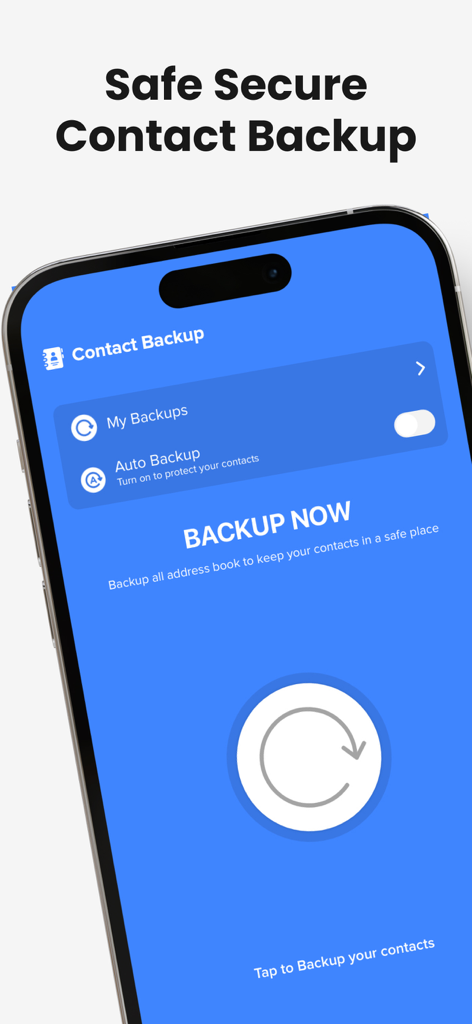
Contact.s Back Up のモバイルアプリインターフェイス。メインの今すぐバックアップボタンと自動バックアップ設定が表示されています。

Contact.s Back Up のモバイルアプリインターフェイス。メインの今すぐバックアップボタンと自動バックアップ設定が表示されています。

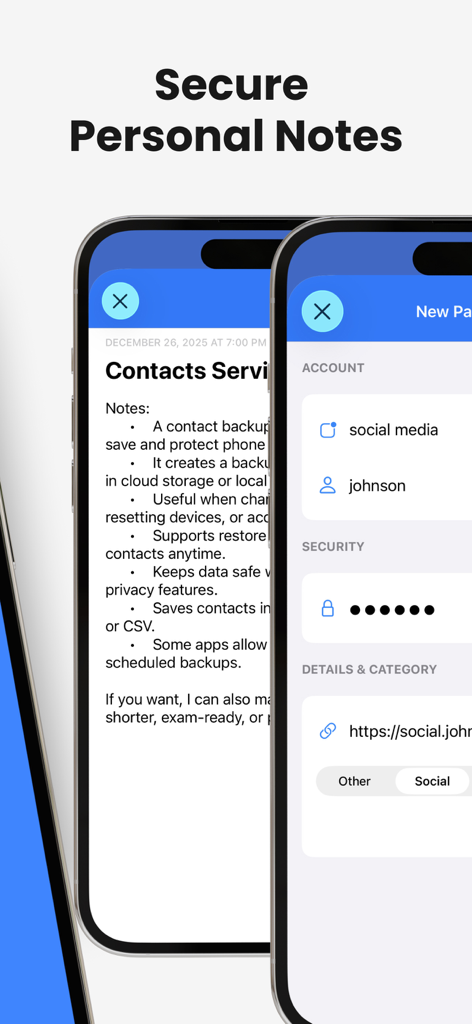
アプリ内のセキュアな個人ノートとアカウントセキュリティ設定を示すインターフェイス。

アプリ内のセキュアな個人ノートとアカウントセキュリティ設定を示すインターフェイス。

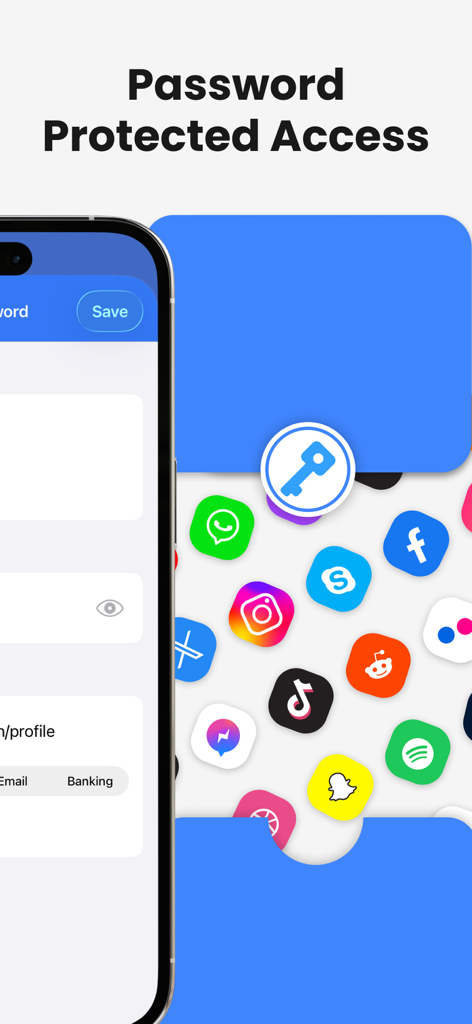
セキュアな連絡先バックアップとデータプライバシーのためのパスワード保護アクセス機能を示すスクリーンショット。

セキュアな連絡先バックアップとデータプライバシーのためのパスワード保護アクセス機能を示すスクリーンショット。

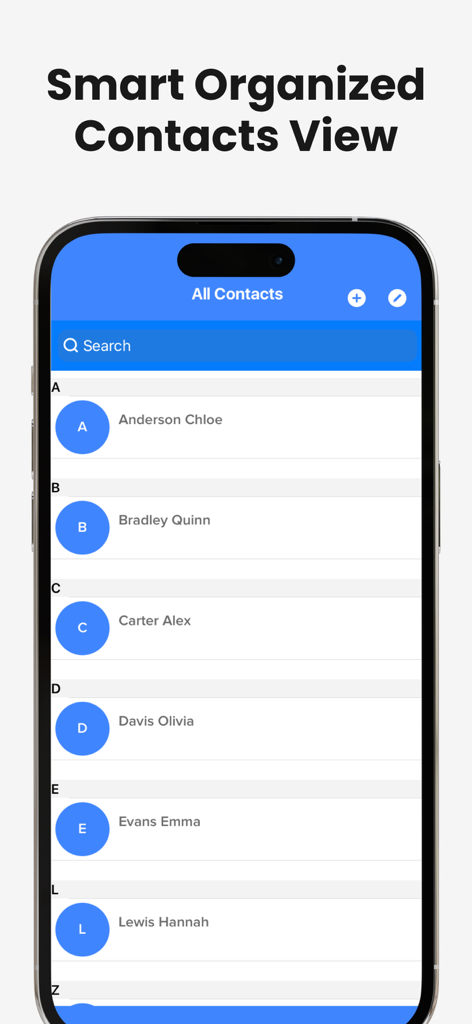
アプリ内で、iPhone画面に表示された整理されたアルファベット順の連絡先リスト。

アプリ内で、iPhone画面に表示された整理されたアルファベット順の連絡先リスト。

プロフェッショナルネットワークを保護

このアプリを際立たせるツール、 881K+ 人のユーザーが選択.

🛡️

確実なワンタップバックアップ

顧客の番号を二度と失わないでください。iCloud、Googleドライブ、またはGmailに、ワンタップで瞬時にアドレス帳全体を保護し、完全な安心感を得られます。

📊

プロフェッショナルなデータエクスポート

あなたの電話をリード獲得ツールに変えましょう。連絡先リストをスプレッドシート(CSV)にエクスポートして、CRMやプロフェッショナルデータベースと簡単に同期できます。

🧹

スマートデータベースクリーンアップ

デジタル clutter を排除します。重複エントリを自動的に識別およびマージして、クリーンでプロフェッショナル、かつ効率的なデジタルワークスペースを維持します。

世界中のユーザーに愛されています

Trusted by 881K+ 人がこのアプリを愛用しています.

"

"不動産業者として、私の連絡先リストは文字通り私の生計を立てるものです。このアプリは私にとって完全にゲームチェンジャーです。ワンタップで電話帳全体をCRM用のスプレッドシートにエクスポートできる機能は、それを持つまで必要だとは知らなかった機能です。これは私のプロフェッショナルネットワークにとって完璧な保険証券です。"

Marcus T., 不動産業者
"

"複数のクライアントを管理しており、アドレス帳が重複情報や古い情報で散らかっていることがよくありました。このアプリは数秒で全てを整理してくれました。Googleドライブへの自動バックアップは、携帯電話を紛失してもクライアントの番号を二度と失うことがないことを知っているので、大きな安心感を与えてくれます。シンプルで、速く、プロフェッショナルです。"

Elena R., フリーランスコンサルタント

アプリについて

について知っておくべきこと Contact.s Back Up.

説明

Backup all your contacts in just a single tap with an easy tool that will help you to save all the contacts in your agenda to never lose a phone number again. The easiest way to restore, backup, and sync your contacts right to the palm of your hand. • Update the contacts you have at any time of the day with just a single tap. • Backup all the contacts in your agenda right to your local memory and make sure you won't lose them again. • Backup your contacts in Google Drive, iCloud, Gmail, or Exchange to keep all the information in a safe place while reducing the number of contacts you save in your device’s memory. • Restore your contacts whenever you need it. • Export your contacts to spreadsheets, and organize, store, or analyze the information you have on them at any time. • Merge, filter, and remove the contacts you have saved in your phone in just a couple of steps. • Share your whole list of contacts in just seconds with our in-app email sharing functionality. • Find your contacts much easier with the large list of filter options we have included for you to find people faster. • Include all the information and notes you want to add to each contact and create your database right in your device. • Don’t worry about updating your contacts manually, just activate our auto backup function, and let us help you with that. • Look for contacts you have added or deleted in your backup history tab. Don’t lose those important contacts, boost your device’s memory, and organize all your important information in one single easy-to-us Become a PRO user: 1. Title of publication or service:Contacts PRO. 2. Length of Subscription & Price of Subscription, price per unit if appropriate: - Weekly(3 Days Free Trial) 3. Prices of Subscription: - 3 day free trial then $4.99 per week - 3 day free trial then $9.99 per month - $49.99 per year 4. Payment will be charged to iTunes Account at confirmation of purchase 5. Subscription automatically renews unless auto-renew is turned off at least 24-hours before the end of the current period. You can turn of the auto-renew subscription from iPhone setting 6. Account will be charged for renewal within 24-hours prior to the end of the current period, and identify the cost of the renewal 7. Subscriptions may be managed by the user and auto-renewal may be turned off by going to the user's Account Settings after purchase. 8. Privacy Policy: https://insanedevelopersllc.wordpress.com/privacy-policy/ 9. Terms of use: https://insanedevelopersllc.wordpress.com/terms-of-use/

最新バージョン

2.66

サイズ

60.0 MB

リリース日

2019年9月21日

大切なつながりを二度と失わない

ワンタップバックアップとエクスポートツールを信頼し、ビジネス連絡先を安全かつ整理して保管している88万人以上のプロフェッショナルに加わりましょう。

ダウンロード: App Store
FAQ

よくある質問

について知っておくべきこと Contact.s Back Up

Contact.s Back Up はどのように連絡先をバックアップしますか?

Contact.s Back Up は、ワンタップでローカルメモリ、Googleドライブ、iCloud、Gmail、Exchange にすべての連絡先をバックアップできます。また、自動バックアップ機能も備えています。

Contact.s Back Up PRO で利用できるサブスクリプションプランは何ですか?

Contact.s Back Up PRO では、週次(3日間のトライアル後 $4.99/週)、月次(3日間のトライアル後 $9.99/月)、年次($49.99)のサブスクリプションプランを提供しています。支払いは iTunes アカウントに請求されます。

Contact.s Back Up は連絡先の自動バックアップ機能を提供していますか?

はい、Contact.s Back Up は自動バックアップ機能を提供しています。ユーザーはこの機能を有効にすることで、手動操作なしで連絡先を自動的に更新し、継続的な保護を保証できます。

ユーザーは Contact.s Back Up PRO のサブスクリプションをどのように管理しますか?

ユーザーは、購入後に iPhone のアカウント設定で Contact.s Back Up PRO のサブスクリプションを管理し、自動更新をオフにすることができます。この操作は、現在の期間が終了する少なくとも24時間前に行う必要があります。

ユーザーは Contact.s Back Up アプリから連絡先をエクスポートできますか?

はい、Contact.s Back Up を使用すると、ユーザーは連絡先をスプレッドシートにエクスポートできます。この機能は、必要に応じて連絡先情報を整理、保存、または分析するのに役立ちます。

Contact.s Back Up は、個人メモの安全な保存やパスワード保護機能を提供していますか?

はい、Contact.s Back Up は「セキュア個人ノート」と「パスワード保護アクセス」機能を提供しています。これらの機能により、ユーザーは機密情報をアプリ内に強化されたプライバシーで保存できます。

Contact.s Back Up アプリは、連絡先の結合やフィルタリング機能を提供していますか?

はい、Contact.s Back Up を使用すると、ユーザーは連絡先を簡単に結合、フィルタリング、削除できます。特定の連絡先をすばやく見つけるための包括的なフィルタリングオプションを提供しています。