Decibel X PRO: dBA Noise Meter

Decibel X PRO: dBA Noise Meter

ダウンロード: App Store
Spark by MWM logo
ロゴ: Decibel X PRO: dBA Noise Meter
Decibel X PRO: プロフェッショナル音レベルメーター&騒音積算計

Apple Health連携により、OSHA準拠の監視、聴覚保護、プロフェッショナルオーディオ分析のための、事前に校正されたラボグレードのツールをiPhoneに。

ダウンロード: App Store

開発元

SkyPaw Co., Limited

カテゴリ

Utilities

ダウンロード

308K+

ユーザー評価

4.7/5

評価数

15K+

対応言語

12

一目でわかる精度

このインターフェースを利用する 308K+ 人のユーザー.

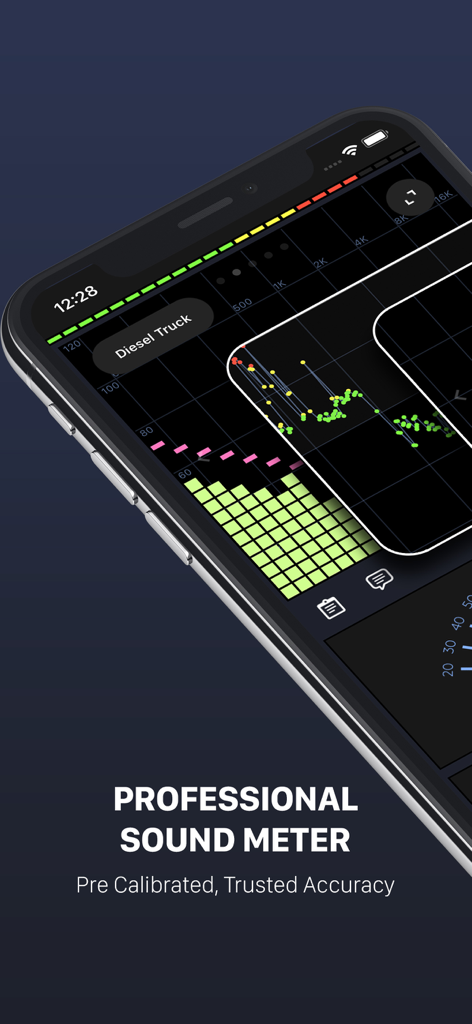
Decibel X PROアプリのインターフェース。プロフェッショナルな音レベル測定値と周波数分析グラフがスマートフォン画面に表示されています。

Decibel X PROアプリのインターフェース。プロフェッショナルな音レベル測定値と周波数分析グラフがスマートフォン画面に表示されています。

スマートフォン画面にDecibel X PROと騒音レベルメーター、スペクトルアナライザーが表示されています。

スマートフォン画面にDecibel X PROと騒音レベルメーター、スペクトルアナライザーが表示されています。

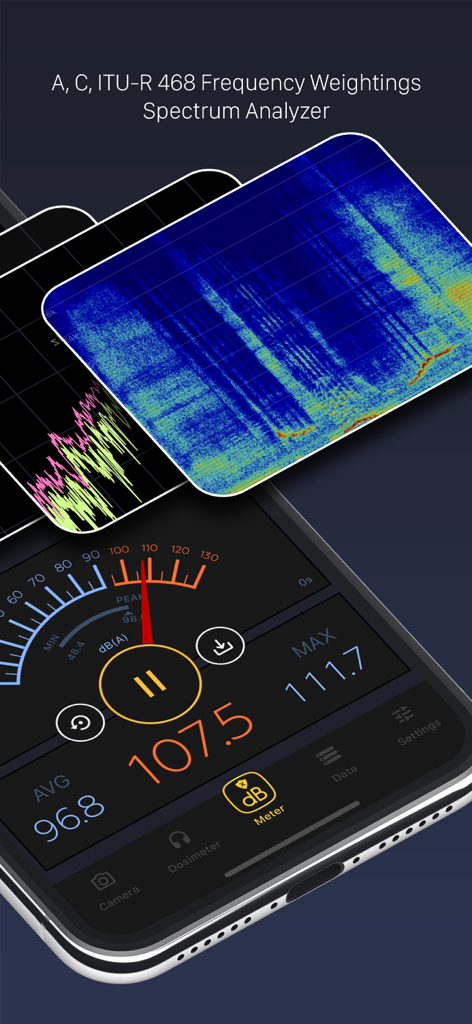
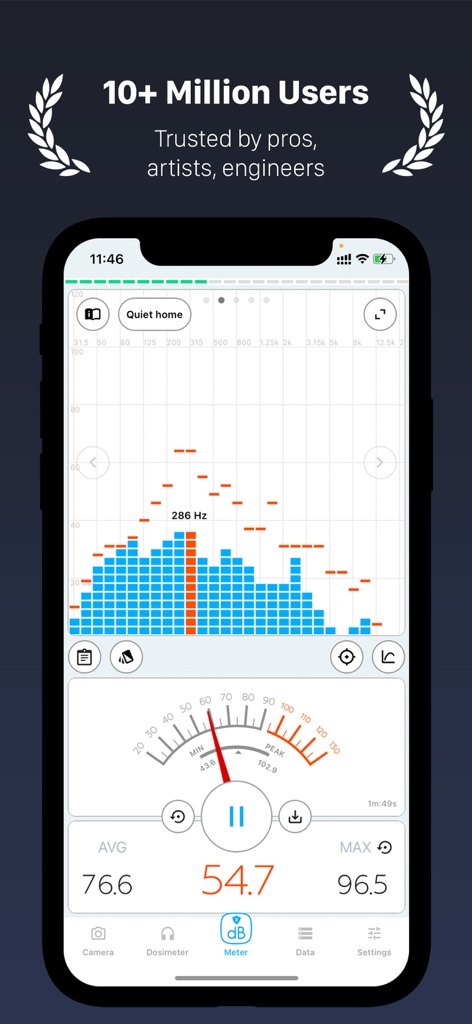
Decibel X PROアプリ。リアルタイムの騒音レベルメーターと周波数分析グラフを表示しています。

Decibel X PROアプリ。リアルタイムの騒音レベルメーターと周波数分析グラフを表示しています。

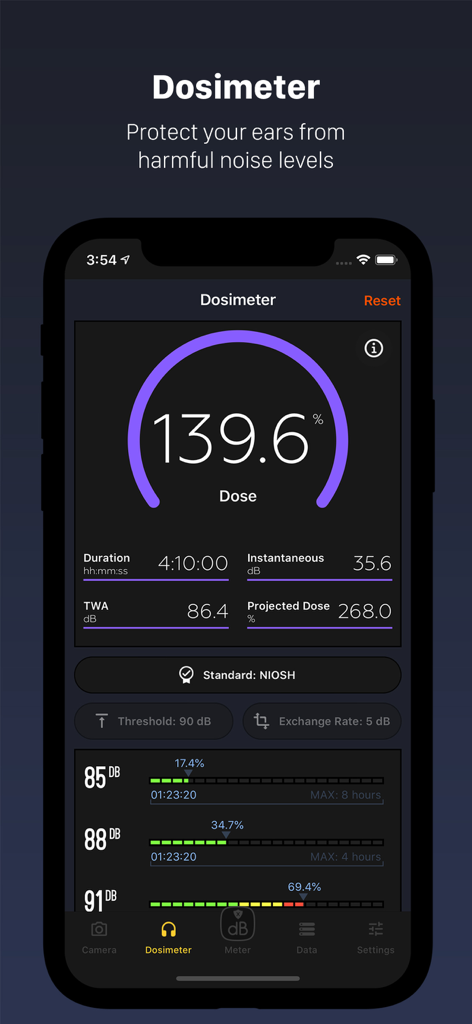
Decibel X PRO騒音積算計インターフェース。積算率とNIOSH安全基準を表示しています。

Decibel X PRO騒音積算計インターフェース。積算率とNIOSH安全基準を表示しています。

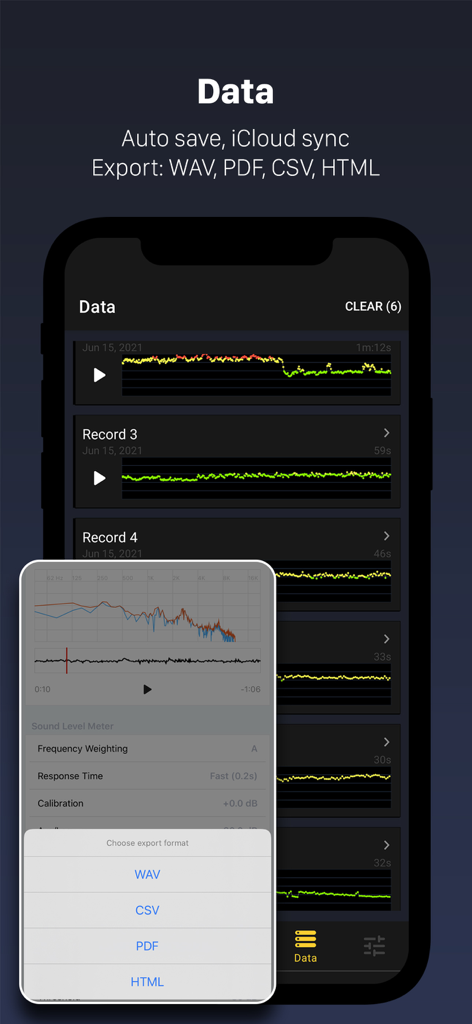
Decibel X PROのインターフェース。騒音測定記録とWAVやCSVなどの様々なデータエクスポート形式を表示しています。

Decibel X PROのインターフェース。騒音測定記録とWAVやCSVなどの様々なデータエクスポート形式を表示しています。

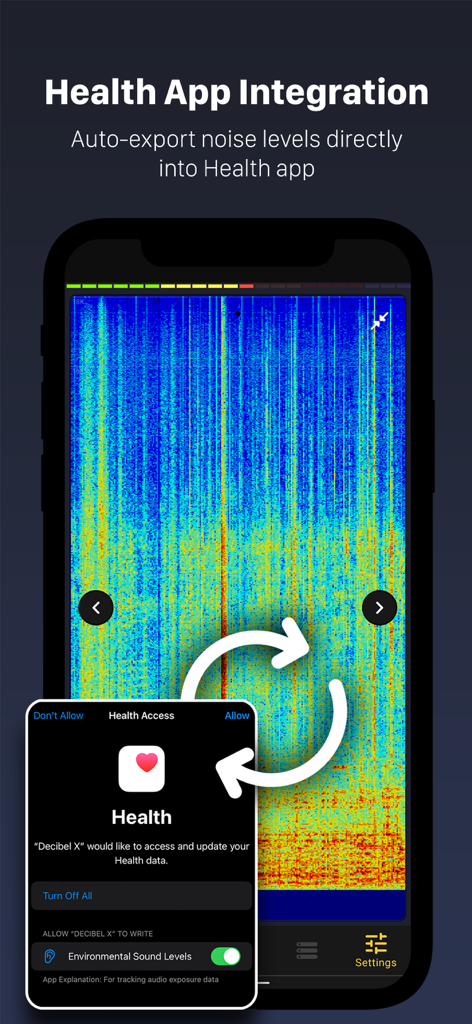
Decibel X PRO騒音計インターフェース。Apple Healthアプリとの連携を示し、環境音レベルを追跡します。

Decibel X PRO騒音計インターフェース。Apple Healthアプリとの連携を示し、環境音レベルを追跡します。

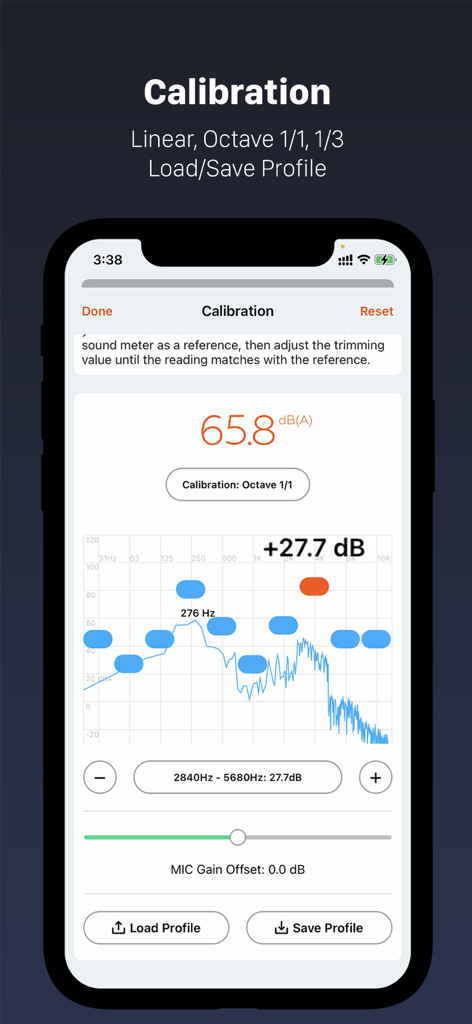
Decibel X PROアプリ。オクターブ周波数分析とデシベル値が表示されたプロフェッショナルキャリブレーション画面を表示しています。

Decibel X PROアプリ。オクターブ周波数分析とデシベル値が表示されたプロフェッショナルキャリブレーション画面を表示しています。

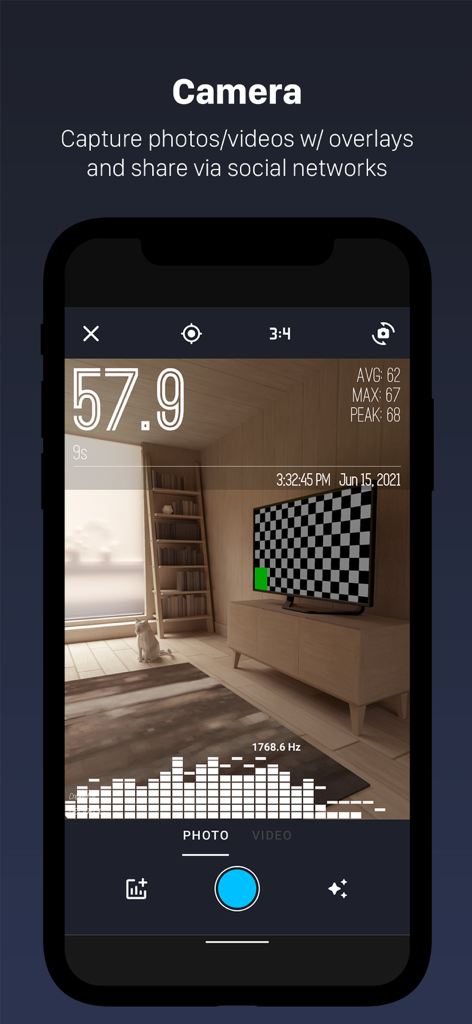
Decibel X PROアプリのスクリーンショット。写真にリアルタイムの音レベルデータと周波数グラフがオーバーレイされたカメラ機能を表示しています。

Decibel X PROアプリのスクリーンショット。写真にリアルタイムの音レベルデータと周波数グラフがオーバーレイされたカメラ機能を表示しています。

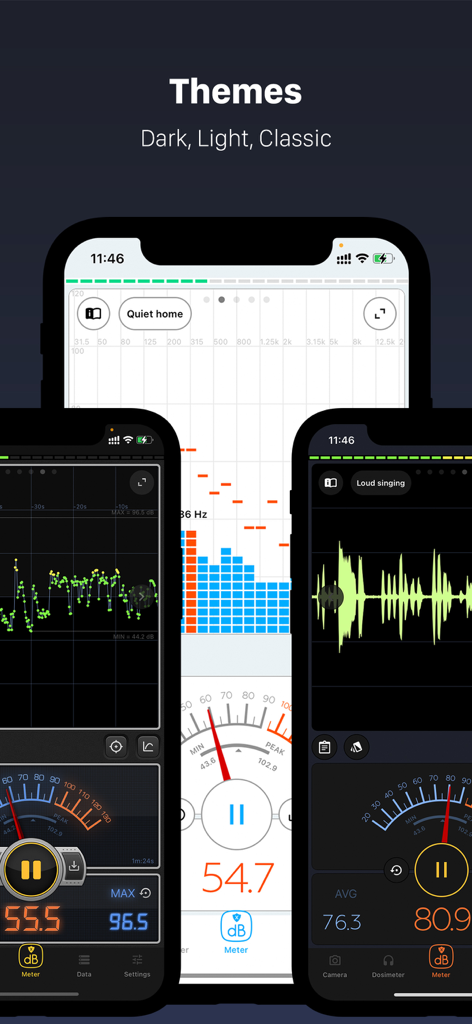
Decibel X PRO騒音計アプリのインターフェース。ダーク、ライト、クラシックテーマを表示しています。

Decibel X PRO騒音計アプリのインターフェース。ダーク、ライト、クラシックテーマを表示しています。

信頼できる精密な騒音監視

このアプリを際立たせるツール、 308K+ 人のユーザーが選択.

🛡️

認定精度&OSHA基準

事前に校正された測定値と内蔵のNIOSH/OSHA積算騒音計を利用して、職場や環境が公式の安全規制を満たしていることを確認してください。

シームレスなAppleエコシステム連携

Apple Watchから直接デシベルレベルを監視し、騒音曝露データをApple Healthアプリに自動同期して、完全な健康概要を作成できます。

📊

プロフェッショナルなデータ&レポート

詳細な周波数分析をキャプチャし、高解像度のグラフまたはCSVファイルを騒音紛争またはプロフェッショナルオーディオ監査の決定的な証拠としてエクスポートします。

世界中のユーザーに愛されています

Trusted by 308K+ 人がこのアプリを愛用しています.

"

"ついに、プロの仕事で信頼できる騒音計が登場しました。高価なスタンドアロンハードウェアと比較しましたが、Decibel X PROは信じられないほど正確です。NIOSHおよびOSHA積算騒音計機能は、日々の安全監査に不可欠であり、騒がしい建設現場でデータをApple Watchに同期できるのは、まさにゲームチェンジャーです。"

Marcus G., 安全コンサルタント
"

"このアプリは、近所の騒音公害を記録するのに最適なツールでした。InstaDecibel機能により、正確な騒音レベルをオーバーレイした写真を建物管理者に証明として提出できました。また、Apple Healthデータと連携して、長期的な聴覚の健康状態を監視できるのも気に入っています。"

Elena Rodriguez, 都市住民

アプリについて

について知っておくべきこと Decibel X PRO: dBA Noise Meter.

説明

"Decibel X" is the leading noise meter app on the market, which has highly reliable, pre-calibrated measurements and supports dBA, dBC. Our success lies at the intersection of expertise in sound communication, listening to our dear users, and our vision to build a great product. Our app turns your iOS device into a professional sound level meter, precisely measures the sound pressure level (SPL) all around you. While this pro tool mainly aids audio experts or workers prone to noise pollution, it can also add more fun and protect your hearing. Have you ever wondered how quiet your surroundings are or how loud is a rock concert or football match? "Decibel X" will help you answer all of those. WHAT MAKE IT GREAT AND STAND OUT FROM OTHER APPS: - Trusted accuracy: the app is tested and pre calibrated for all Apple devices. The precision is matching with real SPL devices - Apple Watch support: see noise level right from your wrist - Health App integration: export noise levels directly into Health app. - Frequency weighting filters: ITU-R 468, A, B, C, Z - Powerful, smart history data management: + Recording data can be saved into a list of history records for future access and analysis + Each record can be exported as hi-res PNG graph or CSV text via sharing services + iCloud support which synchronize all history records across your Apple devices + Fullscreen mode to give overview the whole history of an record - Dosimeter with NIOSH, OSHA standards - FFT and BAR graphs to display real time FFT. Those are very useful for frequency analysis and musical tests. Real time predominant frequency is also displayed. - WAVE graph with 2 display modes: Rolling & Buffer - InstaDecibel to capture your dB report overlaid on photos and easily shared via popular social networks (Facebook, Instagram, Messages, etc.). - Support both Portrait and Landscape layouts - Beautiful, intuitive and carefully crafted UI design - Optimized for iOS 11 OTHER GREAT FEATURES: - Standard time weightings (Response Time): SLOW (500 milliseconds) and FAST (200 milliseconds) - Trimming calibration from -15 dB to 15 dB - Standard measurement range from 30 dBA up to 130 dBA - HISTO graph for plotted history of the recorded values - Real time scale level chart - Display Current, Average/Leq, and Max values with both nice and clear digital and analog layouts - Quick reference text to help you compare with real-life examples - "Keep Device Stay Awake" option for long duration recording - Reset and clear current recording at any time - Tap on Max value to reset at any time - Pause/Resume the tool at any time NOTES: - Please do not expect a quiet room reading will be 0 dBA. The range 30-130 dBA is the standard usable range and an average quiet room will be about 30 dBA. - Although all devices are pre-calibrated, custom calibration is suggested for serious purposes requiring higher precision and accuracy. You will need a real external device or calibrated sound meter as a reference, then adjust the trimming calibration until the reading matches with the reference. * Choose from different subscription options. Our standard subscription options are: 1-month Subscription 1-year Subscription * Subscription payments will be charged to your iTunes account at confirmation of your purchase and upon commencement of each renewal term. Subscription with a free trial period will automatically renew to a paid subscription. You can cancel your subscription or free trial in the iTunes settings at least 24-hours before the end of the free trial period. The cancellation will take effect the day after the last day of the current subscription period and you will be downgraded to the free service. * Please note: any unused portion of a free trial period (if offered) will be forfeited when you purchase a premium subscription during the free trial period. * Privacy Policy: http://www.skypaw.com/decibelx/privacy_policy.html * EULA: http://www.skypaw.com/decibelx/terms.html

最新バージョン

9.9.4

サイズ

23.5 MB

リリース日

2017年7月10日

プログレードの精度で環境をマスターしよう

30万人以上のユーザーが、事前に校正された精度、OSHA標準レポート、シームレスなApple Health連携を信頼するDecibel X PROに参加しましょう。究極のSPLメーターを今すぐダウンロード。

ダウンロード: App Store