Desqueeze - Batch Resizer

Desqueeze - Batch Resizer

ダウンロード: App Store
Spark by MWM logo
ロゴ: Desqueeze - Batch Resizer

Desqueeze - 一括リサイズ:クリエイター向けのプロフェッショナルな写真・ビデオスケーリング

デスクトップ級の精度で無制限のファイルを一括処理。8Kへのアップスケーリング、アナモルフィック映像のデスクイーズ、HDRとメタデータの品質を維持しながらのソーシャルメディア向け最適化を瞬時に実現します。

開発元

Aliaksei Khutarshchykau

カテゴリ

Photo & Video

ダウンロード

125K+

ユーザー評価

4.7/5

評価数

2K+

対応言語

5

すべてのピクセルに精密さを

このインターフェースを利用する 125K+ 人のユーザー.

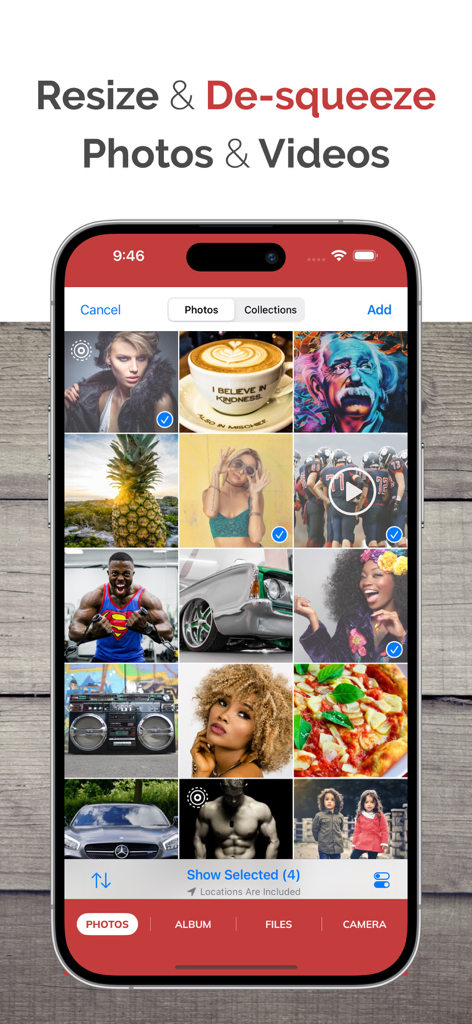
一括リサイズ用に選択された写真とビデオのグリッドが表示されたDesqueezeアプリのインターフェース画面

一括リサイズ用に選択された写真とビデオのグリッドが表示されたDesqueezeアプリのインターフェース画面

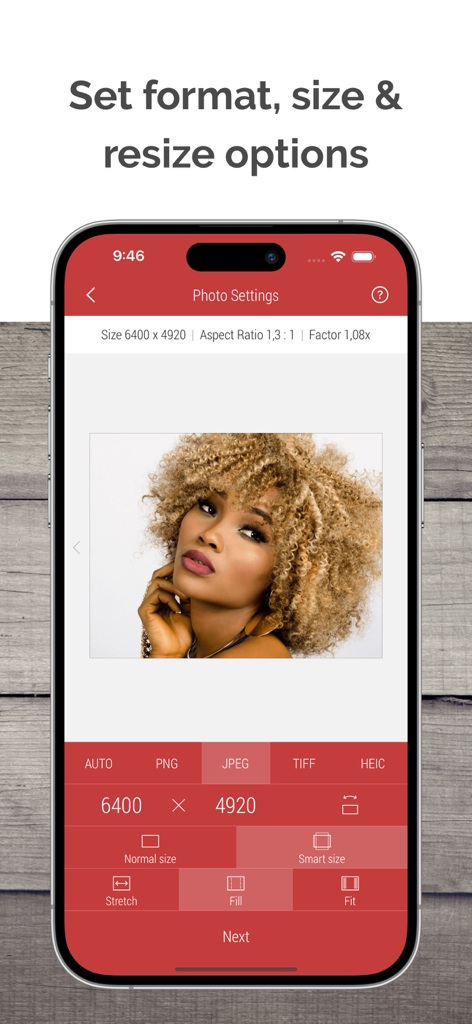
フォーマットサイズやストレッチ設定を含む、写真のリサイズオプションが表示されたDesqueezeアプリのインターフェース

フォーマットサイズやストレッチ設定を含む、写真のリサイズオプションが表示されたDesqueezeアプリのインターフェース

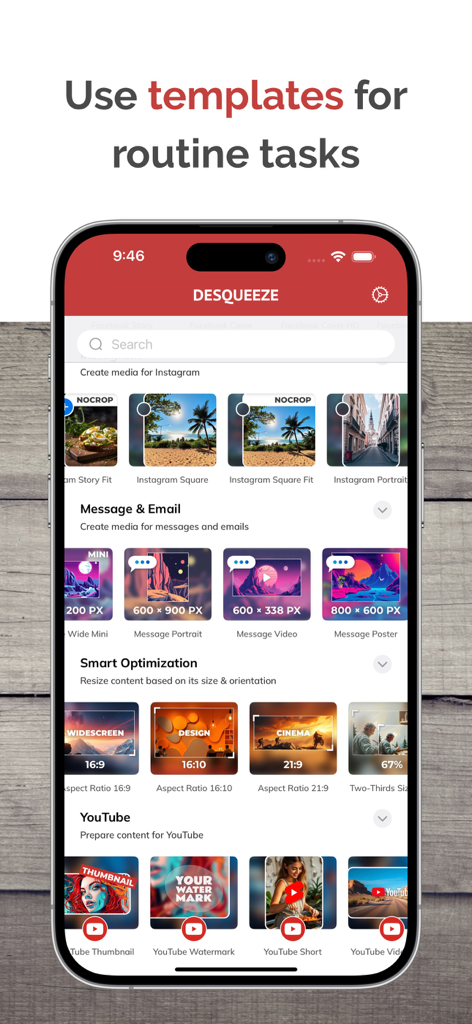
InstagramやYouTube向けのソーシャルメディア用リサイズテンプレートが表示されたDesqueezeアプリのインターフェース

InstagramやYouTube向けのソーシャルメディア用リサイズテンプレートが表示されたDesqueezeアプリのインターフェース

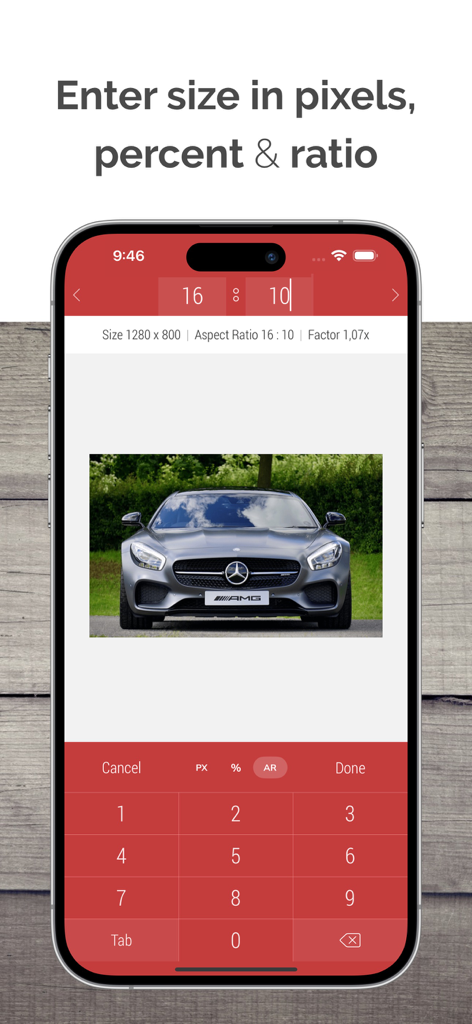
写真リサイズ用のカスタムピクセルおよびアスペクト比の入力画面が表示されたDesqueezeアプリのインターフェース

写真リサイズ用のカスタムピクセルおよびアスペクト比の入力画面が表示されたDesqueezeアプリのインターフェース

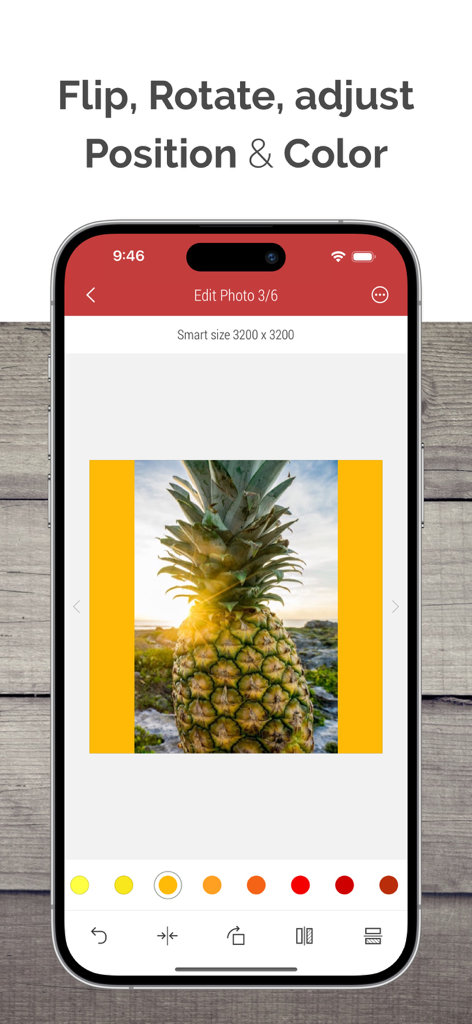
反転、回転、カラー調整などの写真編集ツールが表示されたDesqueezeアプリの画面

反転、回転、カラー調整などの写真編集ツールが表示されたDesqueezeアプリの画面

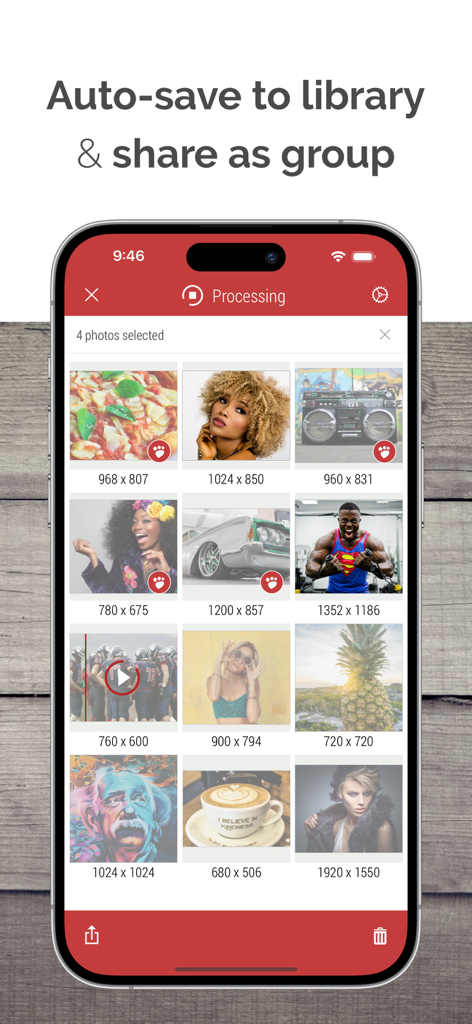
一括共有と保存のために処理されている、ピクセル寸法が表示された写真とビデオのグリッドを示すモバイルアプリのインターフェース

一括共有と保存のために処理されている、ピクセル寸法が表示された写真とビデオのグリッドを示すモバイルアプリのインターフェース

プロのパワー、モバイルの利便性

このアプリを際立たせるツール、 125K+ 人のユーザーが選択.

無制限の一括処理

1回のタップで無制限の写真とビデオを同時にリサイズ・再フォーマットし、手作業の時間を大幅に削減します。

💎

プロ仕様の品質管理

最大8Kのビデオと18,000pxの写真に対応。HDR、メタデータ、カスタムカラープロファイルを保持したまま、巨大なファイルを処理できます。

🎬

コンテンツクリエイター向けツールキット

100以上のプラットフォーム対応テンプレートとプロ仕様のアナモルフィックデスクイーズ機能にアクセスし、あらゆる画面でコンテンツを完璧に表示させます。

世界中のユーザーに愛されています

Trusted by 125K+ 人がこのアプリを愛用しています.

"

"複数のクライアントを抱えるソーシャルメディアマネージャーとして、Desqueezeはまさに命の恩人です。InstagramやTikTok用の一括処理とプリセットテンプレートのおかげで、毎週何時間も節約できています。品質を損なうことなく、何百もの素材を異なるプラットフォーム向けに一度にリサイズできるんです。今では私のモバイルワークフローの核となっています!"

Sarah J.
"

"iPhoneでアナモルフィック映像を適切に処理できるアプリがようやく登場しました。シネマティックなプロジェクトではすべてこれを使って、ファイルのデスクイーズや8Kへのアップスケーリングを行っています。ビットレート、カラープロファイル、メタデータの保持に関するコントロールのレベルは他に類を見ません。まさに手のひらの上でデスクトップ級の処理ができるアプリです。"

Marcus Chen

アプリについて

について知っておくべきこと Desqueeze - Batch Resizer.

説明

Resize, de-squeeze, and upscale your photos and videos — with batch processing, HDR, and Live Photo support. Apply 100+ templates for quick social media, optimization, and anamorphic results. Enter exact sizes up to 18,000 × 12,000 px for photos and 8K for videos for your custom results. Optimize format, file size, and color profile — while preserving high quality and metadata. DESQUEEZE FEATURES: Resize Photos and Videos • Enter a new size in pixels, aspect ratios, and percentages • Resize in three different ways: Stretch, Fill, and Fit • Choose between Normal and Smart size for more flexible resizing • Batch resize an unlimited number of photos and videos • Reuse up to 10 recent resizing tasks with one tap • De-squeeze anamorphic photos to achieve a natural look • Resize Live Photos while preserving their format, or convert them to still images Import Sources inside Desqueeze • Select photos and videos from the Photo Library • Select any full album from the Photo Library • Select multiple photos and videos from the Files app • Take a picture with the camera Reformat Photos • Choose between PNG, JPEG, HEIC, and TIFF image formats • Specify compression quality for JPEG, HEIC, and TIFF formats • Select Auto format to reuse the original image format when possible • Adjust image resolution with a new DPI, or keep the original DPI Reformat Videos • Choose between MP4, QuickTime (MOV), and M4V video formats • Select Auto format to reuse the original video format when possible • Choose video codec between Auto, H.264, and HEVC(H.265) • Specify video bitrate or use Automatic Edit Photos and Videos • Flip and rotate images or videos • Choose a background color for Fit mode • Specify default background color for photos and videos • Adjust position and offset for Fill and Fit modes Manage Colors for Photo and Video • Apply one of 12 Color Profiles, inlcuding Original (Automatic) • Process photos and videos while preserving HDR Templates • Use a universal set of 100+ standard templates to resize photos and videos for specific platforms and standards, including Instagram, YouTube, Facebook, and more • Create personal templates for your own tasks • Duplicate standard templates and modify personal templates • Customize standard Tempalate Library for your workflow and needs Photo Viewer and Video Player • Preview photos or play videos on the Result screen (long press a photo or video to preview) Share Photos and Videos • Save results to the Photo Library or Files app • Share results via Instagram, Mail, Facebook, Messages, etc • Use original or custom names for shared results ——— Basic (Free) version has some limitations. You can learn more about them inside the app. ——— Upgrade to PRO to unlock all features and remove all Basic version limitations (In-App Purchase) PRO version is available to other family members when Family Sharing is enabled.
PRO version can be canceled at any time. ——— Maximum target pixel size for photos and videos: Photos (8-bit): • Basic (Free) version: 4,032 x 3,024 px • PRO version: from 12,000 x 10,000 px (iPhone XR) up to 18,000 x 12,000 px (iPhone 16 Pro) Note: Maximum size for 16-bit photos is lower due to hardware limitations. Videos: • Basic (Free) version: 1920 x 1080 px • PRO version: 7680 x 4320 pixels (8K) ——— Contact & Links • Contact us by Email: contact@desqueeze.com • Follow us on Twitter and Facebook: @desqueeze • Visit our Website: http://desqueeze.com • Terms of Use: https://www.apple.com/legal/internet-services/itunes/dev/stdeula/ • Privacy Policy: http://desqueeze.com/privacy

最新バージョン

4.7.10

サイズ

50.0 MB

リリース日

2015年12月19日

プロ仕様のリサイズでワークフローを極める

125,000人以上のクリエイターと共に、あらゆるプラットフォームに合わせてコンテンツを最適化しましょう。一括処理のスピードと8Kの品質を今すぐ手に入れてください。

ダウンロード: App Store