Dext: Expense Tracker App

Dext: Expense Tracker App

ダウンロード: App Store
Spark by MWM logo
ロゴ: Dext: Expense Tracker App

Dext:経費管理アプリ – 経費管理を自動化するスマートな方法

手作業でのデータ入力に時間を浪費するのはやめましょう。AI搭載OCRが99%の精度で領収書や請求書からデータを抽出し、QuickBooksやXeroと簡単に同期して、税金準備と監査対応を万全にします。

ダウンロード: App Store

開発元

Dext Software Limited

カテゴリ

Business

ダウンロード

1M+

ユーザー評価

4.8/5

評価数

80K+

対応言語

2

すべてのスナップに効率性を

このインターフェースを利用する 1M+ 人のユーザー.

Dext経費管理アプリのQuickBooks TrustpilotおよびXero App Storeからの高評価を表示

Dext経費管理アプリのQuickBooks TrustpilotおよびXero App Storeからの高評価を表示

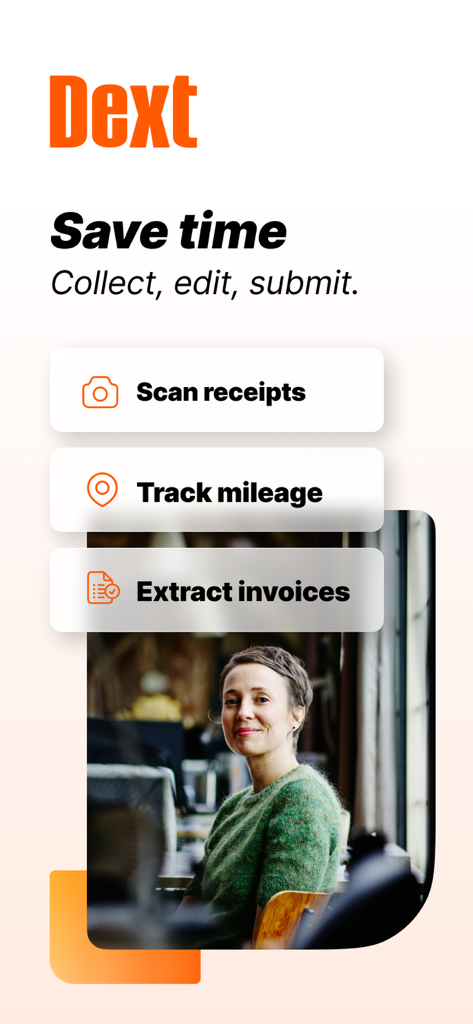
Dextアプリのインターフェースには、ビジネス生産性のための領収書スキャン、走行距離追跡、請求書抽出機能が表示されています

Dextアプリのインターフェースには、ビジネス生産性のための領収書スキャン、走行距離追跡、請求書抽出機能が表示されています

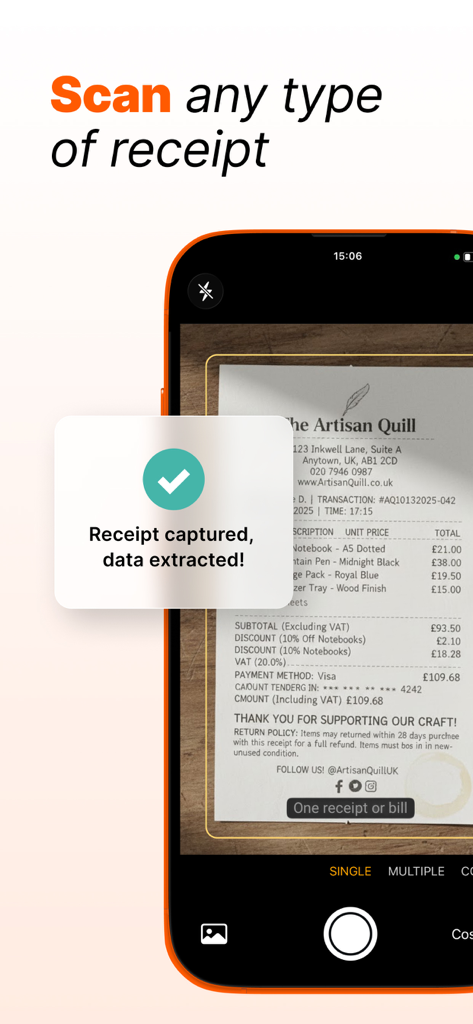
領収書がスキャンされ、データが正常に抽出されたことを示すモバイルアプリのインターフェース

領収書がスキャンされ、データが正常に抽出されたことを示すモバイルアプリのインターフェース

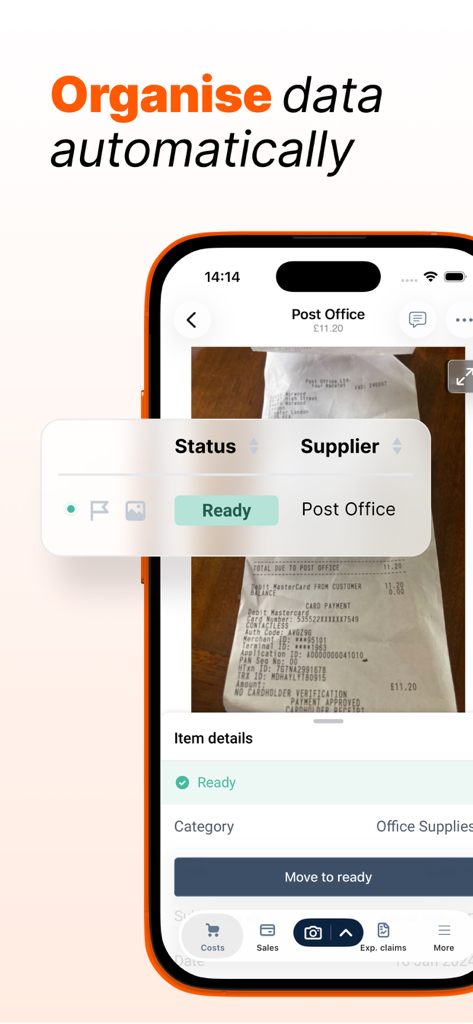
Dextモバイルアプリのスクリーンショット。自動領収書データ抽出および組織化機能が表示されています

Dextモバイルアプリのスクリーンショット。自動領収書データ抽出および組織化機能が表示されています

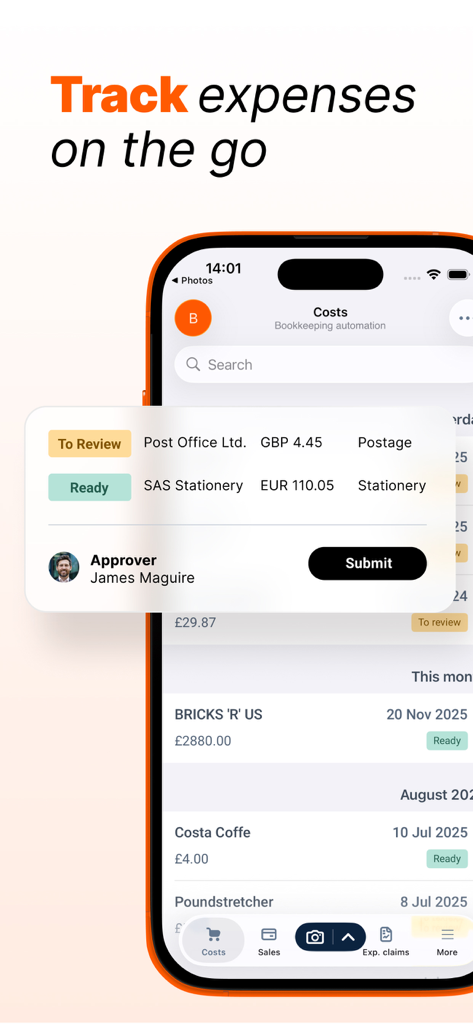
Dextアプリのインターフェース。モバイル経費管理および領収書提出が表示されています

Dextアプリのインターフェース。モバイル経費管理および領収書提出が表示されています

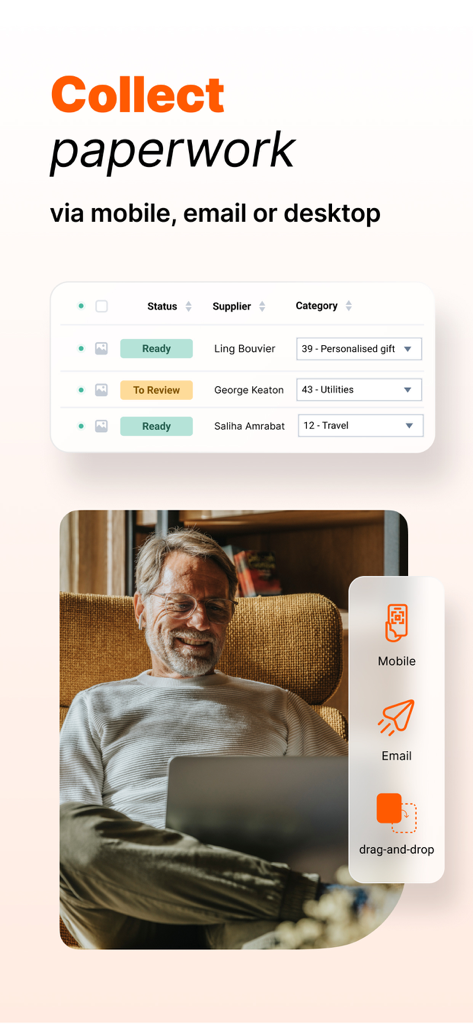
モバイル、メール、デスクトップ経由でビジネス書類を収集するためのDextアプリのインターフェース

モバイル、メール、デスクトップ経由でビジネス書類を収集するためのDextアプリのインターフェース

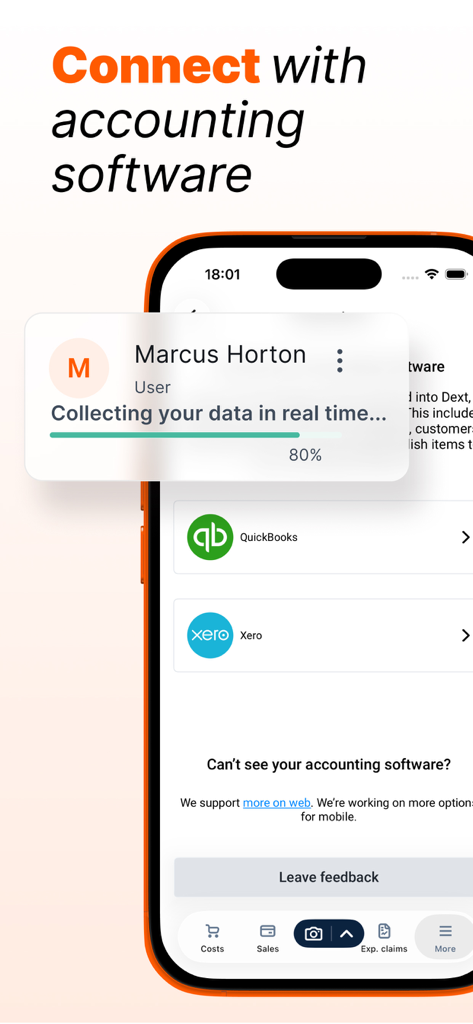
QuickBooksやXeroなどの会計ソフトと接続し、リアルタイムでデータを収集するためのDextアプリインターフェースを表示するスマートフォン。

QuickBooksやXeroなどの会計ソフトと接続し、リアルタイムでデータを収集するためのDextアプリインターフェースを表示するスマートフォン。

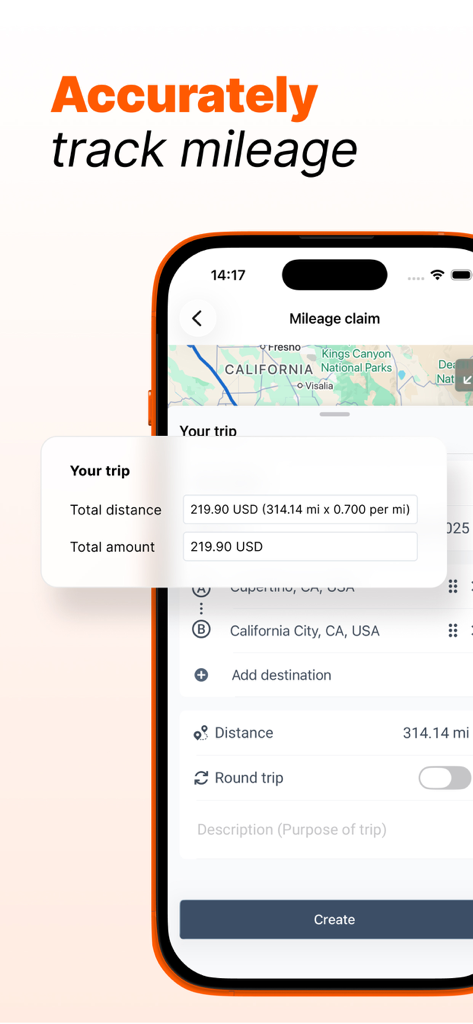
距離計算と地図ビューを備えた走行距離請求を表示するDextモバイルアプリ画面

距離計算と地図ビューを備えた走行距離請求を表示するDextモバイルアプリ画面

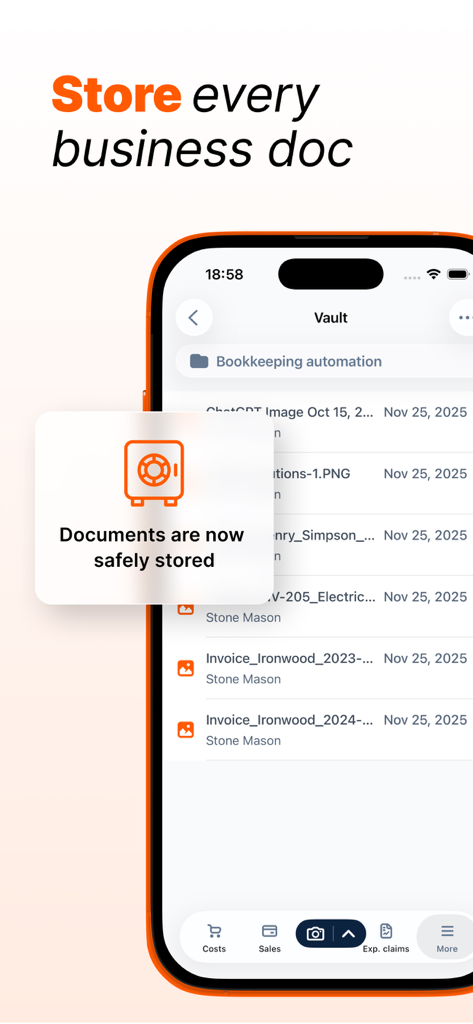
ビジネス文書や簿記自動化を保存するためのセキュアなVaultを表示するDextアプリインターフェース

ビジネス文書や簿記自動化を保存するためのセキュアなVaultを表示するDextアプリインターフェース

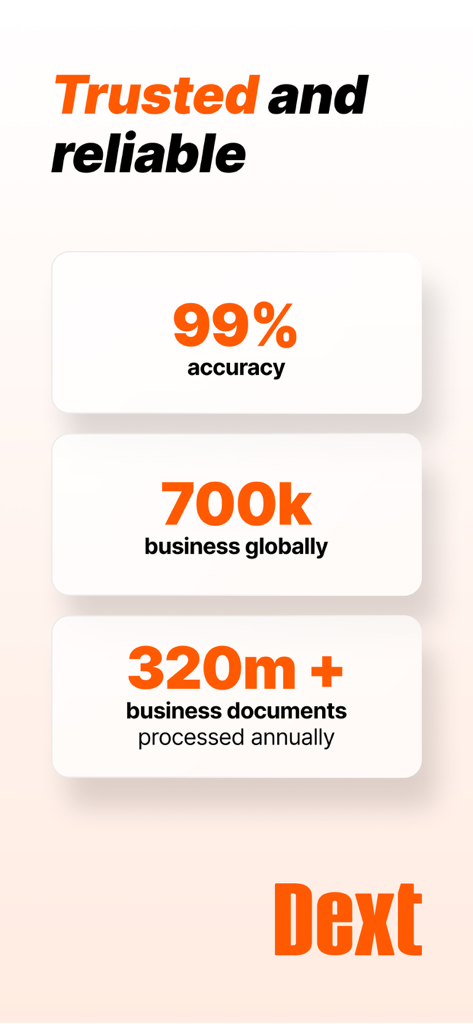
Dextの99%の精度と世界中の70万のビジネスを示すインフォグラフィック

Dextの99%の精度と世界中の70万のビジネスを示すインフォグラフィック

ビジネスの財務を楽々管理

このアプリを際立たせるツール、 1M+ 人のユーザーが選択.

📸

99%の精度でスナップ&抽出

カメラを使用して外出先で領収書をキャプチャします。AIが手書きを含むすべての詳細を抽出するため、経費を入力する必要はなくなります。

🔗

ワンタップ会計同期

QuickBooks、Xero、またはSageとシームレスに接続します。データは既存のワークフローに自動的に流れ込み、即座にエラーのない照合が可能です。

自動化された税務コンプライアンス

24時間365日、監査準備を整えましょう。Dextは経費を自動的に分類し、デジタルコピーを安全に保存するため、税務シーズンはストレスフリーな体験になります。

世界中のユーザーに愛されています

Trusted by 1M+ 人がこのアプリを愛用しています.

"

"Dextは私のコンサルティングビジネスにとってまさに救世主でした。以前は財布がしわくちゃの領収書でいっぱいでしたが、今では写真を撮るだけで、カフェを出る前に会計ソフトに同期されています。OCRの精度は、私の乱雑な手書きでも本当に印象的です!"

Sarah Miller, Independent Consultant
"

"DextをQuickBooksに接続するのは簡単で、毎週チームの数時間の手作業でのデータ入力を節約できました。「結合」モードは、長いサプライヤー請求書に最適です。すべてが銀行レベルの暗号化で安全に保存されていることを知ることは、税務シーズンに大きな安心感を与えてくれます。"

David Kowalski, Small Business Owner

アプリについて

について知っておくべきこと Dext: Expense Tracker App.

説明

Dext Expense Management App: Extract, Track & Manage! Dext is the best expense tracker app that effortlessly extracts data from receipts or invoices, regardless of their size or quantity, ensuring you remain in control of your expenses wherever you are. It meticulously itemizes and categorizes this data, offering valuable insights into your business. By leveraging Dext, you can make informed decisions, save time, simplify the Making Tax Digital process, and seamlessly integrate expenses into your accounting systems. As a cloud-based easy expense management solution, once you sign up for Dext through the app, you gain access to various expense management features and submission methods across different devices. - Submit receipts via Mobile app - Upload expenses from your computer - Email Invoices via your dedicated Dext Prepare email-in address - Set up a Fetch connection with a supplier Key Benefits: * Expense data extraction with a simple snap: Our Optical Character Recognition, with 99% accuracy and combined with AI, digitizes any receipts, bills, and invoices, decoding even handwriting. * Experience even faster, automated integration with your suppliers and accountants: Your expense data seamlessly travels from 1,400+ suppliers – such as Xero, Sage and QuickBooks. We manage expense tracking, reconciliation, categorization for a simplified tax compliance. * Trustworthy data & receipt tracker: We excel in bookkeeping automation, ensuring reliable extraction and reconciliation of item transactions. No glitches, just an easy flow of expense data that enables faster business decisions. Key App features: - Camera modes: Single mode to extract a single receipt, multiple mode to capture several expenses (Dext separates each photo into a separate item), and combine mode to capture expense data spread over several pages or for very long receipts (Dext combines photos into one item). - Connect to QuickBooks (QBO) and Xero from the app: This new feature integrates software with just a couple of taps, enabling you to start tracking and sending expenses automatically to your accountant. If you work with other software like Sage, you can still connect your expenses via our cloud system on the web. - Expense itemization across all submission methods: Your data will then be categorized by industry type, expense category, document type (receipt, invoice, bank statement, credit note), owner, submission details, supplier, currency, tax amount, payment status, and more. Each of these fields can be easily edited and managed with a single tap. Three different bookkeeping workspaces: Cost data to keep track of the receipts, invoices and other expenses that your business uses to purchase goods and services. Sales workspace to track the invoices and other financial documents that your business issues to its customers for payment. Expense reports to collate an individual’s reimbursable payments. REASONS TO TRY DEXT Save hours each month by streamlining expenses, data entry, reconciliation, and categorization. Facilitate real-time submission of expense reports by employees. Whether they are on a business trip or dining out. Centralize all your documents on Dext (invoices, expense reports, bank statements, bills, receipt data, etc.) As the best bookkeeping app in the market, Dext ensures your receipt data is safely stored using bank-level encryption and fully GDPR compliant Get started now! Sign up, tap '+', capture receipts. 14-day free trial! Main integrations: Xero QuickBooks online Sage accounting FreeAgent KashFlow Gusto PayPal Dropbox & More Awards: * 2024 - Winner - ‘Small Business App Partner of the Year’ (Xero Awards) * 2023 Winner - ‘Best Accounting Cloud-Based Software Company’ (SME News - IT Awards) * 2023 Winner - ‘Best Accounting Pre-Accounting Automation Specialists 2023’ (Acquisition International) Privacy policy: https://www.dext.com/eu/privacy-policy Terms of use: https://www.dext.com/eu/terms-and-conditions

最新バージョン

5.1.9

サイズ

83.5 MB

リリース日

2011年2月15日

経費管理の自動化を始めますか?

手作業でのデータ入力をやめた100万人以上の専門家にご参加ください。14日間の無料トライアルを今すぐ開始して、すべての領収書、請求書、請求書で99%の精度を体験してください。

ダウンロード: App Store
FAQ

よくある質問

について知っておくべきこと Dext: Expense Tracker App

Dext: Expense Tracker App は経費管理をどのように効率化しますか?

Dext は、レシートからデータを簡単に抽出し、明細化および分類することで、経費管理を効率化します。会計システムと統合され、税務コンプライアンスを簡素化し、さまざまな提出方法を提供することで、ユーザーの時間と労力を節約します。

Dext アプリを使用して経費を提出する主な方法は何ですか?

ユーザーは、モバイルアプリ経由、コンピューターからのアップロード、専用の Dext Prepare アドレスへの請求書のメール送信、またはサプライヤーとの Fetch 接続の設定によって、Dext に経費を提出できます。

Dext: Expense Tracker App はデータ抽出に OCR 技術を使用していますか?

はい、Dext は 99% の精度を持つ光学文字認識 (OCR) と AI を組み合わせて、レシート、請求書、領収書をデジタル化します。文書の手書き情報も効果的に読み取ります。

Dext は QuickBooks や Xero のような一般的な会計ソフトウェアと統合できますか?

はい、Dext は QuickBooks (QBO) や Xero などの一般的な会計ソフトウェアとアプリから直接統合できます。また、クラウドプラットフォーム経由で Sage やその他のシステムとも連携できます。

Dext アプリはレシートをキャプチャするためにどのようなカメラモードを提供していますか?

Dext は 3 つのカメラモードを提供しています。Single は 1 枚のレシート用、Multiple は複数の経費用(各写真が個別の項目になります)、Combine は複数ページにわたる経費データを 1 つの項目にまとめるために使用します。

Dext: Expense Tracker App は GDPR に準拠しており、データストレージは安全ですか?

はい、Dext は銀行レベルの暗号化を使用してレシートデータを安全に保存し、GDPR に完全に準拠しています。ビジネス運営のために、すべてのドキュメントを安全に一元管理します。

Dext は新規ユーザー向けの無料トライアルを提供していますか?

はい、Dext は新規ユーザーが開始できる 14 日間の無料トライアルを提供しています。ユーザーはアプリからサインアップし、'+' をタップしてすぐにレシートのキャプチャを開始できます。

Dext は経費からどのような種類の情報を明細化および分類しますか?

Dext は、業種、経費カテゴリ、ドキュメントタイプ、所有者、提出詳細、サプライヤー、通貨、税額、支払いステータスなどのデータを明細化および分類し、ユーザーは簡単に編集できます。

Dext: Expense Tracker App は出張経費の走行距離を追跡できますか?

はい、Dext は出張経費の走行距離を正確に追跡します。アプリには走行距離請求専用の機能があり、総距離と金額を表示して、旅費の管理を支援します。

Dext におけるデータ抽出の精度率はどのくらいですか?

AI によって強化された Dext の光学文字認識 (OCR) 技術は、レシート、請求書、領収書のデジタル化において、手書き要素を含めて 99% の精度を達成しています。