Docusign - Upload & Sign Docs

Docusign - Upload & Sign Docs

ダウンロード: App Storeダウンロード: Google Play
Spark by MWM logo
ロゴ: Docusign - Upload & Sign Docs

Docusign:世界No.1のドキュメント署名・送信方法

Docusignの安全で法的に有効な電子署名を信頼する数百万人のプロフェッショナルに加わりましょう。無料で署名し、リアルタイムで進捗を追跡し、モバイルデバイスから直接、より迅速に取引を完了させましょう。

ダウンロード: App Store

開発元

Docusign

カテゴリ

Productivity

ダウンロード

20M+

ユーザー評価

4.9/5

評価数

1M+

対応言語

12

効率を可視化

このインターフェースを利用する 20M+ 人のユーザー.

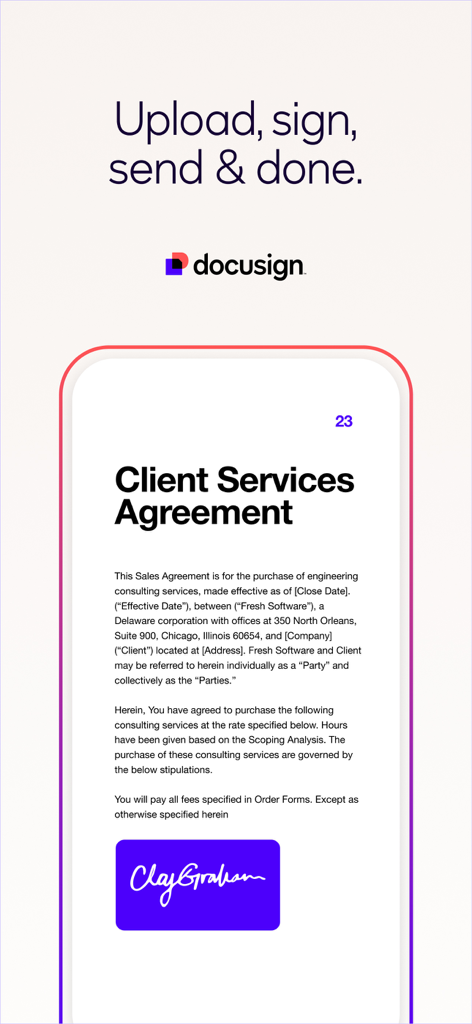
Docusignモバイルアプリのインターフェース。スマートフォンに署名済みのクライアントサービス契約が表示されています。

Docusignモバイルアプリのインターフェース。スマートフォンに署名済みのクライアントサービス契約が表示されています。

Docusignアプリの紹介画面。Connected agreementsというテキストと、重なり合う円形のグラフィックが表示されています。

Docusignアプリの紹介画面。Connected agreementsというテキストと、重なり合う円形のグラフィックが表示されています。

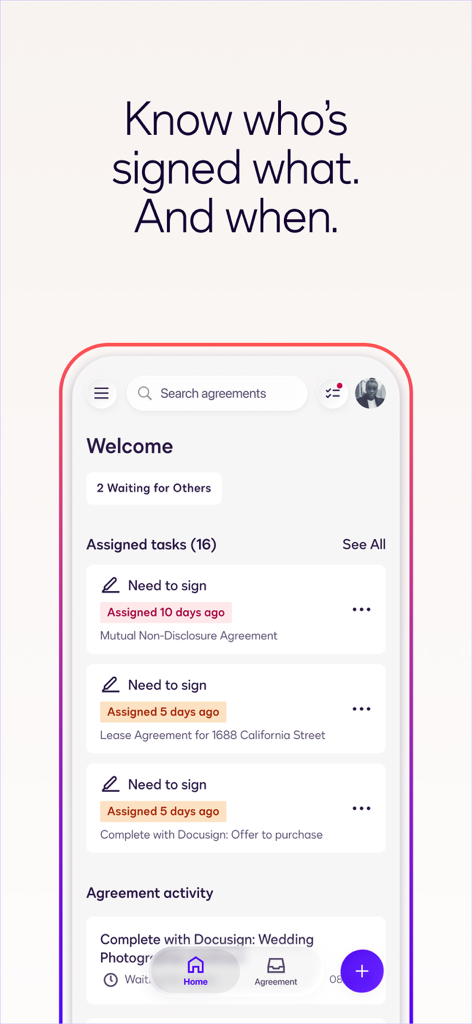
Docusignモバイルアプリのインターフェース。ドキュメントの署名ステータスと担当タスクの追跡を示すダッシュボードが表示されています。

Docusignモバイルアプリのインターフェース。ドキュメントの署名ステータスと担当タスクの追跡を示すダッシュボードが表示されています。

Docusignモバイルアプリの画面。紫色の背景にスタイリッシュな白い署名で「Sign electronically Keep it real」というテキストが表示されています。

Docusignモバイルアプリの画面。紫色の背景にスタイリッシュな白い署名で「Sign electronically Keep it real」というテキストが表示されています。

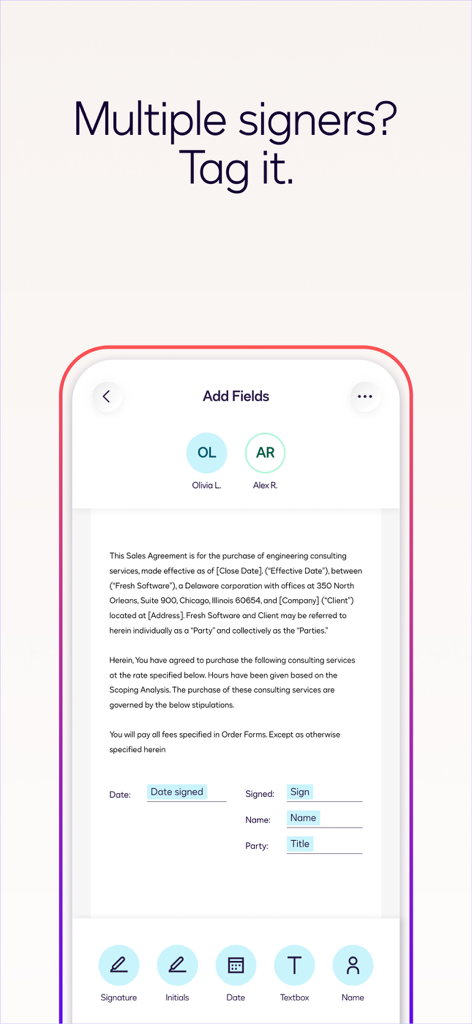
Docusignモバイルアプリのインターフェース。署名や日付など、複数の署名者向けのフィールドがある販売契約書が表示されています。

Docusignモバイルアプリのインターフェース。署名や日付など、複数の署名者向けのフィールドがある販売契約書が表示されています。

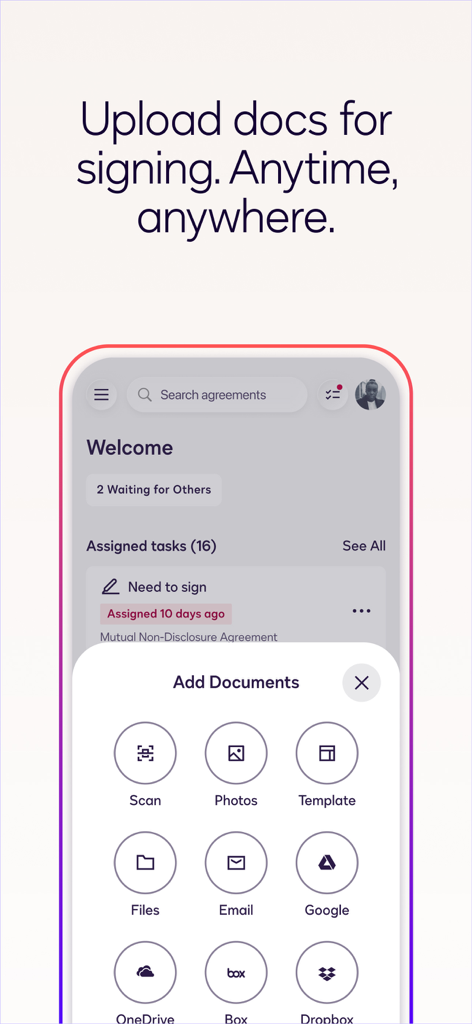
Docusignモバイルアプリのインターフェース。クラウドストレージや写真スキャンなどのさまざまなソースからドキュメントを追加するオプションが表示されています。

Docusignモバイルアプリのインターフェース。クラウドストレージや写真スキャンなどのさまざまなソースからドキュメントを追加するオプションが表示されています。

どこからでも、手間のかからない契約

このアプリを際立たせるツール、 20M+ 人のユーザーが選択.

📱

いつでも、どこでも署名

プリンターがない?問題ありません。外出先でも、モバイルデバイスから直接、PDF、契約書、フォームに即座に電子署名できます。

🔒

法的に有効で安全

銀行グレードの暗号化と完全な監査証跡で安心してください。すべての署名は、最大限の法的保護のためにeSign法に準拠しています。

🔔

リアルタイム追跡

取引が停滞していないか心配する必要はありません。クライアントがドキュメントを表示または署名した瞬間に、即座にプッシュ通知を受け取ります。

世界中のユーザーに愛されています

Trusted by 20M+ 人がこのアプリを愛用しています.

"

"このアプリは私の不動産業にとってまさに救世主です。物件案内中にiPadから契約書を準備、送信、追跡できます。クライアントは携帯電話での署名の簡単さを気に入っており、クロージングプロセス全体がより迅速かつプロフェッショナルになります。"

Sarah Jenkins, Licensed Realtor
"

"Docusignを使い始めるまで、クライアントとの契約管理は大きな頭痛の種でした。Google Driveとの連携はシームレスで、安全な監査証跡は私に安心感を与えてくれます。これにより、私の小規模なコンサルティング会社は、非常に確立され、信頼できるものに見えます。"

Marcus Thorne, Independent Consultant

アプリについて

について知っておくべきこと Docusign - Upload & Sign Docs.

説明

Docusign eSignature is the world’s #1 way for businesses and individuals to securely send and sign agreements from practically anywhere, at any time, from almost any device. The Docusign app is easy to use, includes unlimited free signing for all parties, and is trusted by millions of people worldwide. HOW DOCUSIGN WORKS | e-Sign PDFs, forms, and contracts on the go. • Step 1: Create your customized digital signature directly on your device. • Step 2: Upload documents easily via email, Google Drive, DropBox, Box, Evernote, Salesforce, or photo scanning. • Step 3: E-sign your documents for free with no monthly limit. STREAMLINED, SIMPLIFIED MANAGEMENT | Send and monitor agreements straight from your device. • Step 1: Import files to prepare and send them out for signature. • Step 2: Prepare your document with “Sign Here” tags that show precisely where to sign, initial, or add additional information and invite others to sign. • You can set the signing order and workflow for multiple signers. • Docusign supports both in-person and remote signing. • Responsive signing functionality automatically adapts documents for mobile to the size and orientation of the signer’s device. • Step 3: Remind signers to sign with a single tap or void a document that has already been sent for signature. • Step 4: Receive real-time push notifications when a document has been signed. E-SIGNATURE THROUGH DOCUSIGN IS LEGAL AND SECURE. Docusign’s complies with the eSign Act, which means: • Agreements are legally binding. • There is a complete audit trail to track who signed when and where. • Documents are encrypted; this is safer and more secure than paper. • Docusign is ISO 27001 SSAE16 compliant. Docusign’s free eSignature app supports multiple document types and formats, including: • PDF • Word • Excel • Images (JPEG, PNG, TIFF) • Text-Based Files Common documents to digitally sign with Docusign: • Non-disclosure agreements (NDAs) • Sales contracts and proposals • Health care documents • Financial agreements • Waivers • Permission slips • Lease agreements PREMIUM PLANS In addition to the free signing experience, Docusign offers advanced features through subscription plans: Business Pro Plan • Send documents out for signature. • Add logic and advanced fields to your most critical documents. • Automate your agreement process with bulk send, powerforms, comments and personalized branding. Standard Plan • Send documents out for signature. • Access to advanced fields including Docusign’s most popular. • Manage signing on-the-go. Remind, void, in-person signing, and reusable templates. Real Estate Plan • Send documents out for signature. • Powerful real estate features including zipForm Plus integration and web branding. • Managing signing on-the-go. Remind, void, in-person signing, and reusable templates. Personal Plan • Limited document sending. Send up to 5 documents monthly. • Access to essential fields. Request signature, date, and name. • Reusable templates so you can standardize your documents. Email your questions or feedback to: mobilefeedback@docusign.com Find out more about Docusign and electronic signatures: https://www.docusign.com/products/electronic-signature/how-docusign-works Subscription Plan Information: • Payment is charged to iTunes Account at the time a user confirms purchase. • Subscriptions automatically renew unless auto-renew is turned off at least 24 hours before the end of the current period. Account will be charged for renewal within 24-hours prior to the end of the current period, and identify the cost of the renewal. • Subscriptions may be managed by the user and auto-renewal may be turned off by going to the user's account settings after purchase. • Cancellation of the current subscription is not allowed during the active subscription period. Privacy Policy: https://www.docusign.com/privacy/ Agreements and Terms: https://www.docusign.com/legal/agreements/

最新バージョン

3.41.1

サイズ

89.1 MB

リリース日

2011年11月1日

よりスマートに署名し、より迅速に取引を完了する準備はできましたか?

外出先での安全で法的に有効な契約のために、世界No.1の電子署名アプリを信頼する2000万人以上のプロフェッショナルに加わりましょう。

ダウンロード: App Storeダウンロード: Google Play
FAQ

よくある質問

について知っておくべきこと Docusign - Upload & Sign Docs
Docusignアプリでデジタル署名を作成するにはどうすればよいですか?

はい、Docusignではデバイス上で直接カスタマイズしたデジタル署名を作成できます。これはDocusignアプリ内でドキュメントに電子署名を行うための最初のステップです。

Docusign eSignatureはどのような種類のドキュメントをサポートしていますか?

Docusignの無料eSignatureアプリは、PDF、Word、Excel、さまざまな画像形式(JPEG、PNG、TIFF)、テキストベースのファイルをサポートしています。一般的なドキュメントには、NDA、販売契約書、医療文書などが含まれます。

Docusign eSignatureは法的に拘束力がありますか?

はい、Docusign eSignatureは法的に拘束力があります。DocusignはeSign法に準拠しており、プラットフォームを通じて署名された契約は完全な法的有効性と執行力を備えていることを保証します。

Docusignアプリを使用して署名のためにドキュメントを送信できますか?

はい、Docusignアプリを使用して署名のためにドキュメントを送信できます。ユーザーはファイルをインポートし、「署名はこちら」タグで準備し、受信者がデバイスから電子署名できるように送信します。

Docusignは署名済みドキュメントのリアルタイム通知を提供しますか?

はい、Docusignはリアルタイムのプッシュ通知を提供します。送信したドキュメントが受信者によって正常に署名された場合、これらのアラートが迅速に届きます。

Docusignは電子署名にどのようなセキュリティ対策を使用していますか?

Docusignは、ドキュメントの暗号化、完全な監査証跡の維持、ISO 27001 SSAE16基準への準拠により電子署名を保護し、紙よりも安全なプロセスを提供します。

Docusignの料金はいくらですか?無料オプションはありますか?

Docusignは、ドキュメントを受信するすべての当事者に対して無制限の無料署名を提供します。送信機能と高度な機能については、月5件までのドキュメントに対応するパーソナルプランを含むプレミアムサブスクリプションプランが利用可能です。

クラウドストレージサービスからDocusignにドキュメントをアップロードできますか?

はい、メールや写真スキャンに加えて、Google Drive、DropBox、Box、Evernote、SalesforceなどのさまざまなクラウドストレージサービスからDocusignにドキュメントをアップロードできます。

Docusignは複数の署名者の署名順序を設定できますか?

はい、Docusignではユーザーが特定の署名順序を設定できます。この機能により、複数の署名者がいるドキュメントは定義済みのワークフローに従い、署名が正しい順序で収集されることが保証されます。

Docusignパーソナルプランとは何ですか?

Docusignパーソナルプランは、月5件までのドキュメントを送信できるプレミアムサブスクリプションです。署名、日付、名前などの必須フィールドと、ドキュメントを標準化するための再利用可能なテンプレートが含まれています。