Drafts

Drafts

ダウンロード: App Store
Spark by MWM logo
ロゴ: Drafts

Drafts:テキストが始まり、アクションが始まる場所

あなたの脳のための、受賞歴のある超高速受信トレイ。iPhone、Mac、またはApple Watchでアイデアを瞬時にキャプチャし、ゼロの摩擦でメール、タスク、またはAIを活用した洞察に変換します。

開発元

Agile Tortoise

カテゴリ

Productivity

ダウンロード

707K+

ユーザー評価

4.8/5

評価数

12K+

対応言語

1

スピードをアクションで見る

このインターフェースを利用する 707K+ 人のユーザー.

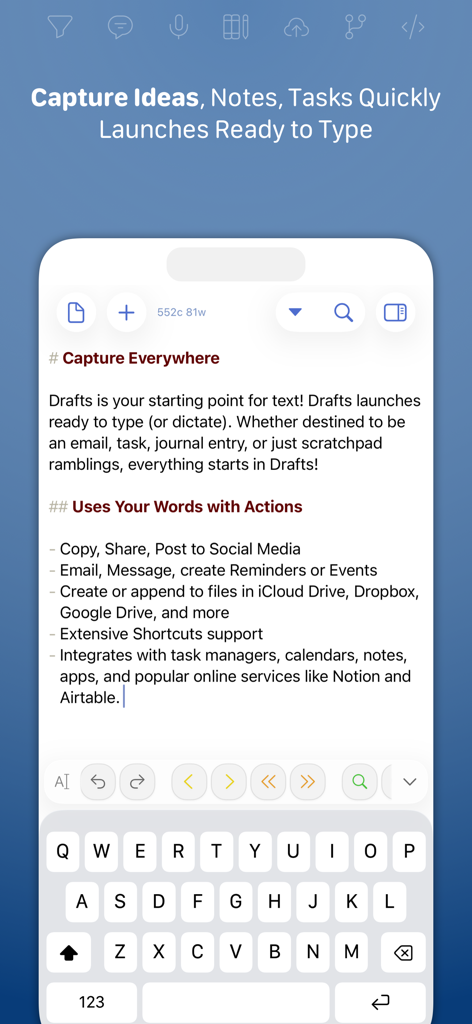
Draftsアプリのインターフェース。キーボードが入力準備完了の状態のクイックキャプチャ画面が表示されています。

Draftsアプリのインターフェース。キーボードが入力準備完了の状態のクイックキャプチャ画面が表示されています。

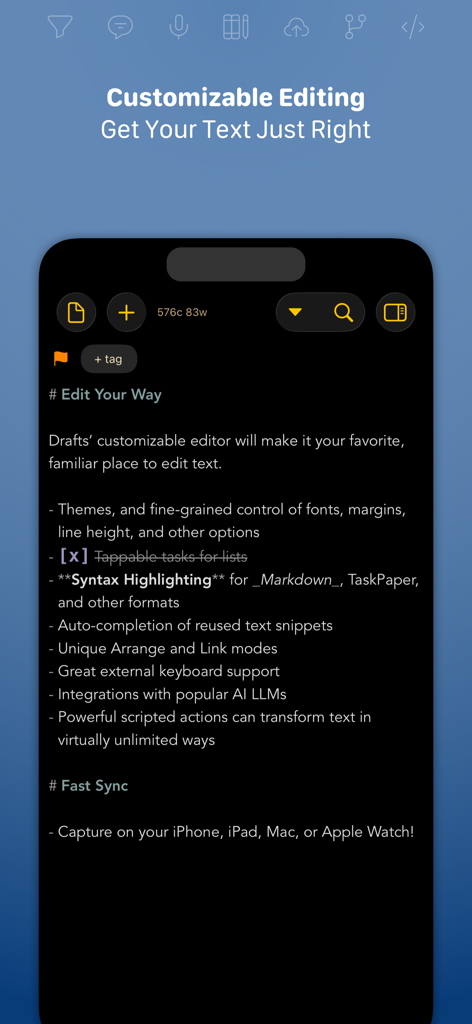
Draftsアプリのスクリーンショット。Markdown構文のハイライトと自動化機能が表示されたカスタマイズ可能なテキストエディタを示しています。

Draftsアプリのスクリーンショット。Markdown構文のハイライトと自動化機能が表示されたカスタマイズ可能なテキストエディタを示しています。

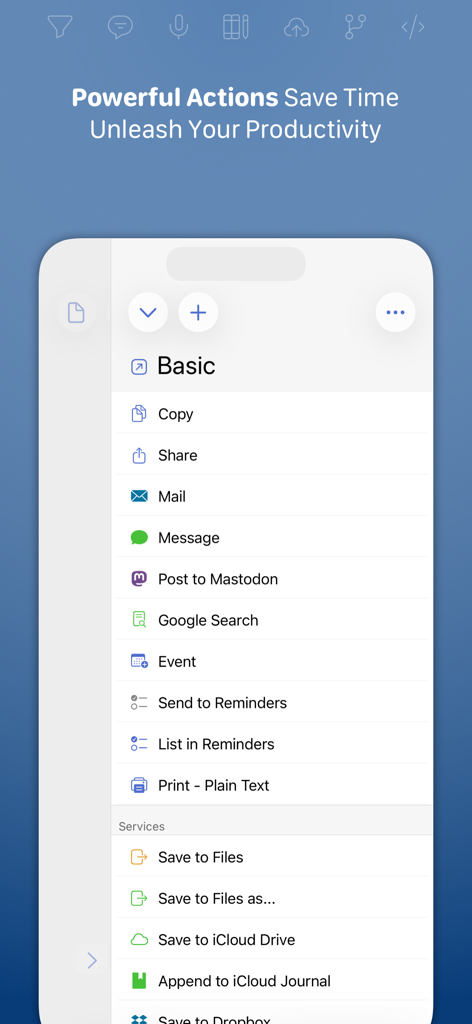
Draftsアプリのスクリーンショット。他のアプリやサービスにテキストをエクスポートするためのアクションのリストが表示されています。

Draftsアプリのスクリーンショット。他のアプリやサービスにテキストをエクスポートするためのアクションのリストが表示されています。

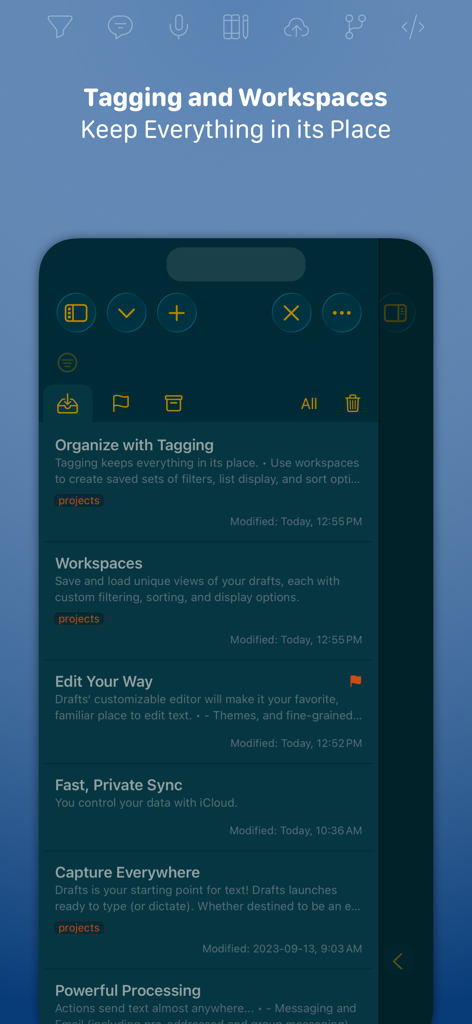
Draftsアプリのインターフェース。ノートの整理のためのタグ付けとワークスペースを表示しています。

Draftsアプリのインターフェース。ノートの整理のためのタグ付けとワークスペースを表示しています。

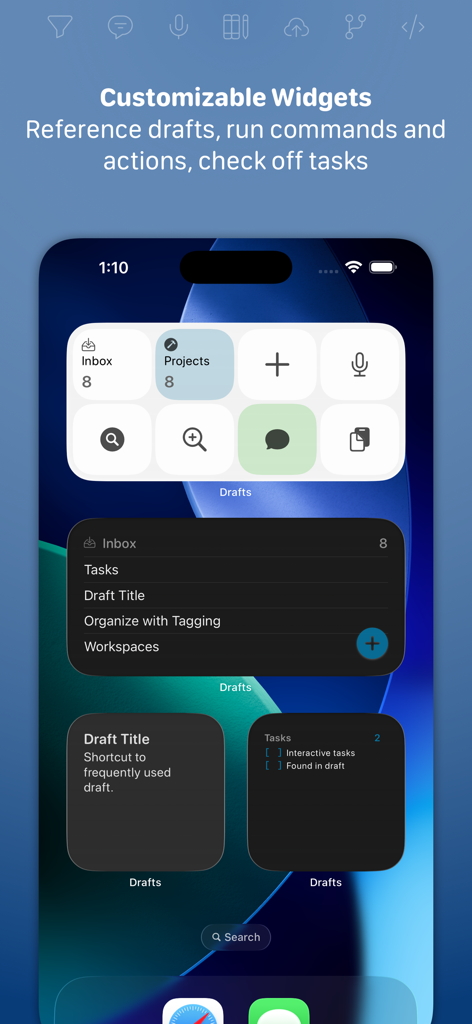
iPhoneホーム画面のDraftsアプリのカスタマイズ可能なウィジェット。クイックキャプチャとタスク管理ツールが表示されています。

iPhoneホーム画面のDraftsアプリのカスタマイズ可能なウィジェット。クイックキャプチャとタスク管理ツールが表示されています。

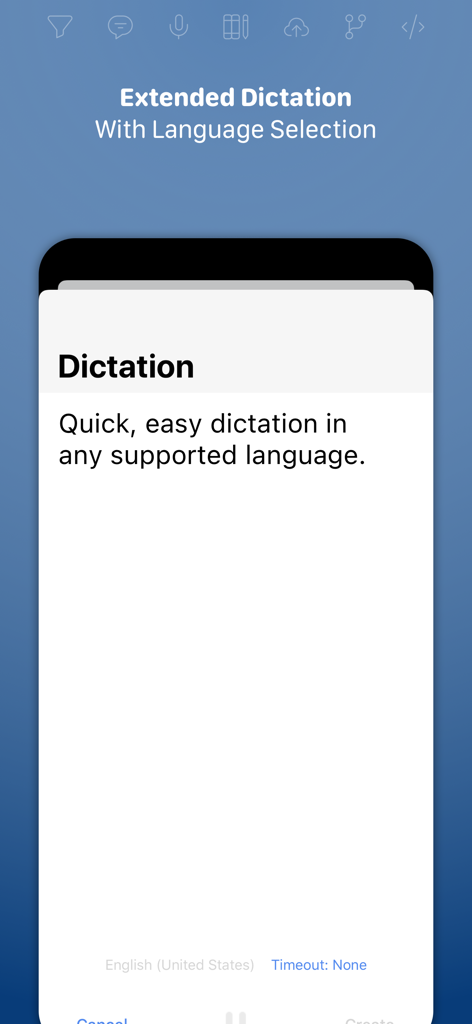
Draftsアプリのスクリーンショット。多言語サポートを備えた拡張音声入力機能が表示されています。

Draftsアプリのスクリーンショット。多言語サポートを備えた拡張音声入力機能が表示されています。

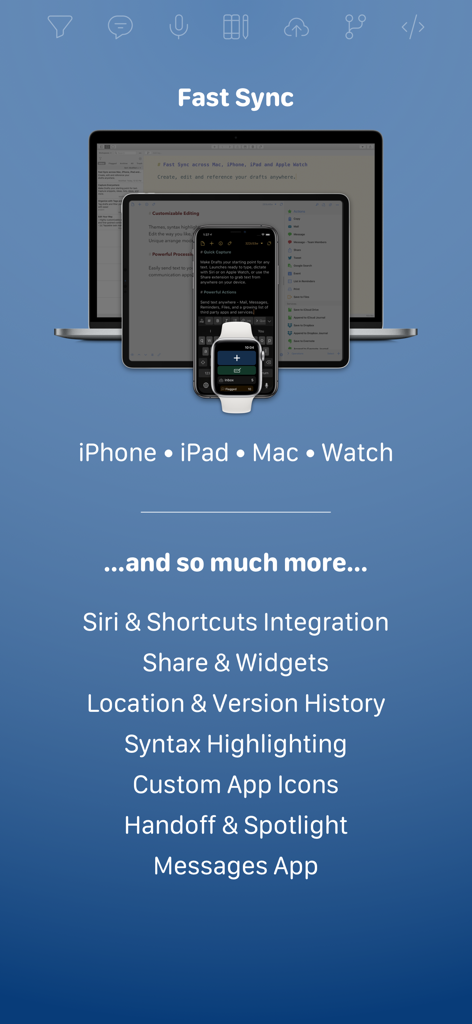
iPhone、iPad、Mac、Apple Watch全体で同期されたDraftsアプリのインターフェース。高速同期と主要な生産性機能を示しています。

iPhone、iPad、Mac、Apple Watch全体で同期されたDraftsアプリのインターフェース。高速同期と主要な生産性機能を示しています。

あなたの心の受信トレイをマスターする

このアプリを際立たせるツール、 707K+ 人のユーザーが選択.

書いて起動

アプリはキーボードが準備された状態で、すぐに空白のページに開きます。フォルダやメニューを掘り下げることなく、消え去る前に10億ドルのアイデアをキャプチャしましょう。

🚀

ワンタップ自動化

コピー&ペーストはやめましょう。強力なアクションを使用して、テキストをNotion、Slack、Obsidian、またはメールに直接送信します。一度書けば、どこにでも公開できます。

常に手の届くところに

Apple Watchでのハンズフリー音声入力から、Macでのディープワーク編集まで、あなたの思考はプロフェッショナルなエコシステム全体で完璧に同期されたままです。

世界中のユーザーに愛されています

Trusted by 707K+ 人がこのアプリを愛用しています.

"

"Draftsは、クリエイティブなアイデアを思いついたこととそれをキャプチャすることの間の摩擦を完全に排除しました。ナビゲーションのために思考を失うことがないように、すぐに空白のページで開くところが気に入っています。カスタムアクションを通じて、私の執筆を直接CMSやソーシャルメディアにプッシュできる能力は、私の執筆ワークフロー全体を変革しました。"

Elena Vance, Senior Content Strategist
"

"「第二の脳を構築する」方法論の愛好家として、Draftsは私の不可欠なユニバーサル受信トレイです。Apple Watchの統合は世界クラスです。外出中にタスクを音声入力すると、ディープワークセッションを開始する頃にはMacとiPad全体で完璧に同期されています。これは、ハイスピードの生産性のための究極のツールです。"

Marcus Thorne, Technical Project Manager

アプリについて

について知っておくべきこと Drafts.

説明

Drafts is where text starts. Quickly capture text and send it almost anywhere! Drafts turns text into action with almost limitless possibilities – it’s a quick notebook, handy editor, and writing automation tool, all in one. Capture all of your text in Drafts and send it to other apps without the extra taps. Just open it and start typing! **Drafts is a multi-award winner!** - App of the Day, TIME Magazine’s Best Apps - MacStories “Lifetime Acheivement” and “Reader’s Choice” Awards ## WHY YOU’LL LOVE DRAFTS ## CAPTURE EVERYWHERE: Drafts opens to a new page with the keyboard ready — just waiting for your words. Alternatively, go hands-free with dictation. Drafts helps you write ideas down before you can forget them so and they’ll always be there, ready and waiting. Capture on iPhone, iPad, Mac, and Apple Watch, and Drafts’ fast sync will make your text available everywhere. USE YOUR WORDS: Drafts is a jumping-off point for text — use actions to copy it, share it, or deep-link into other apps and services. Compose a tweet, draft a message, create a file in Dropbox, send a task off to Reminders – Drafts works with tons of your favorite apps and services. Hone your text through integrations with popular AI LLMs. REMEMBER IT NOW – OR LATER: New entries go into the Inbox. Once there, you can Tag them for organization, Flag them for importance, or Archive them for long-term storage. TAKE TEXT TO A NEW LEVEL: Customize Drafts to look and work the way you want with tons of interface adjustments — custom fonts and control over spacing, line height, and margins. Use the customizable buttons above the keyboard to convert, manipulate, and transform your writing quickly. Using Drafts as a global inbox for all of your text? Process everything quickly using unique features like Link Mode, Arrange Mode, and text manipulation actions. LEVERAGE THE POWER OF YOUR WRIST COMPUTER: Use your Apple Watch to quickly capture text using nothing more than your voice — and your ideas will be waiting on your iPhone, iPad, and Mac ready to be fleshed out. GETTING WORDS DOWN HAS NEVER BEEN EASIER: Drafts opens lightning fast and with support for capture via Siri, the widget, share extension, file import, and dictation - Drafts is like post-its updated for the smartphone era. ## JOIN THE COMMUNITY ## Check out our Directory (actions.getdrafts.com) for ready-to-use actions and themes. Join the Drafts Community (forums.getdrafts.com) to get help, integration guides, and a regular flow of tips & tricks. ## DRAFTS PRO ## Drafts is always free to use, but you can get more out of Drafts with a Drafts Pro subscription: • Create and Edit Actions • Themes and Icons - suit the experience to your tastes with themes, custom app icons, and more • Workspaces - Apply preferred tag, query, and sort settings for your drafts list with Workspaces • Extra widgets and better share extension options • Enhanced Automation We are always working hard to expand the capabilities of Drafts and keep it up-to-date with the latest technologies. Your support helps keep the app growing – thank you to Drafts Pro subscribers! ## SUBSCRIPTION DETAILS ## • Monthly and annual subscriptions are available • Payment will be charged to your iTunes account at confirmation of purchase • Your subscription will automatically renew unless auto-renew is disabled at least 24 hours before the end of the current subscription period • Automatic renewals will be charged at the same price you were originally charged for the subscription • Subscriptions can be managed or canceled by going to Account Settings on the App Store after purchase Have questions? Contact us on Twitter at @draftsapp or email support@getdrafts.com. Terms: https://getdrafts.com/support/terms Privacy Policy: https://getdrafts.com/support/privacy

最新バージョン

50.0.2

サイズ

70.5 MB

リリース日

2018年4月22日

あなたの最高の仕事が始まる場所

摩擦でアイデアを失うのをやめましょう。瞬時にキャプチャし、すべてを自動化する、数千人もの高パフォーマンスのナレッジワーカーに参加しましょう。今すぐiPhone、iPad、Mac、Apple Watch向けにDraftsをダウンロードしてください。

ダウンロード: App Store