Dreamehome

Dreamehome

ダウンロード: App Storeダウンロード: Google Play
Spark by MWM logo
ロゴ: Dreamehome

Dreamehome: インテリジェントな精度で家の清潔さをマスターする

高度なマッピング、カスタムスケジュール、リモートアクセスで、清掃ロボットを完全に制御しましょう。時間を有効活用し、手間なく完璧な家を楽しみましょう。

ダウンロード: App Store

開発元

Dreame Innovation Technology (Suzhou) Co., Ltd.

カテゴリ

Utilities

ダウンロード

5M+

ユーザー評価

4.8/5

評価数

164K+

対応言語

32

よりスマートなビュー

このインターフェースを利用する 5M+ 人のユーザー.

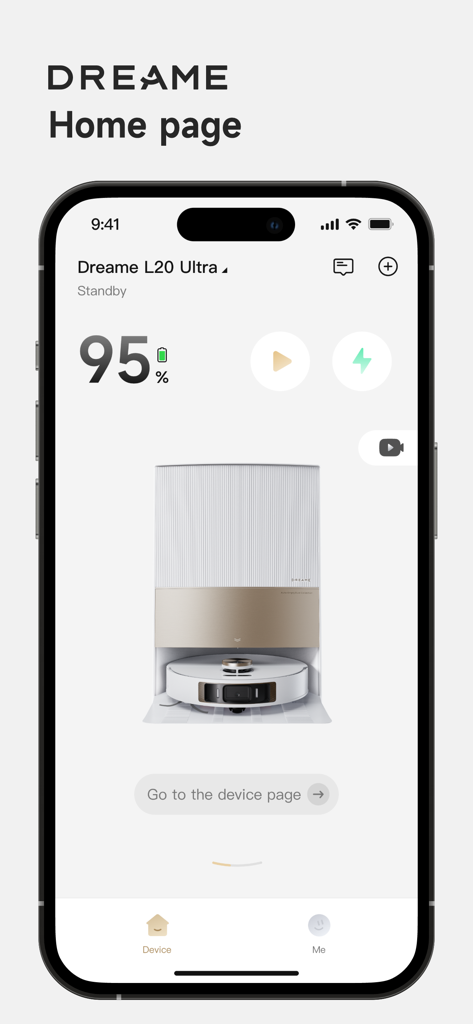
Dreamehomeアプリのホームページ。Dreame L20 Ultraロボット掃除機のステータスとリモートコントロールが表示されています。

Dreamehomeアプリのホームページ。Dreame L20 Ultraロボット掃除機のステータスとリモートコントロールが表示されています。

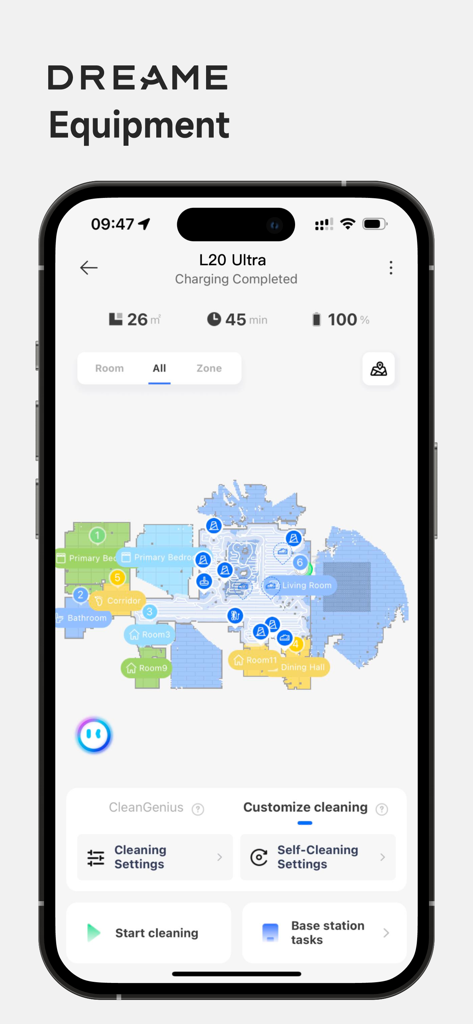
Dreamehomeアプリのインターフェース。詳細な家のマップとロボット掃除機の清掃コントロールが表示されています。

Dreamehomeアプリのインターフェース。詳細な家のマップとロボット掃除機の清掃コントロールが表示されています。

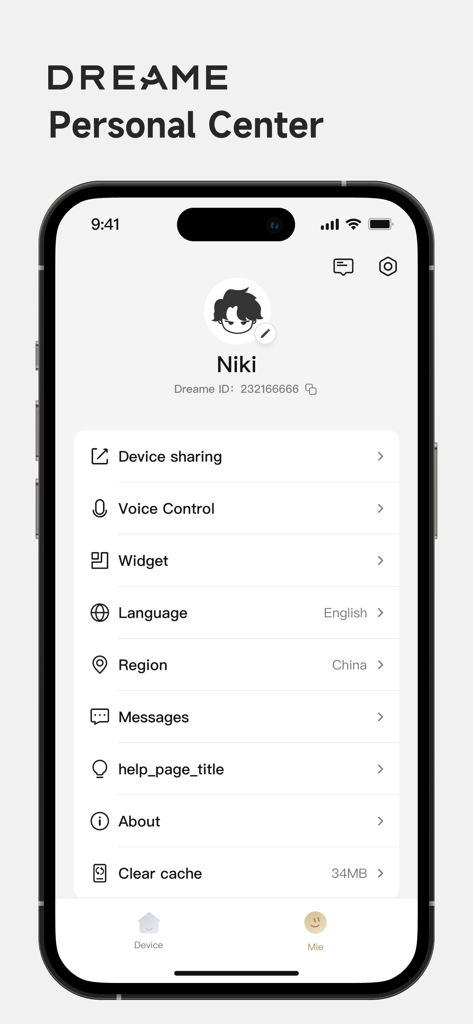
Dreamehomeアプリのパーソナルセンタープロファイル設定画面。デバイス共有と音声コントロールオプションが表示されています。

Dreamehomeアプリのパーソナルセンタープロファイル設定画面。デバイス共有と音声コントロールオプションが表示されています。

家の清潔さを完全に制御する

このアプリを際立たせるツール、 5M+ 人のユーザーが選択.

📍

精密マッピングと進入禁止エリア

デジタルツインで家を視覚化しましょう。ペットボウルや遊び場の周りに境界線を描いたり、特定の清掃エリアを指定したりすることで、心配のないカスタムクリーンを実現します。

設定して忘れるスケジューリング

特定の時間や部屋を選択してロボットを清掃するように自動化し、指一本動かさずに常に清潔な家に戻れるようにしましょう。

📱

リモートコマンドと音声同期

ジムにいる間にApple Watchから清掃セッションを開始したり、AlexaやGoogleアシスタントを使用して、世界中どこからでもホームエコシステムを管理したりできます。

世界中のユーザーに愛されています

Trusted by 5M+ 人がこのアプリを愛用しています.

"

"2人の幼児とゴールデンレトリバーがいる家庭の管理は、かつてはフルタイムの仕事でした。Dreamehomeのおかげで、週に数時間を節約できました。進入禁止エリアの精度により、ロボットが子供たちのプレイルームを邪魔することはありません。マッピングも信じられないほど正確です。これまで使った中で最も信頼できるスマートホームアプリです。"

Sarah Jenkins, Marketing Director
"

"テクノロジー愛好家として、このアプリが提供する制御レベルが大好きです。ジムにいる間にApple Watchからキッチンのクイッククリーンを開始できるのは画期的です。OTAアップデートは常に価値を追加しており、Alexaとの統合はシームレスです。真に自動化された家を構築している人にとっては必須です。"

Marcus Thorne, Software Engineer

アプリについて

について知っておくべきこと Dreamehome.

説明

Dreamehome App is to manage Dreame Bot cleaning robots to do your home floor cleaning. Through the App , you may not only access to advanced functions of your robot for your daily home floor cleaning, but also set up preferred cleaning zones and time as you like. Now you could do your home floor cleaning at your hand with the help of Dreamehome. Remote Control: You could control and operate the robot like the machine staying with you, once the robot is connected to App. Whether you are outside home or far away from the robot at home, you would locate the robot in the map, adjust the parameters, check out the cleaning schedule etc. Device Information: With the App, you could explore the full functions of your robot, learn about the working status, get error or task messages, check the usage data of accessories etc. House Map: A cleaning map of your house will help your robot learn and understand the space of your home. By mapping, you could set up the cleaning task with the right rooms or areas for each cleaning task by Dreame robot. Cleaning by special area: When only a special small area needs a quick cleaning right away, the function cleaning by special area is exactly the right thing for you. No-Go Zone: If there is any area not to go for cleaning, a simple frame mark could give you a safe cleaning area. Cleaning Schedule: Set up the cleaning day and time, even the zones as you preferred so that your robot works at the right time for the right zone. Firmware OTA: OTA (Over The Air) technology will help you upgrade your robot software to the latest version. You would not miss any update from our continuous improvement and new function release. Voice control: After you finishing signing up the App and adding your robot, your device may work with Amazon Alexa and Google Assistant by an connecting operation. User Manual: You could find the electronic user manual as well as the FAQ for your robot. Device Sharing: One robot could be controlled among our family members by Device Sharing function via the App. Contact us: Email: aftersales@dreame.tech Website: www.dreametech.com

最新バージョン

2.4.10

サイズ

262.9 MB

リリース日

2021年10月21日

時間を有効活用する準備はできましたか?

今すぐDreamehomeアプリをダウンロードして、清掃を自動化し、マップを管理し、指一本動かさずに完璧な家を体験してください。

ダウンロード: App Storeダウンロード: Google Play
FAQ

よくある質問

について知っておくべきこと Dreamehome

Dreamehomeアプリは何に使用されますか?

Dreamehomeアプリは、Dreame Bot掃除ロボットを管理します。ユーザーは、好みの掃除エリアや時間を設定するなど、家居の床掃除のための高度な機能にアクセスできます。

DreamehomeアプリはDreameロボットのリモートコントロールを許可しますか?

はい、Dreamehomeアプリはリモートコントロール機能を提供します。ユーザーは、ロボットを操作したり、マップ上で見つけたり、パラメータを調整したり、掃除スケジュールをどこからでも確認したりできます。

Dreamehomeアプリを介してDreameロボットで音声コントロールは利用できますか?

はい、Dreamehomeアプリは音声コントロールをサポートしています。セットアップ完了後、DreameロボットはAmazon AlexaおよびGoogleアシスタントと連携して音声コマンドを使用できます。

Dreamehomeアプリは特定のエリアの掃除をどのようにサポートしますか?

Dreamehomeアプリは、ユーザーが家のマップを作成して、掃除タスクの特定の部屋やエリアを定義できるようにすることで役立ちます。また、「特定エリアによる掃除」機能も備えています。

Dreamehomeアプリを使用してDreameロボットの進入禁止エリアを設定できますか?

はい、Dreamehomeアプリには「進入禁止エリア」機能が含まれています。ユーザーは、マップ上のエリアを簡単なフレームでマークして、Dreame Botがそのエリアに入ったり掃除したりするのを防ぐことができます。

複数人でDreamehomeアプリでDreameロボットを制御できますか?

はい、Dreamehomeアプリは「デバイス共有」機能を提供します。この機能により、複数の家族がそれぞれのアプリアカウントを通じて1台のDreameロボットを制御できます。

Dreamehomeアプリは私のDreameロボットのソフトウェアアップデートをどのように処理しますか?

Dreamehomeアプリは、ファームウェアOTA(Over The Air)テクノロジーを介してロボットのソフトウェアアップデートを管理します。これにより、ロボットは常に最新のソフトウェアバージョンと新機能を持つことができます。

Dreamehomeアプリで掃除タスクをスケジュールできますか?

はい、Dreamehomeアプリではユーザーが掃除スケジュールを設定できます。掃除する曜日、時間、およびDreameロボットが自動的に動作する特定のエリアを指定できます。

Dreamehomeアプリは私のロボットに関するどのようなデバイス情報を提供しますか?

Dreamehomeアプリは、ロボットの動作状況、エラーメッセージ、タスクメッセージ、およびアクセサリの使用状況を表示します。また、バッテリー残量と掃除時間も表示します。