ES File Explorer

ES File Explorer

ダウンロード: App Store
Spark by MWM logo
ロゴ: ES File Explorer

ES File Explorer: ファイルのための究極のパワーユーザーコマンドセンター

クラウドストレージ、リモートサーバー、ローカルファイルを一箇所に統合します。コード編集、マルチフォーマット圧縮、シームレスなクロスプラットフォーム転送のためのプロフェッショナルツールで、デフォルトの制限を超えましょう。

開発元

Beijing Xiaoxiong Bowang Technology Co., Ltd.

カテゴリ

Productivity

ダウンロード

15M+

ユーザー評価

4.8/5

評価数

282K+

対応言語

24

完全な制御の一端を見る

このインターフェースを利用する 15M+ 人のユーザー.

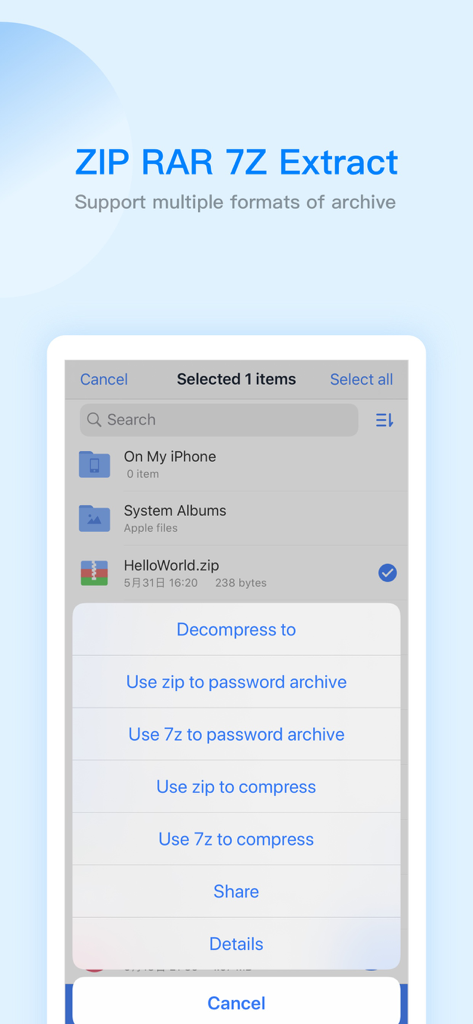
ES File Explorerのインターフェース。zipおよび7zファイル用の圧縮および展開オプションを表示しています。

ES File Explorerのインターフェース。zipおよび7zファイル用の圧縮および展開オプションを表示しています。

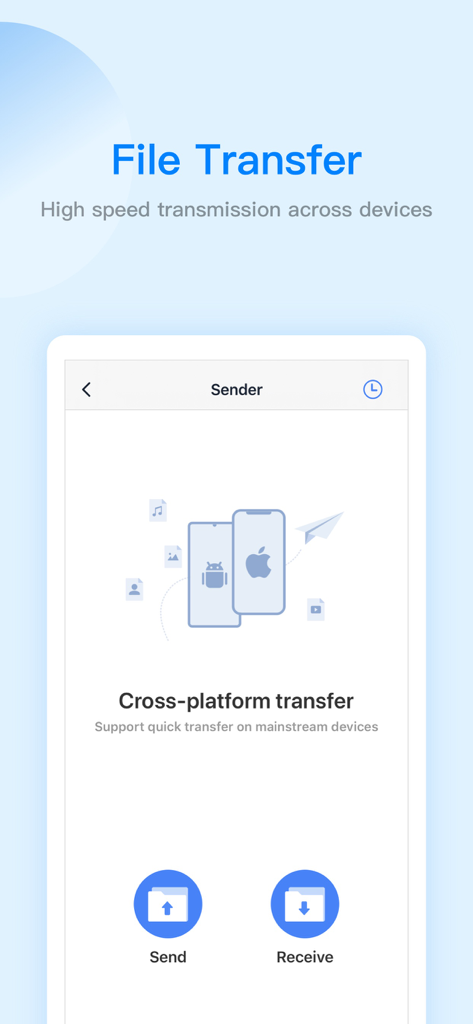
ES File Explorerアプリのインターフェース。iOSおよびAndroid用のクロスプラットフォームファイル転送機能を示しています。

ES File Explorerアプリのインターフェース。iOSおよびAndroid用のクロスプラットフォームファイル転送機能を示しています。

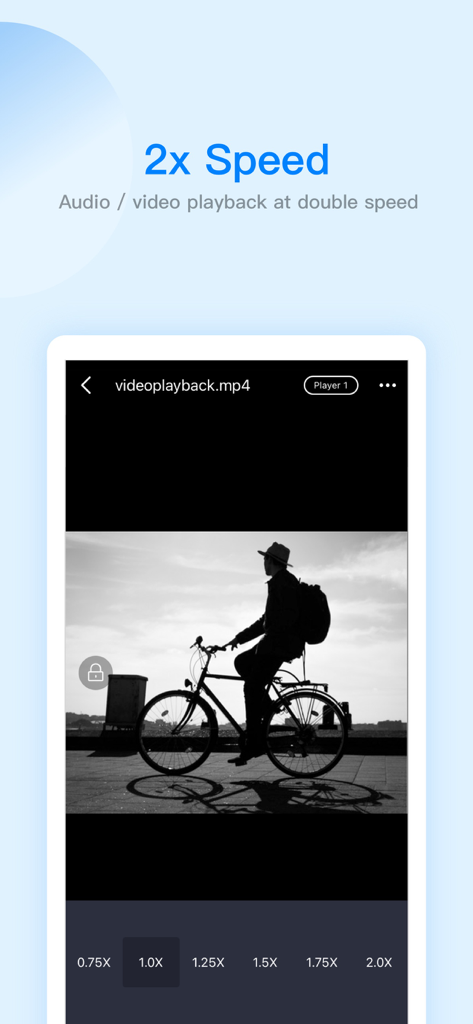
ES File Explorerのインターフェース。倍速オプション付きのビデオ再生を表示しています。

ES File Explorerのインターフェース。倍速オプション付きのビデオ再生を表示しています。

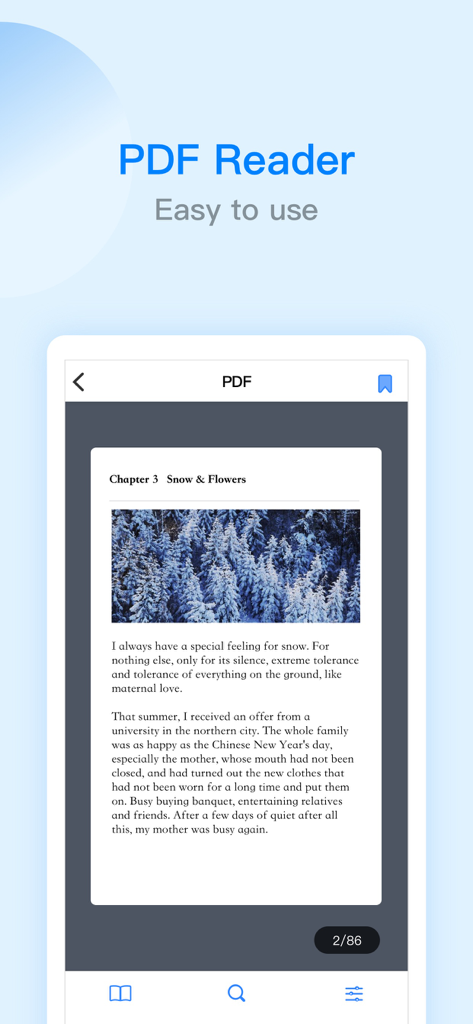
ES File Explorerモバイルアプリのスクリーンショット。テキストと雪景色が写った画像を含むドキュメントを表示している、使いやすいPDFリーダーインターフェースを紹介しています。

ES File Explorerモバイルアプリのスクリーンショット。テキストと雪景色が写った画像を含むドキュメントを表示している、使いやすいPDFリーダーインターフェースを紹介しています。

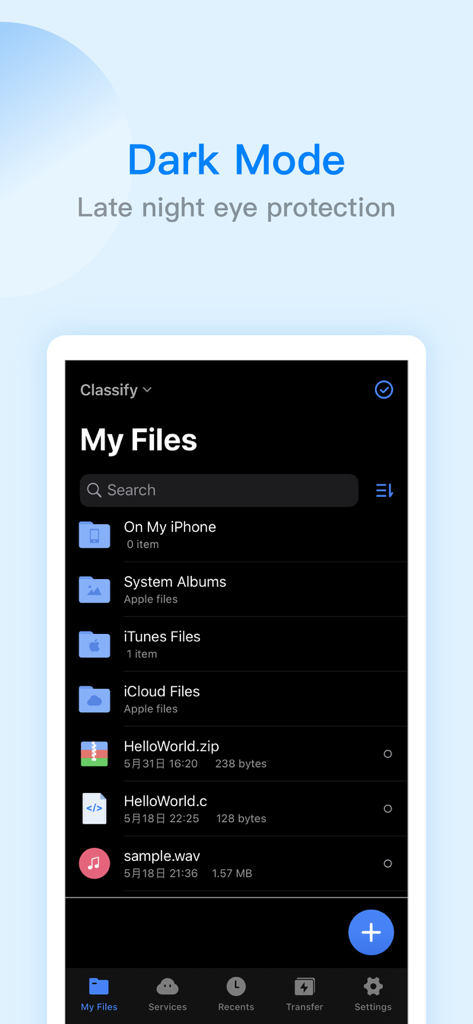
ES File Explorer iPhoneアプリのインターフェース。ダークモードでファイルリストを表示しています。

ES File Explorer iPhoneアプリのインターフェース。ダークモードでファイルリストを表示しています。

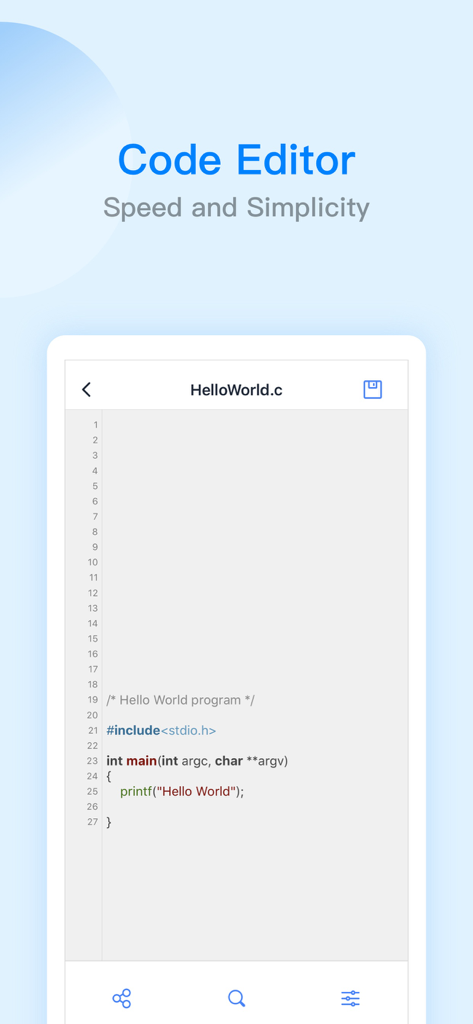
ES File Explorerアプリのコードエディターインターフェース。C言語のHello Worldプログラムを表示しています。

ES File Explorerアプリのコードエディターインターフェース。C言語のHello Worldプログラムを表示しています。

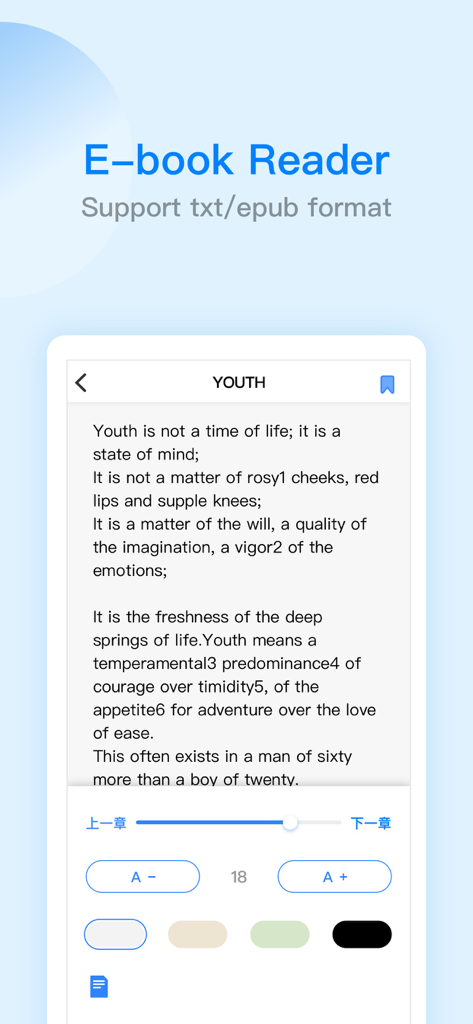
ES File Explorer電子書籍リーダーインターフェース。txtおよびepubフォーマットをサポートしています。

ES File Explorer電子書籍リーダーインターフェース。txtおよびepubフォーマットをサポートしています。

デジタルユニバースをマスターする

このアプリを際立たせるツール、 15M+ 人のユーザーが選択.

☁️

統合されたクラウド&リモートアクセス

Google Drive、Dropbox、OneDriveを、SMB/FTPホームサーバーと共に、シームレスでプロフェッショナルなインターフェースで統合します。

🛠️

プロレベルの生産性スイート

47種類のコードフォーマットに対応した内蔵エディター、完全なPDF注釈ツール、高度なZIP/RAR/7Zアーカイブサポートで、ストレージを超えましょう。

高速クロスプラットフォーム転送

iOSとWindowsの間のギャップを即座にブリッジします。AirDropの制限なしに、WiFiまたは対面転送で大容量ファイルを移動できます。

世界中のユーザーに愛されています

Trusted by 15M+ 人がこのアプリを愛用しています.

"

"ES File Explorerは、私のクロスプラットフォームワークフローに欠けていたリンクです。SMB経由でホームサーバーにアクセスし、Google DriveとDropboxを単一のインターフェースで管理できることは、私の生産性にとってゲームチェンジャーです。これにより、iPadが真のデスクトップクラスのマシンのように感じられます。"

Mark Sutherland, Freelance Developer
"

"iOSで見つけた最高のオールインワンユーティリティです。外出先でのコードスニペットの編集から、7Zアーカイブの解凍まで、すべてに使用しています。PDFエディターとWiFi転送機能は信じられないほど信頼性が高く、日常の研究と整理に不可欠なツールとなっています。"

Elena Rodriguez, Graduate Researcher

アプリについて

について知っておくべきこと ES File Explorer.

説明

ES File Explorer is a local and network file management tool that can help you manage files easily. 【The main function】 -File management You can create new directories, rename, move, delete files, etc. Support file sorting by name, date, size The iPad version supports features such as split screen, picture-in-picture, and drag-and-drop operations between apps - file transfer WiFi transmission function: support the transfer of files between the mobile terminal and the computer terminal Face-to-face fast transfer function: support for transferring files between mobile phones -Compress and decompress Support the compression and decompression of ZIP, RAR, 7Z format files Support Chinese password -Built-in audio and video player Support functions: double-speed playback (0.5~2.0), background playback, small window playback, etc. Can directly play audio and video resources in the network disk, local area, and local area network -Netdisk aggregation No need to download, you can access and use the files in the network disk Support simultaneous login with multiple accounts on the same network disk Support mainstream network disks such as Baidu network disk, google drive, OneDrive, dropbox, etc. -Remote service access: SMB, FTP, WebDAV -Built-in PDF editor Support PDF file browsing PDF file editing: supports highlight, underline, strikethrough, pen and other functions -Built-in novel reader Support TXT, EPUB format, continuous optimization -Built-in code editor Supports browsing and editing of 47 code formats such as json, js, log, java, php, swift, xml, net, etc. Support code theme switching, font size adjustment, encoding format adjustment -Other functions Automatic backup function: support incremental backup of system albums and ES local files to Baidu network disk, SMB, FTP, WebDAV Recycle bin function: support ES local files to be temporarily stored in the ES recycle bin after deletion to prevent file loss Browser: Support web browsing Application lock: protect user privacy and safety ES PRO - When you purchase ES PRO, you will Unlock all premium features. - ES PRO is billed monthly or annually at the rate corresponding to the selected plan. - Payment will be charged to your iTunes account at confirmation of purchase. - According to the Apple Store policy, your subscription will be automatically renewed after the free trial ends. - Subscriptions will automatically renew unless auto-renew is turned off at least 24 hours before the end of current period. - Your account will be charged according to your plan for renewal within 24 hours prior to the end of the current period. You can manage or turn off auto-renew in your Apple ID account settings at any time after purchase. Terms of Service: http://esfile.do-global.com/h5/user_manual.html Privacy Policy: http://www.estrongs.com/privacyStatement/en/index.htm Email: esfileexplorerfeedback@outlook.com Facebook: https://www.facebook.com/OfficialESFileExplorer/ YouTube: https://goo.gl/YVXXV3

最新バージョン

2.8.5

サイズ

261.6 MB

リリース日

2019年3月23日

ファイルの完全な制御を始める準備はできましたか?

1500万人以上のパワーユーザーに加わり、デジタルワークフローを簡素化しましょう。プロフェッショナルなコマンドセンターから、あらゆるクラウドやサーバーのファイルを管理、編集、転送できます。

ダウンロード: App Store
FAQ

よくある質問

について知っておくべきこと ES File Explorer

ES File Explorerとは何ですか?

ES File Explorerは、多用途なローカルおよびネットワークファイル管理ツールです。ユーザーは、ファイルの管理、転送、圧縮、解凍、およびクラウドストレージへのアクセスが可能です。また、プレイヤー、エディタ、その他のユーティリティ機能も統合されています。

ES File Explorerはどのようにファイル転送を可能にしますか?

ES File Explorerは、主に2つの方法でファイル転送を容易にします。1つはモバイルデバイスとコンピューター間のWiFi転送、もう1つはモバイルフォン間の直接的な対面高速転送です。

ES File Explorerはどのアーカイブ形式の圧縮をサポートしていますか?

ES File Explorerは、ZIP、RAR、7Zアーカイブ形式の圧縮と解凍をサポートしています。また、暗号化されたアーカイブの中国語パスワードをサポートする機能も含まれています。

ES File Explorerで動画を倍速再生できますか?

はい、ES File Explorerにはオーディオおよびビデオプレーヤーが内蔵されています。このプレーヤーは、倍速再生(0.5倍から2.0倍)、バックグラウンド再生、およびメディアファイル用の小ウィンドウ再生をサポートしています。

ES File Explorerはどのクラウドストレージサービスと統合されていますか?

ES File Explorerは、Baiduネットワークディスク、Google Drive、OneDrive、Dropbox上のファイルへのアクセスを可能にするネットワークディスク集約機能を提供しています。ユーザーは利便性のために複数のアカウントで同時にログインできます。

ES PROはES File Explorerのどのプレミアム機能をアンロックしますか?

ES File ExplorerでES PROを購入すると、すべてのプレミアム機能がアンロックされます。これは、標準提供機能を超える高度な機能へのアクセスを提供する、月額または年額で請求されるサブスクリプションサービスです。

ES File Explorer PROサブスクリプションの自動更新はどのように管理できますか?

ES File Explorer PROサブスクリプションの自動更新は、Apple IDアカウント設定を通じて管理または無効にできます。現在の期間が終了する少なくとも24時間前までに自動更新が無効になっていることを確認してください。

ES File Explorerにはダークモード機能が含まれていますか?

はい、ES File Explorerにはダークモード機能が含まれています。この機能は、深夜の目の保護を提供し、暗い環境での長時間の使用中のユーザーの快適性を向上させます。

ES File ExplorerはPDFドキュメントを編集できますか?

はい、ES File ExplorerにはPDFエディタが内蔵されています。PDFファイルの閲覧を可能にし、ハイライト、下線、取り消し線、ペンツールの使用などの編集機能をサポートしています。

ES File Explorerのコードエディタはどのようなプログラミング言語をサポートしていますか?

ES File Explorerの内蔵コードエディタは、47種類のコード形式の閲覧と編集をサポートしています。これには、JSON、JS、LOG、JAVA、PHP、SWIFT、XML、NETなどの人気のある言語やファイルタイプが含まれます。