FAir for FlashAir

FAir for FlashAir

ダウンロード: App Store
Spark by MWM logo
ロゴ: FAir for FlashAir

FAir for FlashAir:プロの写真家向けの究極のワイヤレスブリッジ

カメラからiOSデバイスへのRAWおよびJPG写真の即時転送、ブラウズ、一括ダウンロード。完全なEXIFデータと自動同期により、あらゆるディテールを保持し、モバイルワークフローを高速化します。

開発元

杨 李

カテゴリ

Entertainment

ダウンロード

139K+

ユーザー評価

4.5/5

評価数

800

対応言語

3

すべてのピクセルに精密さを

このインターフェースを利用する 139K+ 人のユーザー.

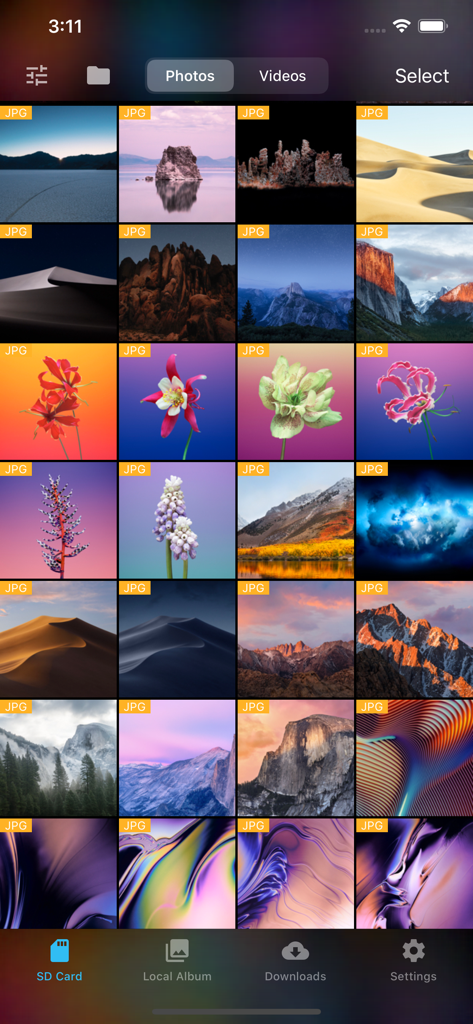
FAir for FlashAirアプリが、SDカードに保存されたJPG写真のグリッドを表示している様子

FAir for FlashAirアプリが、SDカードに保存されたJPG写真のグリッドを表示している様子

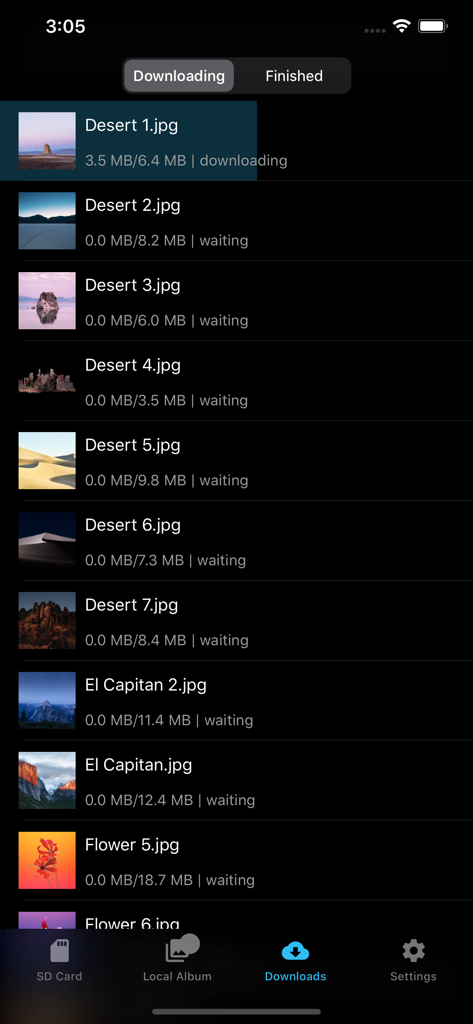
FAir for FlashAirアプリのダウンロード画面で、ダークモードでの写真転送の進行状況が表示されている様子

FAir for FlashAirアプリのダウンロード画面で、ダークモードでの写真転送の進行状況が表示されている様子

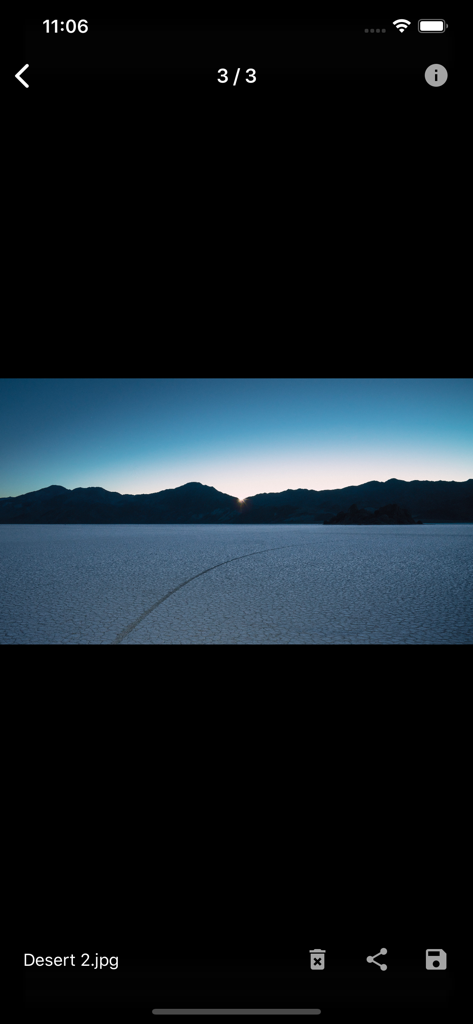
FAir for FlashAirアプリでの砂漠の風景写真のフルスクリーンプレビュー

FAir for FlashAirアプリでの砂漠の風景写真のフルスクリーンプレビュー

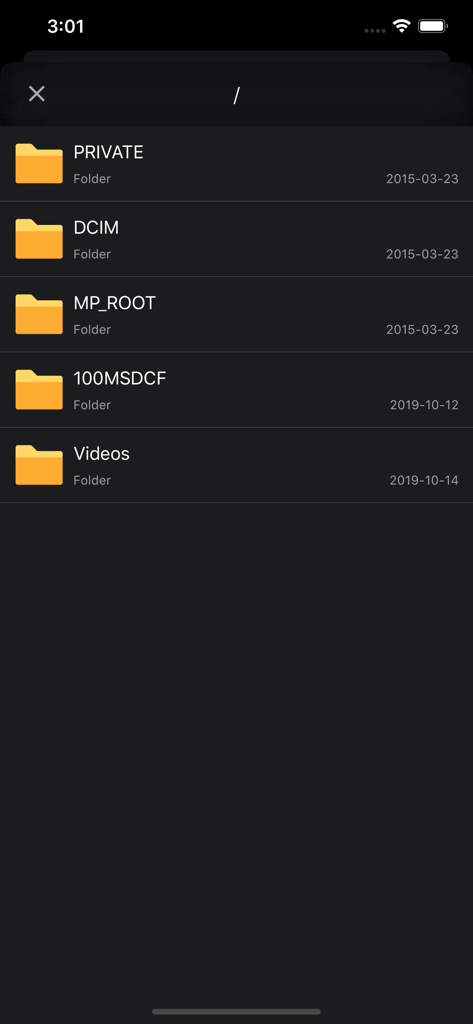
FAirアプリのインターフェースに、DCIMやVideosなどのフォルダを含むSDカードのファイルディレクトリがダークモードで表示されている様子

FAirアプリのインターフェースに、DCIMやVideosなどのフォルダを含むSDカードのファイルディレクトリがダークモードで表示されている様子

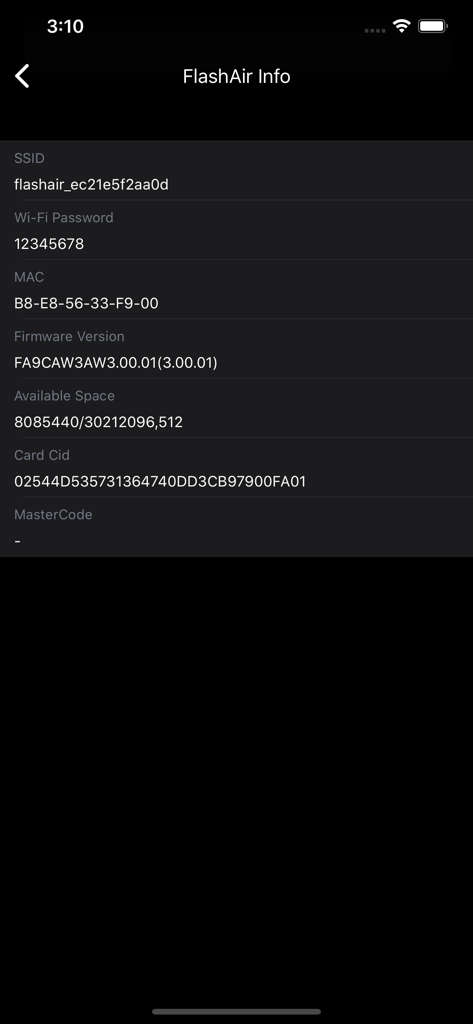
FAirアプリのFlashAir SDカード情報画面にSSIDとファームウェアの詳細が表示されている様子

FAirアプリのFlashAir SDカード情報画面にSSIDとファームウェアの詳細が表示されている様子

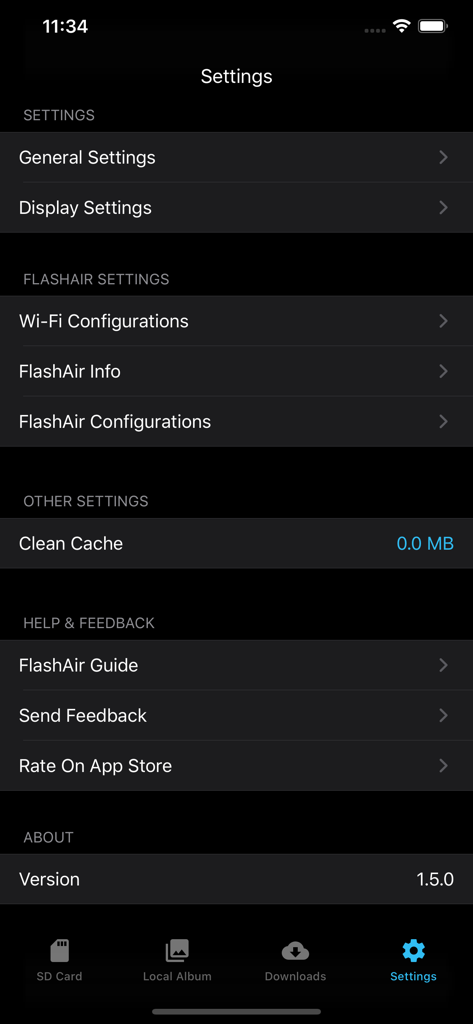
FAir for FlashAirアプリの設定メニューに、ダークモードでのWi-Fiとディスプレイの設定オプションが表示されている様子

FAir for FlashAirアプリの設定メニューに、ダークモードでのWi-Fiとディスプレイの設定オプションが表示されている様子

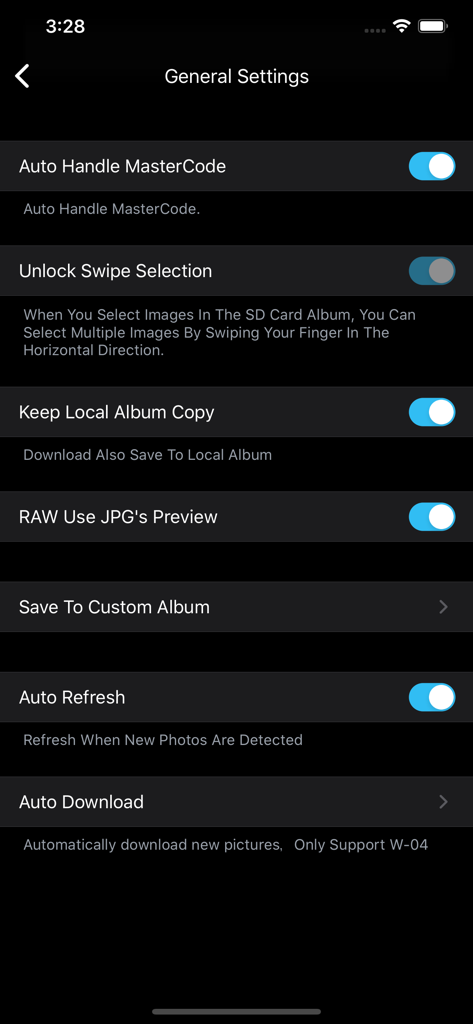
FAir for FlashAirアプリの一般設定画面に、自動化およびRAWプレビューオプションがダークモードで表示されている様子

FAir for FlashAirアプリの一般設定画面に、自動化およびRAWプレビューオプションがダークモードで表示されている様子

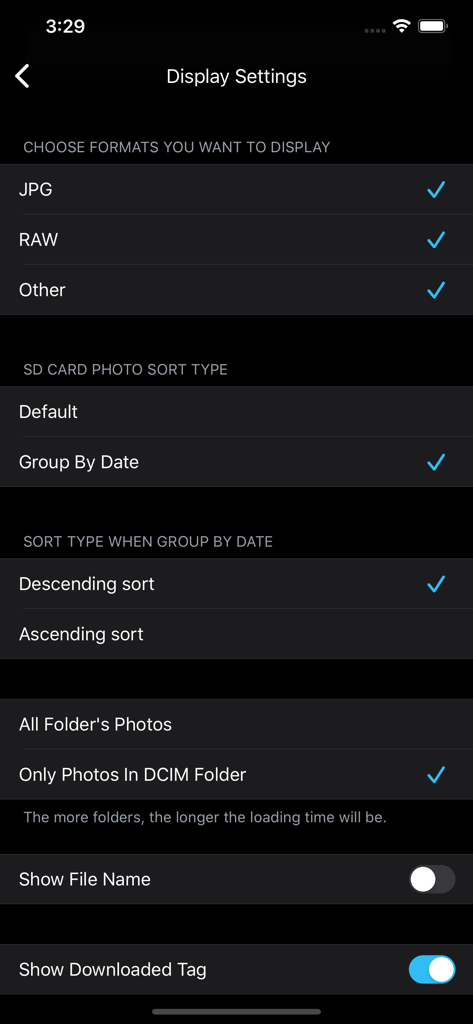
FAir for FlashAirアプリのディスプレイ設定画面で、RAWやJPGなどのファイル形式の選択や写真の並べ替え方法の選択が表示されている様子

FAir for FlashAirアプリのディスプレイ設定画面で、RAWやJPGなどのファイル形式の選択や写真の並べ替え方法の選択が表示されている様子

ワイヤレス写真撮影のためのプログレードツール

このアプリを際立たせるツール、 139K+ 人のユーザーが選択.

インスタント一括ダウンロード

SDカードをカメラから取り外すことなく、何百枚もの高解像度写真や4K動画を同時に転送できます。

📸

RAWプレビューとEXIFデータ

モバイルデバイスで直接、プロフェッショナルなファイル形式と完全なメタデータをレビューし、編集に最適なショットを選択できます。

🔄

設定したらあとはお任せ自動化

自動接続とバックグラウンド同期を有効にすると、撮影したての写真が、SNSやLightroomですぐに使える状態になります。

Instant Batch Downloads

Transfer hundreds of high-res photos and 4K videos simultaneously without ever removing the SD card from your camera.

📸

RAW Previews & EXIF Data

Review professional file formats and full metadata directly on your mobile device to select your best shots for editing.

🔄

Set-and-Forget Automation

Enable auto-connect and background sync to have your latest shots ready for social media or Lightroom the moment you take them.

世界中のユーザーに愛されています

Trusted by 139K+ 人がこのアプリを愛用しています.

"

"私はハイエンドミラーレスシステムを使用しており、品質を妥協したくありません。FAirを使えば、オリジナルの画像と完全なEXIFデータをiPhoneに直接転送し、すぐにSNSで共有できます。ダークモードも素晴らしく、接続も非常に安定しています。"

Julian Rivera
"

"外出先でのファイル管理はかつて大変な作業でした。このアプリは、一括ダウンロードとバックグラウンドタスクを完璧に処理してくれるので、写真が同期されている間に撮影を続けることができます。これは、今日でもFlashAirカードを使用しているすべての人にとって最も信頼できるツールです。"

Elena Rossi

アプリについて

について知っておくべきこと FAir for FlashAir.

説明

With Fair for Flashair, you can quickly browse and download all pictures and files on your wireless Flashair SD card. Supported hardware Flashair W-02, w-03, W-04 The following is a list of main functions: System - Fully compatible with IOS 13 - Perfect for dark mode Download - Independent download process management, your download record will not be lost - Batch download, display download speed, delete, edit download tasks and other functions - It can be downloaded to the local folder of APP first, and then saved after further filtering. - You can configure to save to a separate album and configure the album file name - You can choose to generate HD thumbnails after downloading - Keep the photo information completely, download the original image, which is exactly the same as the camera image. - When selecting photos, you can select all, slide multiple, and select all by time group. - Auto refresh - Auto Download new photos/videos - Automatic connection You can connect FlashAir Wi-Fi inside the app - Config download order Display - Pictures on Flashair can be displayed in the default view or grouped by date - Format filtering, you can select the file format you want to see, only display JPG, raw, etc. - You can sort pictures in ascending or descending order - You can choose to load only the pictures in DCIM or display all the pictures in the card. - You can show or hide picture file names - You can choose to display the no download flag - You can configure the number of pictures displayed per line - You can view the picture in thumbnail or full size - Preview video smoothly - You can view the complete EXIF information of the picture - You can view the full file system of flashair and operate on files - Raw preview can be displayed (using JPG preview with the same name) Flashair settings - Flashair SSID and Wi Fi password can be configured - Flashair mastercode can be set and managed automatically - You can view the complete information of flashair SSID, password, remaining space, MAC address, etc. - Flashair and cellular network can be used together Other - You can open files in flashair through other apps - Mastercode can be processed automatically - Can be set to prevent locking during download - Slide multiple pictures to improve efficiency - Can clear the picture cache to prevent the app from taking up too much space - Complete operation guide and problem feedback channel

最新バージョン

1.6.2

サイズ

11.5 MB

リリース日

2018年4月5日

モバイルワークフローを効率化する準備はできましたか?

FAirを信頼し、オリジナルの品質で即時転送を行う139,000人以上の写真家にご参加ください。今すぐダウンロードして、プロ用機材とiPhoneまたはiPadの間のギャップを埋めましょう。

ダウンロード: App Store