FileMate

FileMate

ダウンロード: App Store
Spark by MWM logo
ロゴ: FileMate

FileMate:パワーユーザー&プライバシーのための究極のファイルマネージャー

基本を超えろ。RAR/7zアーカイブを解凍し、コードを編集し、機密文書を隠しボールトに保護—すべてデスクトップ体験のスピードと柔軟性で。

開発元

俊波 贾

カテゴリ

Productivity

ダウンロード

1M+

ユーザー評価

4.7/5

評価数

21K+

対応言語

11

あなたのファイル、洗練された管理を

このインターフェースを利用する 1M+ 人のユーザー.

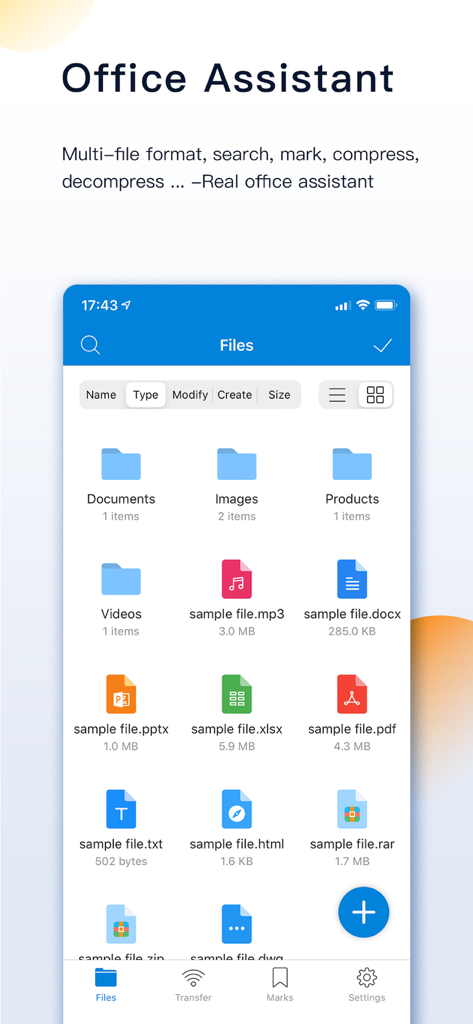
FileMateアプリ画面:整理されたフォルダと、モバイル生産性向上のための複数のファイル形式を表示

FileMateアプリ画面:整理されたフォルダと、モバイル生産性向上のための複数のファイル形式を表示

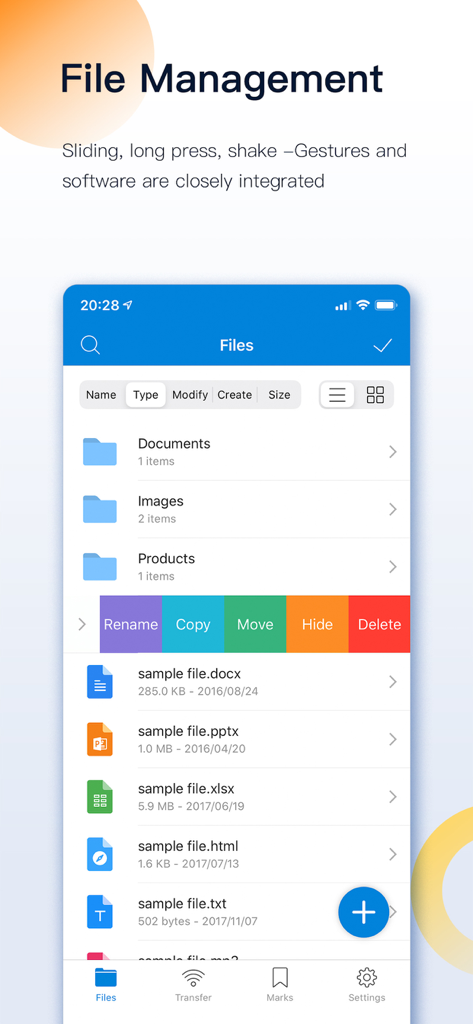
FileMateアプリインターフェース:フォルダの名前変更、コピー、移動、非表示、削除のためのスワイプジェスチャーによるファイル管理を表示

FileMateアプリインターフェース:フォルダの名前変更、コピー、移動、非表示、削除のためのスワイプジェスチャーによるファイル管理を表示

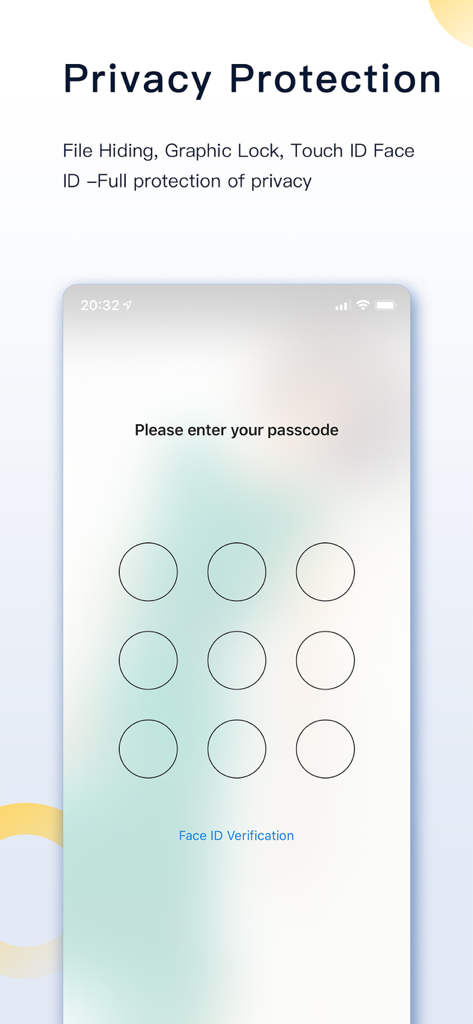
FileMateアプリインターフェース:プライバシー保護のためのパスコードロック画面を表示

FileMateアプリインターフェース:プライバシー保護のためのパスコードロック画面を表示

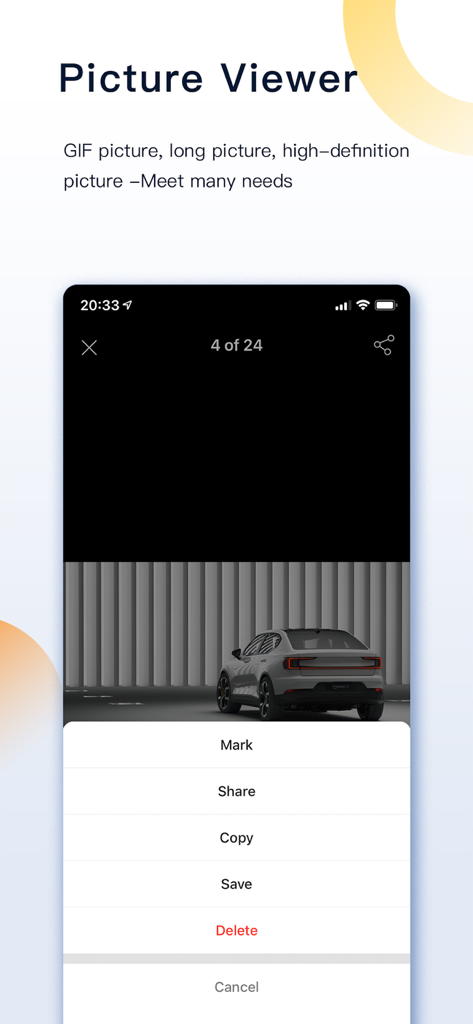
FileMateアプリ:高解像度画像をマーク、共有、コピー、保存するオプションを表示するピクチャビューアインターフェースを表示

FileMateアプリ:高解像度画像をマーク、共有、コピー、保存するオプションを表示するピクチャビューアインターフェースを表示

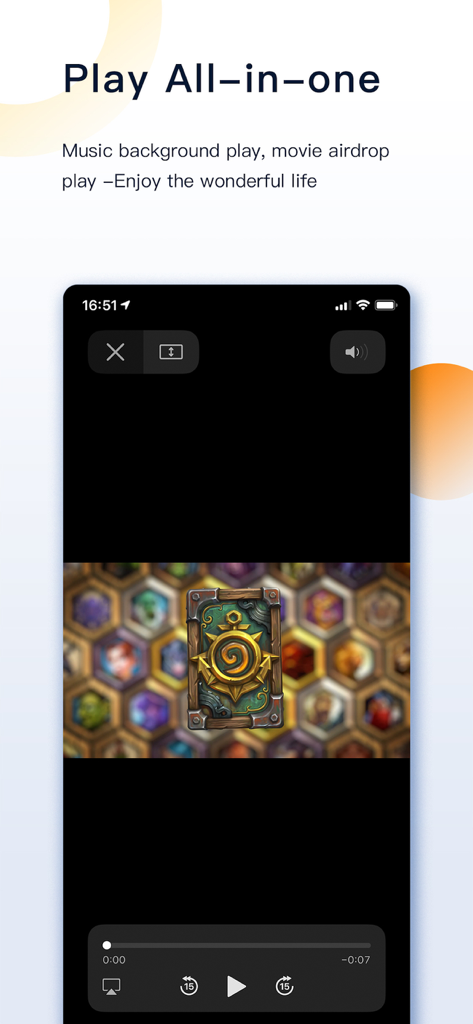
FileMateアプリのビデオプレーヤーインターフェース:スマートフォンで再生コントロールを備えたビデオ再生を表示

FileMateアプリのビデオプレーヤーインターフェース:スマートフォンで再生コントロールを備えたビデオ再生を表示

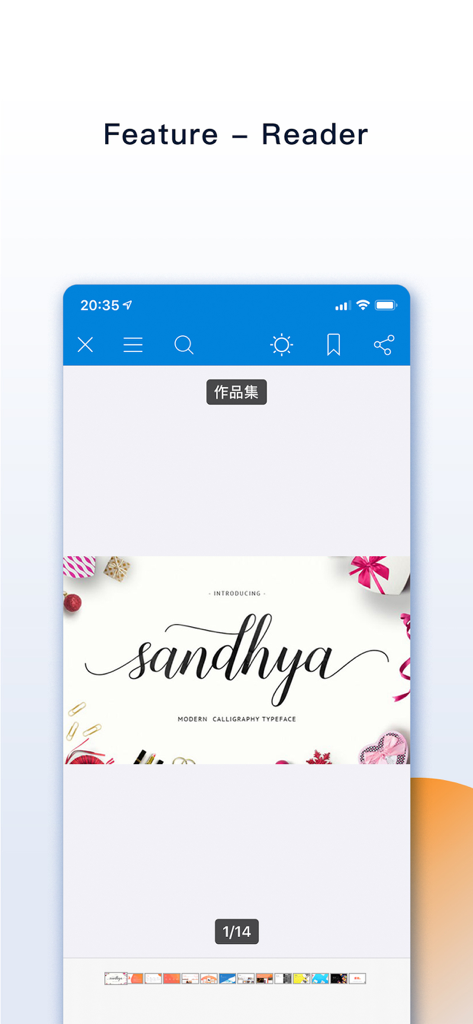
FileMateアプリのリーダーインターフェース:iPhone画面にカリグラフィー書体のドキュメントを表示

FileMateアプリのリーダーインターフェース:iPhone画面にカリグラフィー書体のドキュメントを表示

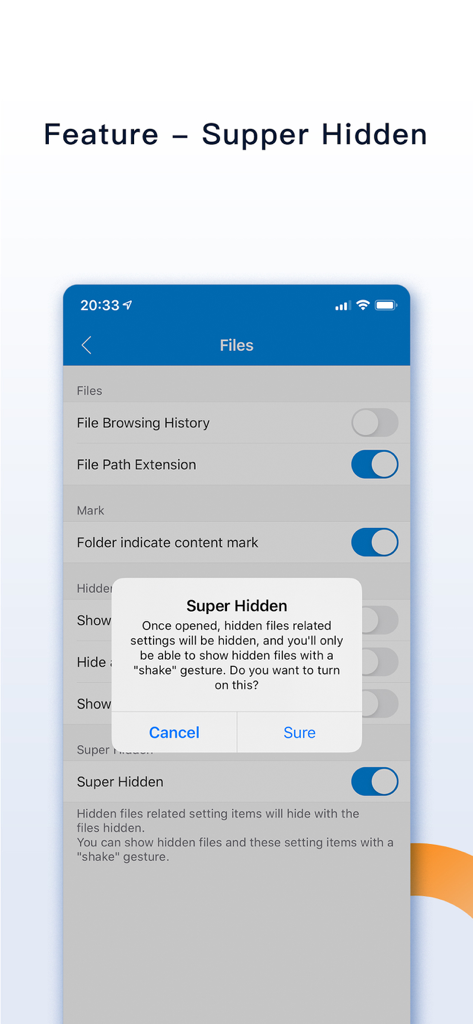
FileMateアプリのスーパー隠し機能ダイアログのスクリーンショット:シェイクジェスチャーが使用されるまでプライベート設定を非表示にする

FileMateアプリのスーパー隠し機能ダイアログのスクリーンショット:シェイクジェスチャーが使用されるまでプライベート設定を非表示にする

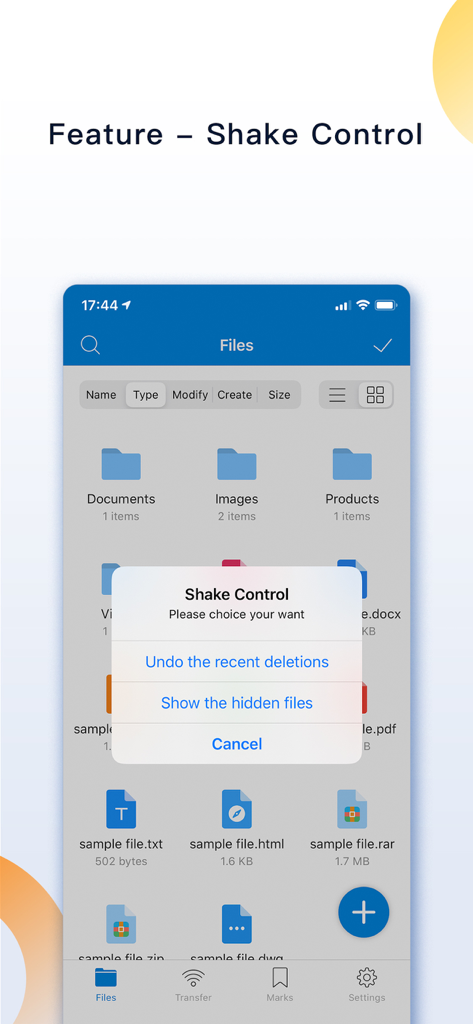
FileMateアプリインターフェース:元に戻す削除や隠しファイルの表示オプションを備えたシェイクコントロールポップアップメニューを表示

FileMateアプリインターフェース:元に戻す削除や隠しファイルの表示オプションを備えたシェイクコントロールポップアップメニューを表示

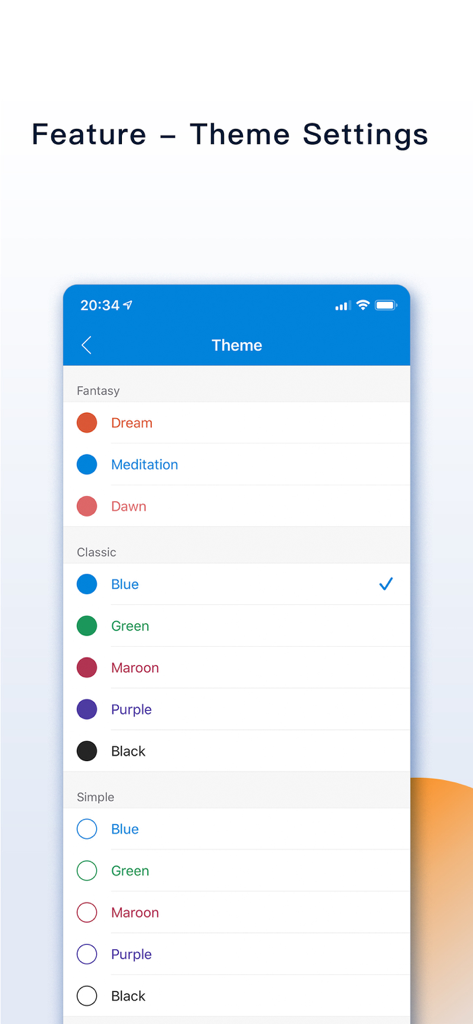
FileMateアプリのテーマカスタマイズメニュー:ファンタジー、クラシック、シンプルスタイルなど、さまざまなカラーオプションを表示

FileMateアプリのテーマカスタマイズメニュー:ファンタジー、クラシック、シンプルスタイルなど、さまざまなカラーオプションを表示

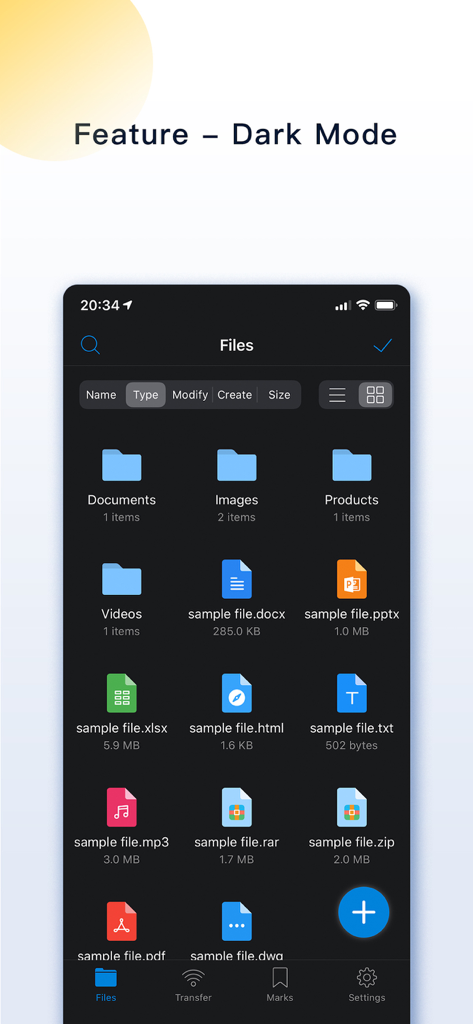
FileMateアプリのダークモードインターフェース:ドキュメント、画像、アーカイブなどのさまざまなファイルタイプを表示

FileMateアプリのダークモードインターフェース:ドキュメント、画像、アーカイブなどのさまざまなファイルタイプを表示

モバイルワークスペースを自在に操る

このアプリを際立たせるツール、 1M+ 人のユーザーが選択.

🛡️

鉄壁のプライバシーボールト

Face IDとスーパー隠しモードで機密ファイルを非表示・暗号化—あなた以外には見えないように、プライベートデータを保護します。

📦

プロレベルのアーカイブ&編集

7z、RAR、ZIPアーカイブを簡単に展開。アプリを離れることなく、コード、ドキュメント、高解像度メディアを表示・編集できます。

ワイヤレスPC&Mac同期

ケーブルは不要。高速WiFi転送またはFinder連携で、iPhoneとコンピューター間で即座にファイルを移動できます。

世界中のユーザーに愛されています

Trusted by 1M+ 人がこのアプリを愛用しています.

"

"FileMateは私のモバイルワークフローのゲームチェンジャーです。iPhoneでJSやSwiftなどのコードファイルを直接閲覧・編集できる能力は信じられません。iOSと実際のデスクトップ体験のギャップを埋め、WiFi転送機能によりPCからのアセット移動が楽になります。"

Alex R., Software Engineer
"

"ついに、RARや7zファイルを問題なく扱えるアプリが登場しました!講義ノートやプライベートな研究論文を整理するために使っています。Face IDロックは、機密ファイルが安全であることを確認できる安心感を与えてくれ、スーパー隠しモードはプライバシーのために絶対的な天才です。"

Chloe M., Graduate Student

アプリについて

について知っておくべきこと FileMate.

説明

FileMate is a local file management tool that can help you easily manage your phone files. [Core functions] - Browse: Allows you to view documents, browse pictures, and play videos conveniently and quickly. - Management: Provide you with a wealth of operations, allowing you to easily manage local files. - Privacy protection: your private files are hidden inside the APP, and your private files are isolated outside the APP. [Introduction to use] 1. Add files You can create folders, text files, photos, videos in the APP; Import files from the system [Photos], [Files] or other APP; Share files between PC and iphone via [WiFi]; Share files between Mac and iphone through [Finder] and [iTunes]. 2. Browse files You can browse various Office files and pdf files; Browse and edit various text files, such as txt, json, js, log, java, php, swift, xml; Browse pictures in various formats, including long vertical screenshots and high-resolution large pictures; Use efficient and low-power players to play audio and video files. 3. Manage files You can create new directories, rename, copy, move, delete, view attributes, and set hidden files; Sort by name, type, time, size; 4. Archive and unarchive You can archive and unarchive files in 7z, rar, zip, tar format, with passwords. 5. Mark the file You can mark important and frequently viewed files and display them in different sorting types. 6. Search for files You can quickly find the file you want through fuzzy search and multi-keyword combination search. 7. Hidden files You can set private files as hidden files. Hidden files are not displayed by default, and you can display them when you need them. 8. Password lock You can open the password lock, and only enter the correct password to enter the APP; Set the Face ID, Touch ID unlock, and authentication-free time intervals to make it more convenient for you to enter. 9. Super hidden You can hide all the setting items related to hidden files in the APP, and finally only you know what hidden functions the APP has. 10. Other functions Sharing panel: through the sharing panel, batch share files into the APP or out-to other APP; Theme setting: modify the theme, folder, menu structure, text size and other styles of the APP; Unread reminder: Set a reminder time for unread files to remind you to check files in time; [Contact and feedback] If you have any questions or suggestions about the product, please feel free to contact us Email: orange_family@icloud.com QQ group: 398168949 [Auto-renewable subscription service] 1. Service: All Access, Removing Ad (1 Month) 2. Period: 1 Month 3. Price: $0.99 / Month 4. Payment will be charged to iTunes Account at confirmation of purchase 5. Subscription automatically renews unless auto-renew is turned off at least 24-hours before the end of the current period 6. Account will be charged for renewal within 24-hours prior to the end of the current period, and identify the cost of the renewal 7. Subscriptions may be managed by the user and auto-renewal may be turned off by going to the user's Account Settings after purchase 8. Terms of Use: http://www.orangestall.com/folder/subscription.html 9. Privacy Policy: http://www.orangestall.com/legal/privacy.html 1. Service: All Access, Removing Ad (1 Year) 2. Period: 1 Year 3. Price: $9.99 / Year 4. Payment will be charged to iTunes Account at confirmation of purchase 5. Subscription automatically renews unless auto-renew is turned off at least 24-hours before the end of the current period 6. Account will be charged for renewal within 24-hours prior to the end of the current period, and identify the cost of the renewal 7. Subscriptions may be managed by the user and auto-renewal may be turned off by going to the user's Account Settings after purchase 8. Terms of Use: http://www.orangestall.com/folder/subscription.html 9. Privacy Policy: http://www.orangestall.com/legal/privacy.html

最新バージョン

12.8

サイズ

90.9 MB

リリース日

2015年4月18日

モバイルファイルの管理を取り戻す準備はできましたか?

iOSでデスクトップレベルの管理と絶対的なプライバシーをFileMateに託す100万人以上のパワーユーザーに加わりましょう。今すぐダウンロードして、制限なく整理を始めましょう。

ダウンロード: App Store
FAQ

よくある質問

について知っておくべきこと FileMate

FileMateとは何ですか?

FileMateは、ユーザーがファイルを閲覧、管理、保護できる携帯電話用のローカルファイル管理ツールです。さまざまなファイルタイプをサポートし、アーカイブ、検索、プライバシー保護などの機能を提供します。

FileMateはどのような種類のファイルを閲覧できますか?

FileMateは、Office、PDF、およびtxt、json、java、php、swift、xmlなどのさまざまなテキストファイルを閲覧できます。また、画像形式(縦長の画像や高解像度の画像を含む)もサポートし、オーディオ/ビデオファイルも再生します。

FileMateにファイルを追加するにはどうすればよいですか?

ユーザーは、アプリ内でファイルを作成したり、システムの写真/ファイルやその他のアプリからインポートしたり、Wi-Fi経由でPCとiPhone間で共有したりすることで、FileMateにファイルを追加できます。MacユーザーはFinderとiTunesを使用できます。

FileMateはどのようなファイル管理操作をサポートしていますか?

FileMateは、新しいディレクトリの作成、名前の変更、コピー、移動、削除、属性の表示、隠しファイルの​​設定をサポートしています。ユーザーは、名前、タイプ、時間、サイズでファイルを並べ替えることもできます。

FileMateはファイルのプライバシー保護を提供していますか?

はい、FileMateは隠しファイル、パスワードロック、Face ID、Touch IDロック解除によるプライバシー保護を提供します。また、「スーパー隠し」機能も含まれており、関連する設定を隠すことができます。

FileMateはファイルのアーカイブと解凍をサポートしていますか?

はい、FileMateは7z、rar、zip、tar形式のファイルのアーカイブと解凍をサポートしています。アーカイブされたファイルにパスワードを設定することもできます。

FileMateの隠しファイル機能はどのように機能しますか?

FileMateでは、プライベートファイルを隠しファイルとして設定でき、デフォルトでは表示されません。隠しファイルは必要に応じて表示でき、その設定はスーパー隠しにできます。

FileMateをパスワードで保護できますか?

はい、FileMateはアプリに入るためのパスワードロックを提供しています。Face IDとTouch IDによるロック解除もサポートしており、利便性のために認証不要の間隔をカスタマイズできます。

FileMateの月額サブスクリプションの料金はいくらですか?

FileMateの「全アクセス、広告削除」サブスクリプションは月額0.99ドルです。このサービスは、現在の期間が終了する少なくとも24時間前にオフにしない限り、自動的に更新されます。

FileMateの年間サブスクリプションの料金はいくらですか?

FileMateの「全アクセス、広告削除」の年間サブスクリプションは年間9.99ドルです。このサブスクリプションは、現在の期間が終了する少なくとも24時間前に無効にしない限り、自動的に更新されます。

FileMateのサブスクリプションを管理するにはどうすればよいですか?

ユーザーは、購入後にiTunesアカウント設定を通じてFileMateのサブスクリプションを管理し、自動更新をオフにすることができます。これにより、サブスクリプション設定を完全に制御できます。

FileMateの「スーパー隠し」機能とは何ですか?

FileMateの「スーパー隠し」機能を使用すると、ユーザーはアプリ内の隠しファイルに関連するすべての設定項目を隠すことができます。その後、ユーザーはデバイスを振るジェスチャーを使用してこれらの隠し設定を表示できます。

FileMateには「シェイクコントロール」機能がありますか?

はい、FileMateには「シェイクコントロール」機能が搭載されています。ユーザーはデバイスを振ることで、最近削除したものを元に戻したり、隠しファイルを表示したりできます。

FileMateの外観をカスタマイズできますか?

はい、FileMateはテーマ設定を提供しており、ユーザーはアプリのテーマ、フォルダの外観、メニュー構造、テキストサイズを変更できます。ダークモードもカスタマイズのために利用可能です。