Freenotes: AI Notes Taking

Freenotes: AI Notes Taking

ダウンロード: App Store
Spark by MWM logo
ロゴ: Freenotes: AI Notes Taking
Freenotes:次世代デジタル学習者のためのAIノートテイキング

AI駆動の要約、自然な手書き、インタラクティブなPDF注釈で、試験とプロフェッショナルの目標をマスターしましょう。すべて1つの美的でペーパーレスなワークスペースで。

ダウンロード: App Store

開発元

Hangzhou Free Notes Technology Co., Ltd

カテゴリ

Productivity

ダウンロード

8M+

ユーザー評価

4.8/5

評価数

553K+

対応言語

27

真のペーパーレスパワーを体験しましょう

このインターフェースを利用する 8M+ 人のユーザー.

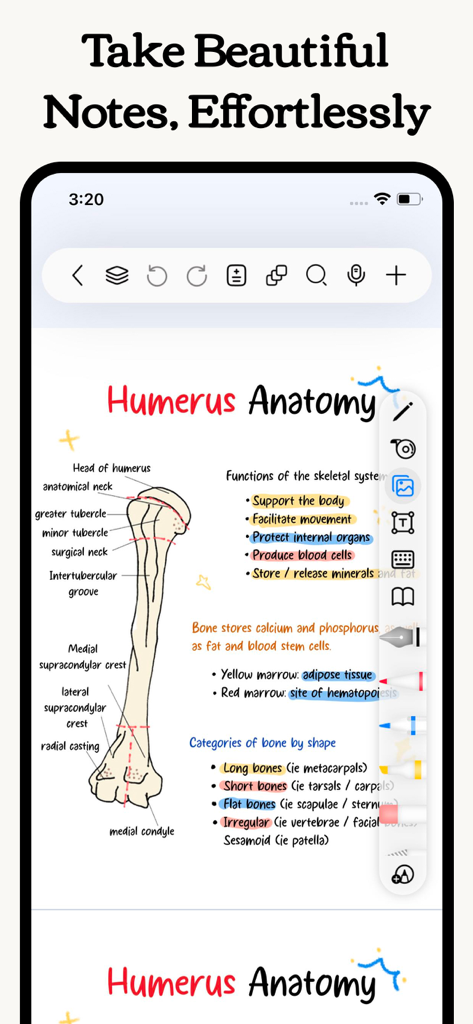
カラフルなハイライトと図で描かれた、人骨の美的で手書きの医学解剖学ノート

カラフルなハイライトと図で描かれた、人骨の美的で手書きの医学解剖学ノート

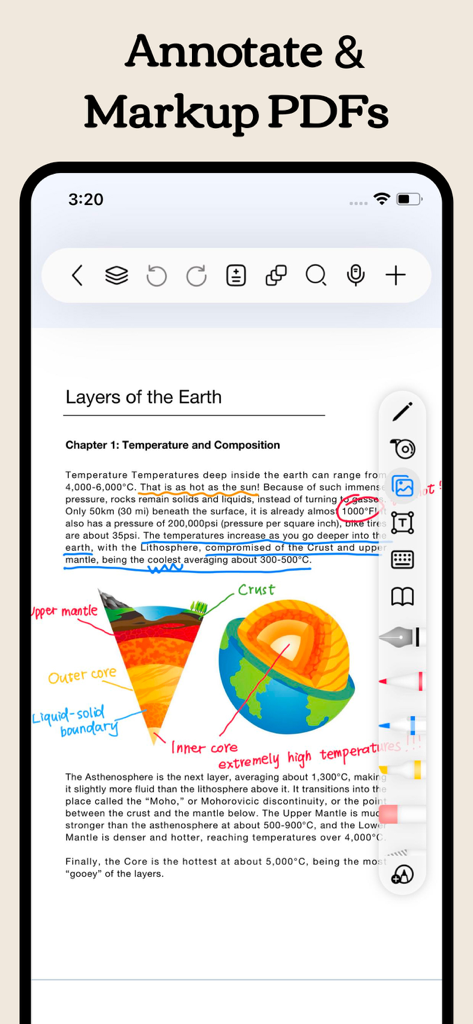
Freenotesアプリのスクリーンショット。科学PDFに手書きのノートとハイライトで注釈を付けている様子を表示

Freenotesアプリのスクリーンショット。科学PDFに手書きのノートとハイライトで注釈を付けている様子を表示

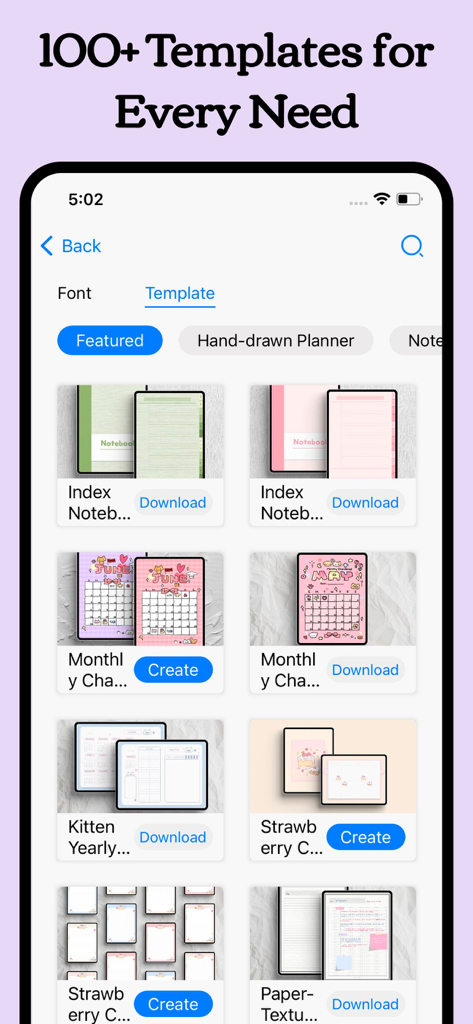
Freenotesアプリのインターフェース内に、さまざまな美的デジタルプランナーとノートブックテンプレートが表示されているライブラリ

Freenotesアプリのインターフェース内に、さまざまな美的デジタルプランナーとノートブックテンプレートが表示されているライブラリ

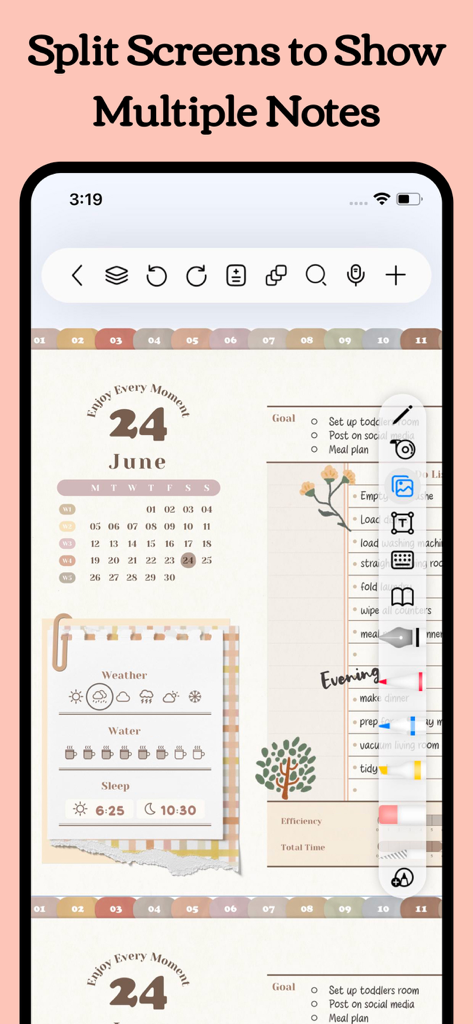
Freenotesアプリのインターフェースが、デジタルプランナーとタスクリストを含む分割画面機能を表示

Freenotesアプリのインターフェースが、デジタルプランナーとタスクリストを含む分割画面機能を表示

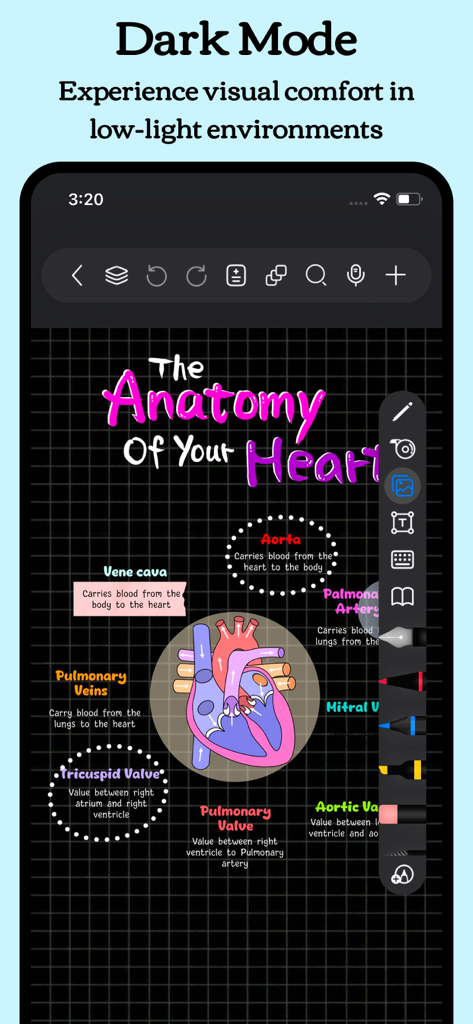
Freenotesアプリのダークモード。暗いグリッド背景に、カラフルな手書きの心臓解剖学の図を表示

Freenotesアプリのダークモード。暗いグリッド背景に、カラフルな手書きの心臓解剖学の図を表示

AIで生産性を劇的に向上させましょう

このアプリを際立たせるツール、 8M+ 人のユーザーが選択.

🪄

AI搭載インテリジェンス

長文ドキュメントを瞬時の要約に変換し、高度なAIアシスタントを使用して質問にリアルタイムで回答を得ましょう。

📺

統合ビデオ学習

ノートを取りながら、ピクチャーインピクチャーモードで講義を視聴しましょう。スクリーンショットをキャプチャし、アプリを切り替えることなく知識ベースを構築しましょう。

🧠

アクティブリコール向けに構築

テープツールと特別な学習モードを使用して試験に合格し、より速く記憶し、より多くの情報を保持するのに役立ちます。

世界中のユーザーに愛されています

Trusted by 8M+ 人がこのアプリを愛用しています.

"

"看護学生として、Freenotesは私の学習方法を完全に変えました。AI要約機能は長い研究論文の命綱であり、アクティブリコールテープツールは解剖学の記憶をずっと速くしてくれます。ノートを取りながら同時にピクチャーインピクチャーで講義を視聴するのが大好きです。究極の学習セットアップです!"

Sarah J., 医学学生
"

"ついに、プロフェッショナルでスマートなノートテイキングアプリが登場しました。OCR検索は信じられないほど正確です。数ヶ月前の特定の会議のポイントを数秒で見つけることができます。さらに、ハイパーリンクされたデジタルプランナーを使用してプロジェクトを追跡することは、これまでにないほど私のワークフローを合理化しました。私のiPad Proにとって最も洗練されたツールです。"

David L., シニアプロジェクトマネージャー

アプリについて

について知っておくべきこと Freenotes: AI Notes Taking.

説明

Freenotes: The Ultimate Digital Note-Taking Solution for Study and Work Freenotes lets you experience true paperless learning, combining the pleasure of realistic handwriting with features that boost your study and work efficiency. Whether you're a college student needing PDF annotation or a professional seeking a high-efficiency meeting note tool, Freenotes is the best GoodNotes alternative for a seamless, productive experience across all your devices. AI Integration: Your Smart Study Assistant A handwriting app with built-in AI to summarize long notes or check grammar/spelling in handwritten text? Freenotes is equipped with a powerful AI Assistant designed to optimize your learning and reviewing process: Instant Summaries & Answers: Take a screenshot or upload a document (PDF or photo) to instantly get answers to questions and AI-generated summaries of content. Perfect for quickly understanding long documents or creating study outlines for exams. AI Study Companion: Use the assistant to clarify concepts, define terms, and check your handwritten notes for accuracy, turning passive review into active recall. High-Efficiency Note-Taking & Organization What's a high-quality app to handwrite meeting notes and convert them into searchable text? We focus on helping you solve the pain point of messy, unsearchable notes: Organized and Neat: The folder feature allows you to categorize and organize your notes by projects, courses, or topics, automating the organization of your note library. Quick Search via OCR: No more wasting time searching! Our advanced handwriting OCR (Optical Character Recognition) means you can easily find the specific note or keyword you need, even if it was handwritten. Academic Powerhouse: PDF Annotation & Learning Tools Best iPad note-taking app for college students? Recommend an aesthetic digital planner app for tablets that works with hyperlinked PDFs? Freenotes offers features essential for college students and professionals working with documents: Interactive PDF Annotation: Annotate, mark up, and highlight large PDF files. Select text to translate and look up words directly for more convenient and engaging learning. Hyperlink Support: Create hyperlinked digital planners or study guides that jump to different pages within your notes or to external web pages for easy access to related information. Multitasking & Focus: Master Video Learning "Take notes while watching videos," "Split-screen for courses." Maximize productivity by taking notes while consuming content: Seamless Video Learning: Use Picture-in-Picture (PiP) to take notes while watching online videos (YouTube, lecture recordings), and instantly capture relevant screenshots directly into your notes. Dedicated Course Learning View: Display your handwritten notes or mind maps alongside course content in a specialized split-screen setup for deeper understanding and quick review. Review & Memorization for Active Recall "Helps with active recall," "Exam preparation tool." We provide specific tools proven to aid memory: Active Recall Tape Tool: Use the tape tool to mark key information for memorization and quickly test yourself by toggling visibility—a powerful technique for active recall and exam preparation. Exam Prep Center: Access built-in exam materials, timers, and use in-app layers and split-screen to practice and simulate exams without re-importing files. A True Paper Feel: Natural & Customizable Writing What app has the most natural and lowest-latency writing feel on a tablet? Realistic Pen Strokes: Experience lifelike, low-latency pen strokes on electronic devices by combining handwriting pens, providing the most natural feel for writing on digital platforms. Customization: Create and save custom brushes for quick access. Freenotes now supports the latest features of Apple Pencil Pro. Privacy Policy: https://www.freenotetech.com/policy/ Terms of Service: https://www.freenotetech.com/terms/

最新バージョン

3.18.0

サイズ

481.5 MB

リリース日

2023年9月5日

AIで生産性をマスターする準備はできましたか?

800万人以上のデジタル学習者やプロフェッショナルが、学習と仕事の方法を変革しています。よりスマートでペーパーレスな手書き体験のために、今すぐFreenotesをダウンロードしましょう。

ダウンロード: App Store
FAQ

よくある質問

について知っておくべきこと Freenotes: AI Notes Taking

Freenotes®: AI Notes Taking とは何ですか?

Freenotes®: AI Notes Taking は、リアルな手書きとAI機能を組み合わせて、学習や仕事に役立つデジタルノートソリューションです。PDFへの注釈付け、整理、効率的な学習ツールをデバイス間で提供します。

Freenotes AI はノートを要約できますか?

はい、Freenotes AI はコンテンツのインスタント要約を提供します。ユーザーはスクリーンショットを撮ったり、PDFや写真などのドキュメントをアップロードして、AI生成の要約や質問への回答を得ることができます。

Freenotes は手書きノートを検索可能なテキストに変換しますか?

はい、Freenotes は手書きノートを検索可能なテキストに変換します。高度な手書きOCR(光学文字認識)により、ユーザーは手書きコンテンツ内の特定のノートやキーワードをすばやく見つけることができます。

Freenotes で PDF に注釈を付けられますか?

はい、Freenotes は PDF ファイルへの注釈付けをサポートしています。ユーザーは、大きな PDF ファイルに注釈を付けたり、マークアップしたり、ハイライトしたり、テキストを選択してアプリ内で直接翻訳や単語検索を行ったりできます。

Freenotes を使用して動画を見ながらノートを取ることはできますか?

はい、Freenotes では動画を見ながらノートを取ることができます。YouTubeなどのオンライン動画でピクチャーインピクチャー(PiP)を利用し、関連するスクリーンショットを直接ノートにキャプチャできます。

Freenotes にはダークモードがありますか?

はい、Freenotes にはダークモード機能があります。このモードは、低照度環境に合わせてインターフェースを最適化することで、ユーザーに視覚的な快適さを提供します。

Freenotes はアクティブリコールにどのように役立ちますか?

Freenotes は、テープツールを使用してアクティブリコールの支援を行います。このツールを使用すると、ユーザーは暗記したい重要な情報をマークし、マークされたコンテンツの表示を切り替えることで、自分自身をテストすることができます。