Git client - Working Copy

Git client - Working Copy

ダウンロード: App Store
Spark by MWM logo
ロゴ: Git client - Working Copy

Working Copy: iOSプロフェッショナル向けのデスクトップクラスGit

iPadとiPhoneで最も強力なバージョン管理クライアントを使用して、クローン、コミット、プッシュを行いましょう。オフラインアクセス、高度なマージツール、FilesアプリおよびShortcutsとの深い統合により、シームレスなプロフェッショナルワークフローを体験してください。

ダウンロード: App Store

開発元

Anders Borum

カテゴリ

Developer Tools

ダウンロード

228K+

ユーザー評価

4.8/5

評価数

9K+

対応言語

1

手のひらの中のデスクトップクラスパワー

このインターフェースを利用する 228K+ 人のユーザー.

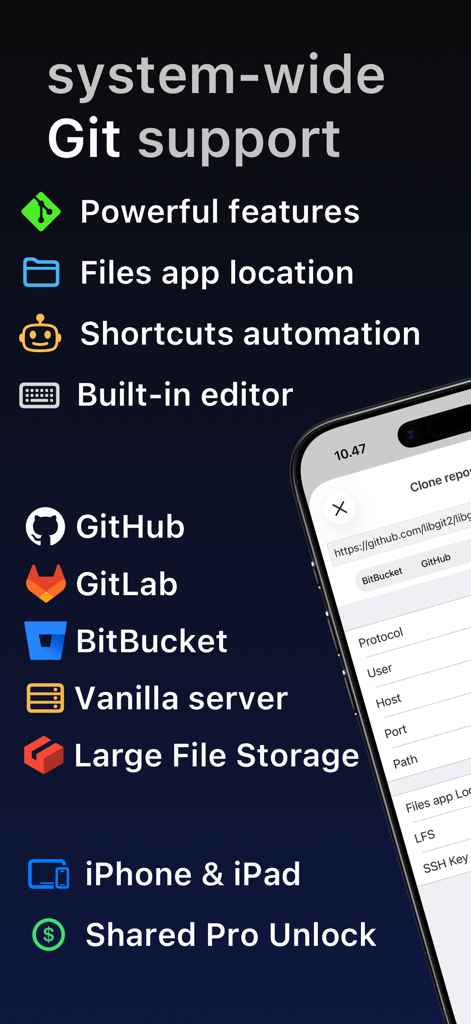
Working Copy Gitクライアントの機能、GitHub GitLabおよびBitbucketとの統合を表示

Working Copy Gitクライアントの機能、GitHub GitLabおよびBitbucketとの統合を表示

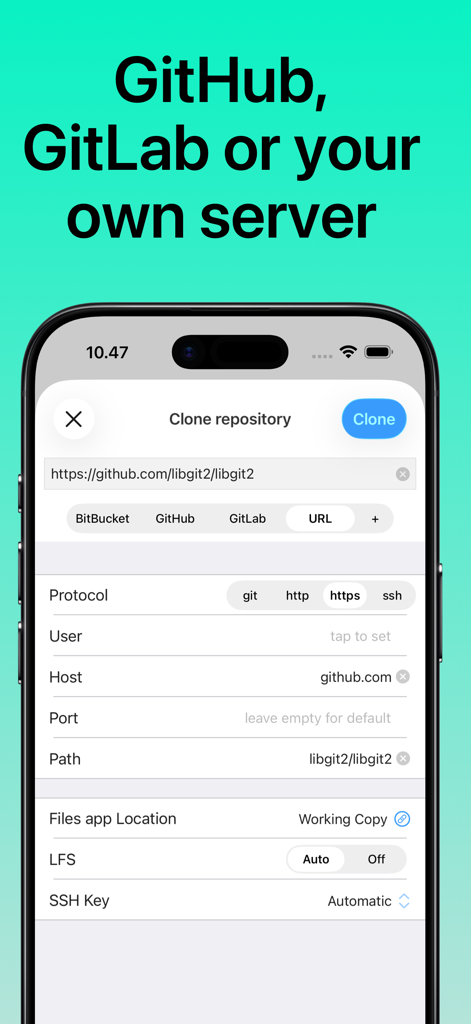
Working Copy for iOSでGitリポジトリをクローンするためのインターフェース

Working Copy for iOSでGitリポジトリをクローンするためのインターフェース

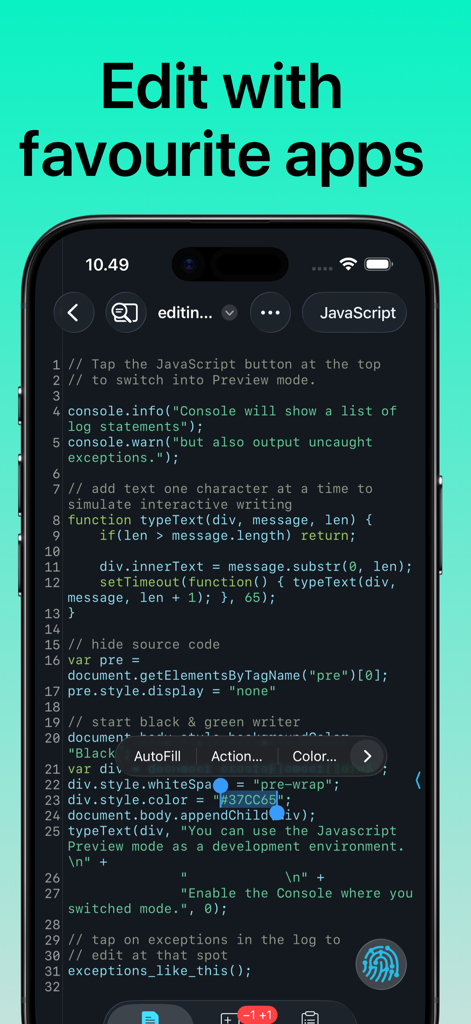
iPhone上のJavaScriptのシンタックスハイライト付きコードエディタを表示するWorking Copyアプリ

iPhone上のJavaScriptのシンタックスハイライト付きコードエディタを表示するWorking Copyアプリ

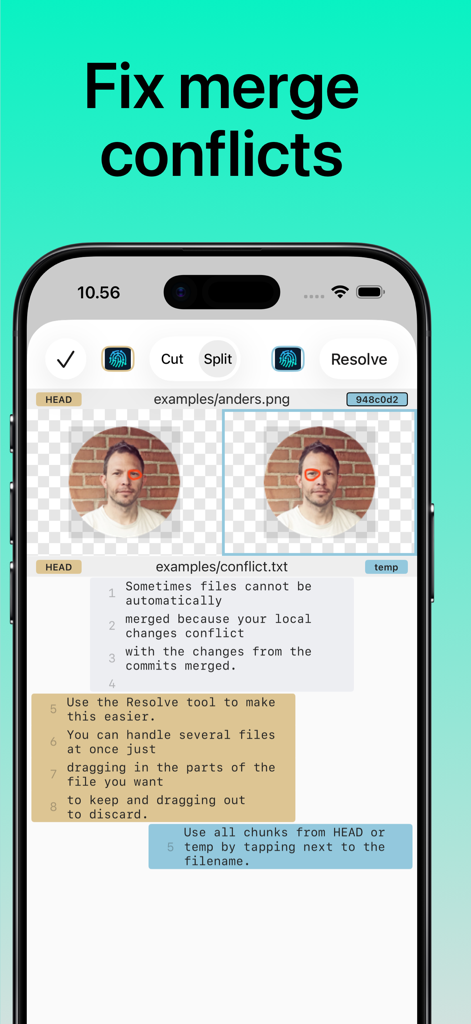
Working Copy iOSアプリの画面、画像およびテキストファイルのマージ競合を解決するために使用されるツールを表示

Working Copy iOSアプリの画面、画像およびテキストファイルのマージ競合を解決するために使用されるツールを表示

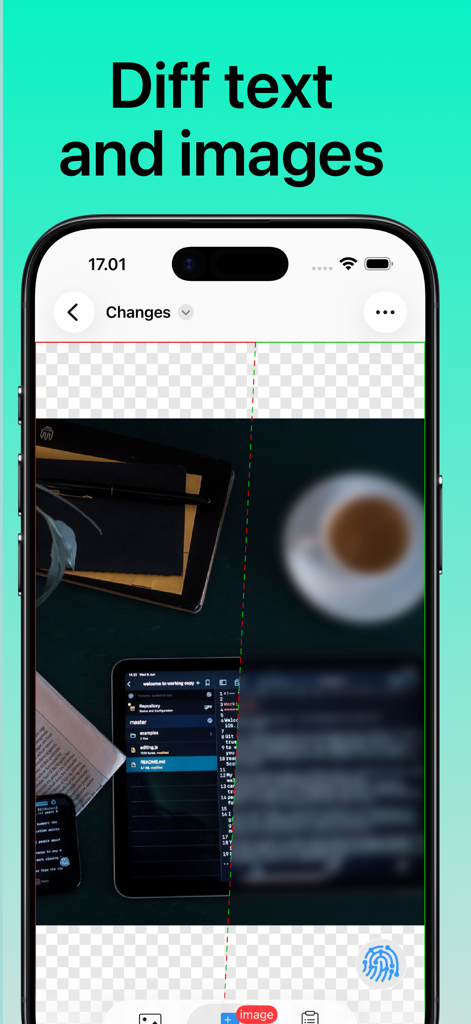
iPhoneのWorking Copy Gitクライアントのスクリーンショット、スプリットスクリーンの画像差分比較を表示

iPhoneのWorking Copy Gitクライアントのスクリーンショット、スプリットスクリーンの画像差分比較を表示

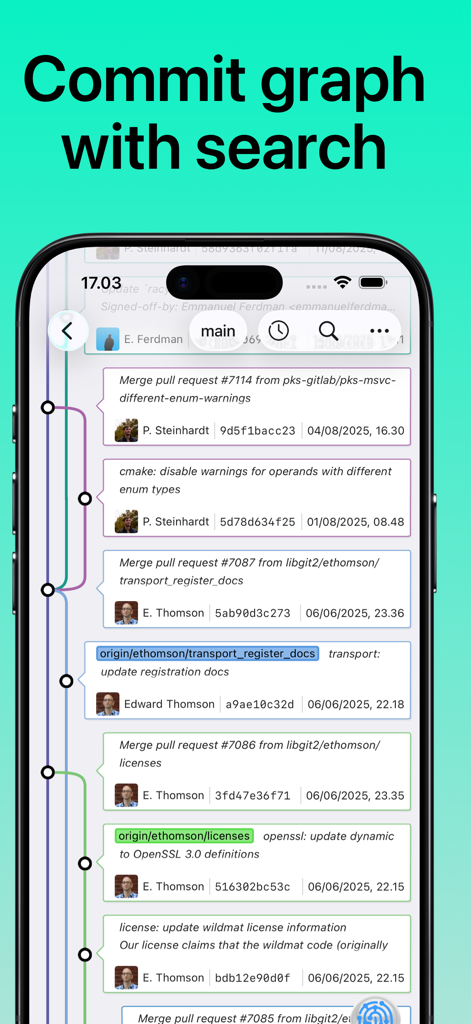
複数のブランチと検索バーを備えた視覚的なGitコミットグラフを表示するWorking Copy iOSアプリのスクリーンショット

複数のブランチと検索バーを備えた視覚的なGitコミットグラフを表示するWorking Copy iOSアプリのスクリーンショット

外出先でもプロフェッショナルなGitパワー

このアプリを際立たせるツール、 228K+ 人のユーザーが選択.

💻

デスクトップクラスのGitワークフロー

フルIDEの精度で、クローン、ブランチ、リベース、マージなどの複雑な操作を実行し、すべて高性能モバイルエクスペリエンスに最適化されています。

🔄

iOSとの深い統合

ワークフローのための究極のブリッジ。Filesアプリ経由でリポジトリにアクセスし、お気に入りの外部エディタを使用し、Shortcutsで繰り返しのタスクを自動化します。

🔍

視覚的な差分&マージツール

美しいコミットグラフで変更を確認し、プロフェッショナルグレードのコード管理のために設計された洗練されたマージツールを使用して、自信を持って競合を解決してください。

世界中のユーザーに愛されています

Trusted by 228K+ 人がこのアプリを愛用しています.

"

"Working Copyは、私のiPad Proが旅行中にノートパソコンに取って代わった理由です。Filesアプリとの統合はシームレスで、カフェにいる間にどのエディタでもJekyllサイトを編集して変更をプッシュできます。これはGitの「ライト」バージョンではなく、私のワークフローを尊重するフル機能のデスクトップクラスクライアントです。"

Marcus Chen, Senior Full-Stack Engineer
"

"頻繁にオンコールになる者として、このアプリは救世主です。電車の中でiPhoneから直接、リポジトリをクローンし、重大なバグを修正し、マージの競合を解決できるのは信じられないことです。Shortcutsの統合により、ワンタップでデプロイメントパイプライン全体を自動化できました。iOSのデベロッパーツールにおける真のゴールドスタンダードです。"

Sarah Jenkins, DevOps Lead

アプリについて

について知っておくべきこと Git client - Working Copy.

説明

Access Git repositories on the go. Clone, edit, commit and push while allowing other apps access to repositories. Git is a important part of our work-life and iOS can take part in this. The ability to commit even when offline has added utility on a device that moves in and out of network coverage. Cloning repositories gets you a local copy on your iOS device with commits for all branches. You can browse the content from within the app and make changes. Other applications supporting the Files app, WebDAV or x-callback-url has access to these files. Changes made can be committed and the commits can in turn be pushed back to the remote. The idea of doing significant programming on iOS might seem far fetched when you are used to a large screen, a physical keyboard and a full IDE. But just as it turned out that not every email is serious prose, then not everything that goes on in Git is significant programming. Sometimes you just want to update a TODO file or make adjustments to your Jekyll site. Sometimes you just need to add a file the designer sent after hours. If you ever make reminders about small things to do with the code-base, then you should give Working Copy a try. You will spend less time moving stuff around and you will get much better commit messages when you write them for fixes that are still fresh in your mind. You won't be leaving your computer behind any time soon, but sometimes it is faster to just fix things with the device in your hand. When you do need to perform real work on iOS, Working Copy is a powerful tool. Editor has syntax highlighting for more than 50 programming languages and a built-in color picker. Preview images, Markdown and HTML files with a Javascript console pointing to errors in your code. Create new branches and merge or rebase them back, with a brilliant merge-tool for handling conflicts. If you need to automate your work there are Working Copy actions in the Shortcuts app for most operations. Even if you never edit a line of code on iOS, Working Copy is a great companion for reviewing and discussing code. Repositories are cross indexed and with powerful fuzzy search you can quickly jump from a symbol to the declaration or reverse from the declaration to all usages. A graph of your commits lets you zoom out for a overview of the commit tree or zoom in for specifics about each commit, with speed and beauty you won’t find in desktop Git applications. Review the changes your files have gone through with a diff viewer that is great for text and images. There is even hex-dump mode for that obscure occasion. Working Copy is a free download but you need to unlock pro features such as the ability to push commits and manage more than 5 repositories. There is no venture capital, large company or ads funding development and your support through in-app purchase directly sustains development. Try out pro features with a 10 day free trial. When you pay to unlock you get permanent access to all pro features at the time of purchase as well as any added the next year. When 12 months have passed you keep all existing pro features but any new ones introduced are locked until you renew your unlock.

最新バージョン

6.6.8

サイズ

96.2 MB

リリース日

2014年11月8日

どこからでもデプロイする準備はできましたか?

あなたのiOSデバイスをプロフェッショナルなワークステーションに変えた228,000人以上の開発者に加わりましょう。今すぐWorking Copyをダウンロードして、手のひらでデスクトップクラスのGitを体験してください。


ダウンロード: App Store