Google Classroom

Google Classroom

ダウンロード: App Storeダウンロード: Google Play
Spark by MWM logo
ロゴ: Google Classroom

Google Classroom:学習者と指導者がどこからでもつながることを支援。

課題の管理、ディスカッションの促進、整理整頓のための安全でペーパーレスなハブ。毎日使用しているGoogleツールとシームレスに統合されています。

ダウンロード: App Store

開発元

Google LLC

カテゴリ

Education

ダウンロード

145M+

ユーザー評価

1.6/5

評価数

3M+

対応言語

69

あなたのデジタルキャンパス

このインターフェースを利用する 145M+ 人のユーザー.

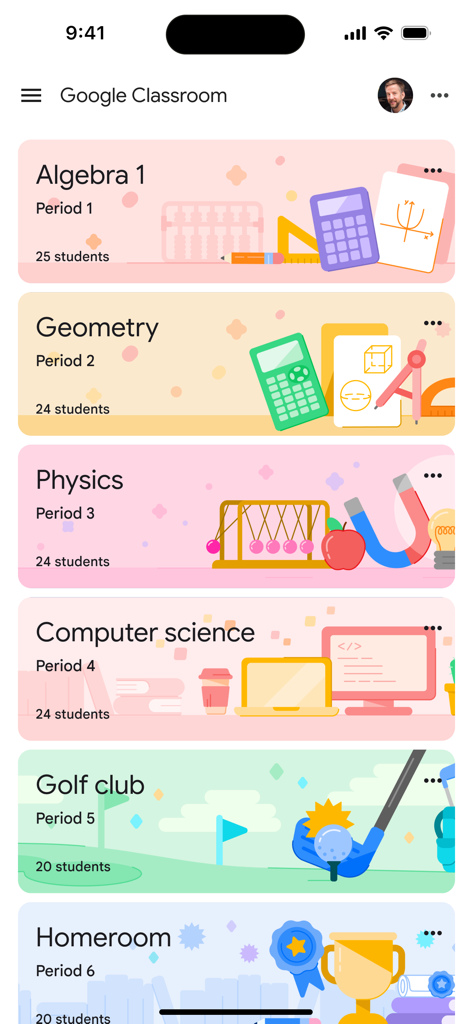
Google Classroomアプリのインターフェース。カラフルなバナーが付いたさまざまな学校のクラスのダッシュボードを表示しています。

Google Classroomアプリのインターフェース。カラフルなバナーが付いたさまざまな学校のクラスのダッシュボードを表示しています。

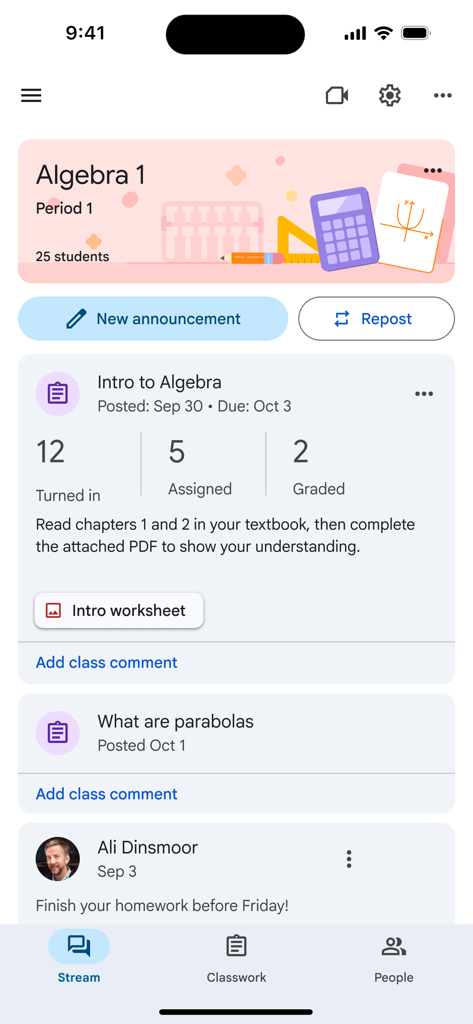
Google Classroomアプリ。課題が表示された代数クラスのストリームを示しています。

Google Classroomアプリ。課題が表示された代数クラスのストリームを示しています。

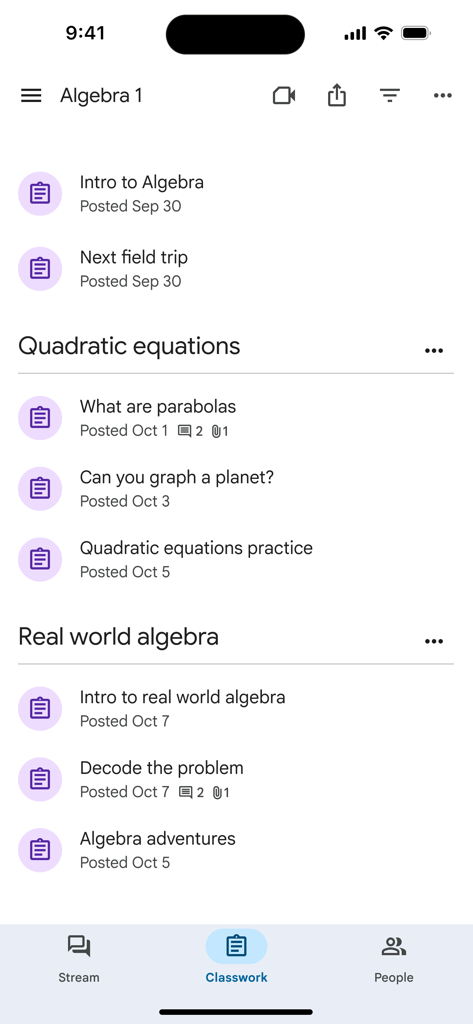
Google Classroomアプリの画面。トピック別に整理された代数1の課題リストを表示しています。

Google Classroomアプリの画面。トピック別に整理された代数1の課題リストを表示しています。

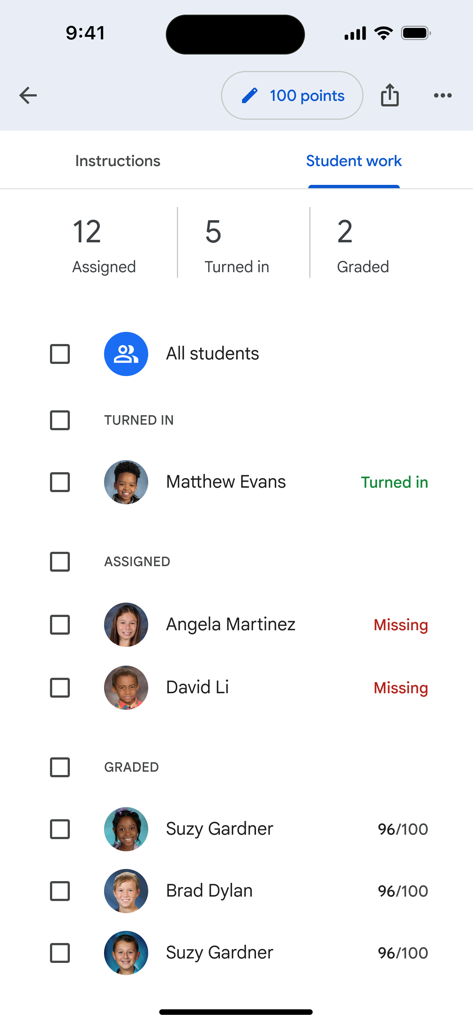
Google Classroomモバイルインターフェース。提出済み、未提出、採点済みのセクションを含む生徒の課題状況を表示しています。

Google Classroomモバイルインターフェース。提出済み、未提出、採点済みのセクションを含む生徒の課題状況を表示しています。

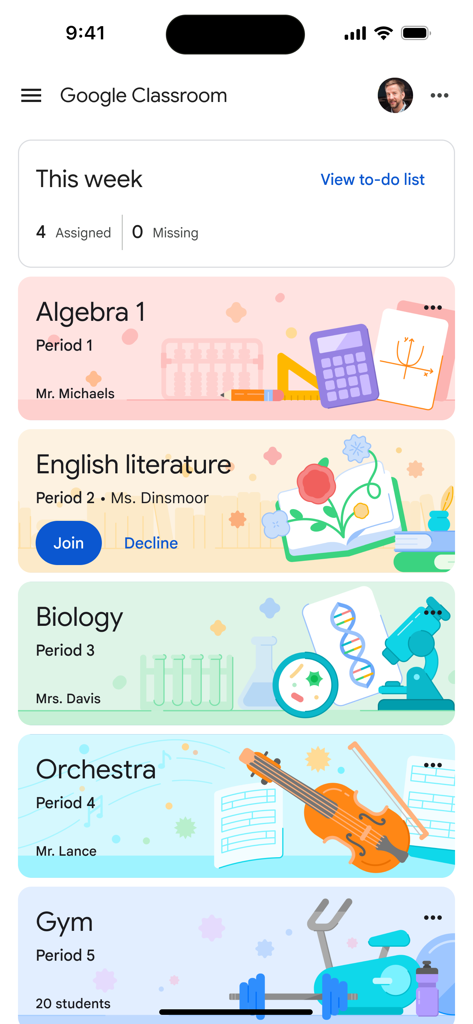
Google Classroomモバイルアプリ。代数、英語、生物のクラスカードと、週ごとの課題の概要を表示しています。

Google Classroomモバイルアプリ。代数、英語、生物のクラスカードと、週ごとの課題の概要を表示しています。

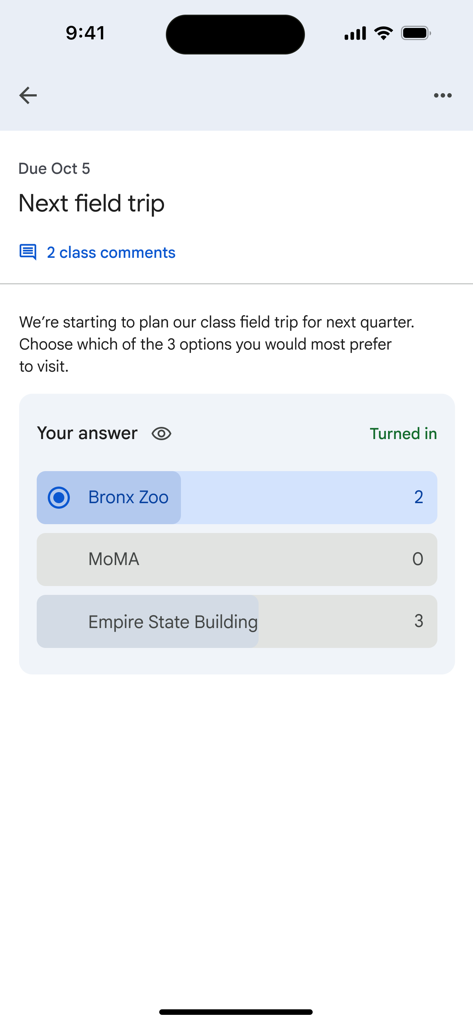
Google Classroomアプリでの、修学旅行先を選ぶためのクラス投票。

Google Classroomアプリでの、修学旅行先を選ぶためのクラス投票。

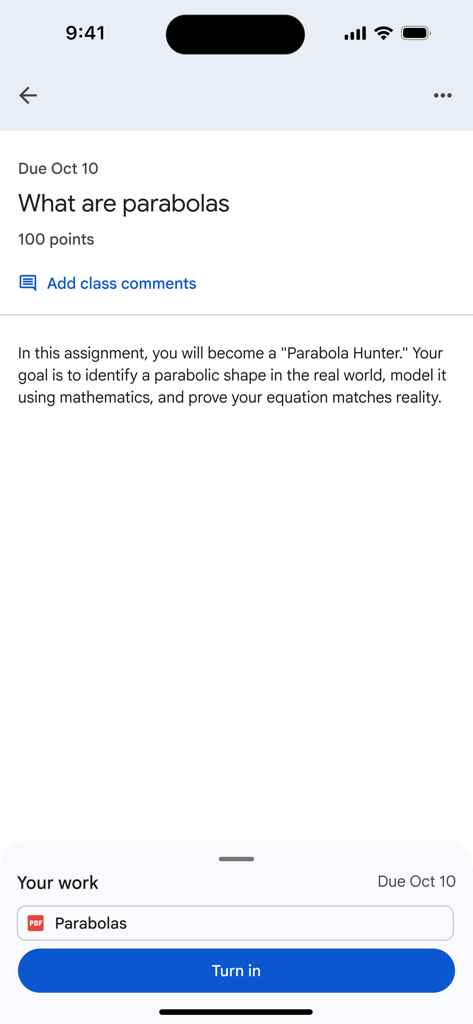
Google Classroomの課題画面。指示と提出ボタンが表示されています。

Google Classroomの課題画面。指示と提出ボタンが表示されています。

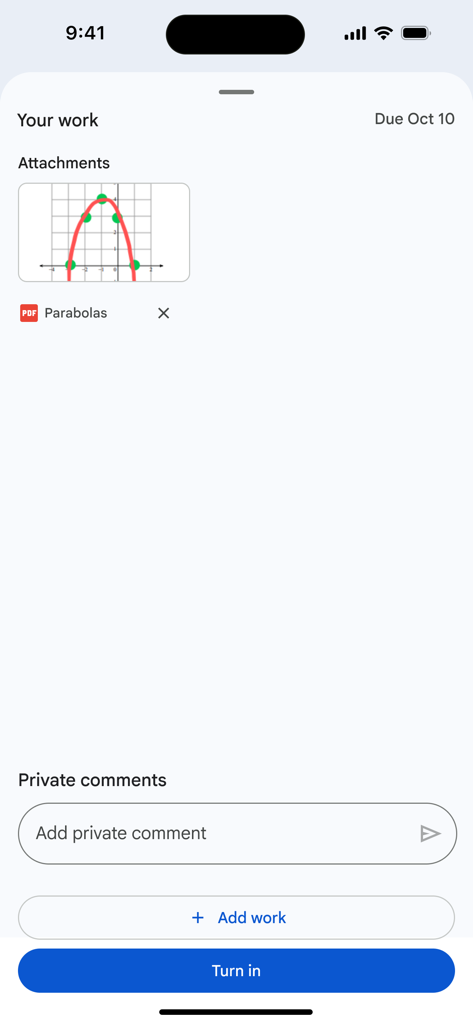
Google Classroomアプリのインターフェース。PDF添付ファイルと青い提出ボタンが表示された生徒の課題提出画面を表示しています。

Google Classroomアプリのインターフェース。PDF添付ファイルと青い提出ボタンが表示された生徒の課題提出画面を表示しています。

あなたの教室をどこへでも

このアプリを際立たせるツール、 145M+ 人のユーザーが選択.

📅

締切日を逃さない

すべての課題と提出締切日を1つの明確なダッシュボードで表示し、整理された状態を保ち、予定より前に進みましょう。

📸

すぐに課題を提出

カメラを使って手書きのワークシートをスキャンし、プリンターなしで携帯電話から直接課題をアップロードできます。

💬

リアルタイム接続

学校でも外出先でも、教師からの即時アナウンス、クラスディスカッション、直接フィードバックで情報を把握しましょう。

世界中のユーザーに愛されています

Trusted by 145M+ 人がこのアプリを愛用しています.

"

"このアプリは私の学校の宿題にとってまさに救世主です。バスに乗っている間に、化学実験の写真を撮ってiPhoneから直接提出できるのが気に入っています。課題トラッカーはすべての締切日を1か所にまとめているので、評価を逃すことはありません。"

Leo T.、高校生
"

"Google Classroomは私のワークフロー管理方法を変えました。デスクを離れている間でもiPadで課題を採点し、リアルタイムのフィードバックを提供できるため、紙の山が大幅に減り、生徒とのコミュニケーションが向上しました。"

Sarah Jenkins、10年生教育者

アプリについて

について知っておくべきこと Google Classroom.

説明

Classroom is a free service for schools, non-profits, and anyone with a personal Google account. Classroom makes it easy for learners and instructors to connect—inside and outside of schools. Classroom saves time and paper, and makes it easy to create classes, distribute assignments, communicate, and stay organized. Classroom is designed to help teachers create, collect, and grade assignments paperlessly, including time-saving features like the ability to automatically make a copy of a Google Document for each student. It also creates Drive folders for each assignment and for each student to help keep everyone organized. Students can keep track of what’s due on the Assignments page and begin working with just a click. Teachers can quickly see who has or hasn't completed the work, and provide direct, real-time feedback and grades right in Classroom. With the mobile app for iOS, students and teachers can view their classes and communicate with their classmates in real time. Students can open their assignments and work on them right from their iPhone or iPad. Teachers can keep track of who has turned in work and grade the assignment - at school or on the go. Students and teachers receive notifications when they have new content in Classroom, so they are always up to date. There are many benefits of using Classroom: Easy to set up Teachers can add students directly or share a code with their class to join. It takes just minutes to set up. Saves time The simple, paperless assignment workflow allows teachers to create, review, and grade assignments quickly, all in one place. Improves organization Students can see all of their assignments on an assignments page, and all class materials (e.g., documents, photos, and videos) are automatically filed into folders in Google Drive. Enhances communication Classroom allows teachers to send announcements and start class discussions instantly. Students can share resources with each other or provide answers to questions on the stream. Secure Like the rest of Google Workspace for Education services, Classroom contains no ads, never uses your content or student data for advertising purposes. Permissions Notice: Camera: Needed to allow the user to take photos or videos and post them to Classroom. Microphone: Needed to enable audio capture for recording videos to be posted to Classroom. Photos: Needed to allow the user to attach photos or videos to Classroom. Photos or videos posted to Classroom will be stored on Google servers in order to show them in Classroom.

最新バージョン

3.49.300044640

サイズ

171.8 MB

リリース日

2015年1月13日

学校生活をどこでもシンプルに

ペーパーレスな教室で協力する何百万人もの教師や生徒に加わりましょう。アプリを入手して、課題を提出し、締切日を追跡し、外出先でつながりましょう。

ダウンロード: App Storeダウンロード: Google Play
FAQ

よくある質問

について知っておくべきこと Google Classroom

Google Classroomとは何ですか?

Google Classroomは、学習者と指導者を教育でつなぐ無料サービスです。クラスの作成、課題の配布、コミュニケーション、整理を効率化し、学校、非営利団体、個人のGoogleアカウントユーザーの時間と紙の節約になります。

Google Classroomは無料で利用できますか?

はい、Google Classroomは無料サービスです。学校、非営利団体、個人のGoogleアカウントを持つユーザーは無料で利用でき、幅広い層がその機能にアクセスできます。

Google Classroomは、教師の課題管理をどのように支援しますか?

Google Classroomは、教師が課題をペーパーレスで作成、配布、採点するのに役立ちます。生徒一人ひとりにGoogleドキュメントのコピーを作成したり、資料をDriveフォルダに整理したりするタスクを自動化し、ワークフローを効率化します。

生徒はGoogle Classroomでどのように課題を追跡できますか?

生徒はGoogle Classroomの専用の「課題」ページですべての課題を追跡できます。このページには提出期限が表示され、生徒はワンクリックで課題に取り掛かり、整理された状態を保つことができます。

Google Classroomはユーザーのプライバシーとセキュリティを確保しますか?

はい、Google Classroomはプライバシーとセキュリティを確保します。Google Workspace for Educationの一部として、広告は一切含まれておらず、広告目的でコンテンツや生徒のデータを使用することはありません。ユーザー情報を保護します。

Google Classroomで利用できるコミュニケーション機能は何ですか?

Google Classroomは、教師が即時アナウンスを送信したり、クラスディスカッションを開始したりできるようにすることで、コミュニケーションを強化します。生徒はクラスストリームで直接リソースを共有したり、質問に回答したりすることもできます。

iPhoneまたはiPadでGoogle Classroomを使用できますか?

はい、Google ClassroomにはiOS用のモバイルアプリがあります。生徒と教師は、クラスを表示したり、コミュニケーションを取ったり、課題を開いたり、iPhoneまたはiPadから作業したり、通知を受け取って最新情報を把握したりできます。

教師はGoogle Classroomでどのように生徒をクラスに招待しますか?

教師は、生徒を直接追加するか、固有のクラスコードを共有することで、Google Classroomに招待できます。セットアッププロセスは迅速に行えるように設計されており、数分でクラスを運用開始できます。

Google Classroomはデジタルクラス資料を自動的に整理しますか?

はい、Google Classroomは、ドキュメント、写真、動画などのすべてのデジタルクラス資料をGoogle Drive内の整理されたフォルダに自動的に保存することで、整理を改善します。これにより、すべてがきちんと分類されます。

教師はGoogle Classroom内でリアルタイムのフィードバックと成績を提供できますか?

はい、教師はGoogle Classroom内で直接、リアルタイムのフィードバックを提供し、成績を割り当てることができます。また、どの生徒がどの課題を提出したかをすばやく確認することもできます。