HACK for Hacker News YC Reader

HACK for Hacker News YC Reader

ダウンロード: App Store
Spark by MWM logo
ロゴ: HACK for Hacker News YC Reader
Hacker News YCリーダー「HACK」:シグナルを再定義する

iPhone、iPad、Macで、テック&スタートアップの世界をナビゲートする最も強力で、広告なし、カスタマイズ可能な方法。効率性を求めるパワーユーザーのために設計。

ダウンロード: App Store

開発元

Pranoy Chowdhury

カテゴリ

News

ダウンロード

389K+

ユーザー評価

4.7/5

評価数

2K+

対応言語

1

シグナル対ノイズ

このインターフェースを利用する 389K+ 人のユーザー.

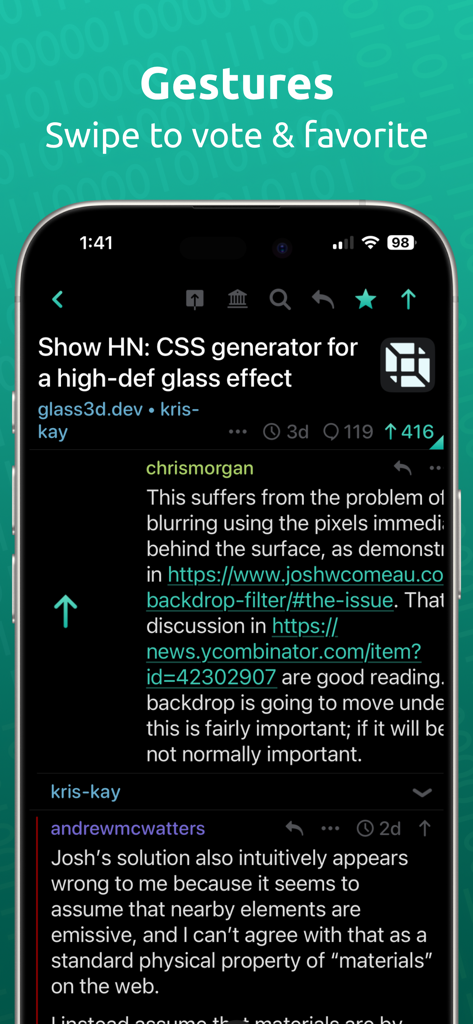
HACK for Hacker Newsアプリのインターフェース。ダークモードのiPhone画面で、スワイプ操作による投票やブックマーク機能が表示されている。

HACK for Hacker Newsアプリのインターフェース。ダークモードのiPhone画面で、スワイプ操作による投票やブックマーク機能が表示されている。

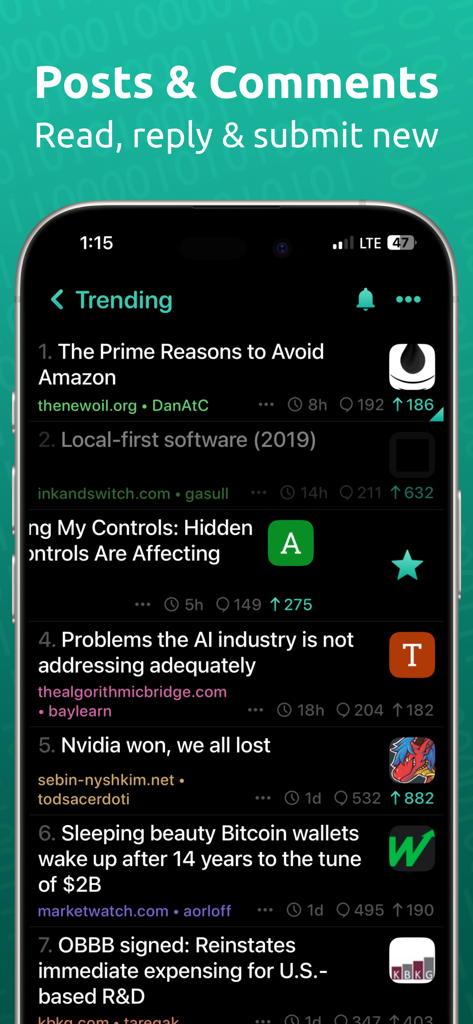
HACK for Hacker Newsアプリのダークモードでのトレンドニュースフィード

HACK for Hacker Newsアプリのダークモードでのトレンドニュースフィード

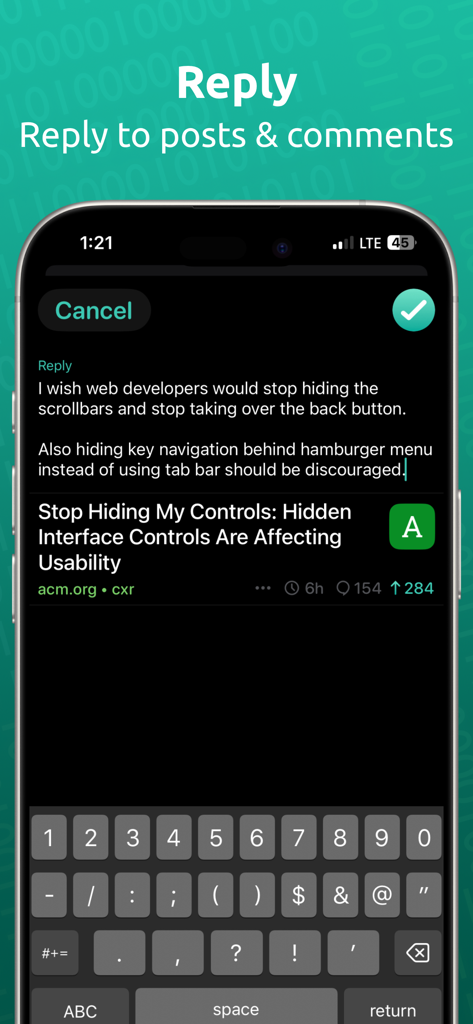
HACK for Hacker Newsアプリの返信画面とキーボードが表示されているスクリーンショット。ダークモード。

HACK for Hacker Newsアプリの返信画面とキーボードが表示されているスクリーンショット。ダークモード。

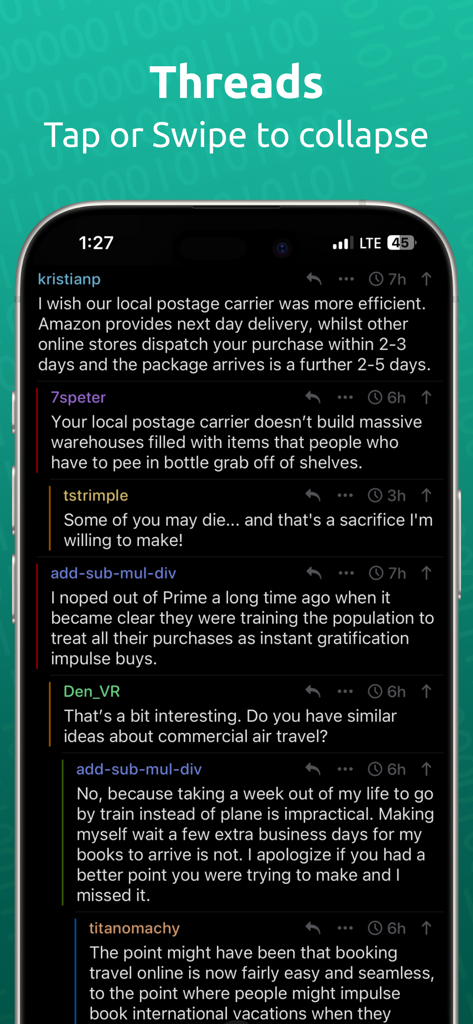
Hacker Newsリーダーアプリが、ダークモードでネストされたコメントスレッドを表示している様子

Hacker Newsリーダーアプリが、ダークモードでネストされたコメントスレッドを表示している様子

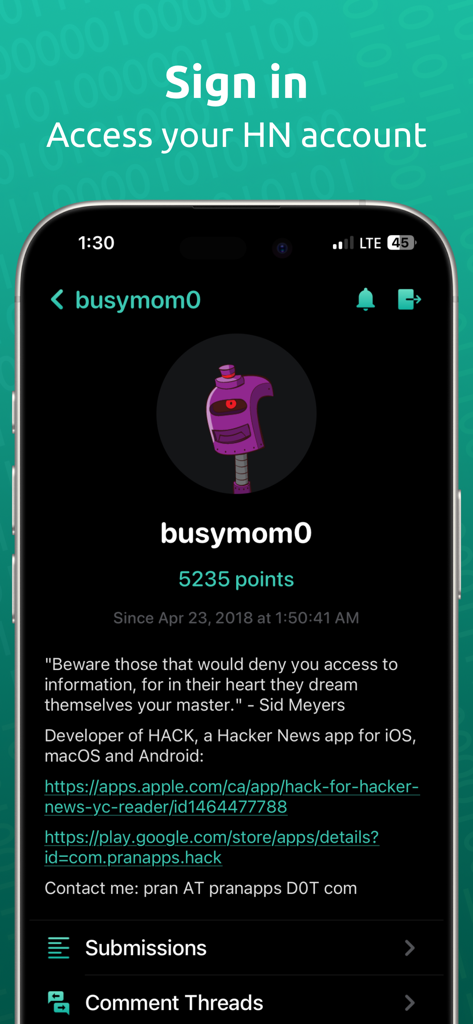
HACKアプリのユーザープロフィール画面。ポイント数とアカウント詳細が表示されている

HACKアプリのユーザープロフィール画面。ポイント数とアカウント詳細が表示されている

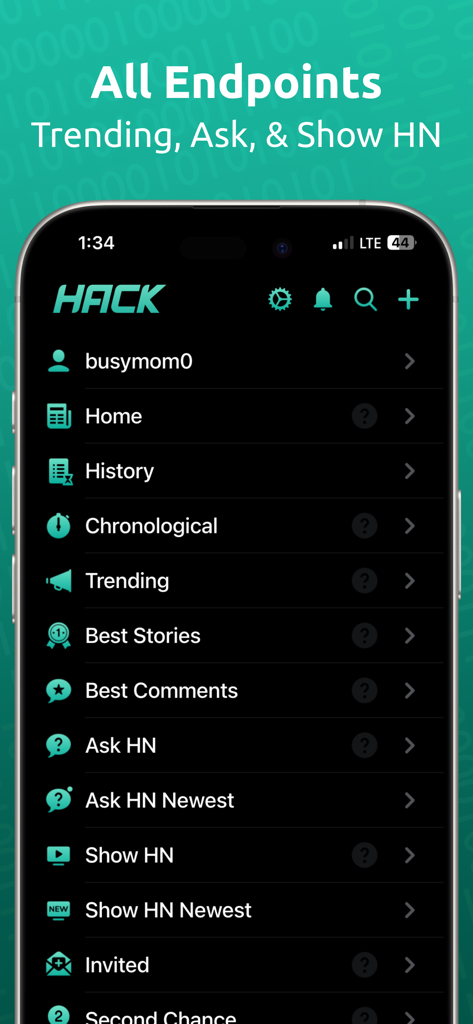
HACK for Hacker Newsアプリのメインメニュー。ダークテーマで、トレンド、Ask HN、Show HNなどのナビゲーションカテゴリが表示されている

HACK for Hacker Newsアプリのメインメニュー。ダークテーマで、トレンド、Ask HN、Show HNなどのナビゲーションカテゴリが表示されている

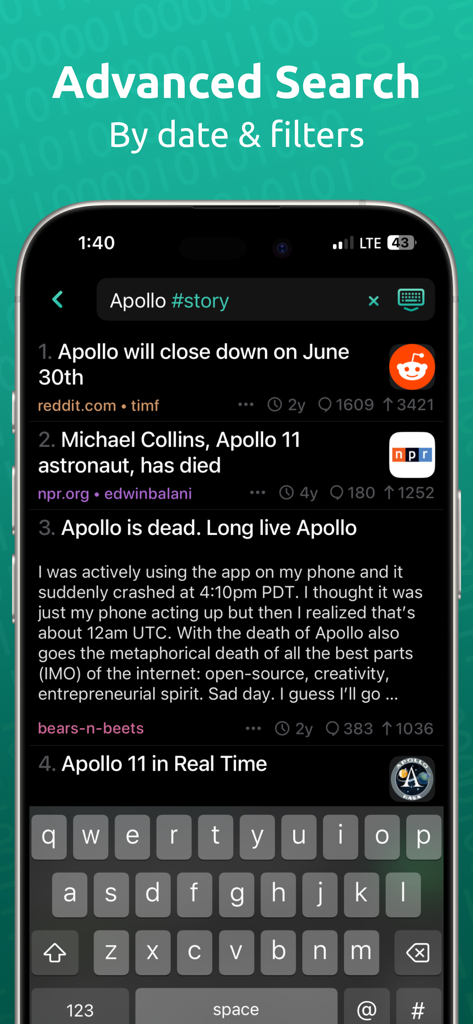
HACKアプリの高度な検索画面。特定のタグフィルターでApolloのストーリーの結果が表示されている

HACKアプリの高度な検索画面。特定のタグフィルターでApolloのストーリーの結果が表示されている

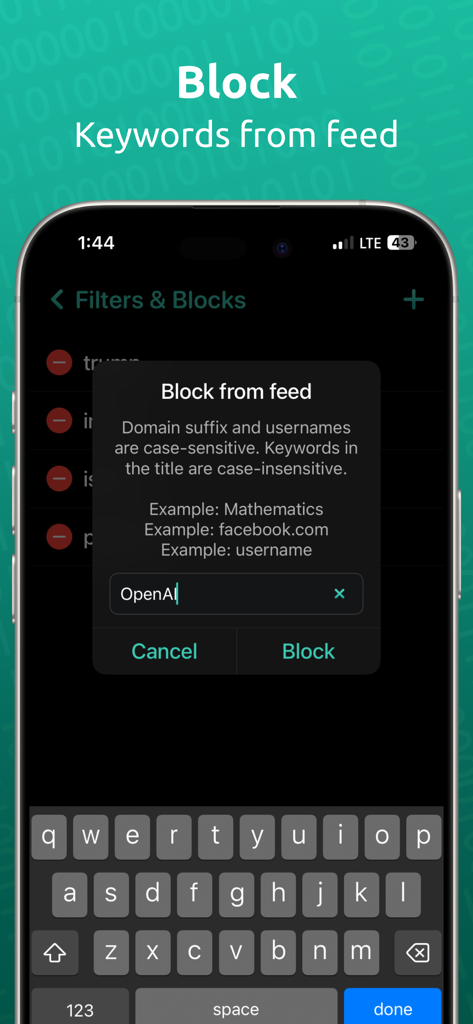
HACKアプリのインターフェース。ニュースフィードのキーワードブロッキング機能が表示されている

HACKアプリのインターフェース。ニュースフィードのキーワードブロッキング機能が表示されている

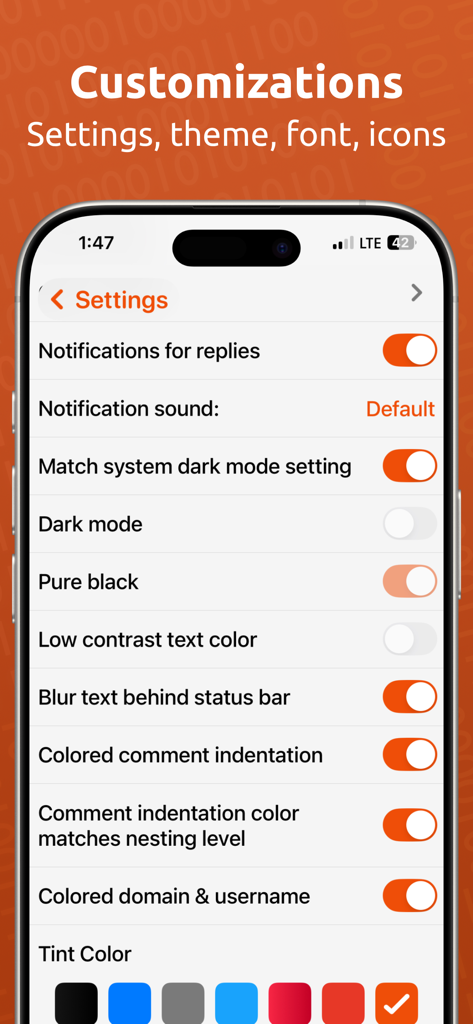
iPhone上のHACKアプリのカスタマイズ設定メニュー。ダークモード、ピュアブラックテーマ、UIカラー選択肢が表示されている。

iPhone上のHACKアプリのカスタマイズ設定メニュー。ダークモード、ピュアブラックテーマ、UIカラー選択肢が表示されている。

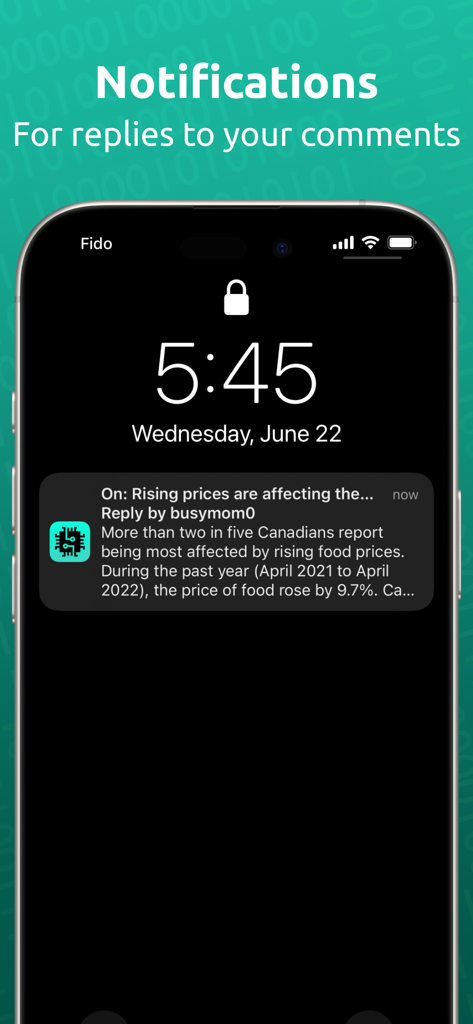
HACK for Hacker Newsアプリのコメントへの返信通知が表示されているiPhoneのロック画面。

HACK for Hacker Newsアプリのコメントへの返信通知が表示されているiPhoneのロック画面。

テックコミュニティのためにエンジニアリング

このアプリを際立たせるツール、 389K+ 人のユーザーが選択.

精密ナビゲーション

直感的なスワイプ操作で複雑な議論をマスター。ネストされたスレッドコメント、ワンタップで次のルートコメントへ移動。

🎨

ディープカスタマイゼーション

「ピュアブラック」ダークモード、調整可能なフォント密度、そして最大情報密度を実現するレイアウトパディングで、読書体験を最適化。

🛠️

パワーユーザーツールセット

高度なAlgolia検索、リアルタイム返信通知、GoogleキャッシュまたはWayback Machine経由のインスタントアーカイブアクセスを活用して、ペイウォールを回避。

世界中のユーザーに愛されています

Trusted by 389K+ 人がこのアプリを愛用しています.

"

"HACKのカスタマイズレベルは驚異的です。フォントサイズとパディングを自分の正確な読書スタイルに合うように調整し、色分けされたネストされたスレッドにより、複雑なテックディスカッションを楽に追うことができます。広告やトラッキングの clutter なしでSTEMニュースの最新情報を得るための最良の方法です。"

Alex Rivers, Senior Software Engineer
"

"新しいスタートアップや業界トレンドをリサーチしながらマルチタスクを行うためのiPadのSplit Viewサポートが気に入っています。アーカイブリンクはソース資料にアクセスするための救世主であり、プライバシー重視のインディーアプリであるという事実は、私の日々のワークフローにとって当然の選択です。"

Sarah Chen, Tech Founder

アプリについて

について知っておくべきこと HACK for Hacker News YC Reader.

説明

HACK for YC's Hacker News is the most beautiful and easy way to read about the latest tech, startup and STEM news. - No Ads. No subscriptions. - Login or Register your Hacker News account - PUSH NOTIFICATIONS for Hacker News replies to comment or post - Supported on iPhone, iPad, and Mac - Comments are presented in nested threads - Tap a comment to collapse that thread - Swipe left or right on stories and comments to upvote and favorite - Ability to submit new posts including drafts - Long press a story, link or comment to share - iPad supports split view - On iPads, you can drag a story / comment / story's image (link) to open it in safari in split view. This is useful for when you are viewing the app in split view / multitasking and like opening the link / story / comment in a browser side by side. - Landscape and Portrait support - 3D touch for peek, pop support - Home screen 3D touch shortcuts - Hide posts from the feed - Tap the bottom button to scroll to the next root comment in the thread. Long press it to go to the previous one - All known hacker news endpoints - News, front page, Ask HN, Show HN, Show HN Newest, classic, active, best stories, best comments, new stories, new comments, noob stories, noob comments, jobs, over 100-500 points - Submit posts, reply, comment using your HN account - Browse top 100 leader accounts - Browse stories from a specific site, user or date - Search in comments and usernames! Search is case and diacritic insensitive and ignores punctuations. Search uses an CONTAINS, OR operation if multiple words are typed. - Can select / highlight the comment/post title text for lookup/copy/translate etc iOS native operations. - Powerful search (powered by Algolia API) - use @date to sort by date, #story to filter for stories, #comments to filter for comments, #author_username to filter by user etc. These tags can be separated by commas. Refer to https://hn.algolia.com/api for more tags. - Dark mode - both pure black and gray mode - Low contrast text mode to make the text not be pure white - Many color choices & color picker for customization - App icons in variety of colours for light and dark mode - Font choices - Ability to change font sizes, padding etc to make the layout as compact as you like! - Threaded comments with color bar to maintain visual orientation - Articles open in Safari view with setting to automatically open in "readability" mode - Tap the domain in a story to see all stories from that site - Tap the username in a story or comment to go to the user profile - Browse your submitted stories and comments, favorited stories and comments, upvoted stories and comments - Archive: View an archive of the post website. archive.is, archive.org & google cache. - Share comment as image - Articles can be opened in built in safari or 3rd party browsers. Supports Brave, Firefox, Firefox Focus, Orion, Opera Touch, Dolphin, DuckDuckGo, iCab Mobile, Microsoft Edge and Chrome. Go to settings > Disable the "Use in-app Safari" setting > tap that row to change the default browser. All stories and comments are via Algolia API and Hacker News API: https://news.ycombinator.com/ https://hn.algolia.com/api https://github.com/HackerNews/API Profile picture robots lovingly delivered by Robohash.org I offer an ad and analytics free and beautiful app for the absolute best experience for my users. I need to run my own server for caching high quality favicons shown in the app plus for push notifications for replies to hacker news posts. Small indie developers like me benefit from support from you. If you can afford it, please support me by purchasing a tip and one time only in app purchase. You can also leave a review on the app store. Send me feedback at: pran@pranapps.com

最新バージョン

146

サイズ

31.4 MB

リリース日

2019年5月26日

「HACK」でフロントページをマスターする

389,000人以上のテックプロフェッショナル、スタートアップ創業者に加わり、Hacker Newsのための最も強力な広告なしリーダーを体験してください。iPhone、iPad、Macで、求めるプライバシーとカスタマイズ性を持つ、高シグナルのテックニュースを体験しましょう。

ダウンロード: App Store
FAQ

よくある質問

について知っておくべきこと HACK for Hacker News YC Reader

HACK for Hacker News YC Readerアプリには広告やサブスクリプションが必要ですか?

いいえ、HACKアプリには広告は表示されず、利用に有料サブスクリプションは必要ありません。広告や分析ツールのない体験を提供します。

HACK for Hacker News YC Readerアプリ内でHacker Newsアカウントにログインできますか?

はい、HACKアプリ内で直接Hacker Newsアカウントにログインまたは既存のアカウントを登録できます。これにより、アカウント固有の機能に完全にアクセスできます。

HACKアプリはHacker Newsの活動に関するプッシュ通知を提供しますか?

はい、HACK for Hacker News YC Readerアプリは、Hacker Newsで行ったコメントや投稿への返信に関するプッシュ通知を提供します。

HACK for Hacker News YC ReaderアプリはどのAppleデバイスでサポートされていますか?

HACKアプリは、iPhone、iPad、Macなど、さまざまなAppleデバイスをサポートしており、プラットフォーム間で一貫した体験を提供します。

HACK for Hacker News YC Readerアプリでは、コメントはどのように表示され、操作できますか?

コメントは、視覚的なガイダンスのためにカラーバーが付いたネストされたスレッドで表示されます。ユーザーはコメントをタップしてスレッドを折りたたんだり、スワイプしてアップボートやお気に入りにすることができます。

HACK for Hacker News YC Readerアプリを使用してHacker Newsに新しい投稿を送信できますか?

はい、HACK for Hacker News YC Readerアプリでは、ユーザーはアカウントから直接、ドラフトを含む新しい投稿を送信できます。

HACK for Hacker News YC ReaderアプリはiPadのSplit Viewをサポートしていますか?

はい、HACKアプリはiPadのSplit Viewを完全にサポートしています。ユーザーは、ストーリー、コメント、またはリンクをドラッグして、Split ViewのSafariで開くこともできます。

HACK for Hacker News YC Readerアプリでフィードから投稿を非表示にできますか?

はい、HACKアプリには、メインフィードから特定の投稿を非表示にする機能があり、カスタマイズされたブラウジング体験を可能にします。

HACKアプリで利用可能なHacker Newsのエンドポイントは何ですか?

HACKアプリは、News、フロントページ、Ask HN、Show HN、ベストストーリー、新しいコメント、ジョブなど、既知のすべてのHacker Newsエンドポイントをサポートしています。

HACK for Hacker News YC Readerアプリは高度な検索機能を提供しますか?

はい、HACKアプリは、Algolia APIを利用した強力な検索機能を備えています。フィルタリングのために、@date、#story、#comments、#author_usernameなどの特定のタグをサポートしています。

HACK for Hacker News YC Readerアプリで利用可能なダークモードオプションは何ですか?

HACKアプリは、純粋な黒とグレーの両方のモードを含む、包括的なダークモードオプションを提供します。低コントラストテキストモードも含まれています。

HACK for Hacker News YC Readerアプリはどのようなカスタマイズオプションを提供していますか?

HACKアプリは、複数のカラーオプション、カラーピッカー、さまざまなアプリアイコン、フォントオプション、フォントサイズとパディングの調整など、豊富なカスタマイズを提供します。

HACK for Hacker News YC Readerアプリからサードパーティブラウザで記事を開くことはできますか?

はい、HACKアプリの記事は、組み込みのSafariまたはBrave、Firefox、Chrome、DuckDuckGoなどのさまざまなサードパーティブラウザで開くことができます。ユーザーはデフォルトのブラウザを選択できます。

HACK for Hacker News YC Readerアプリはどのように収益を上げていますか?

HACKアプリは、広告やサブスクリプションなしで運営されています。ファビコンやプッシュ通知のサーバー費用をカバーするために、オプションの1回限りのアプリ内購入(チップ)を通じてユーザーのサポートに依存しています。

HACK for Hacker News YC Readerアプリでは、リンクされたウェブサイトのアーカイブバージョンを表示できますか?

はい、HACKアプリにはアーカイブ機能があり、ユーザーはarchive.is、archive.org、Google Cacheなどのサービスを使用して投稿のウェブサイトを表示できます。