Heges 3D Scanner

Heges 3D Scanner

ダウンロード: App Store
Spark by MWM logo
ロゴ: Heges 3D Scanner

Heges 3Dスキャナー:メーカーやエンジニアのためのプロフェッショナル精度

iPhoneのLiDARおよびFaceIDセンサーの可能性を最大限に引き出します。0.5mmの精度で高忠実度の3Dスキャンをキャプチャし、3DプリントやCADのために業界標準のSTL、OBJ、PLY形式にエクスポートします。

開発元

Marek Simonik

カテゴリ

Photo & Video

ダウンロード

292K+

ユーザー評価

3.2/5

評価数

0

対応言語

2

実証された精度

このインターフェースを利用する 292K+ 人のユーザー.

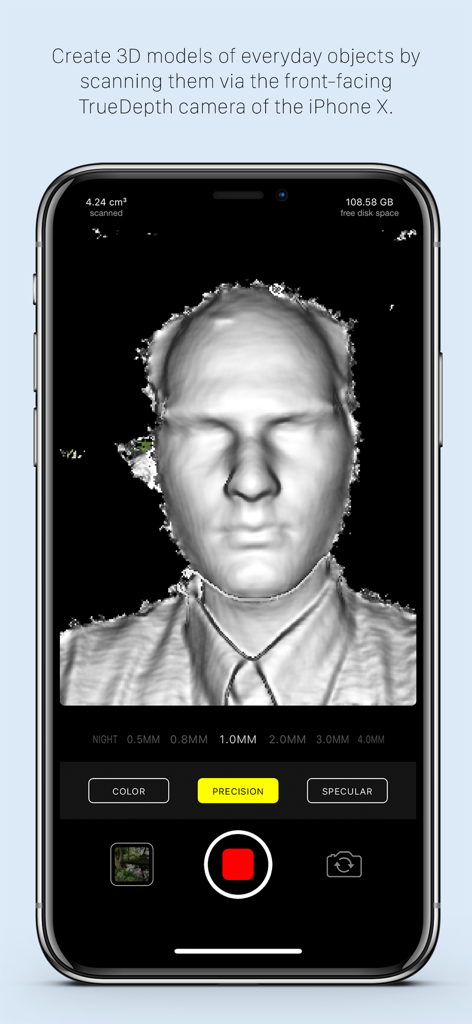
TrueDepthカメラを使用したiPhone上のHeges 3Dスキャナーアプリで作成中の3D顔スキャン。

TrueDepthカメラを使用したiPhone上のHeges 3Dスキャナーアプリで作成中の3D顔スキャン。

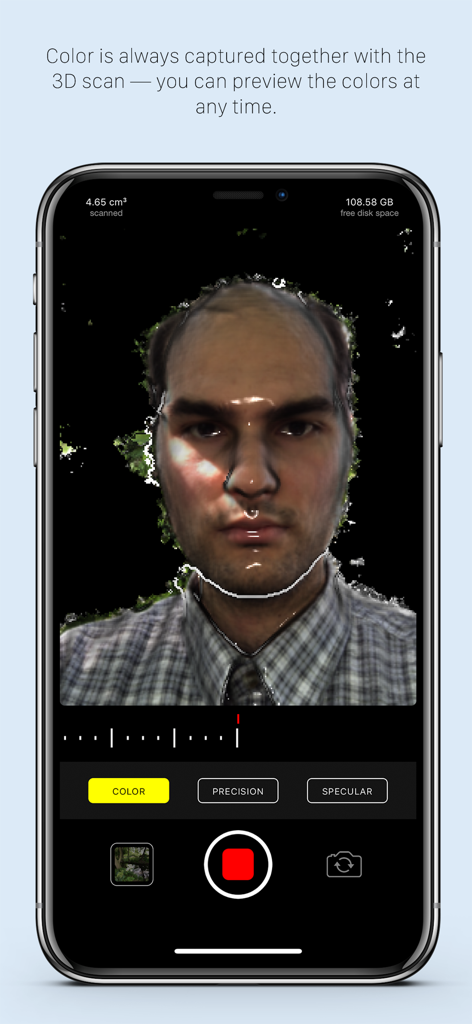
iPhone上のHeges 3Dスキャナーアプリを使用した高精度な顔の3Dカラーキャプチャ。

iPhone上のHeges 3Dスキャナーアプリを使用した高精度な顔の3Dカラーキャプチャ。

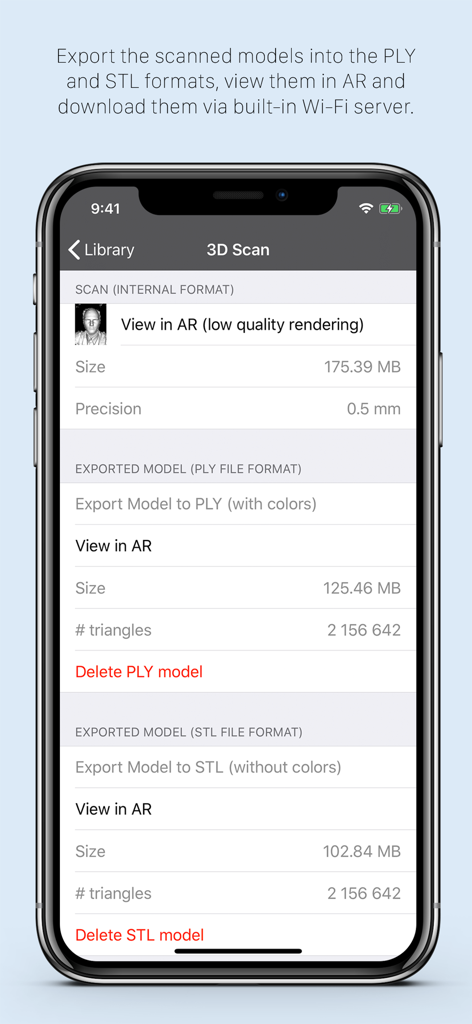
Heges 3Dスキャナーアプリのインターフェイスに、PLYおよびSTLファイル形式のエクスポートオプションが表示されています。

Heges 3Dスキャナーアプリのインターフェイスに、PLYおよびSTLファイル形式のエクスポートオプションが表示されています。

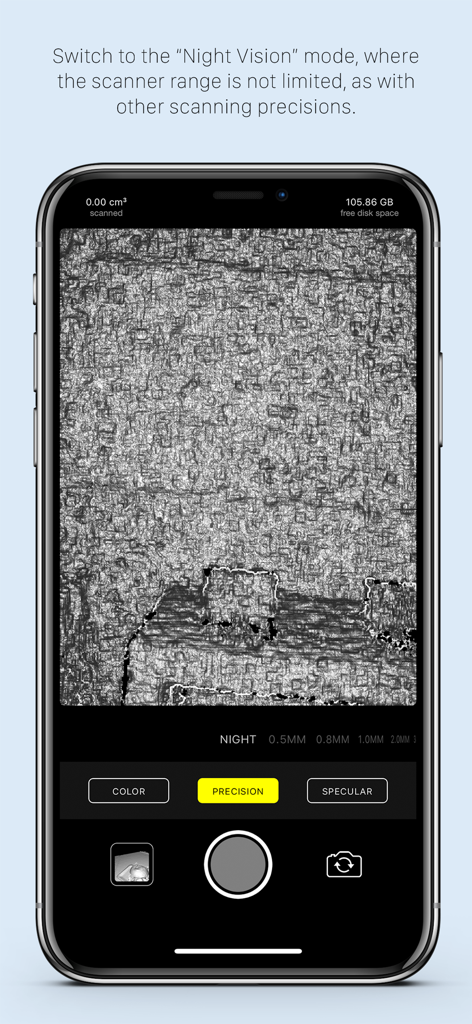
Heges 3Dスキャナーアプリのインターフェイスに、暗闇での表面スキャン用のナイトビジョンモードが表示されています。

Heges 3Dスキャナーアプリのインターフェイスに、暗闇での表面スキャン用のナイトビジョンモードが表示されています。

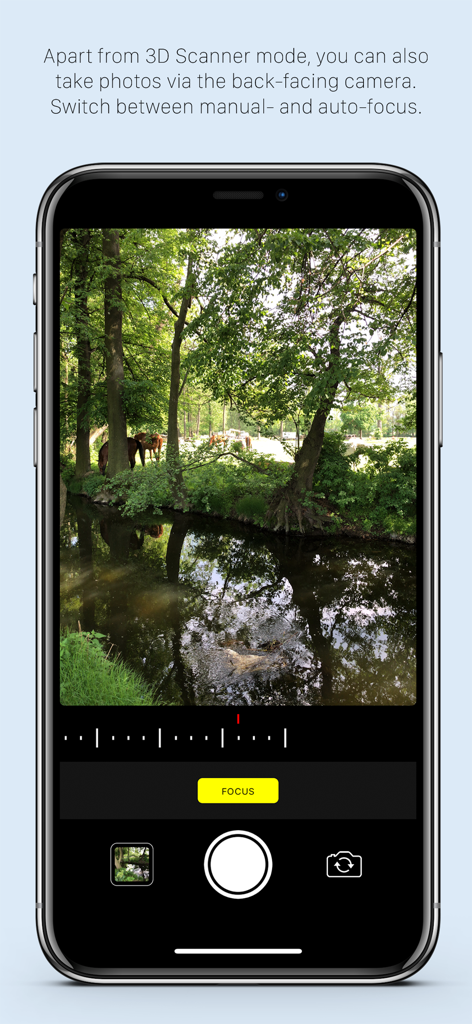
Heges 3Dスキャナーアプリに、iPhone画面上のマニュアルフォーカス制御を備えたカラーカメラモードが表示されています。

Heges 3Dスキャナーアプリに、iPhone画面上のマニュアルフォーカス制御を備えたカラーカメラモードが表示されています。

メーカーやプロのための高精度3Dスキャン

このアプリを際立たせるツール、 292K+ 人のユーザーが選択.

🎯

サブミリメートル精度

TrueDepth FaceIDカメラを利用して0.5mmの精度設定を実現。CADモデリングや3Dプリントのために、小さなオブジェクトの細かいディテールをキャプチャするのに最適です。

🏠

空間LiDARキャプチャ

リアLiDARセンサーを使用して、部屋全体、廊下、大きな家具を素早くマッピングします。物理的な空間を数秒でデジタル資産に変換します。

⚙️

プログレードのエクスポートワークフロー

スキャンをSTL、OBJ、またはPLYファイルとしてシームレスにエクスポート。サブスクリプションなしで、Blender、AutoCAD、またはお好みのスライサーですぐに使用できます。

世界中のユーザーに愛されています

Trusted by 292K+ 人がこのアプリを愛用しています.

"

"3Dプリンティング愛好家として、FaceIDカメラを使用した0.5mmの精度はまさにゲームチェンジャーです。ビンテージ旋盤用の製造中止になったプラスチックギアをスキャンし、数分でプリンターで使える完璧なSTLファイルを作成できました。モバイルデバイスで使った中で最も正確なスキャナーです。"

Liam S.、機械エンジニア
"

"Hegesはインテリアデザインのモックアップに欠かせません。LiDARモードは部屋のレイアウトを驚くほどの速さでキャプチャし、USDZに直接エクスポートしてARウォークスルーを作成できるため、手作業でのモデリング時間を大幅に節約できます。開発者の透明性と、正直な買い切りモデルが気に入っています。"

Sarah Chen、デジタルアーキテクト

アプリについて

について知っておくべきこと Heges 3D Scanner.

説明

Create 3D scans using the 3D camera (FaceID or LiDAR) of your iPhone 17, 16, 15, 14, 13, 12, 11, XS, XR, X (and all their Pro/Max/Plus/Air variants) or iPad Pro! Export scans into STL, PLY, OBJ, USDZ, GLB (glTF), share them and more. On older devices, you can use the ordinary camera mode or the Screen Sharing feature. This app is *PAID* up-front. Why is it free-to-download? To protect people with unsupported devices from buying it (more details at the end). Heges is divided into two modes: = 3D Scanner (**PAID**, requires one-time In-App Purchase) ============================ - Available only for iPhones and iPad Pros with the selfie FaceID (TrueDepth) camera and/or LiDAR sensor as an In-App Purchase (Why? Read more at the bottom.) - Create 3D models by scanning everyday objects using the selfie TrueDepth camera (FaceID) and/or the rear LiDAR sensor - After scanning, export the models into PLY, OBJ, USDZ (all with colors), STL, GLB (both without colors) file formats - Share exported models e.g. via built-in Wi-Fi server or view them in the iOS Files app - Use the physical volume buttons to toggle scanning session - Double-tap anywhere in the live camera view to Share Screen with another iPhone/iPad, so that you can better see what you're scanning - View the models in AR - You can scan in pitch-dark environment and use Heges as a night vision camera! - Choose from the available scanning precisions — the higher the precision, the shorter the scanner range - To get the most accurate scans, you must use the selfie FaceID camera with 0.5MM Precision settings; do not use LiDAR if you need accurate scans - The selfie FaceID camera is much more accurate than LiDAR (approx. one order of magnitude), the models in the promo videos were scanned using the selfie FaceID camera of iPhone X - Use the selfie FaceID camera for scanning fine details (up to 2 millimeters accuracy with FaceID and 0.5MM Precision settings) - Use LiDAR for scanning large areas (e.g. houses, hallways, rooms, etc.), LiDAR is NOT suitable for scanning small objects with detail — use the selfie FaceID camera for this purpose - Objects in scanner range are highlighted in the live view - Switch to the passive Night Vision where there're no explicit restrictions on the scanner range Instructions for the 3D scanner: - Move slowly when scanning - Make sure that most of the captured scene is within the scanner range - Please read the FAQ at https://hege.sh/faq The scanner isn't perfect and can fail when moving too fast or scanning a challenging environment (e.g. glass surfaces cannot be captured due to the nature of the TrueDepth sensor). A NOTE FOR iPHONE 13 (and newer) users: Beginning with the iPhone 13 lineup, Apple introduced a new TrueDepth (FaceID) camera design, which produces (slightly) lower-accuracy results compared to older devices. To get best scan accuracy, consider using any iPhone 12 or older with FaceID. = Color camera mode ============================ - Available for all devices - Manual camera focus - Sharing photos via built-in Wi-Fi server = Why don't you make the app paid on the App Store? Why the annoying In-App Purchase? ============================ It's for protecting people with unsupported devices. (I wish I could make it paid directly on the App Store.) Heges needs the 3D-sensing selfie FaceID camera to capture 3D scans. But not all iPhones/iPads have the FaceID camera, so the app needs to check if your device has FaceID before it allows you to buy the app. The App Store does not allow developers to check if your iPhone/iPad has FaceID, so the only way to check is if you download and open the app. Once you open Heges on your device, it will check if your device is compatible and if isn't, then you will not be able to buy it. If you have any questions just drop me an email at support@hege.sh and I'll be happy to help you :)!

最新バージョン

1.8.3

サイズ

17.3 MB

リリース日

2018年5月31日

現実を精密な3Dモデルに

LiDARおよびFaceIDセンサーの可能性を最大限に引き出します。Hegesを使用して、物理的なオブジェクトとデジタルデザインのギャップを埋める、29万人以上のメーカーやエンジニアのコミュニティに参加しましょう。

ダウンロード: App Store
FAQ

よくある質問

について知っておくべきこと Heges 3D Scanner

Heges 3D Scannerアプリは何に使用されますか?

Heges 3D Scannerは、iPhoneまたはiPadのFaceIDまたはLiDARカメラを使用して、日常のオブジェクトから3Dモデルを作成します。STL、PLY、OBJ、USDZ、GLBなどの形式へのエクスポートや、ARでの表示をサポートしています。

3Dスキャンに対応しているHeges 3D Scannerのデバイスはどれですか?

Heges 3D Scannerは、FaceIDまたはLiDARセンサーを搭載したiPhone 17-X(Pro/Max/Plus/Airバリアント)およびiPad Proモデルと互換性があります。3Dスキャナーモードにはアプリ内課金が必要です。

Heges 3D Scannerは3DモデリングにLiDARを使用できますか?

はい、Heges 3D ScannerはLiDARセンサーを使用して3Dモデルを作成します。特に広いエリアのスキャンに適しています。小さなオブジェクトや細かいディテールには、精度が高いセルフィーFaceIDカメラの使用が推奨されます。

Heges 3D Scannerは3Dモデルのエクスポート形式として何に対応していますか?

Heges 3D Scannerは、3DモデルをPLY、OBJ、USDZ(色付き)およびSTL、GLB(色なし)にエクスポートします。ユーザーは、内蔵Wi-Fiサーバー経由でこれらのファイルを共有したり、iOSファイルアプリで表示したりできます。

Heges 3D Scannerアプリは無料で使用できますか?

いいえ、Heges 3D Scannerは無料でダウンロードできますが、3Dスキャナーモードには一度だけのアプリ内課金が必要です。ダウンロードにより、購入前にデバイスの互換性を確認できます。

Heges 3D ScannerはFaceIDでどの程度の精度を達成できますか?

Heges 3D Scannerは、0.5MM Precision設定でセルフィーFaceIDカメラを使用すると、細かいディテールに対して最大2ミリメートルの精度を達成します。FaceIDは小さなオブジェクトに対してLiDARよりも精度が高いです。

Heges 3D Scannerにはナイトビジョン機能が含まれていますか?

はい、Heges 3D Scannerにはパッシブナイトビジョンモードがあります。ユーザーは真っ暗な環境でもスキャンでき、このモードには明示的なスキャナー範囲の制限はありません。

Heges 3D Scannerは、なぜ最初から有料ではなく無料でダウンロードできるのですか?

Heges 3D Scannerは、互換性のないデバイスを持つユーザーを保護するために無料でダウンロードできるようになっています。アプリを開くと互換性のある3DセンシングFaceIDカメラがチェックされ、互換性のないハードウェアでの誤ったアプリ内課金を防ぎます。

Heges 3D Scannerは通常の写真を撮ることができますか?

はい、Heges 3D Scannerにはすべてのデバイスで利用可能なカラーカメラモードが含まれています。このモードは背面カメラを使用し、手動フォーカスをサポートし、内蔵Wi-Fiサーバー経由での写真共有を可能にします。

Heges 3D Scannerで最も正確なスキャンが得られるiPhoneモデルはどれですか?

Heges 3D Scannerで最適なスキャン精度を得るには、FaceIDを搭載したiPhone 12以前のモデルが推奨されます。新しいiPhone(13以降)はTrueDepthカメラのデザインにより、精度がわずかに低下します。