iPalettes - Color palettes

iPalettes - Color palettes

ダウンロード: App Store
Spark by MWM logo
ロゴ: iPalettes - Color palettes
iPalettes - カラーパレット:あなたのためのプロフェッショナルなスタジオ

実世界のインスピレーションをデジタルパレットに。写真から色をキャプチャし、HEX/CMYKコードを変換し、iPhone、iPad、Apple Watch間でクリエイティブなワークフローを同期します。

ダウンロード: App Store

開発元

Thi Hoang

カテゴリ

Utilities

ダウンロード

21K+

ユーザー評価

4.4/5

評価数

100

対応言語

5

精度でデザインする

このインターフェースを利用する 21K+ 人のユーザー.

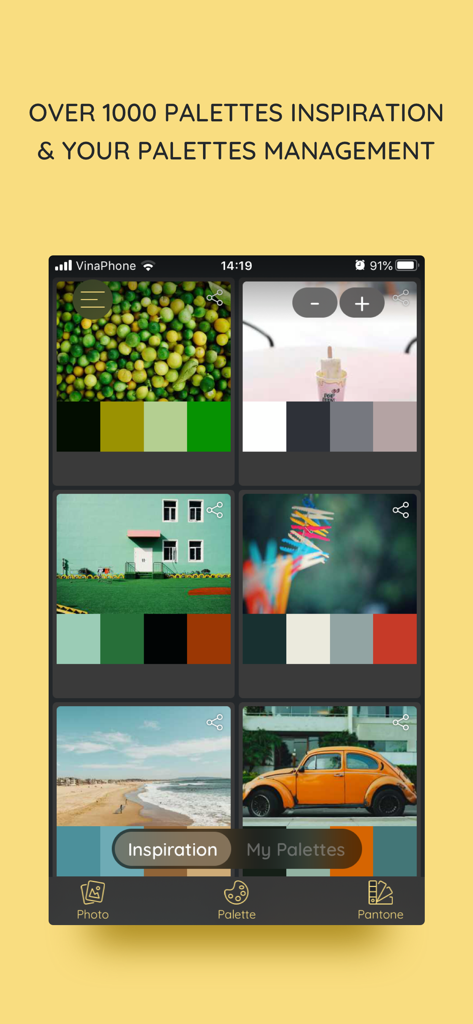
iPalettesアプリのインスピレーションタブ。さまざまな画像から抽出されたカラーシステムを表示します。

iPalettesアプリのインスピレーションタブ。さまざまな画像から抽出されたカラーシステムを表示します。

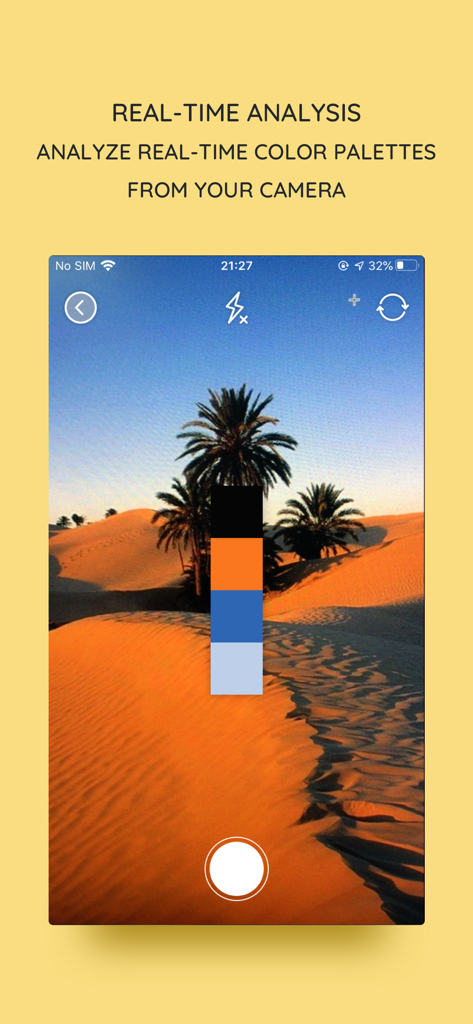
iPalettesアプリのカメラからのリアルタイムカラーパレット分析

iPalettesアプリのカメラからのリアルタイムカラーパレット分析

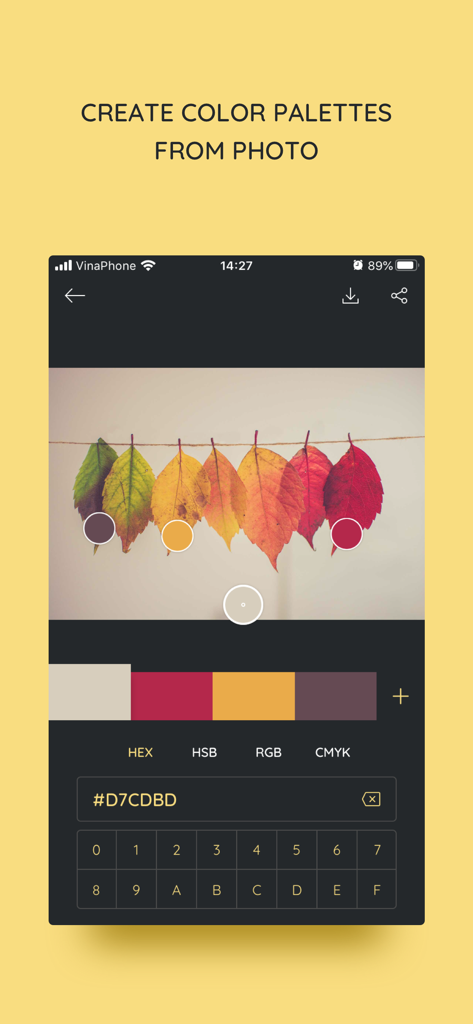
iPalettesアプリのインターフェイス。秋の葉の写真からHEXコードを抽出してカラーパレットを作成しています。

iPalettesアプリのインターフェイス。秋の葉の写真からHEXコードを抽出してカラーパレットを作成しています。

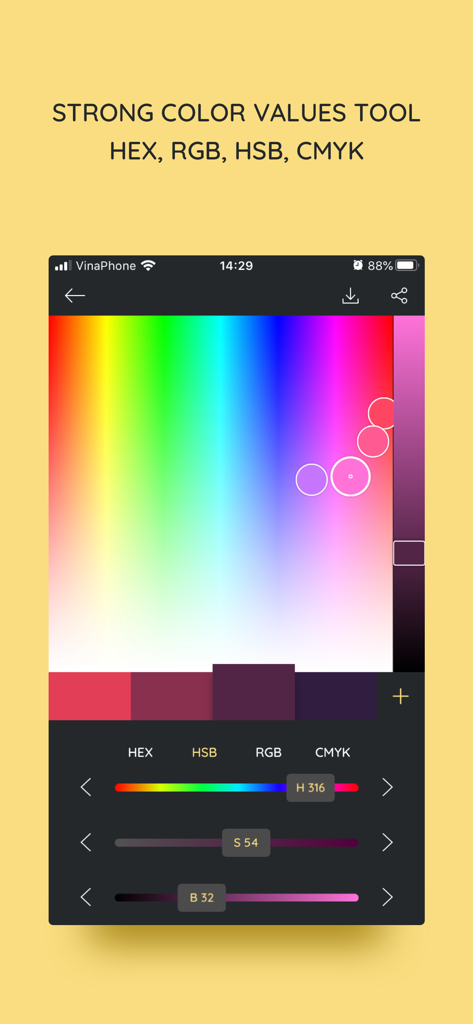
iPalettesモバイルアプリのインターフェイス。調整可能なHSBスライダーとHEXコード値を備えたカラーピッカーツールが表示されます。

iPalettesモバイルアプリのインターフェイス。調整可能なHSBスライダーとHEXコード値を備えたカラーピッカーツールが表示されます。

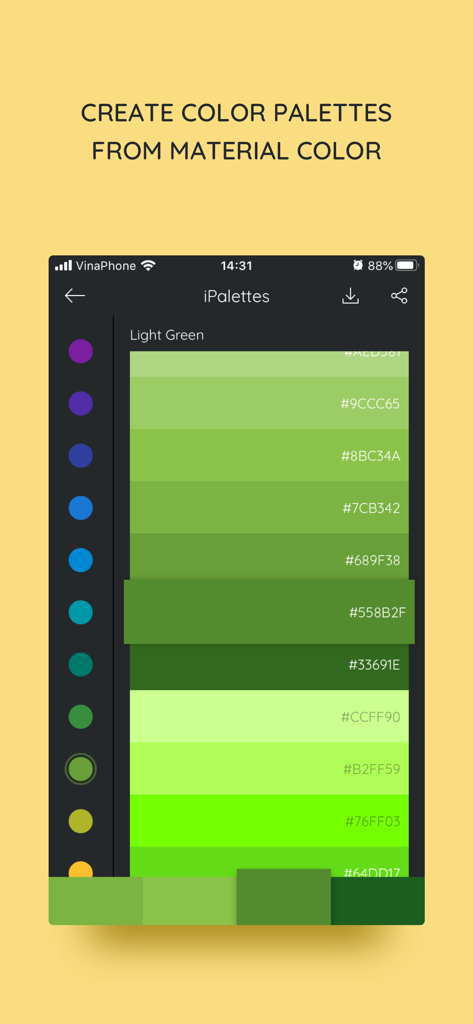
iPalettesアプリのインターフェイス。HEXコード付きの緑色のマテリアルカラーパレットを表示します。

iPalettesアプリのインターフェイス。HEXコード付きの緑色のマテリアルカラーパレットを表示します。

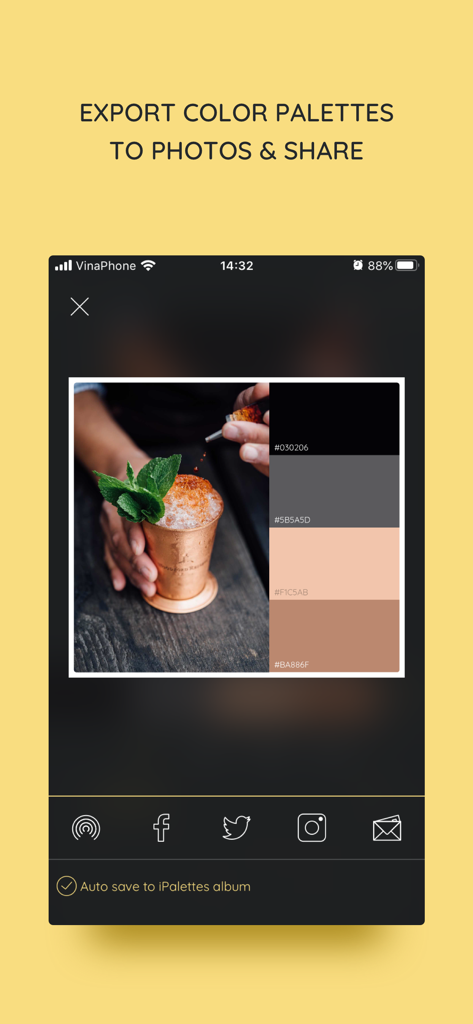
iPalettesアプリのインターフェイス。写真から生成されたカラーパレットとソーシャルメディア共有オプションを表示します。

iPalettesアプリのインターフェイス。写真から生成されたカラーパレットとソーシャルメディア共有オプションを表示します。

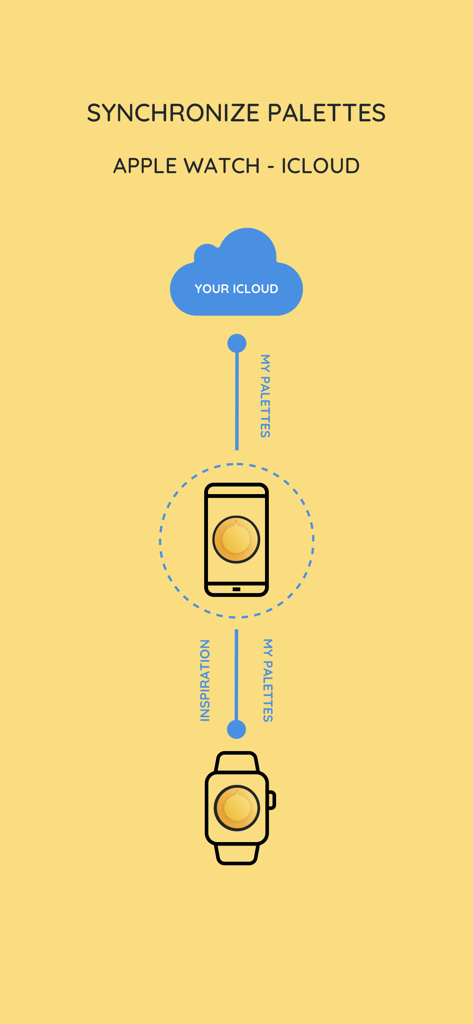
iPalettesとiCloud iPhoneおよびApple Watch間の同期を示す図

iPalettesとiCloud iPhoneおよびApple Watch間の同期を示す図

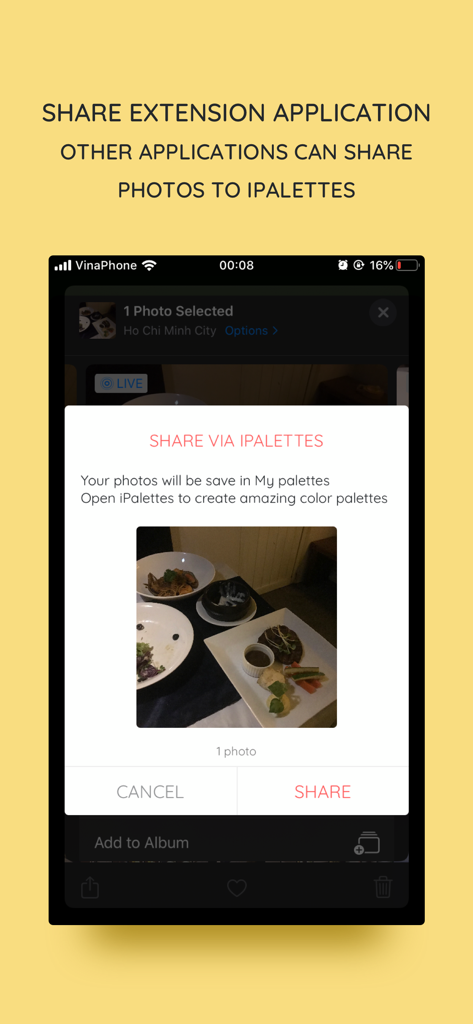
iPalettesアプリに写真を共有するためのiOS共有拡張機能インターフェイス。

iPalettesアプリに写真を共有するためのiOS共有拡張機能インターフェイス。

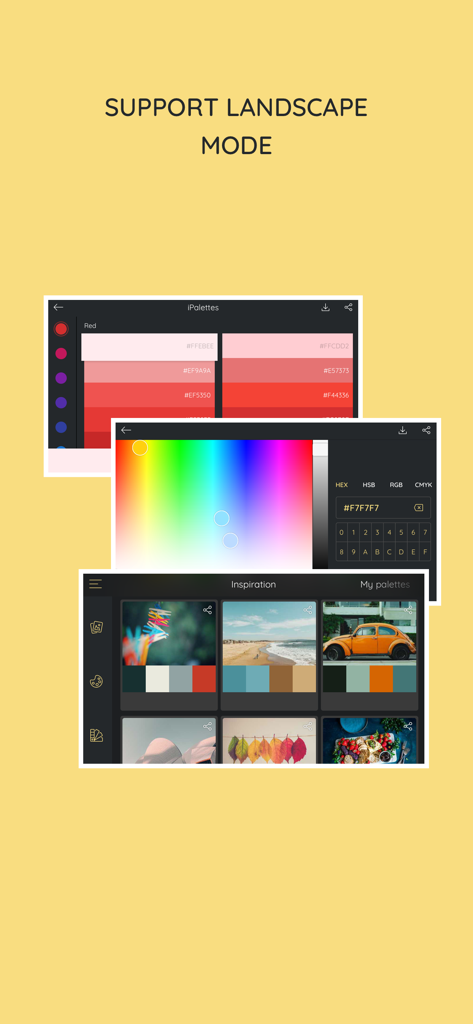
iPalettesアプリ。ランドスケープモードでカラー選択ツールとインスピレーションパレットを表示します。

iPalettesアプリ。ランドスケープモードでカラー選択ツールとインスピレーションパレットを表示します。

カラーパレットをマスターする

このアプリを際立たせるツール、 21K+ 人のユーザーが選択.

📸

写真をパレットに

インスピレーションが湧いた瞬間を捉えましょう。高度なカラーアナライザーを使用して、写真やカメラロールから見事なカラーシステムを自動的に抽出します。

💻

プロフェッショナルなワークフローのために構築

iPadのマルチタスクとドラッグ&ドロップのサポートで生産性を最大化します。iCloud経由で同期しながら、ProcreateやCanvaなどのデザインアプリにカラーをシームレスに移動します。

🎨

技術的な精度とインスピレーション

1,000以上のキュレーションされたパレットとPantoneライブラリにアクセスします。すべてのメディアで完璧に実行するために、HEX、RGB、HSB、CMYK間で簡単に変換できます。

世界中のユーザーに愛されています

Trusted by 21K+ 人がこのアプリを愛用しています.

"

"フリーランスのブランドデザイナーとして、iPalettesは私のiPad Proワークフローの必需品です。写真からプロフェッショナルなパレットを抽出し、マルチタスクを使用してProcreateに直接ドラッグする機能は、数時間の作業を節約してくれました。App Storeで見つけた中で最も直感的なカラーユーティリティです。"

Marcus Chen, Senior Graphic Designer
"

"このアプリを使って、私のInstagramの美的感覚をすべて計画しています!自然の写真を撮り、アプリに私のグリッドの調和のとれたカラーストーリーを生成させるのが大好きです。Apple Watchの連携も、デスクから離れているときに素早くHEXコードを参照するのに非常に便利です。"

Sarah Jenkins, Lifestyle Blogger

アプリについて

について知っておくべきこと iPalettes - Color palettes.

説明

iPalettes - The easiest way to create awesome color palettes! ** Why should you use it? ** - You need a color range but you don't have any idea to make it. - You need a tool to choose color schemes. - You need a color converter between HEX, HSB, RGB, CMYK. So, iPalettes will provide tools and give you ideas to create many beautiful palettes. You can choose from 1000+ color palettes in Inspiration tab. In addition, you can edit and save your palette to review it later. At the end, you can save it to Camera Roll and share it to Facebook, Twitter, Instagram, Email or AirDrop as you want. With iPalettes, there are 3 ways to create a palette: 1. From Photo Library or Camera iPalettes will analyze image colors and create the best palette from it, but you can edit this palette as you like 2. From Color Picker Tool 3. From Pantone Pantone is a color range to create palettes. ** How to use? ** There are 2 main tabs, Inspiration and My Palettes. Inspiration is a list of suggested palettes. My Palettes is a list of palettes that you saved. Tap and hold item in My Palettes if you want to delete it. ** New updates ** 1. Support portrait and landscape orientation for all devices. 2. Feature: Save palette with a name and export with this name. 3. Feature: Share extension app - In this feature, another apps can share images to iPalettes. All shared images will be saved as projects in My palettes tab. - Example: Go to Photos app, choose an image and share it to iPalettes app. After that, go to iPalettes, this image will auto save to My palettes tab. Please enjoy it! 4. Feature: Add more colors in palette. - You can add up to 10 colors in palette on iPhone and 15 colors on iPad. 5. Add option for "Auto save to iPalettes album" in exporting screen. 6. Support multitasking on iPad - With iPadOS, you can use Multitasking to work with two apps at the same time. - User can use another app with iPalettes at the same time. 7. Support drag and drop for iPad (iOS 11,*). - With drag and drop, you copy photos from one app to iPalettes and vice versa. - Drag: In Export screen, after exporting progress is finished, long press on image view and you can move to copy this image to another apps. 8. Hex code screen: support copy and paste color hex value - Please press and hold the hex code, iPalettes will display 2 options for copy or paste hex code. 9. APPLE WATCH VERSION (watchOS 6, *) iPalettes is available on Apple watch with some features: (1) Data of inspiration and my palettes of your iPhone is synced with your watch. Please sure that your apple watch and iPhone are paired. (2) Tools of conversion will help you switch between hex color code and RGB color code. 10. Support languages: Vietnamese, English, French, Chinese, Japanese. 11. Synchronize palettes via iCloud (iOS 10, *) Save your palette data to iCloud automatically. When you create new or update or delete a palette, app will automatically sync all your changes to iCloud. In your other devices which use this iCloud will auto sync. If you see this feature is helpful, please enable it in Settings screen. Default this feature is disable. **************************************************** iPalettes is the best assistant for your work!

最新バージョン

1.10.4

サイズ

32.3 MB

リリース日

2017年7月3日

あらゆるインスピレーションをフルカラーで表現

21,000人以上のデザイナーやデジタルクリエイターが、世界クラスのインスピレーションをプロフェッショナルなカラーシステムに変えています。iPhone、iPad、Watch間でパレットを即座にキャプチャ、同期、エクスポートできます。

ダウンロード: App Store