Keyplan 3D Lite - Home design

Keyplan 3D Lite - Home design

ダウンロード: App Store
Spark by MWM logo
ロゴ: Keyplan 3D Lite - Home design
Keyplan 3D Lite - ホームデザイン:あなたのリノベーションの夢を実現

最も直感的な3Dホームプランナーを使用する500万人以上のDIY愛好家と一緒に。間取り図を作成し、リアルタイムで装飾し、iPhoneとiPadであなたの未来の家を可視化しましょう—専門知識は不要です。

開発元

Quasarts LLC

カテゴリ

Productivity

ダウンロード

5M+

ユーザー評価

4.5/5

評価数

134K+

対応言語

9

あなたのビジョンを、可視化

このインターフェースを利用する 5M+ 人のユーザー.

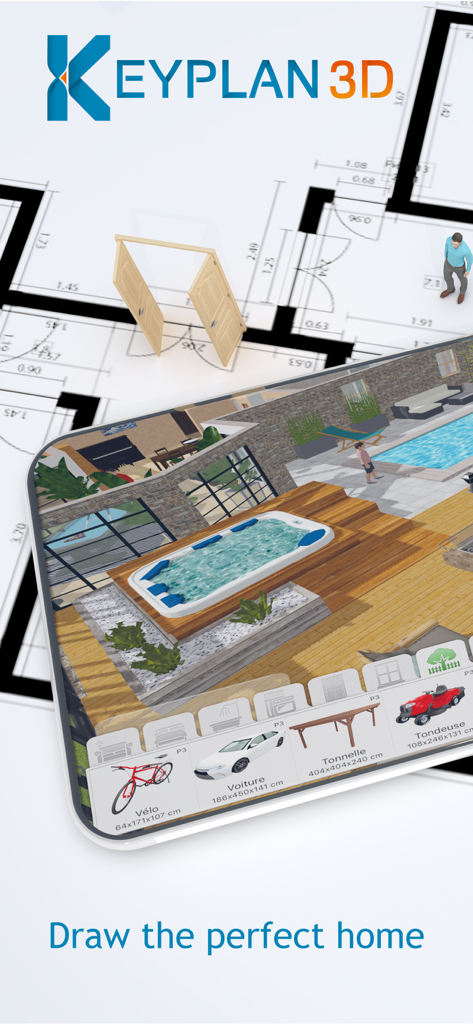
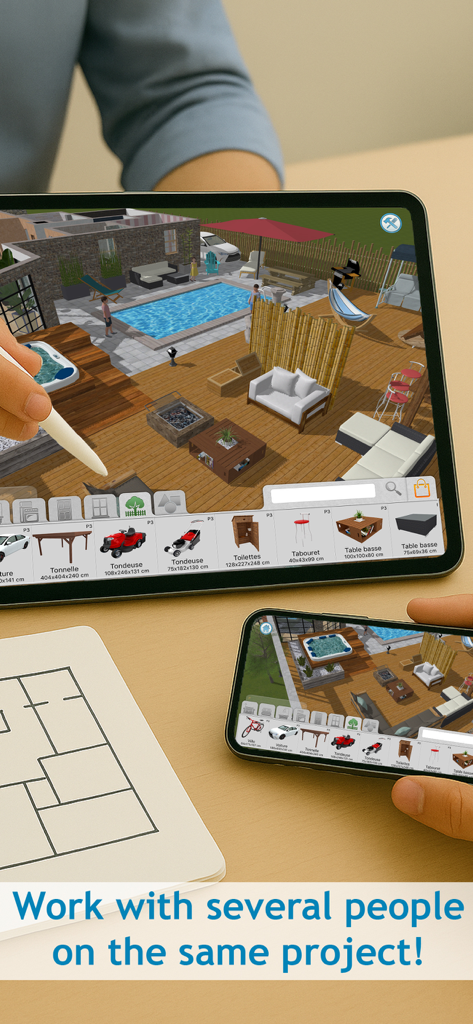
Keyplan 3Dアプリのインターフェイス。2Dの間取り図の上にプールと家具のある3Dパティオのデザインが表示されています。

Keyplan 3Dアプリのインターフェイス。2Dの間取り図の上にプールと家具のある3Dパティオのデザインが表示されています。

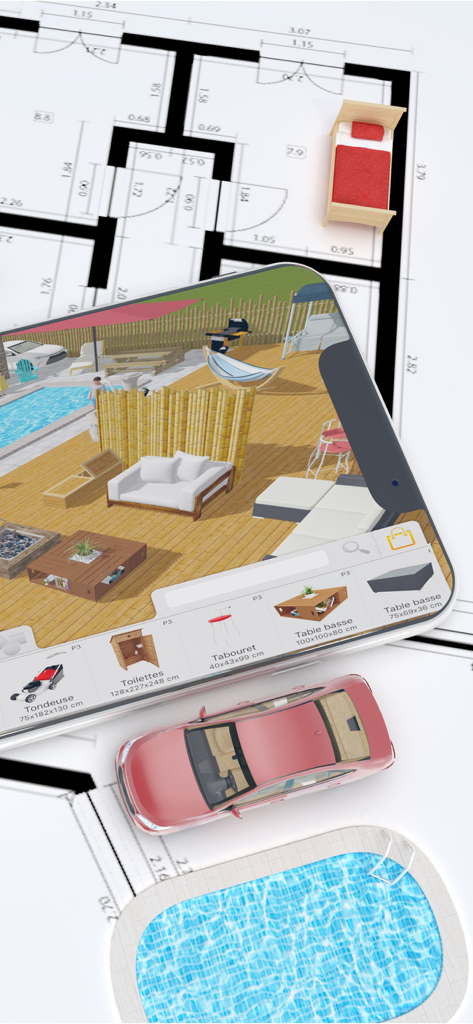
2Dの間取り図の上に3D家具モデルのある3Dパティオのデザインが表示されたスマートフォン。

2Dの間取り図の上に3D家具モデルのある3Dパティオのデザインが表示されたスマートフォン。

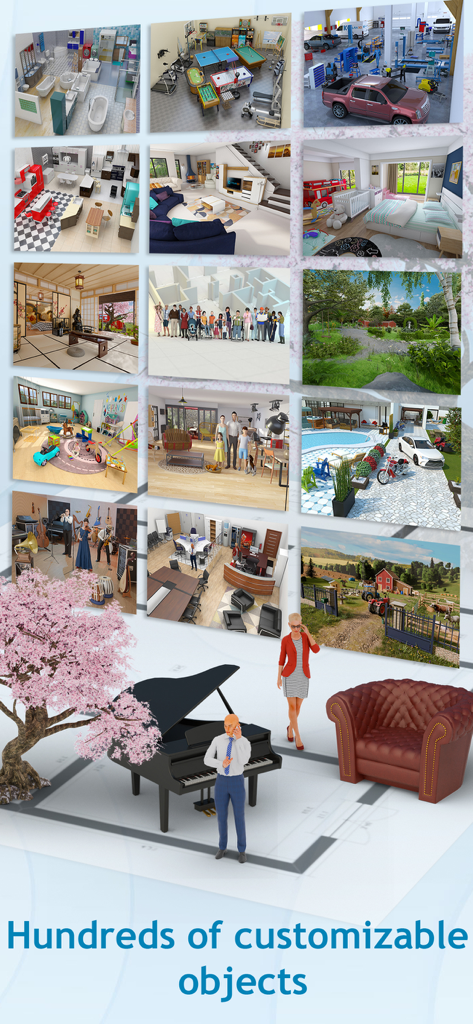
何百ものカスタマイズ可能な3Dインテリアデザインオブジェクトと部屋のテンプレート。

何百ものカスタマイズ可能な3Dインテリアデザインオブジェクトと部屋のテンプレート。

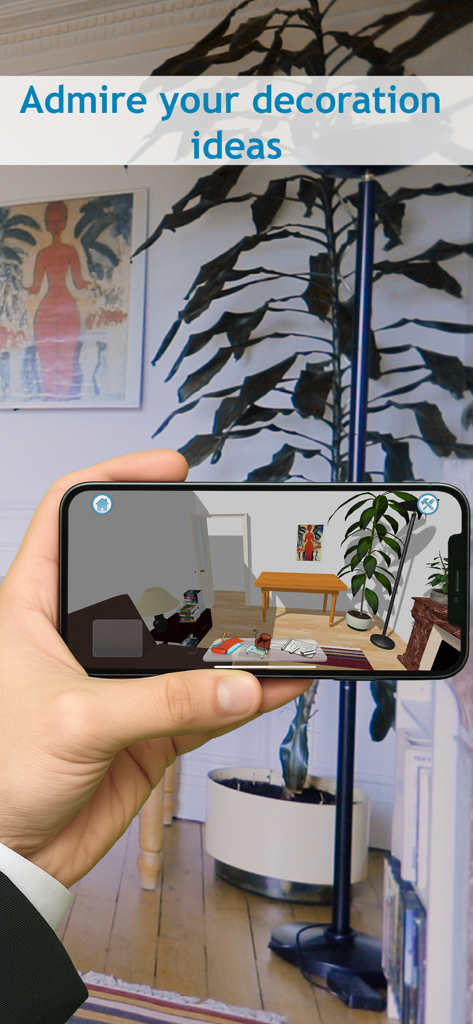
家具と植物のある3D部屋のインテリアデザインを表示するスマートフォンを持つ手。

家具と植物のある3D部屋のインテリアデザインを表示するスマートフォンを持つ手。

Keyplan 3D Liteアプリが、iPadとiPhoneの両方に3D屋外デッキとプールデザインを表示しています。

Keyplan 3D Liteアプリが、iPadとiPhoneの両方に3D屋外デッキとプールデザインを表示しています。

あなたの夢の空間を簡単にデザイン

このアプリを際立たせるツール、 5M+ 人のユーザーが選択.

✏️

直感的なルームビルダー

線を引くのと同じくらい簡単に壁や部屋を作成できます。スマートエンジンがジオメトリを処理するので、あなたは完璧な家のレイアウトに集中できます。

インスタント3Dビジュアライゼーション

推測はやめて、見始めましょう。2Dプランと美しい3Dレンダリングを瞬時に切り替えて、ロード画面なしでリアルタイムであなたの空間を体験しましょう。

🛋️

簡単なインテリアデザイン

350以上の無料オブジェクトで家具を配置し、装飾しましょう。購入する前に、Pinterestにふさわしい外観を作成するために、ペイント、テクスチャ、家具を試してみましょう。

世界中のユーザーに愛されています

Trusted by 5M+ 人がこのアプリを愛用しています.

"

"初めての住宅購入者として、新しい空間に家具がどのように収まるかを想像するのが大変でした。Keyplan 3Dは、ストレスの多いリノベーションを楽しいものに変えました。ドラッグアンドドロップインターフェイスは信じられないほど直感的で、2Dから高品質の3Dレンダリングに瞬時に切り替えることができたので、リノベーションにお金をかける前に自信を持って決断できました。"

Sarah Jenkins
"

"不動産クライアントのために間取り図を素早く作成するためにこのアプリを使用しています。プロフェッショナルなユーティリティと使いやすさの完璧なバランスです。「子供のおもちゃ」という哲学は本物です—iPad上で数分で窓、ドア、テクスチャを備えた完全な部屋をスケッチできます。私が使用した中で最も応答性の高いデザインツールです。"

Mark Sterling

アプリについて

について知っておくべきこと Keyplan 3D Lite - Home design.

説明

Keyplan 3D, our new home and interior designer is built on top of a unique technology unleashing features never seen before on the Appstore. It is a simple to use, useful and fun App to help you design, build, think and decorate your home or future home from the ground up. Whether you are looking to make alterations to your current home or plan on building your dream house, Keyplan 3D is there to turn this otherwise complicated process into child's play. Through our beautiful interface, designed with simplicity in mind, you can create amazing content without ever having to worry about complex menus and cryptic options. Create a wall or room by simply using our build button and our smart engine will take care of the rest. Forget about loading screens and unresponsive Apps : with Keyplan 3D you can visualise your project through our gorgeously rendered plans, which are both fully interactive and updated in real-time. Every aspect of Keyplan 3D has been designed to enable you to express your creativity like never before. Behind Keyplan 3D there is a powerful technology, allowing you to build any shape imagineable, paint, decorate and place more than 350 free unique objects. Feeling proud of your creations? Go ahead and share them with your friends and family on your favourite social media platform. Main features: - House builder : creating walls is as easy as drawing a line with a pencil. Any shape is possible with our unique 2D/3D editing features. - Interior design : Place furniture, windows, doors - edit, change, remove, in either the 2D or 3D view. - Decoration : A large selection of paints, brick, wood, ceramic, textile to be used on any object or surface. Expect new free objects on a regular basis. - Many customisation options such as wall width and height settings, inch/meter conversion. - iCloud synchronisation to enjoy your project on all your devices, iPhone and iPad. - Sharing : share 2D snapshots and 3D renders of your plan with your friends/family. Try it out and let us know what you think - we made Keyplan 3D for you and our only goal is to offer you the best experience out there. A nice video presentation: http://bit.ly/1DACRHo For more information, visit us on www.keyplan3d.com Contact us to: contact@keyplan3d.com

最新バージョン

1.9.6

サイズ

631.7 MB

リリース日

2018年3月16日

あなたの夢の空間をデザインする準備はできましたか?

あなたの家のビジョンを実現している500万人以上のクリエイターに参加しましょう。今すぐKeyplan 3D Liteをダウンロードして、一度に一部屋ずつ、あなたの未来を築き始めましょう。

ダウンロード: App Store
FAQ

よくある質問

について知っておくべきこと Keyplan 3D Lite - Home design

Keyplan 3D Liteとは何ですか?

Keyplan 3D Liteは、ユーザーが現在または将来の家をデザイン、建築、装飾するのに役立つ住宅およびインテリアデザイナーアプリです。詳細な2D/3Dプランを作成するためのシンプルなインターフェイスを備えています。

Keyplan 3D Liteでインテリアとエクステリアのデザインを作成できますか?

はい、Keyplan 3D Liteを使用すると、インテリアとエクステリアの両方の空間をデザインできます。家具、窓、ドアを配置したり、プールや庭などの屋外要素を作成したりできます。

Keyplan 3D Liteはプロジェクトの3Dビジュアライゼーションを提供しますか?

はい、Keyplan 3D Liteは、インタラクティブでリアルタイムの3Dレンダリングプランを通じてプロジェクトを視覚化します。ユーザーは、美しくレンダリングされた3D環境でデザインを操作できます。

Keyplan 3D Liteではいくつのカスタマイズ可能なオブジェクトが利用可能ですか?

Keyplan 3D Liteでは、デザインの装飾や家具に350以上の無料のユニークなオブジェクトにアクセスできます。アプリは定期的に新しい無料オブジェクトを追加します。

Keyplan 3D Liteで作成したデザインを共有できますか?

はい、Keyplan 3D Liteでは、作成したものを共有できます。ユーザーは、ソーシャルメディアプラットフォームで友人や家族と住宅プランの2Dスナップショットや3Dレンダリングを共有できます。

Keyplan 3D LiteはプロジェクトのiCloud同期を提供しますか?

はい、Keyplan 3D LiteにはiCloud同期が含まれています。この機能により、ユーザーはiPhoneやiPadを含むすべてのAppleデバイスでシームレスにデザインプロジェクトにアクセスし、続行できます。

Keyplan 3D Liteで壁の寸法を調整できますか?

はい、Keyplan 3D Liteでは壁の寸法のカスタマイズオプションが提供されています。ユーザーは壁の幅と高さの設定を調整し、インチとメートルの間の測定値を変換できます。