Kml to Kmz-Kmz to Kml app

Kml to Kmz-Kmz to Kml app

ダウンロード: App Store
Spark by MWM logo
ロゴ: Kml to Kmz-Kmz to Kml app
Kml to Kmz-Kmz to Kmlアプリ:フィールドワークのためのプロフェッショナルなGISユーティリティ

地理データをオフラインで簡単に変換、表示、管理。エンジニア、ドローンパイロット、アウトドア探検家が外出先でKMLおよびKMZファイルを正確に扱うための必須ツールです。

開発元

p swagath

カテゴリ

Navigation

ダウンロード

150K+

ユーザー評価

1.0/5

評価数

0

対応言語

1

可視化された精度

このインターフェースを利用する 150K+ 人のユーザー.

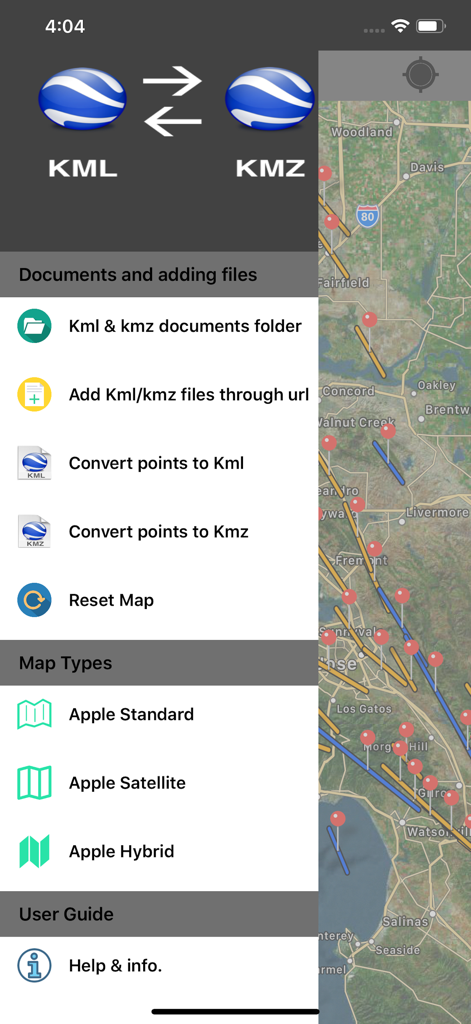
衛星地図を背景に、ファイル管理オプションと地図タイプの選択機能を備えたKML to KMZコンバーターアプリのサイドメニュー。

衛星地図を背景に、ファイル管理オプションと地図タイプの選択機能を備えたKML to KMZコンバーターアプリのサイドメニュー。

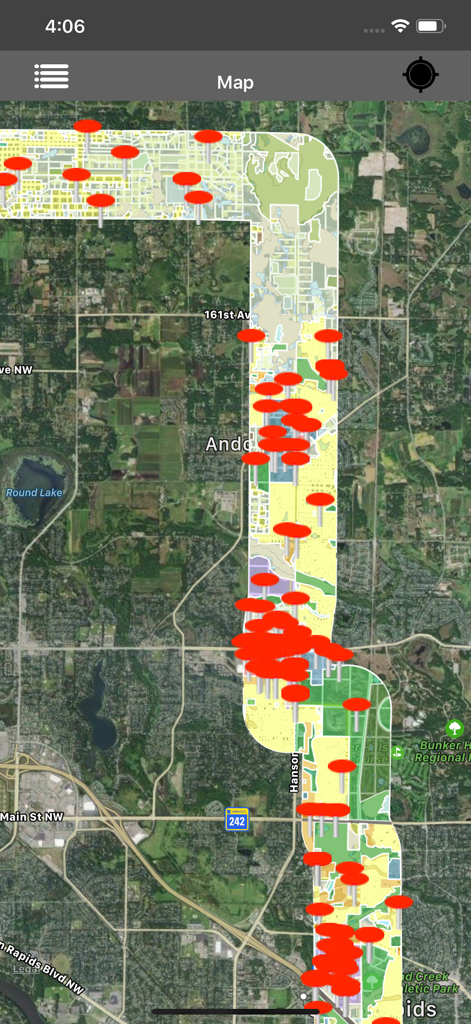
KMLビューアーアプリにおける、赤いマーカーと地理データがオーバーレイされた衛星地図

KMLビューアーアプリにおける、赤いマーカーと地理データがオーバーレイされた衛星地図

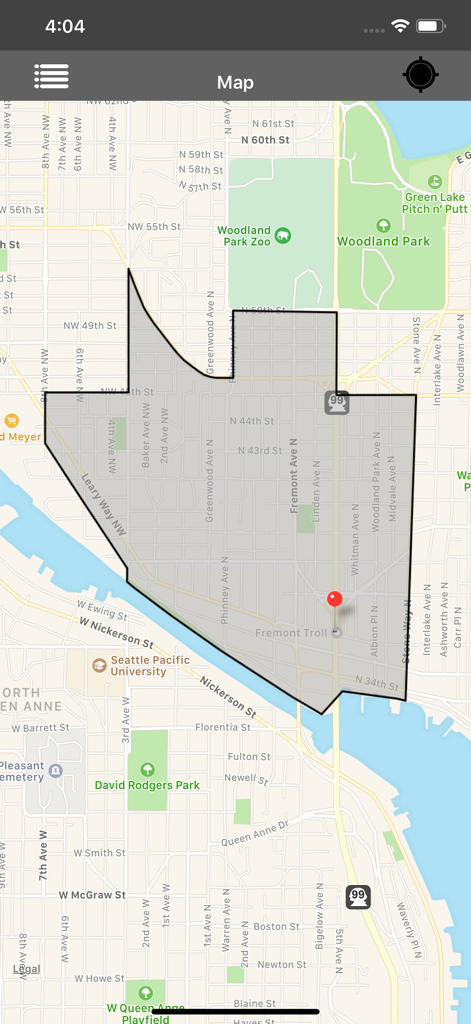
KMLおよびKMZビューアーアプリにおける、灰色のポリゴンオーバーレイと赤いロケーションピンを表示する地図インターフェース。

KMLおよびKMZビューアーアプリにおける、灰色のポリゴンオーバーレイと赤いロケーションピンを表示する地図インターフェース。

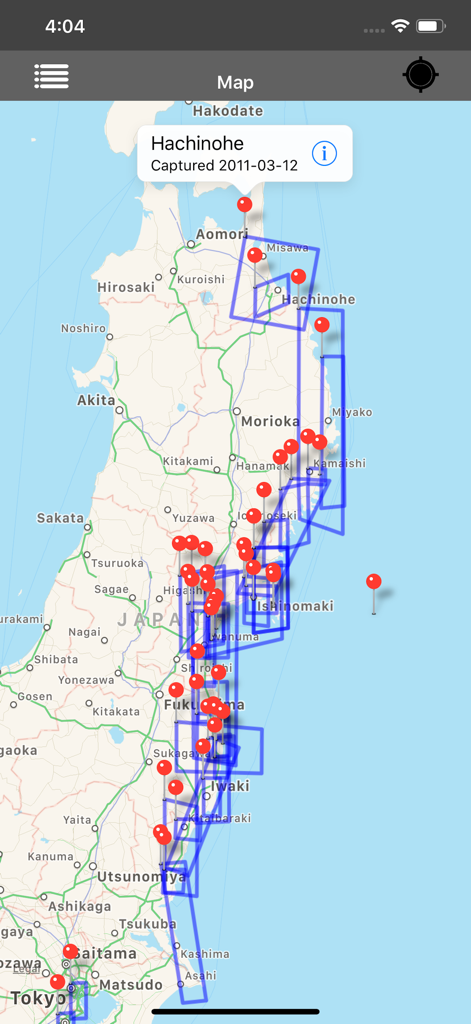
日本の地図上に複数の赤いピンと青いポリゴンを表示しているKMLおよびKMZビューアーアプリのスクリーンショット

日本の地図上に複数の赤いピンと青いポリゴンを表示しているKMLおよびKMZビューアーアプリのスクリーンショット

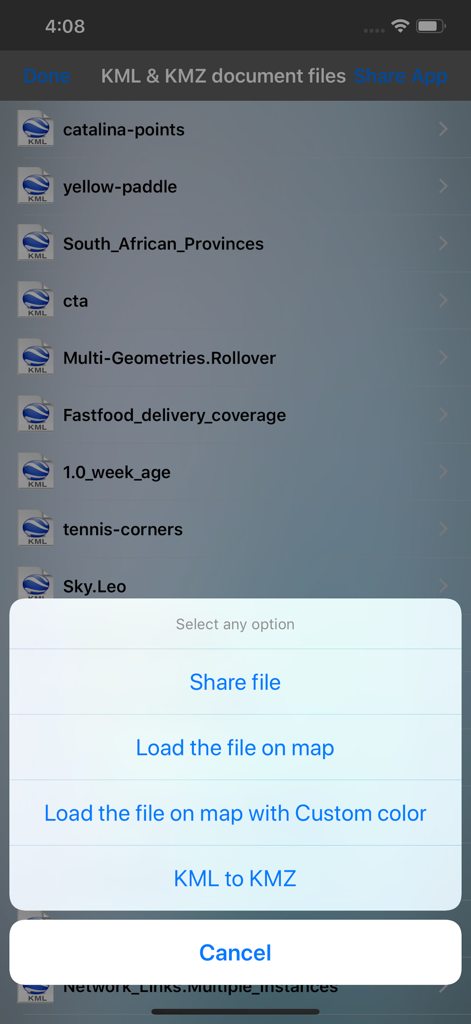
ファイルの共有、地図への読み込み、または変換オプションを備えたKMLおよびKMZファイルリスト。

ファイルの共有、地図への読み込み、または変換オプションを備えたKMLおよびKMZファイルリスト。

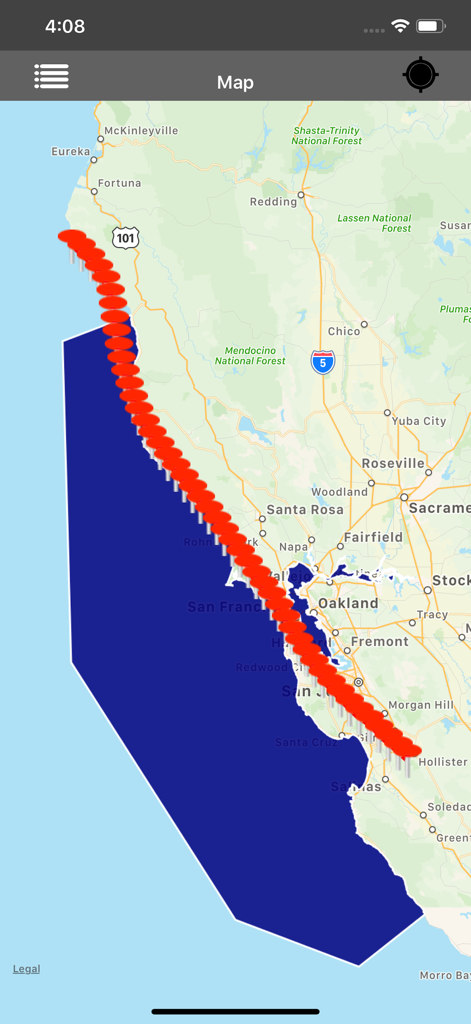
カリフォルニアの海岸線の地図上に、赤いプレースマーカーと青いポリゴンを表示しているモバイルアプリのインターフェース

カリフォルニアの海岸線の地図上に、赤いプレースマーカーと青いポリゴンを表示しているモバイルアプリのインターフェース

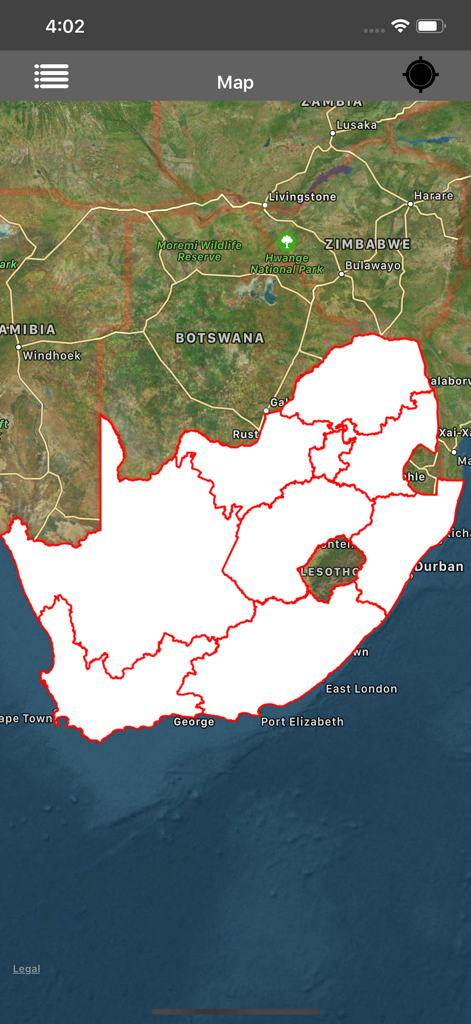
南アフリカの赤い境界線を持つ白いKMLポリゴンオーバーレイを表示する衛星地図インターフェース

南アフリカの赤い境界線を持つ白いKMLポリゴンオーバーレイを表示する衛星地図インターフェース

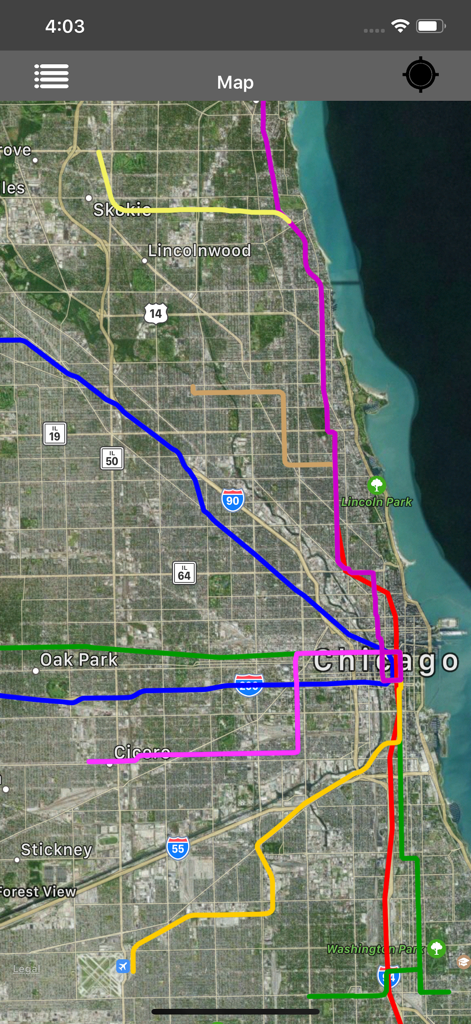
色分けされたKMLルートがオーバーレイされたシカゴの衛星地図

色分けされたKMLルートがオーバーレイされたシカゴの衛星地図

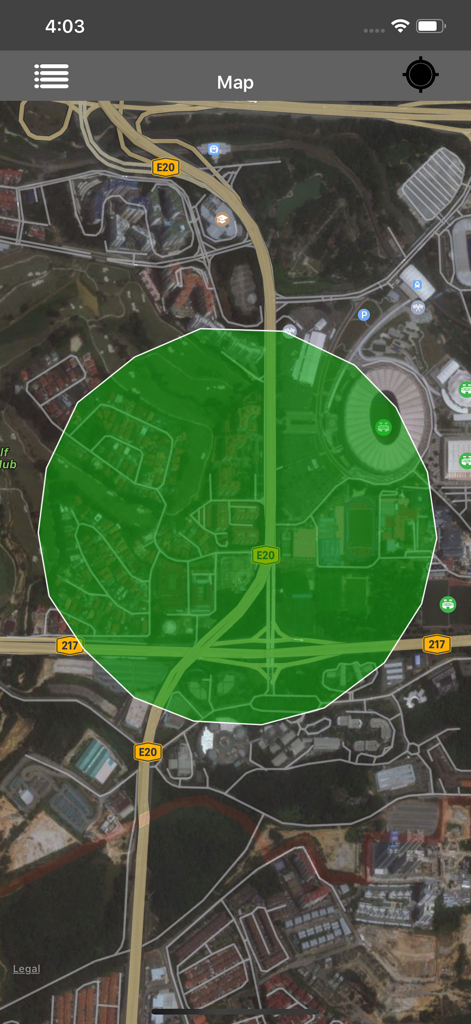
KMLおよびKMZビューアーアプリにおける、緑色のポリゴンがオーバーレイされた衛星地図ビュー

KMLおよびKMZビューアーアプリにおける、緑色のポリゴンがオーバーレイされた衛星地図ビュー

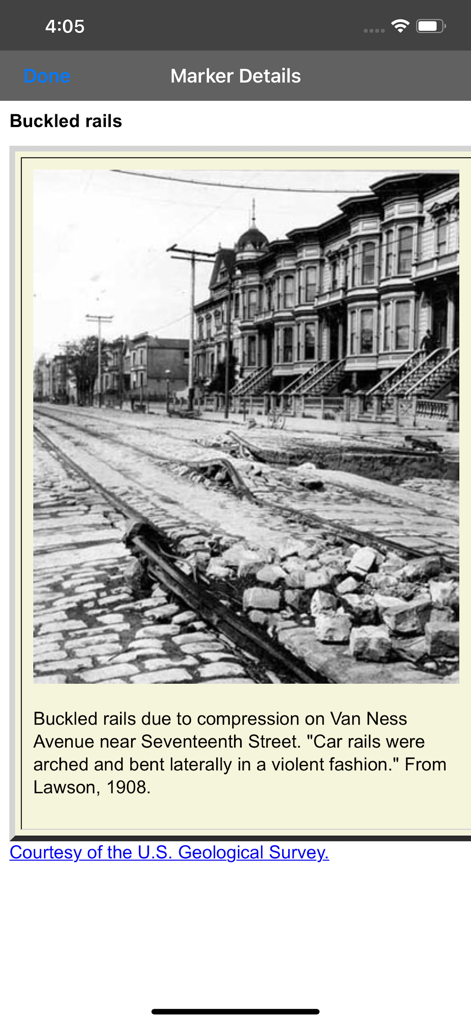
歴史的な写真と技術的な説明が含まれたKMLマップマーカーの詳細ビュー

歴史的な写真と技術的な説明が含まれたKMLマップマーカーの詳細ビュー

プロフェッショナルな地理データ管理

このアプリを際立たせるツール、 150K+ 人のユーザーが選択.

即座のフォーマット変換

高精度でKMLからKMZへ、またその逆へと簡単に変換し、空間データの同一性と正確性を保ちます。

📂

ユニバーサルなインポートとエクスポート

メール、iCloud、WhatsAppからファイルを開き、更新したマーカーを数秒でクライアントやチームメイトに共有できます。

🛰️

情報豊富なフィールド表示

埋め込み画像、連絡先情報、リンクを含むマーカーを表示。遠隔地のサイト検査でもオフラインで完全に機能します。

世界中のユーザーに愛されています

Trusted by 150K+ 人がこのアプリを愛用しています.

"

"コロラド州の僻地で働く土地測量士として、携帯電話の電波がなくても動作するツールが必要です。このアプリは、チームからメールで直接送られてきたKMLファイルを開くのにとても役立ちます。KMLとKMZの間の変換はシームレスで、詳細なサイトメモをオフラインで閲覧できるため、フィールド検査プロセス全体が効率化されました。"

マーク・トンプソン、シニア土地測量士
"

"ドローンチームの飛行経路をモバイルで管理するのは、以前は悪夢のようでした。今では、iCloudやWhatsAppからKMZファイルをインポートして、地図上のマーカーを即座に確認できます。インターフェースはクリーンで画面を邪魔しないので、外出先で複雑な空中調査を調整する際にまさに必要なものです。"

サラ_ジェンキンス、UAVオペレーションマネージャー

アプリについて

について知っておくべきこと Kml to Kmz-Kmz to Kml app.

説明

Kml to Kmz-Kmz to Kml-Kml and Kmz Viewer-Kml and Kmz Converter(All in one) is an application provides you to load the kml or kmz files, convert and create kml or kmz files over the map. KML and KMZ are file extension for a placemark file used by Google Earth. The KML and KMZ files specifies a set of features (placemarks, images, polygons, 3D models, textual descriptions, overlays, icons, etc.) for display in Here on Map. This app works for offline and online. 1)How to Export or Import .kml or .kmz files into Application? You can view, add or import .kml or .kmz files into the application in multiple ways —>Keep the .kml or .kmz files to the mail, then long press on kml/kmz file from mail that shows the application icon.click to import the file over the map. —>Share files from other apps which will be similarly supported files like Email,WhatsApp,Add to Notes,Add to iCloud Drive,Save to files and other apps. —>Click on “Add through link” Icon on Menu bar enter .kml or .kmz files link to add the files into the application. —>Connect your iPhone or iPad to System then iTunes will automatically opens an window.Click phone symbol on top left—>File Sharing and you can see the Kml-Kmz app then click on app icon to add .kml or .kmz files —>Tap on the file in Document folder to Share or export the kml or kmz files to another application —>Easily Export kml or kmz files to Another application. —>Easily Import kml or kmz files from Another application. 2)How to create kml/kmz Markers? —>Long press on map to add markers. —>You can Convert the kml/kmz with userDefined Names. —>After successfully saving the file will be stored in list. —>You can again load the saved kml/kmz file over the map. —>You can send the kml/kmz file through mail. 3)How to Convert kml to kmz and kmz to kml file? —>In the List section select kml file, then it will shows popup to Convert KML to KMZ file. —>If you select kmz file, then it will shows popup to Convert KMZ to KML file. —>While Converting the files you have choice to keep Existing file Name or Rename the file. —>After Successfully Converting the file is added in the list Section. —>Conversion of kml or kmz files are accurate,identical,simple without any Modification to actual data. 4)How to get updated kml/kmz file in list section? —>Swipe the list to the down to refresh. —>The New added files will be updated here. 5)How to delete the kml/kmz file? —>In the list section, swipe left to delete file.The file will be permanently deleted from the application. 6)How to See marker details? —>load kml/kmz file on map.If the file contains markers, then tap on the marker to see the detail description of marker like Description,email id, url links,phone numbers,Images,Web site page. —>Connect to Internet to open the url links,web pages,Images from Description page. Note: 1)This app contains Rich UserInterface. 2)This app contains less labels on map, and more on Menu bar.This helps user easy interaction on Map. "Continued use of GPS running in the background can dramatically decrease battery life."

最新バージョン

3.0.3

サイズ

2.1 MB

リリース日

2016年7月4日

現場データをどこへでも持ち出す準備はできていますか?

iOS向けの最も多機能なKML/KMZビューアーおよびコンバーターを信頼する15万人以上の専門家の仲間に加わりましょう。ラップトップ不要で、地理データをオフラインで表示、変換、管理できます。

ダウンロード: App Store