Lifebox: Storage & Backup

Lifebox: Storage & Backup

ダウンロード: App Storeダウンロード: Google Play
Spark by MWM logo
ロゴ: Lifebox: Storage & Backup

Lifebox: ストレージ&バックアップ – 容量を気にせず全ての思い出を保存

「ストレージがいっぱいです」の警告に悩むのはもうやめましょう。Lifeboxは写真の自動バックアップ、AIによる思い出の整理、ワンタップでのスマホ空き容量確保を行い、大切な家族の瞬間をどこでも安全かつアクセス可能に保ちます。

ダウンロード: App Store

開発元

LIFECELL BULUT COZUMLERI ANONIM SIRKETI

カテゴリ

Productivity

ダウンロード

3M+

ユーザー評価

4.6/5

評価数

166K+

対応言語

11

あなたの人生を、整理整頓

このインターフェースを利用する 3M+ 人のユーザー.

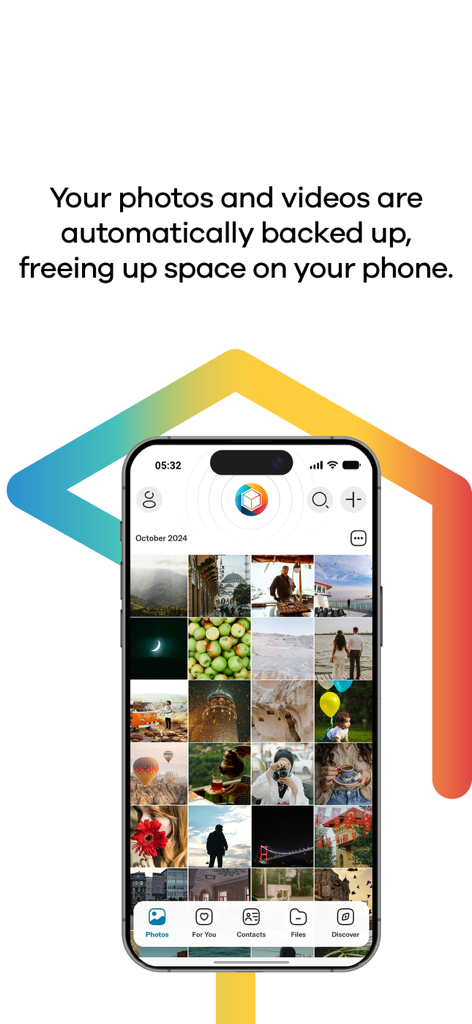
Lifeboxアプリのインターフェース。スマートフォンに写真ギャラリーと自動バックアップ機能のテキストが表示されている様子

Lifeboxアプリのインターフェース。スマートフォンに写真ギャラリーと自動バックアップ機能のテキストが表示されている様子

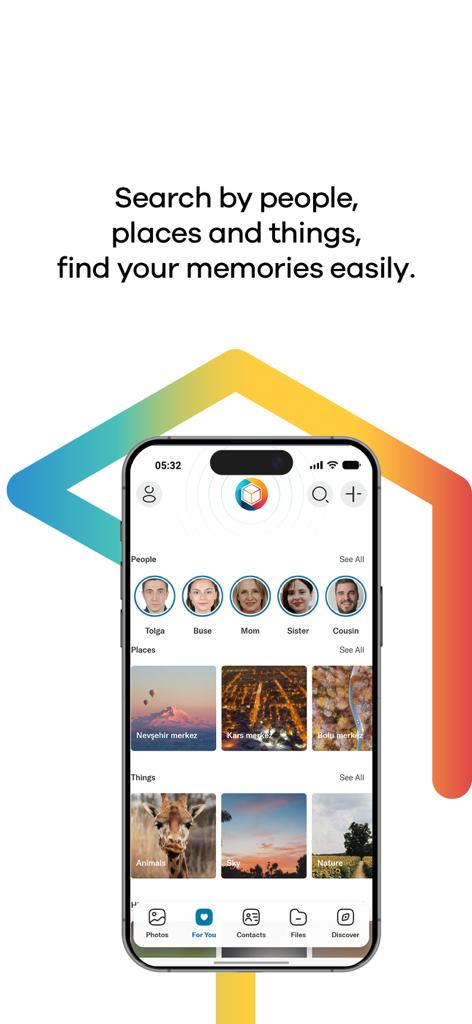
Lifeboxアプリのインターフェース。人物、場所、物ごとに写真が自動グループ化されている様子

Lifeboxアプリのインターフェース。人物、場所、物ごとに写真が自動グループ化されている様子

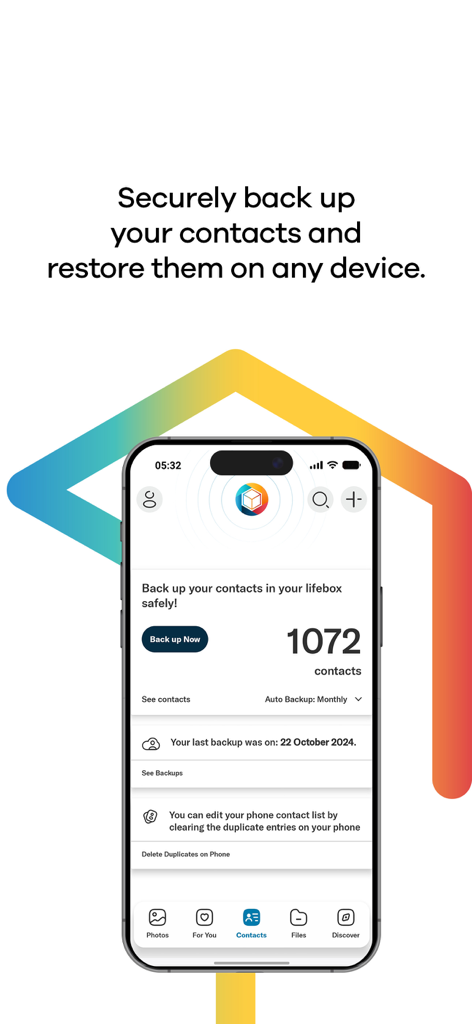
Lifeboxモバイルアプリの画面。連絡先のバックアップ状況と重複連絡先の削除機能が表示されている様子

Lifeboxモバイルアプリの画面。連絡先のバックアップ状況と重複連絡先の削除機能が表示されている様子

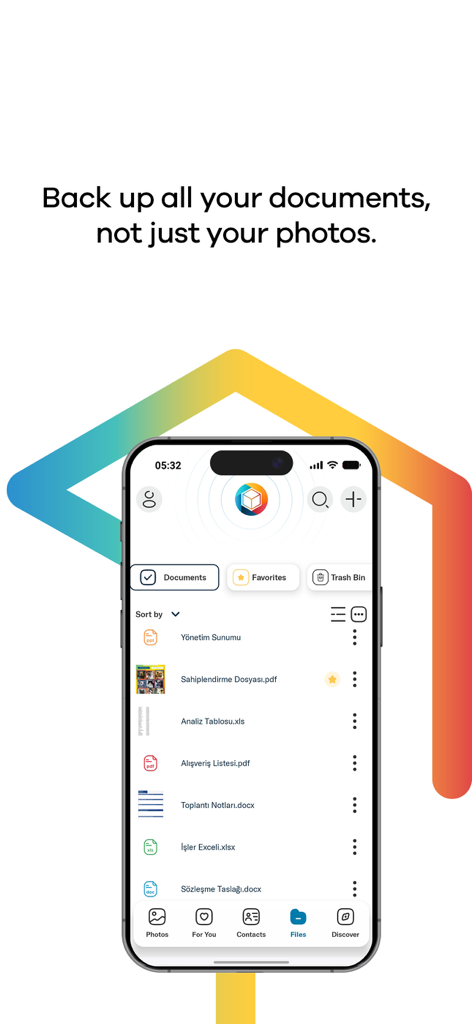
Lifeboxアプリのインターフェース。iPhone上でPDFやWordファイルなどのバックアップされたドキュメントのリストが表示されている様子

Lifeboxアプリのインターフェース。iPhone上でPDFやWordファイルなどのバックアップされたドキュメントのリストが表示されている様子

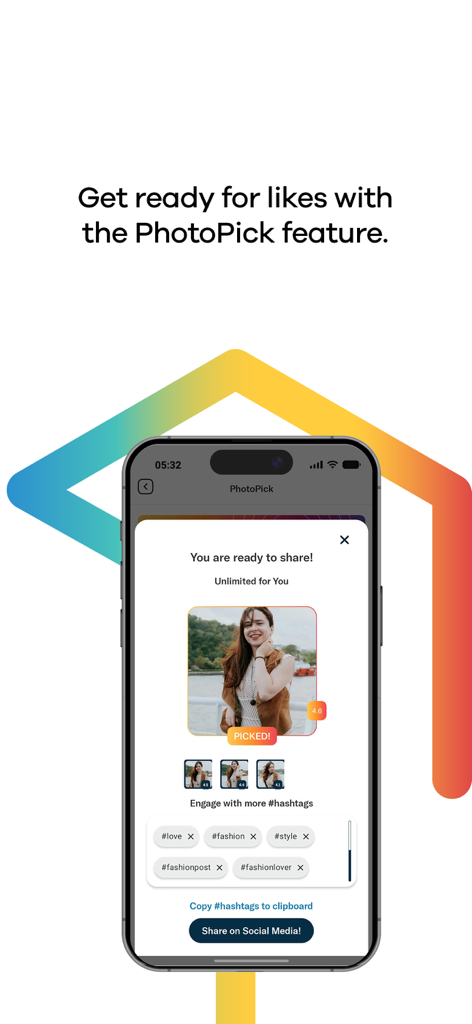
LifeboxアプリのPhotoPick機能のインターフェース。選択された写真と、ソーシャルメディアのハッシュタグの提案が表示されている様子

LifeboxアプリのPhotoPick機能のインターフェース。選択された写真と、ソーシャルメディアのハッシュタグの提案が表示されている様子

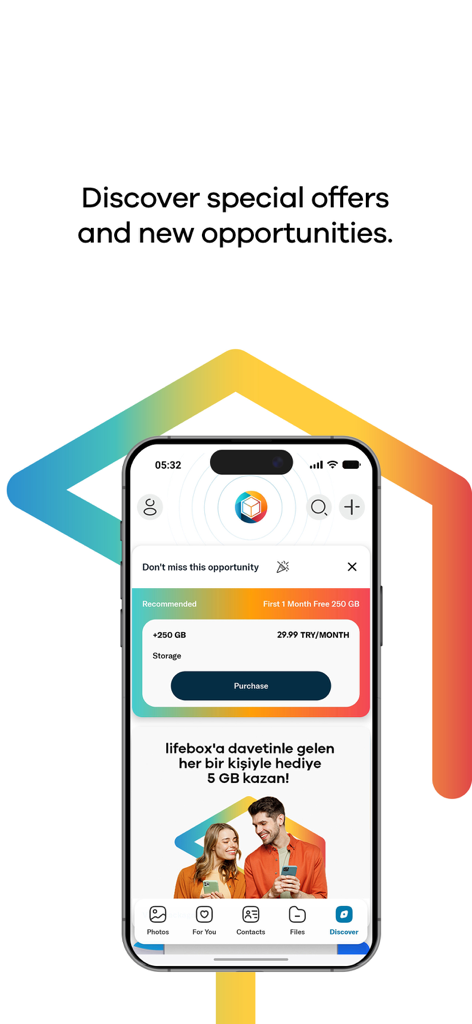
Lifeboxアプリのディスカバー画面。プレミアムストレージプランと、追加のクラウドスペースのための紹介報酬が表示されている様子

Lifeboxアプリのディスカバー画面。プレミアムストレージプランと、追加のクラウドスペースのための紹介報酬が表示されている様子

「ストレージがいっぱいです」で、もう二度と瞬間を失わない

このアプリを際立たせるツール、 3M+ 人のユーザーが選択.

🚀

瞬時に空き容量を解放

ギャラリーを自動バックアップし、ワンタップで数ギガバイトを解放。数千枚の新しい家族写真のためのスペースを作ります。

📸

AI搭載の思い出アシスタント

手動での仕分けは不要。AIが写真に写っている人物や場所ごとに自動でグループ化し、完璧な一枚を数秒で見つけやすくします。

🛡️

デジタルライフの完全な安心感

連絡先のバックアップとFace ID保護であなたの人生を安全に。万が一スマホを紛失したり破損したりしても、大切な思い出の履歴は安全です。

世界中のユーザーに愛されています

Trusted by 3M+ 人がこのアプリを愛用しています.

"

"子供たちの成長記録を撮りたい時に、いつも「ストレージがいっぱいです」という警告が出ていました。Lifeboxはまさに救世主です。顔認識機能で子供たちの写真を自動でグループ化でき、ワンタップでスマホの容量を空けられるのに、全ての思い出がオリジナル品質で安全だとわかっているのが嬉しいです。"

サラ・ジェンキンス
"

"ついに、ソーシャルメディアユーザーのニーズを理解したストレージアプリが登場しました。InstagramやFacebookの投稿を自動でアーカイブする機能は素晴らしいです。旅行の写真を内蔵フィルターで簡単に編集し、Apple TVアプリを使って大画面で披露できるのもとても便利です。"

マーカス・リード

アプリについて

について知っておくべきこと Lifebox: Storage & Backup.

説明

lifebox - Backup & Storage The best thing that can happen to your phone is lifebox! If you don't like the ‘storage full’ warning, lifebox is just for you. Here's what you can do with lifebox: Automatic backup of the memories : With the auto-sync feature, your memories are backed up in lifebox instantly with cellular data or WiFi. All memories are safely stored automatically. Back Up Your Contacts: You can back up your contacts in lifebox and store them safely. Thus, if something happens to your phone, you can access them immediately. Group Your Photos with Face and Image Recognition: Lifebox recognizes people, objects and places in your photos with face&image recognition and groups them for you. So you don't have to worry about searching for a photo. Free up space: You can delete the memories you backed up on lifebox from your phone with a single button, so you can make room for new memories in your phone memory. Automatic Stories: You can create fun stories and share them easily with your loved ones. Lifebox also creates automatic stories, collages and videos, crowning the most beautiful memories of you! We did not forget your photos in social media: You can archive photos you share on Facebook and Instagram to lifebox. Smart and Secure Login: Depending on the model of your phone, you can use touch id, face id, or password to make it more secure. Photo Editing: With photo editing feature, you can make your photos more attractive with special filters, effects and frames, and you can add entertainment with caps and stickers. Reach your lifebox from anywhere!: All the photos, videos and files you have stored in your lifebox can be accessed quickly from your smartphone, tablet, Apple TV, TV + and PC. If you have a Lifebox Premium account, you can benefit from the additional features of Premium, and you will have the best lifebox experience! Delete Duplicated Contacts: Lifebox saves you the trouble of deleting recurring contacts one by one! You can find the copied contacts in the phone book and delete the repeats with a single button, and you can find a solution to the chaos in your contact list. Face and Object Recognition: With Premium membership, you can use Face&Image Recognition feature in all of your photos unlimited. Original Quality Storage: If you have a lifebox Premium membership, all the photos and videos you upload will be kept in original quality. Frequently Asked Questions: https://mylifebox.com/#!/faq/ Terms of Use: https://mylifebox.com/termsofuse Confidentiality and Security: https://mylifebox.com/portal/policy/ - Subscriptions are renewed on a monthly basis. - Fees are charged upon your iTunes account. - Subscriptions are renewed on a monthly basis unless auto-renewal option is off . Subscriptions are not renewed if subscription is cancelled within 24 hours before the renewal date. - The account may be charged within 24 hours before the subscription renewal date is due. The fees are reflected as they are shown on the in-app purchase screen. - Subscriptions are managed by the user and/or can be closed via using the settings section under My Account. - The subscriptions can not be terminated within a month following the last fee withdrawal for the service. - Free 5 GB package will be added on your monthly subsciption package as the subscription fee begins. - Continued use of GPS running in the background can dramatically decrease battery life.

最新バージョン

40.3

サイズ

124.8 MB

リリース日

2013年10月21日

次の大きな瞬間のために、空き容量を確保しませんか?

「ストレージがいっぱいです」の警告に、もうあなたのやりたいことを邪魔させないでください。300万人以上のユーザーがLifeboxを信頼し、家族の写真を保護し、デジタルライフを整理し、あらゆる思い出をオリジナル品質で安全に保存しています。

ダウンロード: App Storeダウンロード: Google Play
FAQ

よくある質問

について知っておくべきこと Lifebox: Storage & Backup

Does Lifebox automatically back up photos and videos?

はい、Lifeboxはモバイルデータ通信またはWiFiを使用して写真と動画を自動的にバックアップします。すべての思い出は安全かつ即座に保存されます。

Can Lifebox free up space on my phone?

はい、Lifeboxを使用すると、ボタン1つでバックアップされた思い出を携帯電話から削除できます。この操作により、新しいコンテンツのための内部ストレージが解放されます。

Does Lifebox offer contact backup?

はい、Lifeboxは連絡先を安全にバックアップします。携帯電話を紛失したり破損したりした場合でも、ユーザーはすぐに連絡先にアクセスできます。

How does Lifebox organize photos?

Lifeboxは、顔認識と画像認識を使用して写真を整理します。特定の思い出の検索を簡素化するために、人物、オブジェクト、場所ごとに写真をグループ化します。

Can Lifebox Premium remove duplicate contacts?

はい、Lifebox Premiumは、電話帳の重複した連絡先をボタン1つで識別して削除します。この機能は、連絡先リストを効果的に整理するのに役立ちます。

Which devices support Lifebox access?

ユーザーは、スマートフォン、タブレット、Apple TV、TV +、PCからLifeboxファイルにアクセスできます。保存されているすべての写真、動画、ファイルはすぐに利用できます。

How do Lifebox subscriptions renew?

Lifeboxのサブスクリプションは、毎月自動的に更新されます。自動更新を手動でオフにしない限り、料金はiTunesアカウントに請求されます。

Is free storage included with Lifebox subscriptions?

はい、月額サブスクリプションパッケージには5GBの無料パッケージが追加されます。このボーナスは、サブスクリプション料金の支払いが開始されると有効になります。

What login security options does Lifebox provide?

Lifeboxは、スマートで安全なログインオプションを提供します。これには、Touch ID、Face ID、またはパスワードが含まれ、セキュリティを強化するために電話のモデルに合わせて調整されています。

Does Lifebox back up documents?

はい、Lifeboxは写真や動画に加えて、さまざまな種類のドキュメントもバックアップします。これには、PDF、Excel、Wordファイルが含まれます。

Can Lifebox archive photos from social media platforms?

はい、Lifeboxでは、FacebookやInstagramで共有された写真をアーカイブできます。これらの思い出は、Lifeboxアカウント内に保存されます。

Does Lifebox offer photo editing tools?

はい、Lifeboxには写真編集機能が含まれています。ユーザーは特別なフィルター、エフェクト、フレーム、キャップ、ステッカーを適用して写真を編集できます。

Does Lifebox Premium store media in original quality?

はい、Lifebox Premiumのメンバーシップにより、アップロードされたすべての写真と動画が元の品質で保存されます。これにより、メディアの忠実度が維持されます。

Is there a referral bonus for inviting friends to Lifebox?

はい、Lifeboxはボーナスを提供しています。ユーザーは、Lifeboxへの参加に正常に招待した人ごとに5GBのストレージを受け取ります。