Lightroom AI Photo Editor

Lightroom AI Photo Editor

ダウンロード: App Storeダウンロード: Google Play
Spark by MWM logo
ロゴ: Lightroom AI Photo Editor

Lightroom AI写真エディター:あなただけの美学のためのプロ品質

モバイル撮影を、編集レベルの傑作に変えましょう。強力なAIを使用して、邪魔なものを除去し、クリエイターがインスパイアされたプリセットを適用し、プロのような精度で思い出をバッチ編集します。

ダウンロード: App Store

開発元

Adobe Inc.

カテゴリ

Photo & Video

ダウンロード

156M+

ユーザー評価

4.8/5

評価数

2M+

対応言語

23

あなたの美学を、さらに美しく

このインターフェースを利用する 156M+ 人のユーザー.

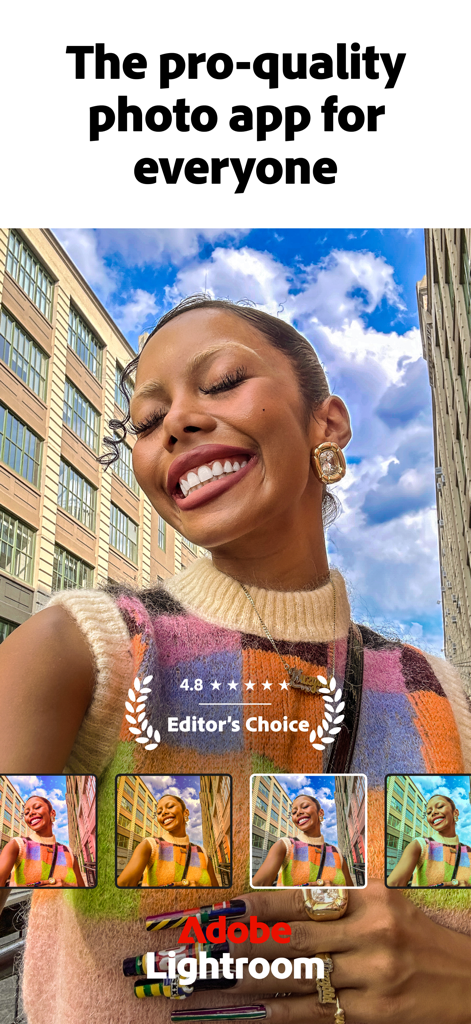
カラフルなセーターを着た笑顔の女性と、Adobe Lightroomアプリのインターフェイスの下部に表示されているさまざまな写真フィルターオプション

カラフルなセーターを着た笑顔の女性と、Adobe Lightroomアプリのインターフェイスの下部に表示されているさまざまな写真フィルターオプション

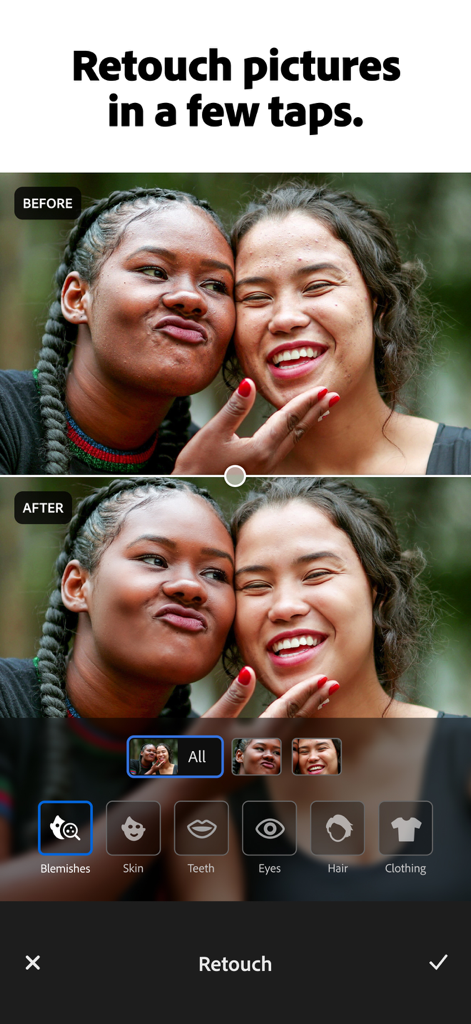
Adobe Lightroomモバイルアプリのレタッチ機能を使用したポートレート写真の編集前後の比較

Adobe Lightroomモバイルアプリのレタッチ機能を使用したポートレート写真の編集前後の比較

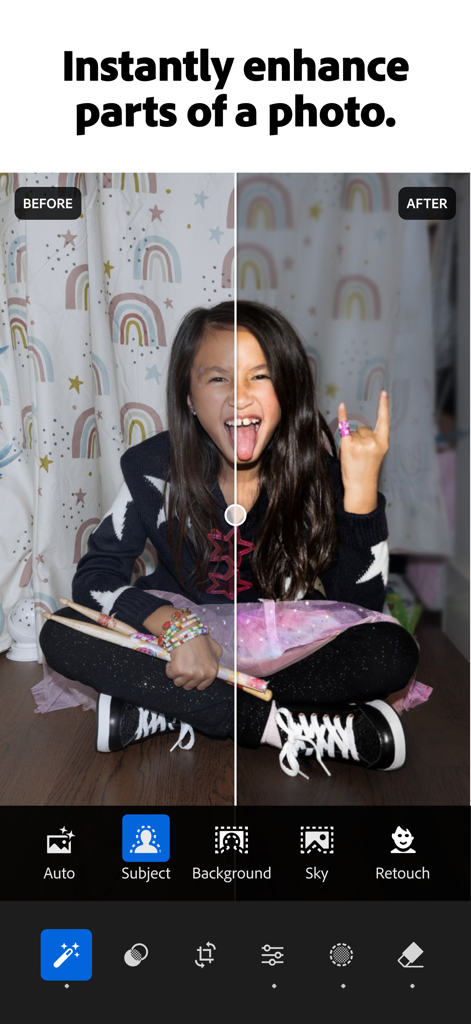
Adobe Lightroom AIエンハンスメントツールで編集された写真の編集前後の比較を示す分割画面

Adobe Lightroom AIエンハンスメントツールで編集された写真の編集前後の比較を示す分割画面

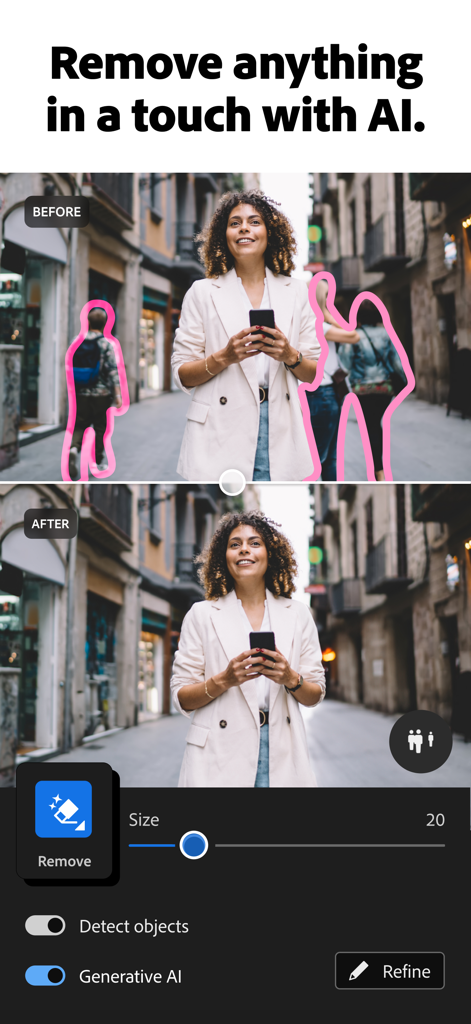
Adobe Lightroom AIジェネレーティブ除去機能が背景の人々を削除したストリート写真の編集前後の比較

Adobe Lightroom AIジェネレーティブ除去機能が背景の人々を削除したストリート写真の編集前後の比較

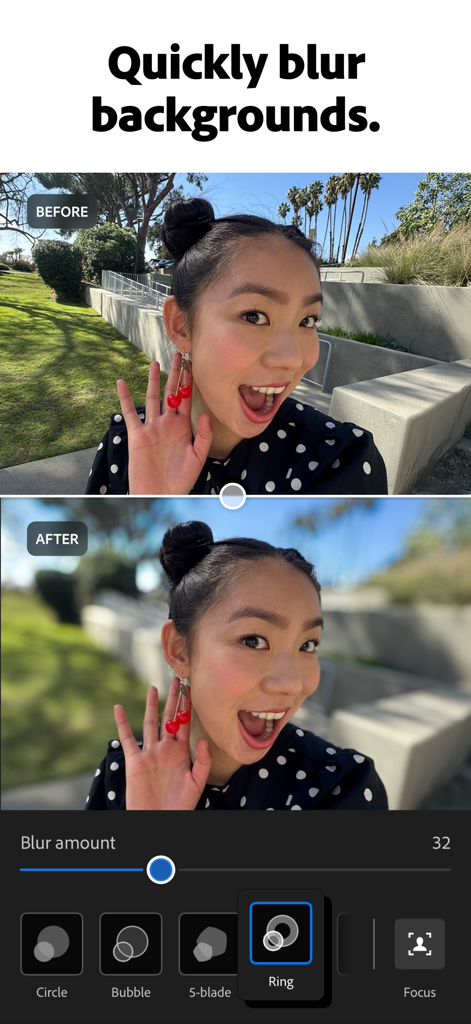
Adobe Lightroomの背景ぼかし機能を使用した編集前後のポートレート比較

Adobe Lightroomの背景ぼかし機能を使用した編集前後のポートレート比較

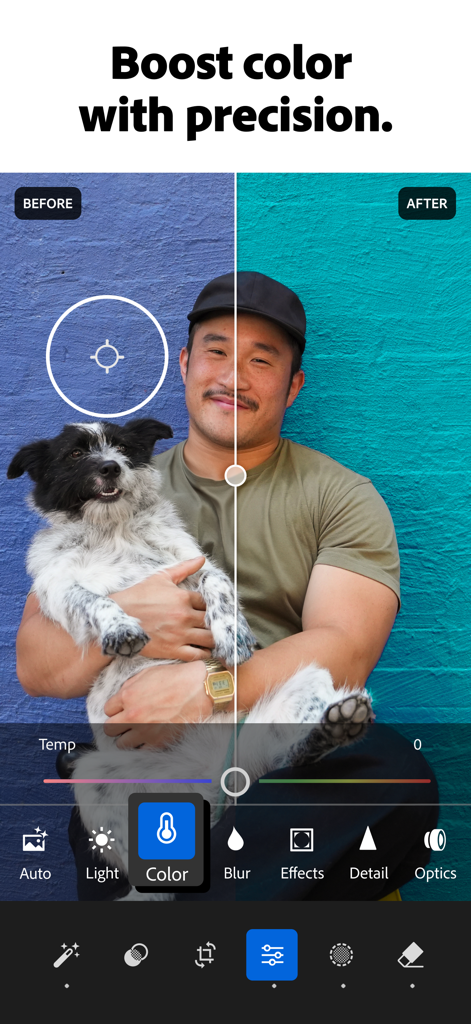
Adobe Lightroomモバイルアプリでの写真のカラー調整の編集前後の比較

Adobe Lightroomモバイルアプリでの写真のカラー調整の編集前後の比較

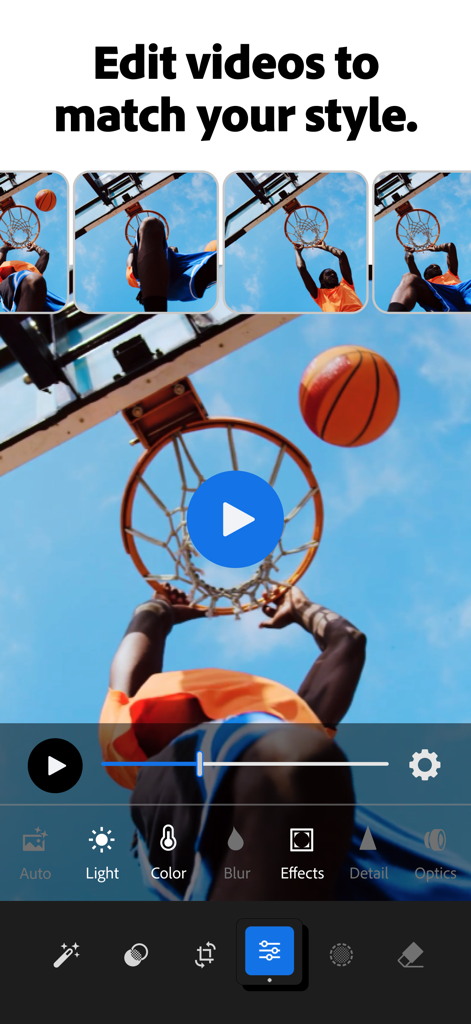
バスケットボール選手のクリップとプロのカラーツールを特徴とする、動画編集用のAdobe Lightroomモバイルインターフェイス

バスケットボール選手のクリップとプロのカラーツールを特徴とする、動画編集用のAdobe Lightroomモバイルインターフェイス

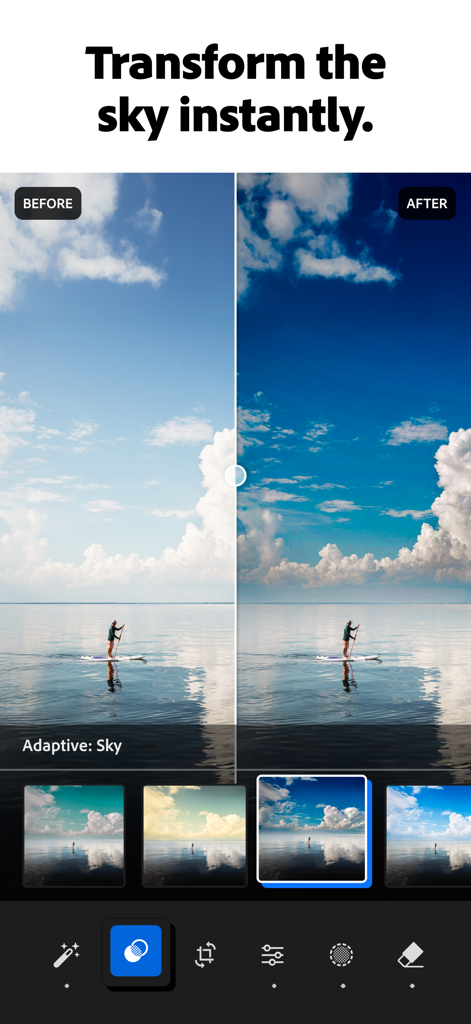
Adobe Lightroom AI写真エディターを使用した空の変形編集前後の比較

Adobe Lightroom AI写真エディターを使用した空の変形編集前後の比較

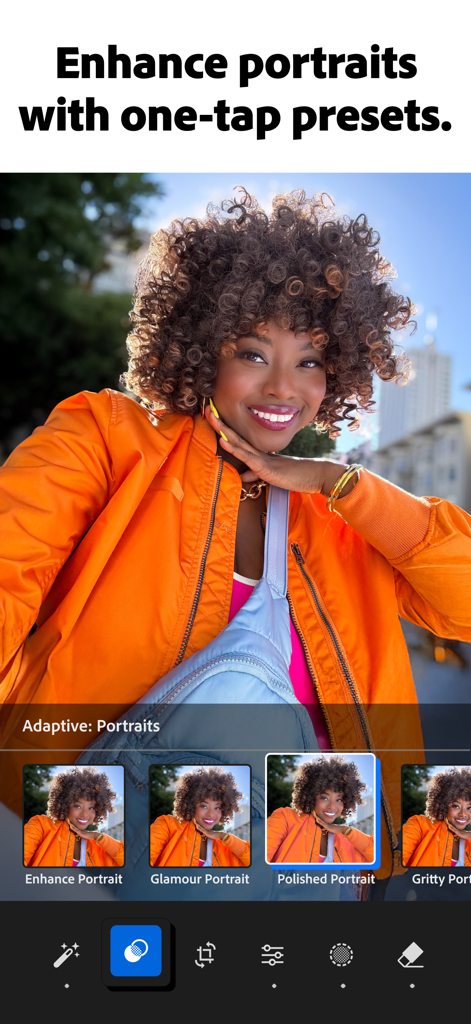
迅速な写真補正のためのアダプティブポートレートプリセットを示すAdobe Lightroomアプリインターフェイス

迅速な写真補正のためのアダプティブポートレートプリセットを示すAdobe Lightroomアプリインターフェイス

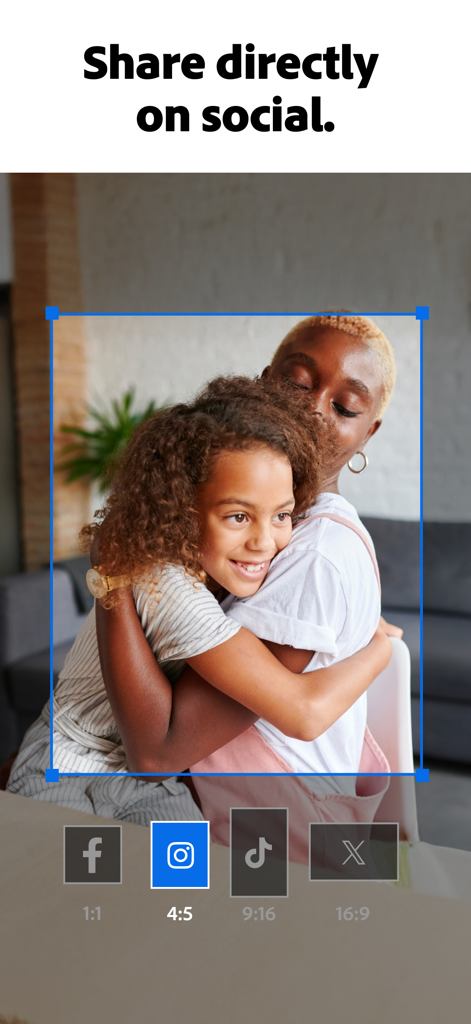
Facebook、Instagram、TikTok、X用のソーシャルメディアアスペクト比のトリミングオプションと共有ボタンを示すAdobe Lightroomアプリインターフェイス

Facebook、Instagram、TikTok、X用のソーシャルメディアアスペクト比のトリミングオプションと共有ボタンを示すAdobe Lightroomアプリインターフェイス

すべてのショットを傑作に変える

このアプリを際立たせるツール、 156M+ 人のユーザーが選択.

🪄

マジックAI消しゴム

ジェネレーティブAIツールで、邪魔なワイヤー、オブジェクト、人物を削除し、すべての写真を意図的でクリーンに見せます。

美学プリセット

クリエイターが共有するフィルターの世界をアンロック。お気に入りのルックを保存して、フィード全体にプロフェッショナルで一貫した雰囲気を与えましょう。

簡単なバッチ編集

写真の大量投稿に最適。1枚の画像を編集し、そのルックをギャラリー全体に瞬時に同期して、時間を節約し、一貫性を保ちましょう。

世界中のユーザーに愛されています

Trusted by 156M+ 人がこのアプリを愛用しています.

"

"Lightroomは私の旅行の共有方法を完全に変えました。ジェネレーティブ除去ツールは、ゴミ箱や群衆のような邪魔なオブジェクトを削除する魔法のようで、写真の大量投稿をする際にバッチ編集が多くの時間を節約してくれます。iPhoneで撮った写真がプロのカメラで撮ったように見えます。"

Taylor R.
"

"コミュニティプリセットのおかげで、私のシグネチャー美学を見つけるのがとても簡単になりました。投稿前に迅速なタッチアップのためにAIクイックアクションを使用するのが大好きです。背景ぼかしは、ポートレートにハイエンドなボケ効果を瞬時に与えます。毎日本当に楽しく使える唯一の写真エディターです。"

Jordan K.

アプリについて

について知っておくべきこと Lightroom AI Photo Editor.

説明

Ever wish your photos could really show what makes a moment special? Adobe Lightroom is a free photo and video editor that helps you do just that. From your dog’s goofy grin to that sunset that took your breath away, Adobe Lightroom makes it simple to bring those moments to life, just the way you see them. Whether you’re snapping pics on the go or curating your social feed, Lightroom puts powerful AI editor tools in your pocket to make quick edits easy and fun. Adobe Lightroom is here to help you create photos you’re proud to share. EASILY MAKE YOUR PHOTOS LOOK AMAZING Want brighter colors? Softer, blurry backgrounds? A quick touch-up to crop and resize a photo? Adobe Lightroom’s one-tap features like Quick Actions and Adaptive Presets let you enhance photo quality in seconds. These AI editor tools suggest the best edits for your images. Perfect for quick fixes or adding a unique vibe, no experience required. Use it as your go-to photo editor. REMOVE DISTRACTIONS AND BLUR BACKGROUND Adobe Lightroom gives you access to tools that feel professional but stay approachable. Blur the photo background for a polished look, adjust the finer details, or use Generative Remove as an object eraser in photos with a few taps. POWERFUL EDITS WITH ZERO HASSLE Take control of light with tools to tweak exposure, highlights, and shadows. Fix photos with presets, photo effects, color grading, hue, saturation, or add a blurry bokeh effect to nail the perfect vibe. It’s all about giving you creative control while keeping it simple. GET INSPIRATION FROM THE COMMUNITY Not sure where to start? Browse photo filters and presets shared by creators around the world. From vintage photo effects to applying a retro photo filter, Adobe Lightroom has the presets to match your aesthetic. Whether you’re looking to make bold edits with AI editor tools or subtle tweaks for polished portrait edits, find a look that matches your style — or create your own. Save your favorites and make every photo feel like you. EDIT ONCE, APPLY EVERYWHERE Snapped a whole concert, travel day, or family gathering? Instead of editing each shot one by one, use Lightroom’s AI photo editor tools. Fix photos in batches to keep your photo edits looking consistent — fast, easy, done. WHY ADOBE LIGHTROOM? • It’s for every moment: whether editing photos for fun, capturing memories, gaining confidence, or sharing on social media. • It’s flexible: start with simple photo editing and grow into a better photographer along the way. Fix photos, crop and resize images, blur background elements, or remove distractions with our object eraser — the editing options are endless with Adobe Lightroom. • It’s an AI photo editor designed to help build confidence, spark creativity, and showcase your authentic style. TOOLS YOU'LL LOVE • Quick Actions: Fix photos with suggested edits tailored to your pics. • Preset Edits: Discover filters or make your own signature look. • Background Blur: Create depth with a blurry background effortlessly. • Generative Remove Edits: Take out the things you didn’t want with this AI photo eraser. • Video Editing: Bring the same creative energy to your clips with tools for light, color, and presets. FOR EVERY KIND OF PHOTOGRAPHER Photo editing has never been easier. Lightroom is here to empower you - to capture sunsets, family moments, or your latest foodie find. With tools to fix pictures, enhance photo quality, and edit videos, Adobe Lightroom gives you the right balance of ease and control. Download Adobe Lightroom today. Terms & Conditions: Your use of this application is governed by the Adobe General Terms of Use http://www.adobe.com/go/terms_au and the Adobe Privacy Policy https://www.adobe.com/go/privacy_policy_au Do not sell or share my personal information www.adobe.com/go/ca-rights

最新バージョン

11.1

サイズ

327.3 MB

リリース日

2014年6月22日

あなたの美学をレベルアップする準備はできましたか?

1億5000万人以上のクリエイターがAI搭載ツールとプロのプリセットを使用して、日常の瞬間を編集レベルの傑作に変えています。今すぐLightroomを無料でダウンロードしましょう。

ダウンロード: App Storeダウンロード: Google Play
FAQ

よくある質問

について知っておくべきこと Lightroom AI Photo Editor

Is Adobe Lightroom a free app?

はい、Adobe Lightroomは無料の写真およびビデオエディターです。強力なAIエディタツールとクリエイティブコントロールを使用して、写真やビデオを強化するのに役立ちます。

What AI editing features does Adobe Lightroom offer?

Adobe Lightroomは、オブジェクト削除のためのジェネレーティブ削除、提案された編集のためのクイックアクション、写真の特定の部分を強化するためのアダプティブプリセットなどのAIエディタツールを提供します。

Can I remove unwanted objects from photos using Lightroom?

はい、Adobe LightroomにはAI写真消しゴムツールであるジェネレーティブ削除が搭載されています。数回タップするだけで、写真から不要な邪魔なものやオブジェクトを削除できます。

Does Adobe Lightroom provide video editing capabilities?

はい、Adobe Lightroomにはビデオ編集機能が含まれています。ユーザーは、光、色、プリセットのツールを使用して、スタイルに合わせたクリップにクリエイティブなエネルギーを適用できます。

How does Adobe Lightroom help improve portrait photos?

Adobe Lightroomは、ポートレート用のアダプティブプリセットとレタッチツールを提供します。ユーザーは、シミ、肌、歯、目などのオプションを含むワンタップ調整でポートレートを強化できます。

Can I apply edits to multiple photos at once in Adobe Lightroom?

はい、Adobe Lightroomではバッチ編集が可能です。ユーザーは一度編集を適用してからバッチで写真を修正できるため、複数の画像にわたって一貫した写真編集をすばやく簡単に維持できます。

How can I blur the background in my photos using Lightroom?

Adobe Lightroomを使用すると、写真の背景をぼかして洗練された外観にすることができます。さまざまな形状と調整可能なぼかし量を持つ「背景ぼかし」ツールが用意されています。

Does Adobe Lightroom allow users to adjust sky elements?

はい、Adobe Lightroomには、写真の空を瞬時に変えるアダプティブ:スカイプリセットがあります。ユーザーは、空のような写真の特定の部分を強化できます。

Where can I find the Terms & Conditions for Adobe Lightroom?

Adobe Lightroomの利用規約は、http://www.adobe.com/go/terms_linkfree_en にあります。このリンクは、アプリの説明内に記載されています。

Does Adobe Lightroom offer color correction tools?

はい、Adobe Lightroomは、正確に色をブーストするためのツールを提供します。ユーザーは、色相、彩度、カラーグレーディング、温度を調整して、写真の目的の外観を実現できます。