Locker: Hidden Photo Vault

Locker: Hidden Photo Vault

ダウンロード: App Store
Spark by MWM logo
ロゴ: Locker: Hidden Photo Vault
Locker: 非表示フォト保管庫 – あなたのプライベートな世界を、あえて隠す

誤ってスワイプしてしまう心配はもういりません。最も機密性の高い写真、動画、メモ、アプリのリンクをFaceID保護の背後に安全に保管します。ステルスモードを使用して、アプリのアイコンを電卓やタイマーのように偽装し、究極のデジタル要塞を築きましょう。

ダウンロード: App Store

開発元

Relentless Consulting, Inc

カテゴリ

Utilities

ダウンロード

4M+

ユーザー評価

4.2/5

評価数

11K+

対応言語

21

一見無害な見た目で、プライバシーを

このインターフェースを利用する 4M+ 人のユーザー.

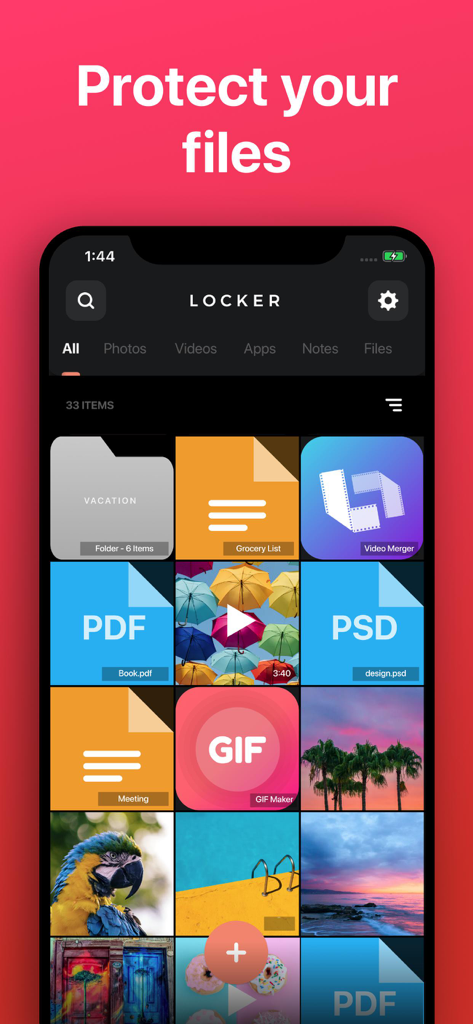
保護された写真、PDFドキュメント、プライベートメモのグリッドが表示されているLockerアプリのインターフェース

保護された写真、PDFドキュメント、プライベートメモのグリッドが表示されているLockerアプリのインターフェース

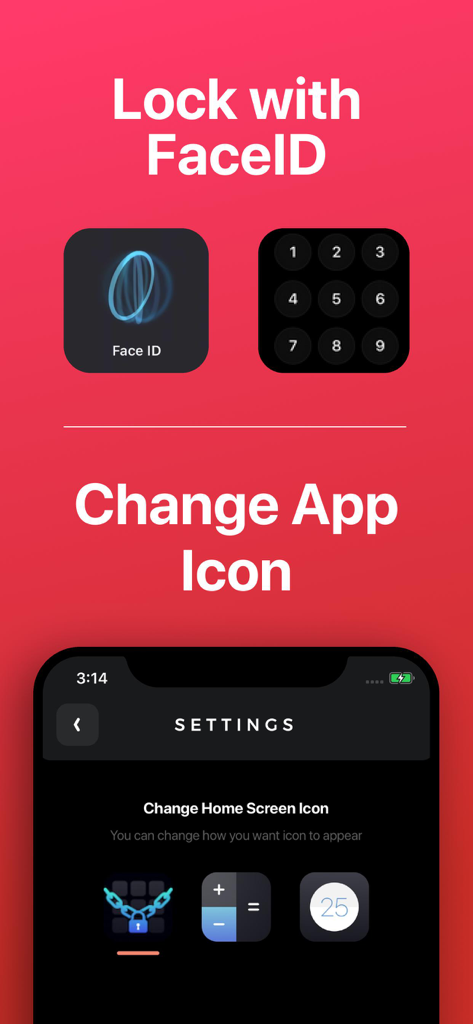
FaceIDセキュリティオプションと、プライバシーのためにアプリのアイコンを電卓に変更する設定が表示されているLockerアプリのインターフェース

FaceIDセキュリティオプションと、プライバシーのためにアプリのアイコンを電卓に変更する設定が表示されているLockerアプリのインターフェース

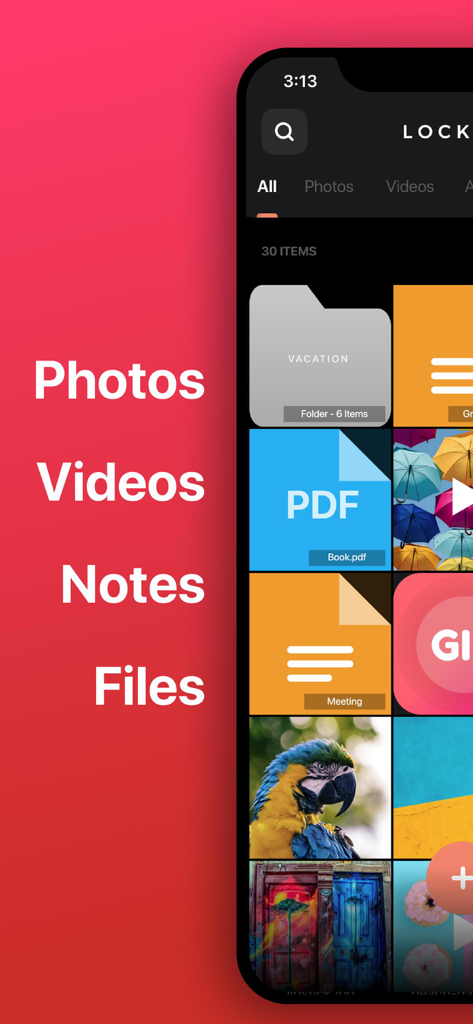
安全な保管庫内の整理されたプライベートフォルダ、PDFファイル、メモ、写真が表示されているLockerアプリのインターフェース

安全な保管庫内の整理されたプライベートフォルダ、PDFファイル、メモ、写真が表示されているLockerアプリのインターフェース

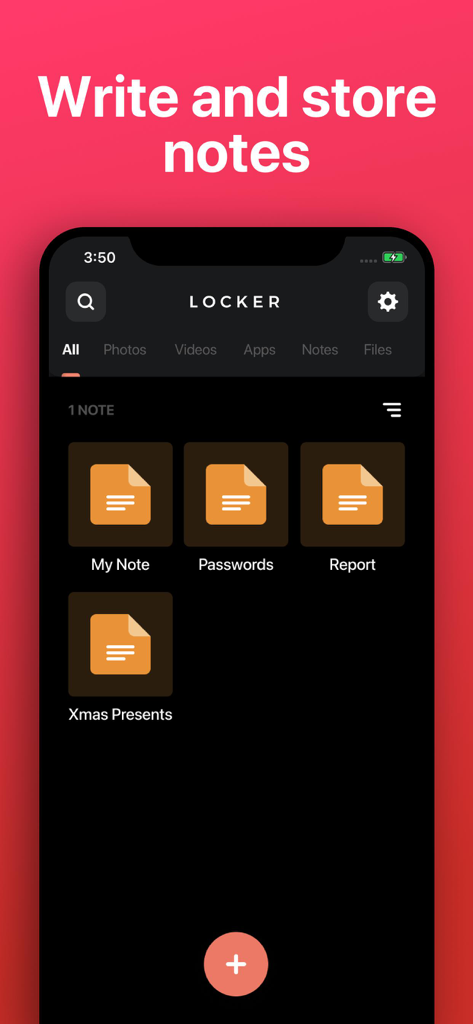
プライベートノートの作成と保存のためのインターフェースが表示されているLockerアプリのスクリーンショット。

プライベートノートの作成と保存のためのインターフェースが表示されているLockerアプリのスクリーンショット。

一見無害な見た目で、完全なプライバシーを

このアプリを際立たせるツール、 4M+ 人のユーザーが選択.

🎭

ソーシャルカモフラージュ

保管庫を無害な電卓やタイマーのように偽装して、詮索好きな目からホーム画面を遠ざけ、ありうる言い逃れを可能にします。

🛡️

生体認証ロックダウン

「誤ってスワイプ」の不安を解消します。FaceIDまたはTouchIDを使用して、デバイス上に残る二次認証レイヤーでプライベートメディアを保護します。

📱

目に見えないアプリショートカット

ホーム画面を整理し、機密性の高いアプリを安全な保管庫に移動して隠し、あなただけが見つけられるようにします。

世界中のユーザーに愛されています

Trusted by 4M+ 人がこのアプリを愛用しています.

"

"アイコンを電卓に変更できるのが気に入っています!友人に電話を見せるために渡すときに、プライベートな生活に誤ってスワイプされる心配がないので、とても安心です。FaceID保護はシームレスで、すべてを安全に保ちます。"

Jordan M.
"

"Lockerは完璧なデジタル保管庫です。仕事の機密文書や、メインのカメラロールやiCloudに置きたくないプライベートなメモを保存するために使用しています。ファイルがローカルに保存され、サーバーに保存されないことを知っていると、完全に安心できます。"

Sarah L.

アプリについて

について知っておくべきこと Locker: Hidden Photo Vault.

説明

Store your Photos, Videos, Notes, Files and App Links behind FaceID/TouchID protection! • Change Locker’s app icon to a calculator or timer! • Set up FaceID, TouchID, or PIN protection to access your Locker! • Store any type of file! Protect your: • Photos & Videos: Store photos and videos in your Locker rather than your Photos library • Notes: Write private notes directly inside the Locker app! • Files: Store any file inside your Locker where only YOU can access! • App links: Add app links to Locker, so you can remove them from your home screen while still easily accessing them. NOTE: Apps cannot be removed from your device's "App Library", so there is no way to completely password-protect an app. Note: You will not be able to access your Locker if you choose not to set up FaceID / TouchID and you forget your PIN. We are not responsible for lost files and we cannot remove information or apps from other areas of your device. If app is deleted, or device is lost/broken, you files will not be recoverable except if you have a previous backup of your device. Files are only stored on your device, are never stored on our servers and are not accessible by Locker developers. This app includes an optional auto-renewable subscription (Premium Pass): Premium Pass beings with a free trial period, then an auto-renewable monthly subscription when trial ends. Payment will be charged to your Apple account at confirmation of purchase and will automatically renew (at the duration/price selected) unless auto-renew is turned off at least 24 hrs before the end of the current period. Account will be charged for renewal within 24-hours prior to the end of the current period. Current subscription may not be cancelled during the active subscription period; however, you can manage your subscription and/or turn off auto-renewal by visiting your Apple Account Settings after purchase. Any unused portion of the free initial period will be forfeited when you purchase a subscription. Privacy Policy: https://float.support/locker/privacy Terms of Use: https://float.support/locker/terms

最新バージョン

4.1.2

サイズ

42.3 MB

リリース日

2017年7月24日

ステルスモードでプライベートな生活を安全に

FaceIDと秘密のアイコンで写真、メモ、アプリを保護している400万人以上のユーザーに加わりましょう。コントロールを取り戻し、不安なく電話を友人に渡しましょう。

ダウンロード: App Store