Magnetscape

Magnetscape

ダウンロード: App Store
Spark by MWM logo
ロゴ: Magnetscape

Magnetscape: プロフェッショナルな磁場可視化とFFT解析

iPhoneを高精度磁力計に変身させましょう。RAWセンサーデータをリアルタイムで監視し、周波数解析を実行し、科学的精度で目に見えない磁場を可視化します。

ダウンロード: App Store

開発元

TOON,LLC

カテゴリ

Utilities

ダウンロード

6K+

ユーザー評価

1.0/5

評価数

0

対応言語

1

見えないものを可視化

このインターフェースを利用する 6K+ 人のユーザー.

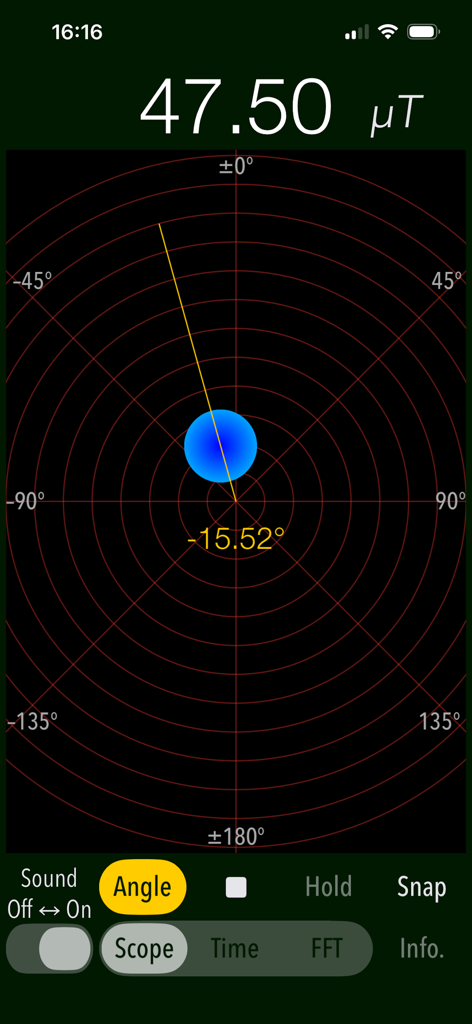
Magnetscapeアプリのスクリーンショット。スコープモードで磁場の強さと角度を表示

Magnetscapeアプリのスクリーンショット。スコープモードで磁場の強さと角度を表示

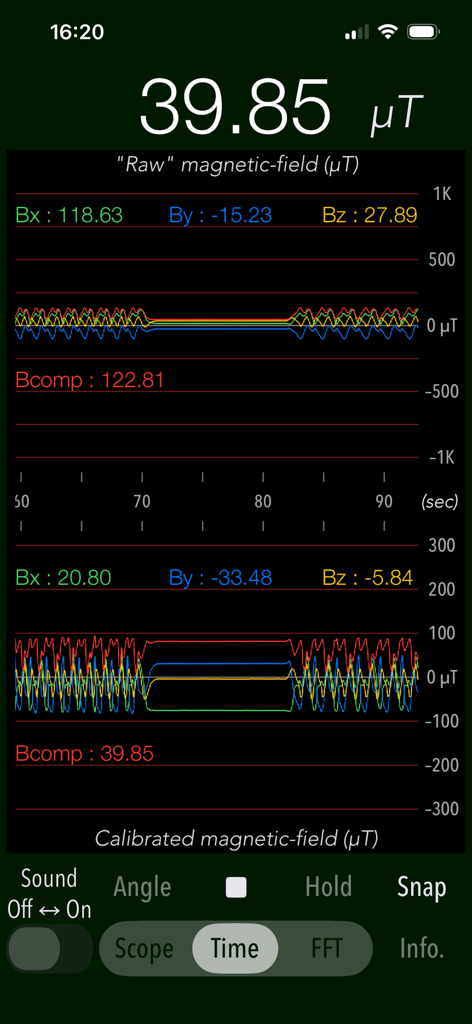
Magnetscapeアプリの時間測定モード。RAWおよびキャリブレーションされた磁場グラフを表示

Magnetscapeアプリの時間測定モード。RAWおよびキャリブレーションされた磁場グラフを表示

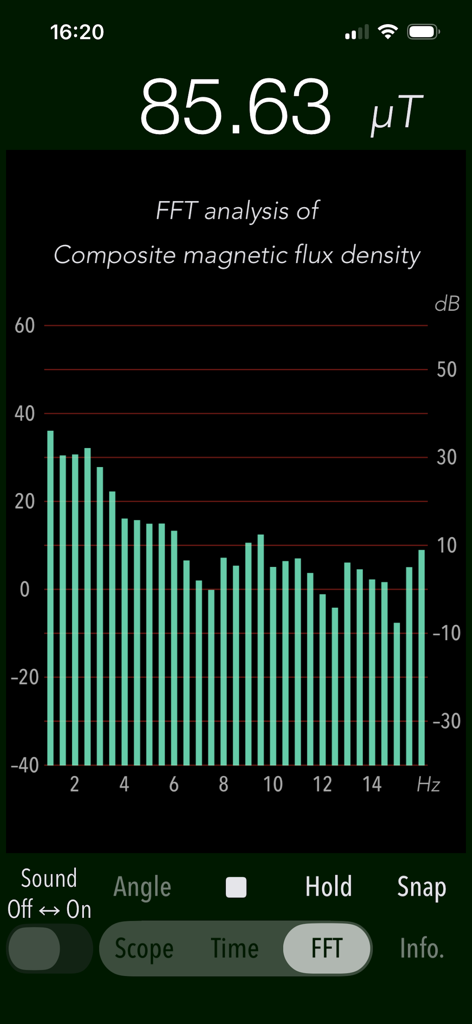
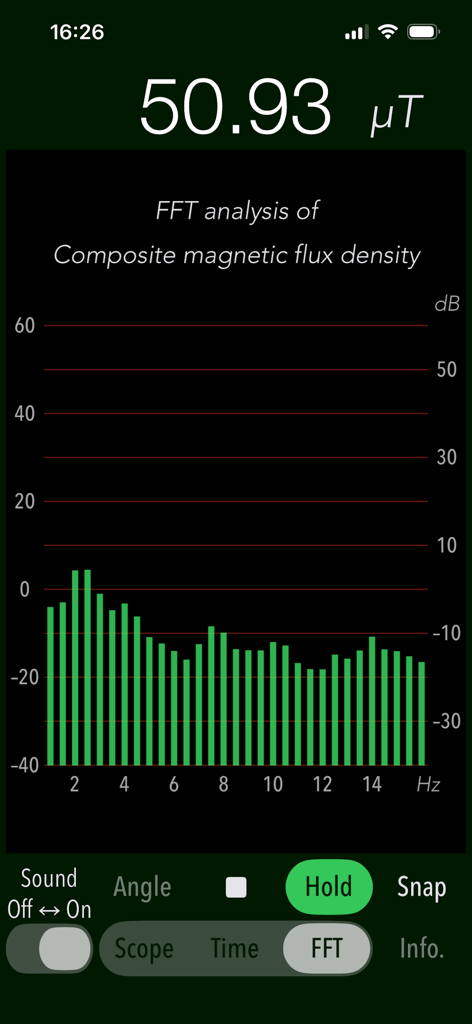
Magnetscapeアプリの画面。磁場のFFT周波数解析を表示

Magnetscapeアプリの画面。磁場のFFT周波数解析を表示

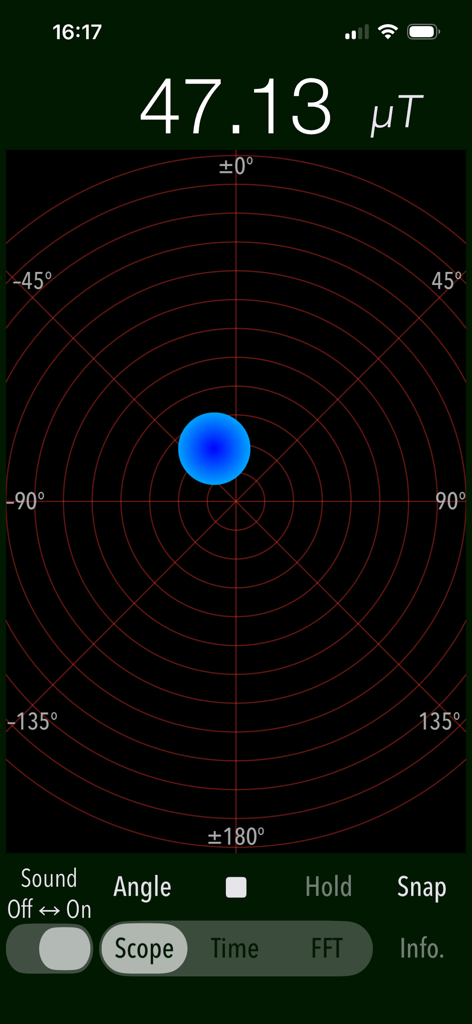
Magnetscapeアプリのスコープ画面。レーダーのようなグリッドに47.13マイクロテスラの磁束密度を表示

Magnetscapeアプリのスコープ画面。レーダーのようなグリッドに47.13マイクロテスラの磁束密度を表示

Magnetscapeアプリの画面。磁場周波数データのFFT解析を表示

Magnetscapeアプリの画面。磁場周波数データのFFT解析を表示

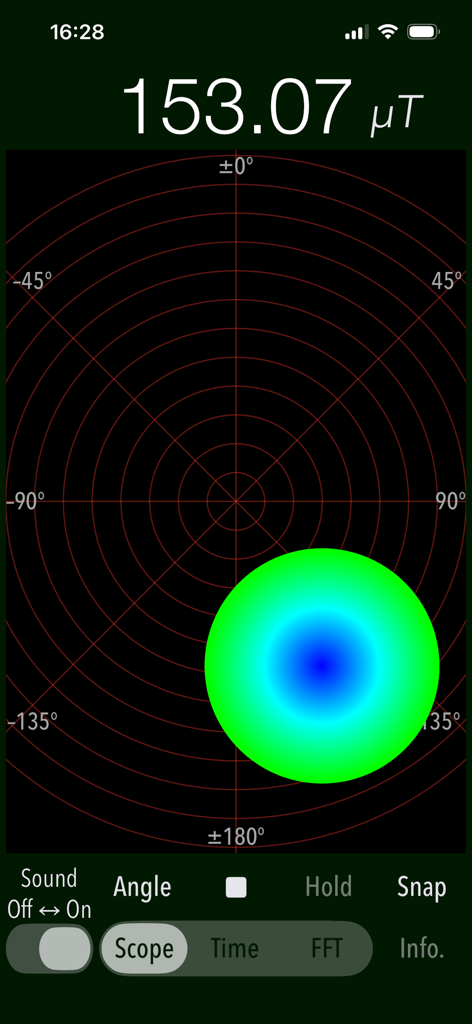
Magnetscapeアプリのスコープモード。153.07マイクロテスラの磁場測定値と円形のグラフ表示

Magnetscapeアプリのスコープモード。153.07マイクロテスラの磁場測定値と円形のグラフ表示

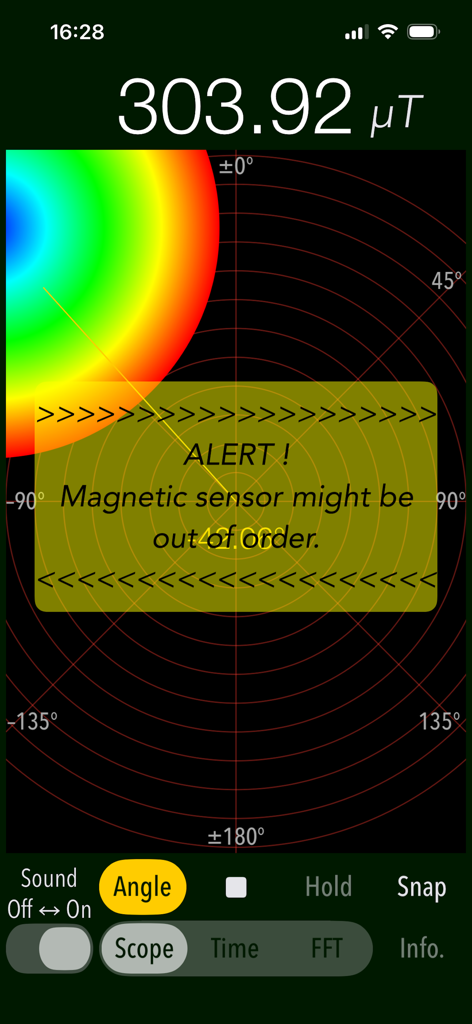
Magnetscapeアプリ。スコープモードで磁気センサーアラートと高マイクロテスラ値が表示

Magnetscapeアプリ。スコープモードで磁気センサーアラートと高マイクロテスラ値が表示

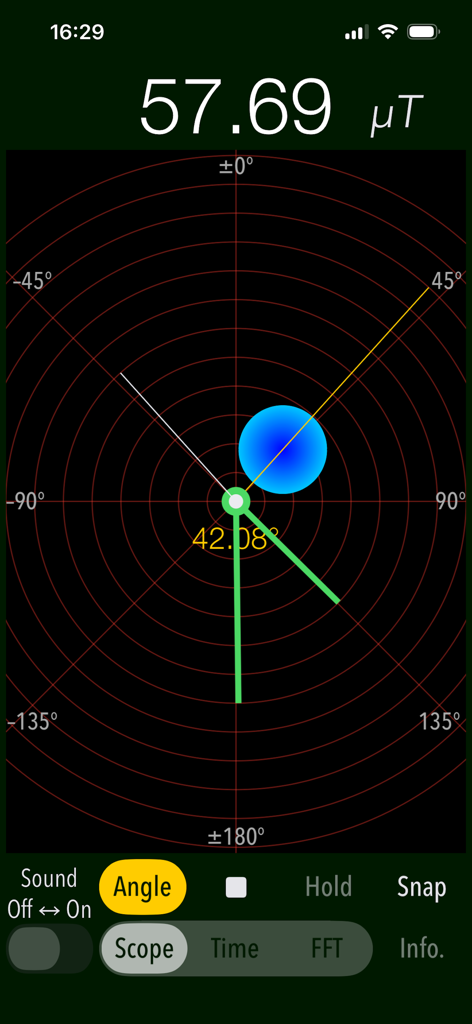
Magnetscapeアプリのスコープモードインターフェイス。リアルタイムの磁場強度と方向を表示

Magnetscapeアプリのスコープモードインターフェイス。リアルタイムの磁場強度と方向を表示

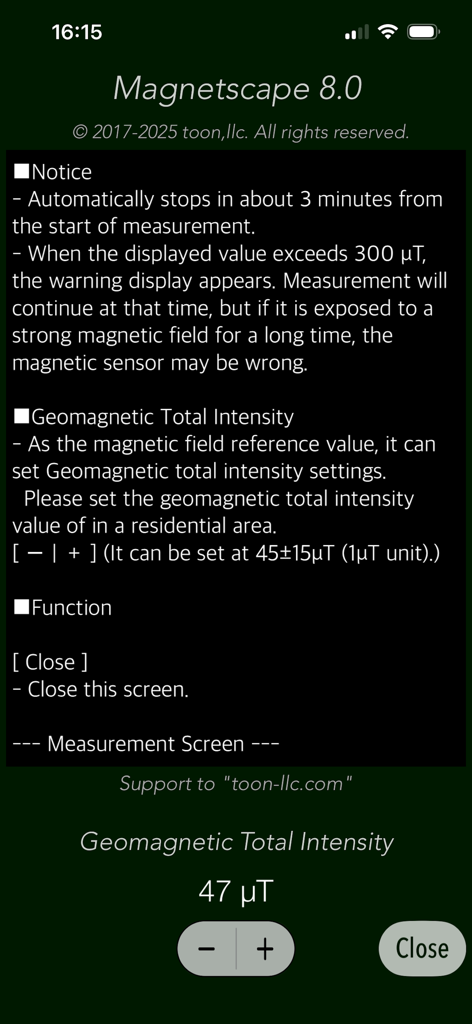
Magnetscapeアプリの設定画面。地磁気強度キャリブレーションと測定通知を表示

Magnetscapeアプリの設定画面。地磁気強度キャリブレーションと測定通知を表示

身の回りの見えない世界を可視化

このアプリを際立たせるツール、 6K+ 人のユーザーが選択.

🎯

リアルタイム磁場マッピング

スコープモードで即座にフィールドをナビゲート。迅速な特定のために設計された直感的なグラフィカルインターフェイスを通じて、磁気源の強度、方向、極性を可視化します。

📊

プロフェッショナル周波数解析

基本的な検出を超えて、FFT解析を実行しましょう。32Hzのハイサンプリングレートで、特定の電磁干渉(EMI)を特定し、RAWのBx、By、Bzデータストリームを監視します。

🛡️

高精度検出・アラート

隠れた金属スタッド、パイプ、異常を容易に特定します。300μTを超えるフィールドに対するカスタムアラートを設定し、調査中の最大フィールド強度をキャプチャするためにピークホールド機能を使用します。

世界中のユーザーに愛されています

Trusted by 6K+ 人がこのアプリを愛用しています.

"

"Magnetscapeは私の作業台に不可欠なツールです。データを単純化しすぎる他のアプリとは異なり、FFT解析とRAW出力により、電磁干渉源を数秒で正確に特定できます。ほとんどのタスクで、専用のハンドヘルドメーターを置き換えました。"

David L., システムエンジニア
"

"スコープモードのビジュアルインターフェイスが気に入っています!磁場の極性と強度を非常に簡単に理解できます。隠れた金属スタッドを確認する場合でも、単にガジェット周りのフィールドに興味がある場合でも、このアプリは真に印象的な詳細なリアルタイムインサイトを提供します。"

Elena R., テック愛好家

アプリについて

について知っておくべきこと Magnetscape.

説明

"Magnetscape" is a new real-time measurement app that observes invisible magnetic fields using the iPhone's built-in magnetic sensor. There are various magnetic fields around us. For instance, the magnetic field fluctuates even when large motors, compressors or metal are nearby. The Earth's magnetic field exists even in empty places, and we are constantly affected by it. "Magnetscape" enables real-time monitoring of surrounding magnetic fields and can be utilized for various applications in real life. It can be used for investigating static magnetic fields, searching weak electromagnetic fields within alternating magnetic fields, locating metals and more. This app features three measurement modes for magnetic field observation, allowing you to use it according to your needs. - Scope Displays the magnitude and direction of the magnetic field graphically. The magnetic flux density of the magnetic field is expressed by the size and color of the graphic circle. The position of the graphic circle on the display moves according to the polarity of the magnetic source. The polarity is attracted to the N pole if it is in the same direction as the geomagnetic field. If it is the opposite (S pole), the polarity will be reversed away . If there is no metal or magnetic field nearby, it will be shifted in the direction of the geomagnetism (N pole). - Time Trace the raw data from the magnetic sensor and its corrected data. It is a time displacement graph of each axis value (Bx, By, and Bz) and the composite magnetic flux density (Bcomp) in three-dimensional space. You can scroll up to 180 seconds. - FFT Perform frequency analysis on the changing magnetic field. It displays the result of FFT analysis of the composite magnetic flux density. Horizontal axis: Frequency 1 - 16 Hz (0.5 Hz) Vertical axis: dB (ratio to default standard value 45 μT). Reference value can be set in units of 45 ± 15 μT / 1 μT. Features: - Graphical display of magnetic field observation by magnetic sensor (Scope) - Time displacement graph display of magnetic field observation (Time) - FFT analysis (FFT) - Magnetic field observation  X axis: Intensity (Bx) of the magnetic field of (the right direction toward the screen)  Y axis: Intensity (By) of the magnetic field of (upward toward the screen)  Z axis: Magnetic field strength (Bz) in the of (vertical upward direction of the screen)  Composite magnetic flux density: The magnetic field strength (Bcomp) taking into account all three components of the x-axis, y-axis and z-axis.  Sampling frequency: 32 Hz  Unit of observation value: uT - Measurement time: 3 minutes - Alert function: A warning message will be displayed if the composite magnetic flux density exceeds 300 μT. - Alert sound function. (Sound Off/On) - Peak hold function on FFT mode. - Angle display function in Scope mode (Angle) - Clock display function in Scope mode. Notes: - The display value of this application is the RAW output data from the magnetic sensor itself. It does not perform any processing such as filter processing within the application. - Since the magnetic sensor is a sensitive device, the internal reference value of the magnetic sensor may be disturbed if exposed to extremely strong magnets and magnetic fields for a long time. - If the reference value of the magnetic sensor becomes incorrect, the magnetic sensor will automatically readjust after you stop the application and leave it for a while. If the magnetic sensor remains unstable, please try the electronic compass calibration and reset procedure. Please visit our iOS App Support page for more information on this app.

最新バージョン

8.0

サイズ

0.6 MB

リリース日

2017年4月19日

プロレベルの磁場インサイトを解き放つ

数千人もの専門家や愛好家と共に、目に見えない世界を可視化しましょう。Magnetscapeをダウンロードして、RAWセンサーデータ、リアルタイムFFT解析、高精度監視に今すぐアクセスしましょう。

ダウンロード: App Store
FAQ

よくある質問

について知っておくべきこと Magnetscape

Magnetscapeとは何ですか?

Magnetscapeは、目に見えない磁場をリアルタイムで測定・観測するためのiPhoneアプリケーションです。デバイスに内蔵されている磁気センサーを利用して、磁場の大きさや方向を表示します。

Magnetscapeアプリはどのように磁場を測定しますか?

Magnetscapeアプリは、iPhoneに内蔵されている磁気センサーを利用して磁場を測定します。リアルタイムでの観測を提供し、内部処理なしでセンサーからの生の出力データを直接表示します。

Magnetscapeアプリで利用できる主な測定モードは何ですか?

Magnetscapeアプリには、スコープ、タイム、FFTの3つの主要な測定モードがあります。各モードは、磁場を観測および分析するための異なる方法を提供します。

Magnetscapeアプリのスコープモードは何を表示しますか?

Magnetscapeのスコープモードは、磁場の大きさや方向をグラフィカルに表示します。グラフィック円のサイズと色は磁束密度を表し、その位置は極性を示します。

Magnetscapeアプリのタイムモードはどのような情報を提供しますか?

Magnetscapeのタイムモードは、磁気センサーからの生のデータと補正されたデータをトレースします。各軸(Bx、By、Bz)と複合磁束密度(Bcomp)の時間変位グラフを表示し、180秒間スクロール可能です。

MagnetscapeアプリのFFTモードの目的は何ですか?

MagnetscapeのFFTモードは、変化する磁場に対して周波数分析を実行します。複合磁束密度の高速フーリエ変換分析の結果を表示します。

Magnetscapeアプリは強力な磁場に対するアラートを提供しますか?

はい、Magnetscapeにはアラート機能が含まれています。複合磁束密度が300μTを超えた場合、警告メッセージが表示され、アラート音をオンまたはオフにすることができます。

Magnetscapeでの観測値の単位は何ですか?

Magnetscapeアプリ内の磁場観測値の単位はマイクロテスラ(μT)です。この単位は磁束密度を測定します。

Magnetscapeの最大測定時間はどれくらいですか?

Magnetscapeアプリの最大測定時間は3分です。測定開始からこの時間が経過すると、観測は自動的に停止します。

Magnetscapeアプリは磁気センサーのデータを処理しますか?

いいえ、Magnetscapeはアプリケーション内でフィルタ処理などの処理を一切行いません。磁気センサー自体のRAW出力データをそのまま表示します。

Magnetscapeの使用中に強力な磁場がiPhoneのセンサーに影響を与える可能性はありますか?

はい、Magnetscapeの使用中に強力な磁場がiPhoneの磁気センサーに影響を与える可能性があります。非常に強力な磁石に長時間さらされると、センサーの内部基準値が乱れることがあります。

Magnetscapeの使用後、乱れた磁気センサーはどのように再調整されますか?

乱れた磁気センサーは、Magnetscapeアプリを停止してしばらく放置すると自動的に再調整されます。不安定さが続く場合は、電子コンパスのキャリブレーションやリセット手順を試すことができます。