Microsoft Teams

Microsoft Teams

ダウンロード: App Storeダウンロード: Google Play
Spark by MWM logo
ロゴ: Microsoft Teams

Microsoft Teams: 仕事、コミュニティ、つながりのためのオールインワン ハブ

チャット、会議、タスク、ファイルを 1 つの安全な場所に集約した唯一のアプリで、ハイブリッドな生活を充実させましょう。プロフェッショナル、学生、オーガナイザーのすべての方に向けて構築されています。

ダウンロード: App Store

開発元

Microsoft Corporation

カテゴリ

Business

ダウンロード

334M+

ユーザー評価

4.7/5

評価数

11M+

対応言語

48

活用されるハブ

このインターフェースを利用する 334M+ 人のユーザー.

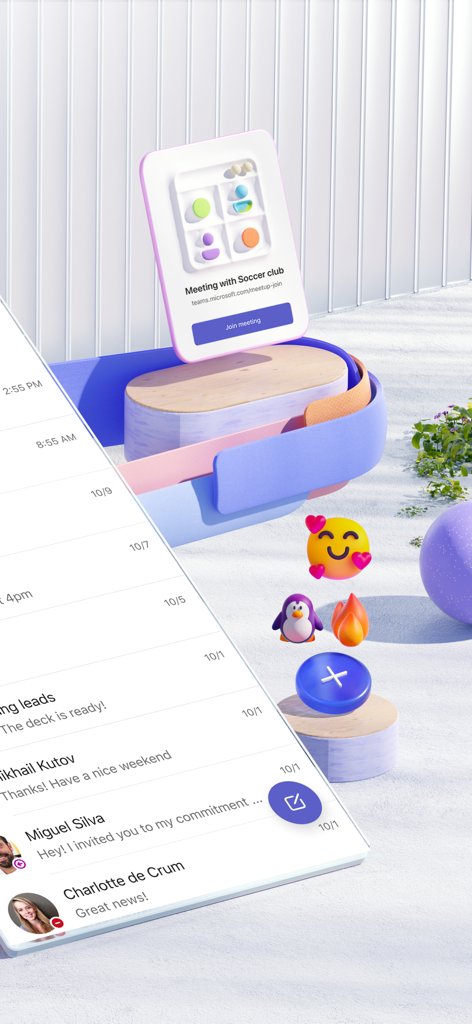
連絡先リストとグループ メッセージが表示された Microsoft Teams チャット インターフェースを示すスマートフォン

連絡先リストとグループ メッセージが表示された Microsoft Teams チャット インターフェースを示すスマートフォン

Microsoft Teams のチャット メッセージと、コミュニティ グループのフローティング会議通知が表示されたモバイル デバイス。

Microsoft Teams のチャット メッセージと、コミュニティ グループのフローティング会議通知が表示されたモバイル デバイス。

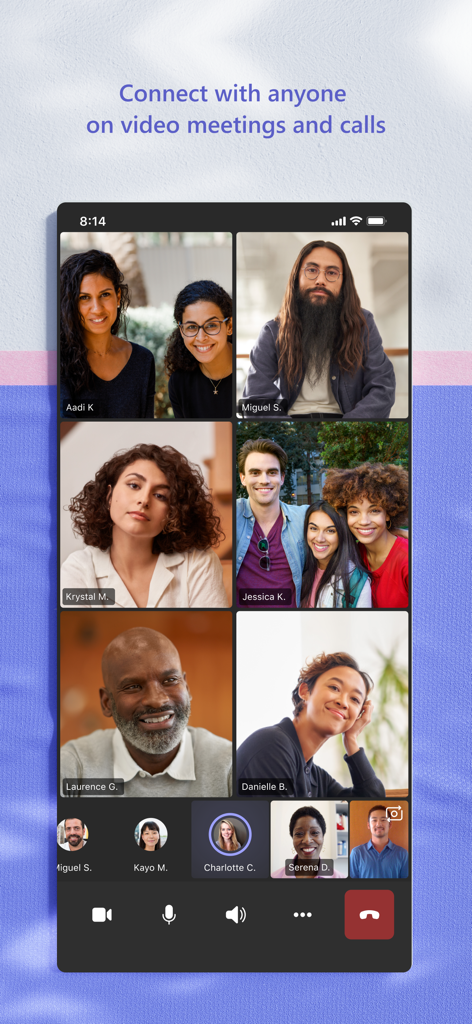
Microsoft Teams モバイル アプリでのグループ ビデオ通話

Microsoft Teams モバイル アプリでのグループ ビデオ通話

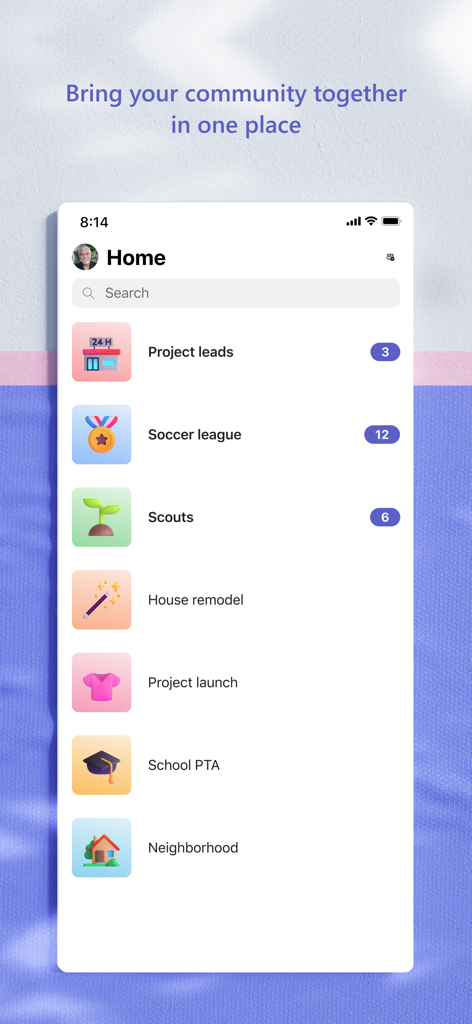
さまざまなコミュニティ グループやプロジェクト フォルダーのリストが表示された Microsoft Teams モバイル アプリのホーム画面

さまざまなコミュニティ グループやプロジェクト フォルダーのリストが表示された Microsoft Teams モバイル アプリのホーム画面

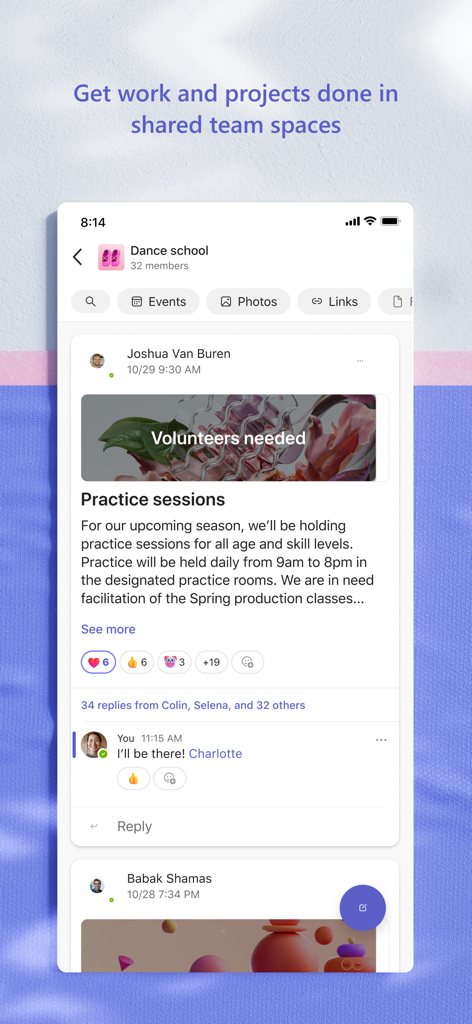
練習セッションに関する投稿とコラボレーション機能が表示された、ダンス スクールのコミュニティ ページを示す Microsoft Teams アプリのインターフェース。

練習セッションに関する投稿とコラボレーション機能が表示された、ダンス スクールのコミュニティ ページを示す Microsoft Teams アプリのインターフェース。

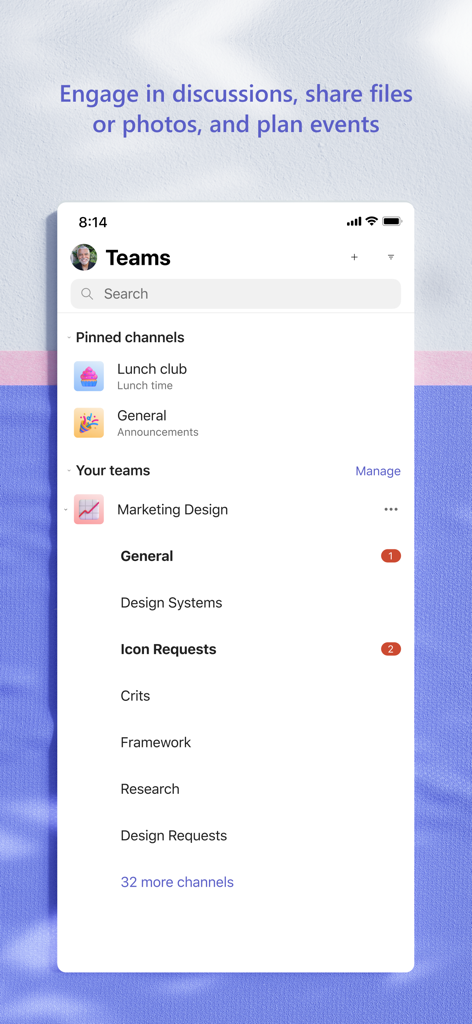
整理された固定チャネルと、プロフェッショナルなコラボレーションのためのチーム ワークスペースが表示された Microsoft Teams モバイル アプリのインターフェース。

整理された固定チャネルと、プロフェッショナルなコラボレーションのためのチーム ワークスペースが表示された Microsoft Teams モバイル アプリのインターフェース。

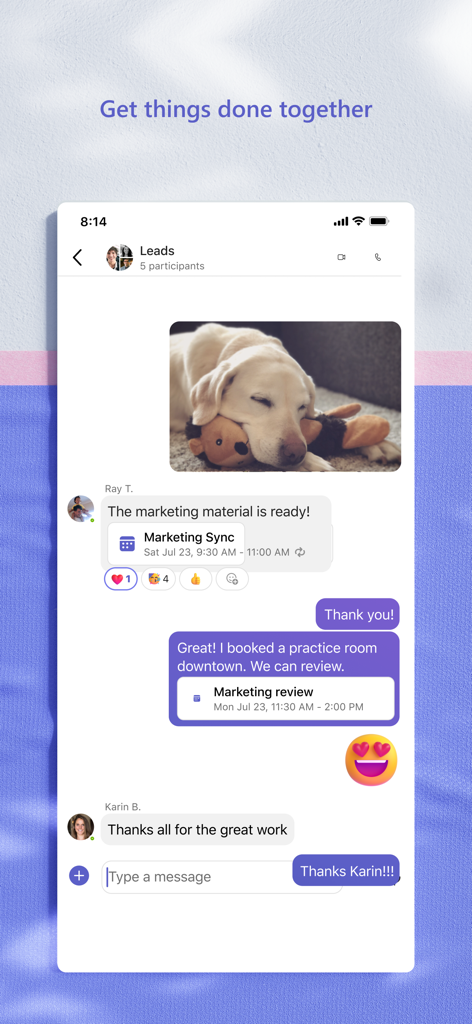
メッセージ、共有された写真、カレンダーの会議出席依頼が表示された Microsoft Teams グループ チャットのモバイル ビュー

メッセージ、共有された写真、カレンダーの会議出席依頼が表示された Microsoft Teams グループ チャットのモバイル ビュー

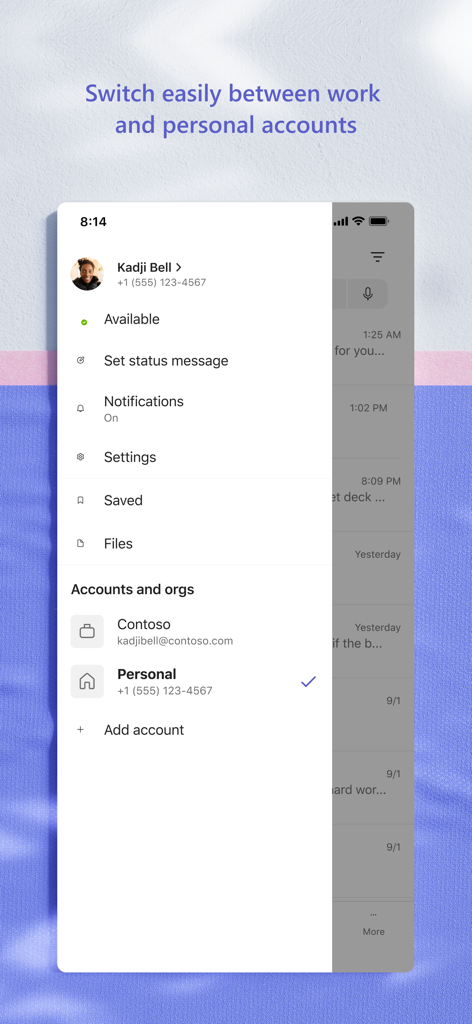
職場アカウントと個人用アカウントを切り替えるメニューが表示された Microsoft Teams モバイル アプリのインターフェース

職場アカウントと個人用アカウントを切り替えるメニューが表示された Microsoft Teams モバイル アプリのインターフェース

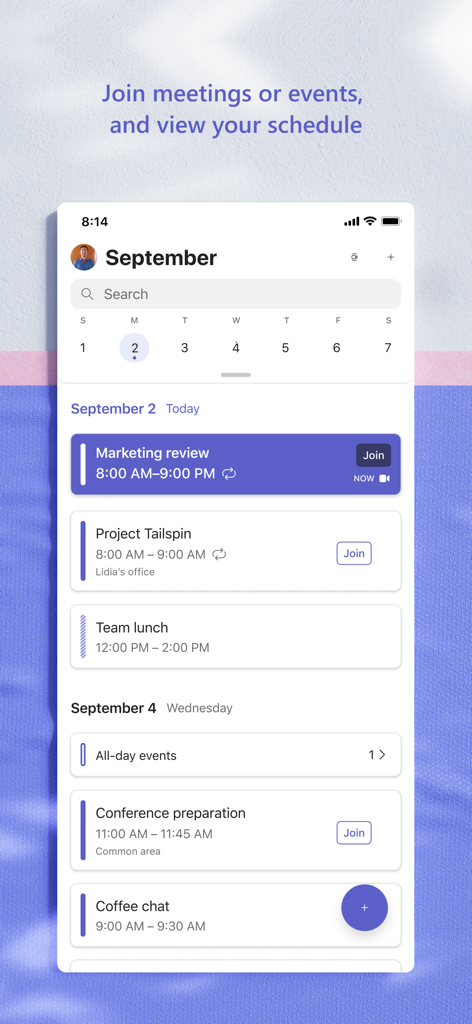
予定された会議やイベントへの参加オプションを含む、1 日のスケジュールが表示された Microsoft Teams モバイル アプリのスクリーンショット。

予定された会議やイベントへの参加オプションを含む、1 日のスケジュールが表示された Microsoft Teams モバイル アプリのスクリーンショット。

オールインワンのコラボレーション ハブ

このアプリを際立たせるツール、 334M+ 人のユーザーが選択.

🤝

シームレスな接続性

グループ チャットから高画質のビデオ通話へ瞬時に移行し、あらゆるデバイスからチームやコミュニティとのつながりを維持できます。

📊

統合されたワークフロー

アプリケーションを切り替えることなく、Microsoft 365 ドキュメントにリアルタイムでアクセス、共有、共同編集ができます。

🛡️

エンタープライズ グレードのセキュリティ

Microsoft エコシステムの堅牢なセキュリティとコンプライアンスに支えられ、プロジェクトや機密データを安心して管理できます。

世界中のユーザーに愛されています

Trusted by 334M+ 人がこのアプリを愛用しています.

"

"3 つのタイムゾーンにまたがるハイブリッド チームの管理は、かつてはアプリの切り替えに追われる悪夢のようでした。Teams を使えば、ビデオ通話、共有スプレッドシート、タスク リストを 1 つのビューで確認できます。プロジェクトを確実に軌道に乗せてくれる、究極の生産性ハブです。"

エレナ・ロドリゲス、シニア プロジェクト リード
"

"最初は仕事で Teams を使い始めましたが、今では非営利団体の理事会でも使用しています。安全なファイル ストレージと専用チャネルのおかげで、終わりのないメールのやり取りよりも、年次募金活動の準備がずっと簡単になりました。信頼性が高くプロフェッショナルで、生活を整理してくれます。"

マーカス・トンプソン、コミュニティ ディレクター

レビュー分析

ユーザーレビューの分析.

感情スコア

23%
ネガティブ

概要

The mobile app receives overwhelmingly negative feedback, primarily stemming from persistent login and authentication issues, which often involve complex loops with authenticator apps and frequent logouts, especially after recent updates. Users widely criticize the app's poor performance, describing it as consistently slow to load, download, and generally sluggish, leading to battery drain. Additionally, numerous critical bugs impact core functionalities such as calls ending abruptly, messages and media failing to display, notifications not clearing, and assignments being inaccessible. Specific version-related bugs, like login failures and inability to create meetings after the 2025-10-28/29 and 2025-11-21 updates, are frequently mentioned. Despite these widespread issues, some users still find the app functional for work and educational settings, expressing desire for more reaction options and community management features.

主なテーマ

Communication Features Bugs(12)
Login and Account Access(10)
Performance and Responsiveness(7)
Assignment and Media Display Issues(7)
Positive Feedback / Feature Suggestions(7)
User Interface and Audio Experience(4)

アプリについて

について知っておくべきこと Microsoft Teams.

説明

Whether you’re connecting with your community for an upcoming activity or working with teammates on a project, Microsoft Teams helps bring people together so that they can get things done. It’s the only app that has communities, events, chats, channels, meetings, storage, tasks, and calendars in one place—so you can easily connect and manage access to information. Get your community, family, friends, or workmates together to accomplish tasks, share ideas, and make plans. Join audio and video calls in a secure setting, collaborate in documents, and store files and photos with built-in cloud storage. You can do it all in Microsoft Teams. Easily connect with anyone: • Skype is now part of Teams. Continue where you left off with your chats, calls and contacts in Microsoft Teams Free. • Meet securely with communities, teammates, family, or friends. • Set up a meeting within seconds and invite anyone by sharing a link or calendar invite. • Chat 1-1 or to your entire community, @mention people in chats to get their attention. • Create a dedicated community to discuss specific topics and make plans*. • Work closely and collaborate by keeping conversations organized by specific topics and projects with teams and channels. • Video or audio call anyone directly in Teams or instantly convert a group chat to a call. • Use GIFs, emojis, and message animations to express yourself when words aren’t enough. Accomplish plans and projects together: • Send photos and videos in chats to quickly and easily share important moments. • Use cloud storage to access shared documents and files on the go. • Organize shared content in a community — events, photos, links, files —so you don’t have to waste time searching*. • Get the most out of your meetings by using screen share, whiteboard, or breakout in virtual rooms. • Manage access to information and ensure the right people have access to the right info, even when people join and leave projects. • Use task lists to stay on top of projects and plans - assign tasks, set due dates, and cross off items to keep everyone on the same page. Designed to give you peace of mind: • Securely collaborate with others while maintaining control over your data. • Keep communities safe by allowing owners to remove inappropriate content or members*. • Enterprise-level security and compliance you expect from Microsoft 365**. *Available when using Microsoft Teams with your Microsoft account. **Commercial features of this app require a paid Microsoft 365 commercial subscription or a trial subscription of Microsoft Teams for work. If you’re not sure about your company’s subscription or the services you have access to, visit Office.com/Teams to learn more or contact your IT department. By downloading Teams, you agree to the license (see aka.ms/eulateamsmobile) and privacy terms (see aka.ms/privacy). For support or feedback, email us at mtiosapp@microsoft.com. EU Contract Summary: aka.ms/EUContractSummary Consumer Health Data Privacy Policy   https://go.microsoft.com/fwlink/?linkid=2259814

最新バージョン

7.22.2

サイズ

435.9 MB

リリース日

2016年11月2日

仕事やつながりの方法をシンプルにする準備はできていますか?

安全なオールインワン コラボレーションのために Microsoft Teams を信頼している何百万人ものプロフェッショナルの仲間に加わりましょう。今すぐダウンロードして、プロジェクト、チャット、コミュニティを常に同期しましょう。

ダウンロード: App Storeダウンロード: Google Play
FAQ

よくある質問

について知っておくべきこと Microsoft Teams

Microsoft Teamsとは何ですか?

Microsoft Teamsは、コミュニケーションとコラボレーションのために人々を結びつける包括的なアプリケーションです。コミュニティ、イベント、チャット、チャネル、会議、ストレージ、タスク、カレンダーを単一のプラットフォームに統合しています。

Microsoft Teamsにはどのようなコミュニケーション機能が含まれていますか?

Microsoft Teamsは、安全な音声通話とビデオ通話、1対1またはグループチャット、@メンション、Skypeチャットや連絡先などの統合機能を提供します。GIF、絵文字、メッセージアニメーションで自分を表現できます。

Microsoft Teams内でドキュメントやファイルを共同編集できますか?

はい、Microsoft Teamsでは、組み込みのクラウドストレージを使用してドキュメントの共同編集やファイル、写真の保存が可能です。共有コンテンツはコミュニティ内で整理でき、会議では画面共有やホワイトボード機能が利用できます。

Microsoft Teamsはビデオ会議や通話をサポートしていますか?

はい、Microsoft Teamsはビデオ会議や通話をサポートしています。ユーザーは安全に誰とでも接続でき、会議を即座に設定し、リンクまたはカレンダー招待で参加者を招待できます。アプリはグリッド表示で複数の参加者を表示します。

Microsoft Teams内でタスクやプロジェクトを直接管理できますか?

はい、Microsoft Teamsではプロジェクトや計画を管理できます。タスクリストが含まれており、タスクの割り当て、期日の設定、完了状況の追跡ができ、プロジェクトの進捗状況について全員が同期していることを保証します。

Microsoft Teamsはどのようなセキュリティとプライバシー機能を提供しますか?

Microsoft Teamsは、安全なコラボレーション、データに対するユーザーコントロール、コミュニティオーナーが不適切なコンテンツやメンバーを削除するためのツールを提供します。Microsoft 365のエンタープライズレベルのセキュリティとコンプライアンスを組み込んでいます。

Microsoft Teamsは無料で利用できますか?

はい、Microsoft Teamsの基本的な機能は無料で利用できます。ただし、商用機能には有料のMicrosoft 365商用サブスクリプションまたはMicrosoft Teams for workの試用サブスクリプションが必要です。

Microsoft Teamsでは、仕事用アカウントと個人用アカウントを切り替えることはできますか?

はい、Microsoft Teamsでは、仕事用アカウントと個人用アカウントを簡単に切り替えることができます。アプリは、専用のメニューから異なる組織または個人のプロファイルを選択または追加できるインターフェイスを提供します。

Microsoft Teamsはコミュニティイベントの整理にどのように役立ちますか?

Microsoft Teamsは、写真、リンク、ファイルとともにコミュニティイベントを整理するための専用スペースを提供します。ユーザーは、アプリインターフェイス内のカレンダーから直接予定されているイベントを表示したり参加したりできます。

Microsoft TeamsはSkypeと統合されていますか?

はい、Skypeは現在Microsoft Teamsの一部です。ユーザーは、Microsoft Teams Free内でSkypeのチャット、通話、連絡先へのアクセスを継続でき、コミュニケーションを統合できます。