Midiflow Motion (Audiobus)

Midiflow Motion (Audiobus)

ダウンロード: App Store
Spark by MWM logo
ロゴ: Midiflow Motion (Audiobus)

Midiflow Motion (Audiobus): 動きを純粋な表現へ

iPadをプロ仕様のモーションコントローラーに変身させましょう。デバイスの回転をフィルターからピッチベンドまで、あらゆるMIDIパラメーターにマッピングし、Audiobus 3のセッションに有機的で物理的なダイナミクスをもたらします。

ダウンロード: App Store

開発元

Johannes Doerr

カテゴリ

Music

ダウンロード

1K+

ユーザー評価

4.4/5

評価数

0

対応言語

1

モーションによるパフォーマンス

このインターフェースを利用する 1K+ 人のユーザー.

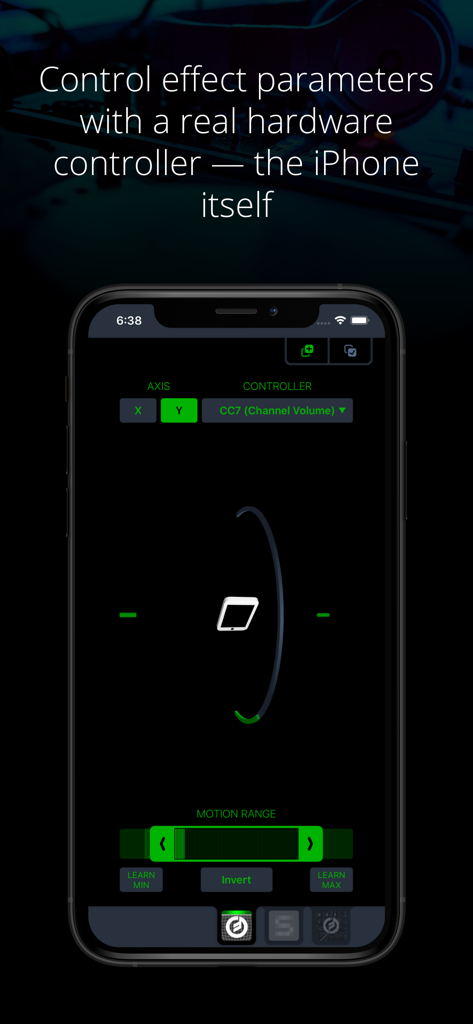
モーションベースのMIDIコントロール設定を表示するiPhone上のMidiflow Motionインターフェース

モーションベースのMIDIコントロール設定を表示するiPhone上のMidiflow Motionインターフェース

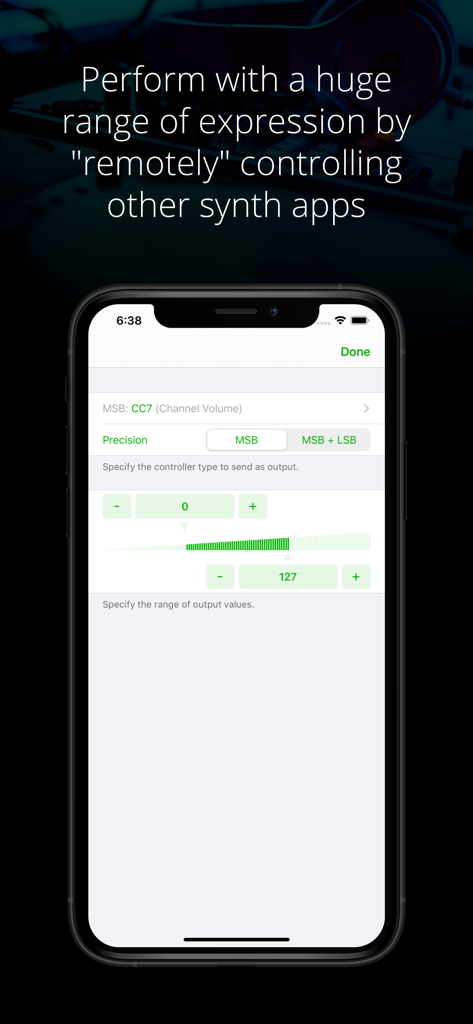
チャンネルボリュームやプレシジョンなどのMIDIコントロールパラメーターを設定するためのMidiflow Motionアプリインターフェース

チャンネルボリュームやプレシジョンなどのMIDIコントロールパラメーターを設定するためのMidiflow Motionアプリインターフェース

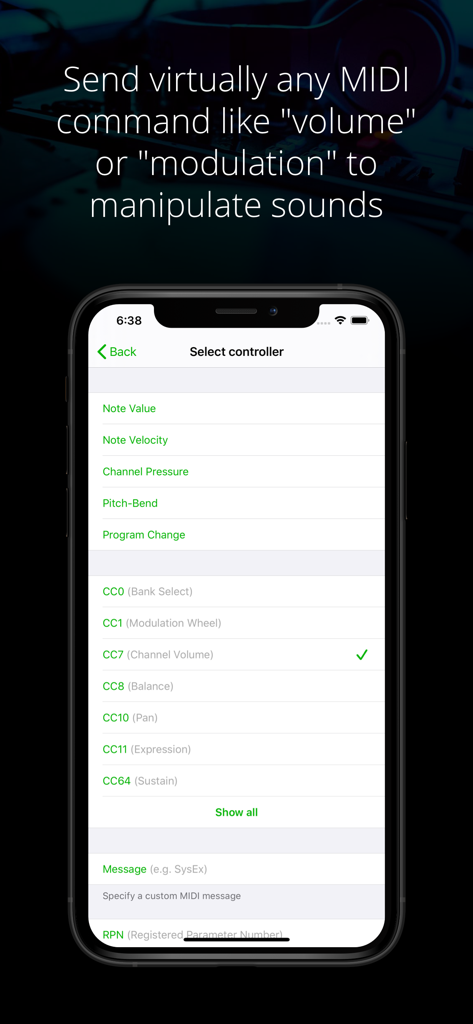
MIDIコントローラーや、ボリューム、モジュレーションなどのコントロールチェンジパラメーターを選択するメニューを表示するMidiflow Motionアプリ画面

MIDIコントローラーや、ボリューム、モジュレーションなどのコントロールチェンジパラメーターを選択するメニューを表示するMidiflow Motionアプリ画面

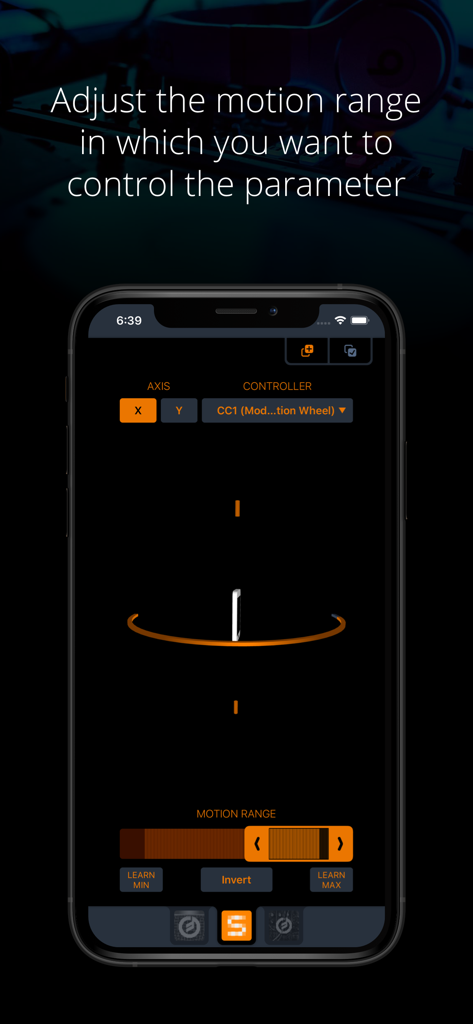
MIDIコントローラーパラメーターのモーション範囲を調整する設定を表示するiPhone上のMidiflow Motionアプリインターフェース

MIDIコントローラーパラメーターのモーション範囲を調整する設定を表示するiPhone上のMidiflow Motionアプリインターフェース

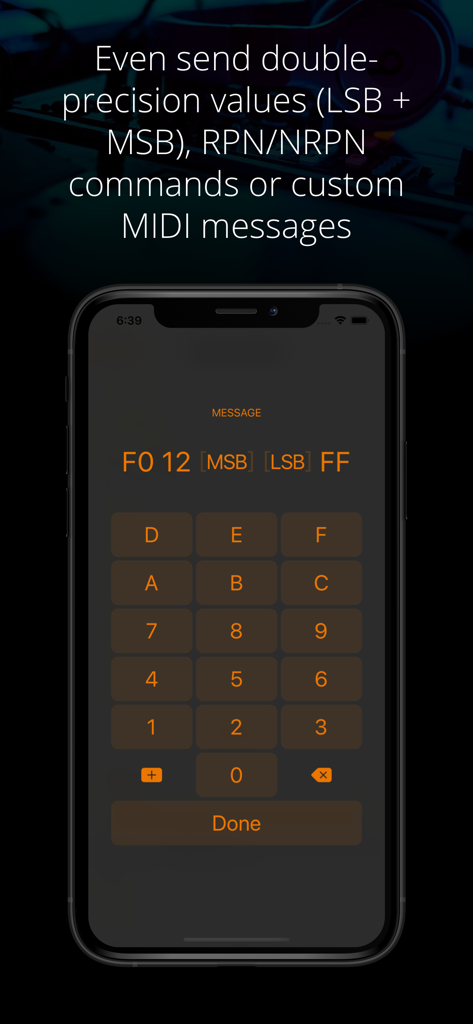
ヘックス(16進数)キーパッドを使用してカスタムMIDIメッセージと倍精度値を入力するためのMidiflow Motionアプリインターフェース

ヘックス(16進数)キーパッドを使用してカスタムMIDIメッセージと倍精度値を入力するためのMidiflow Motionアプリインターフェース

動きを音楽的表現に

このアプリを際立たせるツール、 1K+ 人のユーザーが選択.

📱

ジェスチャー駆動型コントロール

デバイスの回転を使用して、フィルター、ピッチ、またはボリュームを操作。タッチスクリーンだけでは再現できない有機的な演奏方法です。

🎯

精緻なMIDIプレシジョン

14ビットの高解像度コマンド、NRPN、またはカスタムMIDIメッセージを送信。調整可能なモーション範囲とスマートなラーン(Learn)ボタンを備えています。

⛓️

統合されたシグナルチェーン

Audiobus 3専用設計。複数のインスタンスを挿入して、異なるアプリやパラメーターを同時に制御し、複雑で進化し続けるサウンドスケープを作成できます。

世界中のユーザーに愛されています

Trusted by 1K+ 人がこのアプリを愛用しています.

"

"Midiflow Motionは私のライブセットを完全に変えてくれました。画面を見つめて指をスライドさせる代わりに、iPad全体を動かして音を形作っています。これにより、パフォーマンスが有機的で、観客にとっても視覚的に魅力的なものになります。単にサンプルをトリガーするのではなく、実際に楽器を演奏しているような感覚です。"

Eli S.、エクスペリメンタル・プロデューサー
"

"パワーユーザーとして、この技術的な深さが気に入っています。X軸とY軸の回転を複数のMIDI CCパラメーターに同時にマッピングでき、モーション範囲を精緻にコントロールできるのは驚異的です。ここ数年で私のAudiobusシグナルチェーンに追加した中で、最も安定していて表現力豊かなMIDIユーティリティです。"

Sarah J.、サウンドデザイナー

アプリについて

について知っておくべきこと Midiflow Motion (Audiobus).

説明

This MIDI sender app for Audiobus 3 lets you control effect parameters of other apps – in a way that no touch screen can replace – by moving the device. Set any kind of MIDI command like volume or modulation as output and fine-tune it to the exact motion range you want to perform with. You can even control multiple effects simultaneously. + Use device rotation around the X or Y axis + Adjust the range of motion for controlling a parameter + Adjust the range of output values + Send virtually any MIDI command (e.g. pitch-bend, any Control Change like modulation or expression, and even custom MIDI messages) + Control multiple parameters and/or multiple apps at the same time by inserting this app multiple times in Audiobus NOTE: This app requires Audiobus 3. Insert it into one or more MIDI sender ports to control the synth apps in the MIDI output ports of the respective pipelines. THE IPAD IS YOUR CONTROLLER Without a doubt, the iPad's touch screen is a revolutionary tool for musicians. However, it also comes with sensors that can track how you move your device around two axes. Using those sensors to control effect parameters allows you to perform with a huge amount of expression. CONTROL ALL KINDS OF PARAMETERS Many synth apps allow you to "remotely" control their parameters via MIDI messages. For that purpose, Midiflow Motion can send virtually any MIDI command to those apps, through Audiobus. Just select from the list of available parameters and the app starts sending messages when you move the device. Not only can you use basic Control Changes for "volume" or "modulation", you can also use double-precision commands (LSB + MSB), RPN/NRPN commands or custom MIDI messages. If you want to play notes, you might want to add Midiflow Scales behind this app in the Audiobus MIDI routing in order to map the notes to a scale. ADJUST MOTION RANGE The range selector at the bottom allows you to narrow down the motion range in which you want to control the parameter. The maximum range goes from -90 to +90 degrees. Use either the slider or the learn buttons to adjust the range according to your needs. CONTROL MULTIPLE PARAMETERS You can insert Midiflow Motion in Audiobus multiple times. That way, you can send multiple MIDI commands simultaneously. Each of them can be configured independently. For example, you can control the cutoff of a synth by rotation around the x-axis, and use the y-axis for the resonance parameter. It is like an x/y-pad, but with the whole iPad as the controller. You can also control parameters of different synths at the same time.

最新バージョン

1.0.6

サイズ

4.7 MB

リリース日

2017年4月3日

限界のないパフォーマンスの準備はいいですか?

デバイスをプログレードのモーションコントローラーに変えましょう。Midiflow Motionをダウンロードして、Audiobus 3のシグナルチェーンに表現力豊かな身体的動きを。

ダウンロード: App Store