Mileage Tracker by Driversnote

Mileage Tracker by Driversnote

ダウンロード: App Storeダウンロード: Google Play
Spark by MWM logo
ロゴ: Mileage Tracker by Driversnote

Driversnoteによる走行距離トラッカー:プロフェッショナル向けの自動IRS準拠ログ

手作業の書類作成に何時間も費やすのはやめましょう。ビジネス走行距離を自動追跡し、税控除を最大化し、ワンタップでプロフェッショナルな払い戻しレポートを生成します。

ダウンロード: App Store

開発元

Driversnote ApS

カテゴリ

Finance

ダウンロード

2M+

ユーザー評価

4.7/5

評価数

96K+

対応言語

11

あなたの走行距離を可視化

このインターフェースを利用する 2M+ 人のユーザー.

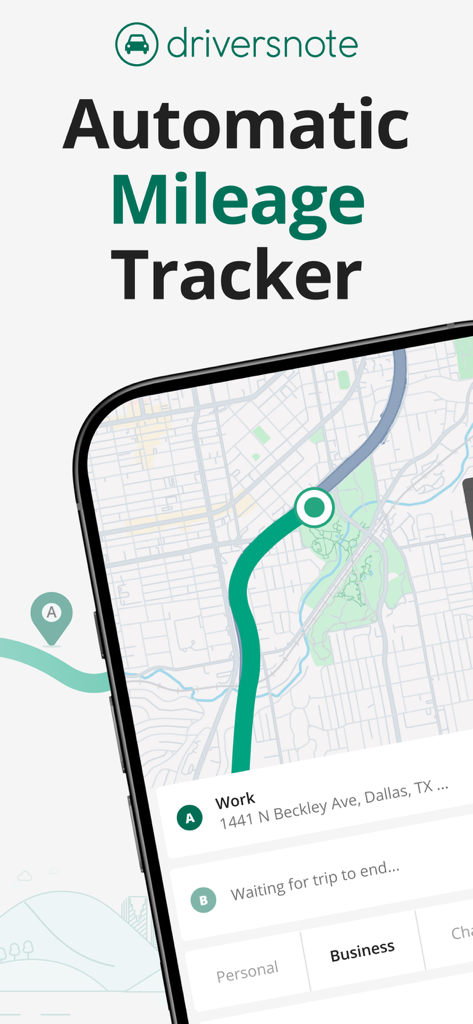
Driversnoteモバイルアプリのインターフェース。地図上に自動走行距離追跡が表示され、ビジネスおよび個人の移動分類オプションがあります。

Driversnoteモバイルアプリのインターフェース。地図上に自動走行距離追跡が表示され、ビジネスおよび個人の移動分類オプションがあります。

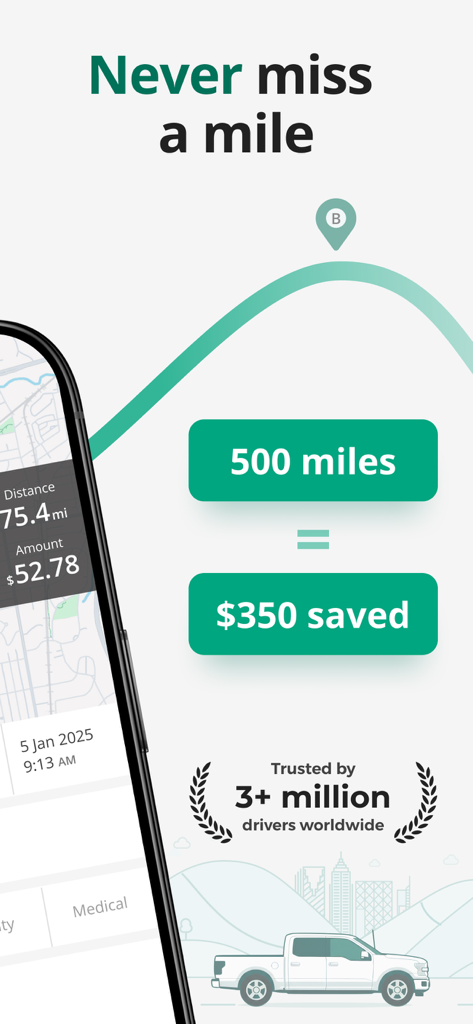
Driversnoteアプリの画面。500マイルの走行で350ドルの節約が示され、自動走行距離ログが記録されています。

Driversnoteアプリの画面。500マイルの走行で350ドルの節約が示され、自動走行距離ログが記録されています。

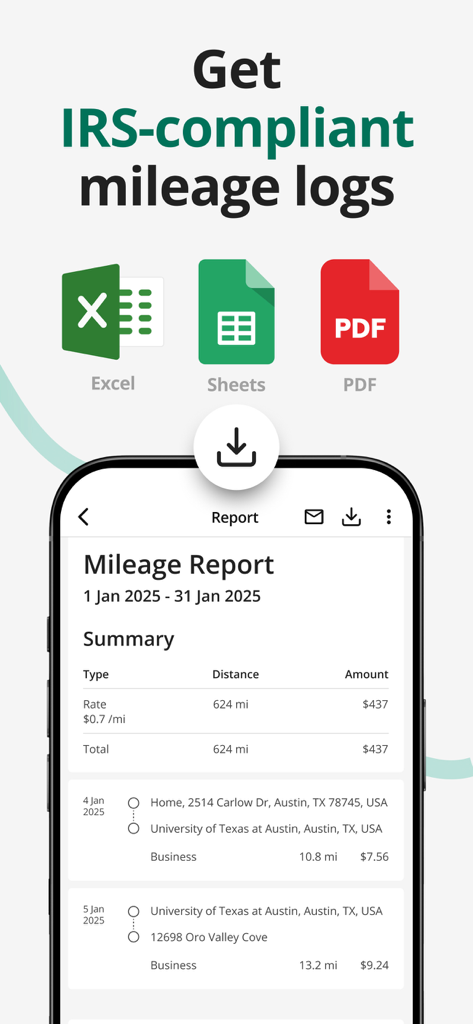
Driversnoteモバイルアプリのインターフェース。ビジネス走行距離レポートが表示され、ExcelおよびPDFのエクスポートオプションがあります。

Driversnoteモバイルアプリのインターフェース。ビジネス走行距離レポートが表示され、ExcelおよびPDFのエクスポートオプションがあります。

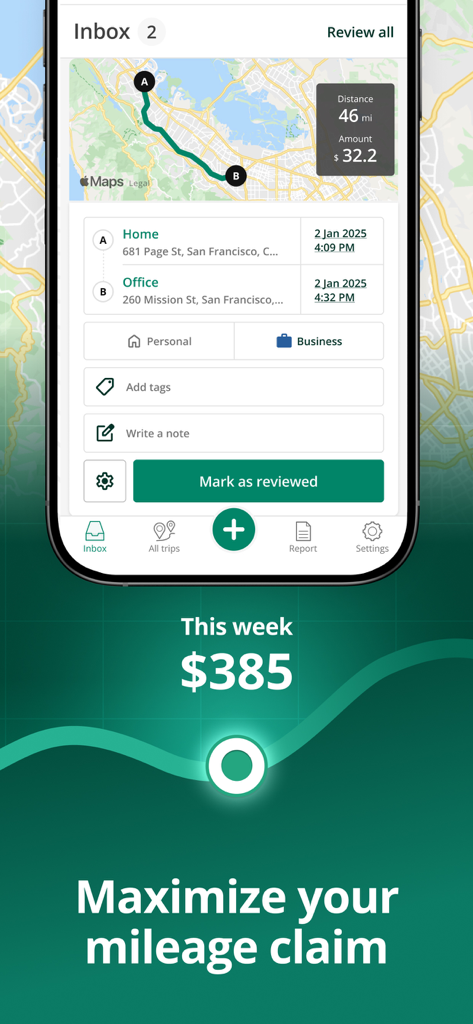
Driversnoteアプリのスクリーンショット。地図と走行距離請求額を含むビジネス移動ログが表示されています。

Driversnoteアプリのスクリーンショット。地図と走行距離請求額を含むビジネス移動ログが表示されています。

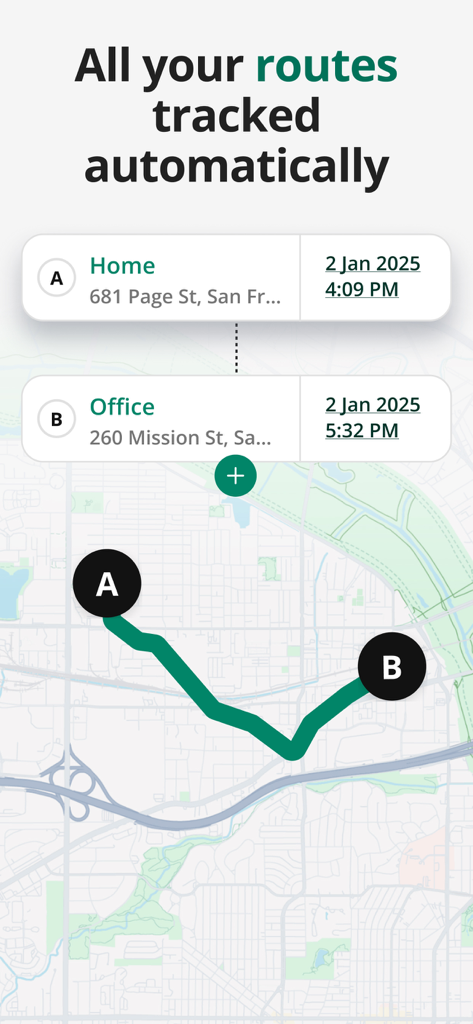
Driversnoteアプリのインターフェース。自宅とオフィス間の自動追跡された移動ルートを示す地図が表示されています。

Driversnoteアプリのインターフェース。自宅とオフィス間の自動追跡された移動ルートを示す地図が表示されています。

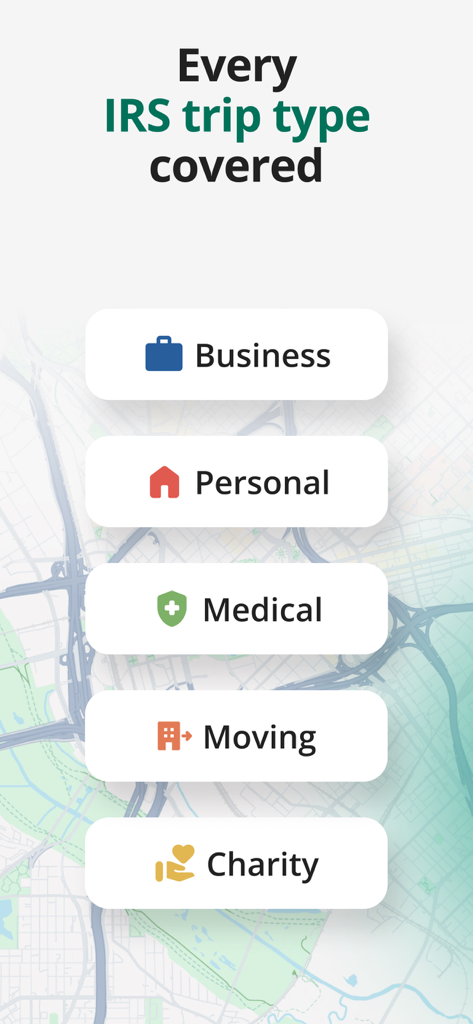
IRS準拠の移動カテゴリ(ビジネス、個人、医療、引っ越し、慈善活動を含む)が表示されるインターフェース。

IRS準拠の移動カテゴリ(ビジネス、個人、医療、引っ越し、慈善活動を含む)が表示されるインターフェース。

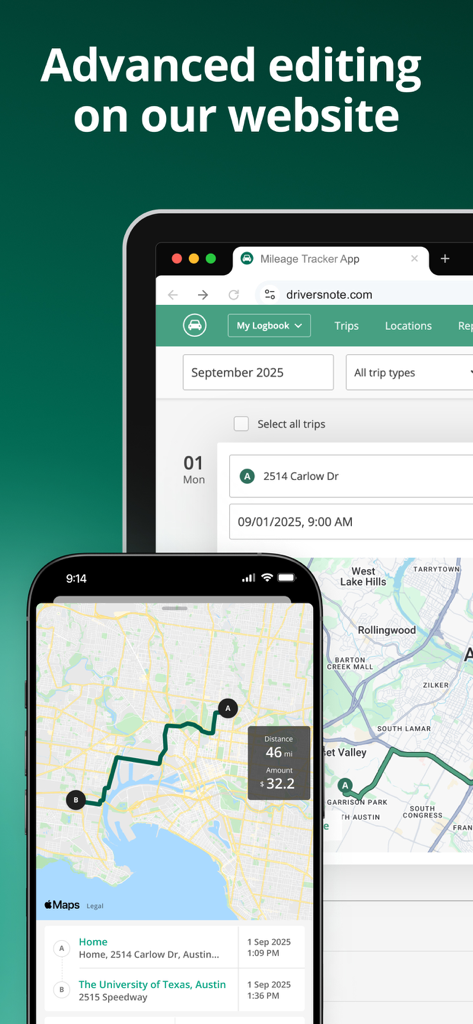
Driversnote走行距離トラッカーアプリとウェブサイト。同期された移動ログと地図が表示されています。

Driversnote走行距離トラッカーアプリとウェブサイト。同期された移動ログと地図が表示されています。

収益を最大化し、書類作成を最小化

このアプリを際立たせるツール、 2M+ 人のユーザーが選択.

🚀

設定して忘れるだけ

当社のスマートGPSトラッカーは、走行開始と同時に自動的に移動を記録します。もう手作業でのログ記録や忘れられた走行距離はありません。

数秒でIRS対応

監査に強いレポートで安心を得ましょう。会計士や雇用主に完璧にフォーマットされた、準拠したPDFまたはExcelログをエクスポートします。

🛡️

完全なプライバシー管理

スワイプ一つで、移動をビジネスまたは個人に簡単に分類できます。当社はお客様のデータを保護し、第三者に販売することはありません。.

世界中のユーザーに愛されています

Trusted by 2M+ 人がこのアプリを愛用しています.

"

"Driversnoteは、フリーランスコンサルタントとしての税金処理方法を完全に変えました。以前は毎月何時間もかけて移動履歴を再構築していましたが、自動追跡がすべてを処理してくれるようになりました。これにより、控除額を1セントも逃さないことを保証する最も信頼できる方法です。"

Jessica Miller, Independent Consultant
"

"営業チームに最適です。iBeaconの設定により完全にハンズフリーになるため、走行距離計ではなくクライアントに集中できます。毎月の払い戻しレポートの生成はワンタップの作業になり、オフィスもクリーンでプロフェッショナルなフォーマットを高く評価しています。"

David Thompson, Regional Sales Manager

アプリについて

について知っておくべきこと Mileage Tracker by Driversnote.

説明

Say goodbye to tedious paper mileage logs with the most accurate automatic mileage tracker. Accurately track business mileage and create IRS-compliant logs at the touch of a button. With Driversnote, you get all the reimbursement or deductions you’re entitled to. Join millions of drivers and simplify miles tracking to just 3 steps: Track, Classify and Report! ◉ CLAIM YOUR TIME BACK Our mile tracker saves you hours of manually logging journeys. The app records all the information you need in real time. ◉ TAX TIME ISN’T A HEADACHE ANYMORE Effortlessly get tax-compliant mileage logs of your work-related driving for reporting to the IRS. ◉ BE THE MOST ORGANIZED EMPLOYEE Create and send your trip logs to your employer in a matter of seconds. ◉ TAX AUDIT COMING UP? Access your previous and current logs anytime, anywhere. ◉ WORLD-CLASS SUPPORT Simply send an email to our brilliant Support team with any questions and they’ll get back to you. The only mileage tracker you need as a business, sole trader, employee, employer, or just about anyone who drives! ► 1. TRACK ※ Track trips completely automatically - the car mile tracker will start tracking once you reach a certain speed. ※ Want to track an individual trip? Just tap START and STOP and leave the rest to our smart GPS automatic mile tracker. ※ Effortless odometer tracking. ※ Forgot to track travel during the day? Enter the start and end addresses of your drives and the app will do the rest for you. ► IBEACON: Further Improve Automatic Miles Tracking Place an iBeacon in your car and Driversnote will track only your preferred vehicle's miles every time you enter or leave your car. Get a free iBeacon when you sign up for the annual Pro subscription on our website. ► 2. CLASSIFY ※ Categorize each trip as Business, Personal, Medical or Charity for a compliant driving log ※ Set your working hours for automatic classification of trips as Business and Personal ※ Add notes to your recorded journeys ※ Review your trips at a glance and easily edit details ► 3. REPORT ※ IRS-compliant reports for your employee reimbursement or car expenses tax claim ※ Claiming deductions by the actual expenses method? Use the percentage split to report the percentage of miles you traveled for work ※ Create separate logs for separate vehicles and workplaces ※ Choose if you want to show odometer readings ※ Have your reports include the total miles, start and end dates, distance, reimbursement amount or % split between business and personal driving ※ Get your vehicle log books in PDF or Excel, or send them directly through the app ► DRIVERSNOTE FOR WEB: Bring All the Functionality to Your Desktop ※ Review your logs and edit details easily ※ Add trips you forgot to record ※ Generate your mileage reports ► KEEP ON TOP OF YOUR LOGBOOK ※ Customize your reimbursement rate if it’s different from the one the IRS sets ※ Set reporting reminders so you never forget to report your miles ※ Save addresses you visit often ► DRIVERSNOTE FOR TEAMS: Perfect for Business Reimbursement Programs ※ Invite and remove users ※ Employees use the automatic mileage tracker ※ Employees create & share consistent logbooks with their managers ※ Managers review and approve reimbursement expense claims in one simple overview ※ Privacy - managers can only see the trips employees report ► PRIVACY BY DESIGN ※ We never sell data ※ We will never provide your information to other parties for marketing purposes ※ See more in our Privacy Policy ► SUPPORT ※ Looking for a quick answer to your question? Visit our comprehensive Help Center straight from the app. ※ Our efficient and effective Support team is ready to assist you at any time at support@driversnote.com ※ Privacy Policy: https://www.driversnote.com/privacy-policy ※ Terms of Service: https://www.driversnote.com/terms-of-service ※ Terms of Use (EULA): https://www.apple.com/legal/internet-services/itunes/dev/stdeula/

最新バージョン

4.26.0

サイズ

85.7 MB

リリース日

2014年11月18日

路上のお金を残さない

IRS準拠の走行距離ログを自動化している200万人以上のプロフェッショナルに参加しましょう。今すぐDriversnoteをダウンロードして、ビジネス走行距離をすべて確実な控除に変えましょう。

ダウンロード: App Storeダウンロード: Google Play
FAQ

よくある質問

について知っておくべきこと Mileage Tracker by Driversnote

Driversnoteとは何ですか?また、どのようにマイレージを追跡しますか?

Driversnoteは、IRS(米国内国歳入庁)に準拠したログを作成する自動マイレージトラッカーです。速度に基づいてトリップを自動的に追跡するか、手動で開始/停止、オドメーター追跡、住所の手動入力によって追跡します。

DriversnoteはIRSに準拠したレポートを生成しますか?

はい、Driversnoteは、従業員の払い戻しまたは車両費用の税金請求のために、IRSに準拠したレポートを生成します。レポートはPDFまたはExcel形式で利用でき、アプリから直接送信できます。

Driversnoteアプリでどのような種類のトリップを分類できますか?

Driversnoteでは、トリップをビジネス、個人、医療、引っ越し、またはチャリティーとして分類できます。ユーザーは勤務時間を設定して、トリップの自動分類を行うこともできます。

DriversnoteにはWebインターフェースがありますか?

はい、Driversnote for Webは、デスクトップに完全な機能をもたらします。ユーザーはログを確認したり、トリップの詳細を編集したり、忘れたトリップを追加したり、ブラウザからマイレージレポートを生成したりできます。

Driversnoteはユーザーのプライバシーとデータを保護しますか?

はい、Driversnoteはプライバシーを設計段階から考慮して運用しています。ユーザーデータを販売したり、マーケティング目的で個人情報を第三者に提供したりしないことを明示しています。

Driversnoteでマイレージ払い戻し率をカスタマイズできますか?

はい、Driversnoteではユーザーが払い戻し率をカスタマイズできます。この機能により、IRSが設定した標準額と異なるレートの場合でも、正確なレポート作成が保証されます。

雇用主はチームのマイレージ追跡にDriversnoteを使用できますか?

はい、Driversnote for Teamsは、企業の払い戻しプログラムをサポートしています。雇用主はユーザーを招待でき、マネージャーはプライバシー保護により、従業員の払い戻し費用請求を効率的に確認および承認できます。