MixEffect Pro - Paid Up-Front

MixEffect Pro - Paid Up-Front

ダウンロード: App Store
Spark by MWM logo
ロゴ: MixEffect Pro - Paid Up-Front
MixEffect Pro:ATEMスイッチャーのための究極のプロフェッショナルコントローラー

iPhone、iPad、Macで、カスタマイズ可能なレイアウト、アニメーションSuperSourceトランジション、強力なShortcutsオートメーションにより、ライブビデオプロダクションを完全に制御しましょう。

ダウンロード: App Store

開発元

Adam Tow

カテゴリ

Photo & Video

ダウンロード

23K+

ユーザー評価

4.5/5

評価数

0

対応言語

5

プロダクションを一目で

このインターフェースを利用する 23K+ 人のユーザー.

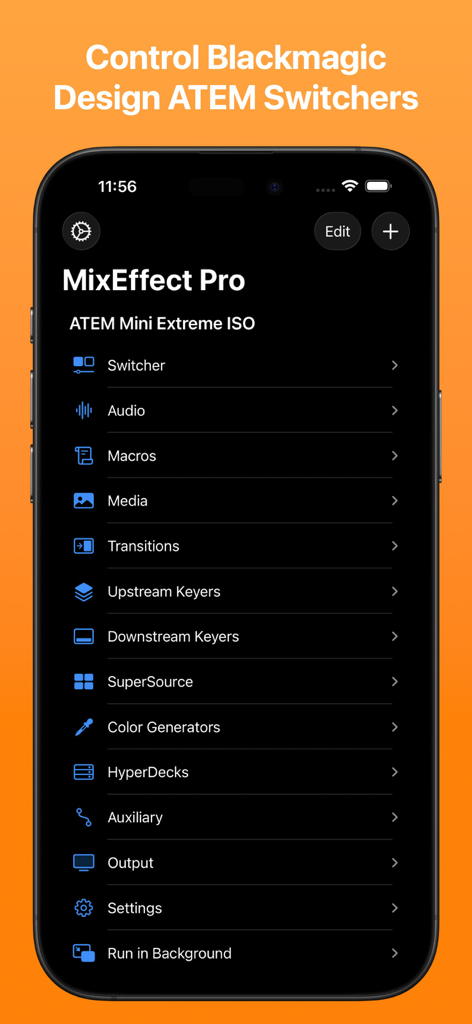
MixEffect Pro iPhoneアプリのメインメニュー。Blackmagic Design ATEMスイッチャーのオーディオ、マクロ、トランジションなどのコントロールオプションが表示されます

MixEffect Pro iPhoneアプリのメインメニュー。Blackmagic Design ATEMスイッチャーのオーディオ、マクロ、トランジションなどのコントロールオプションが表示されます

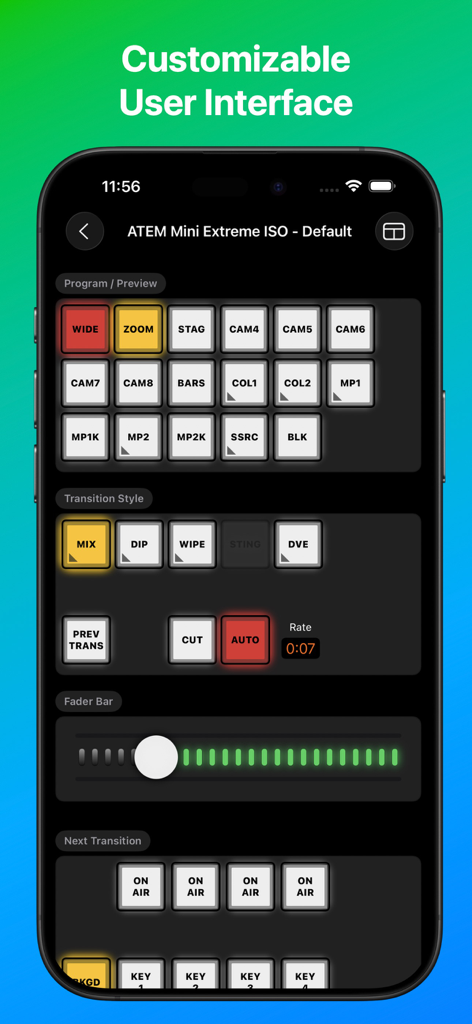
ATEM Mini Extreme ISOスイッチャーコントロール用のMixEffect Proアプリインターフェイス

ATEM Mini Extreme ISOスイッチャーコントロール用のMixEffect Proアプリインターフェイス

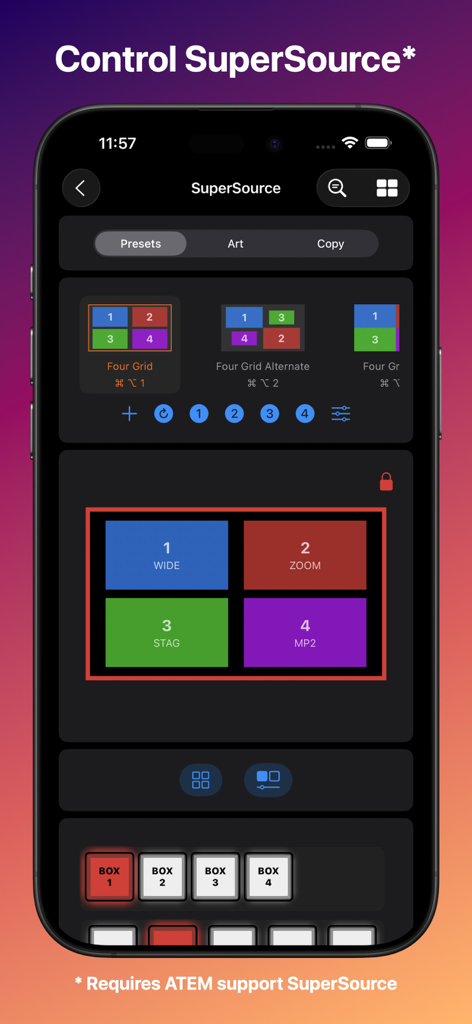
ライブビデオプロダクションでSuperSourceレイアウトプリセットをコントロールするためのMixEffect Pro iPhoneインターフェイス

ライブビデオプロダクションでSuperSourceレイアウトプリセットをコントロールするためのMixEffect Pro iPhoneインターフェイス

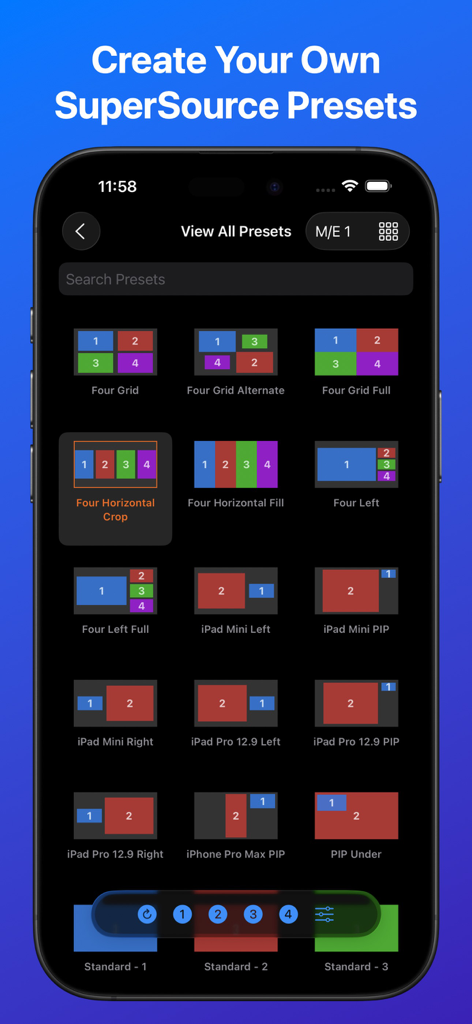
ATEMビデオスイッチャー用のさまざまなSuperSourceレイアウトプリセットのグリッドを表示するMixEffect Proアプリインターフェイス

ATEMビデオスイッチャー用のさまざまなSuperSourceレイアウトプリセットのグリッドを表示するMixEffect Proアプリインターフェイス

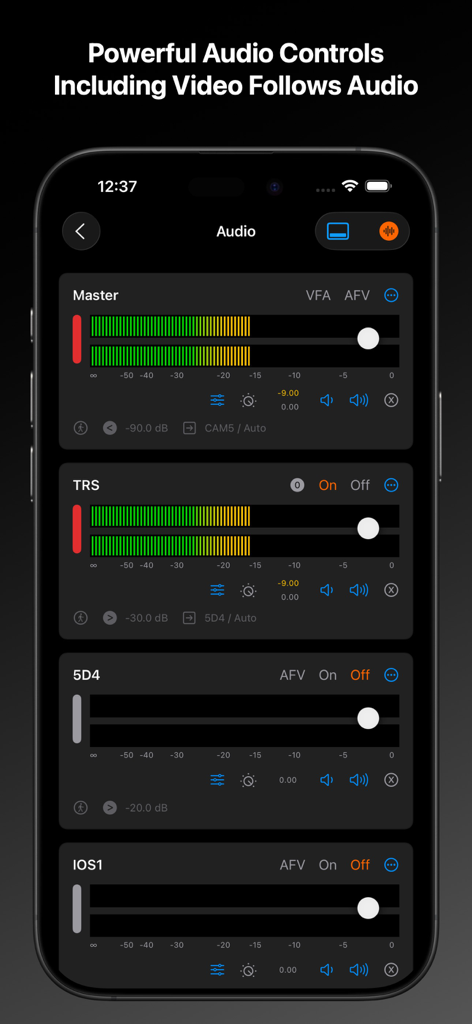
iPhoneに表示されるマスターおよび個々のチャンネルレベルスライダーを示すMixEffect Proアプリオーディオミキサーインターフェイス

iPhoneに表示されるマスターおよび個々のチャンネルレベルスライダーを示すMixEffect Proアプリオーディオミキサーインターフェイス

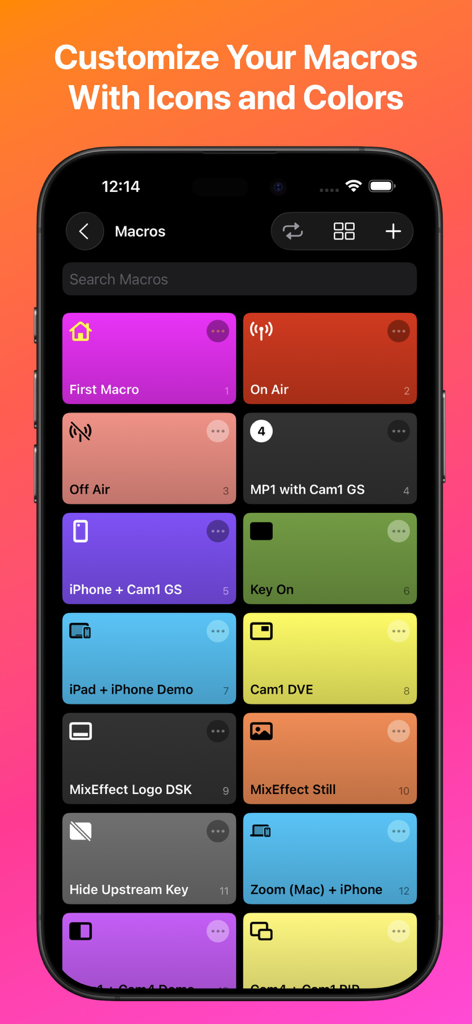
iPhone画面上のカスタムアイコン付きのカラフルなマクロボタンのグリッドを表示するMixEffect Proアプリインターフェイス

iPhone画面上のカスタムアイコン付きのカラフルなマクロボタンのグリッドを表示するMixEffect Proアプリインターフェイス

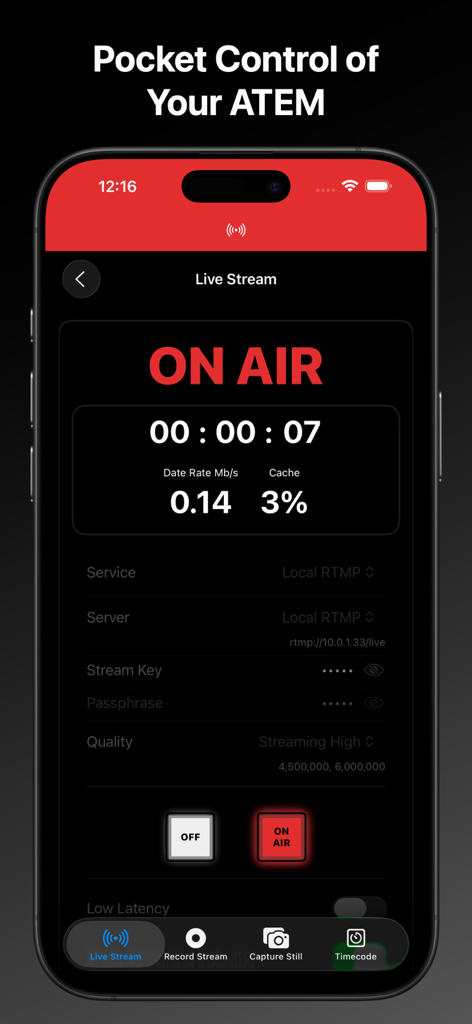
ATEMスイッチャーのライブストリームオンエアステータスとストリーミングデータが表示されるMixEffect Pro iPhoneアプリインターフェイス

ATEMスイッチャーのライブストリームオンエアステータスとストリーミングデータが表示されるMixEffect Pro iPhoneアプリインターフェイス

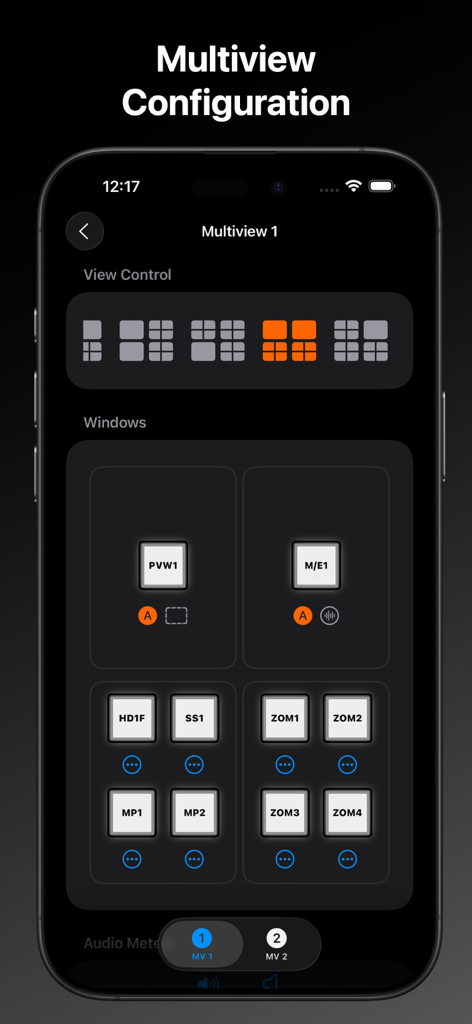
ビデオスイッチャーレイアウトコントロール用のマルチビュー設定を表示するMixEffect Proインターフェイス

ビデオスイッチャーレイアウトコントロール用のマルチビュー設定を表示するMixEffect Proインターフェイス

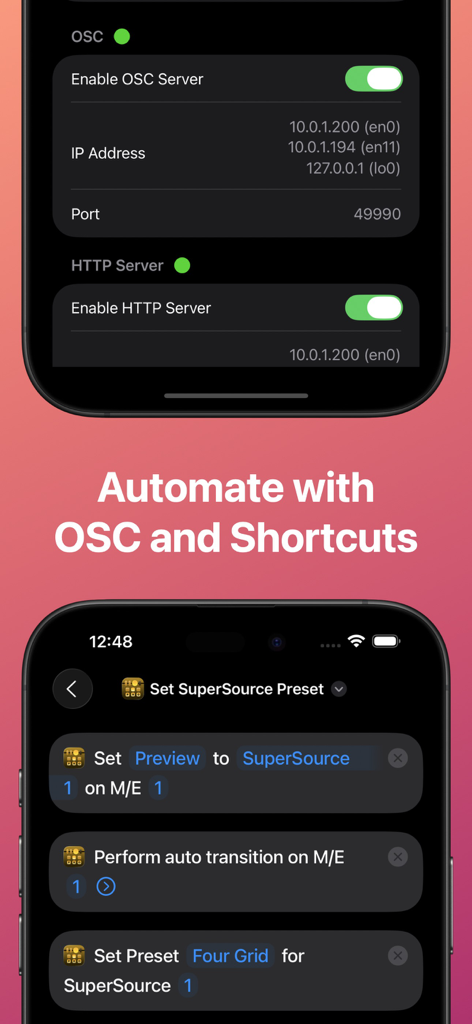
ATEMスイッチャーオートメーション用のOSCサーバー設定とiOS Shortcutsを表示するMixEffect Proアプリインターフェイス

ATEMスイッチャーオートメーション用のOSCサーバー設定とiOS Shortcutsを表示するMixEffect Proアプリインターフェイス

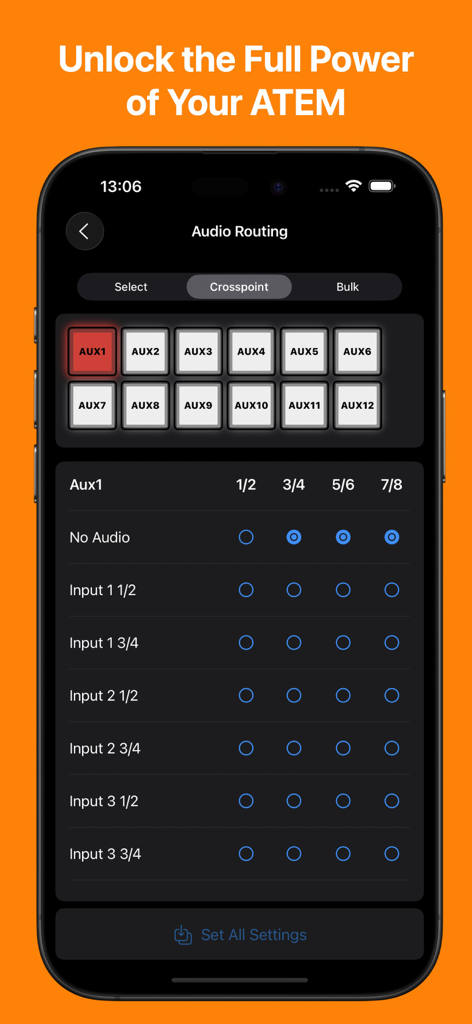
iPhoneに表示されるATEMスイッチャー用のオーディオルーティングおよびクロスポイント管理インターフェイスを示すMixEffect Proアプリ

iPhoneに表示されるATEMスイッチャー用のオーディオルーティングおよびクロスポイント管理インターフェイスを示すMixEffect Proアプリ

プロレベルのコントロールでライブブロードキャストをマスターしましょう

このアプリを際立たせるツール、 23K+ 人のユーザーが選択.

💎

ビジュアルSuperSource管理

標準のハードウェア制限を超えるドラッグ&ドロップツールで、複雑なマルチボックスレイアウトを簡単に作成およびアニメーション化できます。

🚀

強力なワークフローオートメーション

iOS ShortcutsとSiriを活用して、マクロをトリガーしたり、レイアウトを変更したり、リアルタイムのオーディオレベルに基づいてプロダクションを自動化したりできます。

📡

統合されたモニターとコントロール

iPadを高解像度マルチビューモニターおよびタッチ対応スイッチャーに変え、どこからでもショー全体を管理できます。

世界中のユーザーに愛されています

Trusted by 23K+ 人がこのアプリを愛用しています.

"

"MixEffect Proは、私たちの教会のライブストリームにとってゲームチェンジャーです。アニメーションSuperSourceトランジションと直感的なタッチインターフェースにより、ボランティアが steep learning curve なしでプロフェッショナルな見た目のブロードキャストを簡単に制作できるようになります。私がATEMセットアップで使用した中で最も安定していて機能豊富なコントローラーです。"

David Miller, House of Worship Technical Director
"

"ソロコンテンツクリエイターとして、ワークフローを簡素化するツールが必要です。MixEffect ProのShortcuts統合とVideo Follows Audio機能により、カメラに集中しながらマルチカムショーを実行できます。単なるリモート以上のものです。iPadの中に専用のテクニカルディレクターがいるようなものです。"

Elena Rodriguez, Professional Streamer

アプリについて

について知っておくべきこと MixEffect Pro - Paid Up-Front.

説明

If you want to try out MixEffect Pro's features for 30-days, please visit the MixEffect app listing here on the App Store and activate the 30-day trial. MixEffect Pro shares the same database as MixEffect, so you have access to the same switchers, SuperSource presets, and streaming services. === MixEffect Pro’s familiar interface gives you quick access to virtually everything you need to run your video productions: switcher control, macros, audio, media, editing palettes, recording and streaming. MixEffect Pro then turns the dial past ten with animated SuperSource transitions, Video Follows Audio, customizable layouts, and Shortcuts support. Manage your live productions confidently with MixEffect Pro! # FEATURES MixEffect Pro is packed full of features to control your ATEM switchers. ## SWITCHER MANAGEMENT Control multiple ATEM switchers. Sync your switcher settings between all of your iCloud-connected devices. ## EXTERNAL CAMERA See and interact with the Multiview from your ATEM switcher directly in MixEffect. Change inputs, perform cut and auto transitions, set SuperSource presets, and more. Requires iPadOS 17 and an HDMI/SDI to USB adapter to connect your device with your ATEM switcher to view the Multiview. ## PANELS / BUTTONS Customize the look of your switcher interface with separate iPhone, Landscape, and iPad-optimized layouts. Choose from 20 panels to include in your layouts. ## SUPERSOURCE Become a SuperSource master on. Automatically animate transitions when switching between SuperSource layouts! Use drag and drop to rearrange your boxes. Save your favorite preset layouts and share them with others. Requires an ATEM switcher that supports SuperSource. ## AUDIO Control audio on ATEM switchers. Adjust each audio source’s input gain, fader gain, frames delay, and pan settings. ## MACROS Give your macros the gift of icons, colors, filtering, and sorting. Choose from three different display layouts: Grid, Buttons, and List. Access all of your macros from the virtual switcher interface. ## MEDIA Upload still images from your Photo Library into your switcher’s Media Pool. ## TRANSITIONS Access all the transitions supported by your switcher such as Mix, Dip, Wipe, and DVE, not just the ones wired to hardware buttons. ## DOWNSTREAM KEYERS Missing that DSK On Air button on your ATEM Mini? It's there in MixEffect Pro! ## UPSTREAM KEYERS Adjust your Luma, Chroma, Pattern, and DVE settings for your upstream keyers. Use touch to easily set the chroma sample and change the position of your DVE frame. ## AUTOMATIONS Control your ATEM switcher with your voice and Shortcuts. Automatically switch inputs, change SuperSource layouts, and run macros when your audio levels rise or fall below a certain threshold. Enjoy extensive keyboard shortcuts throughout the app. ## COLOR GENERATORS Change your color sources without having to dig through palettes. ## HYPERDECK Control HyperDecks from MixEffect Pro. ## AUX Set the sources for all of your auxiliary outputs. ## STREAMING Add streaming services, servers, and profiles without having to know XML. Set a default profile and server for each of your streaming services. Import and export the Streaming.xml files supported by the ATEM Mini Pro, Pro ISO, Mini Extreme, and Mini Extreme ISO line of switchers. ## RECORDING Control your disk recordings from your iPhone or iPad. Switch disks with a tap and see how much time is available for recording. ## SECURITY Prevent unwanted access to MixEffect Pro with Face ID (or device passcode lock). Activate View Only Mode so people can see what’s happening on the switcher without the ability to change anything. ## SWITCHER SETTINGS Set your switcher’s video mode, change the labels of sources, configure Multiview, and save your switcher's startup settings. ## SIMULATOR MixEffect Pro features a simulated ATEM 1 M/E Production 4K switcher for testing purposes.

最新バージョン

2.4.0

サイズ

113.1 MB

リリース日

2022年4月17日

ATEMスイッチャーをマスターする準備はできましたか?

数千人ものテクニカルディレクターやプロのストリーマーがiPadやiPhoneを究極のプロダクションコントロールサーフェスに変身させた仲間入りをしましょう。サブスクリプションなしで、プロフェッショナルオートメーションとSuperSourceレイアウトのパワーを体験してください。

ダウンロード: App Store