Mobile Passport Control

Mobile Passport Control

ダウンロード: App Store
Spark by MWM logo
ロゴ: Mobile Passport Control

Mobile Passport Control:米国税関を迅速に通過する公式ルート

長蛇の列と紙のフォームはもう不要です。ご自身とご家族全員の渡航情報を安全に提出し、専用レーンと効率化された入国手続きを、すべて無料でご利用ください。

開発元

US Customs and Border Protection

カテゴリ

Travel

ダウンロード

14M+

ユーザー評価

4.9/5

評価数

703K+

対応言語

7

あなたの高速通過プレビュー

このインターフェースを利用する 14M+ 人のユーザー.

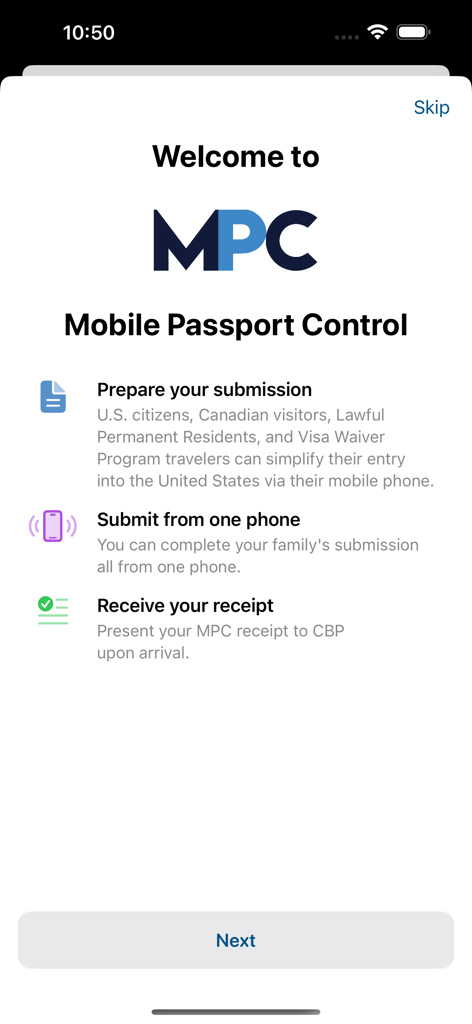
米国税関入国のために渡航書類を準備・提出する方法を説明するMobile Passport Controlアプリのウェルカム画面

米国税関入国のために渡航書類を準備・提出する方法を説明するMobile Passport Controlアプリのウェルカム画面

渡航書類の準備、PINによるデータ保護、プライバシー設定の管理方法を説明するMobile Passport Controlアプリの情報画面。

渡航書類の準備、PINによるデータ保護、プライバシー設定の管理方法を説明するMobile Passport Controlアプリの情報画面。

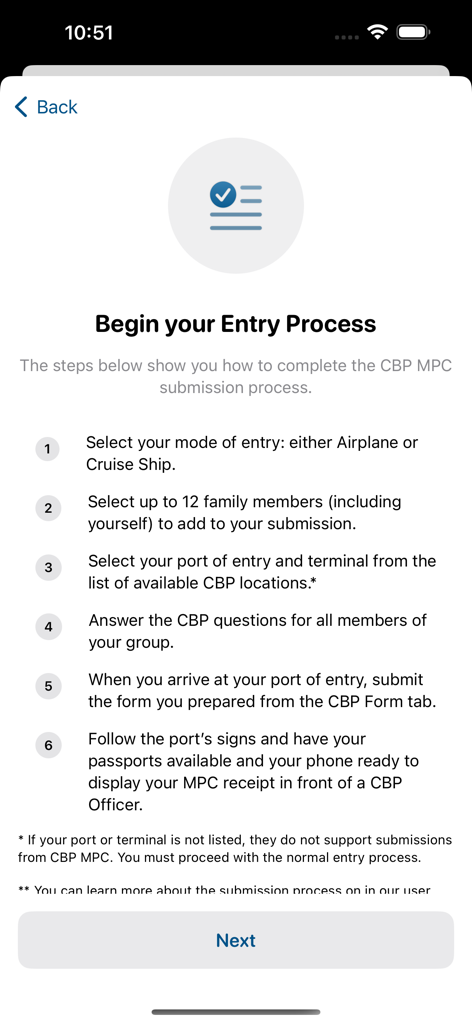
Mobile Passport Controlアプリで入国プロセスを開始するための6つのステップのリスト。

Mobile Passport Controlアプリで入国プロセスを開始するための6つのステップのリスト。

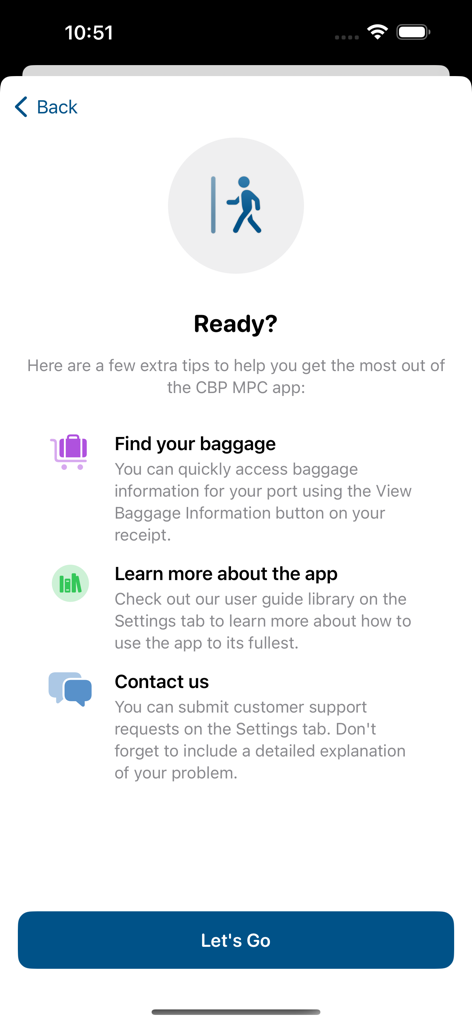
Mobile Passport Controlアプリの画面で、旅行のヒント、手荷物情報、サポートオプションを表示。

Mobile Passport Controlアプリの画面で、旅行のヒント、手荷物情報、サポートオプションを表示。

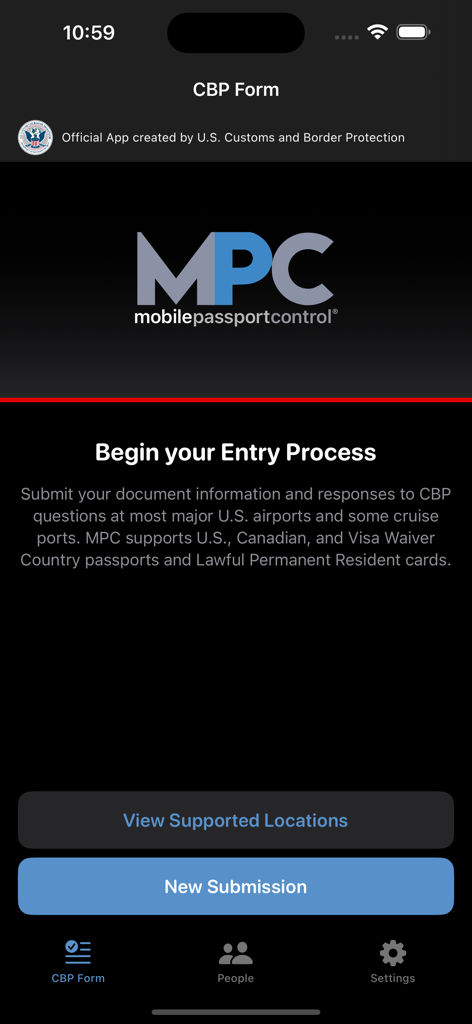
新しい提出を開始するか、サポートされている場所を表示するオプションが表示されるMobile Passport Controlアプリのホーム画面。

新しい提出を開始するか、サポートされている場所を表示するオプションが表示されるMobile Passport Controlアプリのホーム画面。

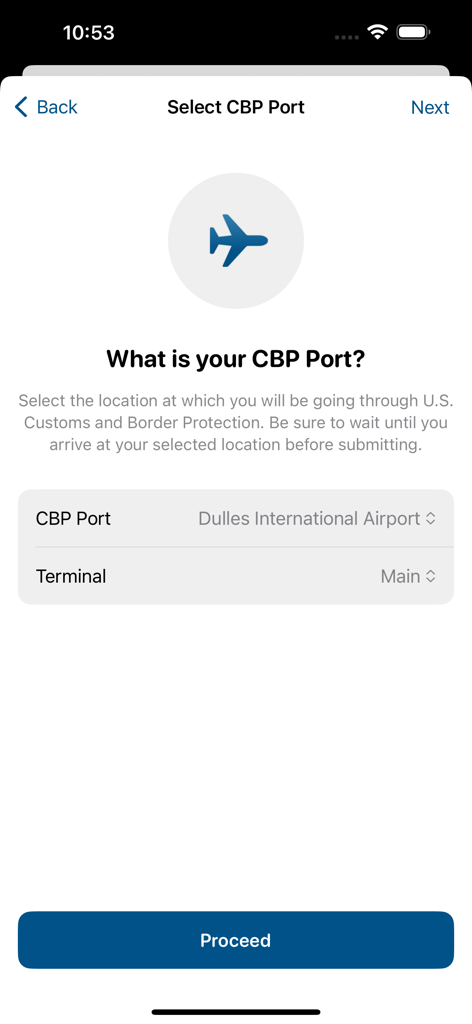
CBPの港およびターミナル選択画面が表示されるMobile Passport Controlアプリのスクリーンショット。

CBPの港およびターミナル選択画面が表示されるMobile Passport Controlアプリのスクリーンショット。

旅行者プロフィールおよび渡航書類を設定するためのMobile Passport Controlアプリの画面。

旅行者プロフィールおよび渡航書類を設定するためのMobile Passport Controlアプリの画面。

Dulles International Airportでの到着確認を求めるMobile Passport Controlアプリのプロンプト。

Dulles International Airportでの到着確認を求めるMobile Passport Controlアプリのプロンプト。

MPCロゴと、入国プロセスを開始するかサポートされている場所を表示するオプションが表示されるMobile Passport Controlアプリのホーム画面。

MPCロゴと、入国プロセスを開始するかサポートされている場所を表示するオプションが表示されるMobile Passport Controlアプリのホーム画面。

よりスマートに旅をして、より早く到着

このアプリを際立たせるツール、 14M+ 人のユーザーが選択.

無料の優先アクセス

Global Entryの料金や面接の遅延なしに、主要空港の専用MPCレーンでVIP入国体験をお楽しみください。

👨‍👩‍👧‍👦

ワンタップで家族入国

1台のデバイスで最大12のプロフィールを管理し、複数のパスポートや紙の税関フォームのやりくりというストレスを解消します。

📱

インスタントモバイル提出

着陸後すぐに申告とデジタル写真を提出し、ゲートに到着する前に仮想領収書を受け取ります。

世界中のユーザーに愛されています

Trusted by 14M+ 人がこのアプリを愛用しています.

"

"家族連れには絶対必需品です。数分で夫と子供2人を私のプロフィールに追加しました。時差ぼけで疲れているのに、4つのパスポートと紙のフォームを扱いにくくする代わりに、写真を提出して専用MPCレーンをスムーズに通過しました。LAXでの待ち時間を少なくとも1時間節約できました。"

Elena Rodriguez
"

"頻繁に海外出張に行くビジネス旅行者にとって、このアプリは究極のライフハックです。書類や手数料なしでGlobal Entryのスピードを提供します。着陸後すぐに申告を提出すれば、税関を通過して荷物受取所に着く頃には、飛行機の他の乗客はまだメインの列に並んでいます。"

James Chen

アプリについて

について知っておくべきこと Mobile Passport Control.

説明

Mobile Passport Control (MPC) is an official application created by U.S. Customs and Border Protection that streamlines your CBP inspection process at select U.S. entry locations. Simply complete your travel information, answer CBP inspection questions, capture a photo of yourself and of each member of your group, and follow the instructions provided on your receipt. Important Notes: • MPC does not replace your passport; your passport will still be required for travel. • MPC is only available at supported CBP entry locations. • MPC is a voluntary program which can be used by U.S. Citizens, certain Canadian Citizen Visitors, Lawful Permanent Residents, and returning Visa Waiver Program applicants with an approved ESTA. More information regarding eligibility and supported CBP entry locations can be found on our website: https://www.cbp.gov/travel/us-citizens/mobile-passport-control MPC can be used in 6 simple steps: 1. Create a primary profile to save your travel documents and biographic information. You can add and save additional eligible people to the MPC app so that you can submit together from one device. Your information will be securely stored on your device to be used for future travel. 2. Select your CBP port of entry, terminal (if applicable), and add up to 11 additional members of your group to include in your submission. 3. Answer CBP inspection questions and certify the truthfulness and accuracy of your answers. 4. Upon arriving at your selected port of entry, tap the “Yes, Submit Now” button. You will be asked to capture a clear and unobstructed photo of yourself and of each other person that you included in your submission. 5. Once your submission is processed, CBP will send a virtual receipt back to your device. Follow the instructions on your receipt and be prepared to present your passport and other relevant travel documents. 6. The CBP Officer will complete the inspection. If further information is required, the CBP Officer will let you know. Please note: The CBP Officer may ask to capture an additional photo of you or your group members for verification.

最新バージョン

3.3.1

サイズ

63.0 MB

リリース日

2021年5月11日

列をスキップする準備はできましたか?本日、より速い入国を開始しましょう。

公式CBPアプリを利用して税関をスムーズに通過している1400万人以上の旅行者に加わりましょう。安全、無料、そしてあなたとご家族のために設計されています。

ダウンロード: App Store
FAQ

よくある質問

について知っておくべきこと Mobile Passport Control

Mobile Passport Control(MPC)アプリとは何ですか?

Mobile Passport Control(MPC)アプリは、米国税関国境取締局(CBP)の公式アプリケーションです。対象となる旅行者のために、米国の特定の入国地点でのCBPの検査プロセスを効率化します。

米国入国にMobile Passport Control(MPC)アプリを使用できるのは誰ですか?

Mobile Passport Control(MPC)アプリは、米国市民、一部のカナダ市民訪問者、永住者、および承認されたESTAを持つビザ免除プログラム申請者の帰国に利用できます。

Mobile Passport Control(MPC)アプリは私のパスポートに代わるものですか?

いいえ、Mobile Passport Control(MPC)アプリはパスポートに代わるものではありません。国際旅行には引き続き物理的なパスポートが必要であり、CBP職員に提示する必要があります。

Mobile Passport Control(MPC)サービスはどの場所で利用できますか?

Mobile Passport Control(MPC)アプリは、ほとんどの主要な米国空港や一部のクルーズ港を含む、米国の特定の税関国境取締局の入国地点で受け入れられています。

Mobile Passport Control(MPC)アプリは私の個人情報をどのように保護しますか?

Mobile Passport Control(MPC)アプリは、すべてのデータをデバイスに直接保存することで情報を保護します。プライバシーを高めるために4桁のPINで保護されています。

Mobile Passport Control(MPC)アプリから個人データを削除できますか?

はい、Mobile Passport Control(MPC)アプリから保存されている個人データを削除できます。「設定」タブの「データの管理」セクションでこのオプションを利用できます。

Mobile Passport Control(MPC)アプリを使用して入国情報を提出するにはどうすればよいですか?

選択した入国地点に到着したら、Mobile Passport Control(MPC)アプリで「はい、今すぐ提出」をタップします。その後、CBPに提出するために自分とグループの写真も撮影します。

Mobile Passport Control(MPC)アプリの1回の提出で家族を含めることはできますか?

はい、Mobile Passport Control(MPC)アプリでは、最大11人の追加の対象メンバーをグループに追加して保存できます。1台のデバイスからまとめて提出できます。

Mobile Passport Control(MPC)アプリで提出した後の最終ステップは何ですか?

Mobile Passport Control(MPC)アプリで提出した後、米国税関国境取締局から仮想レシートが送信されます。このレシートをパスポートと一緒にCBP職員に提示します。