Network Utility Pro

Network Utility Pro

ダウンロード: App Store
Spark by MWM logo
ロゴ: Network Utility Pro

Network Utility Pro: ネットワーク分析のためのプロフェッショナルスイート

接続を完全にコントロール。LANスキャニングからデータ使用量の監視、高度なDNSルックアップまで、デスクトップ級の診断機能を手のひらの中に。

開発元

Fausto Ristagno

カテゴリ

Utilities

ダウンロード

155K+

ユーザー評価

4.6/5

評価数

600

対応言語

5

プロフェッショナルな診断を視覚化

このインターフェースを利用する 155K+ 人のユーザー.

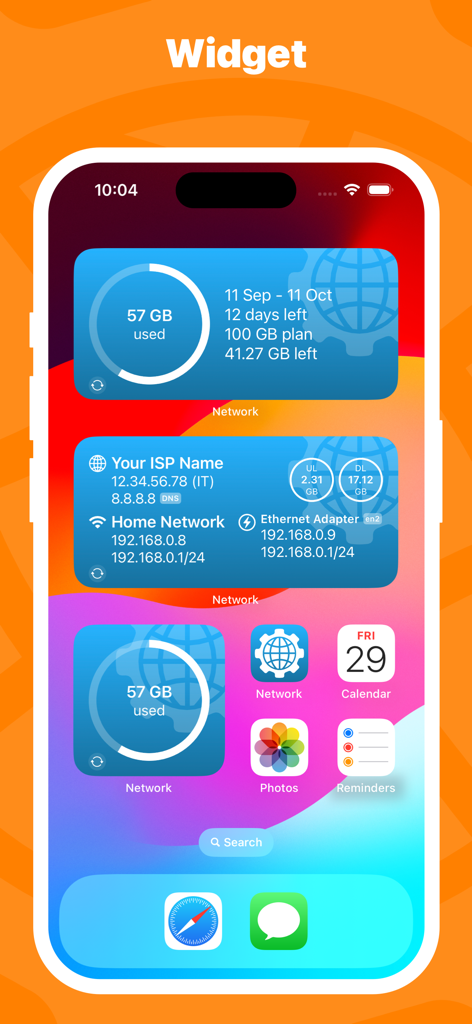
モバイルデータ使用量とネットワーク接続情報を表示するNetwork Utility ProのiOSホーム画面ウィジェット

モバイルデータ使用量とネットワーク接続情報を表示するNetwork Utility ProのiOSホーム画面ウィジェット

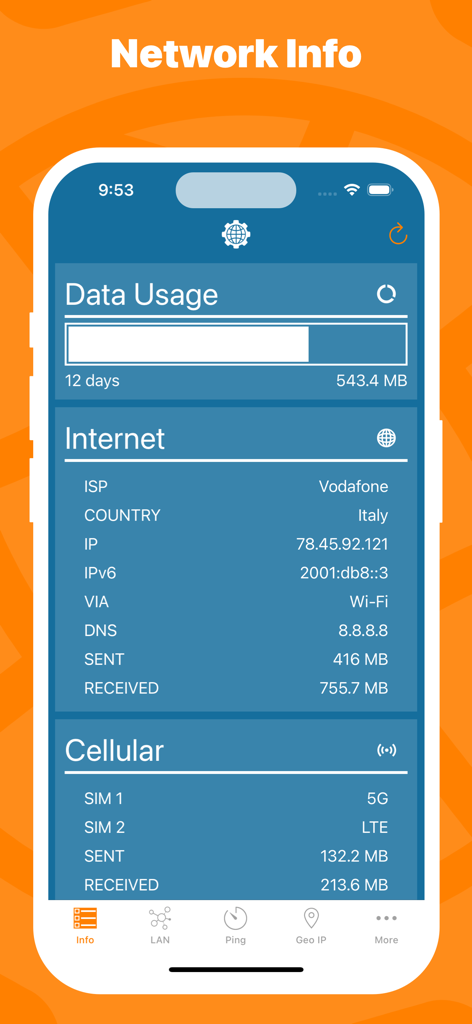
データ使用量の統計、ISPの詳細、モバイルネットワークの状態を含むネットワーク情報を表示するモバイルアプリのインターフェース。

データ使用量の統計、ISPの詳細、モバイルネットワークの状態を含むネットワーク情報を表示するモバイルアプリのインターフェース。

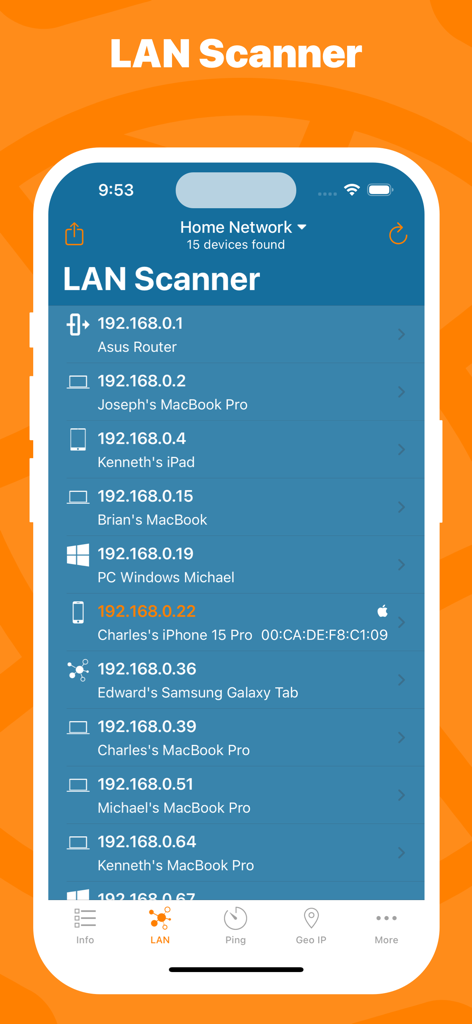
ホームネットワーク上の接続デバイスとIPアドレスの一覧が表示されたNetwork Utility ProアプリのLANスキャナー画面

ホームネットワーク上の接続デバイスとIPアドレスの一覧が表示されたNetwork Utility ProアプリのLANスキャナー画面

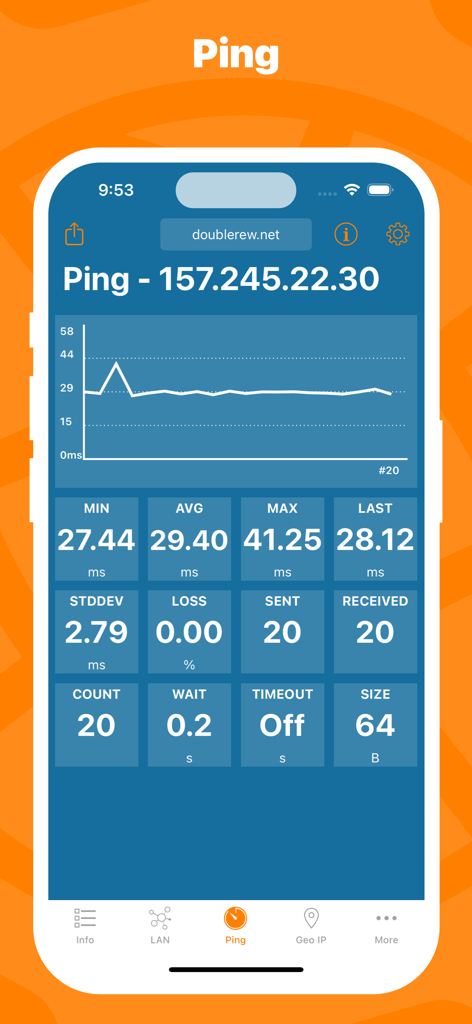
サーバーのリアルタイムPing統計とレイテンシグラフを表示するNetwork Utility Proアプリ

サーバーのリアルタイムPing統計とレイテンシグラフを表示するNetwork Utility Proアプリ

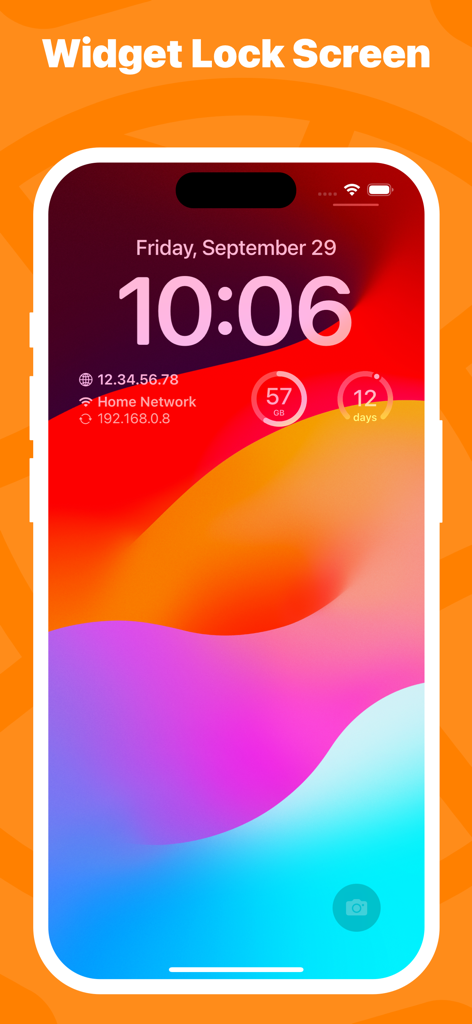
ネットワークIP情報とモバイルデータ使用量を表示するiPhoneロック画面上のNetwork Utility Proウィジェット

ネットワークIP情報とモバイルデータ使用量を表示するiPhoneロック画面上のNetwork Utility Proウィジェット

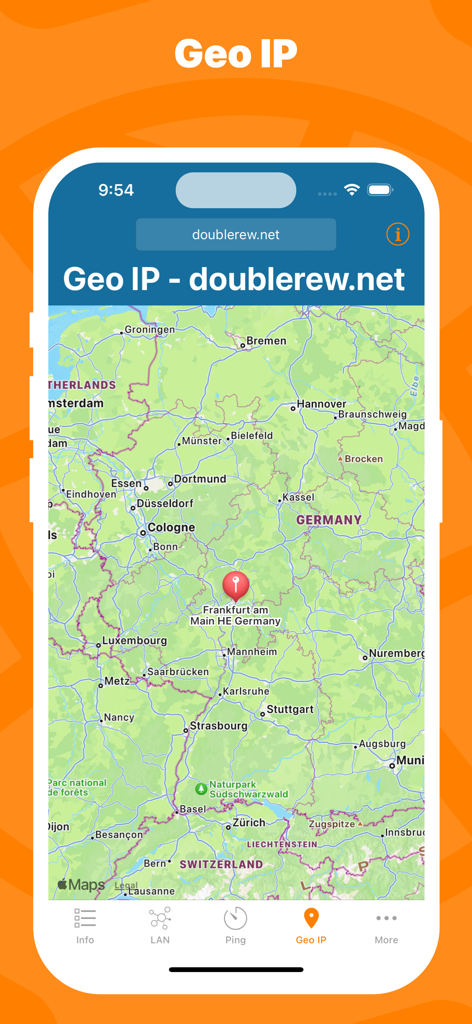
ドイツの地図上の位置マーカーを表示するNetwork Utility ProのGeo IPツールのインターフェース。

ドイツの地図上の位置マーカーを表示するNetwork Utility ProのGeo IPツールのインターフェース。

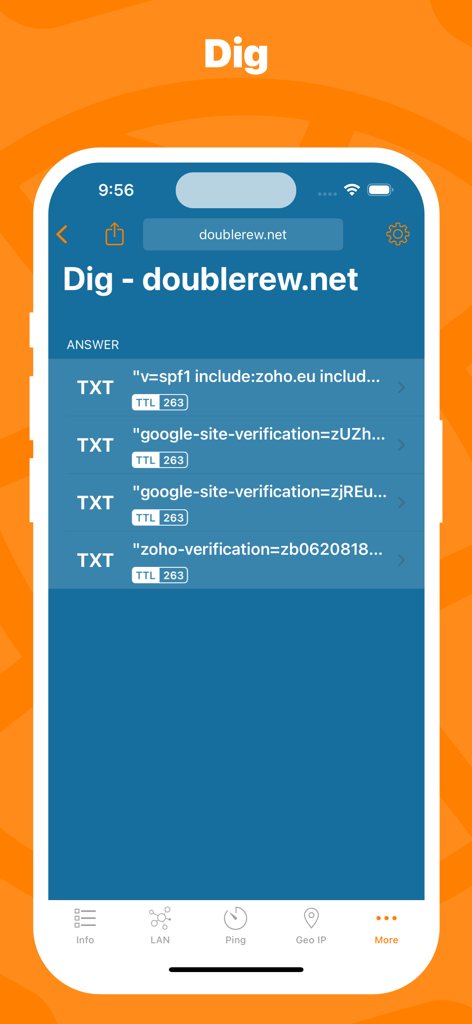
ドメインのTXTレコードとTTLデータを表示するNetwork Utility ProのDig DNSルックアップツール。

ドメインのTXTレコードとTTLデータを表示するNetwork Utility ProのDig DNSルックアップツール。

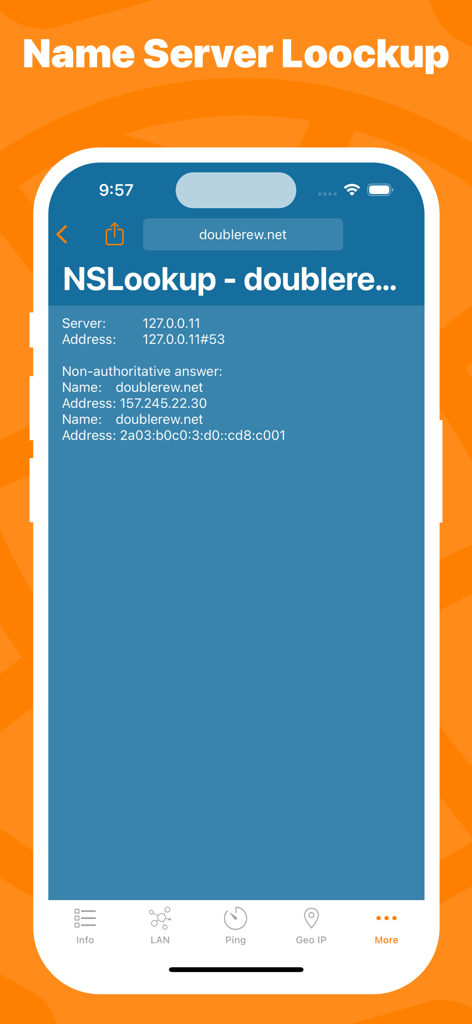
ドメインのNSLookupツールの結果を表示するNetwork Utility Proアプリのスクリーンショット

ドメインのNSLookupツールの結果を表示するNetwork Utility Proアプリのスクリーンショット

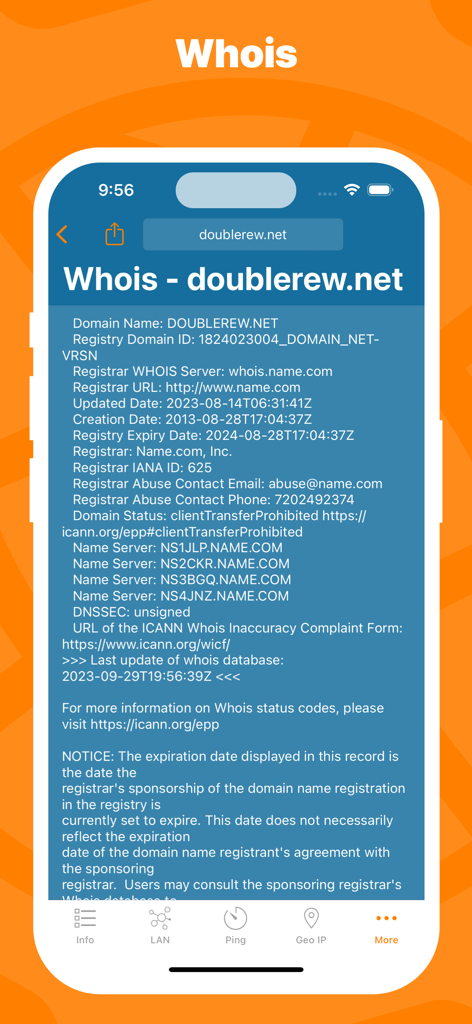
Network Utility ProアプリのWhoisドメイン登録ルックアップインターフェース

Network Utility ProアプリのWhoisドメイン登録ルックアップインターフェース

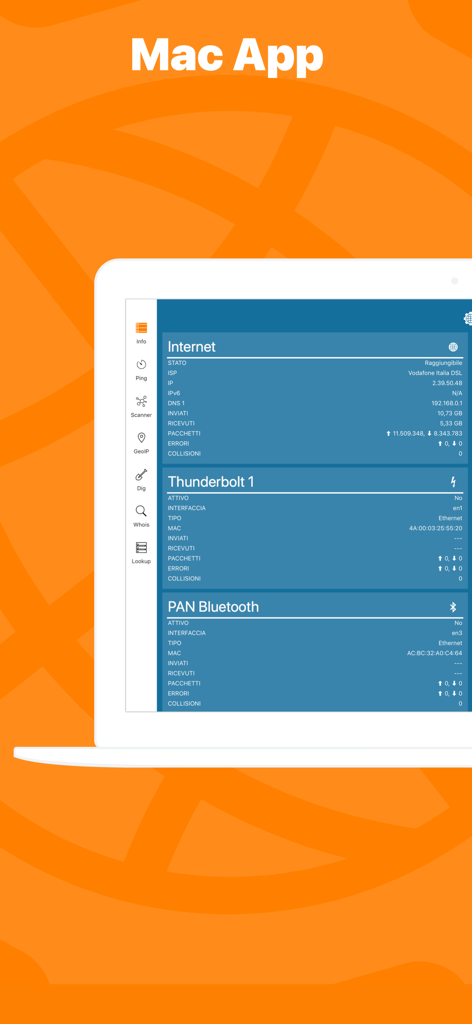
ネットワークの状態と診断を表示するMacノートPC上のNetwork Kit Xアプリケーションインターフェース

ネットワークの状態と診断を表示するMacノートPC上のNetwork Kit Xアプリケーションインターフェース

プロ級のツールでネットワークをマスター

このアプリを際立たせるツール、 155K+ 人のユーザーが選択.

📡

高度なLANスキャナー

ネットワーク上のすべてのデバイスを即座に特定し、不正アクセスを検知して環境の安全を保ちます。

リアルタイムPing & 統計

グラフィカルなデータと高度な設定でレイテンシを監視し、重要なタスクのために接続の安定性を確保します。

📊

正確なデータ監視

カスタム請求サイクルに合わせたモバイルデータ使用量の独立した追跡により、キャリアの速度制限を回避します。

世界中のユーザーに愛されています

Trusted by 155K+ 人がこのアプリを愛用しています.

"

"移動が多いシステム管理者として、Network Utility Proは手放せないモバイルツールキットになりました。iPhoneでプロ仕様のDig、Whois、NSlookupツールが使えるので、ノートPCを開かずにサーバーの問題を診断できます。Mac版とのHandoff対応はワークフローを劇的に変えてくれました。他のテクニカルなアプリに比べてUIが非常にクリーンな点も気に入っています。"

Marcus T.
"

"30台以上のスマートホームデバイスを管理していますが、このアプリはすべてをスムーズに動かし続けるために不可欠です。LANスキャナーはIPの競合を素早く特定したり、オフラインになったデバイスを見つけるのに役立ちます。モバイルデータモニターは、出張中のテザリング使用量を追跡するのに最適です。ホームネットワーク管理のために探していたデジタルの「十徳ナイフ」です。"

Sarah Jenkins

アプリについて

について知っておくべきこと Network Utility Pro.

説明

Keep under control your network with Network Utility, an user friendly set of network tools that will help you to analyze your LAN, and not only that. ► NETWORK INFO A complete and easy to understand report of your device's network interfaces. In that tab you'll find information like the IP, IPv6, other addresses or the data usage statistics about your Wi-Fi, Internet or Cellular connection (if any). ► CELLULAR DATA MONITOR Don't lose sight of your data usage, with four taps you'll have a data monitor configured and ready to use. The following data usage plans' period are supported: - Daily - Weekly - Monthly - 28 days - 30 days - 90 days ► LAN SCANNER Analyze your Wi-Fi with the LAN Scanner tool. Discovering who is connected to your network and Ping it, is a matter of two taps. Easily manage custom subnets to scan only a portion of your LAN. ► PING Ping a LAN device, Ping a server, ping whatever you want. IPv6 addresses are supported too and advanced options like packet size, timeouts, intervals, etc.. are available and easily configurable. The results of your Ping are available numerically in the aggregated stats, graphically in the real time graph or listed, a row per ICMP response received. ► GEO IP Have you ever wondered where a server or any other IP is located? That's the tool for you, show the location on a map and get additional details like the ISP or the ASN in the details pane. ► DIG A DNS lookup utility made simple. A list clearly shows the result of your query and the advanced options allow you to customize your request from the type of query to the DNS server. ► WHOIS Find any information about a domain name and it's owner e.g. the status, creation date, registrant email and address and many more. ► NSLOOKUP A no-frills textual DNS lookup utility. ► WIDGET * Network Utility comes with an useful widget that brings network informations and the cellular data usage into your notification center, home screen e lock screen. ► EXPORT RESULTS ANYWHERE Every utility has an export button that allows you to export the result of your task to the File app, to the Notes app and many other apps or simply copy the raw textual result. ► MAC APP Network Utility is also available on the Mac App Store as Network Kit X, the same app but tuned to take advantage of macOS. Start a tool on your iPhone/iPad a continue it on your Mac thanks to Handoff and Continuity. !! N.B. - Cellular data monitor is available only on iPhone or iPad with Cellular. - LAN Scanner on iOS 11 and upper due to a limitation of the OS can't display the MAC address of the discovered devices. Hostname resolution is available only if you don't use an external DNS. - Widgets on iOS 14 are updated only at scheduled intervals (e.g. every 5 minutes), so they can show outdated info. Open the app to get info updated in real time.

最新バージョン

9.10.3

サイズ

13.3 MB

リリース日

2016年3月3日

どこにいてもネットワークをマスター

究極のデジタル版「十徳ナイフ」を手に入れよう。ポケットに入るデスクトップ級の診断機能を信頼する、155,000人以上のITプロフェッショナルやパワーユーザーの仲間に加わりましょう。

ダウンロード: App Store