nRF Connect for Mobile

nRF Connect for Mobile

ダウンロード: App Storeダウンロード: Google Play
Spark by MWM logo
ロゴ: nRF Connect for Mobile

nRF Connect for Mobile: BLEデバッグの決定版

Bluetooth Low Energyデバイスのスキャン、発見、通信を行うIoT開発者のための究極のユーティリティです。Nordic Semiconductor公式ツールを使用して、OTAファームウェアアップデートの実行、リアルタイムRSSIチャートの分析、詳細なログのエクスポートが可能です。

ダウンロード: App Store

開発元

Nordic Semiconductor ASA

カテゴリ

Utilities

ダウンロード

64K+

ユーザー評価

4.4/5

評価数

1K+

対応言語

1

ポケットに入るBLEラボ

このインターフェースを利用する 64K+ 人のユーザー.

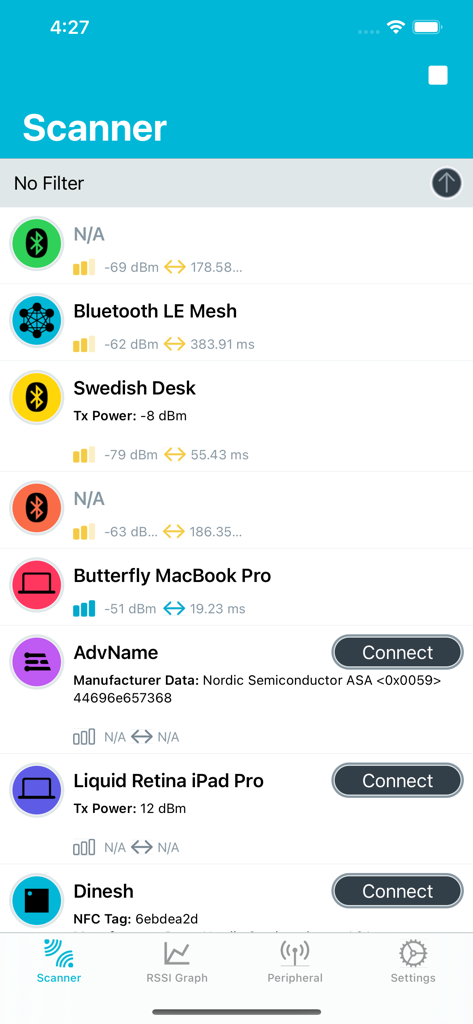
近隣のBluetooth Low Energyデバイスと信号強度を表示するnRF Connect for Mobileアプリのスキャナー。

近隣のBluetooth Low Energyデバイスと信号強度を表示するnRF Connect for Mobileアプリのスキャナー。

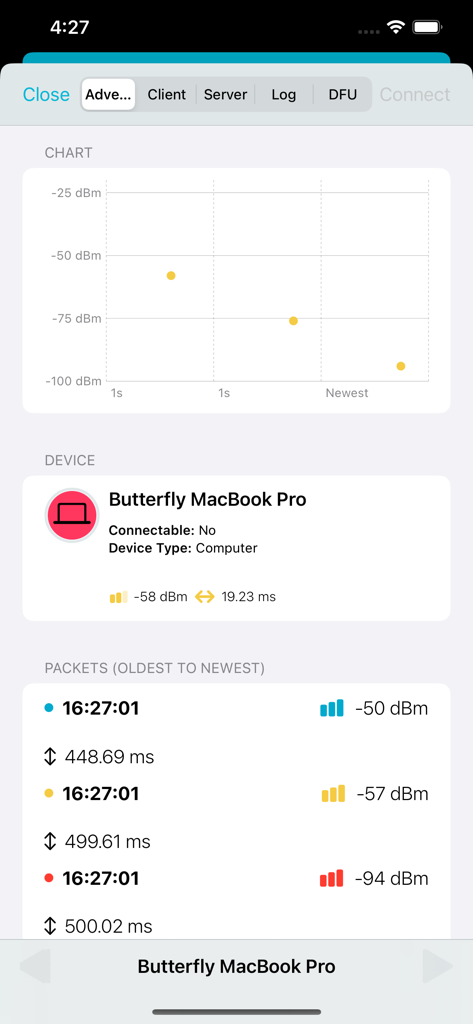
BluetoothデバイスのリアルタイムRSSIチャートとパケットログを表示するnRF Connectモバイルアプリ。

BluetoothデバイスのリアルタイムRSSIチャートとパケットログを表示するnRF Connectモバイルアプリ。

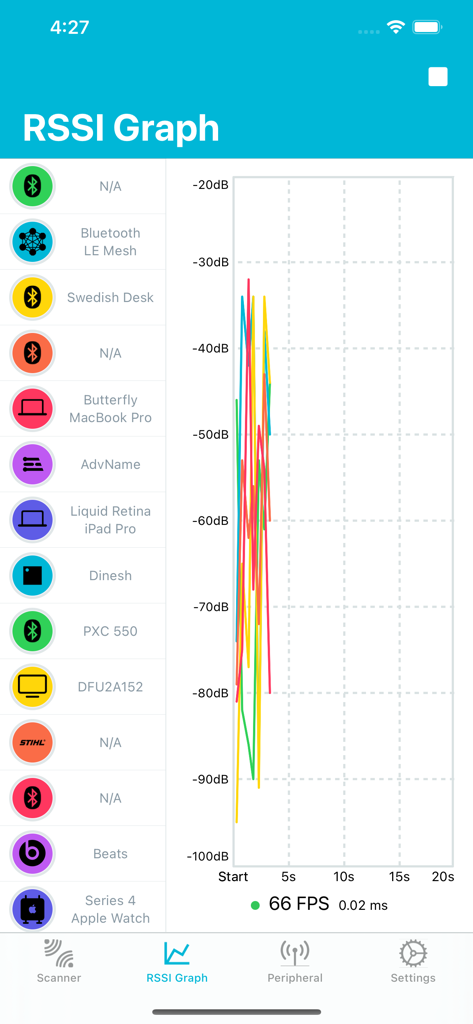
リアルタイムのBluetooth LE信号強度レベルを示すnRF Connect for MobileのRSSIグラフ。

リアルタイムのBluetooth LE信号強度レベルを示すnRF Connect for MobileのRSSIグラフ。

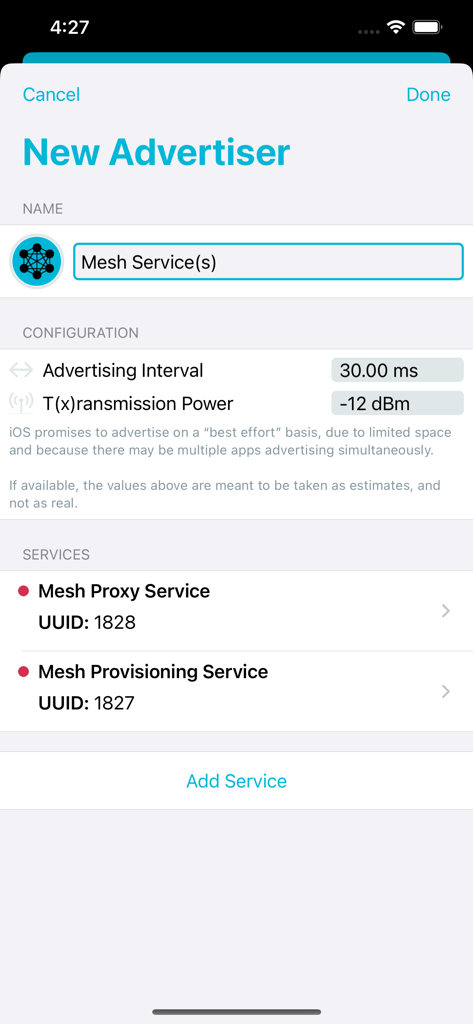
nRF ConnectアプリでMesh ProxyおよびProvisioningサービスを使用して新しいBluetooth Low Energyアドバタイザーを構成するためのインターフェース。

nRF ConnectアプリでMesh ProxyおよびProvisioningサービスを使用して新しいBluetooth Low Energyアドバタイザーを構成するためのインターフェース。

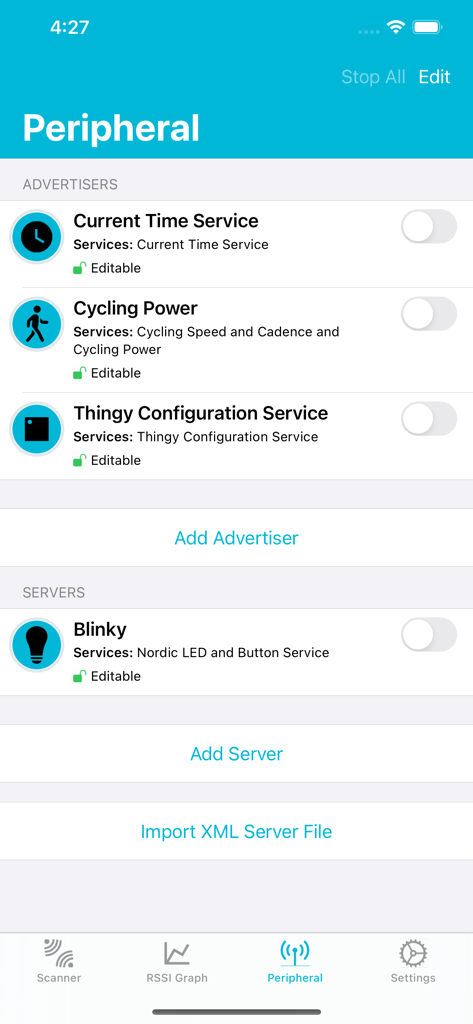
Bluetooth LEペリフェラルアドバタイザーとサーバー構成設定を表示するnRF Connect for Mobileアプリの画面。

Bluetooth LEペリフェラルアドバタイザーとサーバー構成設定を表示するnRF Connect for Mobileアプリの画面。

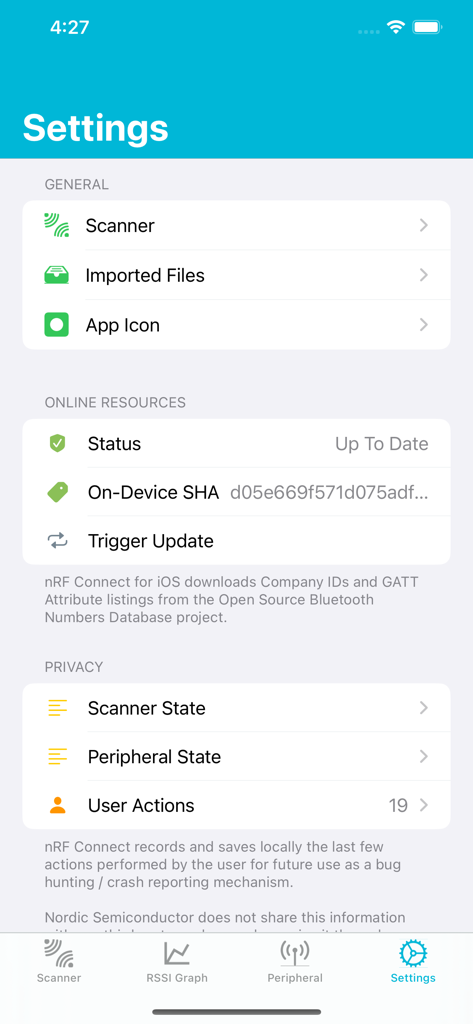
BLE開発者向けの構成オプションを表示するnRF Connect for Mobileアプリの設定画面。

BLE開発者向けの構成オプションを表示するnRF Connect for Mobileアプリの設定画面。

プロフェッショナルグレードのBLEデバッグ

このアプリを際立たせるツール、 64K+ 人のユーザーが選択.

🔍

精密なスキャンと分析

RSSI、サービス、名前による詳細なフィルタリングで近隣のペリフェラルを検出し、リアルタイムの信号強度チャートで接続の安定性を可視化します。

ワイヤレスファームウェアアップデート

NordicのDevice Firmware Update (DFU) プロファイルをフルサポート。コードアップデートを無線(OTA)で書き込み、開発ワークフローを効率化します。

🛠️

完全なGATTインタラクション

サービスやキャラクタリスティックの探索、読み取り/書き込み操作の実行、通知の管理を行い、デバイスのロジックとデータフローを検証します。

世界中のユーザーに愛されています

Trusted by 64K+ 人がこのアプリを愛用しています.

"

"これはBLE開発における絶対的なスタンダードです。DFU機能のおかげで、カスタムプロトタイプのファームウェアアップデートにかかる時間を大幅に節約できました。また、ログエクスポート機能により、チームへのバグ報告も容易になります。すべての組み込みエンジニアが持っておくべき、クリーンで強力なツールです。"

Alex Thorne、組み込みシステムエンジニア
"

"いくつかのBLEスキャナーを試してきましたが、これほど透明性の高いものはありません。リアルタイムRSSIチャートは自作ホームオートメーションセンサーの通信範囲テストに最適で、非常に軽量であることも大きな利点です。IoTハードウェアを扱うすべての人にとって不可欠なユーティリティです。"

Jamie Rivera、IoTメーカー

アプリについて

について知っておくべきこと nRF Connect for Mobile.

説明

nRF Connect is a powerful generic tool that allows you to scan and explore your Bluetooth Low Energy (henceforth Bluetooth LE, also called Bluetooth Version 4.0+ of the Bluetooth specification) devices and communicate with them. nRF Connect also allows your iOS device to advertise as a peripheral, with full support of many of Bluetooth SIG adopted profiles. Additionally, nRF Connect supports Nordic Semiconductor’s Device Firmware Update profile (DFU) capabilities, allowing you to update compatible peripherals! + Features: • Supports DFU on all Nordic Semiconducto-powered devices. • Supports Nordic Thingy™ from Nordic Semiconductor. • Scan and discover nearby Bluetooth LE peripherals. • Filter Scanned Peripherals by Name, Manufacturer, Services (Advertised & Connected) and RSSI Level. • Parsing Multiple Formats of Bluetooth LE Advertisement Data. • Live RSSI Chart of Scanned Bluetooth LE Peripherals. • Complete iPad Support, including Multi-Tasking and Mouse Support as of 13.4. • Logs: Including BLE Function calls, and Export Function as CSV and Text. • Privacy-Oriented: Full-Disclosure of Scanned Data, Advertised Data, and User-Performed Actions held by nRF Connect. • Connecting to Any Connectable Bluetooth LE Smart Device. • Discovery of Services, Characteristics and Descriptors. • Read and Write Characteristics and Descriptors. • Enable and Disable Notifications and Indications. • Advertising as a Bluetooth LE Peripheral. • Setting up a Bluetooth LE (Peripheral) Server and Notifying/Indicating back to connected Central(s). • Low-Fat: nRF Connect for iOS is Very Small, so You Can Always Keep Us With You! >= Requirements: • iOS 16.0 and above. - Notes: nRF Connect also works with our Development Kits, which you may acquire online here: https://www.nordicsemi.com/eng/buy-online

最新バージョン

2.7.23

サイズ

16.3 MB

リリース日

2016年2月1日

業界標準のツールキットをその手に

数千人のIoTエンジニアの仲間に加わりましょう。プロフェッショナルなデバッグとファームウェアアップデートのための決定版BLEユーティリティを今すぐダウンロードしてください。

ダウンロード: App Storeダウンロード: Google Play