Oracle Fusion Applications

Oracle Fusion Applications

ダウンロード: App Storeダウンロード: Google Play
Spark by MWM logo
ロゴ: Oracle Fusion Applications

Oracle Fusion Applications: あなたのプロフェッショナルな世界をモバイルでシームレスに

Oracle Cloudへの安全なアクセスで従業員と管理者を支援します。人事セルフサービスやチーム管理から医療在庫のスキャンまで、現代の従業員のために設計されたレスポンシブな体験で、どこでも生産性を維持できます。

開発元

Oracle America, Inc.

カテゴリ

Business

ダウンロード

1M+

ユーザー評価

3.5/5

評価数

600

対応言語

28

効率性に焦点を当てる

このインターフェースを利用する 1M+ 人のユーザー.

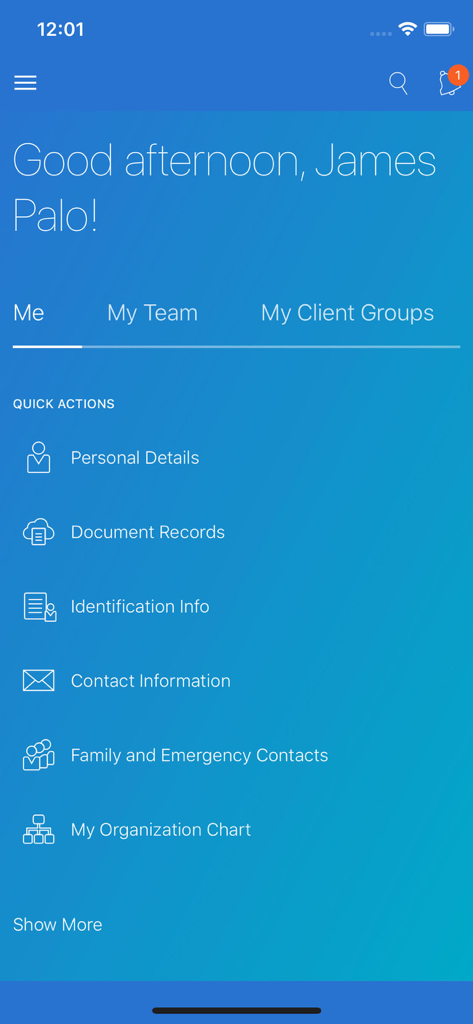
従業員の個人情報へのクイックアクションを示す従業員セルフサービスダッシュボードを表示したOracle Fusion Applicationsモバイルアプリのインターフェース

従業員の個人情報へのクイックアクションを示す従業員セルフサービスダッシュボードを表示したOracle Fusion Applicationsモバイルアプリのインターフェース

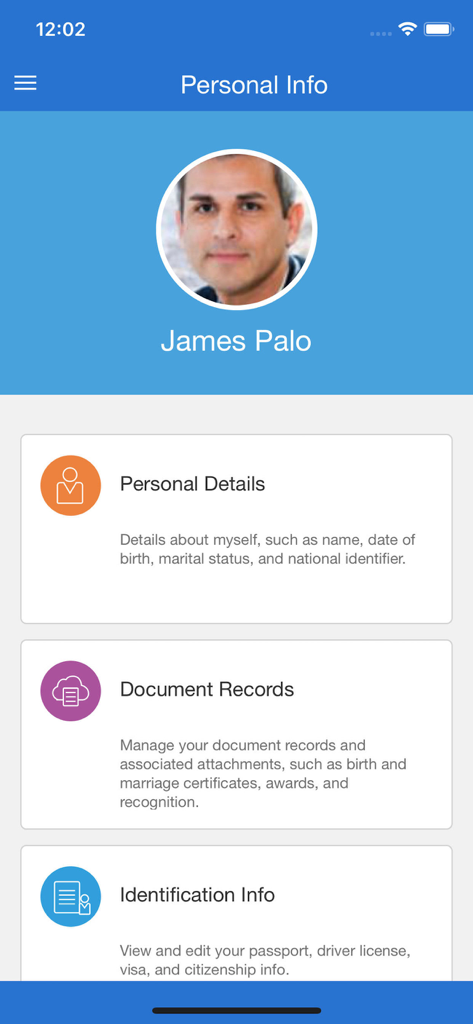
個人情報と文書記録のセクションがある従業員プロファイルを示すOracle Fusion Applicationsの個人情報画面

個人情報と文書記録のセクションがある従業員プロファイルを示すOracle Fusion Applicationsの個人情報画面

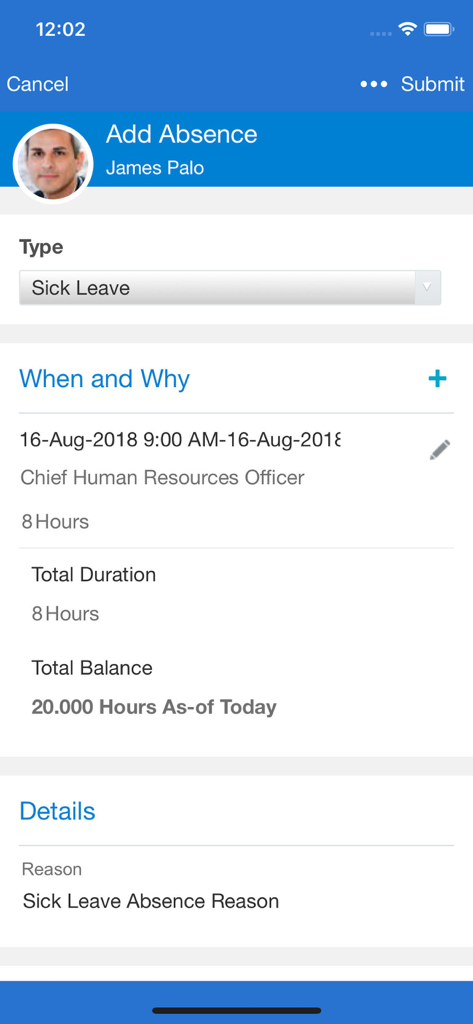
Oracle Fusion Applicationsの病気休暇申請モバイル画面

Oracle Fusion Applicationsの病気休暇申請モバイル画面

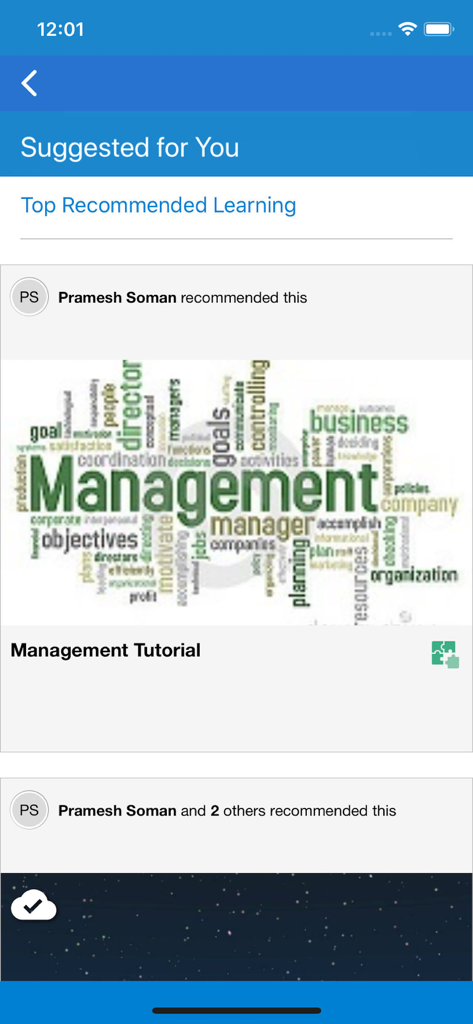
推奨される管理チュートリアルとおすすめのトレーニングを表示するOracle Fusion Applications HCMラーニング画面

推奨される管理チュートリアルとおすすめのトレーニングを表示するOracle Fusion Applications HCMラーニング画面

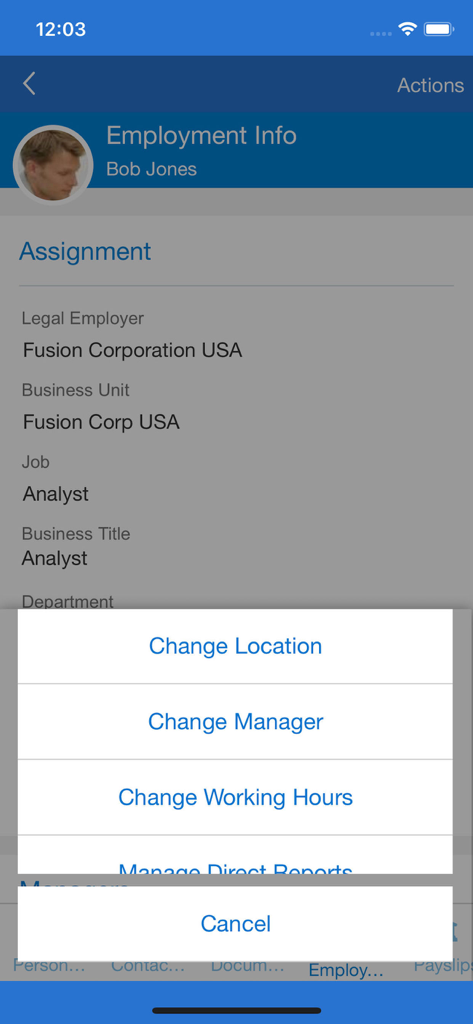
従業員の割り当て詳細とマネージャーアクションメニューを表示するOracle Fusionのモバイル画面

従業員の割り当て詳細とマネージャーアクションメニューを表示するOracle Fusionのモバイル画面

あなたのプロフェッショナルな旅を力強くサポート

このアプリを際立たせるツール、 1M+ 人のユーザーが選択.

リアルタイムの管理者向けインサイト

モバイルデバイスから直接、リクエストの承認、チームの報酬管理、採用プロセスの効率化が可能です。

👤

シームレスな従業員セルフサービス

給与明細の確認、福利厚生の更新、キャリア目標の追跡がワンタップででき、あなたの仕事生活を自分で管理できます。

📦

アジャイルなサプライチェーン管理

PARカウントの完全オフラインサポートを備えた統合バーコードスキャンを使用して、在庫と医療ロジスティクスを最適化します。

世界中のユーザーに愛されています

Trusted by 1M+ 人がこのアプリを愛用しています.

"

"在庫管理ツールは、私の日々の業務にとって全く新しいものです。病院の地下室で電波がない場所でも、携帯電話のカメラで直接PARカウントやバーコードスキャンができるため、毎週何時間もの手作業によるデータ入力から解放されています。"

マーカス・トンプソン、サプライチェーンリーダー
"

"会議の合間にラップトップを開くことなく、チームの承認や給与変更を処理できます。レスポンシブデザインはウェブ版と一貫しており、外出先で目標を管理したり、給与明細を確認したりするのが簡単です。人事タスクの処理方法が大きく変わりました。"

エレナ・ロドリゲス、シニアオペレーションマネージャー

レビュー分析

ユーザーレビューの分析.

感情スコア

13%
ネガティブ

概要

The mobile app receives overwhelmingly negative feedback from users, citing critical issues across various aspects. Users frequently report problems with constant sign-ins, lack of biometric authentication like Face ID, and recurring login errors. Performance is a major concern, with complaints about the app being slow, freezing, and crashing, often requiring reinstallation. While some users appreciate the convenience of accessing payslips, leaves, and other HR processes in one place, many core functionalities are reported as broken or missing, such as viewing pay statements, managing expenses, or accurately tracking time. The app's user interface is often described as clunky and outdated, with specific compatibility issues noted on various iPhone models (including screen cut-offs on Apple 13 and iOS 17, and unresponsive sliders). A highly concerning bug involved the app redirecting users to a casino website.

主なテーマ

Login and Authentication Issues(16)
Performance and Stability(16)
User Interface and Design(9)
Device & Version Specific Issues(6)
Payslip Management Issues(4)
Missing Features(4)
Core HR Functionality (Positive)(4)

アプリについて

について知っておくべきこと Oracle Fusion Applications.

説明

The Oracle Fusion Apps gives organizations secure access to their Oracle Cloud Applications while on the go. The same responsive user experience enabled in the web application is available in this mobile app, and provides a seamless and consistent experience. Supply chain healthcare users can perform cycle counts, receiving, put away, stocking inquiries, stock issues, pick confirm, subinventory transfers, and periodic automatic replenishment (PAR) counts in the mobile app. These mobile flows support scanning relevant barcode data using either a camera-based or device-based scanner. Offline support is included in periodic automatic replenishment (PAR) count application. You can access the new mobile flows by clicking the Inventory Management (Mobile) menu entry under the Supply Chain Execution navigation group. Alternatively, you can directly navigate to individual mobile pages by clicking on the individual Quick Actions. For example, clicking the PAR Count (Mobile) quick action takes you directly to the PAR Count mobile page. As a new hire, you can view and manage your onboarding tasks before your first day of work. As an employee, you can manage your personal information, view your payslip, manage your goals, view and manage your benefits elections, manage your skills and qualifications, look up colleagues in the directory, and much more. As a manager, you can hire an employee, promote, transfer, change the working hours, and manage salary and compensation of current employees. You can also use My Team to stay informed of your team’s overall employment, compensation, and talent information. All users, can also view their notifications and approve or reject a request from their mobile device using this application. Offline support is included for HCM Learning. Learners can complete their learning at any time. When the device connects online again, it will synchronize your learning assignment progress and completion status with the server. - You must have an active Oracle Cloud Applications user account. - Your mobile device must have internet access and be connected to a live Oracle Applications Cloud server. - Your Applications Cloud home page must be configured to use the News Feed Default Layout (see MyOracleSupport document ID 2399671.1). - Only mobile responsive features enabled in your Cloud web application are available (see MyOracleSupport document ID 2399671.1). - Features and functionality vary based on licensed and implemented applications. Refer to the What’s New for the Redesigned User Experience features in Oracle Cloud Release Readiness for detailed information about mobile responsive features. - See the Application License Agreement for details.- See the Application License Agreement for details.

最新バージョン

11.13.24.10.01

サイズ

27.3 MB

リリース日

2018年4月7日

外出先であなたの仕事を力強くサポート

安全でレスポンシブなOracle Fusionモバイル体験で、人事、サプライチェーン、チーム運営を管理する100万人以上のプロフェッショナルに加わりましょう。

ダウンロード: App Storeダウンロード: Google Play
FAQ

よくある質問

について知っておくべきこと Oracle Fusion Applications

Oracle Fusion Applicationsモバイルアプリとは何ですか?

Oracle Fusion Applicationsモバイルアプリは、Oracle Cloud Applicationsへの安全な外出先からのアクセスを提供します。サプライチェーン管理、人事機能、学習など、さまざまなタスクに対応する応答性の高いユーザーエクスペリエンスを提供します。

従業員はOracle Fusion Applicationsアプリを使用して個人情報を管理できますか?

はい、従業員はOracle Fusion Applicationsモバイルアプリを通じて、個人情報を管理し、給与明細を表示し、目標を管理し、福利厚生の選択を更新できます。

マネージャーはOracle Fusion Applicationsアプリでどのような人事管理タスクを実行できますか?

マネージャーはOracle Fusion Applicationsを使用して、従業員の採用、昇進、異動、労働時間の変更、および現在の従業員の給与と報酬を管理できます。

Oracle Fusion Applicationsモバイルアプリで利用できるサプライチェーン機能は何ですか?

サプライチェーンのヘルスケアユーザーは、Oracle Fusion Applicationsモバイルアプリ内でサイクルカウント、入荷、格納、在庫照会、在庫出庫、ピッキング確認、サブインベントリ転送、およびPAR(Periodic Automatic Replenishment)カウントを実行できます。

Oracle Fusion Applicationsはサプライチェーンタスクのオフライン機能をサポートしていますか?

はい、Oracle Fusion Applicationsモバイルアプリには、PAR(Periodic Automatic Replenishment)カウントのオフラインサポートが含まれています。これにより、ユーザーはアクティブなインターネット接続なしでタスクを完了できます。

学習者はOracle Fusion Applicationsを使用してオフラインでコースを完了できますか?

はい、Oracle Fusion ApplicationsはHCM Learningのオフラインサポートを提供します。学習者はインターネットアクセスなしで課題を完了でき、デバイスがオンラインに再接続されると進捗状況が同期されます。

Oracle Fusion Applicationsは在庫管理のためのバーコードスキャンをサポートしていますか?

はい、Oracle Fusion Applicationsモバイルアプリは、サプライチェーンモバイルフローに関連するバーコードデータのスキャンをサポートしています。ユーザーはカメラベースまたはデバイスベースのスキャナーのいずれかを使用できます。

Oracle Fusion Applicationsモバイルアプリを使用するには、どのユーザーアカウントが必要ですか?

ユーザーは、Oracle Fusion Applicationsモバイルアプリの機能にアクセスして利用するために、アクティブなOracle Cloud Applicationsユーザーアカウントを持っている必要があります。

Oracle Fusion Applicationsアプリでは常にインターネット接続が必要ですか?

いいえ、常にインターネット接続が必要なわけではありません。通常は必要ですが、PARカウントやHCM Learningなどの特定の機能には、Oracle Fusion Applications内にオフラインサポートが含まれています。

Oracle Fusion Applicationsアプリで機能にすばやくアクセスするにはどうすればよいですか?

ホーム画面にリストされているクイックアクションをクリックすることで、個々のモバイルページに直接アクセスできます。たとえば、「PAR Count (Mobile)」は直接そのページに移動します。

新規採用者はOracle Fusion Applicationsアプリを使用してオンボーディングタスクを管理できますか?

はい、新規採用者は、Oracle Fusion Applicationsモバイルアプリケーションを通じて、入社初日前にオンボーディングタスクを表示および管理できます。