Paidy

Paidy

ダウンロード: App Storeダウンロード: Google Play
Spark by MWM logo
ロゴ: Paidy

Paidy:欲しいものを賢く、後払いで。クレジットカード不要。

Apple、Amazon、SHEINなどで、0%金利分割払いで今日から欲しいものを手に入れましょう。クレジットカード不要、隠れた手数料なし。スマートフォンから簡単、月々の支払い。

開発元

Paidy Inc.

カテゴリ

Finance

ダウンロード

11M+

ユーザー評価

4.5/5

評価数

134K+

対応言語

1

ショッピングの自由を、視覚的に

このインターフェースを利用する 11M+ 人のユーザー.

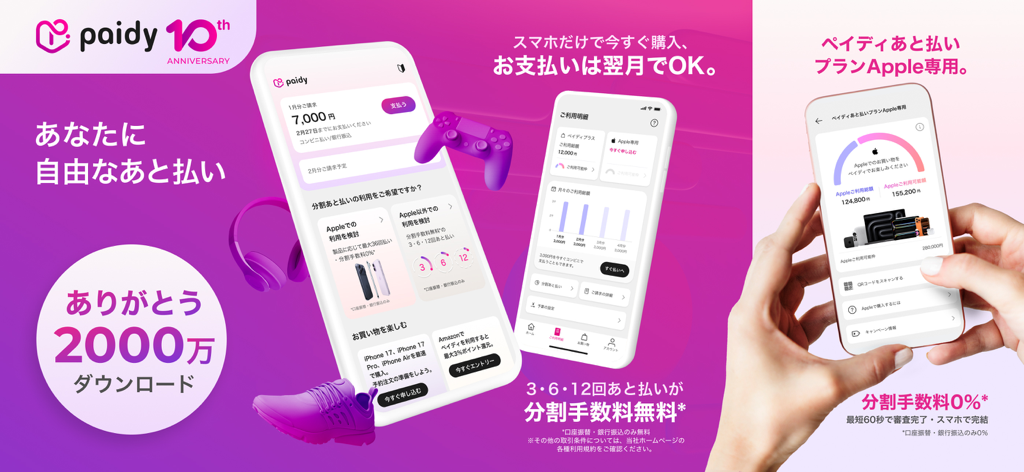
Paidyモバイルアプリの画面。金利ゼロの分割払いプランと統合されたAppleショッピング機能が表示されています。

Paidyモバイルアプリの画面。金利ゼロの分割払いプランと統合されたAppleショッピング機能が表示されています。

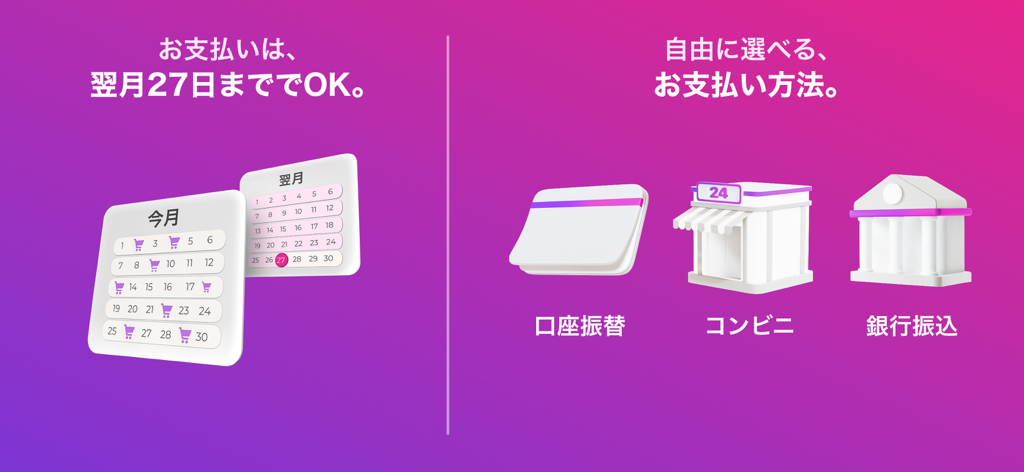
Paidyの支払い期日(翌月27日まで)と、銀行振込やコンビニ払いなどのさまざまな支払い方法を示すグラフィック。

Paidyの支払い期日(翌月27日まで)と、銀行振込やコンビニ払いなどのさまざまな支払い方法を示すグラフィック。

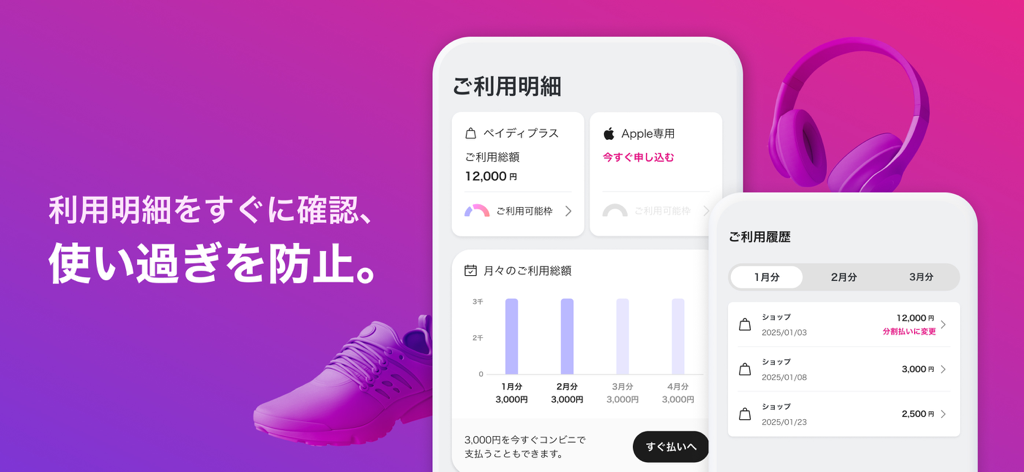
Paidyの支出チャート、取引履歴、予算管理機能を示すモバイルアプリの画面。

Paidyの支出チャート、取引履歴、予算管理機能を示すモバイルアプリの画面。

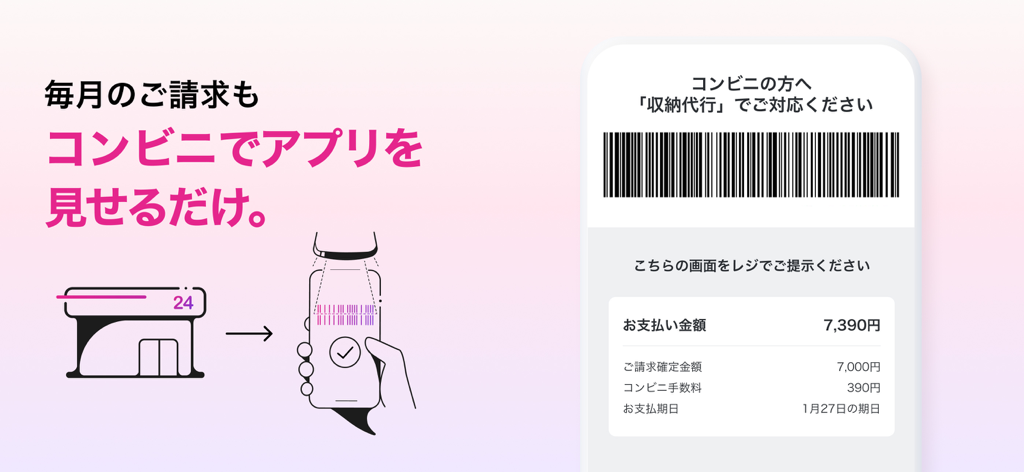
コンビニエンスストアで月々の請求書を支払うためのPaidyアプリのバーコードを示すスマートフォンの画面。

コンビニエンスストアで月々の請求書を支払うためのPaidyアプリのバーコードを示すスマートフォンの画面。

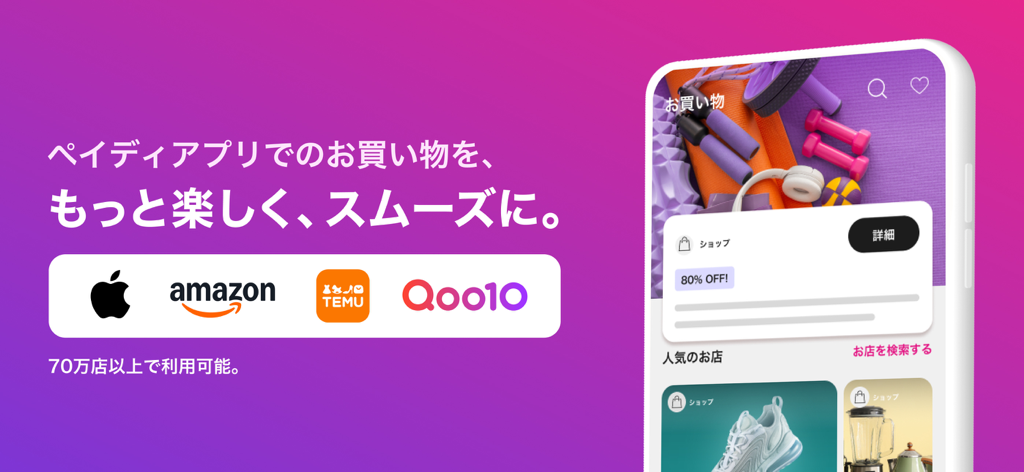
AppleとAmazonのロゴ、ショッピングインターフェースを示すスマートフォンのモックアップをフィーチャーした、Paidyアプリのプロモーションバナー。

AppleとAmazonのロゴ、ショッピングインターフェースを示すスマートフォンのモックアップをフィーチャーした、Paidyアプリのプロモーションバナー。

賢く買い物、あなたのペースで支払う

このアプリを際立たせるツール、 11M+ 人のユーザーが選択.

🕒

金利ゼロの分割払い

購入代金を0%金利、隠れた手数料ゼロで、3回、6回、または12回の簡単な月々の分割払いにしましょう。

📱

クレジットカード不要

スマートフォンだけで、すぐに始められます。書類作成や厳しい審査なしで、スムーズな体験を。

🍎

Apple限定特典

最大36ヶ月の0%金利分割払いで、最新のiPhoneやMacBookを手に入れましょう。

世界中のユーザーに愛されています

Trusted by 11M+ 人がこのアプリを愛用しています.

"

"Apple Storeで新しいMacBookを買うのが、Paidyのおかげでとても簡単でした。従来のクレジットカードは好きではないので、0%金利の分割払いは学生の私にとって最適でした。アプリは非常に洗練されていて、毎月いくら支払うべきかを、隠れた手数料や驚きなしに把握できます。"

Jordan K.
"

"Amazonやファッションの買い物をするときは、Paidyをよく利用します。毎月、いくつもの小さな請求が銀行口座に届く代わりに、月末にまとめて請求書を支払うのはとても便利です。本人確認も迅速で、今ではほとんどすべての買い物で3回払いオプションを利用できます。月々の支出を管理するのに本当に役立ちます。"

Chloe L.

レビュー分析

ユーザーレビューの分析.

感情スコア

15%
ネガティブ

概要

This app receives overwhelmingly negative feedback from users. Many express significant frustration over the recent removal of both real and virtual card functionality, which has severely limited its utility and convenience for everyday purchases and online shopping. Users also frequently report critical app bugs, including login failures, authentication issues, and the app failing to open, especially after updates, with one user specifically noting Amazon installment payment issues after an "iOS26 update." While a few appreciate the initial ease of setup and one recent positive interaction with customer support, a significant number of reviews highlight issues with Amazon payment rejections, inflexible credit limits without clear explanations, unexpected fees, and billing errors for cancelled orders, leading to a perception of declining service and reliability.

主なテーマ

Card Functionality(20)
App Bugs and Reliability(11)
Customer Support(8)
Payment Rejection and Credit Limits(7)
Amazon Payment Issues(6)
Login and Authentication(6)
Fees and Billing Errors(5)
Ease of Initial Setup(1)

アプリについて

について知っておくべきこと Paidy.

説明

Features - Buy now pay later with just your smartphone - No Credit card nor Pre-registration required, no annual fee - Buy now at more than 700K shops including Amazon, SHEIN, DMM - Monthly consolidated bill received at the beginning of next month and you can easily choose the payment method that works best for you - Freely choose from convenient store, automatic debit transfer, bank transfer - Pay at Lawson, Ministop, FamilyMart,Seicomart,7-Eleven - Monthly bills can be paid by simply showing the screen at a convenience store with the app - You can pay at a convenience store at any time by using the "Pay Now" function - Discover products in "Shop" and "inspiration" tabs and complete purchase in the app for a smooth shopping experience Make shopping easier and delightful by verifying your identification: - Use "3 pay" or "6 pay" or "12 pay" to split your purchase into 3 or 6 or 12 monthly installments at 0% interest. * - Check your spend limit and set a budget to stop overspending *0% interest only with auto-debit and bank transfer. *The number of payments that can be selected varies depending on the merchant Paidy Plus for Apple - Shop at Apple with 0% interest** - Installment plans up to 36 months, depending on the product - Dedicated line of credit exclusively for Apple Retail - An application for “Paidy Plus for Apple” is required to shop at Apple***. **0% interest only with auto-debit and bank transfer. ***Paidy and Paidy Plus cannot be used to make purchases at Apple. ***The 3pay, 6pay, and 12pay features for Paidy Plus cannot be used with Apple. Recommended For -Those who prefer cashless payment -Those who prefer to pay monthly consolidated bills at next month -Those who are worried about the overuse of credit cards -Those who prefer to pay in monthly installments without fees -Those who prefer to freely choose payment options such as convenient store, automatic debit transfer, bank transfer -Those who prefer to purchase Apple products with monthly installments Security Measures -Account protected with two-factor authentication using verification codes -Monitor all transactions 24 hours a day, 365 days a year -Prevention of fraud and impersonation by identity verification -Payment information is encrypted with TLS (Transport Layer Security) [English] 【For more details, click here】 https://paidy.com 【Paidy Plus for Apple Terms of Use】 https://terms.paidy.com/hokatsu-apple/ 【Paidy Plus Terms of Use】 https://terms.paidy.com/hokatsu/

最新バージョン

3.57.2

サイズ

138.4 MB

リリース日

2017年5月29日

借金を増やさず、ショッピングをアップグレード。

1100万人のユーザーに加わり、0%金利分割払いで買い物を楽しみましょう。クレジットカード不要、隠れた手数料ゼロで、最新のテクノロジーやファッションを今すぐ手に入れましょう。

ダウンロード: App Storeダウンロード: Google Play
FAQ

よくある質問

について知っておくべきこと Paidy

Paidyとは何ですか?また、どのように機能しますか?

Paidyは、クレジットカードや事前の登録なしで、スマートフォンだけで「今買って、後で払う」ことができるサービスです。Paidyの利用に年会費はかかりません。

Paidyはクレジットカードまたは事前登録が必要ですか?

いいえ、Paidyはそのサービスを利用するためにクレジットカードや事前登録は必要ありません。Paidyアカウントに年会費はかかりません。

Amazon、SHEIN、またはDMMでPaidyは使えますか?

はい、Paidyは70万店舗以上で利用可能です。Amazon、SHEIN、DMMなどの人気オンラインストアで、便利にお買い物を楽しめます。

毎月のPaidyの請求書はどのように支払いますか?

Paidyは翌月のはじめに合算請求書を送付します。コンビニ、口座振替、または銀行振込で支払うことができます。

Paidyで分割払いできますか?

はい、Paidyでは「3回あと払い」「6回あと払い」「12回あと払い」を選択して、購入代金を月々分割で支払うことができます。口座振替および銀行振込の場合は、金利0%になることがあります。

Paidyの分割払いは金利0%ですか?

はい、口座振替または銀行振込で支払う場合、Paidyの分割払い(3回あと払い、6回あと払い、12回あと払い)は金利0%で利用できます。

Apple向けのPaidy Plusとは何ですか?

Apple向けのPaidy Plusは、Apple製品の購入に対して最大36回の金利0%分割払いを利用できるサービスです。「Paidy Plus for Apple」専用のアプリケーションが必要です。

Paidyで利用限度額を管理できますか?

はい、Paidyではアプリ内で利用限度額を確認したり、予算を設定したりすることができ、使いすぎを防ぎ、効果的に家計を管理するのに役立ちます。

Paidyはアカウントのセキュリティをどのように確保していますか?

Paidyは、二段階認証でアカウントを保護し、24時間365日取引を監視し、不正利用防止のために本人確認を行い、TLSで決済情報を暗号化しています。

Paidyの支払いが可能なコンビニエンスストアはどこですか?

ローソン、ミニストップ、ファミリーマート、セイコーマート、セブン-イレブンなどのコンビニエンスストアで、アプリ画面を提示するだけでPaidyの請求書を支払うことができます。