Penbook Pencil Notebook

Penbook Pencil Notebook

ダウンロード: App Store
Spark by MWM logo
ロゴ: Penbook Pencil Notebook
Penbook: iPadとApple Pencilのための究極のデジタル文具

400種類以上のスマートでカスタマイズ可能なペーパーでノート作成をレベルアップ。プロフェッショナルプランナーから科学ジャーナルまで、世界で最も汎用性の高いデジタルノートでアイデアを形にしよう。

ダウンロード: App Store

開発元

User Camp Inc.

カテゴリ

Productivity

ダウンロード

3M+

ユーザー評価

4.5/5

評価数

53K+

対応言語

2

あなたの世界をインクで

このインターフェースを利用する 3M+ 人のユーザー.

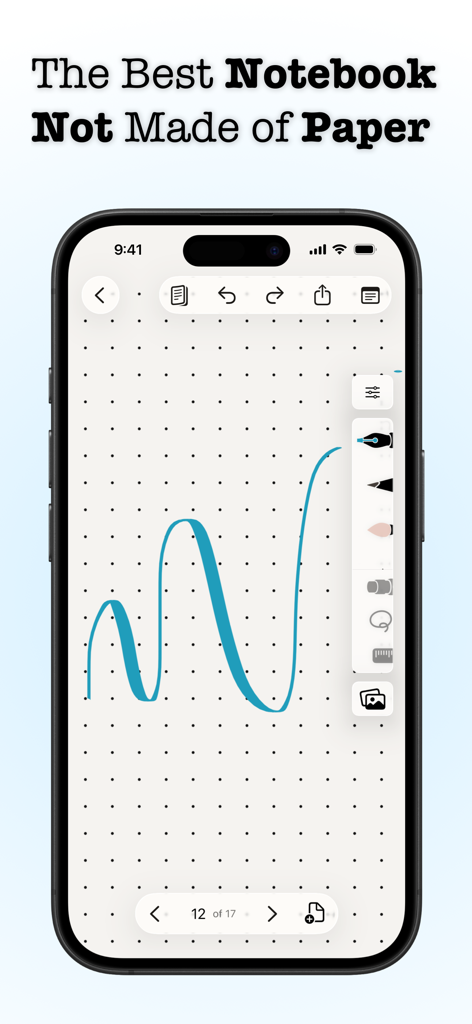
PenbookアプリがiPhone上に表示され、ドットグリッドペーパー文具に青いインクのストロークを描いている

PenbookアプリがiPhone上に表示され、ドットグリッドペーパー文具に青いインクのストロークを描いている

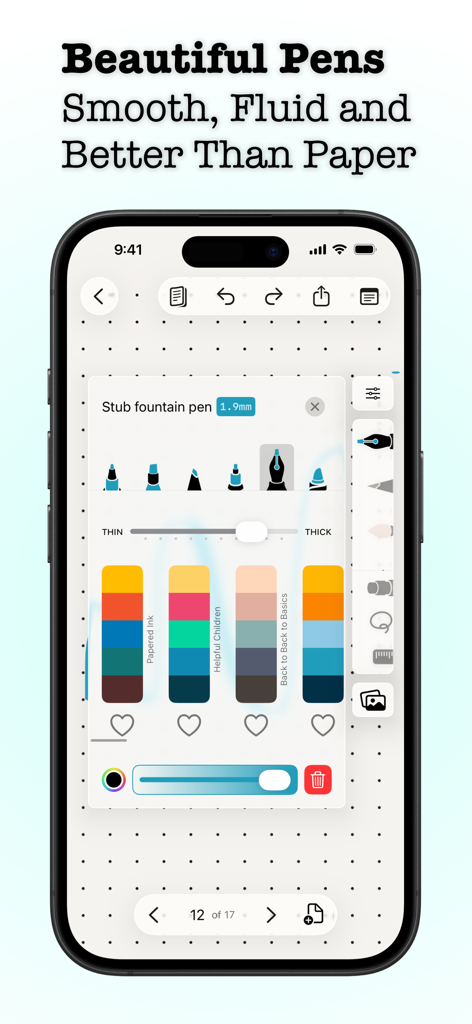
Penbookアプリの画面に、デジタルペンの先端選択、太さスライダー、カラースキームが表示され、ドットグリッドペーパー上に設定されている

Penbookアプリの画面に、デジタルペンの先端選択、太さスライダー、カラースキームが表示され、ドットグリッドペーパー上に設定されている

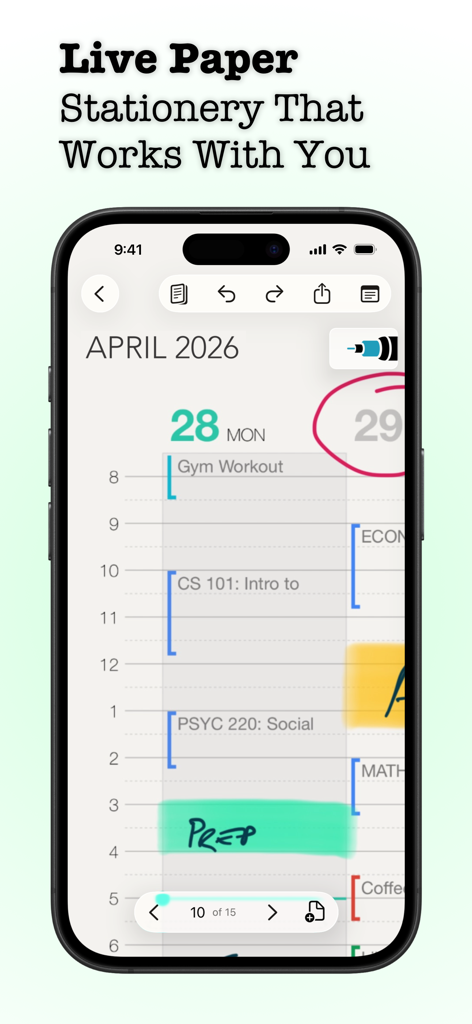
Penbookアプリのデイリープランナーで、手書きのノートとスケジュールがiPhone画面に表示されている

Penbookアプリのデイリープランナーで、手書きのノートとスケジュールがiPhone画面に表示されている

Penbookアプリのノート作成ツールインターフェース。様々な文具テンプレートやプランナーレイアウトが表示されている

Penbookアプリのノート作成ツールインターフェース。様々な文具テンプレートやプランナーレイアウトが表示されている

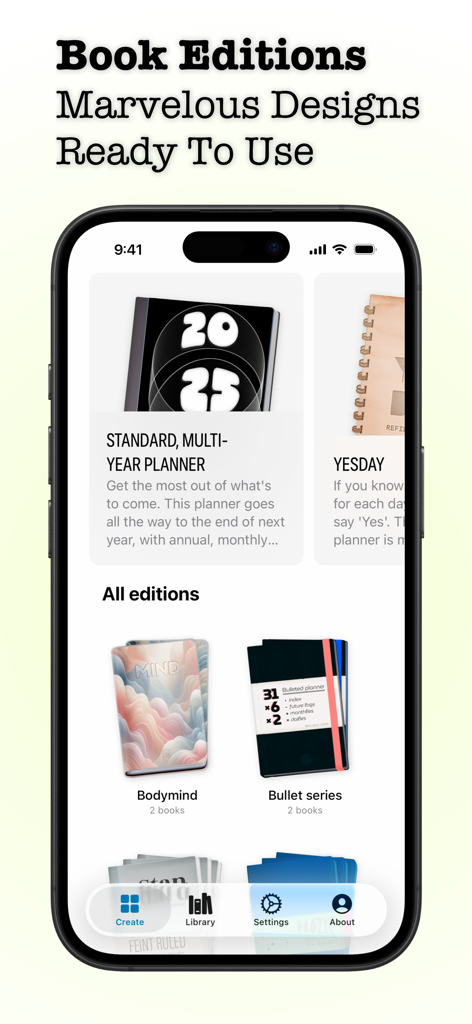
Penbookアプリの様々なデジタルノートエディションとプランナーデザインを表示するモバイルインターフェース

Penbookアプリの様々なデジタルノートエディションとプランナーデザインを表示するモバイルインターフェース

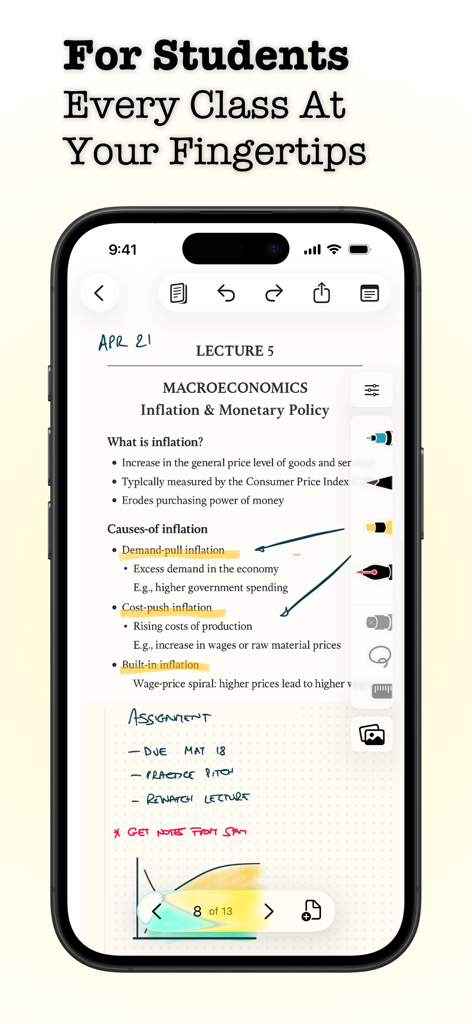
スマートフォンのPenbookアプリに、タイポグラフィと手書きの注釈が特徴のマクロ経済学のデジタル講義ノートが表示されている

スマートフォンのPenbookアプリに、タイポグラフィと手書きの注釈が特徴のマクロ経済学のデジタル講義ノートが表示されている

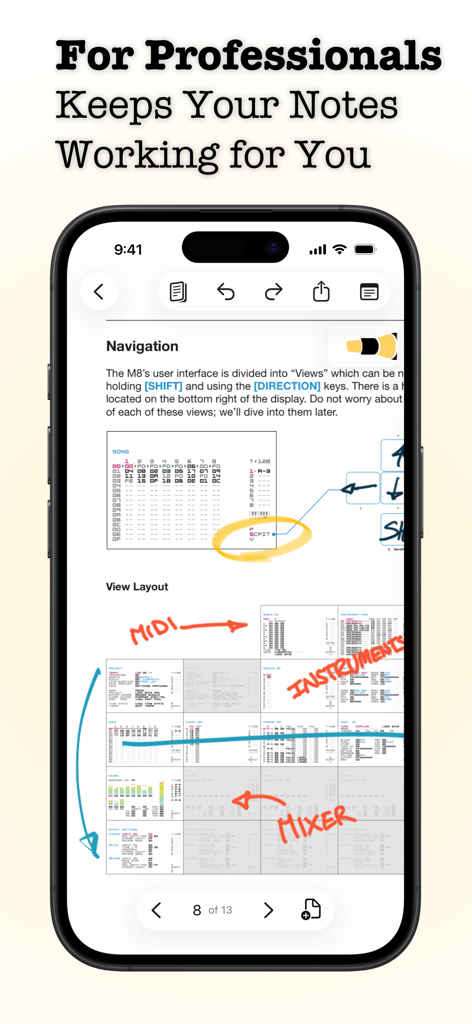
iPhone画面に、手書きの注釈と図が含まれた技術文書を表示するPenbookアプリが表示されている

iPhone画面に、手書きの注釈と図が含まれた技術文書を表示するPenbookアプリが表示されている

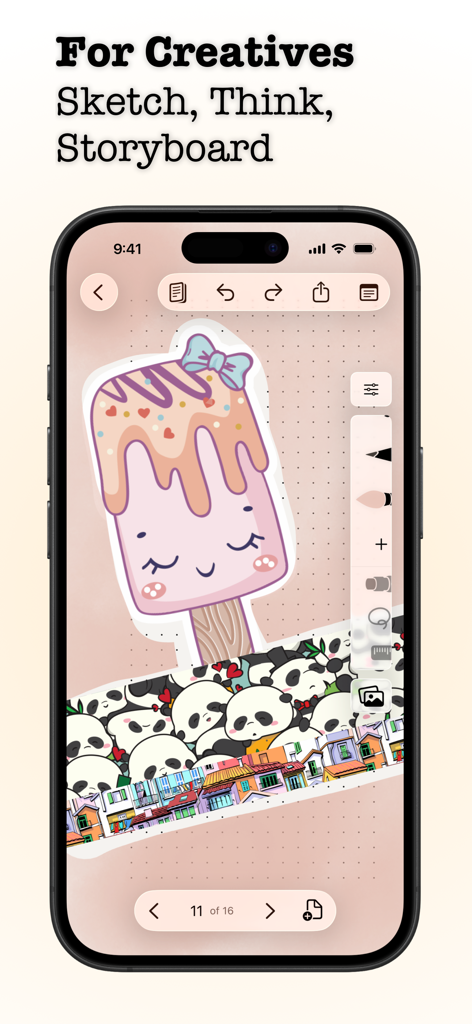
iPhone画面に、Penbookアプリで描かれたアイスキャンディーとパンダのステッカーのクリエイティブなイラストが表示されている

iPhone画面に、Penbookアプリで描かれたアイスキャンディーとパンダのステッカーのクリエイティブなイラストが表示されている

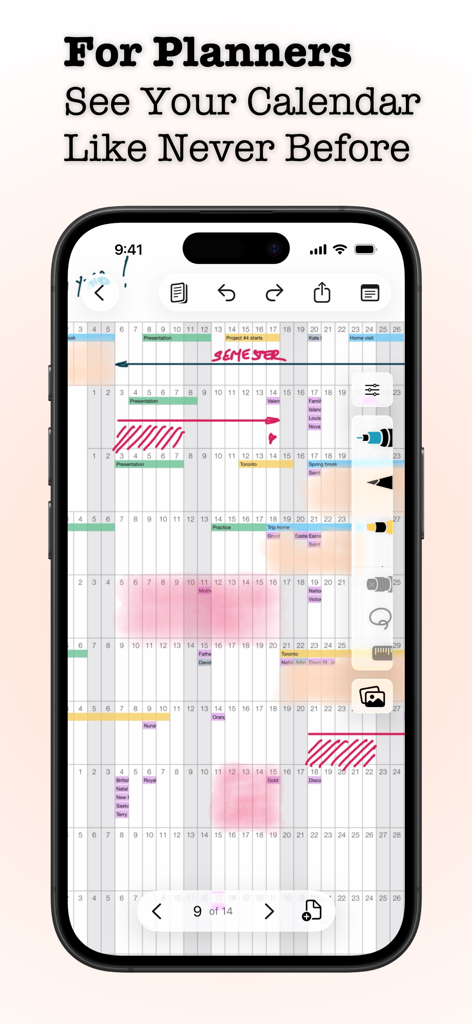
Penbookアプリのデジタルカレンダーとプランナーインターフェースに、手書きのノートと注釈が表示されている

Penbookアプリのデジタルカレンダーとプランナーインターフェースに、手書きのノートと注釈が表示されている

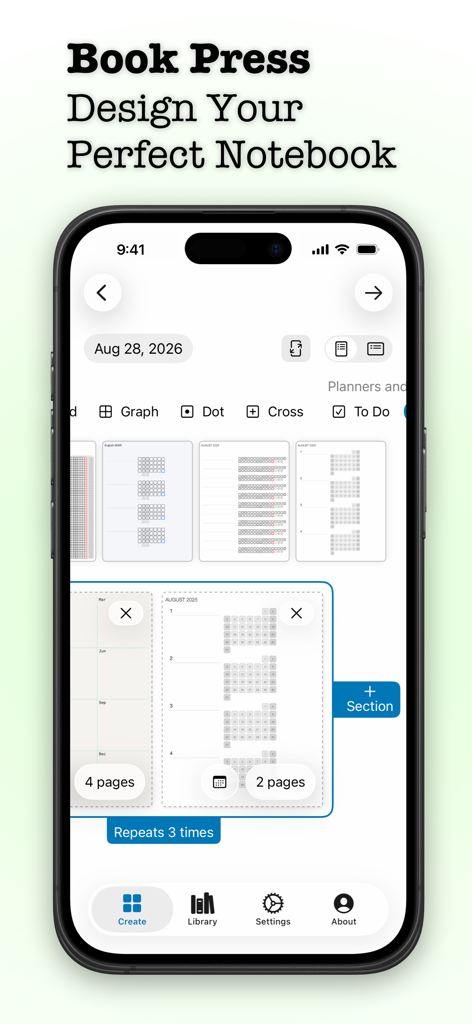
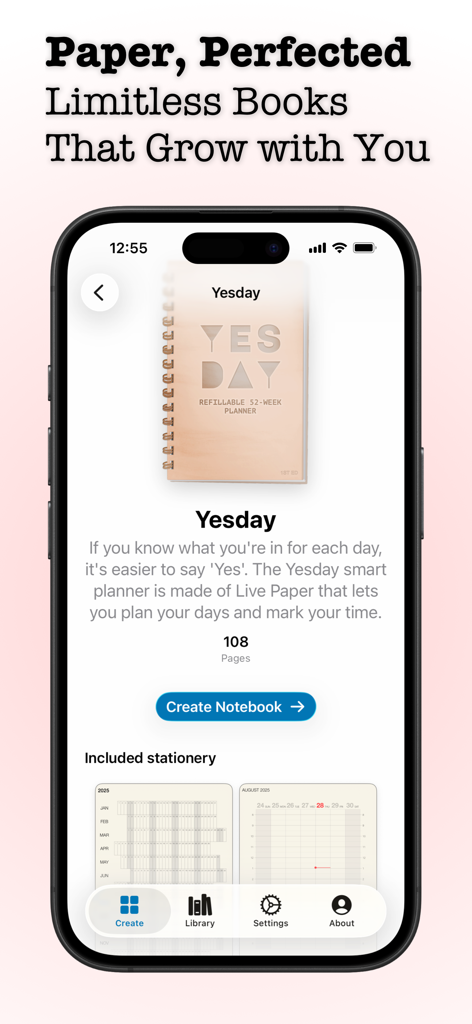
Penbookアプリのインターフェースのスクリーンショット。iPhone上でYesdayスマートプランナー作成画面が表示されている

Penbookアプリのインターフェースのスクリーンショット。iPhone上でYesdayスマートプランナー作成画面が表示されている

よりスマートなペーパーへのアプローチ

このアプリを際立たせるツール、 3M+ 人のユーザーが選択.

🎨

400種類以上の専門レイアウト

エンジニアリンググリッド、化学テンプレート、音楽五線譜、習慣トラッカーまで、あらゆるプロジェクトや情熱に最適なペーパーを見つけよう。

🗓️

インテリジェントライブペーパー

静的なプランナーはもう必要ありません。当社のライブペーパー技術は日付と時刻を理解し、現在の曜日を自動的にハイライトし、カレンダーと同期します。

🔍

検索可能な手書き

もう思考を失うことはありません。強力な認識技術により、デジタル文書と同じくらい簡単に手書きノートを検索できます。

世界中のユーザーに愛されています

Trusted by 3M+ 人がこのアプリを愛用しています.

"

"化学専攻の私にとって、Penbookはまさに救世主です。同じノートでコーネル式ノートから有機化学のスケッチ用の六角形ペーパーに切り替えられるのは驚異的です。さらに、期末試験の時期にキーワードのために自分の手書きを検索できることは、私の学習セッションにとってまさにゲームチェンジャーです。"

Sarah M., STEM学生
"

"利用可能なすべてのデジタルプランナーを試しましたが、Penbookのライブペーパーに勝るものはありませんでした。物理的なジャーナルのよりスマートなバージョンだと実際に感じられる最初のアプリです。UIワイヤーフレームにはストーリーボードテンプレートを使い、フリーランスプロジェクトを管理するにはデイリープランナーを使っています—まさに生産性の至福です。"

David L., フリーランスプロダクトデザイナー

アプリについて

について知っておくべきこと Penbook Pencil Notebook.

説明

Write naturally with your Apple Pencil on Live Paper with Penbook. Build your perfect notebook from more than four hundred types of stationery. Then, use the best digital inking technology to pour your ideas, notes, plans, and dreams into it. Penbook's Live Paper is way smarter than ordinary stationery. Schedule your life on a monthly planner that shows a real calendar, organize your day with a day planner that shows you what time it is, and record your nutrition on a food diary that knows what day it is. Or, bring your own stationery! Import your PDFs into Penbook for quick annotation and editing. Give your notebooks colorful covers with fun art, and share them so your notes are always where you need them. FEATURES • Live Paper, the dynamic stationery that uses the smarts of your iPad and iPhone • Over 400 of academic, scientific, and planning stationeries • Import PDFs and use them as notebooks • Write naturally with your Apple Pencil, stylus, or finger • Unlimited unique cover combinations for your notes • Search your handwritten notes for words or phrases • Snap your strokes to perfect shapes with shape recognition INCLUDED STATIONERIES Penbook has a huge selection of customizable stationery. Each page of your notebook can be different, turning your iPad or iPhone into a magic notebook: • Blank stationery, with an optional date and configurable margin • Ruled paper with variable density • Graph paper with four options for square sizes • Dot stationery, either squared or isometric (offset) • Cross stationery with configurable margins and density • To Do pages with four layout options • Monthly habit paper for tracking streaks, habits, and goals • Day planner paper with a live updating timeline and calendar, and three layouts • Weekly planner paper that highlights the current time and date • Monthly planner paper that keeps track of the current day and shows you what's coming next • Yearly stationery for getting a complete overview of your next 365 days • Cornell paper for taking perfect study notes • French ruled (Séyès) paper • Penmanship practice paper • Table stationery for hand-written spreadsheets • Polar graph paper for plotting radial data • Semi-log and loglog paper for data with exponential growth or decay • Isometric stationery with equilateral (60-60-60) or isosceles (75-75-30) triangles • Perspective paper, configurable with one, two, or three vanishing points • Developer stationery with device stencils and configurable note-taking areas • Storyboard paper with 3 frame aspect ratios • Engineering paper with variable density • Chemistry paper for easily sketching molecules • Staff and tablature (music) paper with optional linked staves GET THE MOST OUT OF PENBOOK Use all of Penbook's stationery and writing features in a single notebook for free for as long as you like. Upgrade to Penbook Premium to create and export unlimited notebooks, receive access to new stationery and covers as they're designed, and get regular app updates. Penbook Premium is available by purchasing a yearly subscription or a one-time (lifetime) in-app purchase. When you choose to upgrade with the yearly subscription, you can start using Penbook Premium for free with a 7-day free trial. During the trial, cancel any time until 24 hours before the trial expires, and you will not be charged. If you do not cancel, you will be automatically billed for the yearly subscription when your free trial ends. Payment will be charged to your Apple ID account at the confirmation of purchase. Subscription automatically renews unless it is canceled at least 24 hours before the end of the current period. Your account will be charged for renewal within 24 hours prior to the end of the current period. You can manage and cancel your subscriptions by going to your account settings on the App Store after purchase. Our customer-first privacy policy: https://penbook.app/privacy-policy Penbook's terms of use: https://penbook.app/terms-of-use

最新バージョン

7.2.12

サイズ

104.2 MB

リリース日

2019年9月24日

完璧なノートを作りませんか?

300万人以上のクリエイターやプロフェッショナルに加わろう。世界で最もスマートなデジタル文具で、手書きの自然な感触を体験しよう。今すぐPenbookを無料でダウンロード。

ダウンロード: App Store
FAQ

よくある質問

について知っておくべきこと Penbook Pencil Notebook

Penbookとは何ですか?

Penbookは、Apple Pencilユーザー向けのデジタルノートアプリで、「ライブペーパー」上で400種類以上の文具やPDF注釈機能を使用して自然な書き心地を提供します。

Penbookのライブペーパー機能とは何ですか?

Penbookのライブペーパーは、月間・日刊プランナーのリアルタイムカレンダー更新や、現在の日付を認識するフードダイアリーなどのスマート機能を備えたダイナミックな文具です。

PenbookにPDFをインポートできますか?

はい、ユーザーは独自のPDFをPenbookにインポートし、アプリ内で直接すばやく注釈や編集を行うことができます。

Penbookではノートのカスタマイズと共有はできますか?

はい、Penbookではノートに楽しいアートでカラフルな表紙を付けたり、共有したりすることができ、ノートに常にアクセスできるようにします。

Penbookではどのような文具が利用できますか?

Penbookには、罫線、方眼、ドット、ToDo、プランナー、コーネル式、音楽、化学の用紙など、400種類以上の学術、科学、計画用文具が用意されています。

Penbookは手書きの図形を認識しますか?

はい、Penbookには図形認識機能があり、手書きのストロークを自動的に完璧な図形にスナップします。

Penbookで手書きのメモを検索できますか?

はい、Penbookでは手書きのメモを検索して、特定の単語やフレーズを見つけることができます。

Penbookは無料アプリですか?

Penbookでは、単一のノートで全ての文具と筆記機能を無制限に無料で利用できます。Penbook Premiumにアップグレードすると、無制限のノート作成やその他の特典が利用可能になります。

Penbook Premiumにはどのような機能が含まれていますか?

Penbook Premiumでは、無制限のノート作成とエクスポート、新しい文具やカバーへのアクセス、定期的なアプリアップデートが提供されます。

Penbook Premiumはどのように購入できますか?

Penbook Premiumは、年間サブスクリプションまたは買い切り(生涯)のアプリ内購入で利用できます。年間サブスクリプションには7日間の無料トライアルが付いています。

PenbookはPremiumサブスクリプションの無料トライアルを提供していますか?

はい、Penbookは年間Premiumサブスクリプションの7日間無料トライアルを提供しています。料金が発生するのを避けるためには、トライアル終了の24時間前までにいつでもキャンセルできます。

Penbookのプライバシーポリシーはどこにありますか?

Penbookのプライバシーポリシーは、ウェブサイト https://penbook.app/privacy-policy でご覧いただけます。

Penbookで筆記具をカスタマイズできますか?

はい、Penbookでは、ペンタイプ(例:スタブ万年筆)、インクの太さ、カラーパレットなどの筆記具をカスタマイズできます。これはインターフェースに表示されています。

Penbookは、あらかじめデザインされたノートテンプレートやエディションを提供していますか?

はい、Penbookは「Standard, Multi-Year Planner」や「Yesday」などの「Book Editions」を提供しており、様々な計画ニーズに対応する事前デザインされたテンプレートが含まれています。