Photo Collage Maker: InCollage

Photo Collage Maker: InCollage

ダウンロード: App Store
Spark by MWM logo
ロゴ: Photo Collage Maker: InCollage

InCollage: 数秒で美しい写真ストーリーとコラージュを作成

700万人以上のクリエイターがAI搭載ツールと10,000以上のシックなレイアウトを使用して、写真の山をInstagram、TikTok、そしてそれ以上のためのキュレーションされた傑作に変えています。

ダウンロード: App Store

開発元

SHANTANU PTE. LTD.

カテゴリ

Photo & Video

ダウンロード

7M+

ユーザー評価

4.9/5

評価数

152K+

対応言語

16

才能の片鱗

このインターフェースを利用する 7M+ 人のユーザー.

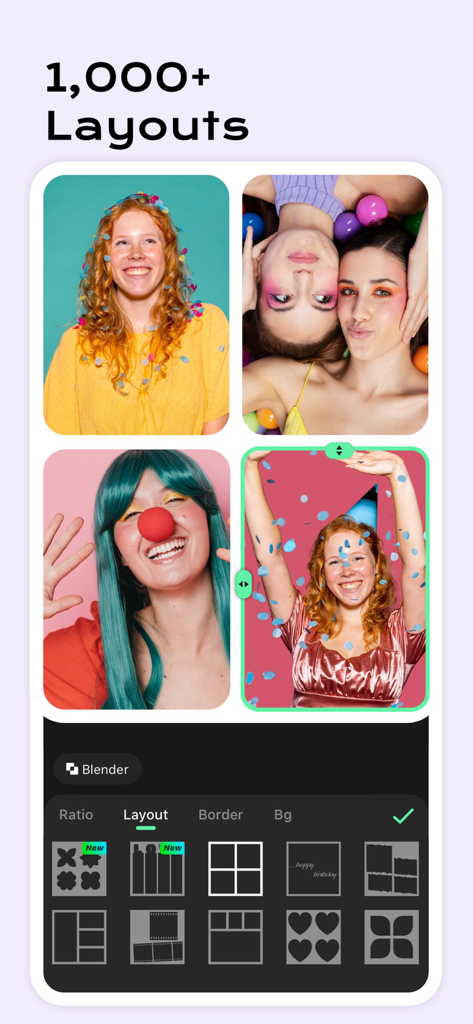
さまざまなグリッドレイアウトと編集オプションを表示する写真コラージュメーカーのインターフェース

さまざまなグリッドレイアウトと編集オプションを表示する写真コラージュメーカーのインターフェース

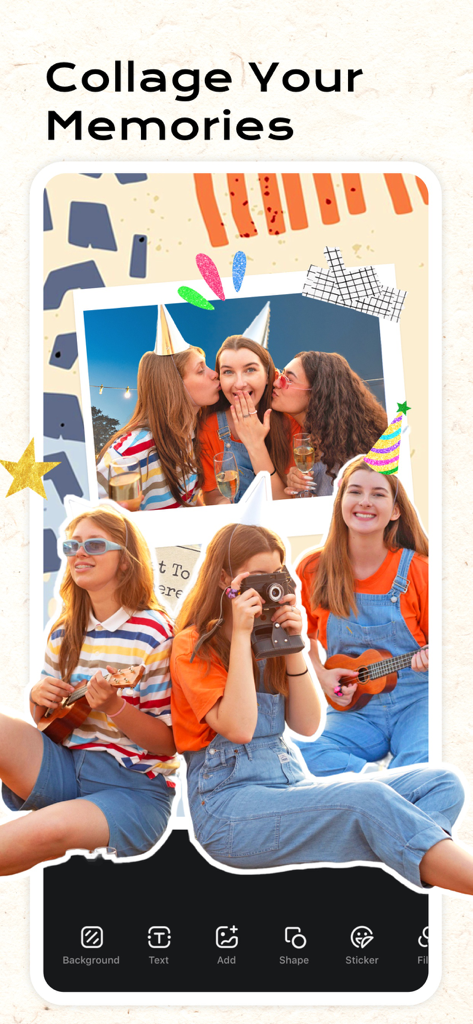
パーティーの写真と編集ツールを備えたクリエイティブなスクラップブックレイアウトを示すInCollageアプリ

パーティーの写真と編集ツールを備えたクリエイティブなスクラップブックレイアウトを示すInCollageアプリ

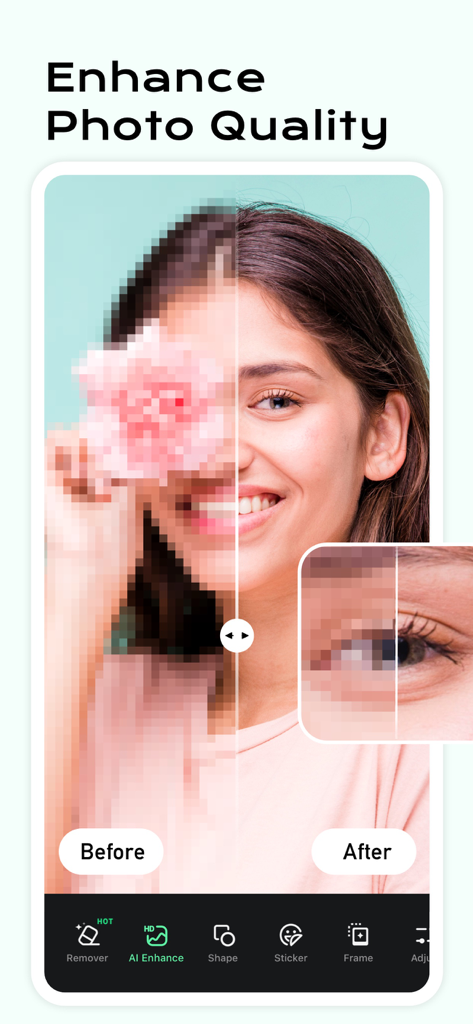
女性のポートレートに対するAI写真品質向上機能のビフォーアフター比較

女性のポートレートに対するAI写真品質向上機能のビフォーアフター比較

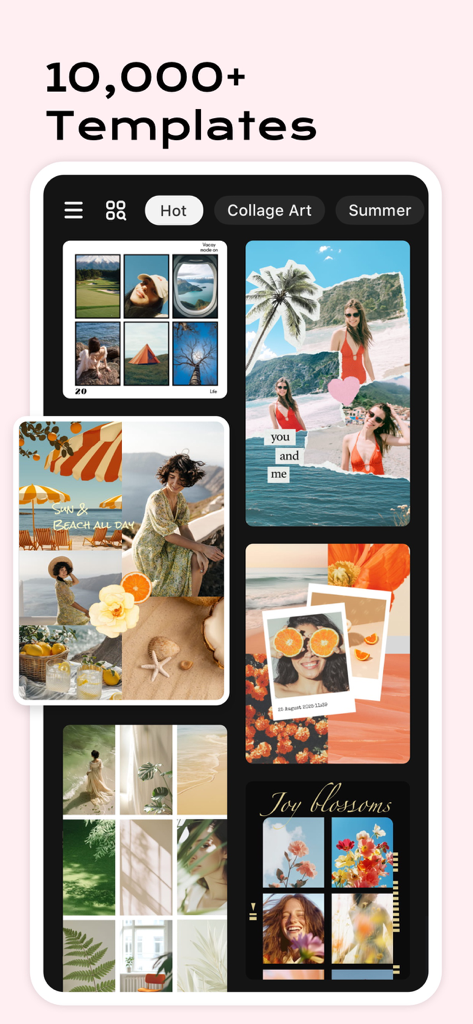
InCollageアプリのさまざまなクリエイティブな写真コラージュテンプレートとレイアウトを示すインターフェース

InCollageアプリのさまざまなクリエイティブな写真コラージュテンプレートとレイアウトを示すインターフェース

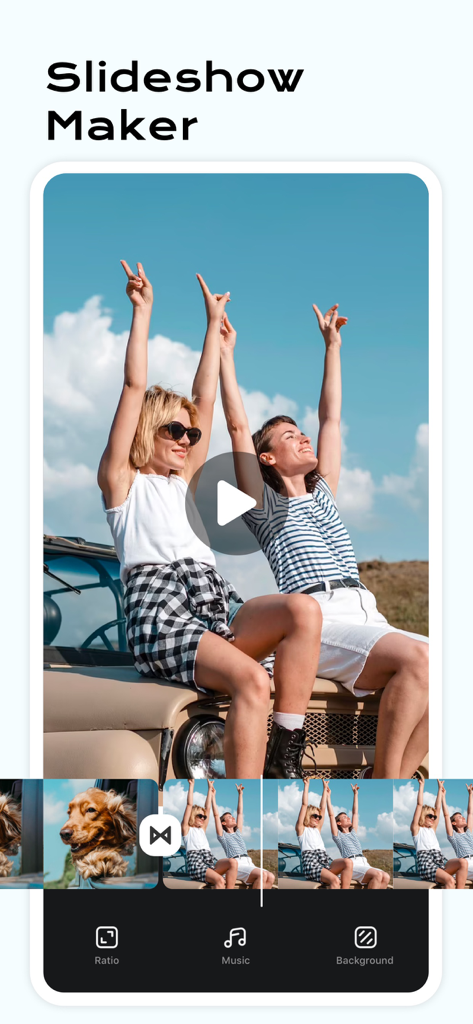
ロードトリップの写真のビデオタイムラインと音楽および背景の編集オプションを示すスライドショーメーカー機能のモバイルアプリ画面

ロードトリップの写真のビデオタイムラインと音楽および背景の編集オプションを示すスライドショーメーカー機能のモバイルアプリ画面

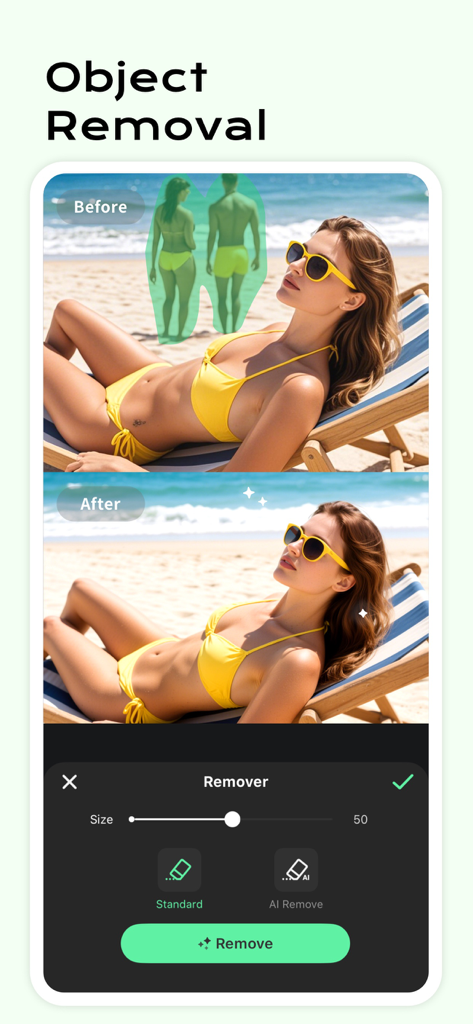
ビーチ写真でのAIオブジェクト削除機能のビフォーアフターデモンストレーション。

ビーチ写真でのAIオブジェクト削除機能のビフォーアフターデモンストレーション。

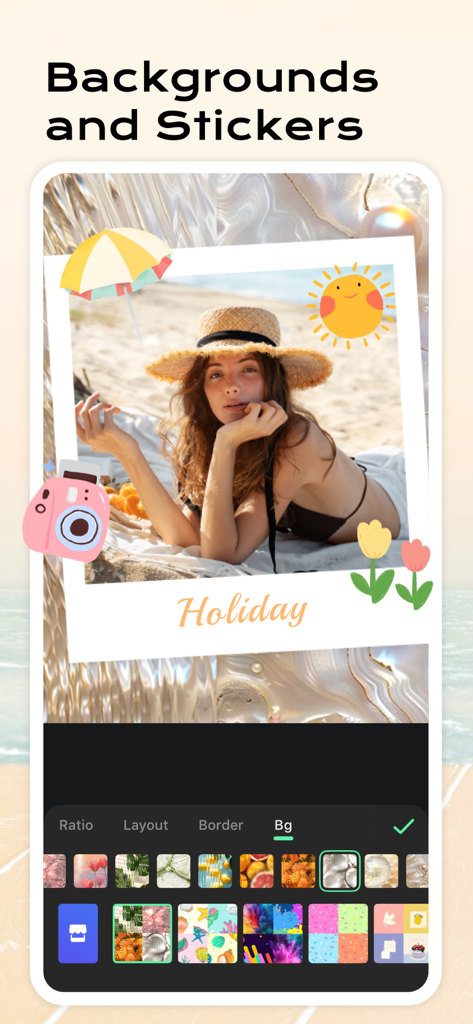
InCollageアプリのインターフェースで、夏のステッカーと波打つ背景で編集されているホリデービーチ写真。

InCollageアプリのインターフェースで、夏のステッカーと波打つ背景で編集されているホリデービーチ写真。

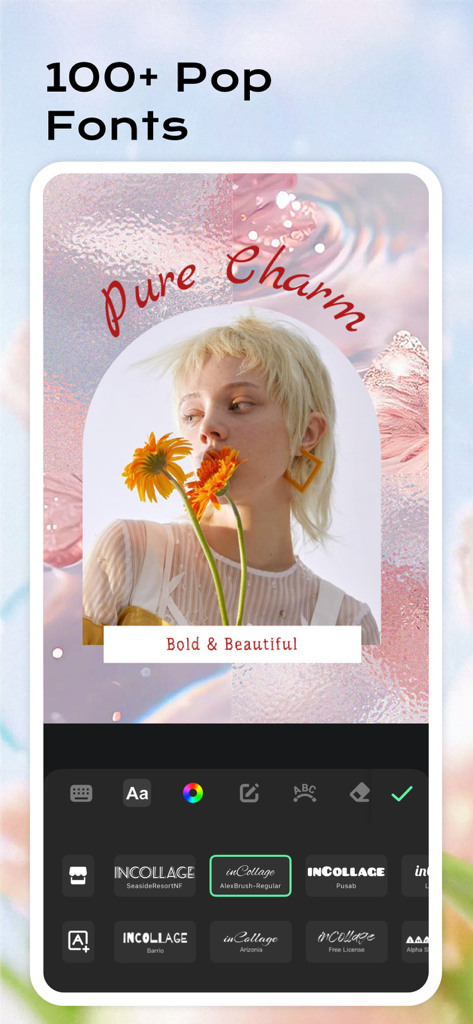
InCollageアプリのインターフェース。美しい写真のためのさまざまなトレンディなフォントとテキスト編集ツールを特集。

InCollageアプリのインターフェース。美しい写真のためのさまざまなトレンディなフォントとテキスト編集ツールを特集。

デジタルストーリーテリングをレベルアップ

このアプリを際立たせるツール、 7M+ 人のユーザーが選択.

🖼️

10,000以上の美しいレイアウト

完璧な写真の山のためにデザインされたスタイリッシュなグリッドとフリースタイルスクラップブックで、最大20枚の写真を瞬時にリミックス。

AI搭載の完璧さ

ワンタップのスマートツールで、不要なオブジェクトを簡単に削除し、ぼやけた写真を修正し、ユニークなアバターを生成します。

📱

ソーシャルに最適なサイズ

1:1の比率とクロップなしの背景で、Instagram、TikTok、Pinterestのデザインを瞬時にフォーマットします。

世界中のユーザーに愛されています

Trusted by 7M+ 人がこのアプリを愛用しています.

"

"やっと、週末旅行の写真を20枚すべて1つのゴージャスなレイアウトに収めることができるアプリができました!AIオブジェクトリムーバーは、旅行写真を整理するのに本当に役立ちます。私のInstagramストーリーはこれほど美しいものになったことはありません。"

Maya R.
"

"忙しい母親なので、編集に何時間もかけられません。InCollageを使えば、子供たちの誕生日写真を数分で美しいスクラップブックに変えるのがとても簡単です。ステッカーとフォントの膨大なライブラリは驚くべきものです!"

Sarah J.

アプリについて

について知っておくべきこと Photo Collage Maker: InCollage.

説明

Collage your every moment in the easiest but chicest way. Remix up to 20 photos into stunning collages, scrapbooks, and stories in a few taps. With over 10,000 layouts, powerful editing tools, and creative AI features, you can design your post for Instagram, Facebook, or any platform you love. Whether you're expressing a mood, sharing memories, or showcasing your style, InCollage gives you the freedom to create your way. You deserve this ALL-IN-ONE Collage Maker & Photo Editor! Features: • Combine up to 20 photos to create standout collages • 10,000+ FREE layouts, grids, and scrapbook templates • Freestyle, scrapbook & cutout collage modes for total creative freedom • Use AI to remove unwanted objects and enhance photo quality • AI filters to transform selfies into unique avatars and digital art • Turn your favorite moments into beautiful photo slideshows • Massive library of stickers, backgrounds, fonts, and doodles • All-in-one photo editor: crop, flip, rotate, beautify, draw, and more • Add text, adjust ratios, and instantly format for all social media • No crop, blur backgrounds, and Insta 1:1 square support • Save in high resolution and share to Facebook, WhatsApp, Line, Instagram, etc Free Collage Maker Mix up to 20 photos in seconds with thousands of stylish layouts. Customize size, border, background, and make each grid uniquely yours. Creative Freestyle & Scrapbook Build your layout from scratch with drag-and-drop freedom. Add cutouts, decorations, and text to create personal storyboards or visual journals. AI-Powered Photo Editing Effortlessly clean up your photos with AI. Remove unwanted objects, fix blurry shots, and enhance overall quality with a tap. Let smart tools refine your images while you focus on creativity. AI Filters & Avatars Explore fun, artistic transformations with AI Filters. Turn selfies into one-of-a-kind avatars or stylized portraits that are ready to post and share. Perfect for Social Media InCollage supports all major social formats - Instagram posts, stories, Pinterest boards, Facebook covers, and more. Resize instantly and keep your content looking clean, sharp, and on-brand. InCollage Pro Subscription --------------------------- InCollage offers a subscription option: $10.99/year. You can try free trial with all features available. InCollage Pro subscription will automatically renew at the end of each term and it will be charged through your iTunes account unless auto-renew is turned off at least 24 hours before the end of the current period. InCollage supports family sharing, pay once and enjoy with family members! Account will be charged for renewal within 24 hours prior to the end of the current period on a $10.99/year basis. Subscriptions may be managed by the user and auto-renewal may be turned off by going to the user's Account Settings after purchase. Any unused portion of a free trial period, if offered, will be forfeited when the user purchases a subscription to that publication, where applicable. -Terms of Use https://inshotapp.com/terms/terms.pdf -Privacy Policy https://inshotapp.com/terms/privacy.pdf Feel free to contact us at collageteam.feedback@gmail.com and your problems or suggestions are always welcome!

最新バージョン

2.2.13

サイズ

228.1 MB

リリース日

2019年3月24日

ソーシャルストーリーをレベルアップする準備はできましたか?

日常の瞬間をシックでプロフェッショナルなコラージュに変える、700万人以上のクリエイターに参加しましょう。今すぐダウンロードして、10,000以上のレイアウトであなただけの美学デザインを始めましょう。

ダウンロード: App Store
FAQ

よくある質問

について知っておくべきこと Photo Collage Maker: InCollage

Photo Collage Maker: InCollageでは、最大何枚の写真を組み合わせることができますか?

InCollageでは、アプリ内で最大20枚の写真を組み合わせて、見栄えの良いコラージュ、スクラップブック、ストーリーを作成できます。

Photo Collage Maker: InCollageは、Proサブスクリプションの無料トライアルを提供していますか?

はい、InCollageはすべてのPro機能が利用可能な無料トライアルを提供しています。InCollage Proサブスクリプションの料金は年間10.99ドルです。

InCollageは、写真から不要なオブジェクトを削除できますか?

はい、InCollageはAIを使用して写真から不要なオブジェクトを削除します。このAI搭載ツールにより、画像のクリーニングと微調整が簡単に行えます。

Photo Collage Maker: InCollageで利用可能なレイアウトとテンプレートの種類は何ですか?

InCollageは、10,000以上の無料レイアウト、グリッド、スクラップブックテンプレートを提供しています。フリースタイル、スクラップブック、切り抜きコラージュモードもサポートしています。

Photo Collage Maker: InCollageは、AIを使用して写真の品質をどのように向上させますか?

InCollageは、不要なオブジェクトの削除、ぼやけた写真の修正、および全体的な画像品質の向上をAIで行い、ワンタップで写真の品質を向上させます。

InCollageは、ソーシャルメディアコンテンツの作成に適していますか?

はい、InCollageはソーシャルメディアに最適で、Instagramの投稿やストーリー、Pinterestのボード、Facebookのカバーをサポートしています。インスタントフォーマットと比率調整を提供します。

Photo Collage Maker: InCollageでフォトスライドショーを作成できますか?

はい、InCollageにはスライドショーメーカー機能が含まれています。ユーザーは、お気に入りの写真をアプリ内で直接美しいビデオスライドショーに変換できます。

InCollage Proサブスクリプションはファミリー共有をサポートしていますか?

はい、InCollage Proサブスクリプションはファミリー共有をサポートしています。ユーザーは年1回の支払いで、家族とすべての機能を共有できます。

Photo Collage Maker: InCollageで利用可能な写真編集ツールは何ですか?

InCollageは、切り抜き、反転、回転、美化、描画ツールを備えたオールインワンの写真エディターを提供します。テキストの追加や比率の調整も可能です。

InCollage Proサブスクリプションの年間料金はいくらですか?

InCollage Proサブスクリプションの料金は年間10.99ドルです。この年間料金で、すべてのプレミアム機能とコンテンツにフルアクセスできます。