Photo Eraser - Remove Objects

Photo Eraser - Remove Objects

ダウンロード: App Store
Spark by MWM logo
ロゴ: Photo Eraser - Remove Objects

写真消しゴム - オブジェクトを削除: AIマジックであなたのショットを完璧に

写真に写り込んだ人、電線、不要な物を楽々削除。生成AIで、完璧な背景を再構築し、ワンタップでふさわしい美的感覚を作り出します。

ダウンロード: App Store

開発元

AI Photo Editor Lab SRL

カテゴリ

Photo & Video

ダウンロード

7M+

ユーザー評価

4.6/5

評価数

40K+

対応言語

14

レンズの裏側にある魔法

このインターフェースを利用する 7M+ 人のユーザー.

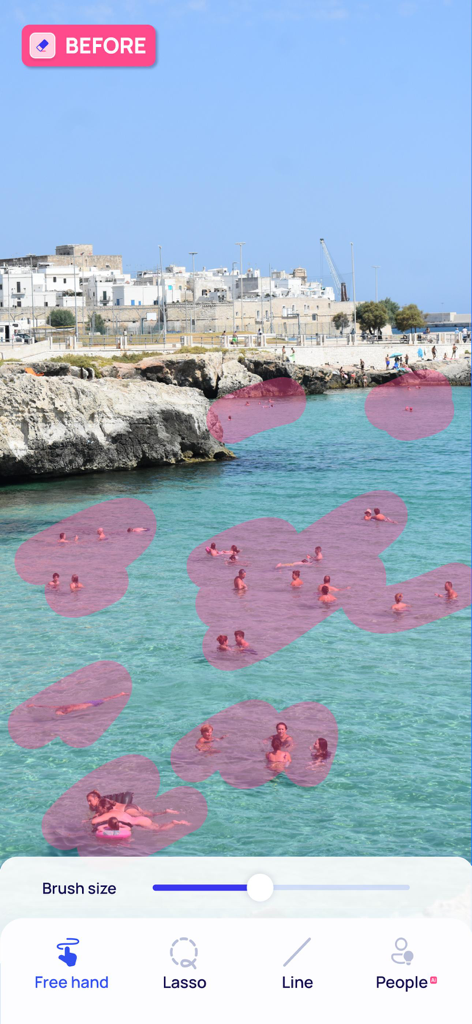
ビーチの風景に写り込んだ複数の人々がAIツールを使用して自動削除のためにピンクでハイライトされている写真編集アプリのインターフェース

ビーチの風景に写り込んだ複数の人々がAIツールを使用して自動削除のためにピンクでハイライトされている写真編集アプリのインターフェース

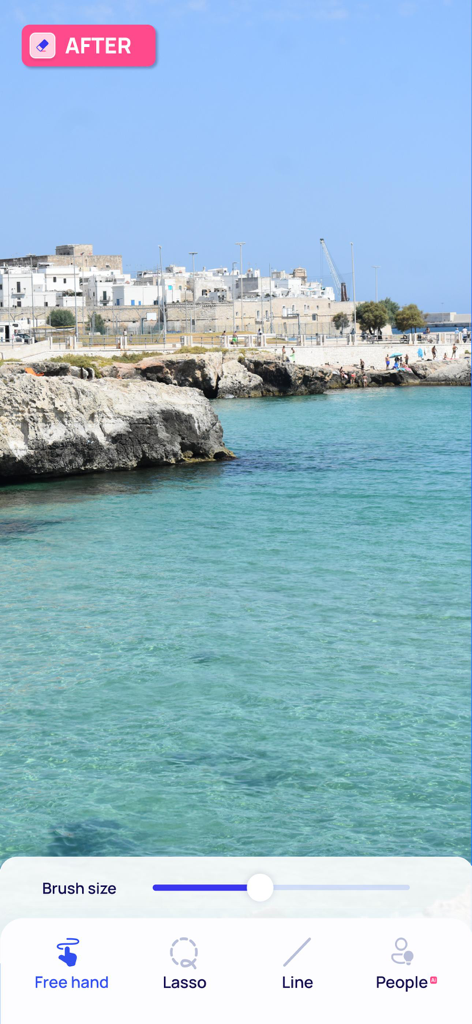
オブジェクト削除後のきれいな海岸の風景と下部にある編集ツールを示す写真消しゴムアプリのインターフェース

オブジェクト削除後のきれいな海岸の風景と下部にある編集ツールを示す写真消しゴムアプリのインターフェース

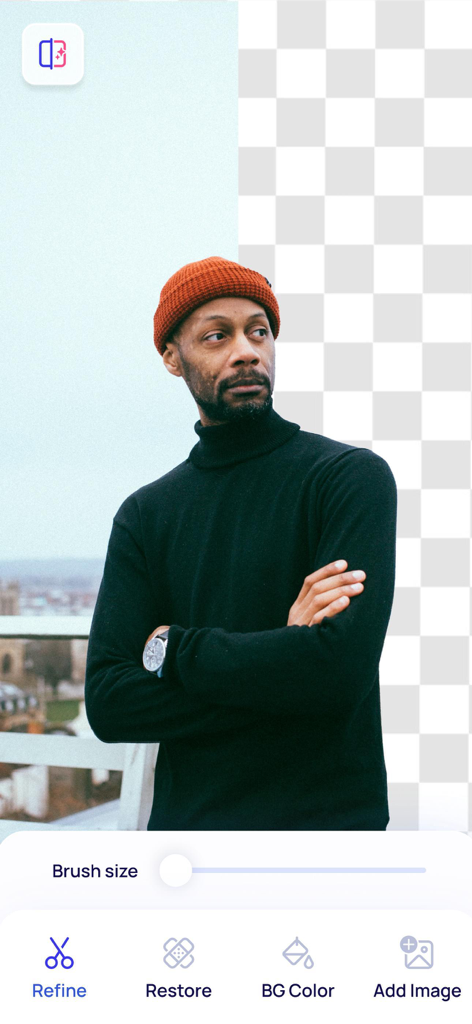
都市の背景から分離されたオレンジのビーニー帽をかぶった男性を示すAI背景削除ツール、透明なグリッド付き

都市の背景から分離されたオレンジのビーニー帽をかぶった男性を示すAI背景削除ツール、透明なグリッド付き

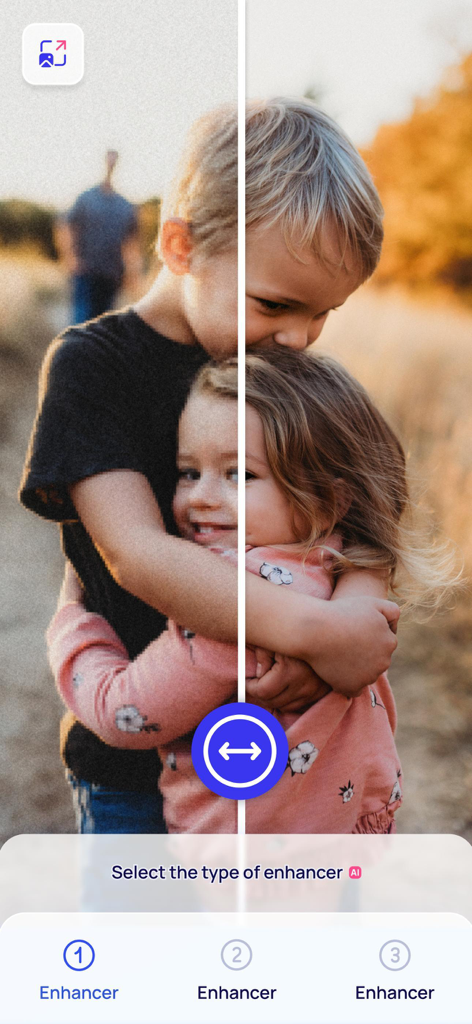
子供たちのぼやけた写真の、AIエンハンサーツールでシャープにする前後の比較

子供たちのぼやけた写真の、AIエンハンサーツールでシャープにする前後の比較

編集ツールで顔の特徴を調整する前後比較を示すAI顔レタッチインターフェース

編集ツールで顔の特徴を調整する前後比較を示すAI顔レタッチインターフェース

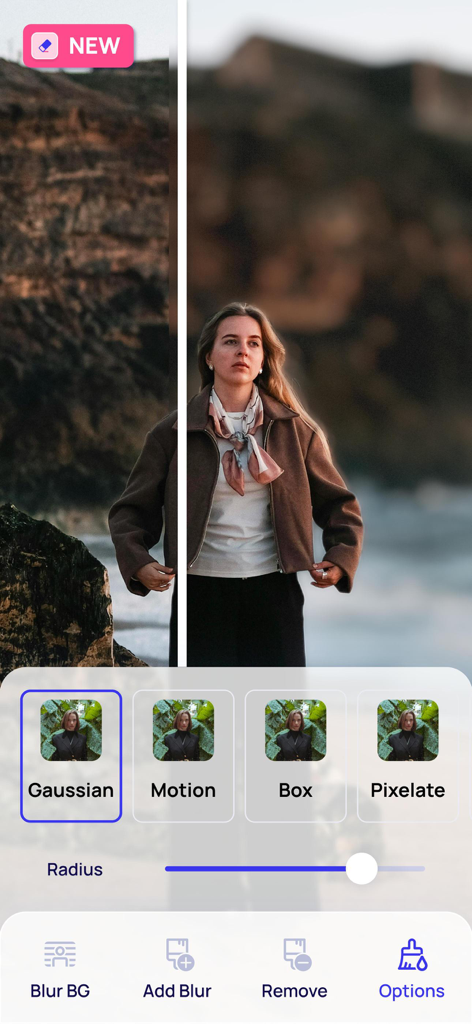
写真編集アプリの背景ぼかし機能を示す並列比較

写真編集アプリの背景ぼかし機能を示す並列比較

空と照明調整オプションを示す写真編集アプリ画面

空と照明調整オプションを示す写真編集アプリ画面

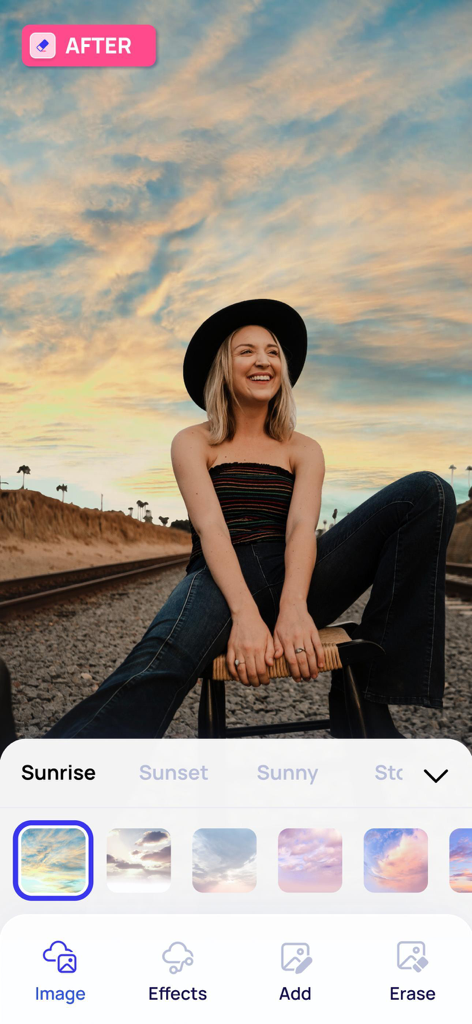
日の出をテーマにしたAI空置き換え機能を実証する写真消しゴムアプリのスマートフォン画面

日の出をテーマにしたAI空置き換え機能を実証する写真消しゴムアプリのスマートフォン画面

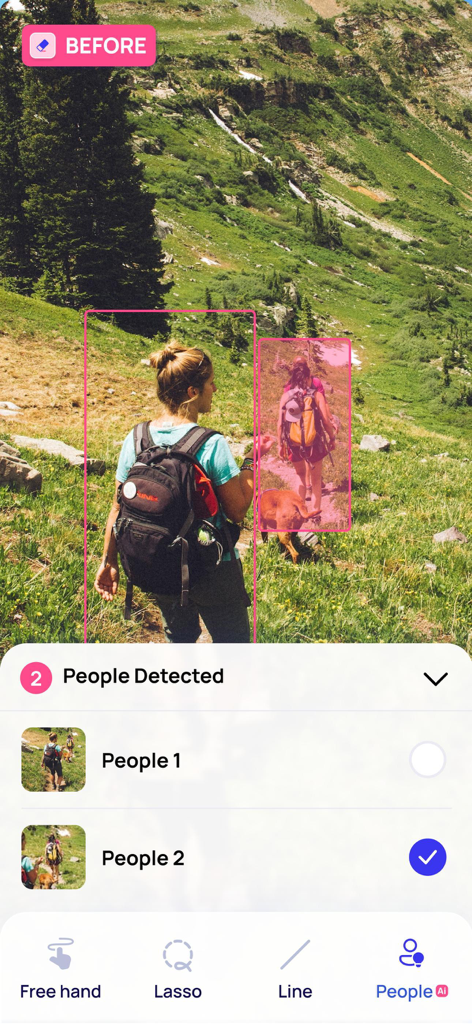
削除のために選択されたハイカーを示す写真消しゴムアプリのAI人物検出インターフェース

削除のために選択されたハイカーを示す写真消しゴムアプリのAI人物検出インターフェース

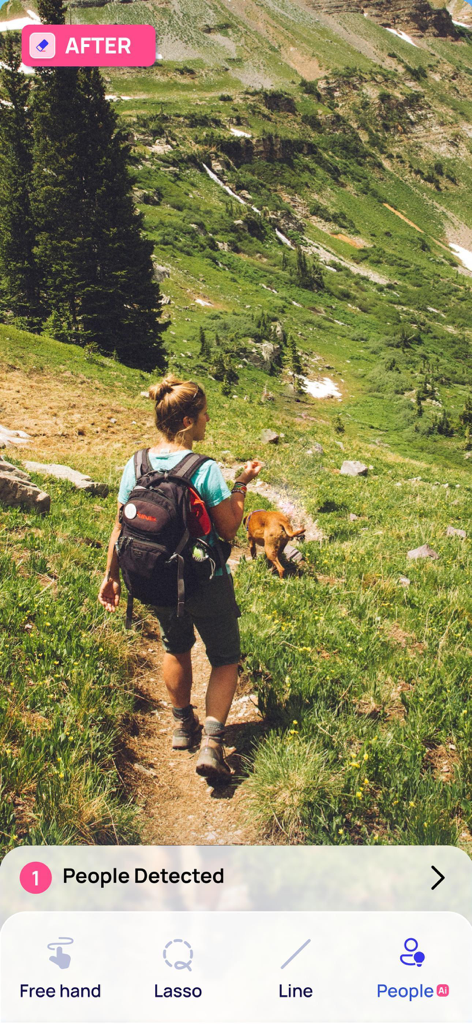
削除のために人々を検出するAIツールとともに、ハイキングコースの女性を示す写真消しゴムアプリのスクリーンショット

削除のために人々を検出するAIツールとともに、ハイキングコースの女性を示す写真消しゴムアプリのスクリーンショット

数秒でフィードをきれいに

このアプリを際立たせるツール、 7M+ 人のユーザーが選択.

🪄

不要な被写体を消去

写り込んだ人やオブジェクトを瞬時に削除し、AIが背景をシームレスに埋めることで、自然で目立たない仕上がりにします。

🏙️

視覚的なノイズを削除

スマート検出を使用して、旅行の美的感覚を損なう電線、ケーブル、乱雑な背景を排除します。

細部まで強化

低品質のぼやけた写真から肌のレタッチまで、すべての思い出を高解像度で、すぐに投稿できる状態にします。

世界中のユーザーに愛されています

Trusted by 7M+ 人がこのアプリを愛用しています.

"

"グランドキャニオンで素晴らしい写真を撮りましたが、観光客や電線でごちゃごちゃしていました。AIスーパースマート消しゴムは魔法のように機能しました。ただぼかすだけでなく、背景を完璧に再構築しました。私の旅行写真はついにプロフェッショナルでクリーンに見えます。"

Maya Jenkins
"

"Poshmarkのフルタイム転売業者として、プレゼンテーションがすべてです。このアプリは私の出品にとってゲームチェンジャーです。背景削除ツールは信じられないほど正確で、不要なものを素早く削除して、私の製品を目立たせることができます。編集に何時間も節約できます。"

David Sterling

アプリについて

について知っておくべきこと Photo Eraser - Remove Objects.

説明

Powered by advanced AI technology, Photo Eraser not only removes unwanted objects from your pictures but also seamlessly reconstructs the background to give you that perfect shot you've always desired. No more distractions in your photos! With Photo Eraser's cutting-edge erase elements function, you can effortlessly eliminate any unwanted object, person or background clutter from your images. The app's AI capabilities ensure that the area previously occupied by the removed item is filled in with an accurate and natural-looking background, making the edit invisible. The Photo Eraser feature comes equipped with a range of intuitive tools designed to speed up the editing process, ensuring you achieve professional-quality results in just a few taps: - AI Super Eraser: Leverage advanced Generative AI models to reconstruct intricate backgrounds seamlessly, removing unwanted elements while maintaining a natural and cohesive appearance. - AI Magic Object Detection: The AI detection feature automatically identifies objects and people that you may want to remove. This intelligent detection capability saves you time and effort. - Lines Detection: Photo Eraser has a lines detection feature specifically designed to remove cables or power lines from your images. - Free Hand and Lasso Tools: For more control over the editing process, the app also provides standard free hand and lasso tools, allowing you to precisely select and remove unwanted items from your pictures. Photo Eraser also offers additional features: - AI Expand: Extend the boundaries of your images with ease, using AI to fill the extra space with context-aware, visually harmonious elements for a natural-looking expansion. - AI Transform: Leverage cutting-edge Generative AI to add, modify, or replace objects in your photos seamlessly, creating visually stunning and natural-looking edits. Transform: Leverage cutting-edge Generative AI to add, modify, or replace objects in your photos seamlessly, creating visually stunning and natural-looking edits. - Remove Background: A highly precise tool for eliminating or personalising the background from your images. - AI Filters: Apply unique filters such as CV Style for professional polish, Wedding Theme for a romantic touch, or Cartoon Effect for a fun and creative look. - Photo Enhancer: Improve and restore the quality of blurred images, turning less-than-perfect shots into clear, sharp, and high-quality photos. - Change the Sky: A feature that allows to transform the sky in your pictures, recreating the mood and aesthetic of your scenes with just a few taps. - Retouch Feature: Blemishes and pimples can be quickly and easily removed, leaving your skin looking flawless. - Advanced Cropping: It lets you effortlessly frame your shots in the most visually appealing way. Experience the magic of AI-powered photo editing with Photo Eraser. Transform your pictures into professional-quality images. With Photo Eraser, you can create picture-perfect moments that truly stand out. Subscribe to access to premium app features; subscription details are the following: • Length: weekly • Your payment will be charged to your iTunes Account as soon as you confirm your purchase • You can manage your subscriptions and turn off auto-renewal from your Account Settings after the purchase • Your subscription will renew automatically, unless you turn off auto-renew at least 24 hours before the end of the current period • The cost of renewal will be charged to your account in the 24 hours prior to the end of the current period • When canceling a subscription, your subscription will stay active until the end of the period. Auto-renewal will be disabled, but the current subscription will not be refunded • Any unused portion of a free trial period, if offered, will be forfeited when purchasing a subscription Terms of Use: https://www.apple.com/legal/internet-services/itunes/dev/stdeula/. If you have any questions please contact us: photoeraser.help@gmail.com

最新バージョン

3.7

サイズ

140.6 MB

リリース日

2019年6月14日

完璧なショットを作成する準備はできましたか?

AIを使用して写り込んだ人を消し、ぼやけた思い出を修正し、あらゆる写真をワンタップでプロのように見せるために、700万人のクリエイターに参加しましょう。

ダウンロード: App Store
FAQ

よくある質問

について知っておくべきこと Photo Eraser - Remove Objects

Photo Eraser - Remove Objects は何をするアプリですか?

Photo Eraser - Remove Objects は、高度なAIを使用して写真から不要なオブジェクト、人物、背景の雑然としたものを除去します。背景をシームレスに再構築し、完璧なショットを実現します。

Photo Eraser - Remove Objects はどのようにして不要なものを除去しますか?

Photo Eraser - Remove Objects は、背景再構築のためのAIスーパーイレーサー、自動識別のためのAIマジックオブジェクト検出、および線検出を使用します。また、正確な選択のためのフリーハンドおよびなげなわツールも含まれています。

Photo Eraser - Remove Objects はオブジェクト除去後に背景を再構築しますか?

はい、Photo Eraser - Remove Objects は高度な生成AIモデルを使用して、不要な要素を除去した後に複雑な背景をシームレスに再構築します。これにより、自然で統一感のある外観が維持されます。

Photo Eraser - Remove Objects はオブジェクトを自動検出して除去できますか?

はい、Photo Eraser - Remove Objects にはAIマジックオブジェクト検出機能が搭載されています。これにより、除去したいオブジェクトや人物を自動的に特定し、編集作業の時間と労力を節約できます。

Photo Eraser - Remove Objects は写真から線を除去できますか?

はい、Photo Eraser - Remove Objects には専用の線検出機能があります。このツールは、画像からケーブルや電線などを特別に除去し、写真全体の鮮明度を高めます。

Photo Eraser - Remove Objects は画像背景をどのように除去しますか?

Photo Eraser - Remove Objects は、画像から背景を完全に除去したり、カスタマイズしたりするための非常に正確なツールを提供します。ユーザーは背景を完全に削除するか、変更するかを選択できます。

Photo Eraser - Remove Objects には写真エンハンサーが含まれていますか?

はい、Photo Eraser - Remove Objects には写真エンハンサー機能が含まれています。ぼやけた画像の品質を向上・復元し、完璧ではないショットを鮮明でシャープな高品質写真に変換します。

Photo Eraser - Remove Objects は写真の空を変更できますか?

はい、Photo Eraser - Remove Objects には「空を変更」機能があります。これにより、ユーザーは写真の空を変換し、数回のタップでシーンのムードや雰囲気を再現できます。

Photo Eraser - Remove Objects は写真のレタッチ機能を提供しますか?

はい、Photo Eraser - Remove Objects にはレタッチ機能が含まれています。これにより、ユーザーはシミやニキビを素早く簡単に除去でき、写真の肌を完璧に見せることができます。

Photo Eraser - Remove Objects のサブスクリプションと自動更新を管理するにはどうすればよいですか?

購入後、iTunesアカウント設定からPhoto Eraser - Remove Objects のサブスクリプションを管理し、自動更新をオフにすることができます。サブスクリプションは、期間終了の24時間前までにオフにしない限り自動的に更新されます。

Photo Eraser - Remove Objects のサブスクリプション期間はどれくらいですか?

Photo Eraser - Remove Objects のサブスクリプション期間は週単位です。更新費用は、現在の期間が終了する前の24時間以内にアカウントに請求されます。

Photo Eraser - Remove Objects のサブスクリプションをキャンセルするとどうなりますか?

Photo Eraser - Remove Objects のサブスクリプションをキャンセルしても、現在の期間の終了までは有効です。自動更新は無効になりますが、現在のサブスクリプションは返金されません。

Photo Eraser - Remove Objects のサブスクリプションを購入すると、無料トライアルを失いますか?

はい、Photo Eraser - Remove Objects の無料トライアル期間(提供されている場合)の未使用部分は、サブスクリプションを購入すると失効します。

Photo Eraser - Remove Objects のAI Expand機能とは何ですか?

Photo Eraser - Remove Objects のAI Expand機能は、画像の境界を拡張します。AIを使用して、文脈に応じた視覚的に調和のとれた要素で余分なスペースを埋め、自然に見える拡張を実現します。

Photo Eraser - Remove Objects のAI Transform機能は何をしますか?

Photo Eraser - Remove Objects のAI Transform機能は、生成AIを活用して写真にオブジェクトを追加、変更、または置き換えます。視覚的に印象的で自然に見える編集をシームレスに作成します。

Photo Eraser - Remove Objects でAIフィルターを適用できますか?

はい、Photo Eraser - Remove Objects では、ユニークなAIフィルターを適用できます。例としては、プロフェッショナルな仕上がりのCVスタイル、ロマンチックなタッチのウェディングテーマ、楽しい見た目のカートゥーンエフェクトなどがあります。

Photo Eraser - Remove Objects のサポートにはどのように連絡すればよいですか?

質問やサポートが必要な場合は、photoeraser.help@gmail.com にメールでPhoto Eraser - Remove Objects のサポートに連絡できます。

Photo Eraser - Remove Objects は写真編集に安全に使用できますか?

Photo Eraser - Remove Objects は写真編集用に設計されています。画像データをローカルで、またはAIサービスを通じて変更することで動作します。このアプリは、Appleの標準エンドユーザーライセンス契約に準拠しています。

Photo Eraser - Remove Objects には高度な切り抜きツールがありますか?

はい、Photo Eraser - Remove Objects には高度な切り抜き機能があります。この機能により、画像構成を最適化するために、最も視覚的に魅力的な方法でショットを簡単にフレーミングできます。