Previs Pro - Storyboard Fast

Previs Pro - Storyboard Fast

ダウンロード: App Store
Spark by MWM logo
ロゴ: Previs Pro - Storyboard Fast

Previs Pro:現代の映画製作者のためのプロフェッショナル3Dストーリーボード

棒人間を描くのをやめて、技術的な精度でビジョンを視覚化しましょう。3Dセットを作成し、ARを現場で試して、iPhoneまたはiPadから直接プロのショットリストをエクスポートします。

ダウンロード: App Store

開発元

Ghostwheel LLC

カテゴリ

Photo & Video

ダウンロード

111K+

ユーザー評価

4.8/5

評価数

2K+

対応言語

11

ビジョンを視覚化する

このインターフェースを利用する 111K+ 人のユーザー.

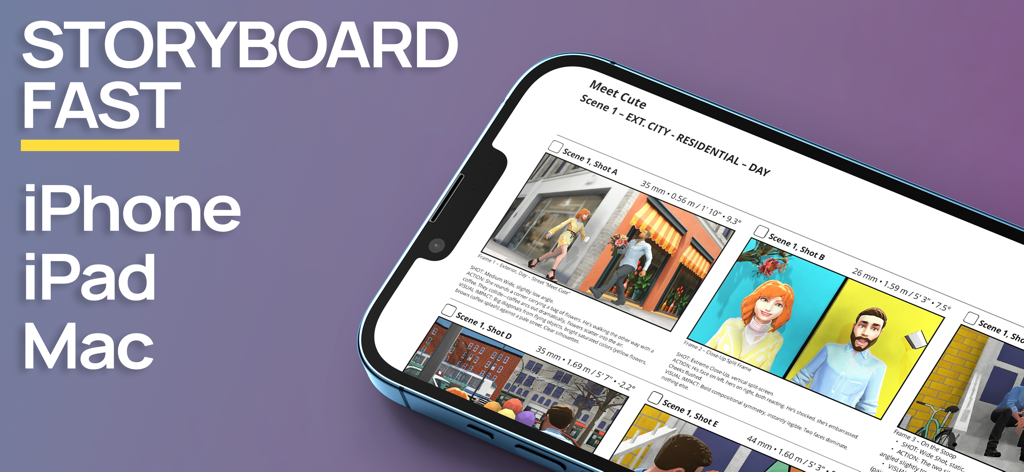
Previs ProストーリーボードアプリのインターフェースがiPhoneに表示され、3D映画のシーンが表示されています

Previs ProストーリーボードアプリのインターフェースがiPhoneに表示され、3D映画のシーンが表示されています

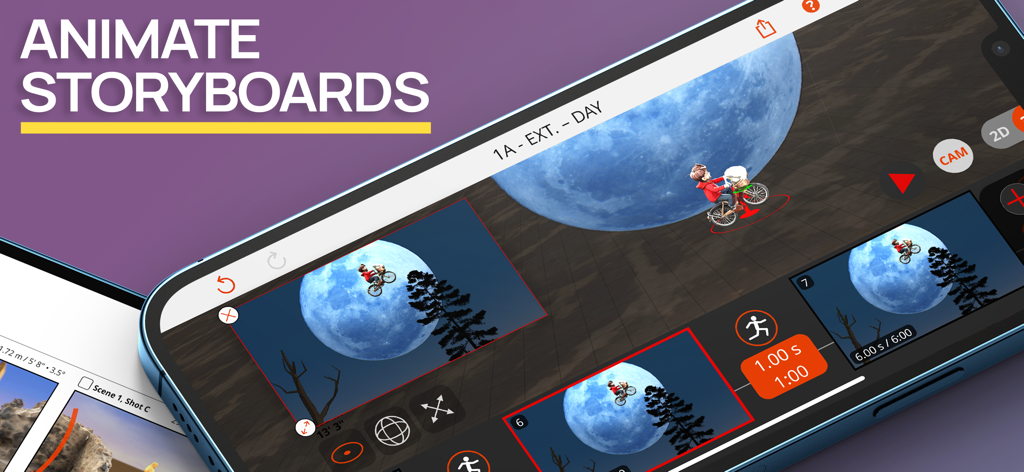
Previs Proアプリのインターフェースで、映画のような月のシーンの3Dストーリーボードアニメーションが表示されています

Previs Proアプリのインターフェースで、映画のような月のシーンの3Dストーリーボードアニメーションが表示されています

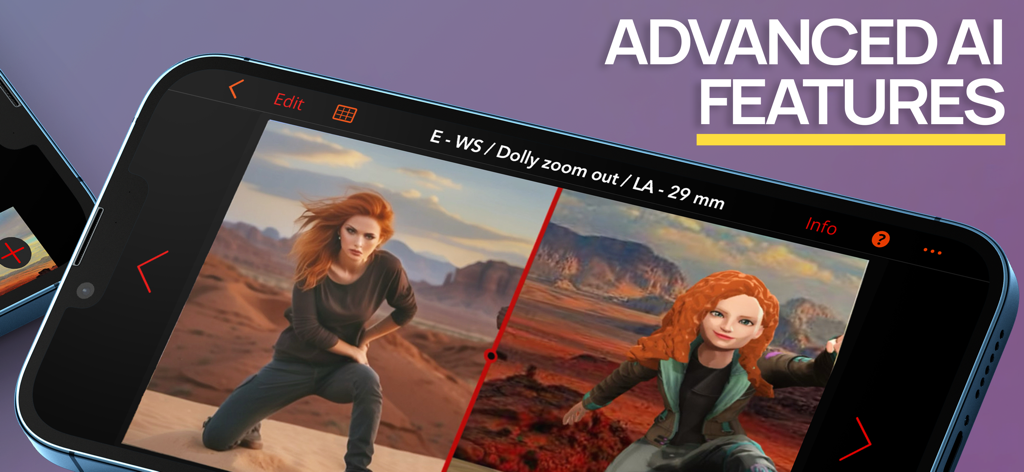
スマートフォンに表示されているPrevis Proアプリは、リアルな画像とAI機能を使用した3Dストーリーボードモデルとの分割画面比較を表示しています。

スマートフォンに表示されているPrevis Proアプリは、リアルな画像とAI機能を使用した3Dストーリーボードモデルとの分割画面比較を表示しています。

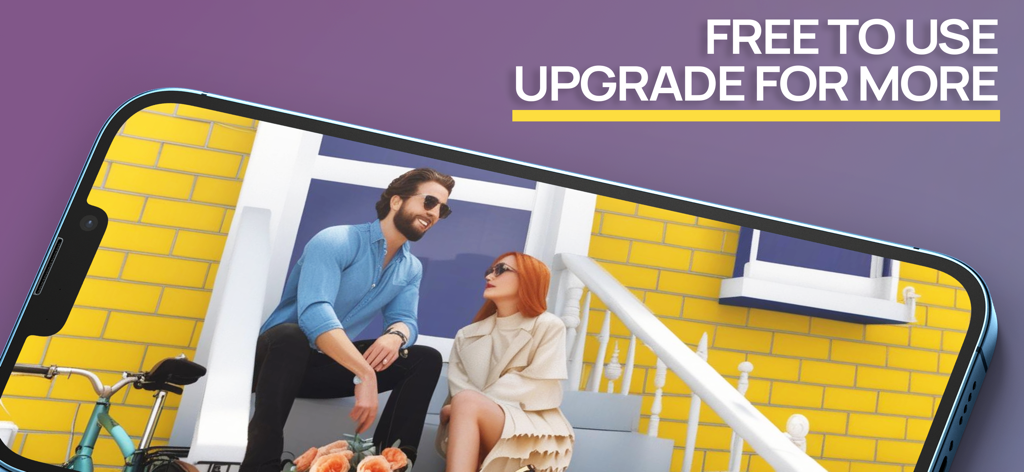
ポーチに座っている2人のキャラクターの3Dストーリーボードシーンを表示しているスマートフォン

ポーチに座っている2人のキャラクターの3Dストーリーボードシーンを表示しているスマートフォン

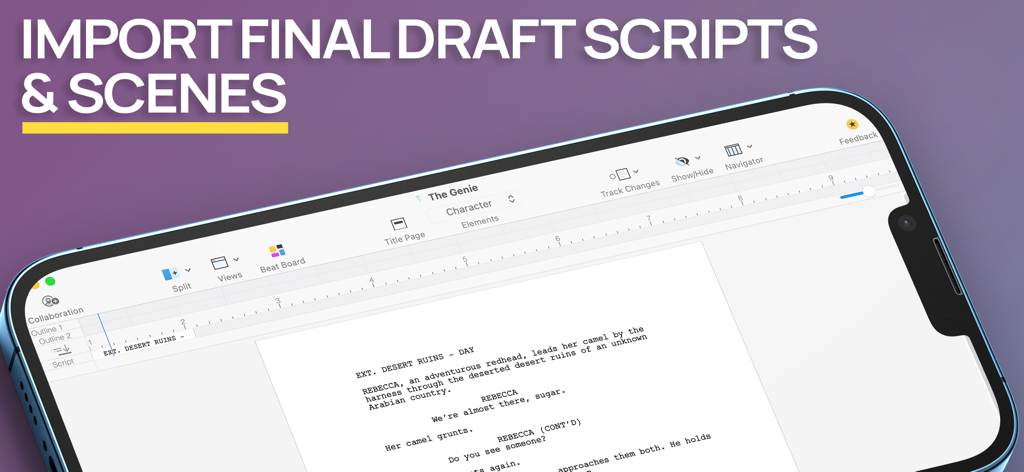
Previs Proアプリのスクリーンショットで、モバイルデバイスの画面にFinal Draftスクリプトとシーンのインポートが表示されています

Previs Proアプリのスクリーンショットで、モバイルデバイスの画面にFinal Draftスクリプトとシーンのインポートが表示されています

ビジョンを、より速く視覚化する

このアプリを際立たせるツール、 111K+ 人のユーザーが選択.

🎬

描画スキルは不要

簡単なジェスチャーで数秒で複雑な3Dセットを構築します。ポーズ可能なキャラクターと何百もの小道具でシーンを埋め込み、ビジョンを絶対的な明確さで伝えます。

📍

ARロケーションスカウティング

拡張現実を使用して、仮想の俳優や小道具を現実世界の環境に配置します。クルーがセットに到着する前に、場所を偵察し、ショットをロックします。

🎥

プロのための技術的精度

実世界のカメラセンサー、レンズ、アスペクト比を設定します。DPとクルーが実際に使用できるプロフェッショナルなPDFストーリーボードとショットリストをエクスポートします。

世界中のユーザーに愛されています

Trusted by 111K+ 人がこのアプリを愛用しています.

"

"Previs Proは私のプリプロダクションワークフローを完全に合理化しました。Final Draftのスクリプトをインポートして、すぐに3Dでシーンをブロックできます。マスターイラストレーターになる必要なく、クルーに私の頭の中にあるものを正確に伝える最良の方法です。"

Marcus Chen, インディーズ映画監督
"

"技術的な精度が私を納得させました。特定のセンサータイプと焦点距離を選択すると、ストーリーボードが実際にセットで使用できるようになります。さらに、AR機能を使用してロケーションスカウト中にキャラクターを配置するのは魔法のようです。"

Sarah Jenkins,Cinematographer

アプリについて

について知っておくべきこと Previs Pro - Storyboard Fast.

説明

Create 3D storyboards in your iPad or iPhone using simple taps, swipes, and gestures that you already know. Filmmakers, directors, cinematographers, video creators, and screenwriters know that you MUST storyboard your shots and scenes BEFORE you roll camera. Previsualize every shot in your scene AND every scene in your script. Experiment - with 2D and 3D real-time views - to find the very best shot for your film or video. PURCHASE OPTIONS Annual - under US$15 per month average Lifetime - own it forever STORYBOARD FAST With Previs Pro, quickly build a 3D set populated with buildings, props, and characters. Position your camera and lights for the perfect shot. Add a second shot - perhaps a Close-Up or Cutaway - by just moving the camera into position. Add more shots until your scene is complete. ** Final Draft Import ** Import every scene and character from your Final Draft script. You’re halfway finished before you even start. Works with Final Draft 12! STORYBOARD EASY Experimenting with different types of shots is a breeze. Simply move the camera around the 3D set until you find your shot. Pan left, tilt up, dolly in, or zoom. Your view of the shot is always updated in real-time. What you see is truly what you get. STORYBOARD ANYWHERE Storyboard where and when inspiration strikes. If you're in the middle of production and a shot isn't working, then pull out your iPhone and design a shot that does work. Send and share the new shot with your entire cast and crew. The best storyboard is the one in your pocket — that you can change, and share whenever necessary. ** Augmented Reality ** With our A/R feature, you can place your virtual props and characters into a real-world location - the streets of London, on a bridge in Paris, or your own backyard - and start building shots in the same exact location where you plan to shoot. Can't get there to use A/R? No problem. Import a photo or image of your location into your shot and use it as a "proxy". It's the next best thing to being there. STORYBOARD LIKE THE PROS At some point, you need to turn your shots in Previs Pro into storyboards for your cast and crew. If you're a director, you need to create a shot list. If you're a cinematographer or DP, you need information on camera type, lenses, and aspect ratios. If you're doing it all yourself, then you need all this information. With Previs Pro, you can export storyboards as printable PDF's or shareable graphics files. You can include as much rich data as needed, or show nothing but the Camera View. ADDITIONAL PREVIS PRO FEATURES ** IMPORT 3D PROPS ** Import your own 3D props from prop and object libraries like Sketchfab. ** CAMERAS AND LIGHTING ** * Camera/Sensor Types: Full Frame 35mm, Alexa LF Open Gate sensor, Super 35mm, Micro 4/3, 2/3" Video, and iPhone * * Aspect Ratios: 1.77:1 (16:9), 1.85:1, 2.35:1, 2.39:1, 3:2, 4:3 * * Moveable spotlights and lanterns * ** POSABLE AND EDITABLE CHARACTERS ** * Over 50 poses available - Standing, Sitting, Moving, Lying, Action, & Special Gestures * Adjust character height, gender, body type, hair color, skin, eye, and clothing color * Add character to Cast to place them in any future shot or scene * Adults and Kids characters * Set and Custom Facial Expressions ** HUNDREDS OF PROPS ** * Choose props among Furnishing, Buildings, Nature, Exterior, Animals, Vehicles, Tools, Weapons, and Household Items * Can't find a prop you want? Use a basic shape or add your own image * Import 3D Props from libraries like Sketchfab ** POWERFUL AND EASY FILE MANAGEMENT AND SECURITY ** * Save your projects securely with iCloud, Dropbox, or locally * * Share your Previs Pro files with other trusted users * ** INTEGRATIONS ** * Import Final Draft scripts. Export storyboard images back to Final Draft * * Export storyboard images to production services like Studio Binder and Celtx * Please visit previspro.com/terms-of-use to learn our terms of use

最新バージョン

3.3.0

サイズ

761.3 MB

リリース日

2020年2月5日

描くのをやめて、監督を始めよう。

脚本を数分でプロの3Dストーリーボードに変える111,000人以上の映画製作者やクリエイターの仲間入りをしましょう。Previs Proをダウンロードして、ハリウッドグレードのプリビジュアライゼーションスタジオをポケットに入れましょう。

ダウンロード: App Store
FAQ

よくある質問

について知っておくべきこと Previs Pro - Storyboard Fast

Previs Pro - Storyboard Fastとは何ですか?

Previs Pro - Storyboard Fastは、3Dストーリーボードを作成するためのiPadおよびiPhone用アプリです。映画制作者やビデオクリエイターがショットやシーンを事前視覚化し、3Dセットを構築し、リアルタイムでカメラアングルを試すことができます。

Previs Proで3Dストーリーボードを作成できますか?

はい、Previs Proは3Dストーリーボードを作成します。ユーザーは建物、小道具、キャラクターで3Dセットを構築し、カメラとライトを配置してアプリ内でショットを効果的にデザインします。

Previs Proはどのデバイスでサポートされていますか?

Previs ProはiPhone、iPad、Macデバイスをサポートしています。このアプリにより、ユーザーはこれらのプラットフォームで3Dストーリーボードを作成できます。

Previs Proにはさまざまな価格オプションがありますか?

はい、Previs Proは年間サブスクリプション(月額15米ドル未満)と生涯購入オプションを提供しています。ユーザーはアプリを永久に所有するか、年単位でサブスクライブするかを選択できます。

Previs ProはFinal Draftからスクリプトをインポートできますか?

はい、Previs ProはFinal Draftスクリプトからすべてのシーンとキャラクターを直接インポートし、Final Draft 12をサポートしています。この統合により、コンテンツが自動的に入力され、ストーリーボード作成プロセスが合理化されます。

Previs Proで利用可能なエクスポートオプションは何ですか?

Previs Proは、ストーリーボードを印刷可能なPDFまたは共有可能なグラフィックファイルとしてエクスポートします。ユーザーは、必要に応じて、カメラビュー、ショットリスト、カメラタイプ、レンズ、アスペクト比などの豊富なデータを含めます。

Previs Proには拡張現実(A/R)機能が含まれていますか?

はい、Previs ProにはA/R機能が含まれています。これにより、ユーザーは仮想の小道具やキャラクターを実際の場所に配置して、撮影する場所で直接ショットを構築できます。

Previs Proでキャラクターをカスタマイズできますか?

はい、Previs Proはポーズ可能な編集可能なキャラクターを提供しています。ユーザーは身長、性別、体型、髪、肌、目、服の色を調整できます。また、50以上のポーズからカスタムの表情を設定することもできます。

Previs Proで利用可能な小道具の種類は何ですか?

Previs Proは、家具、建物、自然、車両などのカテゴリに数百の小道具を提供しています。ユーザーはSketchfabのようなライブラリから3D小道具をインポートしたり、基本的な形状やカスタム画像を使用したりできます。

Previs Proはファイル管理とセキュリティ機能を提供していますか?

はい、Previs Proは安全なファイル管理を提供しています。ユーザーはiCloud、Dropbox、またはローカルにプロジェクトを保存します。また、Previs Proファイルを他の信頼できるユーザーとアプリケーション内で直接共有します。

Previs Proは他の制作サービスと統合できますか?

はい、Previs Proは制作サービスと統合しています。Final Draftスクリプトをインポートし、Studio BinderやCeltxなどのプラットフォームにストーリーボード画像をエクスポートします。

Previs Proはストーリーボードのアニメーションをサポートしていますか?

はい、Previs Proはストーリーボードのアニメーションをサポートしています。このアプリにより、ユーザーはストーリーボードシーケンスをアニメーション化し、動きを視覚化できます。

Previs ProにはAI機能がありますか?

はい、Previs Proには高度なAI機能が含まれています。これらの機能はストーリーボード作成プロセスを強化し、アプリ内でユーザーに洗練されたツールを提供します。

Previs Proは無料で利用できますか?

はい、Previs Proは無料で使用でき、より多くの機能のためのアップグレードオプションがあります。これにより、ユーザーは高度な機能やフルアクセスを購入する前にアプリを試すことができます。