Recipe Collector

Recipe Collector

ダウンロード: App Store
Spark by MWM logo
ロゴ: Recipe Collector

レシピコレクター:あなたの永遠の料理本をデジタル化し、整理

家族の秘密を保存し、物理的なカードをスキャンし、Webから一つの広告なしの空間にインポートします。一度購入すれば、サブスクリプション料金なしでiPhone、iPad、Mac全体でシームレスに同期できます。

ダウンロード: App Store

開発元

Gilbert Hansen

カテゴリ

Food & Drink

ダウンロード

6K+

ユーザー評価

1.0/5

評価数

0

対応言語

1

あなたの料理本の内部を覗いてみよう

このインターフェースを利用する 6K+ 人のユーザー.

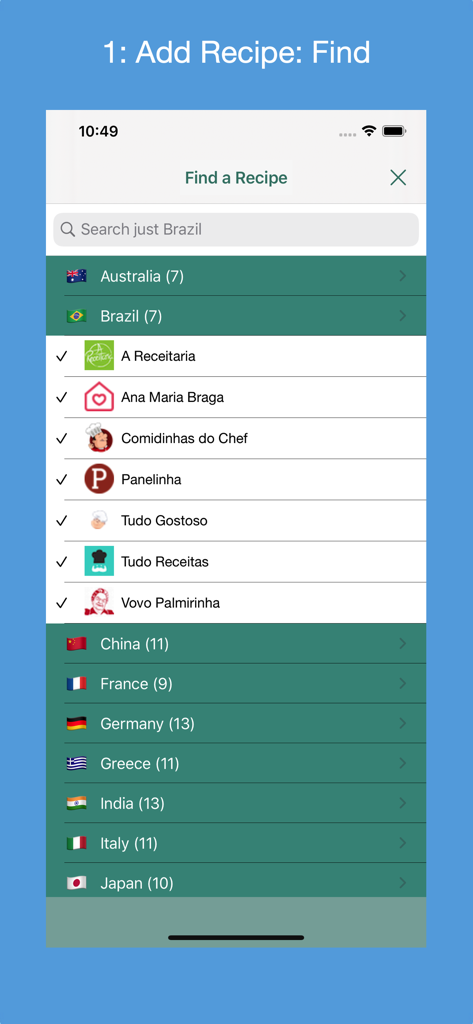
レシピコレクターの「レシピを探す」画面。さまざまな国のサポートされているレシピウェブサイトのリストが表示されています。

レシピコレクターの「レシピを探す」画面。さまざまな国のサポートされているレシピウェブサイトのリストが表示されています。

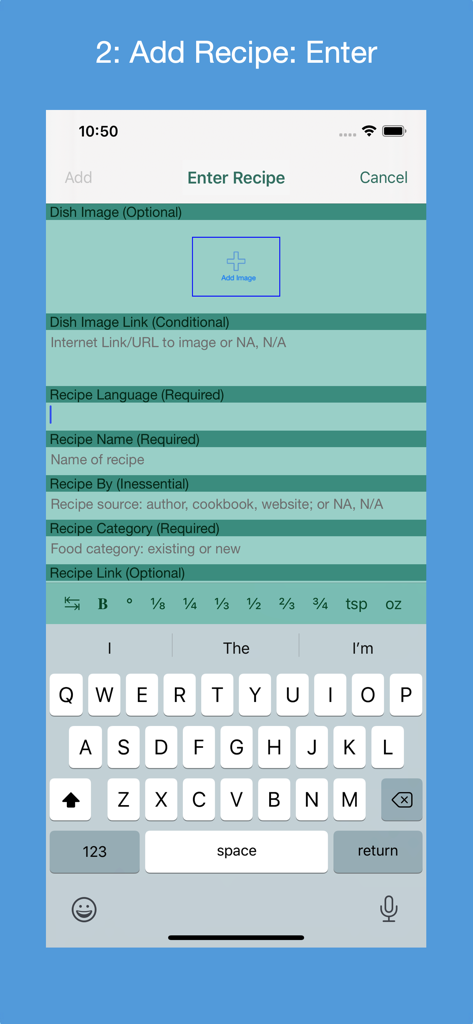
レシピコレクターアプリの、名前とカテゴリフィールドを持つ新しいレシピを追加するための手動入力フォーム。

レシピコレクターアプリの、名前とカテゴリフィールドを持つ新しいレシピを追加するための手動入力フォーム。

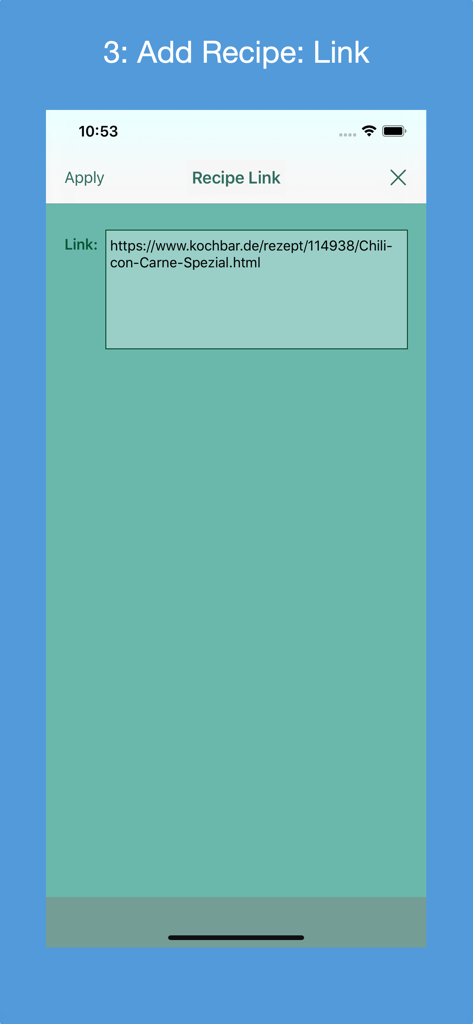
レシピコレクターアプリのインターフェース。Web URL経由で新しいレシピを追加するための画面が表示されています。

レシピコレクターアプリのインターフェース。Web URL経由で新しいレシピを追加するための画面が表示されています。

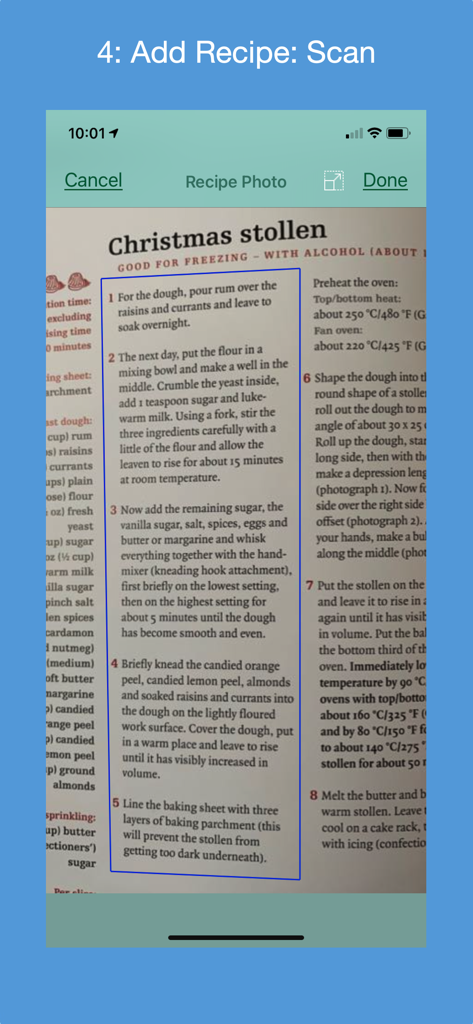
レシピコレクターアプリのiPhoneスクリーンショット。OCR技術を使用して、料理本から物理的なクリスマスシュトーレンのレシピをスキャンしています。

レシピコレクターアプリのiPhoneスクリーンショット。OCR技術を使用して、料理本から物理的なクリスマスシュトーレンのレシピをスキャンしています。

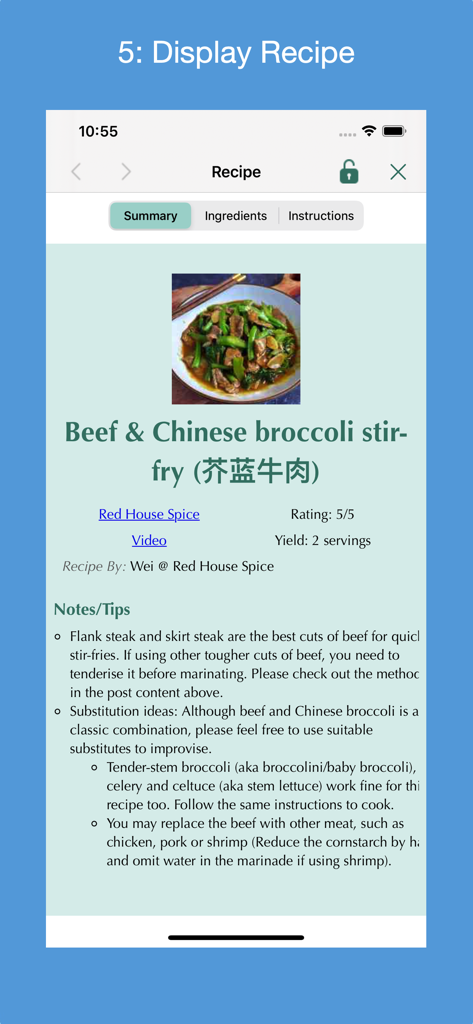
レシピコレクターアプリに、牛肉とチンゲン菜の炒め物のレシピが表示されています。

レシピコレクターアプリに、牛肉とチンゲン菜の炒め物のレシピが表示されています。

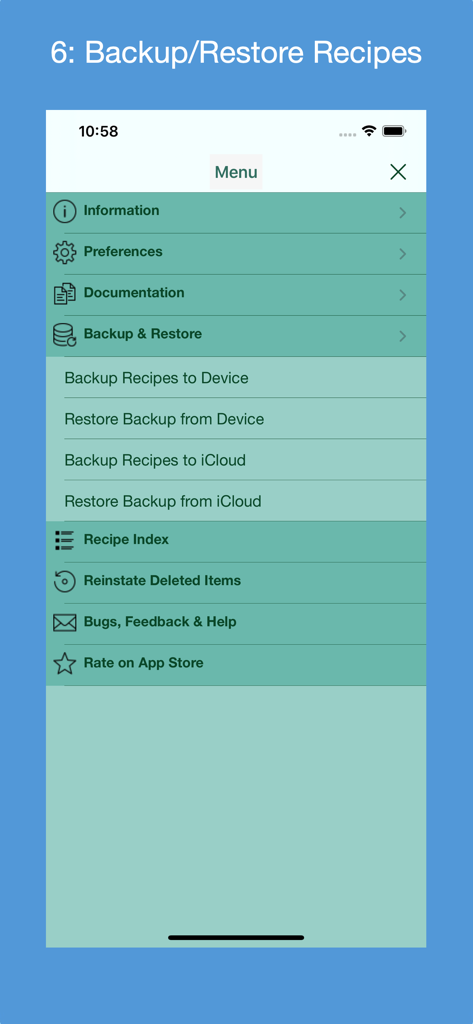
レシピコレクターアプリのメニュー画面。ローカルデバイスとiCloudストレージのバックアップおよび復元オプションが表示されています。

レシピコレクターアプリのメニュー画面。ローカルデバイスとiCloudストレージのバックアップおよび復元オプションが表示されています。

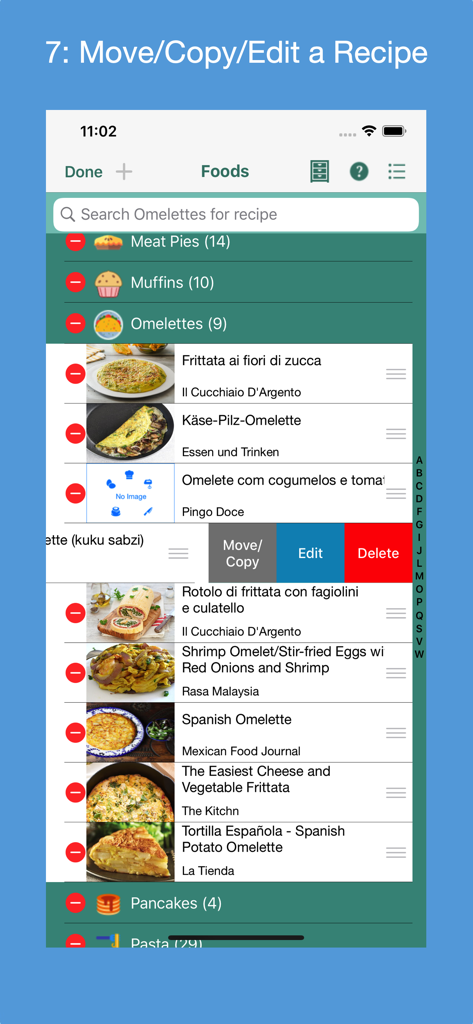
レシピコレクターアプリのインターフェース。デジタル料理本内でレシピを移動、コピー、編集、削除するオプションが表示されています。

レシピコレクターアプリのインターフェース。デジタル料理本内でレシピを移動、コピー、編集、削除するオプションが表示されています。

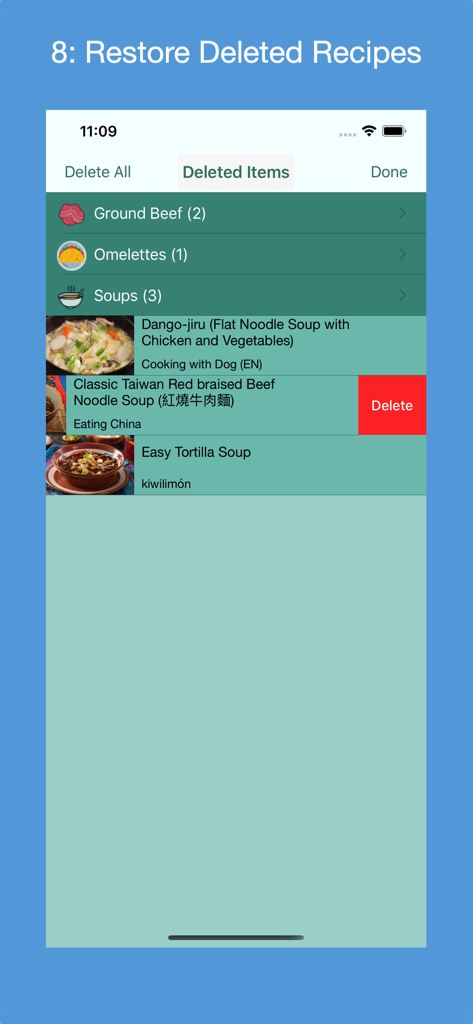
レシピコレクターアプリの「削除済みアイテム」画面。カテゴリ別に整理されたレシピのリストが表示され、アイテムを復元または完全に削除するオプションがあります。

レシピコレクターアプリの「削除済みアイテム」画面。カテゴリ別に整理されたレシピのリストが表示され、アイテムを復元または完全に削除するオプションがあります。

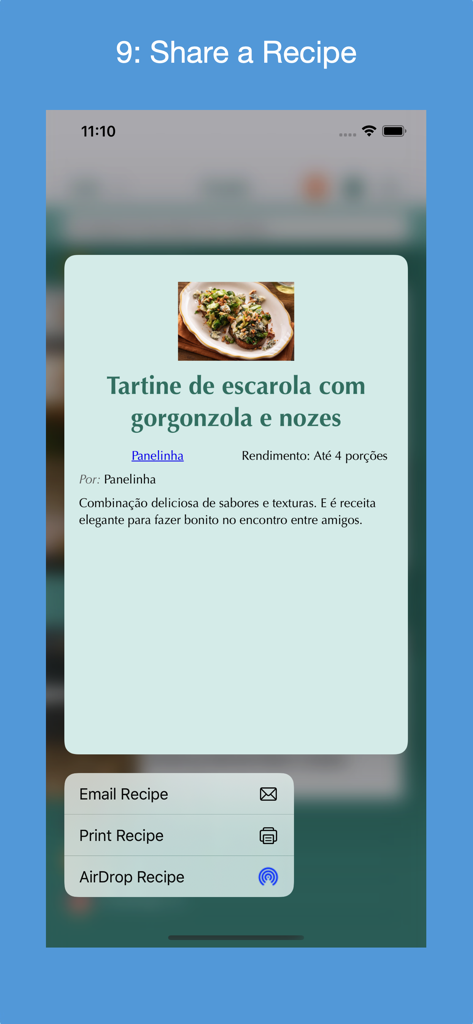
レシピコレクターアプリのスクリーンショット。レシピをメール、印刷、AirDropするためのオプションを含む共有メニューが表示されています。

レシピコレクターアプリのスクリーンショット。レシピをメール、印刷、AirDropするためのオプションを含む共有メニューが表示されています。

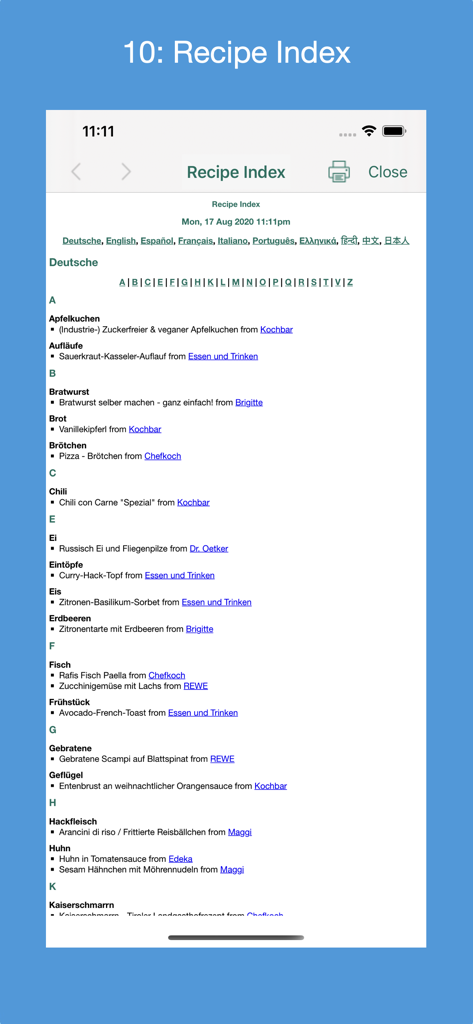
レシピコレクターアプリの詳細なレシピインデックス。言語別にアルファベット順に整理され、ソースウェブサイトへのリンクが含まれています。

レシピコレクターアプリの詳細なレシピインデックス。言語別にアルファベット順に整理され、ソースウェブサイトへのリンクが含まれています。

あなたの食の遺産全体を、整理された一つの場所に

このアプリを際立たせるツール、 6K+ 人のユーザーが選択.

📸

手書きレシピをスキャン

高度なAIスキャンで、ヴィンテージカードや雑誌の切り抜きに、検索可能なテキストとして新しい命を吹き込みましょう。

広告なしのWebインポート

食品ブログから材料と手順だけを瞬時に抽出し、邪魔な広告や長すぎる前置きを削除します。

☁️

シームレスなApple同期

Macで食事を計画し、iPadで調理しましょう。あなたのコレクションは、月額料金なしでiCloudを通じて完全に同期されます。

世界中のユーザーに愛されています

Trusted by 6K+ 人がこのアプリを愛用しています.

"

"ついに、祖母の手書きレシピカードを、すべての単語を入力することなく保存する方法が見つかりました!OCRスキャン機能は本当に便利で、家族の伝統を安全かつ整理された状態でクラウドに保存するためだけに毎月サブスクリプションを支払う必要がないのが嬉しいです。"

マーガレット・サリバン
"

"ランチ休憩中にMacでレシピを見つけると、調理時間になったらすぐにiPadで利用できます。アプリはブログの散らかりや広告をすべて取り除き、必要な材料と手順だけを提供してくれます。AirDrop機能は私のキッチンワークフローを変えました!"

デビッド・チェン

アプリについて

について知っておくべきこと Recipe Collector.

説明

Gather into a cookbook 1) all of your personal recipes collected over the years; 2) your favorite recipes found on the Internet, in cookbooks and magazines; and 3) recipe print outs. There are 4 ways to add a new recipe: 1) manually entering its metadata (form-based); 2) finding the recipe by searching one or more of a supported country's recipe websites; 3) entering a link for a recipe from one of the supported country's recipe websites or from a non-curated recipe website that supports the recipe JSON-LD standard; or 4) (iOS 13+ only) scanning a recipe's photo(s) in English, French, Italian, German, Spanish or Portuguese (Brazil). Recipes can be categorized and indexed in one place, and viewed on your iOS device while preparing the recipe. Recipes can be AirDropped between macOS computers and iOS devices. Features: * Compatible with iOS 16+; supports Dark Mode. * Find new recipes in a set of curated recipe websites from 18 countries: Australia (7), Brazil (9), Canada(18), China (11), France (11), Germany (18), Greece (11), Hong Kong (6), India (13), Italy (12), Japan (10), Mexico (13), Portugal (6), South Korea (8), Spain (13), Taiwan (6), United Kingdom (10) and United States (27). Can exclude websites from the search. Each country contains its most popular recipe websites. * Recipe's metadata is extracted and displayed in the recipe's language. Bengali, Chinese, English, French, German, Greek, Hindi, Italian, Japanese, Portuguese, Spanish and Tamil are supported. * Select a Preferred Language preference for displayed User Interface (UI) text. * Go directly to a country's website's recipes and search there. * When entering a recipe manually, a photo of the dish can be provided from the Photo Library or taking a picture with the device's camera. * Add a new food category; rename a food category; delete a food category; restore a deleted food category; delete a deleted food category. * Recipes can be added to one of 57 predefined food categories or a newly created food category. * A common recipe presentation format customized for iPhone, iPad, printing and PDF. * Selectively import new recipe websites used to find a recipe. * Search all food categories or a selected food category for a recipe(s) that match the search criteria. * Use Spotlight to find a recipe by its name, author and/or website name. * Reorder the recipes in a food category. * Edit a recipe; delete a recipe; restore a deleted recipe; delete a deleted recipe. * Copy or move a recipe to another food category. * In iOS 13+, tap and hold on a recipe to display a contextual menu from which the recipe can be displayed, printed, deleted or shared via AirDrop. For iOS 12 and sooner, print, delete or share recipe from displayed recipe. * Supports Letter and A4 paper sizes. * Optionally auto-lock screen during preparation time; control the auto-lock time. * Generate an index of all recipes by language; navigate within the index or to the actual recipe's website; print the index. * State of the app can be saved to the device at any time and automatically restored the next time the app is launched. * Backup all recipes to device or iCloud; restore backup from device or iCloud. Backup files can be named and old ones deleted. * Transfer all recipes to a new device running the app. * A User Guide documents how to use the app and its features. See section "macOS Version's Differences" for an explanation of the differences between the macOS version and the iOS version of the app. * A Quick Guide provides a fast way to learn how to use the app. * A Quick Tour of the app, available on demand, that enumerates its features. * A set of Frequently Asked Questions (FAQs). * Display at any time advice from a set of tips. * Rate the app in the App Store. * Send e-mail to support@verusapps.com to report issues, suggest improvements or ask for help using the app. No subscription fees or in-app purchases. One time purchase price includes all future releases.

最新バージョン

4.9.0

サイズ

24.9 MB

リリース日

2020年8月25日

あなたの食の遺産を一生涯所有する

サブスクリプションへの支払いをやめましょう。家族のカードをスキャンし、Webレシピを保存し、iPhone、iPad、Mac全体でキッチンを整理できます。シンプルで生涯利用可能な一度だけの購入で。

ダウンロード: App Store