Remote Desktop Manager

Remote Desktop Manager

ダウンロード: App Store
Spark by MWM logo
ロゴ: Remote Desktop Manager

Remote Desktop Manager:ポケットに入る究極のITコマンドセンター

プロフェッショナル級の認証情報管理により、すべてのRDP、SSH、VNC接続を一元化。どこからでもインフラ全体を安全に監視・管理し、デスクを離れている間もダウンタイムゼロを実現します。

ダウンロード: App Store

開発元

Devolutions inc.

カテゴリ

Utilities

ダウンロード

36K+

ユーザー評価

3.8/5

評価数

400

対応言語

14

どこでも使えるコマンドセンター

このインターフェースを利用する 36K+ 人のユーザー.

ITプロフェッショナルのイラストとともに、リモート接続とパスワードの一元化に関するテキストを表示したRemote Desktop Managerのプロモーション画面

ITプロフェッショナルのイラストとともに、リモート接続とパスワードの一元化に関するテキストを表示したRemote Desktop Managerのプロモーション画面

Devolutionsのセキュリティスローガンが表示されたスマートフォンのRemote Desktop Managerアプリ

Devolutionsのセキュリティスローガンが表示されたスマートフォンのRemote Desktop Managerアプリ

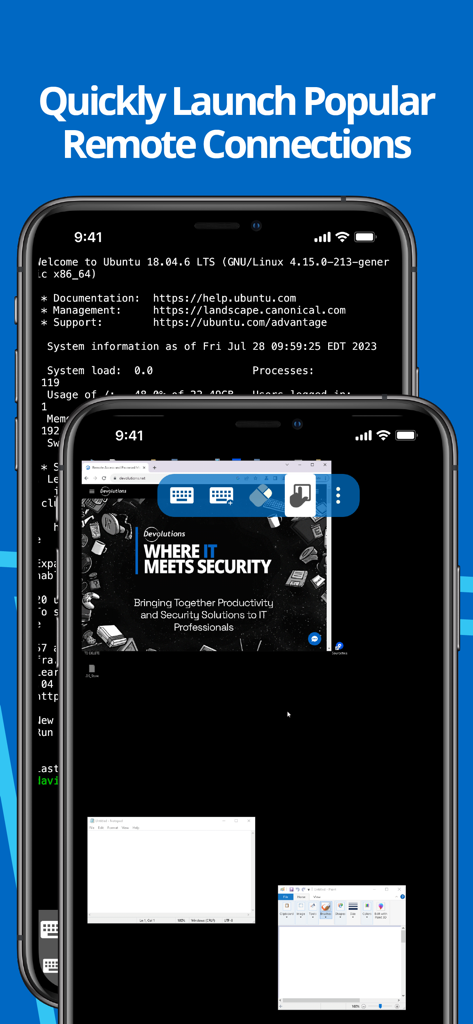
モバイルデバイス上でSSHターミナルとリモートデスクトップを表示しているRemote Desktop Managerアプリのインターフェース

モバイルデバイス上でSSHターミナルとリモートデスクトップを表示しているRemote Desktop Managerアプリのインターフェース

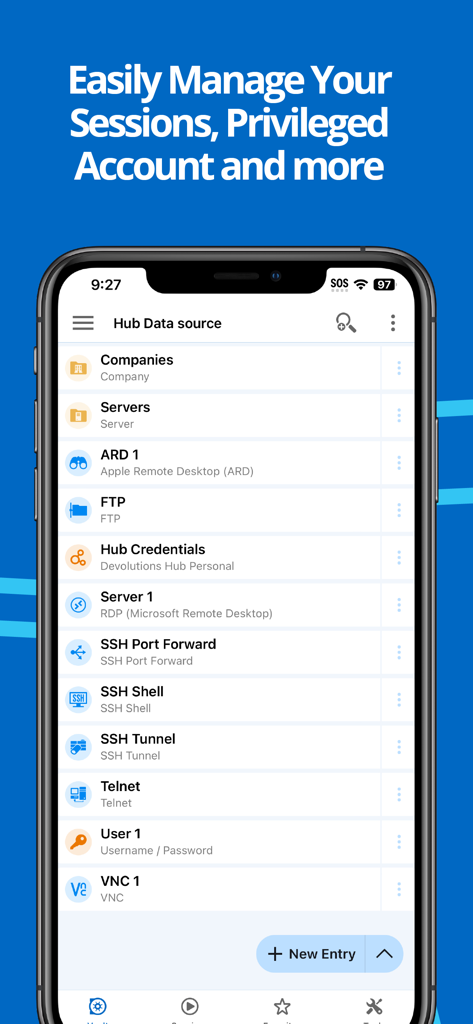
Remote Desktop Managerモバイルアプリ内のRDPやSSHなどのリモート接続リスト

Remote Desktop Managerモバイルアプリ内のRDPやSSHなどのリモート接続リスト

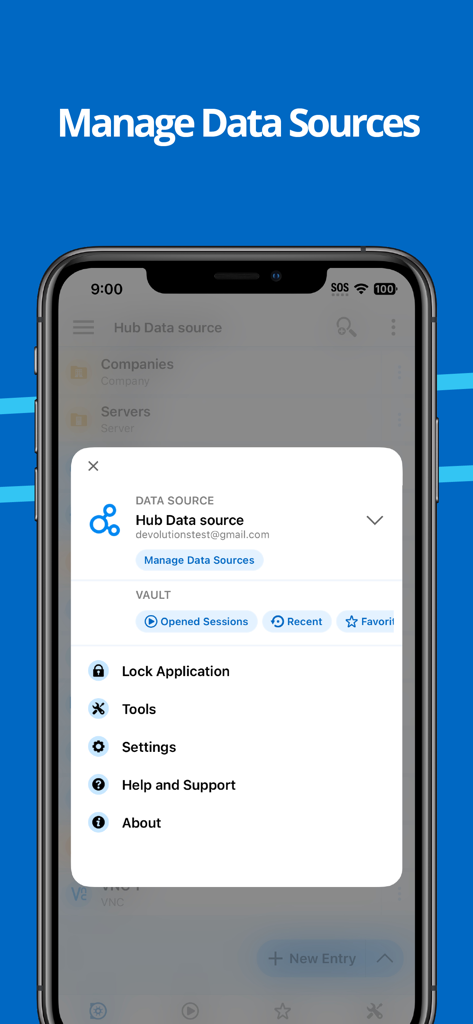
データソースとアプリケーション設定を管理するためのRemote Desktop Managerアプリメニューを表示したiPhone画面

データソースとアプリケーション設定を管理するためのRemote Desktop Managerアプリメニューを表示したiPhone画面

お使いのインフラを完全に一元化

このアプリを際立たせるツール、 36K+ 人のユーザーが選択.

🔗

マルチプロトコル・コマンドセンター

RDP、SSH、VNC、ARDのサポートにより、ワークフローを統合。単一の統合ダッシュボードから、サーバー、仮想マシン、クラウドストレージへの接続を開始できます。

🔐

安全な認証情報の自動入力

認証情報管理の煩わしさを解消。Bitwarden、1Password、CyberArkとシームレスに連携し、手入力なしでリモートセッションに自動サインインできます。

👥

チーム全体での同期

SQL ServerやDevolutions Hubなどの共有データソースに接続することでチームとの同期を維持し、モバイルの接続リストを常に最新の状態に保ちます。

世界中のユーザーに愛されています

Trusted by 36K+ 人がこのアプリを愛用しています.

"

"複数のクライアントサイトで200台以上のサーバーを管理するシニアシステムエンジニアとして、iOS版RDMは私の究極のモバイルコマンドセンターです。中央のDevolutions Serverデータベースと同期しながらRDPおよびSSHセッションを開始できる機能により、オンコールの交代勤務のストレスが大幅に軽減されました。エンタープライズレベルのリモート管理において、私が信頼できる唯一のアプリです。"

Marcus Thompson, シニアシステムエンジニア
"

"現場での監査や迅速な修正のために、かさばるノートパソコンをようやくiPadに置き換えることができました。BitwardenやDevolutions Hubとの統合は完璧で、外出先でも安全な認証情報にアクセスできます。プライベートサーバーへのトンネリングでもAzureストレージの管理でも、このアプリは複雑なITインフラをプロフェッショナル級の精度で処理してくれます。"

Sarah Jenkins, インフラストラクチャコンサルタント

アプリについて

について知っておくべきこと Remote Desktop Manager.

説明

Remote Desktop Manager for iOS is a free tool that enables access to all your remote connections and passwords. Centralize your connections in data sources and access your data from anywhere, from in the field with RDM mobile or in the office and at home with RDM desktop! Remote Connections ================ Remote Desktop Manager for iOS supports Microsoft Remote Desktop Protocol (RDP), VNC, Apple Remote Desktop (ARD), SSH Shell, SSH Tunnel, Proxy Tunnel, Telnet, FTP, TFTP, SFTP, SCP, Active Directory Console, WebDAV, Google Drive, Microsoft OneDrive, Microsoft RDP Gateway, Azure Blob Storage Explorer, Amazon AWS Dashboard, Amazon S3 Explorer, Website, Devolutions PAM Dashboard, SSH Port forward, Dell iDRAC, Dropbox Explorer, HP iLO, BeyondTrust Password Safe and BeyondTrust Password Safe Dashboard. Once configured, connections to your remote servers, virtual machines and other workstations can be easily launched using a single tap. Password Management ================= Along with remote connections, Remote Desktop Manager for iOS lets you save and manage your passwords and credentials from your centralized database or your local XML file. Easily input your credentials and automatically sign in everywhere. Credentials ========= RDM supports generic credentials as well as the following integrations: 1Password, Bitwarden, CyberArk, CyberArk AAM, Dashlane, Keeper, LastPass, One Time Password, Passportal, Password Manager Pro, Passwordstate, Pleasant Password Server, RoboForm, Secret Server, Sticky Password, TeamPass, True Key, and Zoho Vault, in addition to our own products, Devolutions Hub, Devolutions Server. Database ======= Remote Desktop Manager for iOS supports these data sources: For teams: - Devolutions Server (DVLS) - Devolutions Hub Business - Microsoft SQL Server For individuals: - Devolutions Hub Personal - XML File - Dropbox - Google Drive

最新バージョン

2025.3.2

サイズ

218.5 MB

リリース日

2015年9月23日

ポケットに収まるコマンドセンター

デスクに縛られるのはもうやめましょう。iPhoneやiPadからすべてのリモート接続と認証情報に安全にアクセス。ITエキスパート向けのプロ仕様ツールを今すぐダウンロードしてください。

ダウンロード: App Store