Ringtone Maker Garage

Ringtone Maker Garage

ダウンロード: App Store
Spark by MWM logo
ロゴ: Ringtone Maker Garage
Ringtone Maker Garage:カスタム着信音&バイラルサウンド

どんなTikTok動画や曲も、数秒でおしゃれなiPhone着信音に変えよう。トレンドのヒット曲やおしゃれな壁紙で通知をパーソナライズ—PC不要。

開発元

TwinBit Ltd

カテゴリ

Music

ダウンロード

2M+

ユーザー評価

4.6/5

評価数

15K+

対応言語

6

サウンドをスタイルアップ

このインターフェースを利用する 2M+ 人のユーザー.

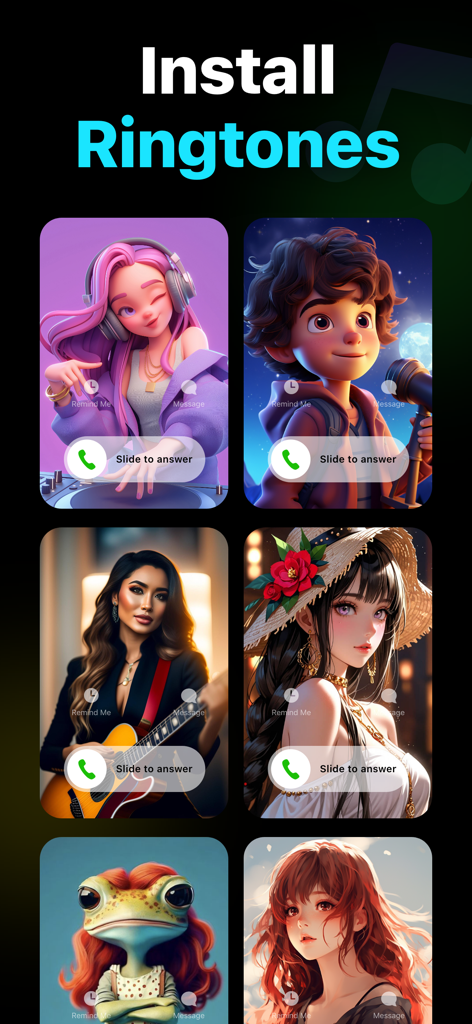
Ringtone Maker Garageアプリのおしゃれなイラストを使ったカスタム着信画面の表示

Ringtone Maker Garageアプリのおしゃれなイラストを使ったカスタム着信画面の表示

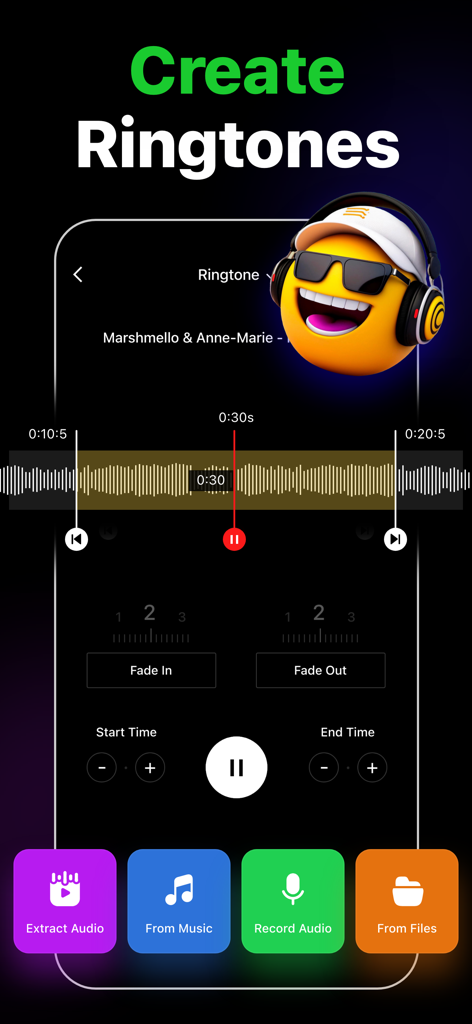
Ringtone Maker Garageアプリのインターフェースで、オーディオトリミングツールと音楽や動画からカスタム着信音を作成するオプションを表示

Ringtone Maker Garageアプリのインターフェースで、オーディオトリミングツールと音楽や動画からカスタム着信音を作成するオプションを表示

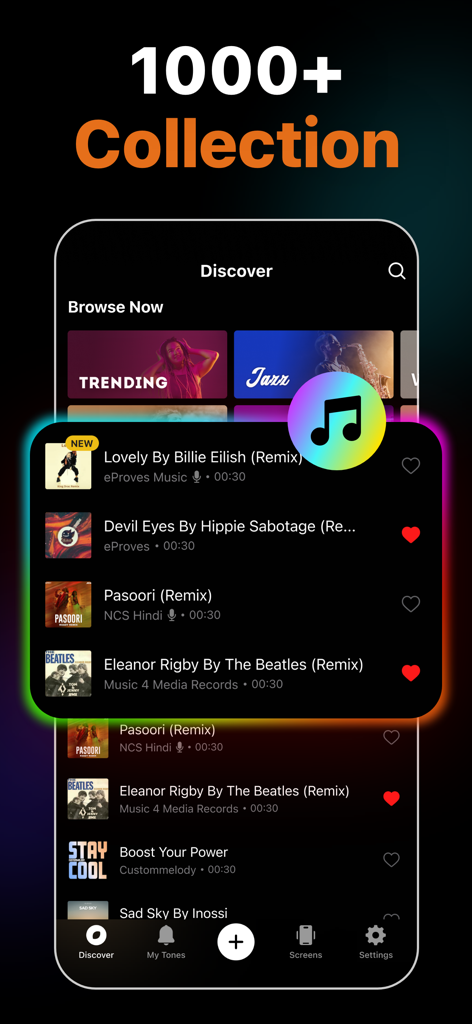
Ringtone Maker Garageアプリのディスカバリー画面に、カスタムiPhone着信音用のトレンドの曲のリミックスコレクションを表示

Ringtone Maker Garageアプリのディスカバリー画面に、カスタムiPhone着信音用のトレンドの曲のリミックスコレクションを表示

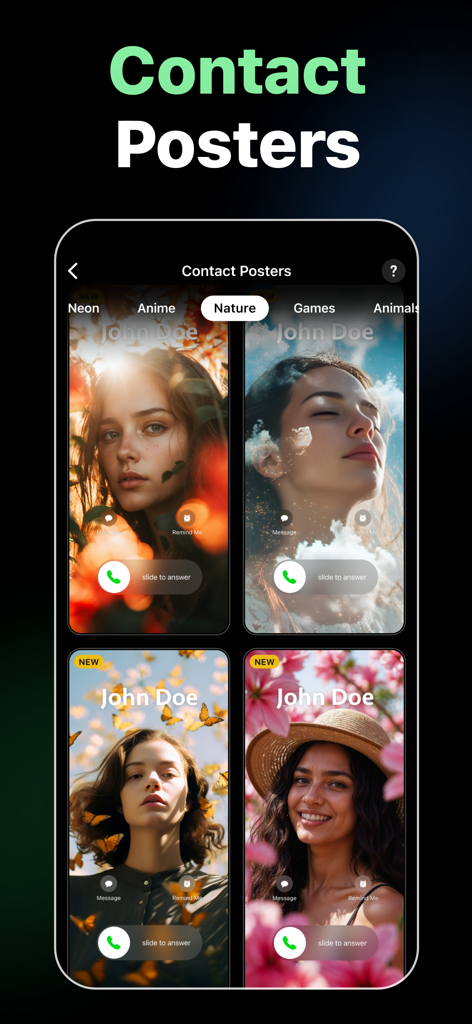
自然や花をテーマにしたiPhone連絡先ポスターのデザイン

自然や花をテーマにしたiPhone連絡先ポスターのデザイン

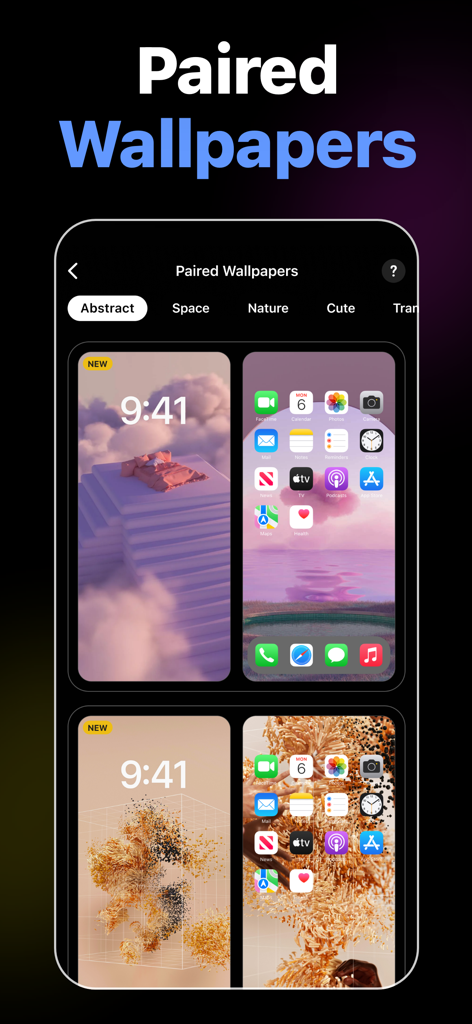
Ringtone Maker Garageアプリ内のiPhoneロック画面とホーム画面用のおしゃれなペア壁紙のコレクション

Ringtone Maker Garageアプリ内のiPhoneロック画面とホーム画面用のおしゃれなペア壁紙のコレクション

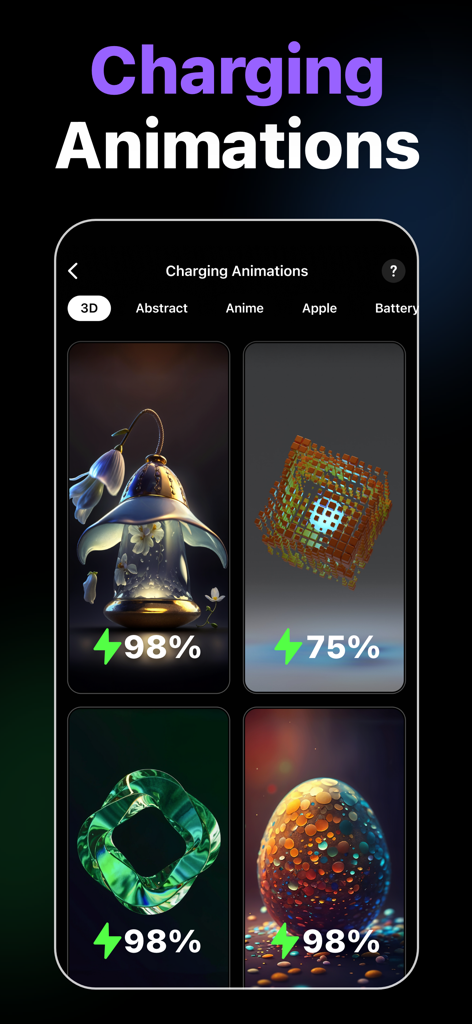
iPhoneカスタマイズ用のおしゃれな3D充電アニメーションの選択肢

iPhoneカスタマイズ用のおしゃれな3D充電アニメーションの選択肢

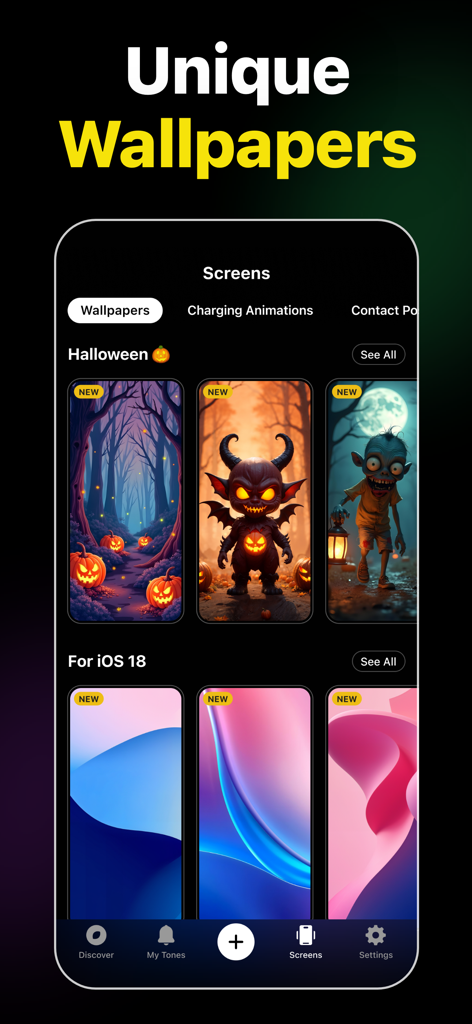
Ringtone Maker Garageアプリのインターフェースに、iPhone用のおしゃれなハロウィンやiOS 18の壁紙を表示

Ringtone Maker Garageアプリのインターフェースに、iPhone用のおしゃれなハロウィンやiOS 18の壁紙を表示

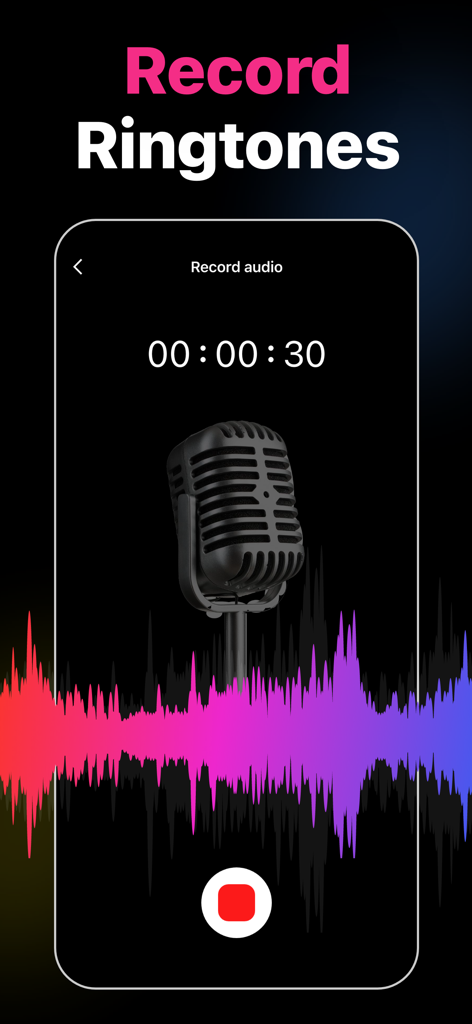
Ringtone Maker Garageアプリの録音画面に、ビンテージマイクとカラフルなオーディオ波形を表示

Ringtone Maker Garageアプリの録音画面に、ビンテージマイクとカラフルなオーディオ波形を表示

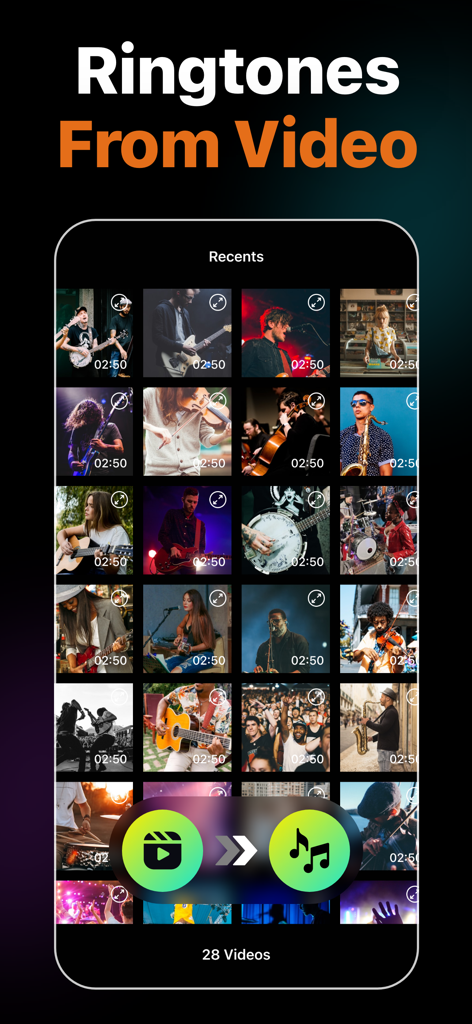
Ringtone Maker Garageアプリのスクリーンショットで、動画からオーディオを抽出してカスタム着信音を作成する機能を表示

Ringtone Maker Garageアプリのスクリーンショットで、動画からオーディオを抽出してカスタム着信音を作成する機能を表示

あなたのスマホ、あなたのバイブス

このアプリを際立たせるツール、 2M+ 人のユーザーが選択.

🎬

動画から着信音への魔法

TikTokでバイラルなサウンドを見つけましたか?どんな画面録画や動画からでもオーディオを抽出して、数秒でユニークなトーンを作成できます。

ケーブルは不要

PCでiTunesをいじるのにうんざりしていませんか?簡単なGarageBand連携で、スマホから直接カスタム着信音をインストールできます。

🎨

完全な美的コントロール

サウンドを超えて。カスタム通知を、トレンドの壁紙の大規模ライブラリと組み合わせて、デバイス全体を完璧にメイクオーバーしましょう。

世界中のユーザーに愛されています

Trusted by 2M+ 人がこのアプリを愛用しています.

"

"PCを使わずにあのバイラルTikTokサウンドを着信音にできる唯一の方法!動画からオーディオを抽出する機能は本当に便利だし、おしゃれな壁紙もホーム画面のレイアウトにぴったりで嬉しいボーナス。"

Chloe_Vibes22
"

"デフォルトのiPhoneサウンドには飽きていましたが、iTunesを使うのは面倒でした。このアプリのGarageBandチュートリアルは完璧です。お気に入りのLo-fiトラックを2分以内にトリミングしてアラームに設定できました。強くお勧めします!"

Marcus_DigitalNomad

アプリについて

について知っておくべきこと Ringtone Maker Garage.

説明

Easily create custom ringtones for iPhone with the best Ringtone Maker app using songs from local iTunes and videos. Personalize your ringtones, alarm tones, text alert, and notification sounds anytime from a rich collection of popular music genres and categories. Key Features of Ringtone Maker: • Create unique ringtones, custom alarms, and text tones for iPhone from local iTunes files • Extract audio from videos to make ringtones • Record audio to create ringtones • Trim, Fade in, and Fade out audio files • Install ringtones via GarageBand and iTunes • Numerous catalogs of ringtones – HipHop, Funky, Jazz, Rock, Classical, Children, Comedy, Reggae, TikTok, Blues ringtones, and more • Regularly updated popular ringtones section • Mark ringtones as favorites and share them with friends • Large selection of wallpapers to set as iPhone home screen and lock screen Ringtones from Various Genres of Music This music ringtones app offers tons of choices for those looking for how to change ringtones on an iPhone. Personalize your device however you want, from Latin, Instrumental, Rap, R&B to Souls, Blues, Pop, and Folk music ringtones. Create Ringtones from Audio and Video Make iPhone ringtones by directly recording audio or trimming songs in just a few steps. Cut any music from the local iTunes library using the audio trimmer. You can also extract audio from videos and set them as ringtones on your iPhone. Cool iPhone Wallpapers Personalize both your iPhone lock screen and home screen with a wide variety of wallpapers available in the app. From aesthetic wallpapers to cute backgrounds, you have a plethora of options to decorate your iPhone and give it a whole new stylish look. Popular Ringtones and Favorite Feature Frequently updated popular ringtones ensure that you don't miss out on trendy tunes and keep your iPhone experience fresh. Also, favorite any ringtones to find those easily later on. How to make a custom ringtone on iPhone with the Ringtone Maker app? Whether the goal is to make custom ringtones for contacts or create iPhone text message sounds, just follow these simple steps. - Tap on the "+" button - Select the song you want to convert into the iPhone ringtone format - Trim, fade-in, or fade-out as necessary - Save the custom ringtone How to make a ringtone for iPhone without iTunes or PC using Ringtones: Ringtone Maker? Ringtone Maker app lets you create and install unique ringtones through the GarageBand app. - Go to the "My Tones" section of the app - Tap on the three-dot option of the desired track - Press "Install Ringtone" and then "Install via GarageBand" - Select GarageBand and long-press the track - From the pop-up window, press on "Share" and then "Ringtone" - Tap "Export" - After exporting, press "Use sound as" to set the ringtone Auto-Renewable Subscription Terms: Subscribe to get unrestricted access to all the features outlined above. • Subscription Length: Weekly, Yearly • Subscription with a free trial period will automatically renew to a paid subscription unless it is canceled at least 24 hours before the end of the trial period. • Payment will be charged to iTunes Account at confirmation of purchase. • Your Apple ID account will be charged for renewal within 24 hours before the end of the trial period. • Manage and cancel your subscriptions by going to your account settings on the App Store. • Any unused portion of a free trial period, if offered, will be forfeited when the user purchases a subscription to that publication, where applicable. • By signing up for this subscription, you agree to our Terms of Use and Privacy Policy. Terms of Use: https://www.twinbit.net/tc/ringtones/terms.php Privacy Policy: https://www.twinbit.net/tc/ringtones/privacy.php Disclaimer: This app is free to download, but you will be required to sign-up for an auto-renewing subscription to access the app's full functionality.

最新バージョン

1.4.7

サイズ

100.8 MB

リリース日

2020年11月9日

iPhoneにバイブスをチェックさせる準備はいいですか?

200万人以上のクリエイターが参加し、バイラルTikTokやお気に入りの曲をカスタム着信音に変えています。今すぐダウンロードして、ユニークなサウンドとおしゃれな壁紙でスマホを大変身させよう。

ダウンロード: App Store
FAQ

よくある質問

について知っておくべきこと Ringtone Maker Garage

Can I create custom ringtones using the Ringtone Maker Garage app?

はい、Ringtone Maker Garage を使用すると、iTunes のローカル曲、ビデオから抽出したオーディオ、または新しく録音したオーディオから iPhone 用のカスタム着信音を作成できます。このアプリは、オーディオファイルをトリミングしたり、フェードイン、フェードアウトしたりするツールを提供します。

Does Ringtone Maker Garage support creating ringtones from video files?

はい、Ringtone Maker Garage を使用すると、ビデオから直接オーディオを抽出し、iPhone 用のカスタム着信音として使用できます。この機能は、アプリの機能内で詳しく説明されています。

Can I record my own audio to make ringtones with Ringtone Maker Garage?

はい、Ringtone Maker Garage では、アプリ内で直接独自のオーディオを録音できます。この録音したオーディオを使用して、iPhone 用のパーソナライズされた着信音を作成できます。

How do I install ringtones created with Ringtone Maker Garage on my iPhone without using a computer?

Ringtone Maker Garage は、PC なしで iPhone 上の GarageBand 経由で着信音をインストールすることをサポートしています。「マイ トーン」にアクセスし、「GarageBand 経由でインストール」を選択してから、GarageBand から着信音をエクスポートします。

What music genres are available for ringtones in Ringtone Maker Garage?

Ringtone Maker Garage は、HipHop、Funky、Jazz、Rock、Classical、Children、Comedy、Reggae、TikTok、Blues、Latin、Instrumental、Rap、R&B、Souls、Pop、Folk など、さまざまなジャンルの着信音を豊富に取り揃えています。

Does Ringtone Maker Garage provide wallpapers for iPhone customization?

はい、Ringtone Maker Garage は多数の壁紙を提供しています。ユーザーは、アプリで利用可能なさまざまな美的でかわいい背景を使用して、iPhone のホーム画面とロック画面の両方をパーソナライズできます。

Is the Ringtone Maker Garage app free to download and use?

はい、Ringtone Maker Garage は無料でダウンロードできます。ただし、アプリの全機能にアクセスするには、自動更新サブスクリプションにサインアップする必要があります。

What are the subscription options for Ringtone Maker Garage?

Ringtone Maker Garage は、週次および年次の自動更新サブスクリプションを提供しています。無料トライアル付きのサブスクリプションは、トライアル終了の 24 時間前にキャンセルされない限り自動的に更新されます。支払いは iTunes アカウントに請求されます。