Ruler: Measure, Measuring Tape

Ruler: Measure, Measuring Tape

ダウンロード: App Storeダウンロード: Google Play
Spark by MWM logo
ロゴ: Ruler: Measure, Measuring Tape

ARルーラー:スマホ用究極のデジタルメジャー

メジャーを探すのはもうやめましょう。プロのように測定を始めましょう。家のリフォーム、新しい家具の設置、不動産の見積もりなど、ARルーラーは高度な3Dスキャンを使用して、カメラから即座に正確な測定値を提供します。

ダウンロード: App Store

開発元

Grymala sp. z o.o.

カテゴリ

Productivity

ダウンロード

260K+

ユーザー評価

4.6/5

評価数

1K+

対応言語

12

ポケットの中の正確さ

このインターフェースを利用する 260K+ 人のユーザー.

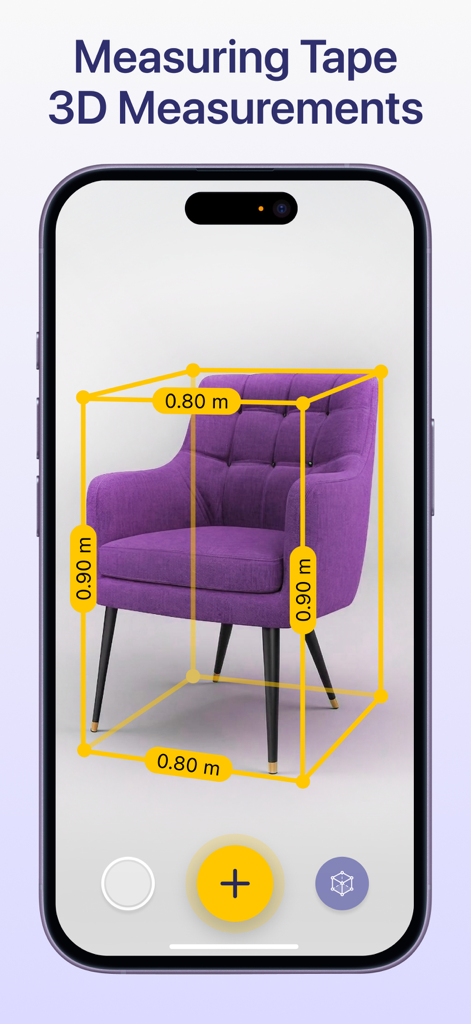
ARルーラーアプリが、スマートフォンの画面上で紫色の肘掛け椅子の3D測定値を示しています

ARルーラーアプリが、スマートフォンの画面上で紫色の肘掛け椅子の3D測定値を示しています

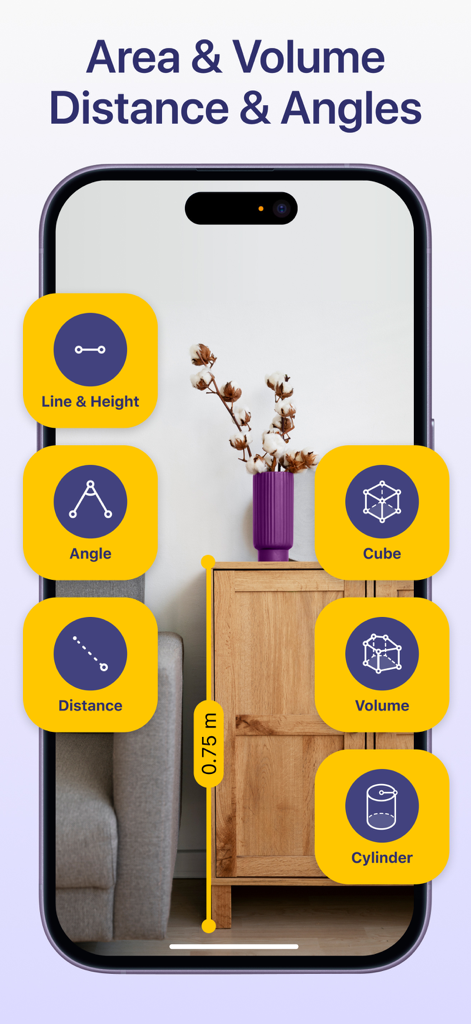
ARルーラーアプリのインターフェースが、拡張現実技術を使用して部屋の木製キャビネットの高さを測定しています

ARルーラーアプリのインターフェースが、拡張現実技術を使用して部屋の木製キャビネットの高さを測定しています

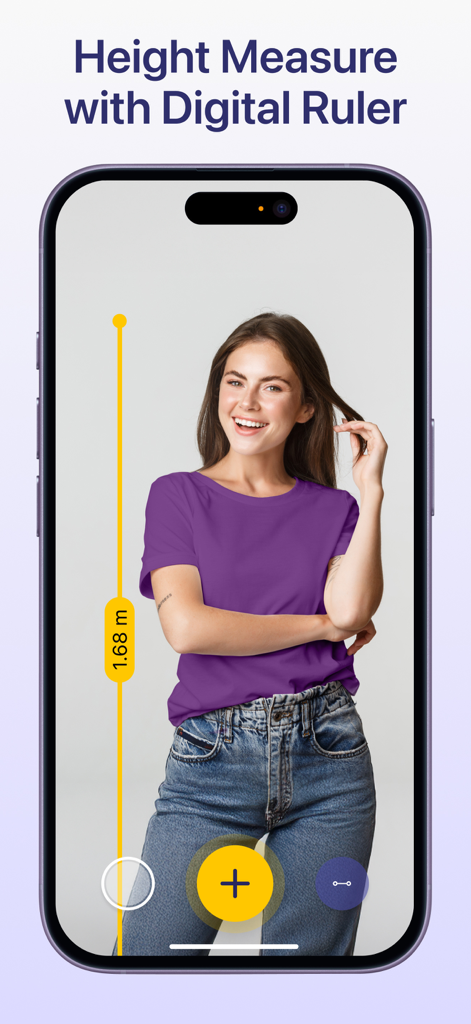
iPhoneにARルーラーアプリが表示され、拡張現実技術を使用して女性の身長を測定しています

iPhoneにARルーラーアプリが表示され、拡張現実技術を使用して女性の身長を測定しています

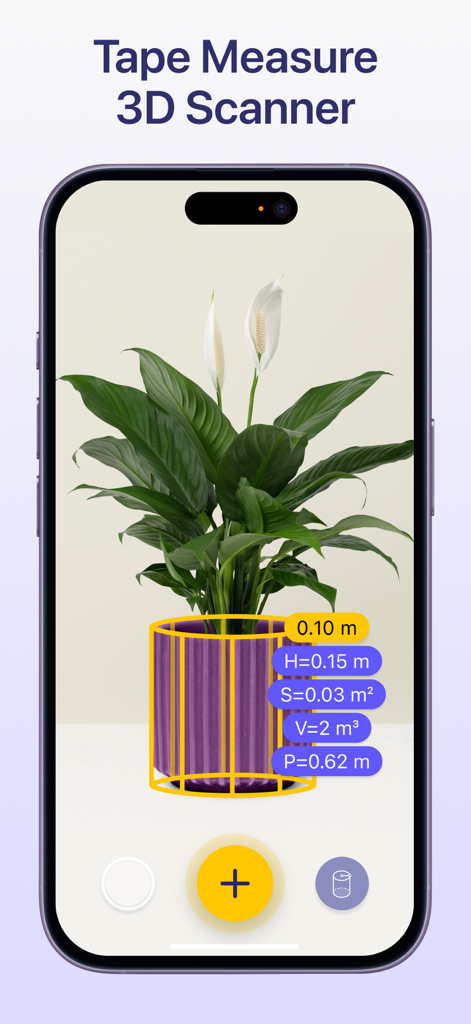
拡張現実ルーラーアプリが、3Dスキャンツールを使用して鉢植えの植物を測定しています

拡張現実ルーラーアプリが、3Dスキャンツールを使用して鉢植えの植物を測定しています

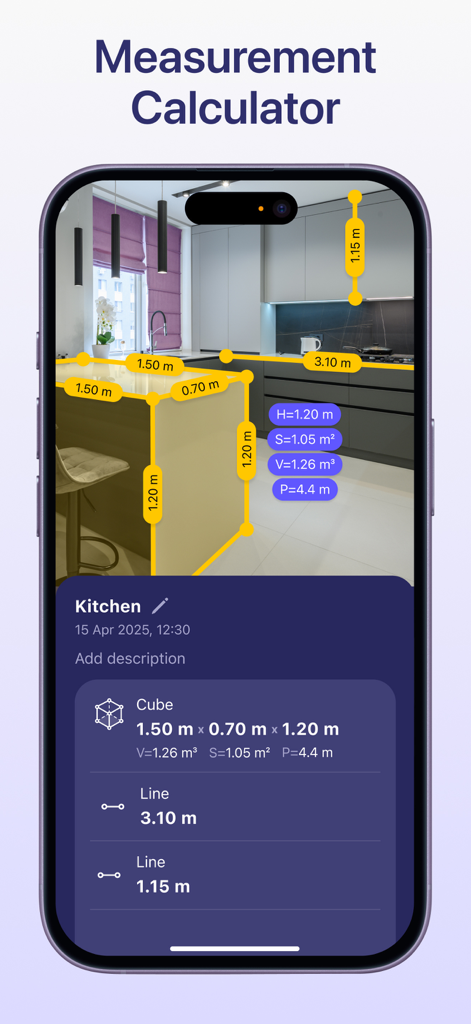
ARルーラーアプリのインターフェースが、キッチンでの測定計算機を表示しています

ARルーラーアプリのインターフェースが、キッチンでの測定計算機を表示しています

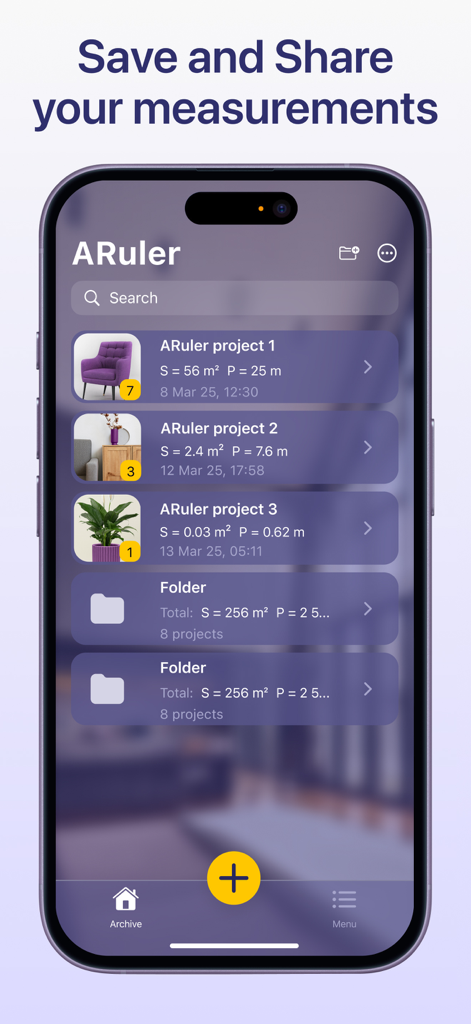
ARルーラーアプリの測定アーカイブを示すスマートフォンの画面。家具や植物の寸法を含む整理されたフォルダとプロジェクトが表示されています。

ARルーラーアプリの測定アーカイブを示すスマートフォンの画面。家具や植物の寸法を含む整理されたフォルダとプロジェクトが表示されています。

ポケットの中のプロ級ツール

このアプリを際立たせるツール、 260K+ 人のユーザーが選択.

📏

インスタントARメジャー

カメラをオブジェクトや表面に向けるだけで、長さ、高さ、距離を即座に測定できます。

🏠

スマートルームマッピング

素早く間取り図を作成し、壁の寸法を測定して、家具がスペースにぴったり合うことを確認します。

📐

複雑な体積・面積計算

不規則な形状の計算を自動化します。1回のタップで3D構造の体積や表面の面積を計算します。

世界中のユーザーに愛されています

Trusted by 260K+ 人がこのアプリを愛用しています.

"

"以前は金物店で何時間も寸法を推測していました。今では、ARルーラーを取り出して、壁の高さからマルチの体積まで、あらゆるものの測定値を即座に、信頼できる形で取得できます。私のデジタルツールキットの中で最もよく使われています。"

David R., DIY愛好家
"

"インテリアデザインでは、正確さとスピードがすべてです。このアプリを使えば、クライアントのために部屋の寸法を把握し、床面積をその場で計算できます。数え切れないほどの測定エラーから私を救い、ワークフローをはるかにスムーズにしてくれました。"

Diane L., インテリアデザイナー

アプリについて

について知っておくべきこと Ruler: Measure, Measuring Tape.

説明

AR Ruler: Measuring tape with AR Technology The AR Ruler measurement app with measurement calculator uses advanced AR technology and your phone’s camera measuring tape system to deliver precise measurements of real-world objects. With this digital ruler, you can quickly perform a room measure, check height measure of walls, calculate length measure, and estimate distance, angles, area, volume, and more. Simply point your digital tape measure at any object using your smartphone and begin measuring instantly. The built-in 3D scanner detects surfaces and allows you to activate the AR tape measure tool with ease — making it a complete measurement calculator for both home and professional use. Key Tools Available in the AR Ruler App: Line & Height – Measure the length and height of objects quickly. Distance Meter – Measure distance from the device camera to a point on a 3D surface. Angle Tool – Measure angles directly on real surfaces. Polyline & Polyline Smooth – Calculate the total length of a drawn path. Rectangle Tool – Get length, perimeter, and area of rectangles. Circle Tool – Measure the radius, perimeter, and area of circular objects. Poly & Poly Smooth – Useful for measuring irregular shapes’ area and volume. Volume & Volume Smooth – Determine the volume of 3D structures or piles. Cube & Cylinder Tools – Fast measurement of these shapes’ dimensions. Walls & Curved Wall – Ideal for quick room measure and wall adjustments. Heap & Pit – Tools to measure the volume of material stacks or excavations. Access tools even faster via home screen widgets. Whether you're a DIY user, contractor, or interior designer, the AR Ruler app transforms your smartphone into a powerful camera measuring tape and measurement calculator. Try AR Ruler app now – we’d love to hear your feedback! Customer Support: Should you have any questions about AR Ruler app or need help, please do not hesitate to contact us via developer email: support@grymalaltd.com. Follow us: Twitter: https://twitter.com/grymalaofficial Instagram: https://www.instagram.com/grymala_official/ Pinterest: https://www.pinterest.com/grymalaapps/ LinkedIn: https://www.linkedin.com/company/grymala/ Subscription: --------------- Premium - 3 days free trial • No ads; • Unlimited number of projects; • Unlimited Access to Premium Tools. Price may vary by country. You won’t be charged if you cancel at least 24 hours before the end of trial period. Active subscription will automatically renew unless canceled at least 24 hours before the end of the current active period (year). You can manage subscriptions in your iTunes Account Settings. Subscription is charged to your credit card through your iTunes account. --- Terms of Service: https://www.apple.com/legal/internet-services/itunes/dev/stdeula/

最新バージョン

2.2.8

サイズ

609.3 MB

リリース日

2017年12月28日

iPhoneをプロ仕様の測定ツールに変える

ホームセンターでもリビングのリフォームでも、ARルーラーは必要な精度を即座に提供します。26万人以上のユーザーに加わり、今日からよりスマートな測定を始めましょう。

ダウンロード: App Storeダウンロード: Google Play