Screen Recorder Pro⋆

Screen Recorder Pro⋆

ダウンロード: App Store
Spark by MWM logo
ロゴ: Screen Recorder Pro⋆
Screen Recorder Pro⋆: あなたの究極のゲーム&リアクションスタジオ

リアルタイムのフェイスカムリアクションで高品質なゲームプレイをキャプチャ。iPhoneまたはiPadから直接、バイラルな瞬間を編集、トリミング、共有してYouTubeやTikTokに投稿しましょう。

開発元

Scep Group LLC

カテゴリ

Utilities

ダウンロード

1M+

ユーザー評価

4.5/5

評価数

23K+

対応言語

1

あなたのスタジオを一目で確認

このインターフェースを利用する 1M+ 人のユーザー.

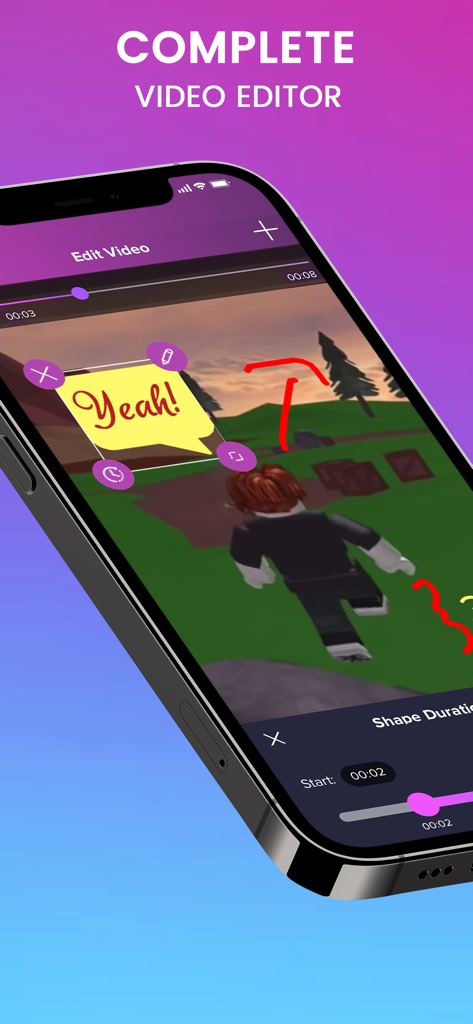
ゲーム映像と吹き出しステッカーを備えた画面録画を編集するためのモバイルインターフェイス

ゲーム映像と吹き出しステッカーを備えた画面録画を編集するためのモバイルインターフェイス

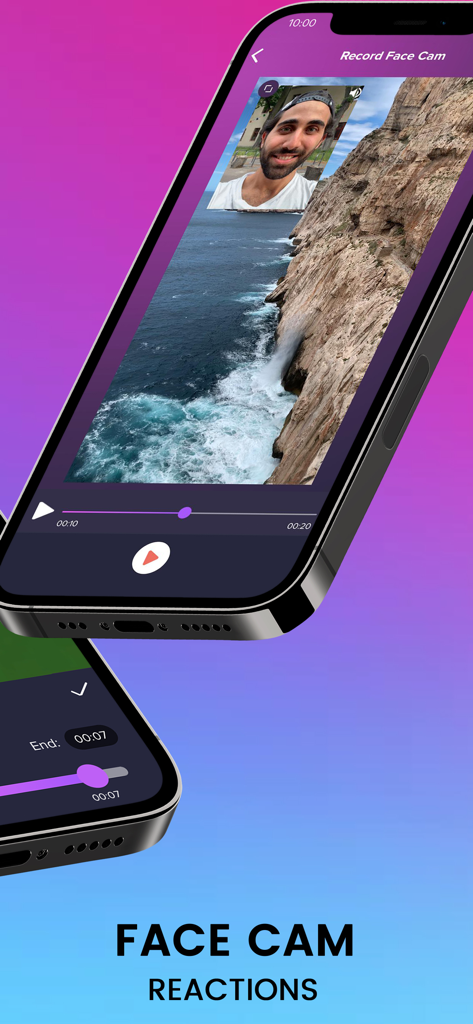
Screen Recorder Proアプリを使用して、フェイスカムオーバーレイでビデオリアクションを表示するiPhone画面

Screen Recorder Proアプリを使用して、フェイスカムオーバーレイでビデオリアクションを表示するiPhone画面

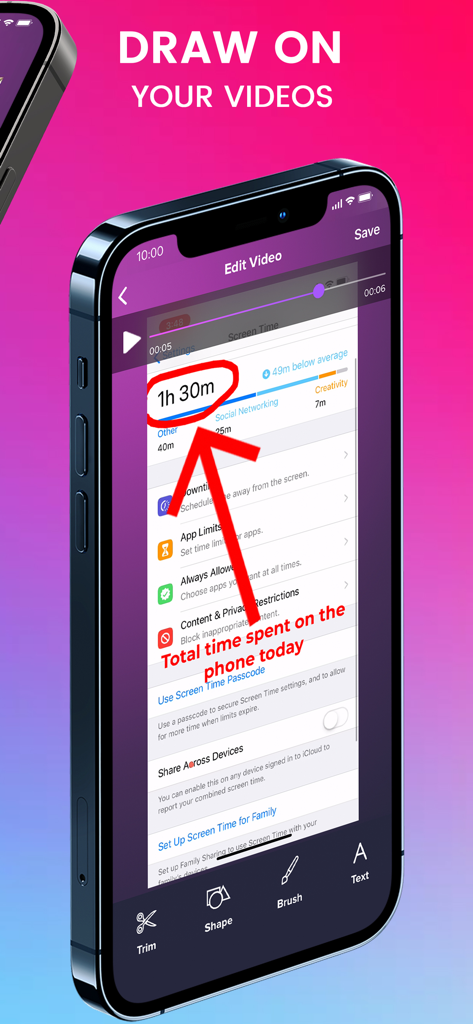
Screen Recorder Proアプリの編集インターフェイスに、ビデオ録画上に描画された赤い矢印と円の注釈が表示されているiPhone

Screen Recorder Proアプリの編集インターフェイスに、ビデオ録画上に描画された赤い矢印と円の注釈が表示されているiPhone

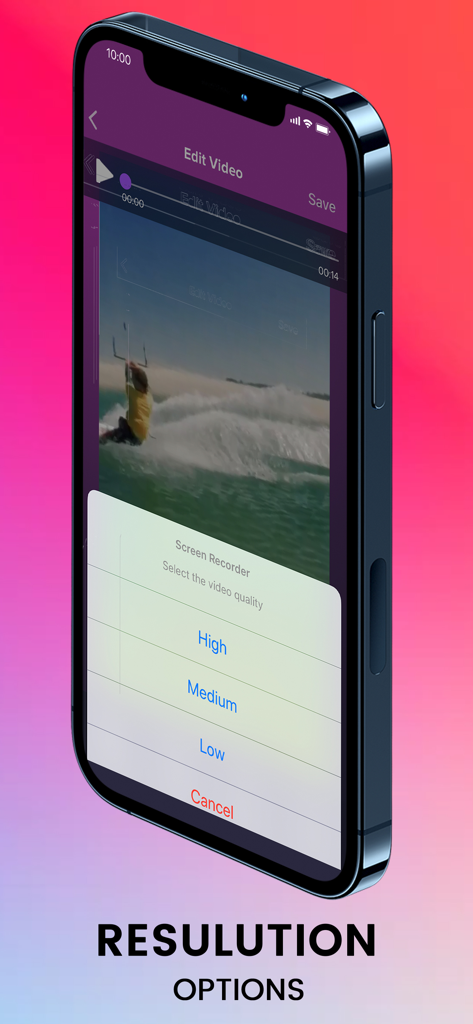
Screen Recorder Proアプリで、高、中、低のビデオ解像度オプションを表示するスマートフォン画面

Screen Recorder Proアプリで、高、中、低のビデオ解像度オプションを表示するスマートフォン画面

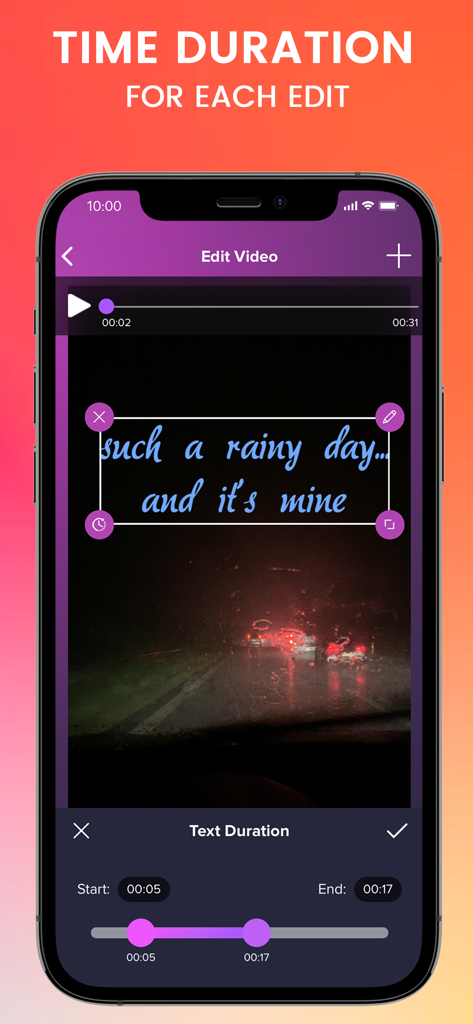
iPhone上のビデオ録画にテキストオーバーレイの期間を設定するためのビデオ編集ツールを示すScreen Recorder Proアプリインターフェイス

iPhone上のビデオ録画にテキストオーバーレイの期間を設定するためのビデオ編集ツールを示すScreen Recorder Proアプリインターフェイス

画面キャプチャからバイラルコンテンツまで

このアプリを際立たせるツール、 1M+ 人のユーザーが選択.

🤳

プロのフェイスカムリアクション

ゲームプレイと同時にリアルタイムのリアクションをキャプチャ。すべての勝利と「失敗」を見せることで、視聴者とのより深い繋がりを築きましょう。

🎬

オールインワン編集スタジオ

アプリから離れることなく、ビデオをトリミング、磨き、完璧に仕上げましょう。時間を節約し、数回のタップで録画から投稿まで完了させましょう。

🎮

高解像度ゲームキャプチャ

FortniteやRobloxのような激しいゲームを、クリアな品質で録画しましょう。スムーズなパフォーマンスにより、視聴者はアクションのフレームを逃しません。

世界中のユーザーに愛されています

Trusted by 1M+ 人がこのアプリを愛用しています.

"

"モバイルゲーマーとして、Screen Recorder Pro⋆はまさにゲームチェンジャーです。フェイスカムリアクション機能により、iPhoneから直接プロフェッショナルなFortniteのウォークスルーを作成できます。複雑なPCセットアップを使用するよりもはるかに簡単です!"

Tyler G.
"

"録画を編集して、すぐにTikTokに共有できるのが気に入っています。リアクションビデオに最適なオールインワンスタジオです。単一のクリップを投稿するために、3つの異なるアプリを切り替える必要はもうありません!"

Chloe R.

レビュー分析

ユーザーレビューの分析.

感情スコア

31%
ネガティブ

概要

This screen recording app receives highly mixed, predominantly negative feedback. While some users initially praise its core recording functionality, noting good quality and the convenience of saving videos directly to their photo gallery, the positive sentiment is largely overshadowed by significant issues. The most common complaint revolves around an aggressive paywall, where essential features like saving or editing videos require payment after only a single use or a short trial, leading many to feel misled or scammed. Additionally, numerous users report critical app instability, with the recording function frequently stopping or becoming unresponsive after initial use, often necessitating reinstallation.

主なテーマ

Paywall / Subscription Model(23)
App Instability / Malfunctions(12)
Screen Recording Functionality(12)
Misleading Free Claims(7)
Language Support(2)
Video Editing Features(1)
Output Destination (Photo Gallery)(1)

アプリについて

について知っておくべきこと Screen Recorder Pro⋆.

説明

Screen Recorder Pro is the recording app you have been waiting for. Not only will you be able to record and capture your screen, you will also be able to edit your videos and record face cam reactions. Great editor studio for Youtube creators, Fortnite & other game players. With Screen Recorder Pro, record all content from your screen, including games and app walk-through, video demos, tutorials, Youtube videos, training videos on your iPhone and iPad. Anything you want, just go record it! Thanks to this easy screen recorder. Share your recordings from the screen recorder easily to major social media platforms like Youtube, Facebook, Instagram, Twitch. Main features of Screen Recorder Pro: - Record screen - Record face cam reaction - Edit videos *** Screen Recorder Pro SUBSCRIPTION PRICING AND TERMS Screen Recorder Pro offers 3 auto-renewing subscription options. You can subscribe to get access to all screen recording features. • Subscription length: weekly, monthly, yearly. • Your payment will be charged to your iTunes Account as soon as you confirm your purchase. • You can manage your subscriptions and turn off auto-renewal from your Account Settings after the purchase. • Your subscription will renew automatically, unless you turn off auto-renew at least 24 hours before the end of the current period. • The cost of renewal will be charged to your account in the 24 hours prior to the end of the current period. • When canceling a subscription, your subscription will stay active until the end of the period. Auto-renewal will be disabled, but the current subscription will not be refunded. • Any unused portion of a free trial period, if offered, will be forfeited when purchasing a subscription. Screen Recorder Pro's privacy policy: http://retropixel.co/screen-recorder-privacy Screen Recorder Pro's terms of use: http://retropixel.co/terms-of-use

最新バージョン

1.50

サイズ

73.6 MB

リリース日

2019年9月1日

コンテンツクリエイターとしてのキャリアをスタートしませんか?

Screen Recorder Pro⋆を使用して、iPhoneまたはiPadから直接、高品質なリアクションやゲームプレイを録画、編集、共有している100万人以上のゲーマーやインフルエンサーの仲間入りをしましょう。

ダウンロード: App Store