Singularity To Do List, Tasks

Singularity To Do List, Tasks

ダウンロード: App Store
Spark by MWM logo
ロゴ: Singularity To Do List, Tasks
Singularity To Do List:混沌をマスターし、最も野心的な目標を達成する

高業績のプロフェッショナルのための究極の生産性パワーハウス。無制限のネスト、シームレスなカレンダー統合、そして独自の印刷からアプリへの認識技術で、複雑なプロジェクトを楽に管理できます。

開発元

Vladimir Zavertaylov

カテゴリ

Productivity

ダウンロード

133K+

ユーザー評価

4.7/5

評価数

1K+

対応言語

11

一目でわかる明瞭さ

このインターフェースを利用する 133K+ 人のユーザー.

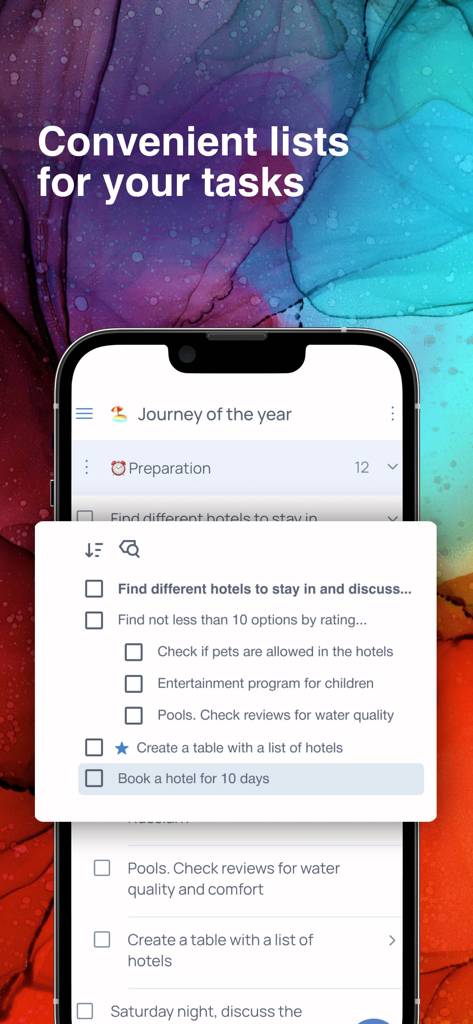
Singularityアプリで旅行計画のためのネストされたタスクリストを示すモバイル画面

Singularityアプリで旅行計画のためのネストされたタスクリストを示すモバイル画面

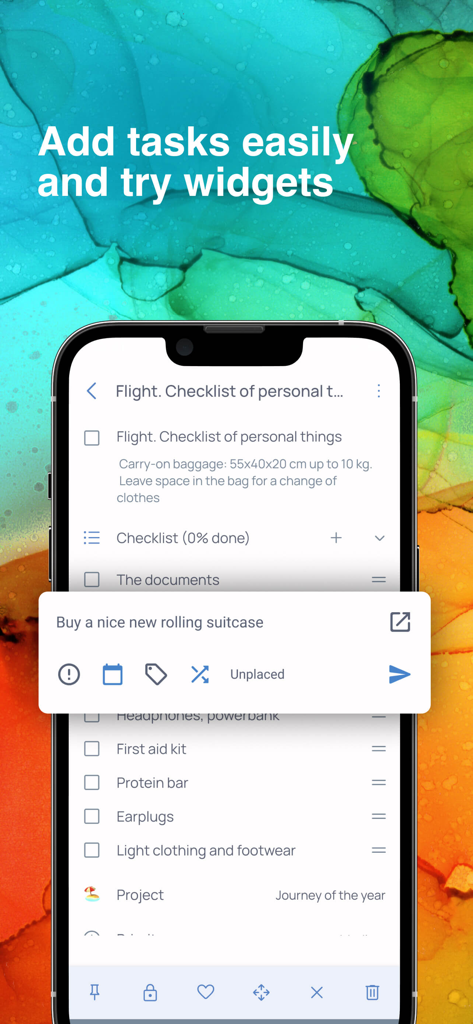
Singularityアプリで旅行チェックリストとクイックタスク入力ウィジェットを示すモバイル画面

Singularityアプリで旅行チェックリストとクイックタスク入力ウィジェットを示すモバイル画面

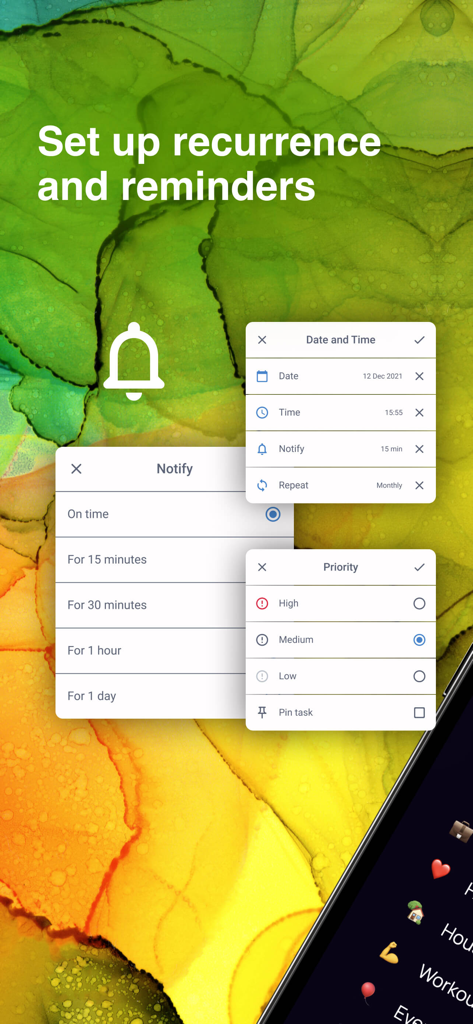
Singularityアプリでタスクリマインダーと優先度レベルを設定するインターフェース

Singularityアプリでタスクリマインダーと優先度レベルを設定するインターフェース

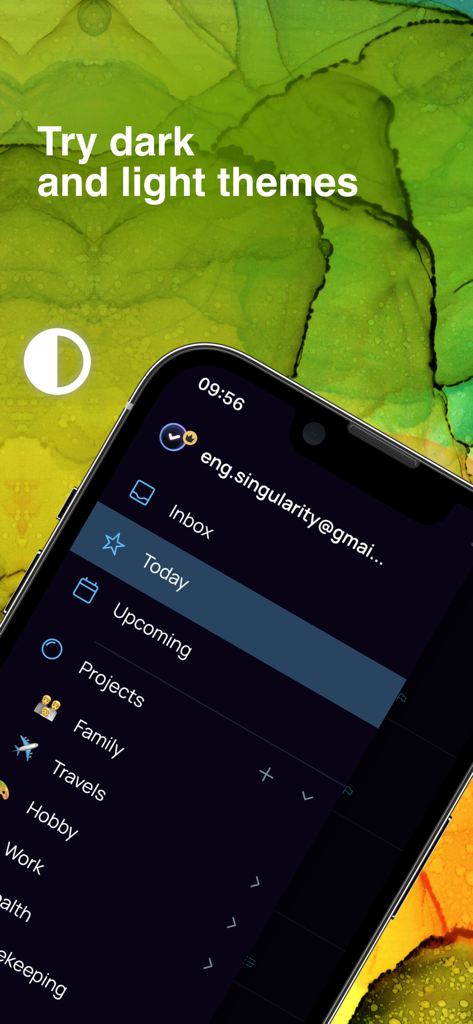
Singularity To Do ListアプリのiPhoneインターフェース、プロジェクトサイドバーとダークテーマオプションを表示

Singularity To Do ListアプリのiPhoneインターフェース、プロジェクトサイドバーとダークテーマオプションを表示

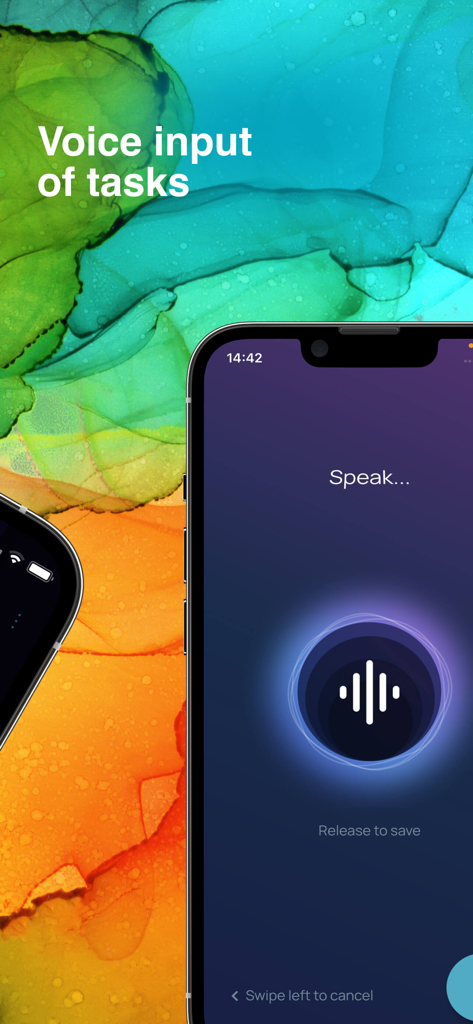
Singularity To Do Listアプリでのクイックタスク作成のための音声入力機能

Singularity To Do Listアプリでのクイックタスク作成のための音声入力機能

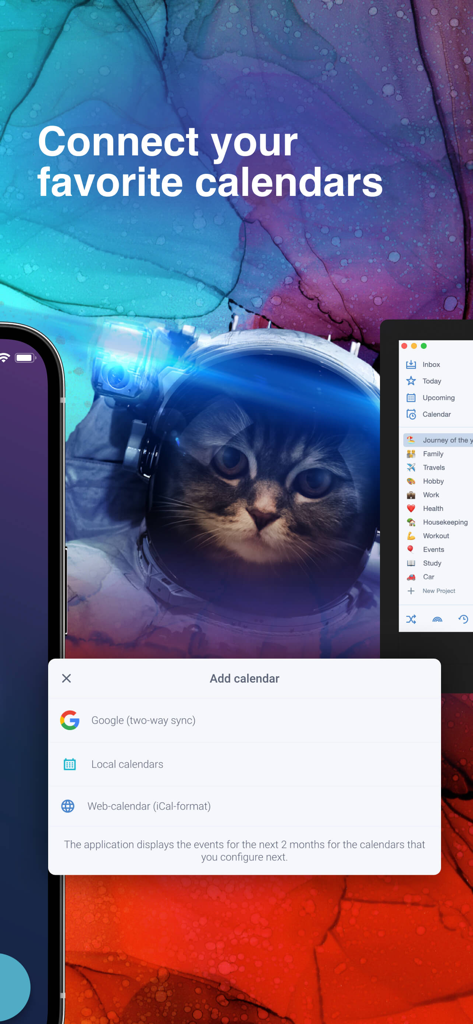
Singularity To Do ListアプリでGoogleおよびローカルカレンダーを接続するためのインターフェース。

Singularity To Do ListアプリでGoogleおよびローカルカレンダーを接続するためのインターフェース。

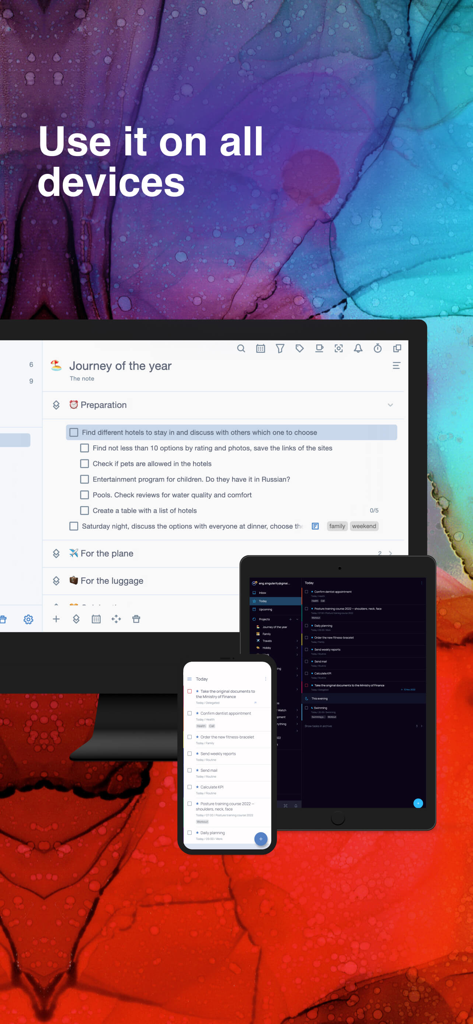
デスクトップ、タブレット、スマートフォンデバイス全体でシームレスな同期を示すSingularityタスクマネージャーアプリ

デスクトップ、タブレット、スマートフォンデバイス全体でシームレスな同期を示すSingularityタスクマネージャーアプリ

現代生活の混沌をマスターする

このアプリを際立たせるツール、 133K+ 人のユーザーが選択.

📂

無制限のプロジェクト階層

無制限のネストレベルで複雑なイニシアチブを分解します。多段階プロジェクトを、あなたの精神的なワークフローを反映する管理可能なサブタスクに整理します。

🖨️

アナログとデジタルの世界を同期する

気が散らない集中力のために毎日の計画を印刷し、手でタスクにマークを付け、アプリにスキャンし直してデジタルワークスペースを即座に更新します。

外出先でのスムーズなキャプチャ

精神的な散らかりを即座にクリアします。音声入力、Telegramボット、またはメール転送を使用して、アイデアが浮かんだ瞬間にキャプチャし、すべてのデバイスで同期します。

世界中のユーザーに愛されています

Trusted by 133K+ 人がこのアプリを愛用しています.

"

"数十の同時ワークストリームを処理するシニアプロジェクトマネージャーとして、市場に出回っているすべてのプランナーを試しました。Singularityは、真に混沌を管理できる唯一のツールです。無制限のネストにより、複雑な階層を楽にマッピングでき、Telegramボットにより、外出先でのアイデアキャプチャが完全にスムーズになります。"

James Mitchell
"

"「印刷して認識」機能は、私のワークフローにとって絶対的なゲームチェンジャーです。朝、紙に計画を立てる触覚的な感触が大好きで、それらのマークが自動的にアプリに同期されるのは純粋な魔法です。アナログの習慣とデジタルライフの間の完璧な架け橋です。"

Sarah Jenkins

アプリについて

について知っておくべきこと Singularity To Do List, Tasks.

説明

• App of the Year in Tagline Awards • Enjoy planning your life! Singularity App combines the best techniques for managing tasks, projects, cases, calendars, checklists, and reminders in one tool. We have used the best practices such as time management, GTD and chaos management. All of them are embodied in one great tool: SingularityApp. SingularityApp will be helpful to: SMART AND PURPOSE DRIVEN PEOPLE. To those who strive for a purposeful life and prefer to set goals and achieve them instead of just dreaming. MANAGERS – to competently organize and manage project work, and not to get lost in urgent tasks, but rather find time for important ones. PEOPLE STRIVING FOR SUCCESS – to keep all tasks under control. Key Features: TASKS AND PROJECTS. Unlimited number of task, project, and section nesting. SHARING PROJECTS. Complete tasks together with other users. WIDGET FOR QUICK TASK CREATING. Create tasks without opening the application. You can do it at any time, even while watching a movie. PRINTOUTS AND RECOGNITIONS. Print out the plan for the day, mark completed tasks in the printout, take a photo of it from the application and all marks will be transferred to SingularityApp. RECURRING TASKS. Set up regularly recurring tasks and develop healthy habits. NOTIFICATIONS. Get notifications of upcoming tasks and deadlines. Nothing will be overlooked anymore! PRIORITY LEVELS. Decide what is really important to you and focus on it. INTEGRATION WITH CALENDARS. Set one-way integration with your favorite calendars. Or two-sided one with Google Calendars. PASSWORDS. Use for tasks with sensitive data. TAGS. Group tasks from a wide variety of projects using tags. CHECK LISTS. Add checklists to tasks to be sure not to skip any steps. THEMES. Switch the theme in one click. Click – and there is the dark depths of space. Click again – now there is bright stardust. COLOR MARKING OF PROJECTS. Set a different color and emoji for each project. FILTERS. Create dynamic to-do lists the way you want. POMODORO. To get more done in less time, break your work into 25-minute intervals with short breaks. HABITS TRACKER. Introduce habits into life easily and simply. Mark the completion every day, and everything will work out! CLOUD SYNCHRONIZATION. Work on the device that is at your fingertips. All updates will automatically appear on other devices. TASK CREATION VIA EMAIL. Have you received an email with instructions? Send it to a special email address and it will be converted into a task in the Singularity App. VOICE INPUT. Dictate the task, Singularity will recognize your speech and add the task to the list. TELEGRAM bot. Add tasks directly from Telegram. It is fast and always at hand – just send or forward a message to the bot. Additional features of the PC version: FOCUS MODE. Hide all projects except the current one to focus on the main thing. CHECK MODE. Set up intervals for checking projects and see which of them you need to shake up. TASK IMPORT FROM THE PLANNER. Are you using another planner? Set up import of tasks and projects in SingularityApp and compare the operation of the two applications. The SingularityApp is a free application. But you can always switch from your free plan to a premium one. SingularityApp Pro gives you access to the most powerful tools to fight chaos. SingularityApp Pro provides advanced options for scheduling tasks. – Tasks & to-do lists synchronization between all devices. – Sharing Projects. – An infinite number of projects and sections. – Adding tasks via Telegram and email. – Daily plans printing and mark recognition. – Built-in calendar and integration. Terms of use: https://singularity-app.com/terms_of_service/ Privacy Policy: https://singularity-app.com/policy/ Our site: https://singularity-app.com Chaos Management Blog: https://singularity-app.com/blog/ We welcome your feedback: https://helpdesk.singularity-app.com/– Multiple notifications per task.

最新バージョン

10.2.1

サイズ

178.6 MB

リリース日

2020年2月3日

時間をマスターし、混沌を制する。

精神的な散らかりを完全にコントロールに置き換えた、目的意識の高い数千人のプロフェッショナルに加わりましょう。今すぐSingularityAppをダウンロードして、どのデバイスでも目標達成を始めましょう。

ダウンロード: App Store
FAQ

よくある質問

について知っておくべきこと Singularity To Do List, Tasks

Singularity To Do List, Tasks とは何ですか?

Singularity To Do List, Tasks は、時間管理、GTD、カオス管理の実践を通じて、ユーザーが目標を達成できるよう、タスク管理、プロジェクト整理、カレンダー、チェックリスト、リマインダーを組み合わせたアプリケーションです。

Singularity To Do List, Tasks は無料のアプリケーションですか?

はい、Singularity To Do List, Tasks は無料のアプリケーションとして利用できます。より強力で高度な機能やツールにアクセスするために、SingularityApp Pro にアップグレードするオプションもあります。

SingularityApp で繰り返しタスクを設定できますか?

はい、SingularityApp では繰り返しタスクを設定できます。この機能は、アプリ内で定期的なアクティビティのスケジュールを自動化することにより、個人が健全な習慣を確立し維持するのに役立ちます。

Singularity To Do List, Tasks は外部カレンダーと連携しますか?

はい、Singularity To Do List, Tasks はカレンダーと連携します。さまざまなカレンダーとの一方向の連携をサポートし、Googleカレンダーとの双方向同期、ローカルおよびiCal形式のWebカレンダーも提供します。

Singularity To Do List, Tasks は複数のデバイス間でクラウド同期をサポートしていますか?

はい、Singularity To Do List, Tasks はクラウド同期をサポートしています。これにより、すべてのタスクの更新とデータがすべてのユーザーデバイスに自動的に表示され、どのプラットフォームでもシームレスに作業できます。

SingularityApp では、アプリを開かずに素早くタスクを作成できますか?

はい、SingularityApp はクイックタスク作成用のウィジェットを提供しています。この機能により、ユーザーは完全なアプリケーションを開く必要なく、便利に新しいタスクを追加できます。

Singularity To Do List, Tasks はタスク作成のための音声入力を提供していますか?

はい、Singularity To Do List, Tasks は音声入力機能を提供しています。ユーザーはタスクを口述でき、アプリケーションの音声認識技術がそれを ToDo リストのエントリに変換します。

Singularity To Do List, Tasks でプロジェクトを共有したり、他の人と共同作業したりできますか?

はい、Singularity To Do List, Tasks はプロジェクト共有を可能にします。ユーザーは、共有プロジェクト内で他の人とタスクを共同作業でき、この機能は SingularityApp Pro プランにも含まれています。

SingularityApp Pro にはどのような機能が含まれていますか?

SingularityApp Pro には、すべてのデバイス間でのタスク同期、プロジェクト共有、無制限のプロジェクトとセクション、Telegram やメール経由でのタスク追加、毎日の計画印刷、組み込みカレンダー連携などの高度な機能が含まれています。