Slideshow Maker Photo Video

Slideshow Maker Photo Video

ダウンロード: App Store
Spark by MWM logo
ロゴ: Slideshow Maker Photo Video

スライドショーメーカー 写真動画:大切な思い出を感動的な映画に変える

数タップで、カメラロールを音楽、トランジション、トレンドのフィルターを使った高品質1080pスライドショーに変える最も簡単な方法。編集スキルは不要です。

ダウンロード: App Store

開発元

MAPLE LABS COMPANY LIMITED

カテゴリ

Photo & Video

ダウンロード

1M+

ユーザー評価

4.6/5

評価数

12K+

対応言語

1

動きのある思い出

このインターフェースを利用する 1M+ 人のユーザー.

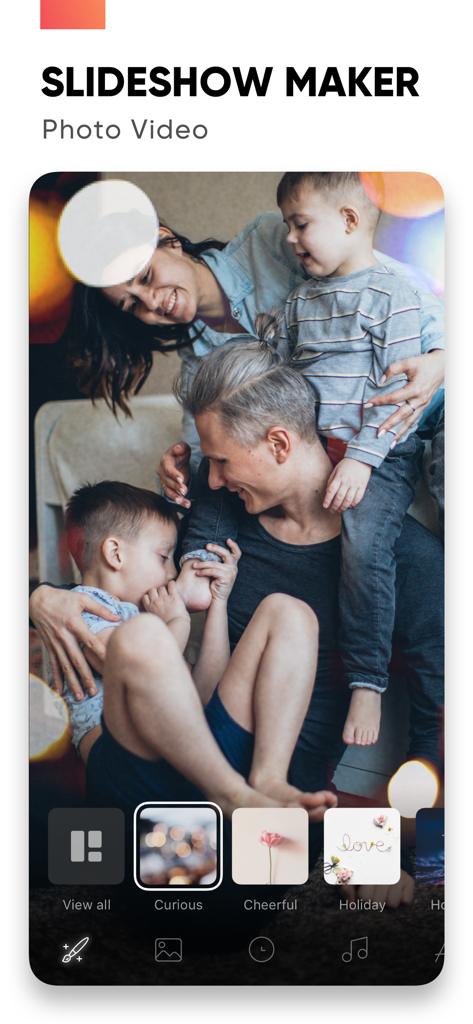
スライドショーメーカーアプリのインターフェース。家族の写真とさまざまなビデオムードテーマが表示されています。

スライドショーメーカーアプリのインターフェース。家族の写真とさまざまなビデオムードテーマが表示されています。

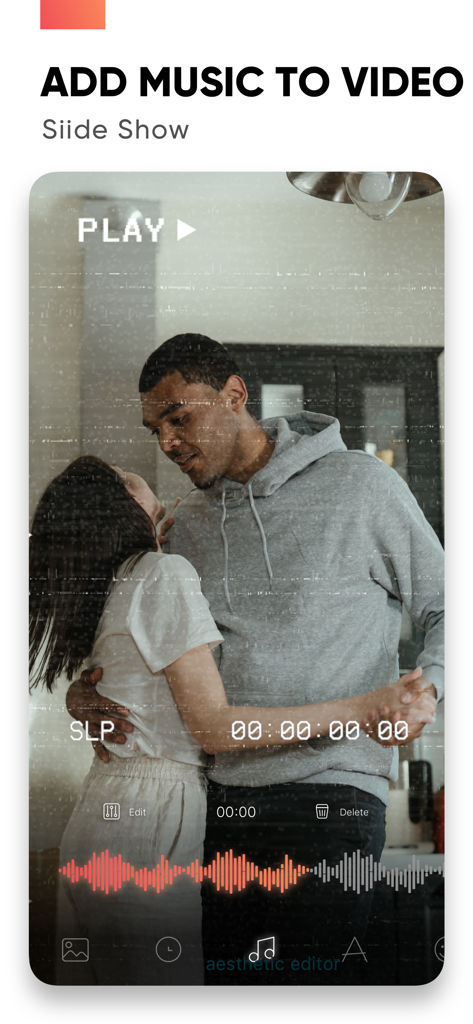
スライドショーメーカーアプリのインターフェース。踊るカップルとオーディオ波形、および「ビデオに音楽を追加」というテキストが表示されています。

スライドショーメーカーアプリのインターフェース。踊るカップルとオーディオ波形、および「ビデオに音楽を追加」というテキストが表示されています。

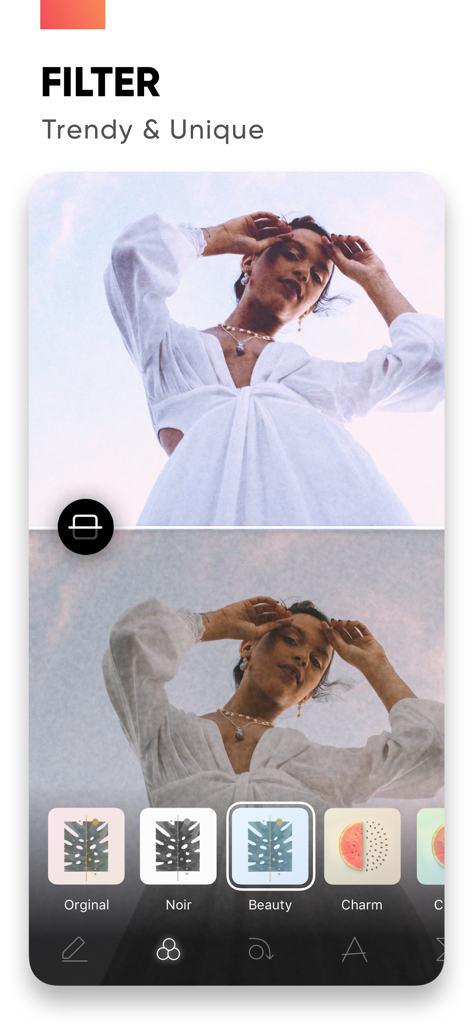
スライドショーメーカーアプリのインターフェース。ノワールやビューティーなどのトレンドの写真フィルターが表示されています。

スライドショーメーカーアプリのインターフェース。ノワールやビューティーなどのトレンドの写真フィルターが表示されています。

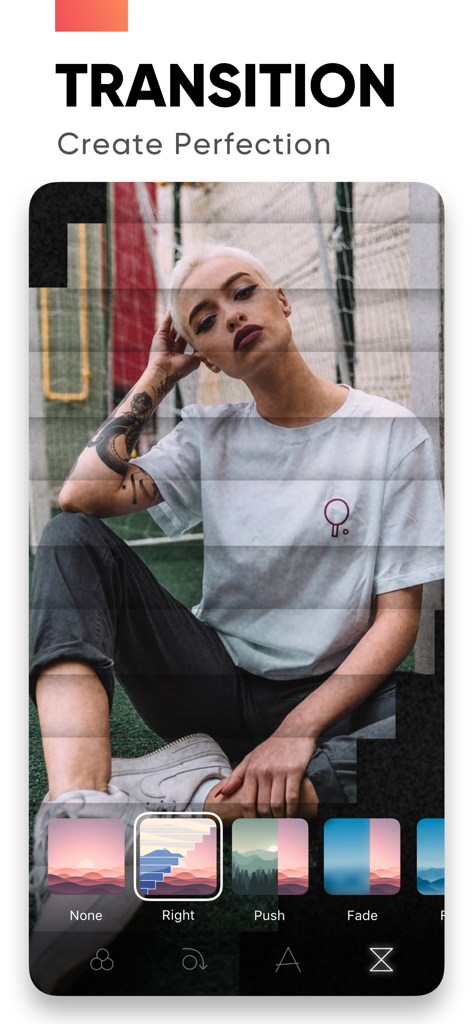
スライドショーメーカーアプリのモバイルインターフェース。ポートレート写真に適用された「右プッシュ」や「フェード」などのさまざまなビデオトランジション効果が表示されています。

スライドショーメーカーアプリのモバイルインターフェース。ポートレート写真に適用された「右プッシュ」や「フェード」などのさまざまなビデオトランジション効果が表示されています。

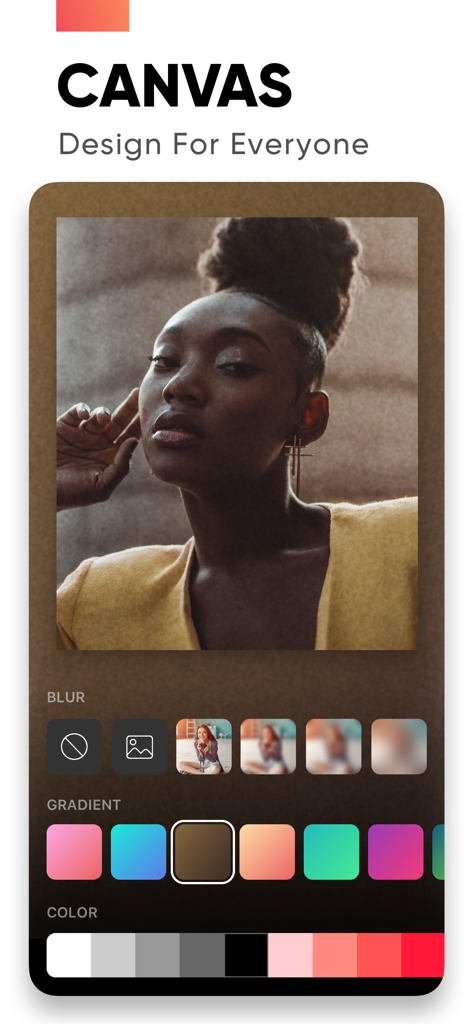
スライドショーメーカーアプリのキャンバス機能。写真の背景ぼかしやグラデーション編集ツールが表示されています。

スライドショーメーカーアプリのキャンバス機能。写真の背景ぼかしやグラデーション編集ツールが表示されています。

瞬間を永遠の思い出に変える

このアプリを際立たせるツール、 1M+ 人のユーザーが選択.

🎞️

数分でプロの結果

誕生日、家族の再会、人生のあらゆる節目に合わせたスマートなムードテンプレートを使用して、高品質のビデオを簡単に作成できます。

🎵

感動を呼ぶ音楽

お気に入りの曲を追加して、ストーリーに命を吹き込みましょう。精密なトリミングとフェードツールを使用して、すべてのトランジションが適切な音符にヒットすることを確認してください。

📱

喜びをHDで共有

傑作を鮮明な1080p解像度でエクスポートし、ソーシャルメディアに即座に投稿するか、最も大切な人々に直接送信してください。

世界中のユーザーに愛されています

Trusted by 1M+ 人がこのアプリを愛用しています.

"

"息子の1年間分の写真がカメラロールに何千枚もありました。このアプリのおかげで、誕生日パーティーのための美しいHDトリビュートに簡単に変換できました!「ファミリー」ムードコレクションと自分の音楽を同期できる機能が、とてもパーソナルな感じにしてくれました。何時間もコンピューターで作業せずに思い出を保存したい忙しい親にとっては救世主です。"

Sarah M.、ファミリー歴史家
"

"旅行が多いので、クリップをInstagram用の高品質リールに素早く変換できるアプリが欲しかった。このアプリは完璧です—トランジションはトレンド感があり、1080pエクスポートは鮮明に見え、インターフェースは信じられないほど直感的です。飛行機で帰宅中にすべてを携帯電話で編集できるのが気に入っています!"

Marcus J.、コンテンツクリエーター

レビュー分析

ユーザーレビューの分析.

感情スコア

25%
ネガティブ

概要

General feedback for the app is predominantly negative, with numerous users reporting critical issues such as frequent app crashes, unstable performance, and inability to export or share created videos. Many express strong dissatisfaction with the subscription model, citing unexpected charges after free trials, difficulty canceling, and a general perception of the app's pricing as a "scam." Specific bugs include a non-functional crop adjustment that reverted images to their original position as of June 27th, 2022. While some users praise the app's ease of use and its ability to create basic videos or slideshows, these positive aspects are frequently overshadowed by complaints about limited editing features, restrictive music selection, and an abundance of advertisements.

主なテーマ

Video Creation Capabilities(4)
Ease of Use(3)
App Performance(2)
Music Features(2)
Free Options(2)
Photo Management(1)

アプリについて

について知っておくべきこと Slideshow Maker Photo Video.

説明

Create slideshows with SlideShow Maker Photo Video using your own photos & videos from your camera roll and add music to your video slide show! Make your own slideshow in just a few taps choosing from a great mood collection - from happy birthday to Mother's day, celebration or family, find your own style! Add photo, video, and music to your slideshow movie creation and share it with friends and family. FEATURES: 1) Slideshow maker : - Add your photos to video - Add music to video - Add transition, overlay and trendy filter to your slideshow video - Change duration per photo 2) Powerful Photo Editor: - Edit frame rate of photos, flip and rotate photos, add filters effects per photo in your slideshow - Reorder all your photos and delete or add more photos in your video slideshow - Using the Canvas feature to enhance your photo - Unique movement effect for your video slideshow. 3) Perfect Customize Music: - Import music from the music library to make a slideshow with or use a song from your own iTunes collection (subject to iTunes terms). - Remove or cut any part of audio with precision - Adjust your audio duration for a perfect result. - Trim, fade-in, fade-out for audio, music. 4) High-quality slideshow video for sharing: - Save slideshow to your library in up to HD 1080p. - Share with your friends on Facebook, Instagram, YouTube, or other social media, and get likes from them PREMIUM SUBSCRIPTION - Subscription start from USD 2.99. - a 1-week subscription with 3 days free trial - a 1-month subscription - a 1-year subscription • Check in app for exact pricing in your region • Payment will be charged to your iTunes account at confirmation of purchase and will automatically renew (at the duration/price selected) unless auto-renew is turned off at least 24 hours before the end of the current period. • Account will be charged for renewal within 24-hours prior to the end of the current period, and identify the cost of the renewal. • Any unused portion of a free trial period, if offered, will be forfeited when the user purchases a subscription to that publication, where applicable • You can manage your subscription and/or turn off auto-renewal by going to your iTunes Account Settings, but refunds will not be given for any unused portion of the term. Terms of Service: https://www.maplelabs.co/policies/#terms Privacy: https://www.maplelabs.co/policies/#terms For complete access to all app features, you will need to allow access to the following: - Photos library – so you can pick photos to slideshow maker and save slideshow video when you finish - Music library - so you can pick favourite songs or attractive songs to slideshow maker and make slideshow lively. If you have any feedback, please send us your email to support@maplelabs.co Please leave a review on the App Store if you love using the app. We cannot wait to hear from you and we always appreciate your support.

最新バージョン

6.6

サイズ

218.0 MB

リリース日

2019年10月12日

お気に入りの瞬間を映画に変えよう

100万人以上の思い出保存家と一緒に、誕生日、祝日、あらゆるお祝いのためにカメラロールを美しいスライドショーに変える簡単なツールを使いましょう。

ダウンロード: App Store