SnapMotion Unlimited

SnapMotion Unlimited

ダウンロード: App Store
Spark by MWM logo
ロゴ: SnapMotion Unlimited

SnapMotion Unlimited:4Kおよび8Kビデオからのプロフェッショナルなフレーム抽出

高解像度の静止画のキャプチャ、フレームの一括処理、GIFの作成を正確に行える、クリエイター向けの究極のツールです。遅延なし、品質低下なし、完璧なビジュアルだけを提供します。

ダウンロード: App Store

開発元

VIZZINI JEREMY

カテゴリ

Photo & Video

ダウンロード

1K+

ユーザー評価

5.0/5

評価数

0

対応言語

7

すべてのピクセルに精密さを

このインターフェースを利用する 1K+ 人のユーザー.

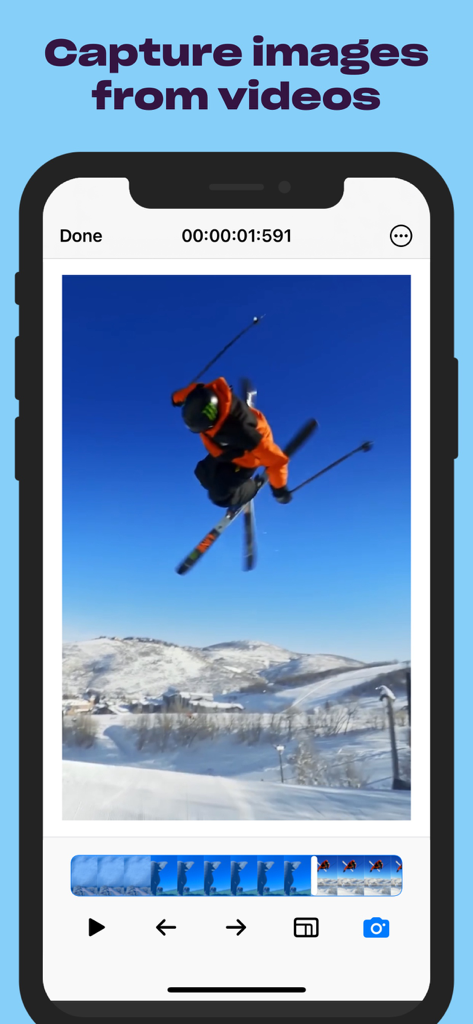
スキービデオから高品質な静止フレームを抽出しているSnapMotionアプリを表示したiPhone画面

スキービデオから高品質な静止フレームを抽出しているSnapMotionアプリを表示したiPhone画面

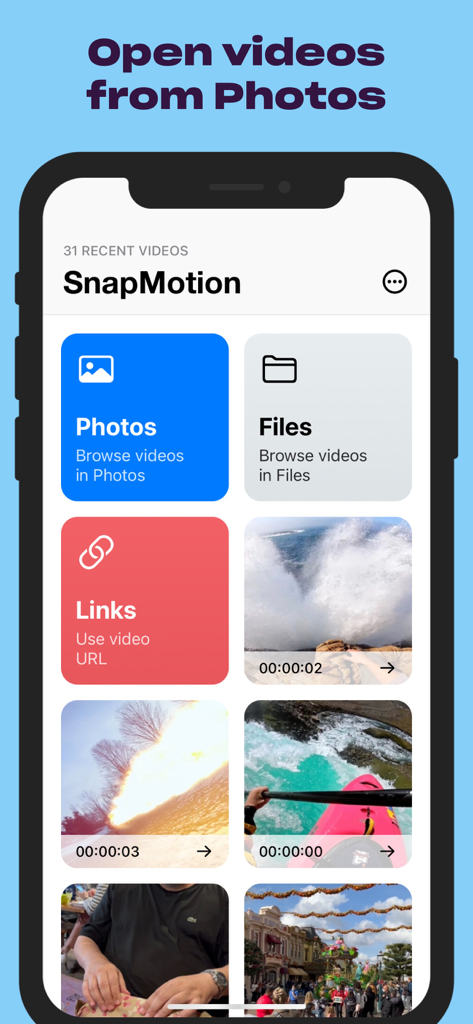
写真、ファイル、リンクからビデオを開くオプションを表示しているSnapMotionアプリのインターフェース

写真、ファイル、リンクからビデオを開くオプションを表示しているSnapMotionアプリのインターフェース

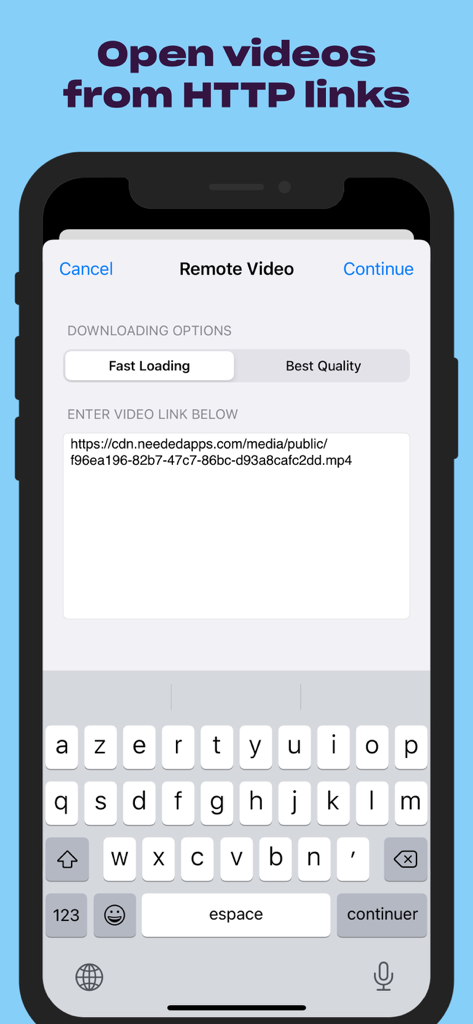
HTTPリンク経由でリモートビデオをインポートするためのSnapMotionアプリのインターフェース

HTTPリンク経由でリモートビデオをインポートするためのSnapMotionアプリのインターフェース

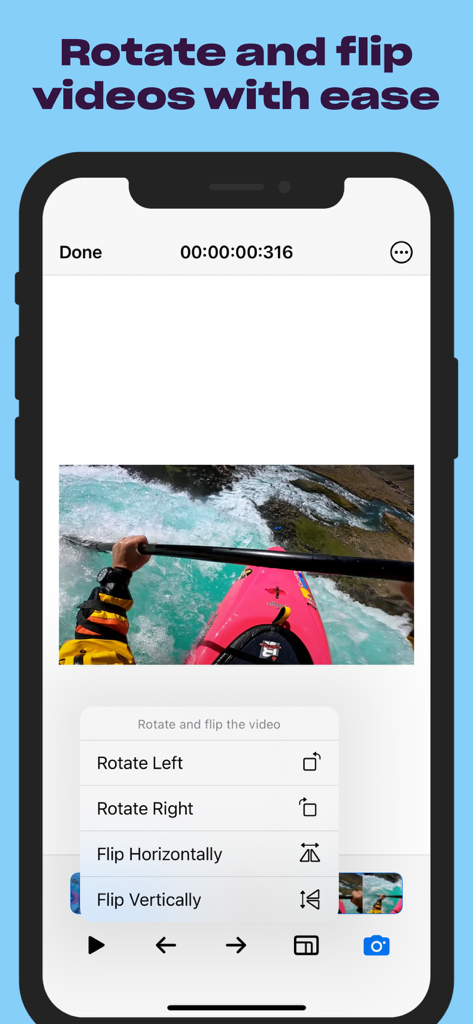
ビデオの回転および反転オプションを表示しているSnapMotionアプリのインターフェース

ビデオの回転および反転オプションを表示しているSnapMotionアプリのインターフェース

フレーム抽出機能を絶賛するSnapMotion UnlimitedアプリへのApp Storeの5つ星レビュー

フレーム抽出機能を絶賛するSnapMotion UnlimitedアプリへのApp Storeの5つ星レビュー

すべてのフレームを傑作に

このアプリを際立たせるツール、 1K+ 人のユーザーが選択.

💎

プログレードの8K抽出

4Kおよび8Kビデオから、遅延や品質の低下なく、非常に鮮明な画像をキャプチャします。インパクトのあるYouTubeのサムネイルやプロ仕様の印刷アセットに最適です。

スムーズなワークフロー

写真アプリやFinderからファイルを瞬時に開けます。時間のかかる再エンコードや重い編集ソフトを必要とせず、その場ですぐに映像を回転させたり反転させたりできます。

🚀

一括処理と多彩なフォーマット

数千のフレームを一度に抽出して、制作を自動化します。JPEG、PNG、TIFFへの書き出しや、ソーシャルメディア向けのGIFへの変換が可能です。

世界中のユーザーに愛されています

Trusted by 1K+ 人がこのアプリを愛用しています.

"

"プロの旅行Vloggerとして、完璧なサムネイルを撮影するのは、以前はぼやけた手動スクリーンショットの悪夢でした。SnapMotionはまさにゲームチェンジャーです。数秒で映像から非常に鮮明な4Kの静止画を抽出できます。編集時間を何時間も節約でき、YouTubeのクリック率もかつてないほど向上しました!"

Marcus Rivera
"

"MacとiPhoneのシームレスな連携が気に入っています。一括処理機能は、不動産マーケティングの強い味方です。1つの物件紹介ビデオから、数十枚の高解像度写真を瞬時に抽出できます。再エンコードなしでクリップを回転できるのは、私のワークフローにおいて生産性を大幅に向上させてくれます。"

Chloe Stevenson

アプリについて

について知っておくべきこと SnapMotion Unlimited.

説明

Want an easy tool to get images out of your videos? Use SnapMotion — a simple tool to help you get just the visuals you need from your video files. Rotate or flip your videos before capture, open quickly from Finder or Photos, and get as many stills as you like with no delay with SnapMotion. - CAPTURE IN TOP QUALITY Open 4K and 8K videos with no lag and get high quality captures with SnapMotion. Forget about haphazard screenshots that take too much time to capture just right and are blurry more often than not. Get frames from your videos in the highest quality possible with a handy tool such as SnapMotion. - OPEN VIDEOS EASILY Waste no time when opening your videos. Open the files in Finder, Photos, Files directly to SnapMotion. More good news? The app supports services such HTTP videos. You can open your videos to SnapMotion via their links, making your snapping easy and fast — no need to move your files or download in advance. - ROTATE AND FLIP VIDEOS Save even more time with SnapMotion’s built-in rotate and flip feature. No need to re-encode your video before you save your screen captures in the right orientation. Just flip or rotate the video in the app and capture what you need exactly the way it was intended to be viewed. - BATCH PROCESS If you need to capture many images from your video, SnapMotion is up for the task. The app allows you to extract thousands of images from your video in batches. You can also create GIFs or MP4s out of your images. - USE FOR MANY VIDEO FORMATS If your version of QuickTime can play it, SnapMotion can capture it! The app works with numerous video formats and codecs and can export your images as PNG, JPEG, HEIF, TIFF, GIF, and MP4. - GET HELP WITHIN THE APP SnapMotion is designed so that just anyone can pick it up and use it, particularly if you have even a rudimentary knowledge of photography. However, if something isn’t clear, you can submit feedback or ask questions within the app itself. Subscription Terms of Service and Privacy Policy: https://neededapps.com/legal. Please note that the application is universal. Batch processing and advanced exporting formats are exclusive to the Mac version.

最新バージョン

5.2.7

サイズ

22.9 MB

リリース日

2015年11月20日

ぼやけたスクリーンショットで妥協するのはもうやめましょう

ビデオから非常に鮮明な4Kおよび8Kの静止画を抽出している、数千人ものプロクリエイターの仲間入りをしましょう。今すぐMac、iPhone、iPadでシームレスなワークフローを始めましょう。

ダウンロード: App Store