Solo - Fretboard Visualization

Solo - Fretboard Visualization

ダウンロード: App Storeダウンロード: Google Play
Spark by MWM logo
ロゴ: Solo - Fretboard Visualization

Solo:ボックスから抜け出し、インターバル・ビジュアライゼーションでフレットボードをマスターする

パターンの暗記はやめて、ネックの理解を始めましょう。世界的に有名なギタリストによって設計されたSoloは、あなたの楽器をリアルタイムで聴き取り、意図的でインタラクティブな練習を通じてインターバル、コードチェンジ、スケールをマスターするのに役立ちます。

開発元

Trio Software LTD

カテゴリ

Music

ダウンロード

174K+

ユーザー評価

4.8/5

評価数

1K+

対応言語

1

明快なマスターへの道

このインターフェースを利用する 174K+ 人のユーザー.

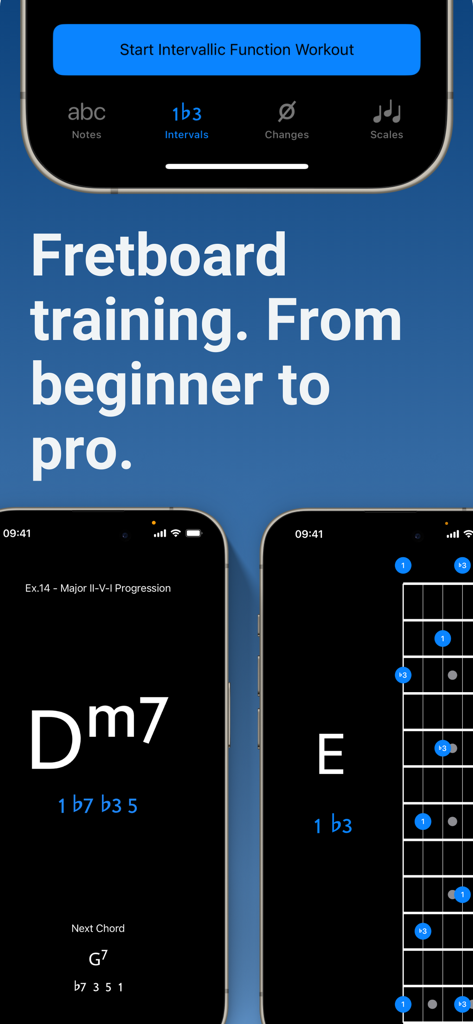
Soloアプリのインターフェース。ギターのフレットボードトレーニングと、初心者からプロレベルまでの音楽理論の練習を表示。

Soloアプリのインターフェース。ギターのフレットボードトレーニングと、初心者からプロレベルまでの音楽理論の練習を表示。

ギタリストのTom QuayleとDavid Beebeeが、Soloフレットボードビジュアライゼーションアプリのためにギターを演奏している様子。

ギタリストのTom QuayleとDavid Beebeeが、Soloフレットボードビジュアライゼーションアプリのためにギターを演奏している様子。

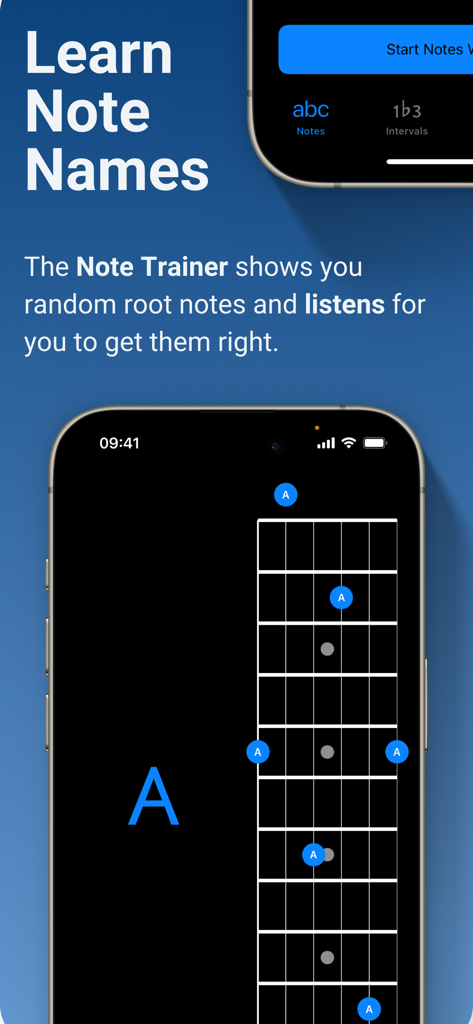
Soloアプリのスクリーンショット。フレットボード上のギターの音名学習のためのNote Trainer機能を表示。

Soloアプリのスクリーンショット。フレットボード上のギターの音名学習のためのNote Trainer機能を表示。

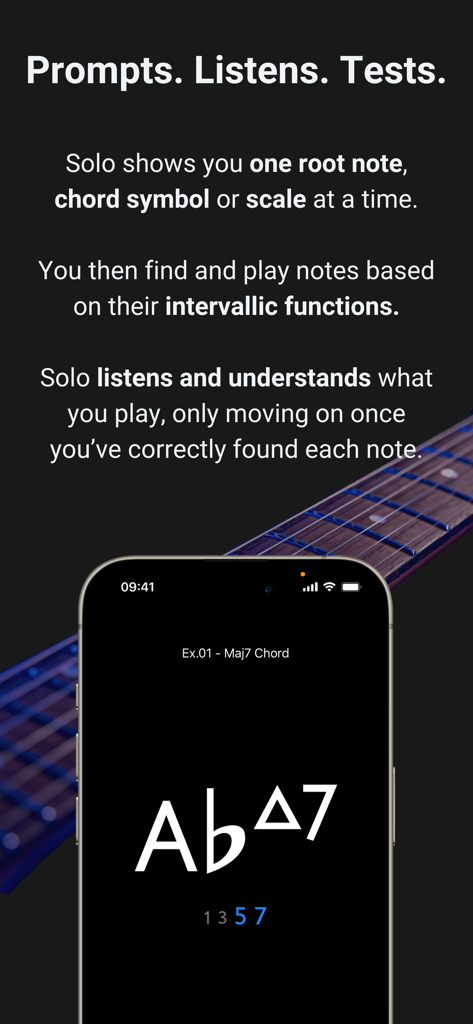
Soloアプリのスクリーンショット。コード練習とフレットボードビジュアライゼーションのインタラクティブな練習を表示。

Soloアプリのスクリーンショット。コード練習とフレットボードビジュアライゼーションのインタラクティブな練習を表示。

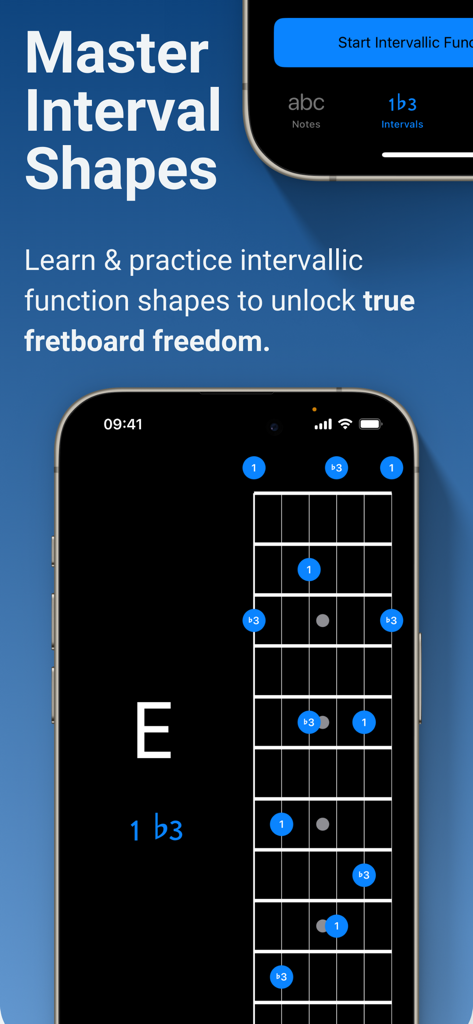
Soloアプリのモバイルインターフェース。音楽理論の練習のために、仮想ギターのフレットボード上にインターバル形状を表示。

Soloアプリのモバイルインターフェース。音楽理論の練習のために、仮想ギターのフレットボード上にインターバル形状を表示。

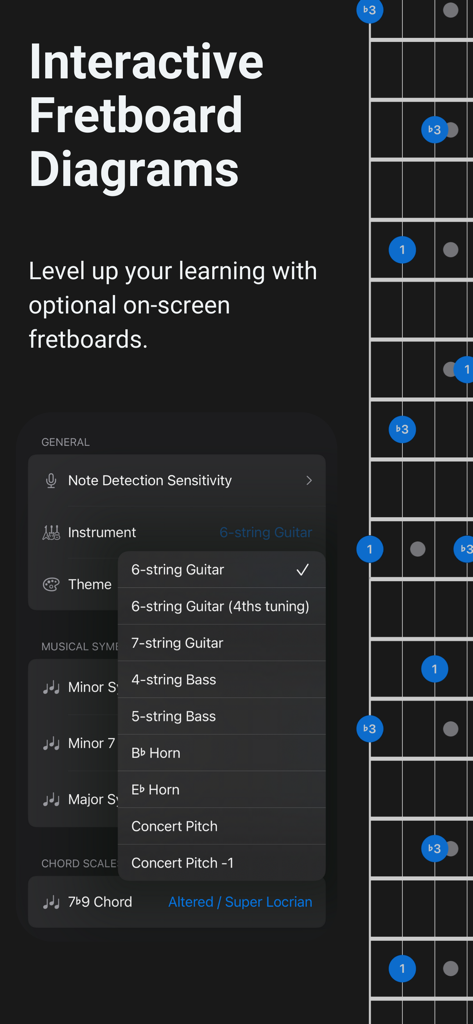
フレットボードのインタラクティブなビジュアライゼーションと、ギターとベースのオプションを表示する楽器選択メニュー。

フレットボードのインタラクティブなビジュアライゼーションと、ギターとベースのオプションを表示する楽器選択メニュー。

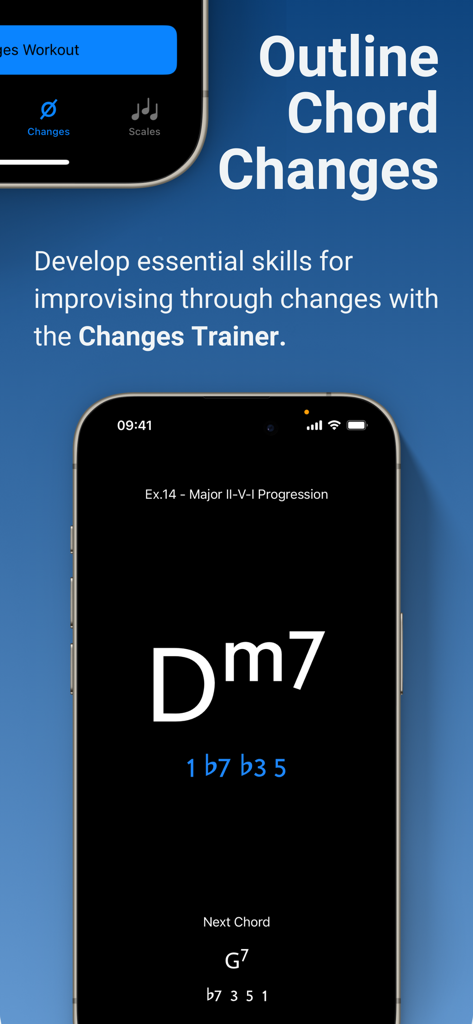
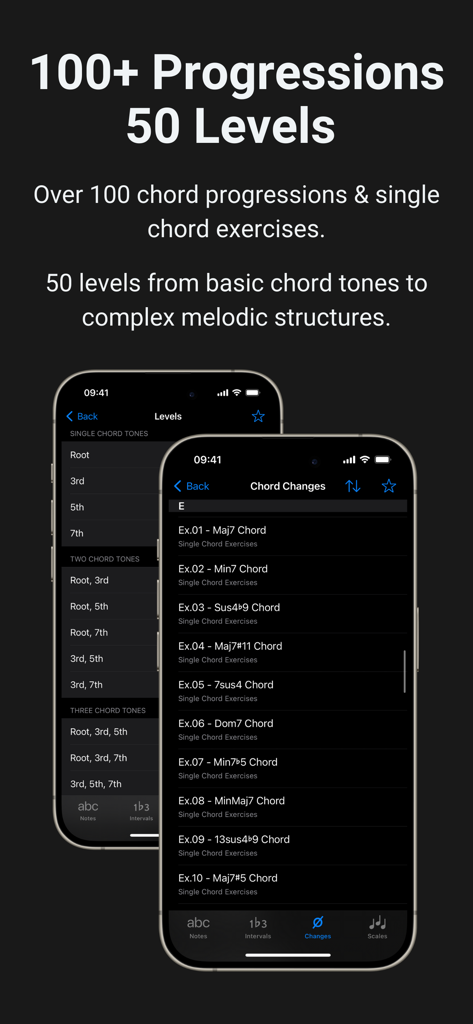
Soloアプリのインターフェース。コード進行でのインターバル機能の練習のためのChanges Trainer機能を表示。

Soloアプリのインターフェース。コード進行でのインターバル機能の練習のためのChanges Trainer機能を表示。

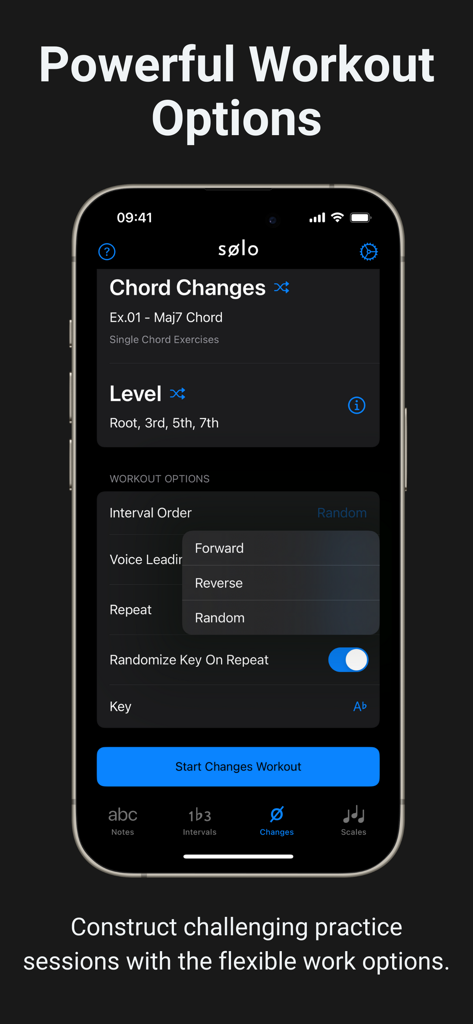
Soloアプリのインターフェース。コードチェンジの練習のためのカスタマイズ可能なワークアウトオプションを表示。

Soloアプリのインターフェース。コードチェンジの練習のためのカスタマイズ可能なワークアウトオプションを表示。

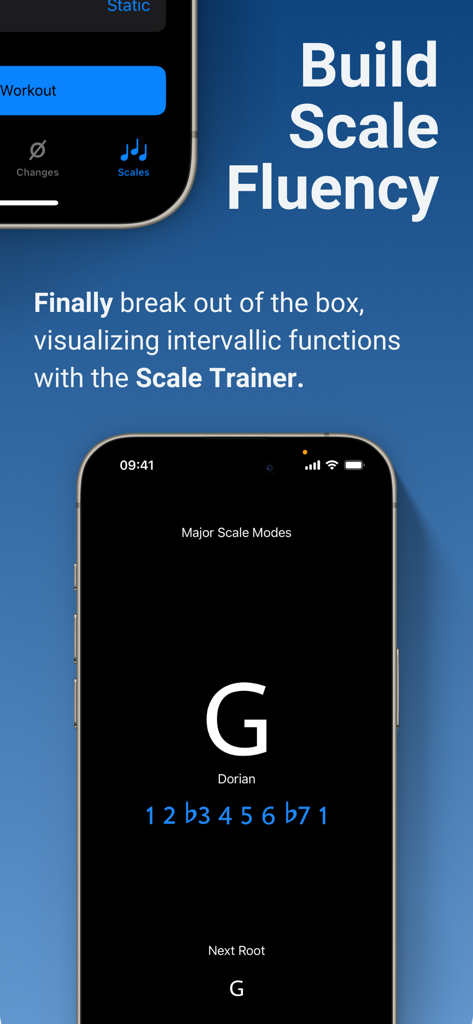
Soloアプリのインターフェース。ギタリスト向けのGドリアンインターバル機能を表示するScale Trainer機能を表示。

Soloアプリのインターフェース。ギタリスト向けのGドリアンインターバル機能を表示するScale Trainer機能を表示。

Soloアプリのコード進行と練習レベルを表示するスクリーンショット。

Soloアプリのコード進行と練習レベルを表示するスクリーンショット。

フレットボードの可能性を解き放つ

このアプリを際立たせるツール、 174K+ 人のユーザーが選択.

🎯

インターバル機能をマスターする

固定された形状を覚えるのをやめ、ルート音に対する各音の役割を理解し、ネック全体を直感的にナビゲートできるようになりましょう。

👂

インタラクティブな音声フィードバック

Soloはあなたの実際の楽器を聴き取り、正しい音を演奏したときのみ進むため、ライブインストラクターのような説明責任を提供します。

🚀

複雑なコードチェンジを克服する

100以上の一般的なコード進行と50以上のスケールモードを通じて練習し、プロレベルの即興演奏に必要な流動性を養いましょう。

世界中のユーザーに愛されています

Trusted by 174K+ 人がこのアプリを愛用しています.

"

"10年以上、同じマイナーペンタトニックスケールのボックスに閉じこもっていました。インターバルとスケールトレーナーを数週間使用するうちに、フレットボードがようやく論理的に理解できるようになりました。リスニング機能は、書籍やYouTube動画では得られないレベルの説明責任を提供します。私の毎日の練習は、無意味な noodling から高強度のビジュアライゼーションへと変貌しました。"

Alex Thompson
"

"ジャズ演奏の学生として、複雑なコードチェンジとボイスリーディングを即座にマスターする方法が必要でした。Changes Trainerは驚くべきものです。進行の中でインターバルを知的にマッピングし、リアルタイムで見つけることを強制します。これまで7弦ギターで使用した中で最も洗練され、実用的な練習ツールです。"

Maya Rodriguez

アプリについて

について知っておくべきこと Solo - Fretboard Visualization.

説明

Solo is the ultimate practice App for mastering fretboard visualization, designed by world renowned guitarists Tom Quayle and David Beebee. Four powerful fretboard trainers allow you to work intuitively on each aspect of the visualization process; learning note names, memorising interval shapes, outlining chord changes, and practicing scales. Solo asks you to find intervallic functions against one root note, chord symbol or scale at a time, listens to the notes you play, and doesn’t move on until you’ve correctly found each note by its intervallic function in the specified order. Practice with Solo and finally learn your note names, master interval shapes, confidently play through chord changes and break out of scale boxes with intervallic functions. Start transforming your playing and confidence on the fretboard today! NOTE TRAINER The Note Trainer is perfect for beginner and intermediate players getting to grips with note names on the neck - the foundation of solid fretboard knowledge. ‣ Solo shows you random root notes to find and listens, waiting for you to get it correct. ‣ Slide on the interactive fretboards for helpful diagrams and to study alternative options. Choose from 6 string guitar (standard and 4ths tuning), 7 string guitar, 4 string bass & 5 string bass. ‣ Optional practice suggestions offer challenging ways to limit and test yourself. ‣ Duration based workouts allow you to craft the perfect practice session. INTERVAL TRAINER The Interval Trainer will help players at all levels work on interval shapes with intervallic functions - the key to unlocking true freedom on the fretboard. ‣ Choose any combination of intervallic functions to practice. ‣ Create custom interval groups or choose the intervals for ANY chord type or scale. ‣ The Interval Trainer will randomise your chosen intervals and ask you to find them against either a fixed or random root note. ‣ Slide on the interactive fretboards for helpful diagrams, showing you where all of the interval shapes are across the neck, and to study alternative options. Choose from 6 string guitar (standard and 4ths tuning), 7 string guitar, 4 string bass & 5 string bass. ‣ Duration based workouts allow you to craft the perfect practice session. CHANGES TRAINER In the Changes Trainer you find intervallic functions, using single notes to outline different chord types or sets of chord changes, a key skill for learning to improvise through chord changes. ‣ Practice outlining intervallic functions through over 100 common chord progressions and single chord exercises. ‣ 50 intervallic function levels. Go from simple chord tones to complex melodic structures and scales. ‣ Solo intelligently maps out the correct intervals over each chord and listens for you to play each intervallic function in the specified order. ‣ Powerful workout options provide almost limitless ways to challenge yourself. ‣ Transpose the key of any progression or exercise. ‣ Choose to randomly transpose the progression (or single chord exercise) each time it repeats. ‣ Work on voice leading chord tones through single note lines. SCALE TRAINER The Scale Trainer contains a vast array of scales and powerful workout options, allowing you to finally break out of the box and develop a much deeper understanding of how scales are constructed on the fretboard. ‣ Practice finding scales on the fretboard using intervallic functions. ‣ Over 50+ Scales and modes. ‣ Powerful workout options provide almost limitless ways to challenge yourself. ‣ Melodic sequence options let you focus on starting from any chord tone within the scale. ‣ Duration based workouts allow you to craft the perfect practice session.

最新バージョン

2.3.1

サイズ

231.1 MB

リリース日

2021年1月1日

推測はやめて、マスターしよう。

Tom QuayleとDavid Beebeeが設計した究極のビジュアライゼーションツールを使用している174,000人以上のミュージシャンに加わりましょう。Soloをダウンロードして、今日あなたのフレットボードの可能性を最大限に引き出しましょう。

ダウンロード: App Storeダウンロード: Google Play