Speech Assistant AAC

Speech Assistant AAC

ダウンロード: App Store
Spark by MWM logo
ロゴ: Speech Assistant AAC
Speech Assistant AAC:あなたの声と自立を取り戻す

失語症、ALS、自閉症のための、最も直感的でカスタマイズ可能な、手頃な価格のコミュニケーションツール。超リアルなAI音声とシンプルな買い切り価格で、自分自身の力を引き出しましょう。

ダウンロード: App Store

開発元

Ton Schalke

カテゴリ

Medical

ダウンロード

166K+

ユーザー評価

4.6/5

評価数

200

対応言語

7

あなたの声を、形に

このインターフェースを利用する 166K+ 人のユーザー.

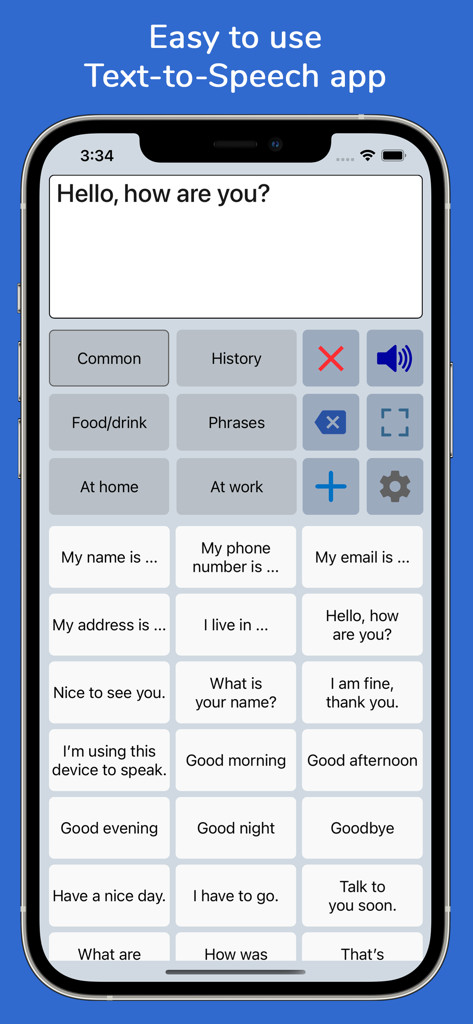
iPhone上のカテゴリ分けされたコミュニケーションボタンを表示するSpeech Assistant AACアプリのインターフェース

iPhone上のカテゴリ分けされたコミュニケーションボタンを表示するSpeech Assistant AACアプリのインターフェース

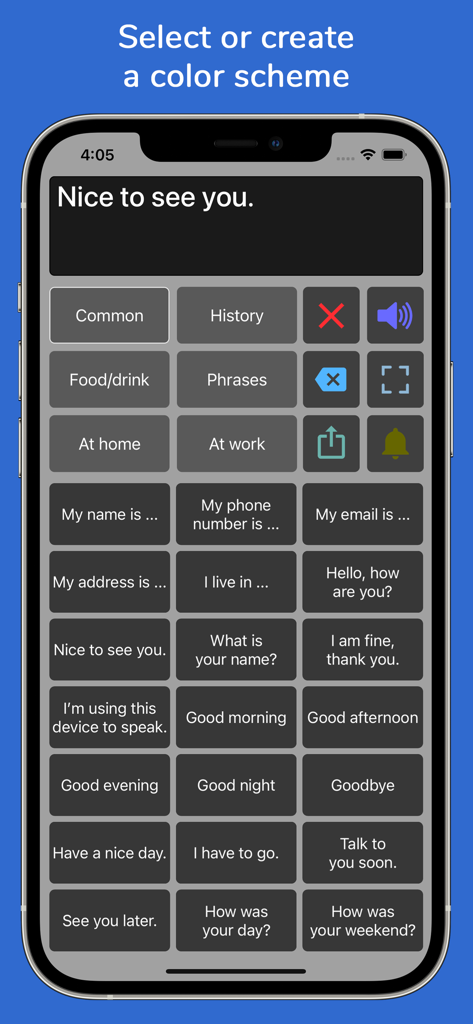
発話支援のためのカテゴリ別フレーズボタンを備えた、ダークグレーのカラースキームを採用したSpeech Assistant AACアプリのインターフェース。

発話支援のためのカテゴリ別フレーズボタンを備えた、ダークグレーのカラースキームを採用したSpeech Assistant AACアプリのインターフェース。

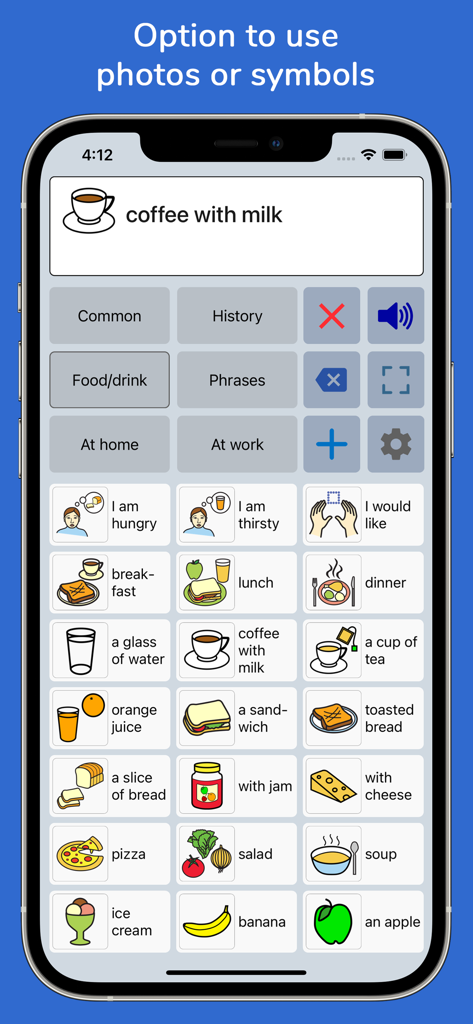
iPhone上でさまざまな食べ物や飲み物のコミュニケーションシンボルをグリッド表示するSpeech Assistant AACのインターフェース

iPhone上でさまざまな食べ物や飲み物のコミュニケーションシンボルをグリッド表示するSpeech Assistant AACのインターフェース

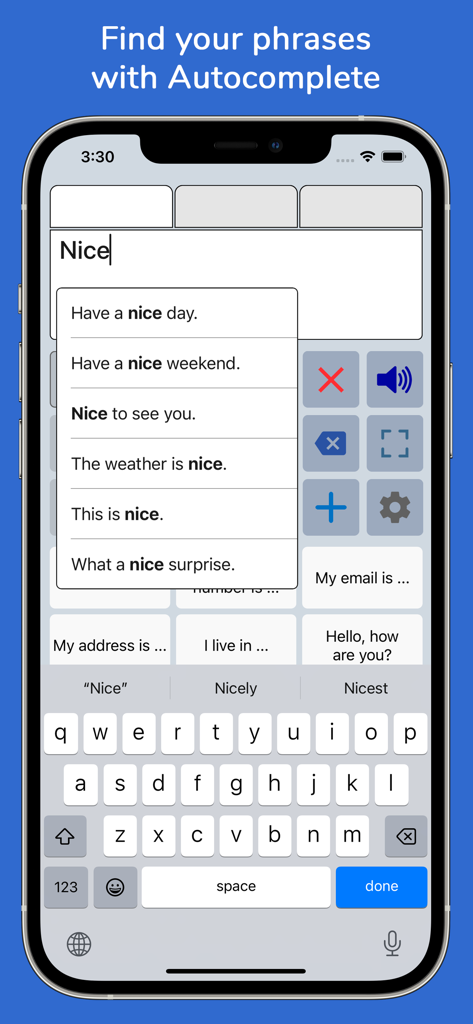
フレーズのオートコンプリート(自動補完)提案機能を表示するSpeech Assistant AACのスマートフォン画面

フレーズのオートコンプリート(自動補完)提案機能を表示するSpeech Assistant AACのスマートフォン画面

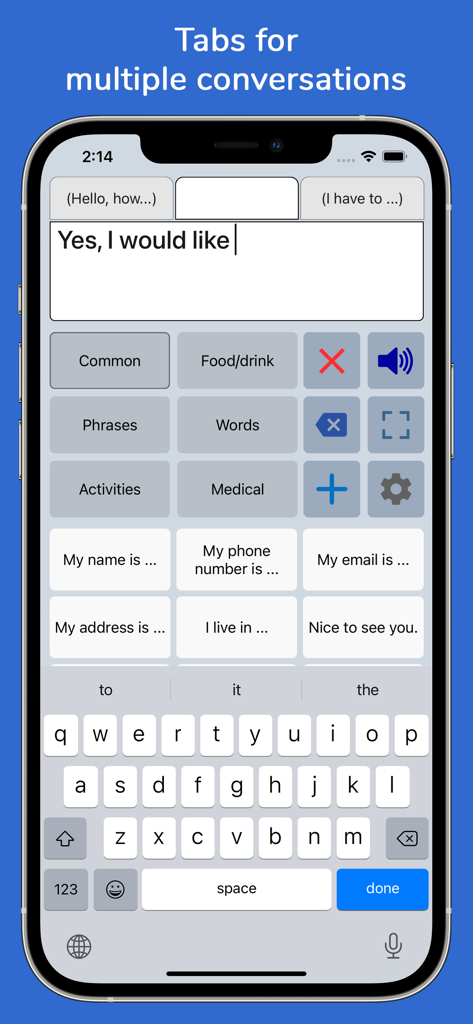
複数の会話タブとフレーズボタンを表示するiPhone上のSpeech Assistant AACアプリのインターフェース

複数の会話タブとフレーズボタンを表示するiPhone上のSpeech Assistant AACアプリのインターフェース

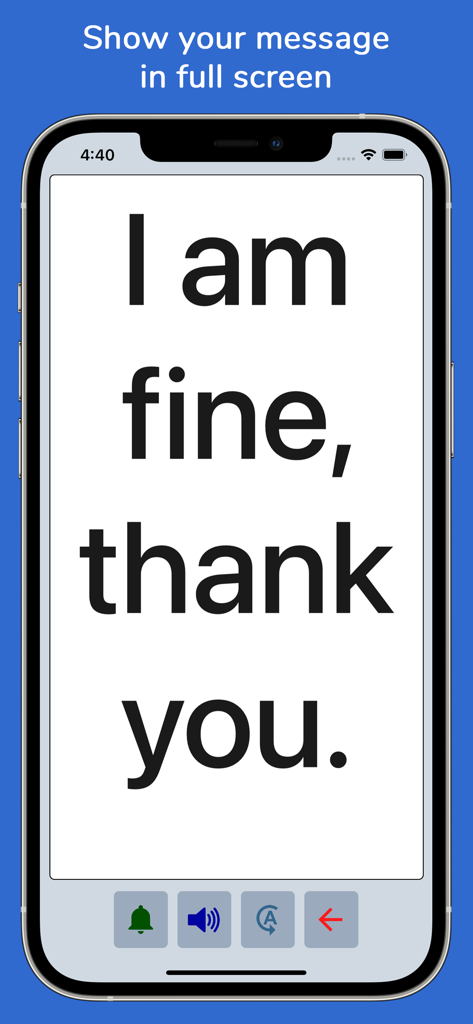
明確なコミュニケーションのためにiPhone画面に大きなフォントでメッセージを表示するSpeech Assistant AACアプリ。

明確なコミュニケーションのためにiPhone画面に大きなフォントでメッセージを表示するSpeech Assistant AACアプリ。

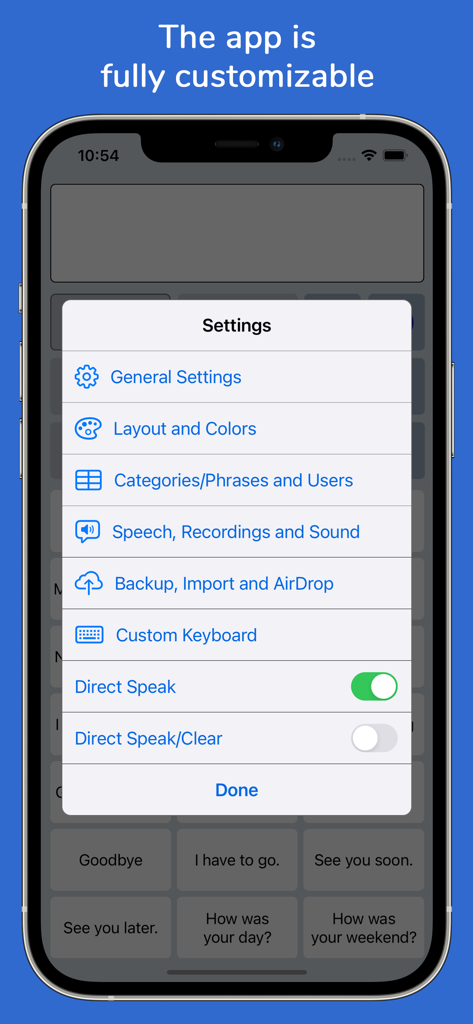
さまざまなカスタマイズオプションを表示するiPhone上のSpeech Assistant AACアプリの設定メニュー。

さまざまなカスタマイズオプションを表示するiPhone上のSpeech Assistant AACアプリの設定メニュー。

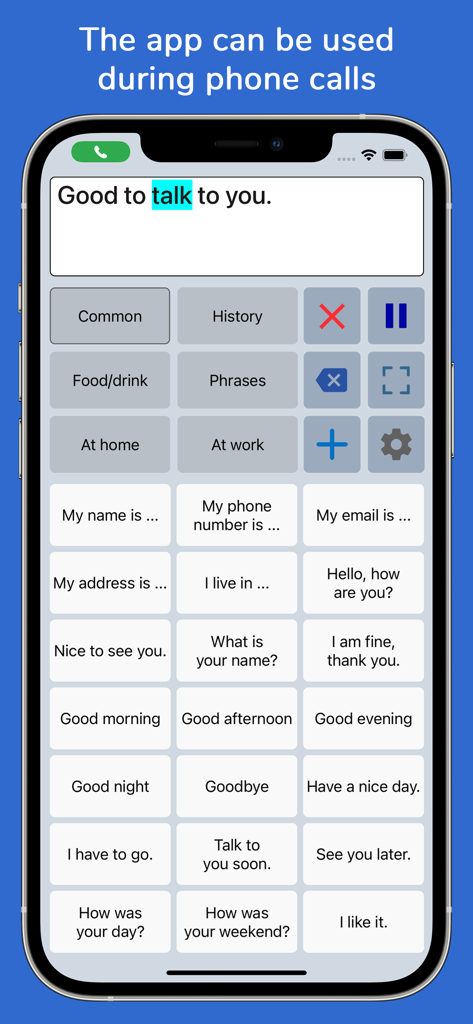
電話中に使用されるフレーズボタンとテキストボックスを表示するSpeech Assistant AACアプリのインターフェース。

電話中に使用されるフレーズボタンとテキストボックスを表示するSpeech Assistant AACアプリのインターフェース。

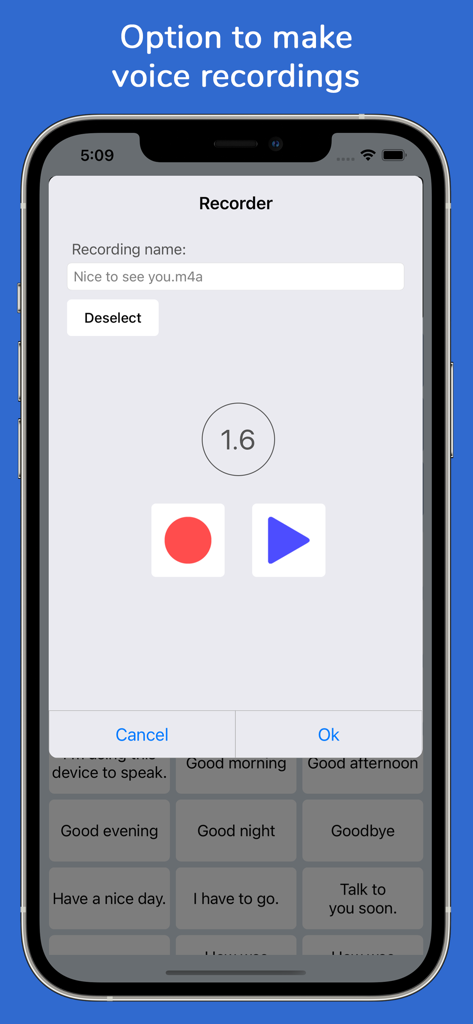
カスタムフレーズ用の音声録音ツールを表示するiPhoneのSpeech Assistant AACアプリのインターフェース。

カスタムフレーズ用の音声録音ツールを表示するiPhoneのSpeech Assistant AACアプリのインターフェース。

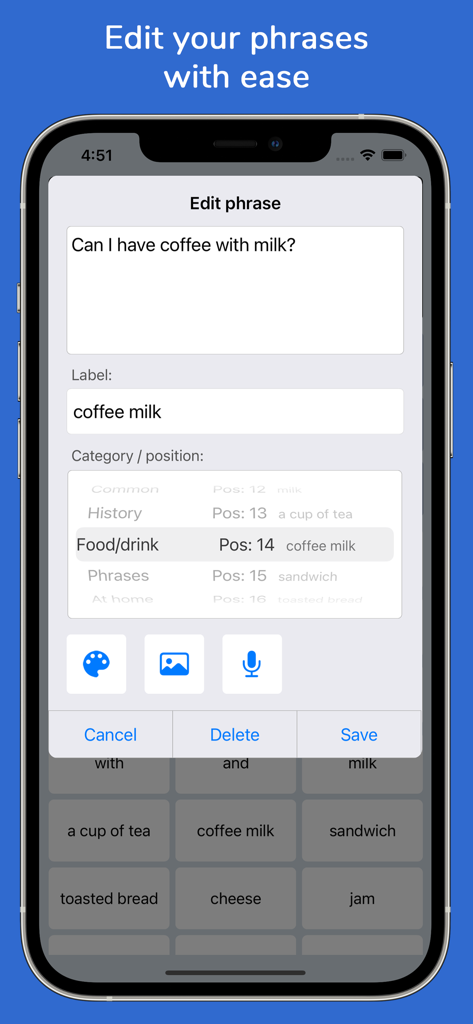
Speech Assistant AACアプリのフレーズ編集画面を表示するインターフェース

Speech Assistant AACアプリのフレーズ編集画面を表示するインターフェース

自信を持って声を取り戻す

このアプリを際立たせるツール、 166K+ 人のユーザーが選択.

🗣️

自然で生き生きとしたAI音声

ElevenLabsやAppleのパーソナルボイスによる高品質なAI音声を使用して、コンピューターのような声ではなく、あなたらしい声でコミュニケーションが可能です。

🗂️

ワンタップで楽々会話

写真やシンボルを使用してフレーズをカスタムカテゴリに整理し、診察、社交イベント、電話などで瞬時にアクセスできます。

🛡️

プライベート、オフライン、そして永続的

サブスクリプションなしの買い切り価格。データは100%プライベートに保たれ、インターネット接続なしでどこでも動作します。

世界中のユーザーに愛されています

Trusted by 166K+ 人がこのアプリを愛用しています.

"

"Speech Assistant AACは息子にとって大きな転機となりました。自分の写真を使ってボタンをカスタマイズしたりシンボルを使用したりできるため、すぐに自分の意思を伝え始めることができました。親として、買い切りモデルであることに本当に感謝しています。これほど高品質でプロフェッショナルなツールを、サブスクリプションなしで見つけるのは稀ですから。"

Sarah Miller、保護者・介護者
"

"父が脳卒中を患った後、コミュニケーションが最大の課題でした。このアプリがすべてを変えてくれました。ElevenLabsの統合による音声は非常に自然で、フルスクリーンモードは騒がしいレストランでとても役立ちます。FaceTime通話中にも使えるので、遠く離れた孫たちともつながり続け、自立を維持できています。"

James Larson、家族介護者

アプリについて

について知っておくべきこと Speech Assistant AAC.

説明

Speech Assistant AAC is a text-to-speech app designed for people who are speech impaired, for example due to Aphasia, MND/ALS, Autism, Stroke, Cerebral Palsy or other speech problems. With the app you can create categories and save phrases on buttons for quick access and easy communication. You can also type messages using the iOS keyboard. The app is affordable with a one-time payment and no subscription. Key features • Easy to use and fully customizable to your needs and preferences. • Categories and subcategories to organize your phrases. • History feature to quickly access previously entered phrases. • Option to add symbols, emoji or photos to the buttons. • Full screen mode to display your messages in large font. • Autocomplete feature to display phrase suggestions in a drop-down list. • Tabs for multiple conversations. • Designed for iPhone and iPad, supports both portrait and landscape orientation. • Supports Apple Watch. • Backup to iCloud, Mail or AirDrop. Voices • You can choose a voice from any of the iOS system voices. • Supports ElevenLabs voices, giving you the option to use highly realistic AI professional voice clones. • Supports Apple's Personal Voice. • Option to create voice recordings for the buttons and to import voice recordings. Phone calls • The app can also be used while making Phone and FaceTime calls. • This works with iOS system voices and with iOS 18 also with ElevenLabs voices and regular recordings (app setting). Categories and phrases • Add, change or delete your own (sub)categories and phrases. • You can create an unlimited number of categories to organize your phrases for quick access. • Create user profiles with their own categories, phrases and settings for multi-language support or different individuals. • Easily edit category and phrase buttons with a long press. • With Backup to iCloud or AirDrop you can transfer your categories and phrases to another iPhone/iPad. Fully Customizable • The size of the buttons, the textbox and the text can be adjusted. • The app has various color schemes and you can also create a personal color scheme. • You can change the order of the buttons with drag and drop. Full screen • Show your message full screen with a very large font. • Useful for communicating in a noisy environment. • You can rotate the text to show your message to the person opposite of you. Speech • The rate and pitch of the speech can be adjusted. • Option to speak each Word or Character directly while typing. • Optional highlighting of the spoken words. • Pause and resume speaking by tapping the speak button (optional setting). Apple Watch • The Watch app can especially be useful for communicating short messages. • On the go, you don't have to pick up your phone and can quicky communicate with the app on your wrist. Other features • Button to share your message to mail, text and social media. • Connect a bluetooth keyboard and create shortcuts for actions. • A custom keyboard can be enabled in the settings with customizable size, color and layout. • Abbreviations expansion to reduce keystrokes. • Attention sound button on Main and Full screen. • Option to select symbols from the set of 3400 Mulberry Symbols (mulberrysymbols.org). About the app • This app is developed by ASoft. • The app does not collect any data, so all your conversations stay private. • One-time payment, there is no subscription fee. • The app has won an innovation award: The Vodafone Mobiles For Good Challenge. • The app does not require an internet connection. • For feedback or questions, please contact: speechassistant@asoft.nl. • On www.asoft.nl you can find more information such as a user manual.

最新バージョン

5.8.4

サイズ

139.5 MB

リリース日

2016年9月3日

自分自身の声で自立を取り戻しましょう

シンプルな買い切り価格で、プロ仕様のAACアプリを体験してください。サブスクリプションなし、データ追跡なし。ただ、声が届く自由を。

ダウンロード: App Store