Swift Playground

Swift Playground

ダウンロード: App Store
Spark by MWM logo
ロゴ: Swift Playground

Swift Playgrounds:コードを学び、実際のアプリを構築する楽しい方法

インタラクティブなパズルを解くことから、自分の作品を App Store で公開することまで。プロが使用するのと同じ強力なツールで Swift と SwiftUI をマスターしましょう。すべて iPad 上で。

開発元

Apple Inc.

カテゴリ

Education

ダウンロード

3M+

ユーザー評価

3.9/5

評価数

11K+

対応言語

16

パズルからアプリへ

このインターフェースを利用する 3M+ 人のユーザー.

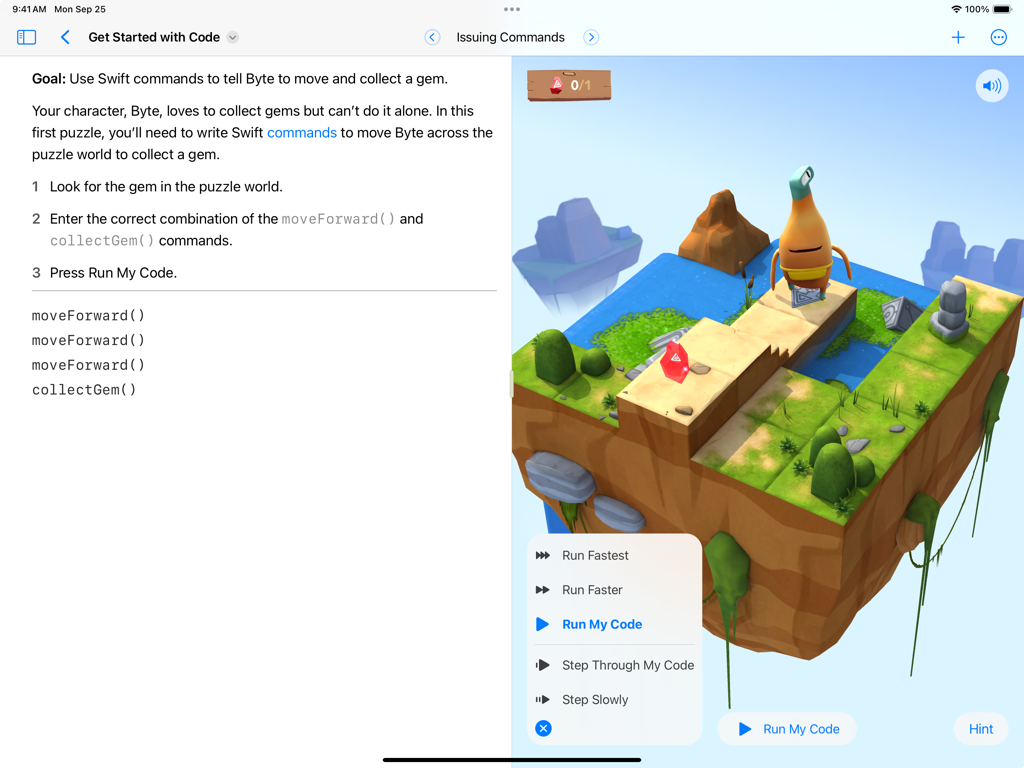
Swift Playgrounds iPad インターフェイスに、キャラクター Byte と Swift コードエディターが表示された 3D コーディングパズルが表示されています

Swift Playgrounds iPad インターフェイスに、キャラクター Byte と Swift コードエディターが表示された 3D コーディングパズルが表示されています

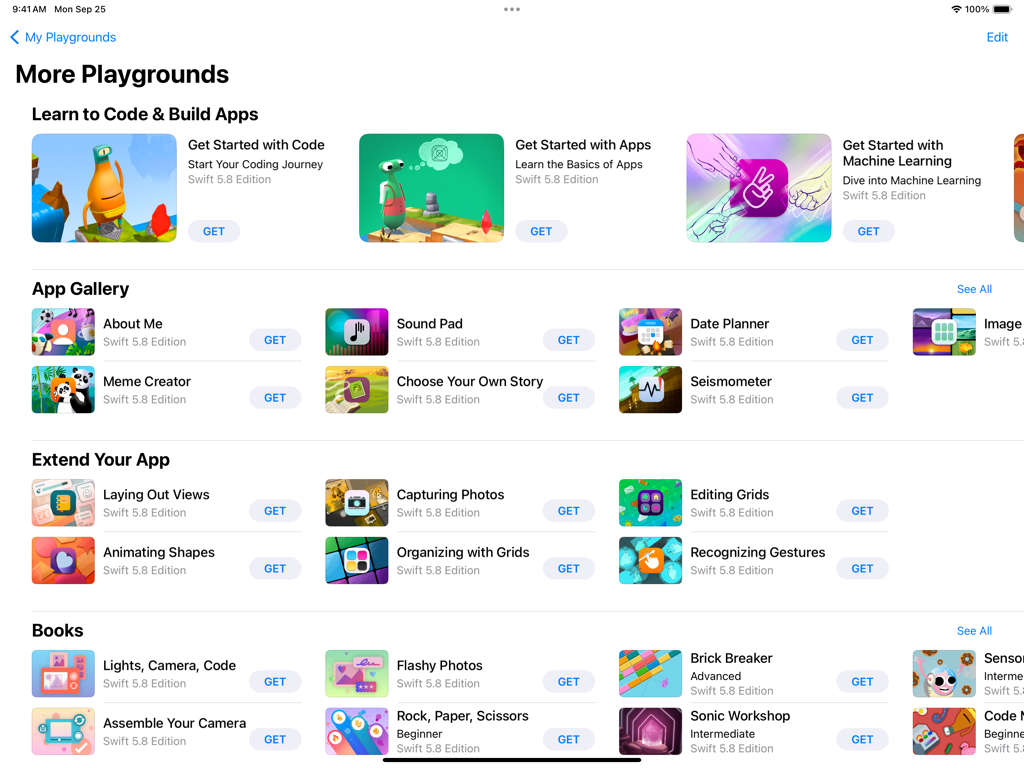
Swift Playgrounds の「その他のプレイグラウンド」画面。さまざまなコーディングレッスンとアプリ開発モジュールが表示されています。

Swift Playgrounds の「その他のプレイグラウンド」画面。さまざまなコーディングレッスンとアプリ開発モジュールが表示されています。

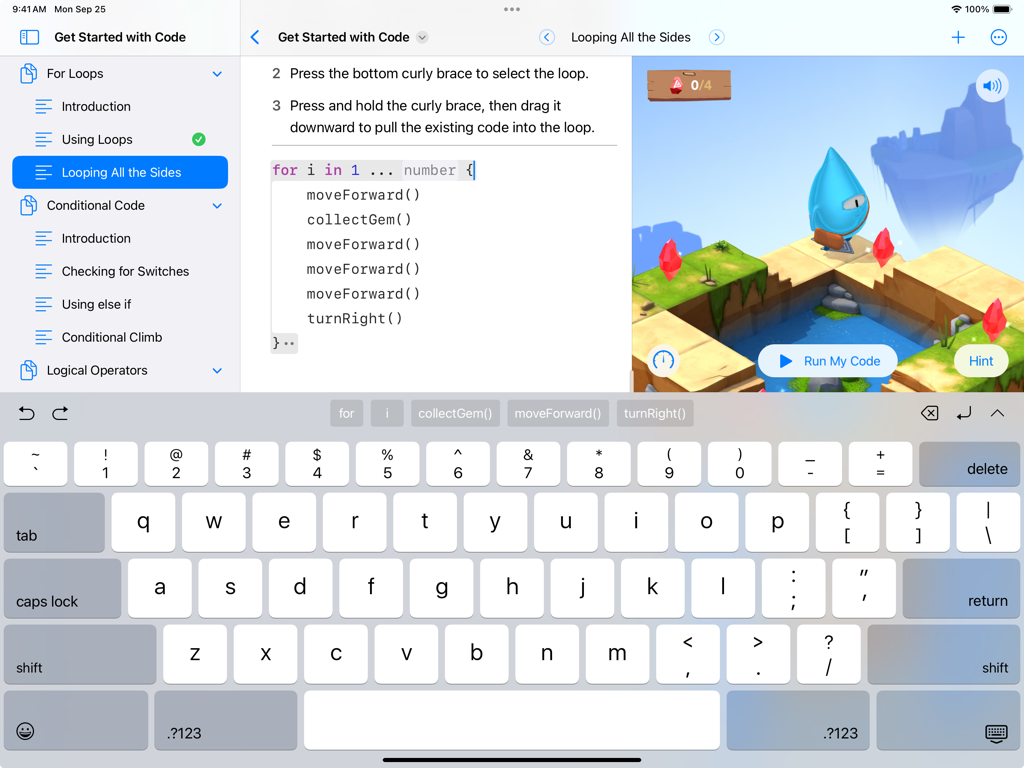
Swift Playgrounds iPad インターフェイスに、Swift コーディングレッスンとインタラクティブな 3D ゲームワールドが表示されています

Swift Playgrounds iPad インターフェイスに、Swift コーディングレッスンとインタラクティブな 3D ゲームワールドが表示されています

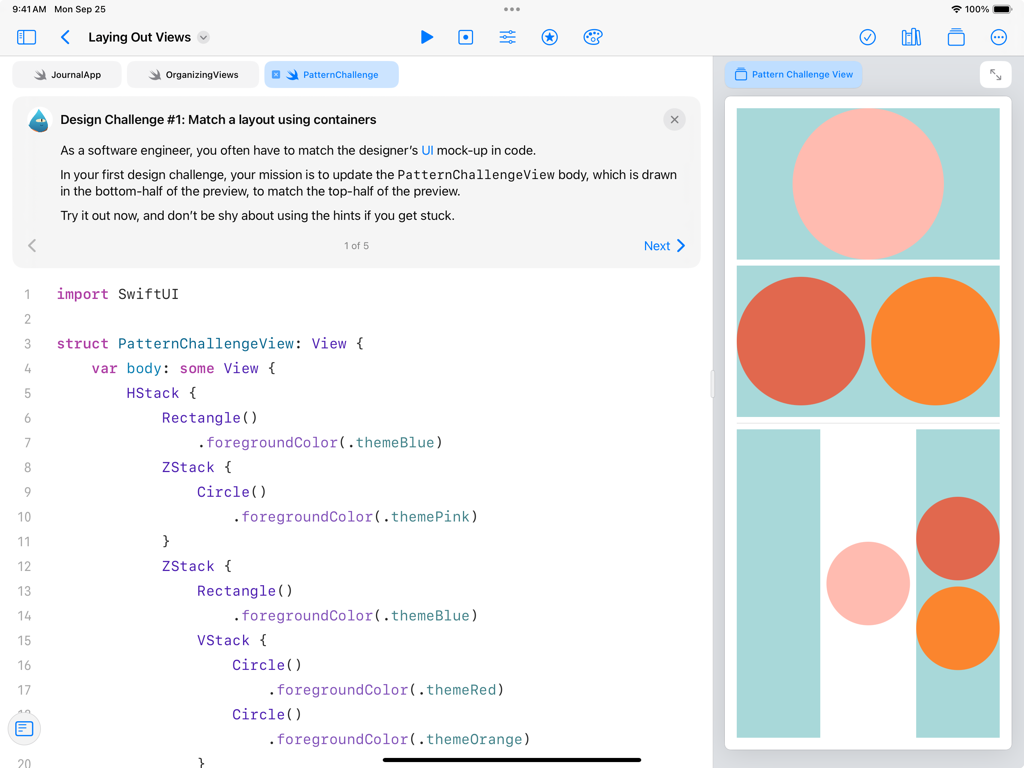
Swift Playgrounds iPad アプリに、デザインチャレンジ用の SwiftUI コードと、ユーザーインターフェイスレイアウトのライブビジュアルプレビューが表示されています

Swift Playgrounds iPad アプリに、デザインチャレンジ用の SwiftUI コードと、ユーザーインターフェイスレイアウトのライブビジュアルプレビューが表示されています

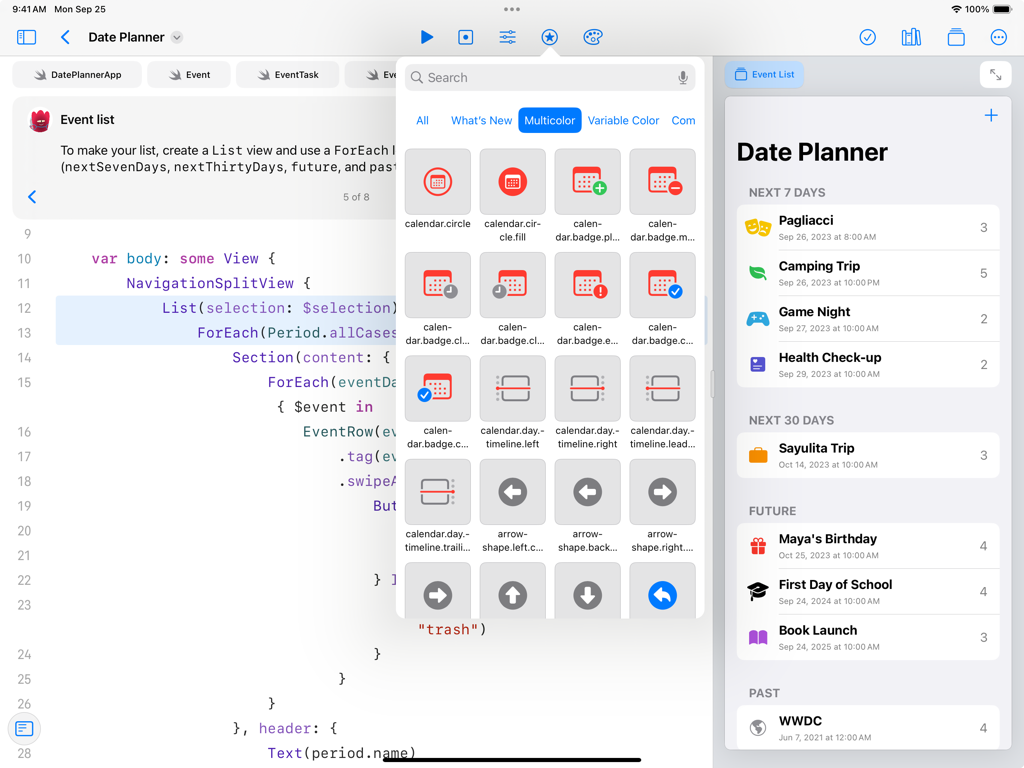
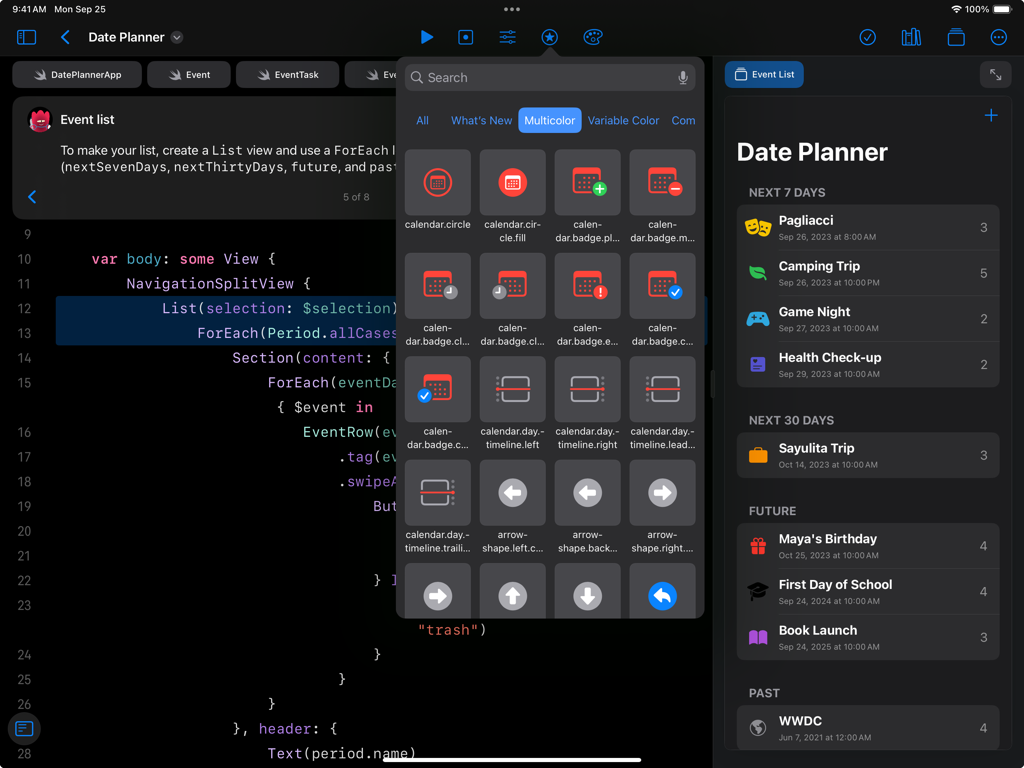
Swift Playgrounds iPad インターフェイスに、SwiftUI コードエディターと、Date Planner アプリのライブプレビューが表示されています

Swift Playgrounds iPad インターフェイスに、SwiftUI コードエディターと、Date Planner アプリのライブプレビューが表示されています

Swift Playgrounds iPad インターフェイスに、SwiftUI コードと、Date Planner アプリのライブプレビューが表示されています

Swift Playgrounds iPad インターフェイスに、SwiftUI コードと、Date Planner アプリのライブプレビューが表示されています

最初の論理から最初のアプリまで

このアプリを際立たせるツール、 3M+ 人のユーザーが選択.

🧩

解いて、遊んで、学ぼう

複雑な論理を魅力的なゲーム体験に変える、インタラクティブな 3D パズルを通じてコーディングの基本をマスターしましょう。

💻

プロフェッショナルなコード、実際の成果

プロが使用するのと同じテクノロジーである SwiftUI で構築し、入力するたびにコードの変更がライブで反映されるのを確認しましょう。

🚀

どこでも構築、どこでも公開

iPad だけで、プロジェクトを白紙の状態から App Store まで進めましょう。または、Mac 上の Xcode とシームレスに同期しましょう。

🎨

コードを視覚化

SwiftUI のライブプレビューで、コードがどのようにインターフェイスを構築するかをリアルタイムで確認しましょう。

世界中のユーザーに愛されています

Trusted by 3M+ 人がこのアプリを愛用しています.

"

"Swift Playgrounds は、コーディングを退屈な学校の科目ではなく、パズルゲームのように感じさせてくれました。Byte を 3D で動かすコードを見ることができ、今では友達に見せるためのミニゲームを自分で作り始めています!"

Leo, 中学生
"

"アプリのアイデアはありましたが、どこから始めればいいかわかりませんでした。このアプリは初心者にとってゲームチェンジャーです。SwiftUI の統合は非常に直感的で、簡単なレッスンから実際に iPad 上で実際のアプリを構築できるようになることは、信じられないほど力になります。"

Sarah, 志望アプリ開発者

レビュー分析

ユーザーレビューの分析.

感情スコア

28%
ネガティブ

概要

Users report a predominantly negative experience with the app, citing frequent bugs, crashes, and poor performance, including slow loading times and excessive storage consumption. While some appreciate its potential for learning and the ability to develop iOS apps without a Mac, many find the learning curve steep due to confusing explanations and an outdated interface. Key issues include critical installation failures, file saving/loading bugs, and a general lack of consistent updates, which leave the app neglected. Furthermore, several users highlight version-specific problems on iOS 26 and iPadOS 26, leading to widespread functionality breakdown and poor iPad usability, particularly concerning hardware keyboard support and debugging tools.

主なテーマ

Bugs & Crashes(9)
Learning Experience & Difficulty(9)
Performance & Resource Usage(8)
Installation & Project Management(7)
Educational & Development Capabilities(7)
Updates & Neglect(6)
Missing Features & Debugging Tools(5)

アプリについて

について知っておくべきこと Swift Playground.

説明

Swift Playground makes it fun to learn to code and build real apps. You solve interactive puzzles in the guided “Get Started with Code” and learn the basics of building apps in “Get Started with Apps.” You experiment with a wide range of challenges and samples that let you explore unique coding experiences. Swift Playground doesn’t require any coding experience — it’s perfect for anyone just starting out, from eight to one-hundred-and-eight. The whole time you are learning Swift and SwiftUI, the powerful programming technologies created by Apple and used by professionals around the globe to build many of today’s most popular apps. And because it’s built to take advantage of iPad and the real iOS SDK, Swift Playground provides a one of a kind learning experience. Lessons Built-in • Apple-created lessons guide you through the core concepts of programming by using code to solve puzzles • See your code run in a beautiful, interactive 3D world that you can rotate with a finger and pinch to zoom • Animations introduce each new coding concept at a high-level before you dive into the puzzles • Glossary and built-in help pages give detailed information about available commands, frameworks, and terminology Explore and Create • Interactive coding shows the results of your code instantly, alongside your work • Step through code in playground books to highlight each line as it runs • Books provide a head start to create your own playgrounds that use graphics, sound, and touch • App Gallery walks you through the building blocks of apps, like tabbed navigation and receiving input from device sensors Build Apps on iPad • Create real apps on iPad using SwiftUI • See your code changes reflected live while you type • Type quickly and accurately with inline code suggestions • Extend your app with an ecosystem of Swift packages • Navigate your code with project-wide search Smart Coding Assistance • Touch and hold to grab any command and move it around to change the order of your code • Drag a brace with your finger to wrap a block of code inside a loop or conditional statement • Drag and drop snippets of commonly-used code directly into your playground • Fix common code errors with helpful inline suggestions • Stay organized with automatic code formatting Real Swift, SwiftUI, and iOS Code • Learn the same powerful Swift programming language used by the pros to create apps in the App Store • Build dynamic, elegant apps using SwiftUI, a modern way to create user interfaces • Access iOS frameworks such as SpriteKit for 2D games, SceneKit for 3D graphics, UIKit, and more • Your code has direct control of iPad hardware, including the gyroscope, accelerometer, camera, and touch events Share or Publish • Send your projects to friends and family using Messages, Mail, AirDrop, or other Share Sheet extensions • Bring your app projects to Xcode on Mac and back again • Submit your completed apps to the App Store with App Store Connect

最新バージョン

4.6.4

サイズ

1.3 GB

リリース日

2016年9月13日

あなた自身のアプリを構築する準備はできましたか?

300 万人以上のクリエイターがパズルをプロのスキルに変えています。今すぐ Swift Playgrounds をダウンロードして、最初のコード行から App Store まで進みましょう。

ダウンロード: App Store
FAQ

よくある質問

について知っておくべきこと Swift Playground

Swift Playgroundとは何ですか?

Swift Playgroundは、コーディングの学習や実際のアプリ開発を楽しくインタラクティブに行えるように設計されたアプリです。強力なAppleのプログラミング技術であるSwiftとSwiftUIを使用しています。

Swift Playgroundを使ってコーディングを学ぶことができるのは誰ですか?

Swift Playgroundは、8歳から108歳まで、コーディング経験の有無にかかわらず、誰でも利用できます。初心者にとって最適です。

ユーザーはSwift Playgroundで実際のアプリを開発できますか?

はい、ユーザーはSwift PlaygroundとSwiftUIを使用してiPad上で実際のアプリを開発できます。このアプリはiOS SDKを活用したユニークな学習体験を提供します。

Swift Playgroundはコーディングのガイド付きレッスンを提供していますか?

はい、Swift PlaygroundにはAppleが作成したレッスンが含まれており、3Dの世界でインタラクティブなコードパズルを解きながら、コアなプログラミングの概念をユーザーにガイドします。

Swift Playgroundはどのプログラミング言語を教えますか?

Swift Playgroundは、Appleが作成した強力なプログラミング技術であるSwiftとSwiftUIを教えます。これらは、世界中のプロフェッショナルが人気アプリを開発するために使用しています。

Swift Playgroundのプロジェクトは共有または公開できますか?

はい、ユーザーはMessages、Mail、AirDrop、またはその他のShare Sheet拡張機能を通じてSwift Playgroundプロジェクトを友人や家族に送信できます。完成したアプリはApp Storeに提出できます。

Swift Playgroundはコーディングをどのように支援しますか?

Swift Playgroundは、コマンドを移動するためのタッチ&ホールド、コードスニペットのドラッグ&ドロップ、一般的なエラーを修正するためのインライン提案などのスマートなコーディング支援を提供します。また、コードの自動フォーマットも提供します。

Swift Playgroundは学習のためにどのようなインタラクティブ要素を提供しますか?

Swift Playgroundは、コード実行のためのインタラクティブな3D世界を提供し、コード変更の結果を即座に表示します。ユーザーはplayground bookでコードを一行ずつステップ実行できます。

Swift PlaygroundはiOSフレームワークへのアクセスを許可しますか?

はい、Swift Playgroundは、2Dゲーム用のSpriteKit、3Dグラフィックス用のSceneKit、UIKitなどのiOSフレームワークへのアクセスを許可します。コードはiPadのハードウェアも直接制御します。