SwiftScan AI Document Scanner

SwiftScan AI Document Scanner

ダウンロード: App Store
Spark by MWM logo
ロゴ: SwiftScan AI Document Scanner
SwiftScan AI: 生産的なプロフェッショナル向け、最もスマートなモバイルスキャナー

デバイスをデスクトップクラスのパワフルなツールに変えましょう。高品質PDFをスキャンし、AIで長文ドキュメントを瞬時に要約、またはプライバシーを完全に保護してクラウドにFAXまたは同期します。

ダウンロード: App Store

開発元

Maple Media Apps, LLC

カテゴリ

Utilities

ダウンロード

5M+

ユーザー評価

4.7/5

評価数

201K+

対応言語

23

あらゆるタップに効率を

このインターフェースを利用する 5M+ 人のユーザー.

SwiftScan AI ドキュメントスキャナーアプリのApp Store、CNN、PCMagからの評価と受賞歴を表示

SwiftScan AI ドキュメントスキャナーアプリのApp Store、CNN、PCMagからの評価と受賞歴を表示

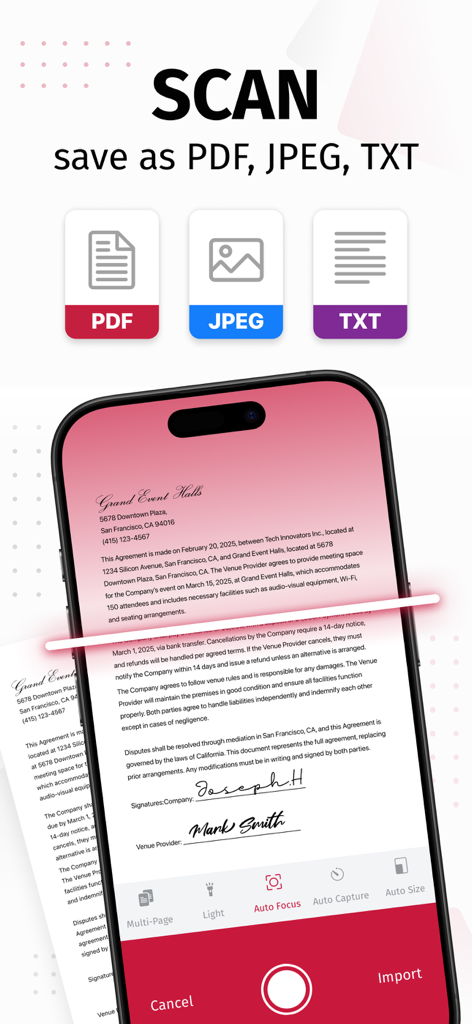
SwiftScan AIモバイルアプリがスキャンしたドキュメントをPDF、JPEG、TXT形式で保存するオプションを表示

SwiftScan AIモバイルアプリがスキャンしたドキュメントをPDF、JPEG、TXT形式で保存するオプションを表示

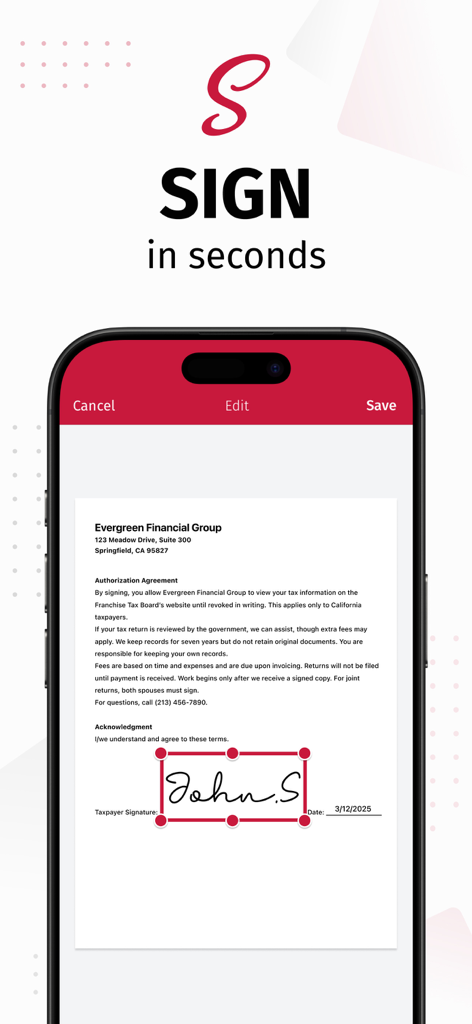
iPhone上でドキュメントにデジタル署名を追加するSwiftScan AIアプリのインターフェースを表示

iPhone上でドキュメントにデジタル署名を追加するSwiftScan AIアプリのインターフェースを表示

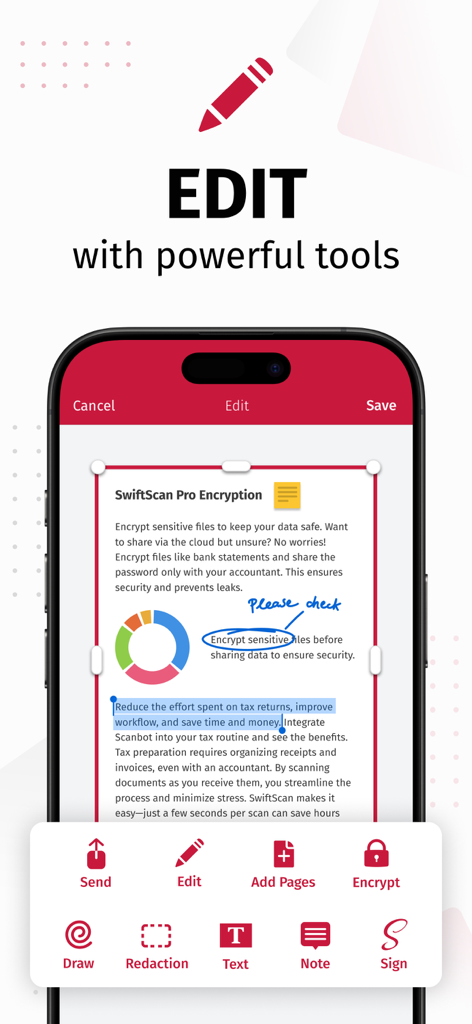
SwiftScan AIアプリのインターフェースで、描画、編集、電子署名などのドキュメント編集機能を紹介

SwiftScan AIアプリのインターフェースで、描画、編集、電子署名などのドキュメント編集機能を紹介

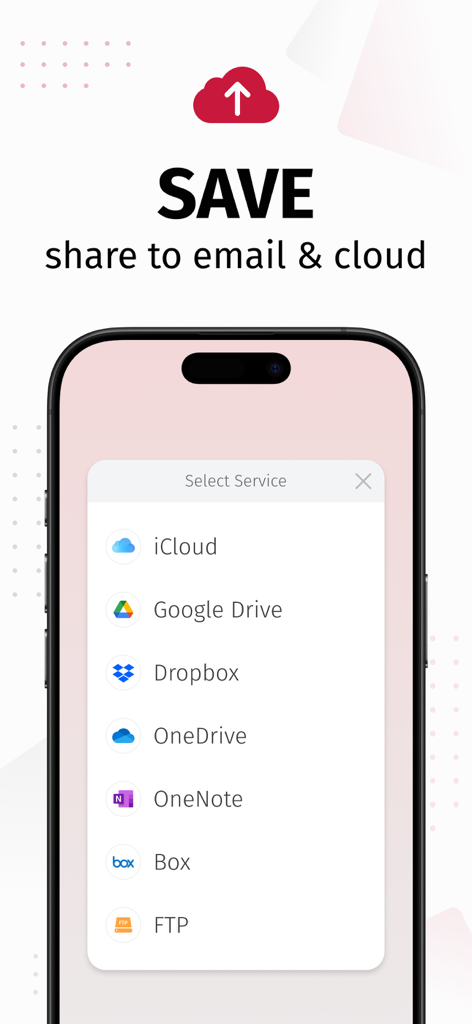
SwiftScan AIアプリのインターフェースで、iCloud、Google Drive、Dropboxなどのクラウドサービスにスキャンしたドキュメントを保存および共有するオプションを表示

SwiftScan AIアプリのインターフェースで、iCloud、Google Drive、Dropboxなどのクラウドサービスにスキャンしたドキュメントを保存および共有するオプションを表示

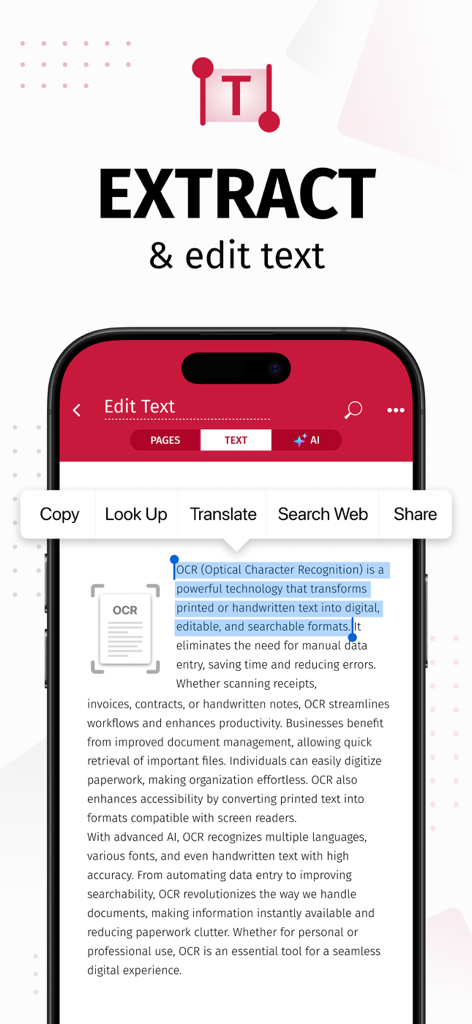
スキャンしたドキュメントからOCRを使用してテキストを抽出し編集するSwiftScan AIアプリを表示するスマートフォン画面

スキャンしたドキュメントからOCRを使用してテキストを抽出し編集するSwiftScan AIアプリを表示するスマートフォン画面

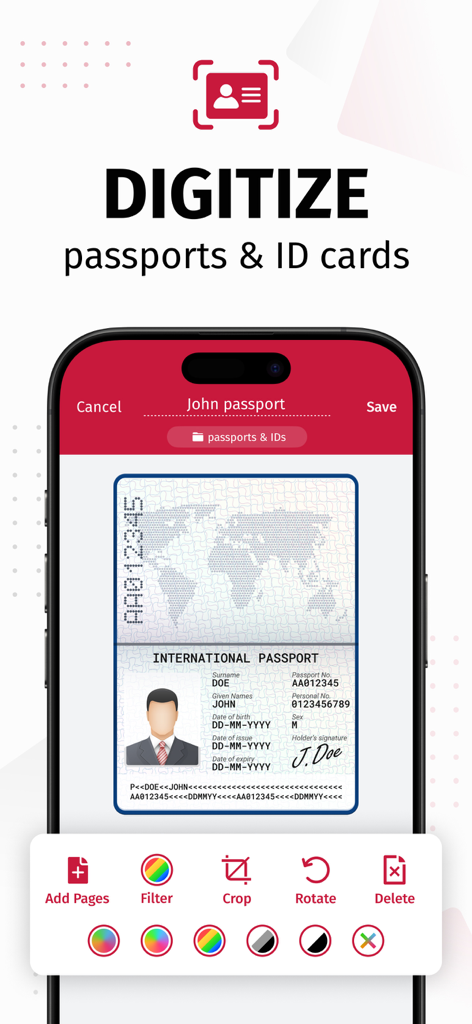
SwiftScan AIアプリのインターフェースで、トリミングやフィルターなどの編集ツールを使用してパスポートをデジタル化する様子を表示

SwiftScan AIアプリのインターフェースで、トリミングやフィルターなどの編集ツールを使用してパスポートをデジタル化する様子を表示

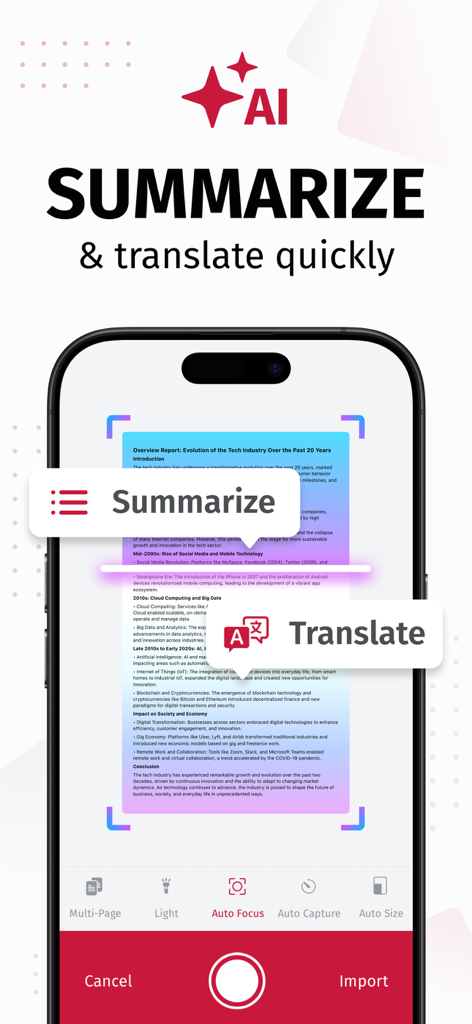
AI要約および翻訳ツールを備えたSwiftScan AIドキュメントスキャナーを表示するiPhone画面

AI要約および翻訳ツールを備えたSwiftScan AIドキュメントスキャナーを表示するiPhone画面

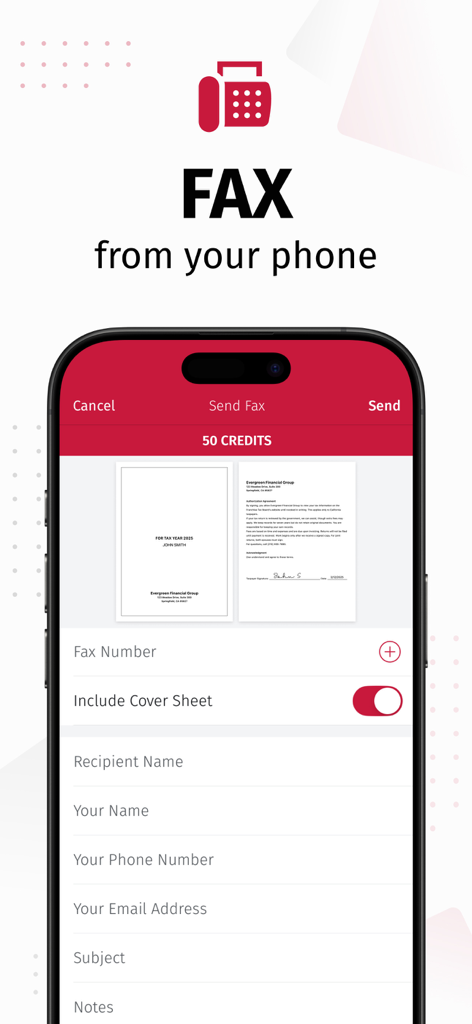
ドキュメントプレビューが表示されているSwiftScanアプリのFAX送信機能を表示するスマートフォン画面

ドキュメントプレビューが表示されているSwiftScanアプリのFAX送信機能を表示するスマートフォン画面

プロフェッショナルスキャンとAIインテリジェンスの融合

このアプリを際立たせるツール、 5M+ 人のユーザーが選択.

🤖

AIによるインサイト

長文契約書の瞬時要約や、ドキュメントのリアルタイム翻訳(多数の言語に対応)にAIを活用し、読書時間を節約しましょう。

デスクトップグレードの精度

自動エッジ検出と超高速処理により、200 DPI以上の高品質スキャンを実現。かさばるオフィススキャナーに取って代わります。

🔒

プライバシー最優先のセキュリティ

機密データはデバイス上に留まります。銀行レベルの暗号化とFaceID保護で機密ファイルを保護し、安心をお届けします。

世界中のユーザーに愛されています

Trusted by 5M+ 人がこのアプリを愛用しています.

"

"不動産業者として、外出先で機密性の高い契約書を常に扱っています。SwiftScan AIはまさに救世主です。200 dpiの品質は非常にプロフェッショナルで、現場にいながらiPhoneから直接FAXを送れるのは、まさにゲームチェンジャーです。データがデバイス上でプライベートに保たれることを知っていると、私とクライアントは真の安心感を得られます。"

サラ・ジェンキンス、不動産プロフェッショナル
"

"毎日複数のプロジェクトと大量の書類を管理しています。AI要約ツールはまさに魔法のようです。長文のベンダーレポートを、迅速で実行可能な概要に要約してくれるので、数時間節約できます。エッジ検出は超高速で、Google Driveへのワンタップワークフローは、煩雑さをなくしてデジタルオフィスを完璧に整理してくれます。"

マーカス・ソーン、フリーランスプロジェクトマネージャー

レビュー分析

ユーザーレビューの分析.

感情スコア

34%
ネガティブ

概要

The app receives largely negative feedback, primarily due to recent aggressive monetization strategies, including high subscription fees, removal of previously free features, and intrusive ads even for paying users. Users frequently report app instability, such as crashes and slowness, especially after updates or when not on Wi-Fi; specific issues include a black logo on iOS 17.7.2, sync problems on iPad mini 7, and reports of the app not functioning on iPhone 17 Pro Max. While some positive remarks highlight its initial ease of use and effective scanning quality, many long-term users express frustration over restricted core functionalities, concerns about privacy, and unresponsive customer support.

主なテーマ

Scanning Quality & Automation(4)
Ease of Use & Interface(3)
Overall Functionality (Historical/General)(2)
App Performance(1)
Monetization & Subscription Model(1)

アプリについて

について知っておくべきこと SwiftScan AI Document Scanner.

説明

SwiftScan AI is the best mobile scanner app for documents and QR codes. Create free, high-quality PDF or JPG scans with just one tap. Use smart AI Tools to translate scans into other languages, or to summarize into brief overviews or generate longer reports. Send files via email or as a fax. Save files to iCloud Drive, Box, Dropbox, Evernote and other cloud services. SwiftScan AI packs all the power of a desktop scanner into one tiny scanner app! SwiftScan AI Features – Scan, sign, edit, save & send, summarize, translate, fax, and more! - Scan premium quality PDFs or JPGs with 200 dpi and higher - Advanced AI Tools to summarize your documents for quick comprehension, or even translate documents to another language - OCR: AI-powered OCR can extract the text of your scans to search, copy, and lookup to find things fast - Fax: send your documents as a fax right from SwiftScan - Cloud integration: save files to iCloud Drive, Dropbox, Google Drive and other cloud services - Scan QR codes: URLs, Contacts, Phone Numbers - Home Screen Widget: Shortcut widget provides instant access to scan, search, or view recent documents - Lightning fast: automatic edge detection and scanning - Scan single & multi-page documents - Enhance your scans: apply color, grayscale or black & white filters with automatic optimization - Add text, comments, annotations, or draw on documents - Insert e-signature, redact text, add pages - WebDAV and FTP, sFTP and FTPs - Edit documents: Move, rotate, add or delete pages - Encryption: PDF password protection - Passcode protection with Touch/Face ID support - Beautiful themes: select your preferred look and feel - Smart file naming based on tags you select, like dates, keywords, and more - One-tap email and print workflows Scan PRIVACY SAFE SwiftScan AI values your privacy. We will never store or save your documents, or use them for any purpose. All document-related activity happens on your device, or with the cloud backup provider you choose. Scan HIGH-QUALITY SwiftScan AI uses the most advanced scanning technology. Scans start at 200 dpi, premium quality comparable to desktop scanners. Various color modes, auto-optimization and blur-reduction help you to get the most out of your scans. Scan QUICKLY SwiftScan AI is lightning fast and incredibly easy. Hold your iPhone over any document, receipt, whiteboard, notebook, or QR code to scan and save it as a PDF or JPG quickly. The edges of the document are automatically identified so that only the document itself is scanned. It captures the best possible image in the perfect moment. Scan ANYTHING SwiftScan AI works with any type of document, from paper documents to business cards, QR codes, barcodes, notes- even whiteboards or post-its. It saves the documents that are important for you and gets rid of paper clutter. --- CONTACT & SUPPORT --- Learn more: https://maplemedia.io/ Get in touch: support@swiftscanapp.com --- LEGAL --- Terms of Service: https://maplemedia.io/terms-of-service/ Privacy Policy: https://maplemedia.io/privacy/ Subscription Terms: Payment for subscriptions will be charged to your Apple Account at confirmation of purchase. Subscription automatically renews unless auto-renew is turned off at least 24-hours before the end of the current period. Account will be charged for renewal within 24-hours prior to the end of the current period, and identify the cost of the renewal. Subscriptions may be managed by the user and auto-renewal may be turned off by going to the user's Account Settings after purchase. Any unused portion of a free trial period will be forfeited when the user purchases a subscription to that publication.

最新バージョン

9.6.77

サイズ

488.6 MB

リリース日

2014年4月3日

デスクトップクラスのAIスキャナーをポケットに

SwiftScan AIを使用してドキュメントをスキャン、署名、要約する500万人以上のプロフェッショナルに加わりましょう。今すぐダウンロードして、紙の煩雑さから解放されましょう。

ダウンロード: App Store