Tabata Timer □

Tabata Timer □

ダウンロード: App Store
Spark by MWM logo
ロゴ: Tabata Timer □

タバタタイマー □:HIITワークアウトをマスターする最もシンプルな方法

最高効率を追求したミニマルなワークアウトタイマーを体験してください。1回のドラッグでインターバルを設定し、バックグラウンドで好きな音楽を聴きながら、手軽にフィットネス目標を達成しましょう。

開発元

Float Tech, LLC

カテゴリ

Health & Fitness

ダウンロード

1M+

ユーザー評価

4.8/5

評価数

43K+

対応言語

22

洗練。シンプル。強力。

このインターフェースを利用する 1M+ 人のユーザー.

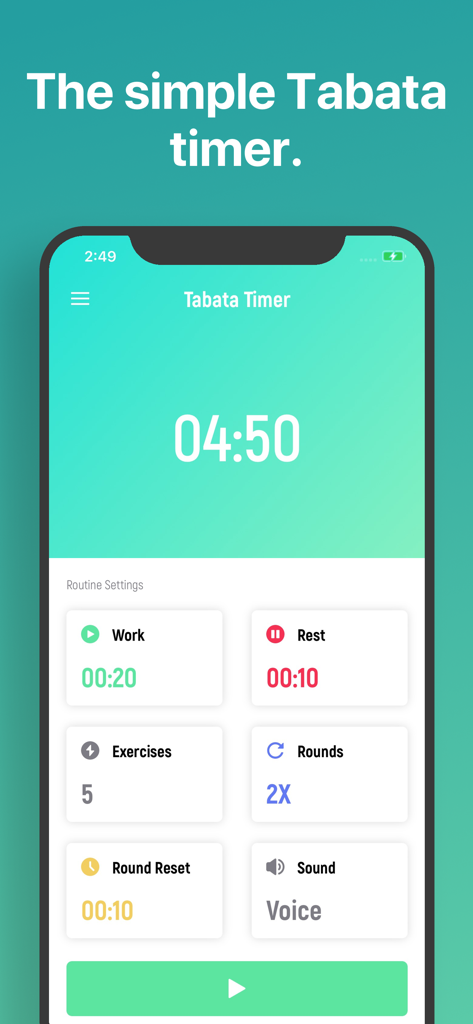
インターバルとラウンドのワークアウトルーチン設定を表示するタバタタイマーアプリのインターフェース

インターバルとラウンドのワークアウトルーチン設定を表示するタバタタイマーアプリのインターフェース

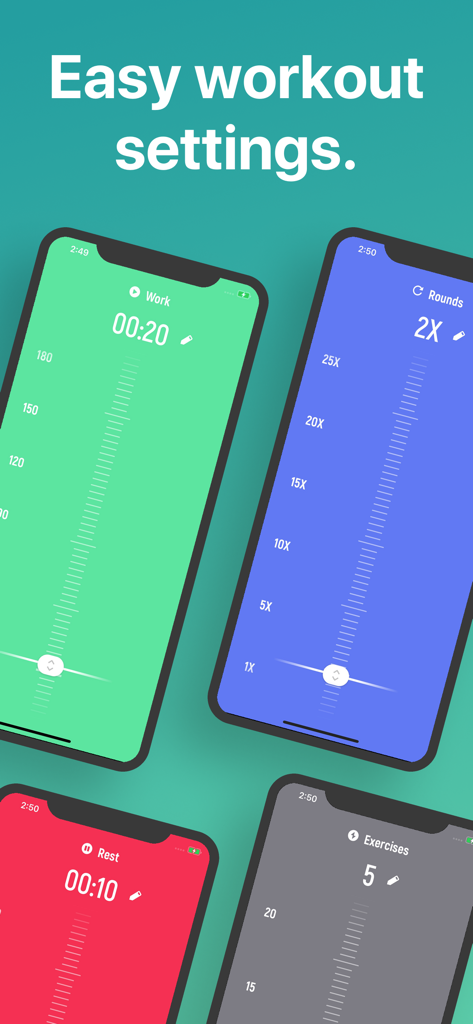
簡単なワークアウト設定のためのカラフルなインターフェースを表示するタバタタイマーアプリ

簡単なワークアウト設定のためのカラフルなインターフェースを表示するタバタタイマーアプリ

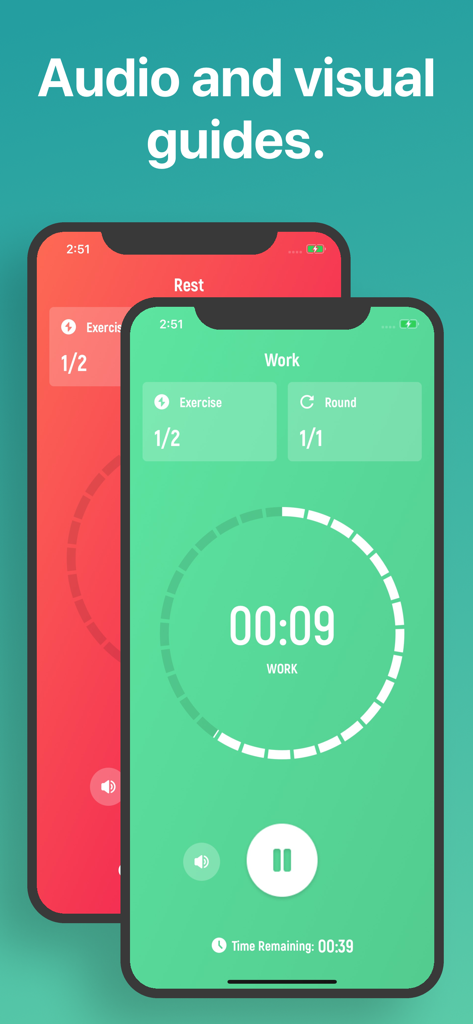
ワークアウトと休憩の画面を表示するタバタタイマーアプリのインターフェース

ワークアウトと休憩の画面を表示するタバタタイマーアプリのインターフェース

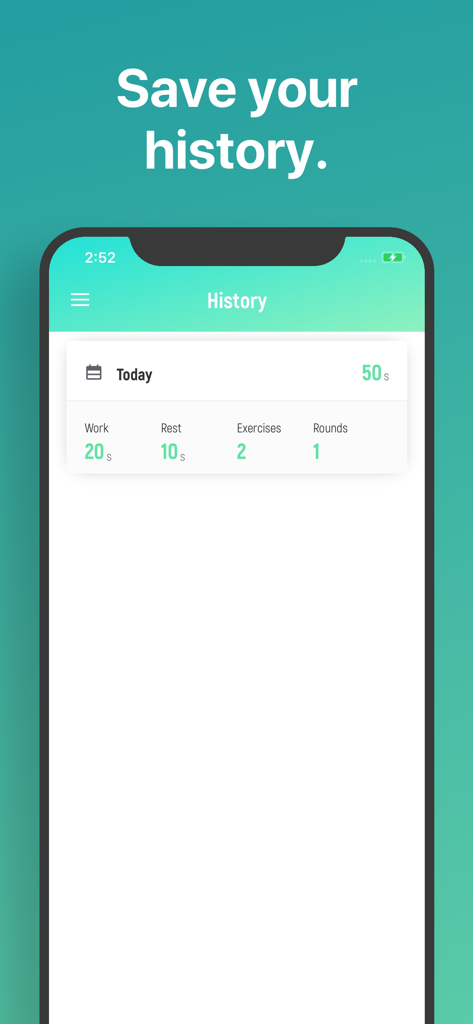
ワークとレストの時間を含む、記録されたワークアウト指標を表示するタバタタイマーアプリの履歴画面

ワークとレストの時間を含む、記録されたワークアウト指標を表示するタバタタイマーアプリの履歴画面

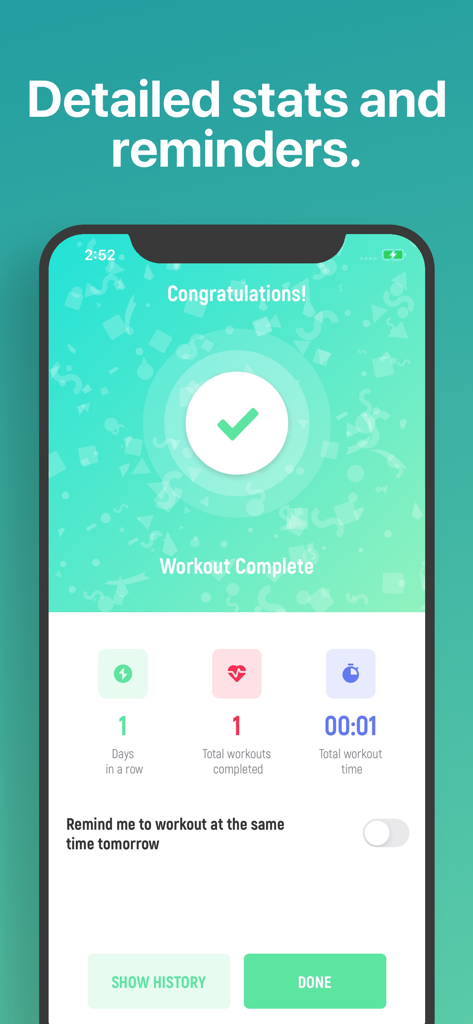
統計とリマインダーを表示するタバタタイマーアプリのワークアウト完了画面

統計とリマインダーを表示するタバタタイマーアプリのワークアウト完了画面

正確なインターバル管理

このアプリを際立たせるツール、 1M+ 人のユーザーが選択.

🕒

ストレスのないインターバル設定

スワイプひとつでワーク、レスト、ラウンドを設定。複雑なメニューや入力に時間を取られることなく、すぐにワークアウトを開始できます。

🔊

ハンズフリー音声ガイド

音楽やポッドキャストを聴いている間も、音声ガイドが全セットをナビゲート。画面を見ることなく、集中状態を維持できます。

📊

継続を視覚化

詳細な履歴と統計で進捗を追跡。お気に入りの過去セッションを簡単にロードして、自己ベストを更新しましょう。

世界中のユーザーに愛されています

Trusted by 1M+ 人がこのアプリを愛用しています.

"

"一秒も無駄にできない多忙なマーケティング担当役員として、このアプリの直感的な操作性は最高です。数秒でラウンドを設定して、すぐにワークアウトに入れます。一番のお気に入りは、Spotifyのプレイリストを大音量で流していても、画面を一度も見ることなく音声ガイドが完璧にナビゲートしてくれるところです。"

サラ・ジェンキンス
"

"デザインが非常にクリーンで、iOSの美学に完璧にマッチしています。自宅でのクロスフィットWODやボクシングのドリルに使っています。履歴を追跡し、お気に入りの設定を素早くロードできるので、トレーニングセッションが格段に効率的になりました。これまで使った中で、間違いなく最も信頼できるタイマーです。"

マーカス・ソーン

アプリについて

について知っておくべきこと Tabata Timer □.

説明

A Tabata workout timer that is simple, clear, and beautiful. 1. Drag to set your rounds, rest, work, etc 2. Tap to workout. While the app is ultra-simple to use, we didn't skip any necessary features: ∙ Listen to your music apps while you workout. ∙ Audio guides you through the workout, so you don't have to be looking at the screen. ∙ You can leave the app and still listen to the audio guides, in order to follow a workout you found online. ∙ History and statistics pages to review your previous workouts. ∙ You can even load the settings from any previous workout! If you have any questions or suggestions, simply tap "Contact Support' and tell us! We'll try to include your idea in our next update. This app includes an optional auto-renewable subscription (Premium Pass): Premium Pass beings with a free trial period, then an auto-renewable monthly subscription when trial ends. Payment will be charged to your Apple account at confirmation of purchase and will automatically renew (at the duration/price selected) unless auto-renew is turned off at least 24 hrs before the end of the current period. Account will be charged for renewal within 24-hours prior to the end of the current period. Current subscription may not be cancelled during the active subscription period; however, you can manage your subscription and/or turn off auto-renewal by visiting your Apple Account Settings after purchase. Any unused portion of the free initial period will be forfeited when you purchase a subscription. Privacy Policy: https://float.support/tabata-timer/privacy Terms of Use: https://float.support/tabata-timer/terms

最新バージョン

26.1.4

サイズ

29.3 MB

リリース日

2016年7月28日

次のセッションの準備はいいですか?

100万人以上のアスリートと共に、複雑さを捨てて世界で最も直感的なHIITタイマーを使いましょう。面倒な設定は一切不要。タップして汗を流し、進歩を実感するだけです。

ダウンロード: App Store
FAQ

よくある質問

について知っておくべきこと Tabata Timer □

How do I set up a Tabata workout in the Tabata Timer app?

You set up a Tabata workout in the Tabata Timer app by dragging to adjust settings like rounds, rest, and work duration. After customizing, tap to start your workout.

Does the Tabata Timer app allow me to listen to music during my workout?

Yes, the Tabata Timer app allows you to listen to your music apps simultaneously while you are working out. The audio guides function alongside your chosen music.

Can I leave the Tabata Timer app and still receive audio guides?

Yes, you can leave the Tabata Timer app and still receive audio guides. This feature enables you to follow workouts from other sources while using the timer in the background.

Does the Tabata Timer app track my workout history and statistics?

Yes, the Tabata Timer app includes history and statistics pages. You can review previous workouts and even load their settings for future use.

How do I contact support for the Tabata Timer app?

To contact support for the Tabata Timer app, simply tap "Contact Support" within the app. You can then provide questions or suggestions directly.

Is there a subscription for the Tabata Timer app?

Yes, the Tabata Timer app offers an optional auto-renewable subscription called Premium Pass. It includes a free trial period, followed by a monthly subscription.

How do I cancel the Premium Pass subscription for Tabata Timer?

You can cancel the Premium Pass subscription for Tabata Timer by visiting your Apple Account Settings after purchase. Ensure auto-renewal is turned off at least 24 hours before the current period ends.

Does the Tabata Timer app provide audio guidance during workouts?

Yes, the Tabata Timer app provides audio guidance throughout your workout. This means you do not have to constantly look at your screen.

What workout parameters can I customize in the Tabata Timer app?

In the Tabata Timer app, you can customize workout parameters such as rounds, rest duration, work duration, number of exercises, and round reset time.

Where can I find the privacy policy for the Tabata Timer app?

The privacy policy for the Tabata Timer app is available at the provided URL: https://float.support/tabata-timer/privacy.