TurboWords Spelling

TurboWords Spelling

ダウンロード: App Store
Spark by MWM logo
ロゴ: TurboWords Spelling

TurboWords Spelling:毎週の学校のリストをA+の結果に

退屈なスペリングの宿題を、AI搭載のインタラクティブな冒険に変えましょう。パーソナライズされたテスト、楽しいミニゲーム、中毒性のある学習にする即時フィードバックで、お子様の自信と成績を向上させましょう。

ダウンロード: App Store

開発元

Claude Labelle

カテゴリ

Education

ダウンロード

245K+

ユーザー評価

4.6/5

評価数

1K+

対応言語

2

学習が実践される様子を見る

このインターフェースを利用する 245K+ 人のユーザー.

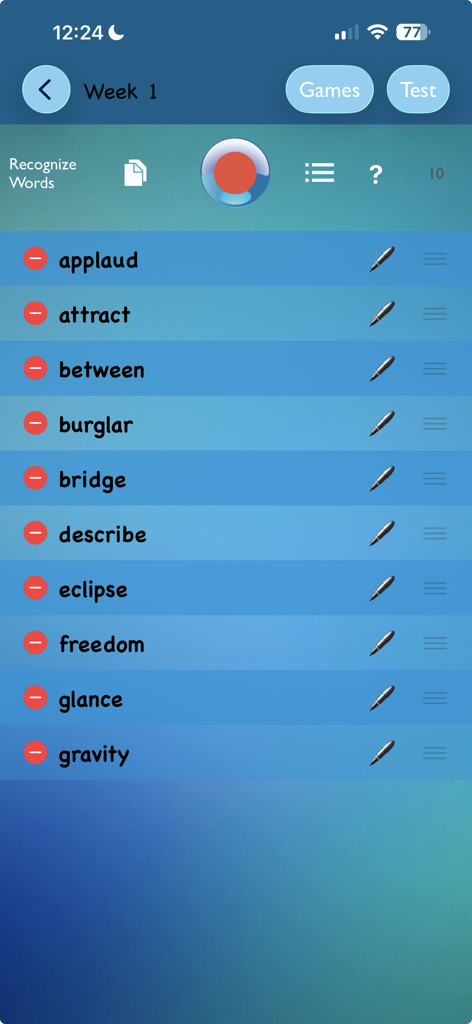
TurboWords Spellingアプリの設定画面。毎週のテスト用にカスタマイズされた10個のスペリング単語リストが表示されています。

TurboWords Spellingアプリの設定画面。毎週のテスト用にカスタマイズされた10個のスペリング単語リストが表示されています。

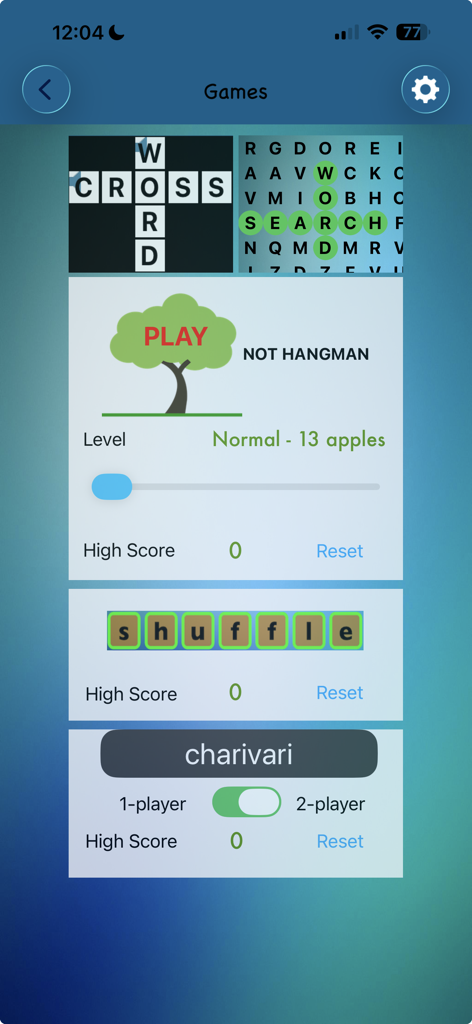
TurboWords Spellingアプリの教育的な単語ゲームのセレクション。クロスワード、ワードサーチ、ハングマンなど。

TurboWords Spellingアプリの教育的な単語ゲームのセレクション。クロスワード、ワードサーチ、ハングマンなど。

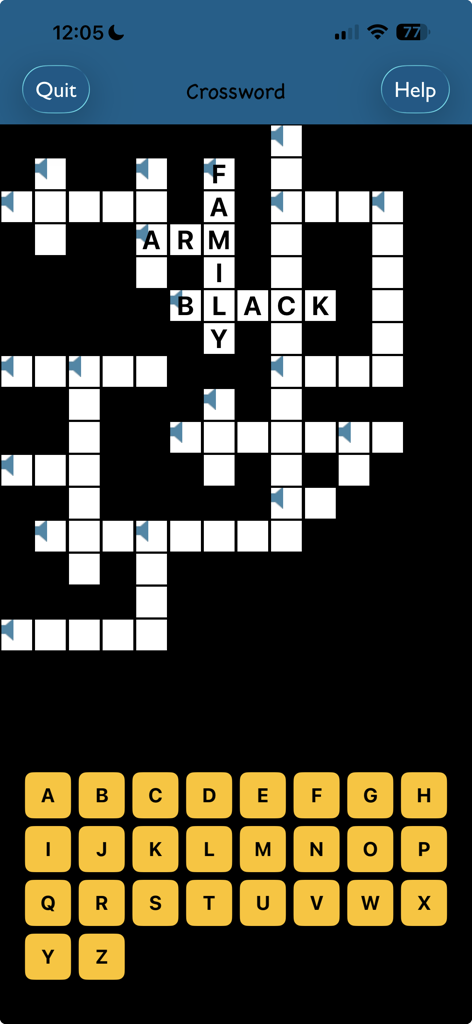
TurboWords Spellingアプリのクロスワードパズルゲーム画面。画面上のアルファベットキーボードが表示されています。

TurboWords Spellingアプリのクロスワードパズルゲーム画面。画面上のアルファベットキーボードが表示されています。

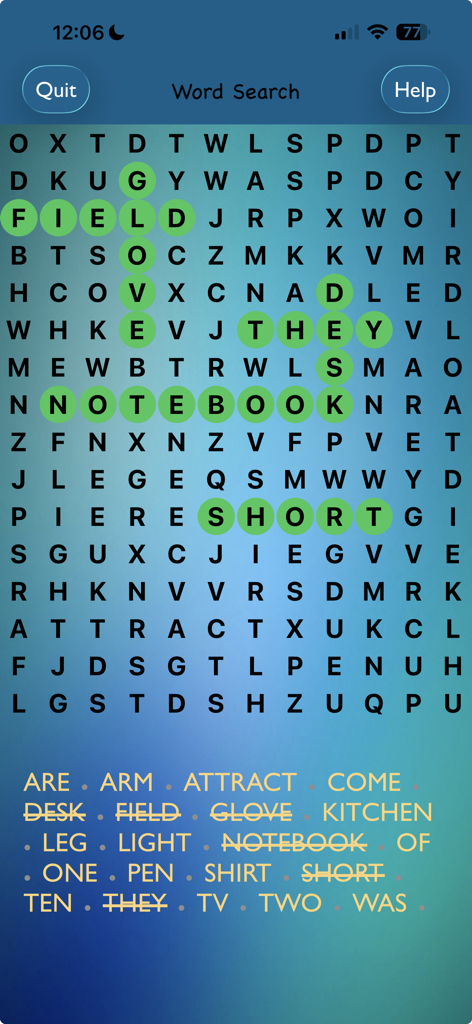
TurboWords Spellingアプリのワードサーチパズル。いくつかの単語が緑色でハイライトされています。

TurboWords Spellingアプリのワードサーチパズル。いくつかの単語が緑色でハイライトされています。

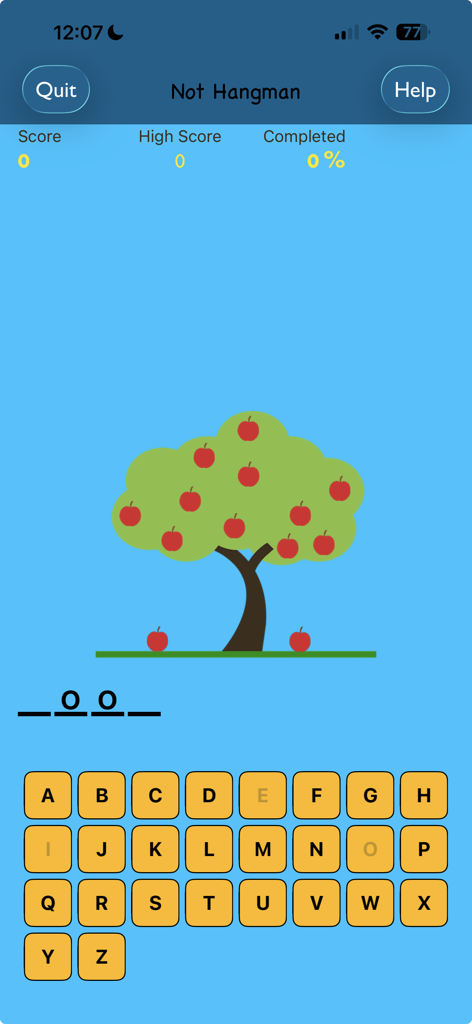
Not Hangmanスペリングゲーム画面。リンゴの木とアルファベットキーボードが特徴です。

Not Hangmanスペリングゲーム画面。リンゴの木とアルファベットキーボードが特徴です。

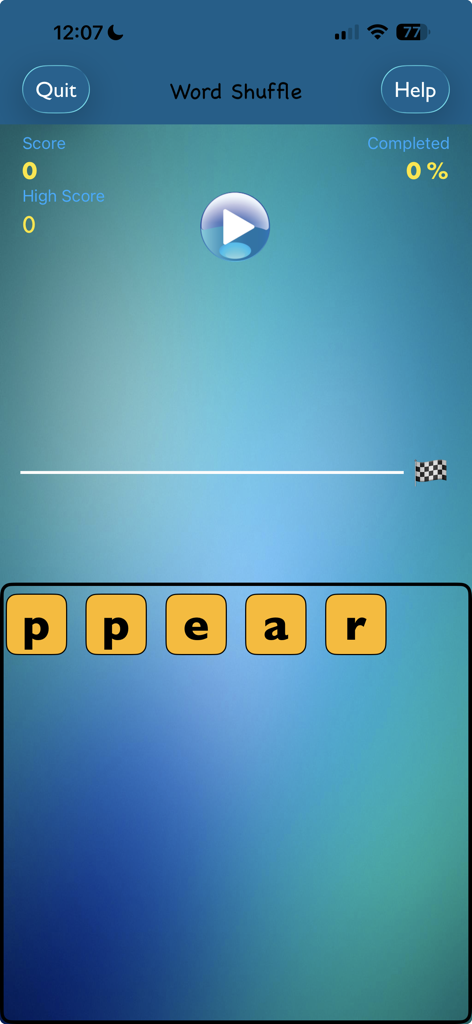
TurboWords SpellingアプリのWord Shuffleゲームのスクリーンショット。文字タイルとゲームの進行状況が表示されています。

TurboWords SpellingアプリのWord Shuffleゲームのスクリーンショット。文字タイルとゲームの進行状況が表示されています。

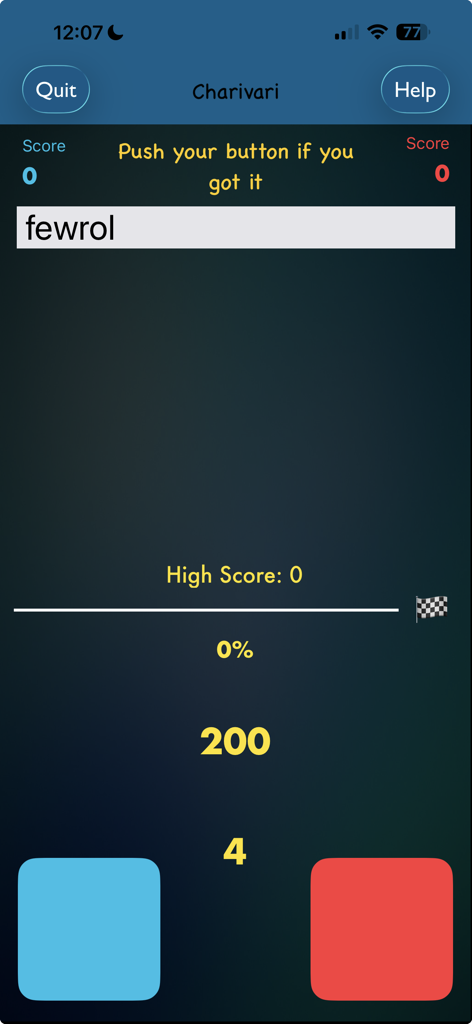
TurboWords SpellingアプリのCharivariゲーム画面。ランダムな単語と2つのプレイヤーボタンが特徴です。

TurboWords SpellingアプリのCharivariゲーム画面。ランダムな単語と2つのプレイヤーボタンが特徴です。

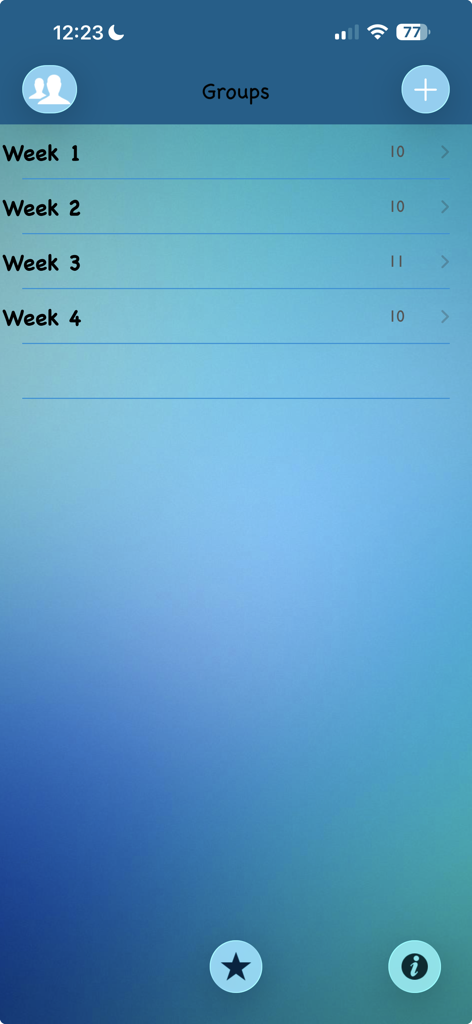
TurboWords Spellingアプリの単語グループリストのスクリーンショット。学生の練習のために週ごとに整理されています。

TurboWords Spellingアプリの単語グループリストのスクリーンショット。学生の練習のために週ごとに整理されています。

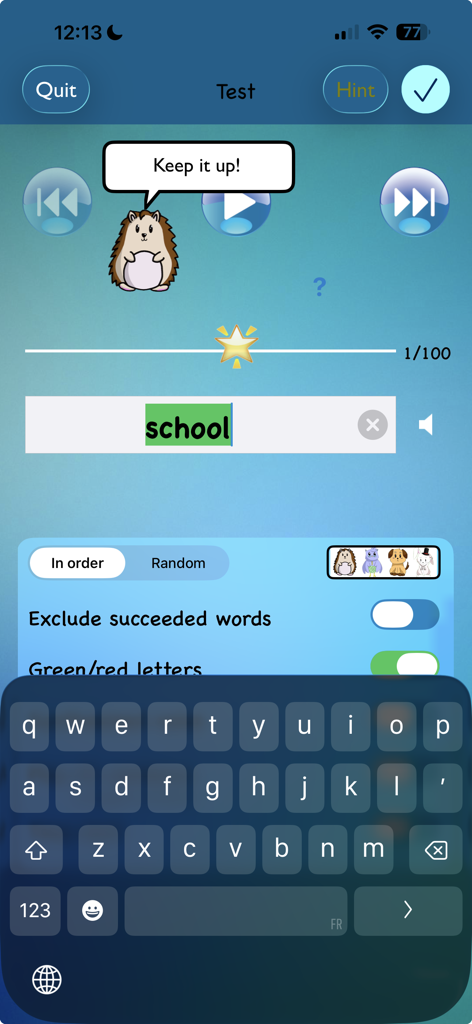
TurboWords Spellingアプリのテスト画面。ヘッジホッグのキャラクターが励ましを与え、単語「school」が緑色でハイライトされています。

TurboWords Spellingアプリのテスト画面。ヘッジホッグのキャラクターが励ましを与え、単語「school」が緑色でハイライトされています。

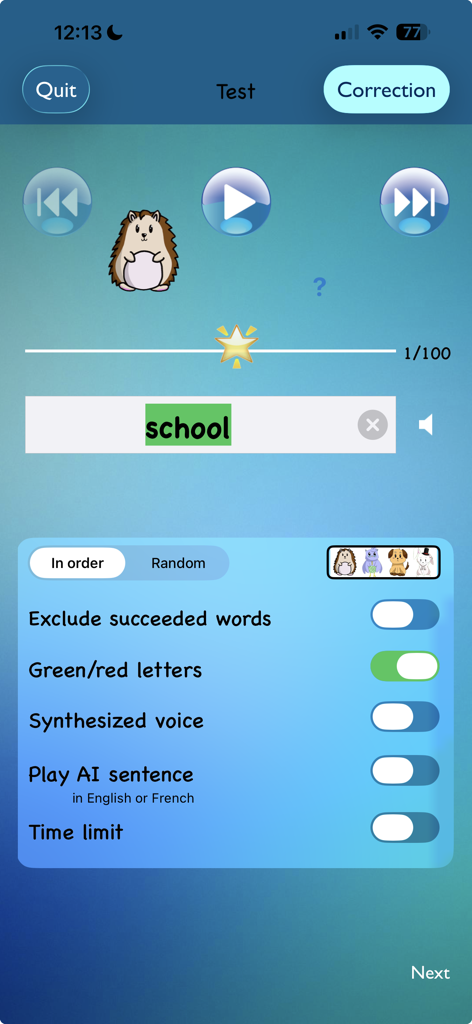
TurboWordsアプリのスペリングテスト画面。単語「school」が正しく入力され、フィードバック設定と漫画のマスコットが表示されています。

TurboWordsアプリのスペリングテスト画面。単語「school」が正しく入力され、フィードバック設定と漫画のマスコットが表示されています。

毎週のスペリングテストをマスターする

このアプリを際立たせるツール、 245K+ 人のユーザーが選択.

🎤

即時の音声からリストへの設定

タイピングをやめて、教え始めましょう。毎週の学校の単語を一度に録音し、それらがパーソナライズされたデジタルテストに即座に変換されるのを確認してください。

🧠

スマートAIコンテキスト文章

Apple Intelligenceを活用して、すべての単語のAI生成された文章を聞き、子供たちが真に理解し記憶するために必要なコンテキストを提供します。

🕹️

ドリルをゲームに変える

ハングマンやワードサーチなどの5つのインタラクティブゲームで生徒を惹きつけ、金曜日のテストの練習を遊びのように感じさせましょう。

世界中のユーザーに愛されています

Trusted by 245K+ 人がこのアプリを愛用しています.

"

"TurboWordsは、金曜日のテスト準備を完全に変えました。以前は毎週夜に2年生の息子と単語の練習に1時間費やしていましたが、今では彼女は音声認識を使って自分のリストを設定しています。AI生成の文章は彼女の語彙にとってゲームチェンジャーであり、ついにテストで輝く星を獲得するようになりました!"

Sarah Jenkins、保護者&テクノロジープロフェッショナル
"

"ついに、教室で起こっていることに実際に合致する教育アプリが登場しました!私の息子はスペリングを恐れていましたが、「Not Hangman」やワードサーチなどのゲーム化されたアプローチで、練習に熱心になっています。マルチユーザーサポートは、両方の子供が同じiPadで個別に進捗状況を追跡できるため、私たちの家庭に最適です。"

David Thompson、ホームスクール保護者

アプリについて

について知っておくべきこと TurboWords Spelling.

説明

Using speech recognition, quickly build a spelling test from your own weekly school words. Record them in one stretch. Sit back and watch as they are recognized into text. It’s easy and fun! Then play the test, rich with options. Hear an AI generated sentence made with the word to spell, on devices with Apple Intelligence. Seeing, hearing and writing your words will help you succeed in school tests. An amimo character (from French "ami" [friend] and "mots" [words]) says words of encouragement. And finally, track your progress. See the results of your last three tests, individually for each word. Earn a shining star. Alternatively, play one of five games using your words: hangman-style, crossword, word search, charivari and word shuffle. Includes one sample group to get you started. TurboWords lets you: SETUP • Record as many words as you need. Alternatively, type or paste them. • Re-order, delete, edit or re-record your words. • Create up to eight groups of words (lists). An unlimited number of groups can be purchased as a one-time in-app purchase, at a minimal cost. • Receive and import groups created with TurboWords Parent/Teacher Edition. TEST • Play words sequentially or randomly, using your recorded voice or a synthesized voice. • Hear an AI generated sentence made with the word to spell, on devices with Apple Intelligence. • Type the words. Or write them on paper. • Have instant feedback at each keystroke! Letters highlight green or red. • Use a Hint button, if you’re stuck, pressing this button will reveal the next letter. • Pronounce the word as you type each keystroke, if you wish. • Go forward and backwards. • Set a time limit, so that the next word is automatically played back, after a number of seconds that you set. • Take partial tests. • Focus on the words you have difficulty with, by excluding succeeded words from a spelling test. CORRECT • See the results of your test. • Correct words. • See a positive-reinforcement star, red and green lights showing your progress as you learn. • Send test results by email. PLAY • Play Not Hangman while improving your literacy. • Solve the crossword puzzle. • Beat your high score in animated Word Shuffle game. • Solve the word search puzzle. • Experience the frantic pace of the one or two player game Charivari. Steps to use the app: 1. Add a group for your words. 2. Record your words. 3. Take the spelling test. 4. Correct the test. You will find contextual help on every screen. Portrait and landscape modes are supported. A multi-user option can be purchased. It allows multiple users on the same device. Users can be created with their name and photo (or AI generated image on devices with Apple Intelligence). Each user have their own groups of words.

最新バージョン

4.0

サイズ

27.6 MB

リリース日

2015年10月17日

金曜日のスペリングテストを乗り越える準備はできましたか?

毎週の雑用を楽しい学習ゲームに変えた245,000以上の家族に加わりましょう。今すぐTurboWordsをダウンロードして、お子様が次の輝く星を獲得するのを見てください。

ダウンロード: App Store
FAQ

よくある質問

について知っておくべきこと TurboWords Spelling

TurboWords Spelling は、ユーザーがカスタムスペルテストを作成するのをどのように支援しますか?

TurboWords Spelling を使用すると、音声認識で自分の単語を録音して、スペルテストをすばやく作成できます。また、単語を入力または貼り付け、並べ替え、削除、編集して、学習体験をカスタマイズすることもできます。

TurboWords Spelling アプリで利用できるゲームの種類は何ですか?

はい、TurboWords Spelling には、ハングマンでない、クロスワード、ワードサーチ、シャリバリ、ワードシャッフルという 5 つの魅力的な教育ゲームが含まれています。これらのゲームは、ユーザーが作成したカスタム単語リストを利用して、学習プロセスを強化します。

TurboWords Spelling は、スペルテスト中に即時フィードバックを提供しますか?

はい、TurboWords Spelling はスペルテスト中に即時フィードバックを提供します。ユーザーが各文字を入力すると、正解は緑、不正解は赤で表示され、即時ガイダンスを提供して自己修正を支援します。

複数のユーザーが 1 台のデバイスで TurboWords Spelling にアクセスできますか?

はい、TurboWords Spelling はアプリ内購入として利用できるマルチユーザー オプションを提供しています。この機能により、複数のユーザーが同じデバイスを使用でき、それぞれが独自の単語グループとパーソナライズされた進捗状況の追跡を維持できます。

TurboWords Spelling アプリでは、いくつの単語グループを作成できますか?

デフォルトでは、TurboWords Spelling では最大 8 つの単語グループを作成できます。容量を拡張するには、1 回限りのアプリ内購入で無制限の追加単語グループを購入できます。

TurboWords Spelling は、スペルテストに AI 機能を利用していますか?

はい、TurboWords Spelling は Apple Intelligence を搭載したデバイスで AI 機能を組み込んでいます。これにより、アプリは AI を活用した文章をスペル対象の単語に対して生成でき、テスト中にさらにコンテキストを提供します。