Unicorn HTTPS

Unicorn HTTPS

ダウンロード: App Store
Spark by MWM logo
ロゴ: Unicorn HTTPS

Unicorn HTTPS:VPNの遅延なしで真のインターネットの自由を体験

接続を保護し、ブロックされたウェブサイトをフルスピードでバイパス。広告なし、データ追跡なし、速度低下なし—ワンタップで、あらゆるネットワークでデジタルプライバシーを取り戻せます。

開発元

Unicorn Soft, Inc.

カテゴリ

Utilities

ダウンロード

4M+

ユーザー評価

4.8/5

評価数

182K+

対応言語

14

視覚化された、フィルターなしのアクセス

このインターフェースを利用する 4M+ 人のユーザー.

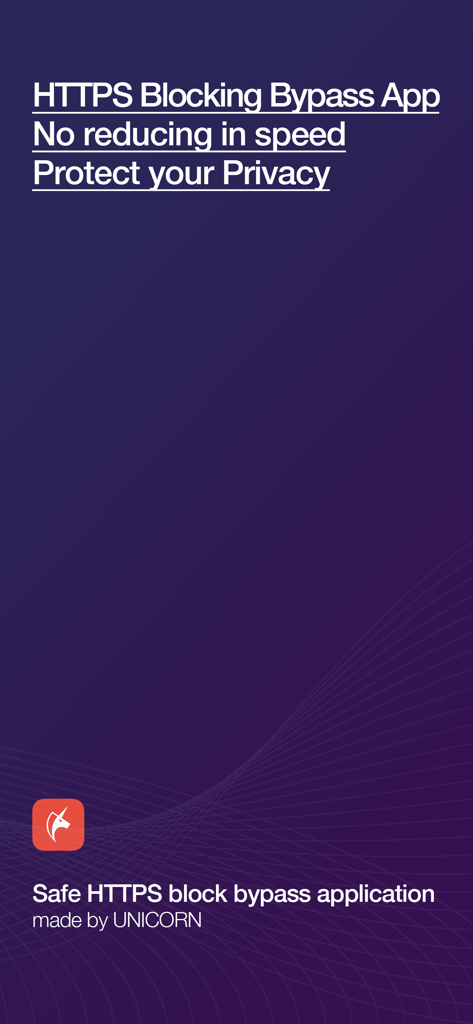
Unicorn HTTPSアプリのスプラッシュスクリーン。プライベートブラウジングとバイパス機能が強調されています。

Unicorn HTTPSアプリのスプラッシュスクリーン。プライベートブラウジングとバイパス機能が強調されています。

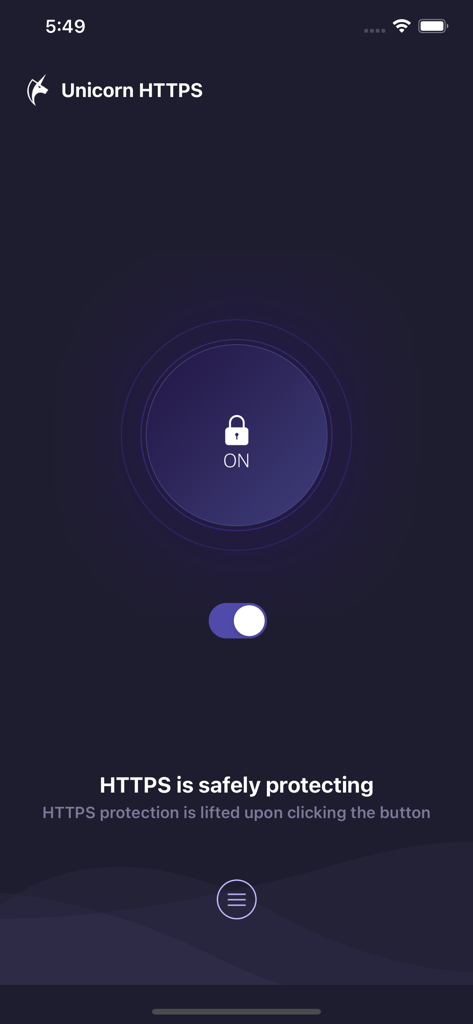
Unicorn HTTPSアプリのインターフェース。トグルスイッチとロックアイコンで保護ステータスがオンになっていることを示しています。

Unicorn HTTPSアプリのインターフェース。トグルスイッチとロックアイコンで保護ステータスがオンになっていることを示しています。

インターネットを解き放つ

このアプリを際立たせるツール、 4M+ 人のユーザーが選択.

パフォーマンスの遅延ゼロ

「VPNによる速度低下」は忘れましょう。当社の独自のパケットレベル技術により、ゲーム、ソーシャルメディア、4Kストリーミングで接続が超高速に保たれます。

🛡️

完全なプライバシースクリーン

ISPのスヌーピングやネットワーク管理者からSNIデータとDNSクエリを保護します。学校、オフィス、公共Wi-Fiでデジタルフットプリントを保護します。

🔓

100%無料&広告なし

月額サブスクリプションや迷惑なポップアップなしで、プレミアムなデジタル自律性を楽しめます。ワンタップで、広告なしの無制限のウェブアクセスが得られます。

世界中のユーザーに愛されています

Trusted by 4M+ 人がこのアプリを愛用しています.

"

"キャンパスのWi-Fiがインターネットの半分をブロックしていて、試したVPNはどれも接続が遅くなるのにうんざりしていました。Unicorn HTTPSはゲームチェンジャーです—信じられないほど高速で、無料で、ビデオストリームやゲームを遅くすることなく実際に機能します。"

Alex Rivera
"

"リモートフリーランサーとして、私は常に公共のWi-Fiを利用しており、プライバシーが心配です。このアプリは、従来のVPNの複雑さなしに、SNI保護と高速DNS切り替えで安心感を与えてくれます。クリーンでシンプルで、本当に速度を低下させません。"

Sarah Jenkins

アプリについて

について知っておくべきこと Unicorn HTTPS.

説明

Internet should be free and equal to everyone. There should be no surveillance and interference. Unicorn HTTPS is invented to solve the inconvenience from HTTPS eavesdropping and blocking while using Internet. Every function is served free of charge, no advertisement. Your personal information is never collected by us and you can access blocked HTTPS websites without a slowdown in speed. Please use it with confidence. Representative features • HTTPS blocking bypass • change DNS quickly(1.1.1.1, 8.8.8.8) • SNI field protection • No slowdown • All browser support Safe HTTPS Block Bypass App This is an app created by team Unicorn to bypass blocked HTTPS access as securely and fast as possible. With over 4 years of experience built from our know-how and technology, we are committed to providing you a quality service so your web surfing experience can be pleasant by regularly managing and updating our app. Changing the internet for the better Unicorn HTTPS Blocking Bypass App is created to give freedom of Internet access and personal information protection. All internet users can feel safe and use this app. You can use it at a fast speed without speed decrease. You can use it at a fast speed without slowing down. Unicorn is different from the other apps such as VPN or another app which uses the overseas server. It is developed to change the specific packet so it can be used for web surfing without reduction of speed. Your private information are safely protected with us Unicorn HTTPS block Bypass App secures all users' private information. It does not trace or save any private information from the used apps or visited websites. It can be used in all browsers Unicorn HTTPS Blocking Bypass App can be used freely by clicking the button once on your current browser. It supports multiple browsers such as Chrome, Samsung Internet, Firefox, Opera, and more. Are you having a pleasant web surfing? Please spare a little bit of your time to leave us a review. It will be a great support to the developer. E-mail : unicorn.https@gmail.com

最新バージョン

1.9.4

サイズ

9.9 MB

リリース日

2019年6月7日

インターネットの自由を取り戻す

速度低下なしの安全で制限のないウェブ体験を楽しむ400万人以上のユーザーに加わりましょう。広告なし、追跡なし、インターネットは本来あるべき姿のままです。

ダウンロード: App Store
FAQ

よくある質問

について知っておくべきこと Unicorn HTTPS

Unicorn HTTPSアプリは無料ですか?

はい、Unicorn HTTPSは完全に無料です。HTTPSブロックバイパスやDNS変更など、すべての機能が無料で提供され、広告も一切ありません。

Unicorn HTTPSは私の個人情報やデータを収集しますか?

いいえ、Unicorn HTTPSはいかなる個人情報も収集または追跡しません。ユーザーのプライベートデータと閲覧したウェブサイトを保護し、ユーザーのプライバシーを保証します。

Unicorn HTTPSはインターネット速度を低下させますか?

いいえ、Unicorn HTTPSはインターネット速度を低下させません。他のプロキシアプリとは異なり、速度低下なしに高速なウェブサーフィンを可能にするように設計されています。

Unicorn HTTPSと互換性のあるブラウザは何ですか?

Unicorn HTTPSはさまざまなブラウザをサポートしています。Chrome、Samsung Internet、Firefox、Operaなどで動作し、プラットフォームを横断して自由に使用できます。

Unicorn HTTPSアプリでHTTPS保護を有効にするにはどうすればよいですか?

Unicorn HTTPSでHTTPS保護を有効にするには、アプリを開いてトグルスイッチをタップします。有効になると、メイン画面に「HTTPS接続は安全に保護されています」と表示されます。

Unicorn HTTPSを使用してDNS設定を変更できますか?

はい、Unicorn HTTPSを使用すると、ユーザーはDNS設定をすばやく変更できます。アプリは1.1.1.1(Cloudflare)や8.8.8.8などのオプションを提供します。